
All posts in “tech”

KEF Made the Ultimate Hi-Fi Speaker System (Again)

When KEF released its original LS50 back in 2012, they quickly became regarded as some of the best-sounding passive desktop monitors you could buy. Their secret was KEF’s proprietary Uni-Q driver technology, which housed a 1-inch tweeter inside a 5.25-inch woofer resulting in excellent and accurate sound.

KEF LS50 Wireless Powered Music System (2018)

Because of the popularity, KEF went on to release the LS50 Wireless in 2018, which were active powered versions of the LS50. Each speaker had two built-in amplifiers, one for its tweeter and one for its woofer, and a dedicated DAC (up to 24-bit/192kHz) and DSP. When we reviewed the LS50 Wireless, we called them the “perfect hi-fi all-in-one speaker system.”

Now, in 2020, KEF has announced updated versions of both those speakers. The KEF LS50 Meta are updated versions of the LS50. They start at $1,500 and are available in four finishes: carbon black, titanium gray, mineral white and a special edition royal blue. And the KEF LS50 Wireless II are updated versions of the LS50 Wireless; they start at $2,500 and are available in four colors: carbon black, titanium gray, mineral white and a special edition crimson red.

The big update with both new speaker models is that they’re the first loudspeakers to use KEF’s new proprietary Metamaterial Absorption Technology (MAT), which KEF claims has the ability to “absorb 99% of the unwanted sound radiating from the rear of the driver.” This greatly reduces unwanted vibrations and distortion, and improves the overall sound quality. Basically, if you though KEF’s previous speakers sounded good — the new LS50 Collection takes that sound to the next level.

kef ls50 wireless ii and meta

KEF

KEF updated the speakers in other ways, too. It’s given them a new cone neck decoupler and motor system, which against helps eliminate distortion and disperse sound evenly around the room. KEF claims to have also optimized the cabinet size of both speakers and given them a new rear recessed port, which should help produce more accurate bass.

Like their predecessor, the KEF LS50 Wireless II are active powered speakers that come with a plethora of wired and wireless playback options, so you easily hook them up to a computer, turntable or CD player, or stream music directly to them via Chromecast, AirPlay 2 or Bluetooth.

The LS50 Wireless II have adopted a feature from their smaller brethren, the KEF LSX, in that the two speakers don’t have to be tethered together. This allows you to place the speakers further apart, but there is a sacrifice in max audio quality. When tethered together, the LS50 Wireless II can play ultra high resolution audio (up to 24bit/192kHz); when not tethered, there’s a bit of a drop-off in resolution (up to 24bit/96kHz).

Both the KEF LS50 Meta and the KEF LS50 Wireless II are available now. KEF does sell floor stands that match the speakers that you purchase. Each of these S2 Floor Stands cost $450/pair.

Buy Now: $1,500 (LS50 Meta) Buy Now: $2500 (LS50 Wireless II)

This content is created and maintained by a third party, and imported onto this page to help users provide their email addresses. You may be able to find more information about this and similar content at piano.io

How The Use Of VR Technology Can Turn Education Into Entertainment

Some people are still left asking the question of why is technology important in education. The answer to this is quite clear when you consider the use of VR in classrooms. Virtual reality learning can make school feel safer, more informative, and overall easier to digest.

In addition to all of that, virtual reality in education could also make learning more entertaining. Moreover, there are more than 100 entertainment examples you may check. These free essay examples about entertainment can help both students and teachers understand. It even demonstrates that learning can and should be fun. There are even some studies which suggest the addition of some entertainment value to lessons helps students learn more easily and achieve better results.

What Is VR?

With schools, colleges, and universities all over the world starting to reopen, there’s an evident need to implement VR in the lives of both students and teachers. VR (virtual reality) generates a 360-degree digital environment that looks and feels completely real. It allows students to literally immerse themselves in the learning experience and better understand new ideas and topics. The technology can be used to help any university student understand difficult-to-grasp concepts. It does so by allowing them to view and inspect at their own pace.

It can also help any teacher that has trouble explaining some intangible ideas — by making them tangible. This way, the teacher won’t have to rely solely on reading some words from a textbook to teach their class, as they’ll actually be able to present them interactively.

Benefits of VR:

  • It helps keep lessons interesting and entertaining.
  • There are no limits to what you can see.
  • Innovative.
  • A preview of future education platforms
How Can VR Be Used in Education?

People have been using virtual reality in entertainment for years, so, why wouldn’t we count on VR to make our education fun as well? Virtual reality is one of the best ways that teachers can help their students take full advantage of technology for learning purposes — and make it immersive. There are more than one way we can accomplish this, so let’s take a look at a few examples of using VR in education.

Making Learning Fun

As we noted, VR makes learning easier, fun, and more appealing. Ever since early childhood, we’ve learned things through experiencing, and seeing them, and this learning style can help us during adulthood as well. Most of us rely on our sight for picking up non-verbal cues, expanding our knowledge, and memorizing — and VR allows us to do just that. Not to mention, it’s much easier to learn new, more complex ideas and lessons by making them entertaining.

Engage & Inspire

Through VR, teachers could even implement game-based learning to increase their students’ engagement. Teachers will also be able to inspire their students, by allowing them to see the world in a different light, and in a way, they haven’t seen before. The best part is that since there are no limits to what we can see with VR, there are no limits to what we can learn with its help. 

Explore Different Concepts and Cultures

VR could help a geometry student view geometric shapes in every possible perspective and examine them to better understand the concept. Also, history majors can be transported back in time to see major events as they unfold. Finally, students could feel more inspired and free to explore topics outside of their comfort zone through VR.

To Conclude

Introducing virtual reality in the classroom can improve on the classic teaching system in more ways than one. It can likewise make students feel safe, inspired, and enthusiastic while learning. A classroom doesn’t even have to own the best VR system, in order to take full advantage of it. All that matters is it should be filled with willing teachers and students alike, who’re able to make the most of the system — and turn education into entertainment.

Why the Best Ever Apple Watch Is a Harder Sell Than Ever

Apple’s newest flagship smartwatch, the Apple Watch Series 6, doesn’t stray too far from the path of the tried-and-true. It has pretty much the same design and feature list as last year’s Series 5. It’s also the same price, with the GPS-only model starting at $399 and the cellular model starting at $499.

I’ve spent most of the past year with the Series 5 and after wearing the Series 6 for the past few days, I can say that there isn’t much difference between the two smartwatches; they look, feel and work quite similarly.

The Series 6 is definitely the best Apple Watch that Apple has ever made, but it might be a hard-sell for people who already have a Series 5 (and even a Series 4 if you don’t care about the always-on display).

Buy Now: $399+

The blood oxygen sensor is terrific, but niche.

On the Series 6, getting your blood oxygen reading is really easily — just open the Blood Oxygen app and select “Start.” It takes 15 seconds and records you measurements in the Health app. You can also set the Series 6 up so that it takes your blood oxygen throughout the day without you having to initiate the test, and you can then check your results any time you want.

Apple contextualizes the the blood oxygen sensor as a “wellness” feature and not a “health” feature. It’s an important distinction nowadays considering blood oxygen levels are a biometric that can potentially serve as an early indicator of COVID-19 infection. But neither you nor your Apple Watch are a doctor, or particularly qualified to draw concrete health conclusions from your biometrics.

Instead, the Series 6 and Apple’s Health app treat your blood oxygen level as something of an approximation of your general aerobic fitness. For that, it’s certainly satisfying to have another metric at your fingertips.

apple watch series 6

Tucker Bowe

With more affordable models, there are fewer reasons to go with the flagship Series 6.

Apple did a few things to its 2020 Apple Watch lineup to broaden the appeal. It abandoned some of the more expensive models, like the ceramic finish, and went all-in on affordability with the Series 3 ($199+) and SE ($279+) that are significantly cheaper than Series 6 ($399+).

The reason why Apple is going all-in an affordable Apple Watch models is pretty obvious: it wants more people to use Fitness Plus, its new fitness subscription plan (something of a Peloton rival) that gives subscribers access to various different workouts — including strength, HIIT, yoga, cycling and treadmill modalities — that don’t require more than dumbbells or simple bodyweight to do. The catch is you really need an Apple Watch to get the most out of those classes, as it can track your fitness metrics and give you realtime feedback and guidance. The more people with Apple Watches, the more likely it is that they subscribe to Fitness Plus. Also, if you buy any new Apple Watch, you get a three month subscription to Fitness Plus for free.


Apple Watch Series 6

apple.com

$429.00


But with so many options, there are actually fewer reasons to get the Series 6. The new Apple Watch SE is over $100 cheaper and shares the same design and many of the same capabilities of the Series. The big tradeoffs are that the SE doesn’t have an always-on display, it doesn’t have a blood oxygen sensor, and it doesn’t have an electrical heart sensor and is not capable of taking an ECG. But ultimately the Series 6 and SE are more similar than they are different, and unless you are particularly gung-ho about the advanced wellness features, there’s little reason you shouldn’t opt for the more affordable option.

The best new thing isn’t exclusive to the Series 6.

One of the biggest new things with this year’s Apple Watch lineup is the new Solo Loop watch straps. Unlike previous years where you had to get watch strap that had a buckle, clasp or velcro link, this year Apple is giving people the option of turning the Apple Watch into more of slip-on, slip-off bracelet.

I mainly used the silicone Solo Loop but there’s also the Braided Solo Loop for people who want a fabric option. I found that not having to adjust the clasp or velcro was actually pretty nice. The thing is these new Solo Loop straps aren’t exactly exclusive to the Series 6. Apple sells them individually for $49 (silicone) and $99 (braided) and they can fit any 40mm or 44mm model, meaning they’ll work with the Series 4 (discontinued), Series 5 (discontinued), Series 6 and the SE.

A thing to note about the Solo Loop watch straps is that there are 12 different sizes to choose from, so you’ll want to make sure you get the correct one. Also, the three smallest sizes only work with the 40mm models, and the three largest sizes only work with the 44mm models. Apple has a sizing guide on the website and when Apple Stores start opening up, you’ll presumably be able to try the different sizes out to get the perfect fit, if you can.

Buy Now: $399+

This content is created and maintained by a third party, and imported onto this page to help users provide their email addresses. You may be able to find more information about this and similar content at piano.io

Apple gives the iPad Air 4 a welcome redesign and adds more color options

Among slates available out there right now, Apple’s 2020 iPad Pro lineup is perhaps the best. However, that was before Samsung released the Galaxy Tab S7+ and the Galaxy Tab S7. Unfortunately, if you’re not ready to pay a premium price for a productivity-centric platform, there are alternatives. Along with Apple Watch Series 6 and Apple Watch SE comes the iPad Air 4. This seems like the manufacturer’s best attempt yet as it boasts a new form factor and impressive specs.

What immediately sets it apart from its predecessors is the significant reduction of its top and bottom bezels. In fact, many will likely mistake it for a Pro model at first glance thanks to flat sides of its frame. You can get the iPad Air 4 in a Wi-Fi and LTE variant. Sadly, those hoping for 5G connectivity might need to wait for the iPhone 12 and the tablet’s next iteration in 2021.

Another first for the catalog is the introduction of more colors. It will probably appeal to consumers who want their gadgets in shades other than space gray, gold, and silver. Another noticeable change is the absence of the home button that houses its fingerprint scanner. Instead, the biometric sensor has been integrated with the top button.

The smaller borders allow the 10.9-inch Liquid Retina display and its 2360 x 1640 resolution to shine. It’s just too bad that the 120 Hz ProMotion refresh rate remains exclusive to the Pro for now. We also found it awesome that the iPad Air 4 supports the new Magic Keyboard in addition to the Smart Keyboard Folio and Apple Pencil 2. Finally, the Lightning port is no longer there as a USB-C interface replaces it.

Purchase it now: here

Images courtesy of Apple

Did Logitech Create the Perfect Portable Mouse?

Logitech just announced a new wireless mouse that’s the ideal portable solution for laptops and tablets, but it’s really great people who take a lot of video calls. That’s because the MX Anywhere 3 ($80) has customizable side buttons that, using Logitech’s Options software, you can program to toggle your microphone and video off and on during Zoom or Microsoft Teams video calls. No need to find the mute or video on/off buttons on the actual video call anymore.

The MX Anywhere 3 has a lot of other features that you’d find on Logitech’s higher-end wireless mice like the MX Master 3, too. The new mouse has a metal MagSpeed wheel that supports electromagnetic scrolling, and it is built with DPI Darkfield technology which makes it easy to use on most surface materials (not just a mouse pad). It also charges via USB-C.

The main thing is that the MX Anywhere 3 is very small and light— only 3.5 ounces — so it’s designed as a great portable mouse. You can take it anywhere and it’ll work with your iPad or laptop. Plus, you’ll likely get used to the small size in no time.

The MX Anywhere 3 comes in two different models: one that’s optimized for Windows, Chrome OS and Linux computers, and one that’s optimized for Apple’s Macs and iPads. The MX Anywhere 3 comes in three different colors, rose, graphite and gray, but the Mac version is only available in gray.

The Logitech MX Anywhere 3 is available for preorder right now, and you’ll be able to buy it from most retailers in early October.

Buy Now: $80 (Logitech) Buy Now: $80 (Amazon)

This content is created and maintained by a third party, and imported onto this page to help users provide their email addresses. You may be able to find more information about this and similar content at piano.io
The 7 Best Mechanical Keyboards To Make Work a Joy

It’s probably not shocking to hear premium mechanical keyboards are for people who are going to type a lot, and quickly. There are secondary and tertiary reasons for buying mechanical — longer lifespan, typically high programmability, sturdier materials, customization options, etc. — but the primary reason you, or anyone else, is buying a mechanical keyboard is for the sweet, sweet keystroke trigger activated with less than a half press of the key.

The difference between the keyboards you’re used to and the mechanical keyboard you’re considering is the way the board is registering each keystroke. Most keyboards today are made with rubber-domed switches under the keycaps and a varying number of gel membranes under those switches that absorb and signal your computer that you’re typing. These are cheaper to make but wear out more quickly. They also lack tactile feedback, which is essentially the key bumping back at you before you click it all the way down, providing you free lessons in typing faster with less effort. They also require you to press the key completely down to register, where a mechanical board can be pressed just barely below its resting point to register a stroke.

In short: if your profession involves heavy typing work, mechanical keyboards are worth exploring. If you’re not overly concerned with the problem of noise, there is a whole, incredibly wide world to explore. If you are, the below are excellent places to start.

Buying Guide

Drop ENTR


For a professional keyboard at extremely good price, you can hardly find a better deal on offer than Drop’s “ENTR” keyboard. With an aluminum case and slick angular design, the ENTR is exactly what it was designed to be: the perfect entry level mechanical keyboard. Available with smooth Gateron Yellow switches or tactile Halo True switches that offer a satisfying bump, the ENTR is not only grown-up looking, but also reasonably quiet in all of its available configurations.

Drop: $90

Filco Majestouch 2 TKL


Don’t let the name fool you, this keyboard is not just for people who spell mage with a “j” or use the word mage in everyday conversation at all. Filco is another of the most respected names in mechanical boards, and this more medium-sized, Japanese-designed keyboard keeps with its tradition of stellar performance in a low-key package. Different variations of the Majestouch 2 TKL come with different switches, but this one uses the MX Silent Red switch, similar to the previous board, but with a lesser actuation force (less pressure to press the key down). Note again that Cherry’s Silent switches do not provide tactile feedback, meaning you’ll not have a springboard for a typing teacher.

Amazon: $139

Matias Quiet Pro


Matias’s unassuming line of quiet boards differentiate themselves with the brand’s propriety line of stealthy switches, found in far fewer boards than their Cherry counterpart. The Matias Quiet Pro also comes in a Mac variant, a rarity in the PC-dominant world of mechanical keyboards (nearly every board functions fine on Mac, the computer will recognize the board and adjust certain keys). Matias’s switches are not quite as quiet as the MX Silent switch keyboards, but they make up for it by providing a nice tactile bump those boards do not. The laser-etched keycaps are a small bonus as well.

Amazon: $140

WASD Keyboards CODE


WASD Keyboards’s 87-key CODE can be had with the relatively rare Cherry MX Clear switches, which are stiffer (higher pressure to push) variations of the popular MX Brown switch. They’re not expressly made for minimal noise like the previous keyboards on this list, but they’re easily the least obnoxious of the classic switch variety. They’re wonderfully tactile and they’re equipped with seven brightness levels of optional LED backlighting. WASD is a hotbed for keyboard customization and information, and provides a glimpse into the world of super-customized mechanical keyboards. Warning: the rabbit hole is deep.

Buy Now: $175

Das Keyboard 4 Professional


The German keyboard designers at Das engineered the 4 Professional with a few more visible bells and whistles than others on this list; still, it isn’t violently pulsing backlight or waking up the neighbors at night. It’s available with the super-loud MX Blues, but the aforementioned MX Browns are the way to go for office-use. They bring the tactile bump without the clicks and clacks and, in this board, sport gold-plating to prevent rusting. A simple media control center in the top right corner with an oversized volume knob is yet another weirdly satisfying addition to a rock-solid peripheral. This Das has professional in the name for a reason.

B&H: $169Amazon: $169

Topre Realforce


There’s debate among the mechanical keyboard-crazed as to whether a Topre switch keyboard should be considered mechanical. But, by and large, it’s considered part of the crew. It uses a rubber dome with a spring under it and a capacitive sensor that senses the key being pressed mid-actuation, thereby registering a keystroke near the top of the press and with very, very little pressure or sound output. Frankly, it begins to feel a bit like there’s not even a keyboard there. The Realforce model, one of a handful of keyboards to use these switches, also features a heavy body and the decidedly superior PBT keycap (doesn’t become glossy with use, more durable) instead of the typical ABS. You will pay a pretty penny for this board, but it is regarded by many enthusiasts to be the absolute pinnacle of the form.

Buy Now: $258

Cherry MX Black Silent


This is a decidedly unsexy mechanical keyboard that won’t trigger co-workers to ask why you’re trying to show off. Cherry is one the largest names in mechanical keyboards, primarily for making the switches the vast majority of keyboards use (including some on this list), but its MX Silent board isn’t some afterthought. It’s rigged with Cherry’s patented MX Silent Black switches, which dampen the loud click with a small piece of rubber in the switch and some proprietary Cherry magic. The result is the quietest typing on this list, bar-none. The light, plasticky body is a mild drawback — it doesn’t feel as nice as other mechanical boards, and the Silent switches are non-tactile, so no bump. But at just over $100, its affordability makes the bruises more tolerable.

Amazon: $106

This content is created and maintained by a third party, and imported onto this page to help users provide their email addresses. You may be able to find more information about this and similar content at piano.io

How to Customize Your iPhone with Widgets in iOS 14

Change can be scary. And with iOS 14, your iPhone has the potential to change quite a bit. That’s because for the first time you can customize your Home screen with widgets. These widgets allow your favorite apps to take up more real estate on your Home Screen, but it means that your iPhone’s classic app gridlock will be drastically altered.

You don’t have to add widgets to your Home screen, of course, but widgets can be a great productivity feature because they allow your most-used apps to display more information, so you can get more from them at a glance. For example, you can turn the weather app into a widget and see the forecast for the entire week. Or turn your calendar app into a widget and see your upcoming schedule. Widgets come in three sizes — small, medium and large — so you can choose how more real estate each widget takes up (and how much information they display) on your Home screen.

How to Add a Widget to your Home screen.

  1. Unlock your iPhone and open to the Home Screen.
  2. Touch and hold an app, widget or an empty area until the apps start to jiggle.
  3. Select the Add (+) button in the upper-left corner.
  4. Select a widget, choose from three widget sizes, then tap Add Widget.
  5. Select Done.
    1. If you don’t want want to alter the classic app gridlock on your Home screen, but you still want to take advantage of widgets, you can do so on your iPhone’s Today View screen. This is the screen on the left of your Home screen (open your Home screen and swipe left), and iOS 14 naturally populates it with widgets. Like on your the Home Screen, you can customize these widgets by long-pressing until they start to jiggle. You can also drag these widgets from the Today View to your Home Screen.

      Finally, there’s a special widget you can add to your Home Screen called the Smart Stack. It’s different from other widgets because it houses multiple apps instead of just one, and you can then swipe between the apps within the widget. For example, you can place the Smart Stack on the Home Screen and then swipe between various apps like Calendar, Fitness and Mail, without leaving the Smart Stack widget. It essentially allows you to do more with one widget, in case you don’t want to overload your Home Screen with a number of widgets. Apple claims that the Smart Stack widget will also be intelligent enough to learn which apps you use at different times of the day, and display them at that exact time.

      How to Add a Smart Stack to your Home screen.

      1. Unlock your iPhone and open to the Home Screen.
      2. Touch and hold an app, widget or an empty area until the apps start to jiggle.
      3. Select the Add (+) button in the upper-left corner.
      4. Scroll down and select Smart Stack.
      5. Select Add Widget.
        1. Learn More: Here

          This content is created and maintained by a third party, and imported onto this page to help users provide their email addresses. You may be able to find more information about this and similar content at piano.io

      How To Make A Killer Digital Marketing Strategy

      A marketing strategy is designed to help you sell your products or services. The goal is for you to make a sustainable and successful business. One that engages and connects with your audience and continues to grow. Thus, here are a few steps to help you get started.

      Know Your Audience

      The first step is to define the target market are you trying to reach. Look at the values of the demographic and research what impacts their purchasing decisions. By understanding your audience, learning about what they look for, and then speaking to them, you’ll be capturing their attention. Moreover, start with brand awareness in order to build client loyalty.

      Know Your Products

      If you are going to sell your products, you need to know its ins and outs, the benefits, and the features. The most effective marketing speaks to their audience’s emotions, how will your product make a difference in their lives, and why it matters to them.

      Know-How To Display Your Products

      Along with the features and benefits, one also needs to know how to best display the products. Digital marketing relies heavily on eye-catching visuals and product demonstrations. When it comes to creating engaging content to help you stand out against your competitors, it’s worth enlisting the help of professionals. Luckily, you can trust the Video Production Miami team, to provide you with high-quality content.

      Know Your Competition

      To stand out in the market, you need to understand it. Take the time to learn about your competition, how they operate, what their market share looks like, and how you can differentiate yourself. Consider everything from location, price, brand, service, value, lifestyle, and accessibility. Think about what you will bring to the table.

      Define Your USP

      Once you have defined your prospective audience, your product, and have evaluated your competition, you can now establish your unique selling point (USP). This is what sets you and your product or service apart and why customers should choose to work with your business. This will be the core of your marketing strategy, your branding and tone will develop from your USP.

      Define Marketing Methods

      Before you define your marketing method, make sure you know your budget. This will make sure you better understand what resources are available to you. Once completed, you can begin to explore the marketing mix that will best promote your business and engage your customers. Include everything from SEO, email marketing, social media marketing, content marketing, and video marketing. One of these could be the most effective way to reach potential customers.

      Finally, remember your marketing strategy should always be up for occasional revision. The landscape is dynamic, which is why strategies need to change and adapt much like markets and trends do. A good plan that works in conjecture with analytics will help you to set goals, track performance, measure, and understand it with quantifiable data. This helps you review, adapt and evolve. Thereby, ensuring the success of your business.

      5 Excellent Bookshelf Speaker and Amplifier Pairings to Get Your Hi-Fi Journey Started

      Two components make up the foundation of any hi-fi system: the speakers and the power amplifier to properly drive them. If you want to create a vinyl hi-fi system, you’ll also need a turntable and a phono preamplifier, but neither is anything without a speaker and power amplifier.

      Power amplifiers don’t always go by that name. Imbued with extra features, they’re sometimes called receivers (amplifiers with wireless capability from radio to Wi-Fi) or integrated amplifiers (amplifiers with a built-in phono preamp for your turntable). But they’re primary job is the same: take a weak audio signal and boost it so it’s powerful enough to drive a speaker.

      Pairing an amp to a speaker is the cornerstone of hi-fi nerdery, with all sorts of logics to govern your choices. But it’s also possible to get objectively wrong. An amp needs to be powerful enough to drive the speakers it is paired with, as well as match-up the impedance (measured in ohms) so that the speaker-and-amp combination will work and sound best — and it all gets a little bit complicated.

      So to get you started here are five d five pairings of passive bookshelf speakers and an amplifier that’s capable of driving them to their full potential.

      Pairing #1

      q electronics

      Amazon

      Speakers: Q Acoustics 3020i

      The Q Acoustics 3020i is one of our favorite entry-level pair of bookshelf speakers. The U.K.-based audio company released the 3020i in 2018, and they are essentially an all-around better version of the previous 3020. They’re slightly slightly taller and have a 25-percent deeper chamber, which gives the 3020i significantly more powerful bass despite being smaller speakers. Now almost two-years-old, you can often snag a pair of 3020i bookshelf speakers for less than $300.

      Buy Now: $315

      Amplifier: Cambridge Audio AXA35

      The AXA35 is one of the best affordable amplifiers you can buy. It’s a two-channel integrated amplifier with an integrated phono preamplifier, which gives you the flexibility to add a turntable to your setup down the road. It’s also able to power 35-watts per channel, which is plenty enough to power a good entry-level pair of bookshelf speakers like the Q Acoustics 3020i. The downside is that the AXA35 doesn’t support Bluetooth or Wi-Fi, so you’ll need another component if you want a streaming system.

      Buy Now: $350


      Pairing #2

      klipsch speakers

      Amazon

      Speakers: Klipsch Reference R-51M

      The R-51M are the most affordable speakers in Klipsch’s high-quality Reference line. Each speaker features a 5.25-inch driver along with Klipsch’s signature Tractrix horn tweeter and, together, the pair are able to deliver rich, room-filling sound with deep bass. In addition to being some of the best-sounding and bang-for-your budget bookshelf speakers you can buy, it’s really their cool, retro flair that make the Klipsch R-51M unforgettable.

      Buy Now: $289

      Amplifier: Onkyo A-9110

      The Onkyo A-9110 is a two-channel integrated amp that’s able to deliver 100-watts of total power (50-watts per channel), and it pairs nicely with the Klipsch R-51M without the need of worrying about blowing them out (the Klipsch R-51M can handle up to 85-watts of power). Additionally, the Onkyo A-9110 has loads of connectivity options — four analog RCA inputs, a phono input with a MM phono equalizer, an analog RCA line-level output and a subwoofer pre-out — in case you want to built out your system down the road.

      Buy Now: $229

      Pairing #3

      kef speakers

      Amazon

      Speakers: KEF Q150

      The Q150 review are the smallest and most affordable speakers in KEF’s Q series. Each speaker features a unique Uni-Q driver — which consists of a centered tweeter-and-woofer combo, instead of two separately mounted drivers, resulting it a more direct and accurate sound — that’s similar to ones found in KEF’s more expensive lines. The Q150 also have a nominal impedance of 8 ohms, making them fairly easy to drive for most amplifiers. If you’re looking for a more refined sound compared to most “entry-level” passive bookshelf speakers but don’t want to take out a loan, these are all-around great speakers.

      Buy Now: $600

      Amplifier: Yamaha WXA-50 MusicCast

      Yamaha’s WXA-50 is a beautiful two-channel stereo amplifier that can deliver up to 70-watts per a channel, which is more than enough to power KEF’s Q150. The big advantage of the WXA-50 is that it’s a wireless streaming amplifier with loads of connectivity options. It works with the MusicCast app and can be integrated into any MusicCast multi-room speaker system. It also has built-in Bluetooth, so you can stream music directly to the system directly from your smartphone or computer, too.

      Buy Now: $500

      Pairing #4

      bower wilkins speakers

      Amazon

      Speakers: Bowers & Wilkins 606

      The B&W 606 are definitely on the high-end, but they’re also some of the best-sounding and most dynamic bookshelf speakers you’re likely to find. They feature B&W’s Continuum cone driver technology, which has been a signature feature of the company’s higher-end speakers for years. And both speakers have a rear-firing port that helps the speakers deliver surprisingly punchy bass. If you’re a true music lover and you have a bigger room to set up your system (these get loud), the B&W 606 are fantastic compact speakers.

      Buy Now: $899

      Amplifier: Rega Brio

      Rega, the UK hi-fi manufacturer, is well known for making highly musical amps. The Brio, for example, is a fantastic integrated amp that’s capable of driving some of the more powerful and sensitive speakers. It lacks streaming support, so it might not be the perfect fit for those building and new-age digital/analog system. But it does have an excellent built-in phono stage that pairs superbly with Rega’s high-end turntables.

      Buy Now: $995

      Pairing #5

      polk speakers

      Amazon

      Speakers: Polk Audio Legend L100

      With Polk Audio’s Legend Series, you’re entering true audiophile territory. The L100 speakers have a finely tuned 1-inch pinnacle tweeter and a proprietary 5.25-inch Turbine Cone midrange/bass driver, the combination of which results in an ultra-detailed sound. The frequency range is incredibly wide, too. You’re getting lows in the 50Hz range and highs up near 50kHz. These speakers, if you can afford them, are incredible.

      Buy Now: $1,200 $999

      Amplifier: Sonos Amp

      The Sonos Amp is a beast. It’s capable of driving 125-watts per channel, which should be more than enough to drive the Legend L100 (Polk recommends driving the L100s with 70 watts per channel, although they can handle up to 160 watts of peak power). The Amp is a great amp if you already have several Sonos speakers, because it allows you to integrate your non-Sonos speakers into your existing Sonos multi-room system — so you can play music on all your speakers at once. Additionally, the Amp has an HDMI ARC port, which allows you to connect your passive bookshelf speakers to your TV, just like a Sonos’s Arc or Beam soundbars.

      Buy Now: $649 (Amazon) Buy Now: $649 (Sonos)

      This content is created and maintained by a third party, and imported onto this page to help users provide their email addresses. You may be able to find more information about this and similar content at piano.io

      10 Tech Essentials for College Guys

      Technology has become an inevitable part of our daily life. From routine and programmed tasks to unplanned and unintended tasks, we are dependent on technology. Gadgets with modern tech are indispensable in the rapidly transforming information age, and have dramatically changed the way we communicate, work, shop, play, study, and behave. For students, technology plays an important and influential role in the learning process. The availability of various gadgets for college students has made the learning process easy and exciting

      Although having the latest gadgets can make student life easy and exciting, they sometimes cannot execute their assignments and coursework. Students may come across various problems while working on their essays, dissertations, and reports, such as lack of resources or time. In such difficult times, they can find help in UK.Edubirdie to finish their paper with the highest quality. In doing so, they may find the assistance they need through the dissertation writing services UK.

      Students can find that seeking out help can be a crucial element in helping their academic life become easier. Amongst numerous gadgets, some are necessary for better learning practice for students. Some of the best techs for college students are:

      Smartphones or tablets

      A smartphone or tablet is a mobile device that combines cellular and mobile computing in a single unit. Apart from calls and texts, there are amazing apps at your fingertips that can help you in your study, scheduling, personal finance management, and communication. These can also facilitate online studies.

      Smartwatch

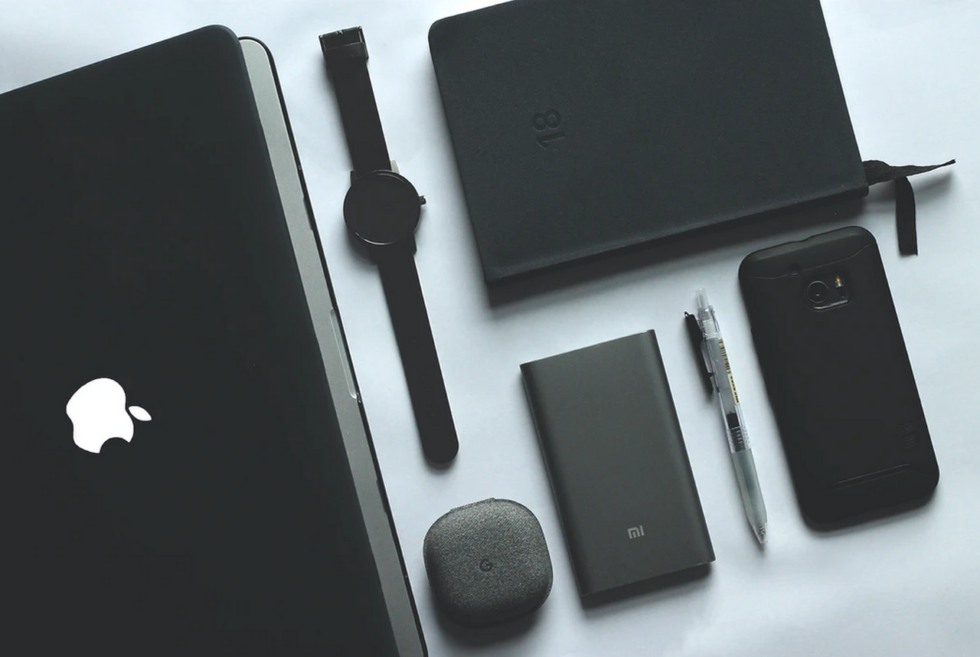
      A smartwatch provides an extension for your smartphone and has multiple dimensions of use. It can be used as a clock, music player, fitness tracker, activity tracker, GPS, and calendar.

      Powerful computer

      Having a lightweight, powerful laptop is essential for modern students. They come handy when it comes to online classes, taking notes, downloading lectures, and allow the students to access and gather information from anywhere. Having a few laptop accessories for college studies like a mouse, projector, and a monitor in the one’s college dorm can be even more useful for the students.

      Printer

      Finding a printer right before the deadline to print your assignment can cause a lot of stress for students. Having a printer in the dorm or home can help avoid such problems. Furthermore, it also helps the students with their projects each semester.

      Noise-cancelling Headphones

      Cancelling ambient noise around you is vital as it helps keep distractions away and lets you focus on your study. If you’re getting a pair of headsets, noise-cancelling ones are the best headphones for college students.

      Portable Hard-drive

      External hard drives are used to store data such as photos, videos, documents, reports, thesis, and as a backup of your laptop data. Unlike CDs or DVDs, HDDs have a higher capacity i.e., more than 1 Terabyte. So, you can use it to store and backup vast amounts of data.

      Pocket projector

      A projector is an essential device for both business and for study. A model that fits in a pocket comes handy for the students whenever they need a larger screen to explore new ideas, give presentations, and make notes.

      Powerful portable battery

      Using various tech products while studying in college will drain their battery, eventually causing it to shut off unexpectedly. To avoid such unwanted circumstances, a powerful portable battery comes handy to recharge your gadgets whenever needed.

      Voice Recorder

      With the help of a voice recorder, scholars can record the lectures, dictate assignments, and listen to them at their own pace at home. Such a practice can boost their study productivity.

      Smart Backpack

      Smart backpacks are just regular backpacks equipped with cool features and extras like a solar panel, rechargeable battery, and charging ports. You can organize your gear and charge them inside a smart backpack while on the go.

      Students might feel anxious while studying without the use of modern tech and gadgets. So, it’s best if they invest in modern devices to support their higher studies. Apart from the students, institutions should also invest in technologies to facilitate the learning of students. Not using back to school tech in universities can decrease students’ engagement at studies. Upgrading outdated technology can help with the problem. To personalize the gadgets, institutions can choose the necessary gadgets as well.

      You’re Using It Wrong: 5 Things You Should Already Be Doing With Your Phone

      We all know how to use a smartphone. It’s simple right? Maybe not quite as simple as you think! If you want to get the most out of your phone (and help it last through the day and through the years), there are some default settings (and behaviors) you should change.

      4 Mistakes You’re Making When You Charge Your Phone

      Hunter Kelley

      Keeping your gadgets charged is easy in the short term. Just keep an eye on their battery level and plug them into the wall when it gets low. But keeping your gadgets’ batteries healthy in the long run is a much more complicated proposition. The lithium-ion batteries we have in virtually all of our gadgets are chemically destined to degrade over time, holding less charge than they used to, and blowing through what little they have faster then before. It’s impossible to stop this process, but it is possible to slow it.

      Read More

      How to Break Free from Your Phone

      x

      How much time do you waste looking at your smartphone each day? One hour? Maybe two? Even more? Tech companies have become increasingly aware that they need to help curb screen addiction before all our brains liquefy. With the built-in measures to stem these gadgets’ addictive nature and some committed mindfulness on your part, it is possible to start breaking free. Here’s some help.

      Read More

      The App Gives Me Precious Extra Time Every Morning

      Sleep As Android

      I would not consider myself a natural morning person by any means, but yet I have managed to slap an extra hour onto the front of my day for the past two months by waking up at 6 AM every single day even though working from home means I don’t have to commute. Even on the weekends. I wouldn’t say it’s been easy or pleasant — especially not for those first few minutes — but I’ve been able to stick to it without fail thanks to the help of a simple app.

      Read More

      8 Settings to Change on Your Smartphone, Right Now

      smartphone camera comparison gear patrol iphone xr

      Henry Phillips

      Leaving your phone set up exactly the way it was when you got it out of the box is one option, sure — but you’re missing out on a host of little tweaks and reconfigurations that could make your mobile phone more productive (and enjoyable) to use. Here are a handful of the settings you should go about changing right away.

      Read More

      The Most Important App You Don’t Have on Your Phone (Yet)

      Authy

      At this point, I hope you know that two-factor authentication (2FA) is an absolute must to stay safe on the internet. By setting your accounts to require an extra, time-sensitive code when you login, you’re protecting yourself from the constant and increasing scourge of widespread password leaks.

      Read More

      This content is created and maintained by a third party, and imported onto this page to help users provide their email addresses. You may be able to find more information about this and similar content at piano.io

      How to Update Your AirPods Pro and Get Better Audio

      Apple revealed earlier this year at WWDC that it would be rolling out a big firmware update to the AirPods Pro that greatly improves the sonic abilities. Well, with the launch of iOS 14 and iPadOS 14 for the iPhone and iPad, the firmware update for the AirPods Pro is finally here.

      The new firmware update gives the AirPods Pro a new “Spatial Audio” feature so that they can take better advantage of the built-in accelerometer in each earbud. When watching a video or movie on your iPhone or Mac computer, the AirPods Pro are now able to know exactly where your head in relation to the screen and then adjust the audio accordingly. The update would also bring support for immersive sound technologies like Dolby Atmos, so it’ll sound more like you’re watching a movie in an actual theater.

      Additionally, the update gives the AirPods Pro two other features. First, there’s a new automatic switching feature; the earbuds will automatically detect which device you’re listening to — be it iPhone, iPad or Mac — and then switch to it (no dealing with Bluetooth Settings required). Also, there’s an “optimized charging” feature that allows your AirPods Pro to learn your usage habits and only charge to 100 percent when it knows your about to use them. This is a feature iPhones and iPads have had for years and should help your AirPods Pro have a longer lifespan.

      In order to get these new features. you need to makes sure that they have 3A283 firmware update and that your phone or iPad has iOS 14. To check to see if your AirPods have the new update, make sure you have them paired to your iPhone or iPad. Then open the Settings app > General > About. Then scroll down and select the name of your AirPods Pro. The next screen should tell you the firmware version of your AirPods Pro. If it’s 3A283 — you’re up to date.

      There’s a good chance your AirPods Pro will already be up to date. If that’s not the case however, you can update your AirPods Pro fairly easily. Make sure they’re paired with your iPhone or iPad and stick them back in their charging case. Then make sure the charging case is being charged, either by a Lightning cord or a wireless charging pad, and the open the lid of the AirPods Pro. Unfortunately, there isn’t a option to automatically update the AirPods Pro, but after waiting a few minutes they should update on their own.

      Once updated, you can turn on the Spatial Audio feature by opening the Control Center (swipe down from the upper-right corner) and long-pressing on the AirPods Pro volume bar the same way you’d switch between noise-canceling and transparency modes. You should see a “Spatial Audio” option next to noise-cancellation. If not, your iPhone probably hasn’t downloaded iOS 14 yet.

      Learn More: Here

          This content is created and maintained by a third party, and imported onto this page to help users provide their email addresses. You may be able to find more information about this and similar content at piano.io

        “There are Two Affordable Apple Watches Now. But Which One is Better?

        Apple now offers three different flavors of Apple Watch. The Series 6 is without a doubt the best and most expensive option, starting at $399. But for the first time Apple is selling two cheaper Apple Watch models. There’s the all-new Apple Watch SE that starts at $279 and the three-year old Apple Watch Series 3 that starts at $199 — so what exactly is the difference between the two? Well, there’s quite a lot.

        At $199, the Apple Watch Series 3 is $80 cheaper than the Apple Watch SE, and despite the fact that it is another year older, Apple hasn’t dropped its price. The main thing is that the Series 3 is now three years old and still has the old design. Remember, the Series 4 was the first Apple Watch with the substantial redesign, with the larger display and slimmed down bezels, so the Series 3 definitely is going to feel like an old design.

        The Series 3 does have a built-in GPS and an optical heart sensor, just like the one found in the Series SE, so it’s good for fitness tracking and it’s also able to record your heart rate. However, the Series 3 lacks the always-on altimeter and the built-in compass, so it’s probably not as great of hikers and outdoors enthusiasts.

        Also, Apple just recently discontinued the Series 3’s cellular model, meaning you can only buy a GPS-only model from now on. If you are somebody who likes to leave your iPhone behind when you workout or go for runs, the Series 3 won’t be able to send you smartphone notifications.

        Both watches can take advantages of the new features of watchOS 7, like as sleep tracking, and they both have the same battery life of up to 18 hours. Neither have an always-on display. If you’re looking for the cheapest option, the Series 3 is still a good deal. However, I’d argue for just $80 extra, the Apple SE is definitely worth it. You’re getting a better-looking smartwatch that’s also a little more versatile.

        Buy Now: $199+ (Series 3) Buy Now: $279+ (SE)

        This content is created and maintained by a third party, and imported onto this page to help users provide their email addresses. You may be able to find more information about this and similar content at piano.io

        The 3 Best New iPad Features (iPadOS 14 Is Out Now)

        Update: Apple officially rolled out iPadOS 14 on September 16, a day after its big fall event.

        iPadOS 14 will be supported on the iPad (5th generation and later), iPad Air (iPad Air 2 and later), the iPad Pro (all models) and the iPad mini (iPad mini 4 and later). You can download the new software by opening the Settings app > selecting General > tapping Software Update.

        At WWDC earlier this year, Apple gave us a preview of iPadOS 14, the next big software update coming to the iPad this fall. Well, time flies and iPadOS 14 has officially rolled out. There are a lot of new features, many of which are similar to those the iPhone is getting with iOS 14 — like customizable widgets, picture-in-picture calls, a smarter Siri, an improved Messages experience (thanks to inline replies) and the ability to finally set your default email and browser apps — because iOS and iPadOS are similar in a lot of ways. But Apple is giving its iPad line — iPad, iPad Air, iPad Mini and iPad Pro — a few exclusive features that take advantage of the bigger screen and compatibility with the Apple Pencil (as well as a keyboard, in some cases).

        The Apple Pencil will be able to write anywhere.

        The Apple Pencil is getting more intelligent with iPadOS 14. More specifically, it’s getting a new feature called “Scribble” that will allow the Apple Pencil to write in most text fields, like in iMessage or in Safari, which previously required you to drop the Apple Pencil and use the iPad’s digital keyboard. Enabled by Apple’s upgraded handwriting recognition technology, the iPad will also be intelligent enough to turn your handwritten notes into actual text. This will also allow your iPad to tell if you’ve written a phone number, email address or an actual address; with a quick tap you’ll be able to call that phone number, send an email to that address in Mail, or open that address’s location in Maps.


        ipad ios14

        Apple

        Sidebars will change everything.

        Like iOS 14, iPadOS 14 is delivering a bunch of updated features that will help multitaskers and improve organization. One of the most useful is a new sidebar feature that can be integrated into apps like Photos, Music, Shortcuts, Voice Memos, Calendar, Notes, Files and Mail. It effectively makes dragging-and-dropping super convenient and easy. For example, you can easily drag photos into albums in the Photos app; or drag and drop notes into larger folders in the Notes app; or drag and drop songs into a playlist within Music app. And you can do this all within the dedicated sidebar with each app without having to switch between apps or screens.

        The iPad is getting a Spotlight-esque search feature.

        iPadOS 14 is getting a new search feature that’s pretty similar to Spotlight on the Mac. Apple is calling it “universal search” and it will allow you to search for apps, documents or music. It’s an entirely novel feature as previous iPads have had search features, but the updated search feature won’t take up the entire screen and won’t exit you out of the current app or screen you’re in. It will again help you be more focused on the task you’re actually doing.

        Learn More: Here

        This content is created and maintained by a third party, and imported onto this page to help users provide their email addresses. You may be able to find more information about this and similar content at piano.io

        Apple Watch Series 6 and Apple Watch SE are finally official

        After months of speculation it’s finally official, the Apple Watch Series 6 and Apple Watch SE are here. The latest models were unveiled during the company’s Time Flies event which also revealed the iPad Air 4 and iPad 8. Over the years, the wearable has been the best-selling smartwatch in the market. Moreover, many users continue to laud its health-centric features such as fall detection and the built-in electrocardiogram.

        Now, the latest flagship brings another set of functions many have been requesting for quite some time. Before we go into that, let’s talk about the design. Ever since the first-generation model was introduced, the form factor has been the same. Same goes for the more affordable option, which makes us wonder if there will ever be one with a round display.

        The Apple Watch Series 6 is available in four colors: Silver, Blue, Gold, and (PRODUCT) RED. Meanwhile, the Apple Watch SE has three: Space Gray, Gold, and Silver. As for the processor, the Series 6 comes with an S6 processor with a U1 chip, while the SE packs an S5 silicon. Both will ship with WatchOS 7 out of the box on September 18, 2020. Although Apple Watch users are already enjoying a comprehensive suite of fitness-related features, the developers are adding two more.

        First is sleep tracking, which uses the motion sensors of the Apple Watch Series 6 to gauge how well you rest up for the day. Then there’s the SP02 monitoring, which, in our current situation, gives users an idea of how well their body performs during a workout or more. Blood oxygen along with other metrics provides a detailed overview of one’s overall health. Unfortunately, the Apple Watch SE does not have this on board.

        Order it here

        Images courtesy of Apple

        What Yesterday’s Apple Event Tells Us About the Next One

        It’s not every year that Apple has two fall events, but now that the trillion-dollar giant has gotten its first out of the way, we have a better idea than ever about what the iPhone 12 event later this year might look like.

        Here are three main takeaways.

        The iPhone 12 event is bound to be beefy.

        Apple already tackled a lot of considerable updates in yesterdays events. Not only did we see the new Apple Watch Series 6, Apple Watch SE and an iPad Air redesign — we also got the launch of the Apple One bundled streaming service. By spinning off those products into their own event, Apple ensures they get attention and aren’t overshadowed by bigger news, and that it has plenty of time on stage later this year to devote to the iPhone 12. All signs point to there being a lot to talk about.

        Rumors so far have suggested that there will be four different iPhones this year, compared to last year’s three: two “Pro” models and two more affordable ones. What’s more is that they’re are almost assuredly sporting a boxier redesign and 5G capability, all details that demand a fair bit of stage time.

        But biggest of all seems to be the launch of long rumored “Air Tags” — augmented reality tracking tiles that are rumored to make use of a new iPhone 12 camera mode. It’s a feature that would take a lot of stage time to explain and demonstrate, and yesterday’s Apple event appears to have cleared the runway for exactly such a demo.

        Say goodbye to included wall adapters.

        Yesterday Apple announced that it will no longer be including wall adapters with the Apple Watch, owing to how most people already have one and limiting the production helps reduce waste (not to mention it no doubt helps Apple improve its margins). Rumors were already swirling that the iPhone 12 would drop the wall adapter too, and absent any tidal wave of outrage, it seems likelier than ever. Though you may get a nicer charging cable to help balance it out.

        The new iPhones may come with a free subscription sweetener.

        The new “Apple One” subscription package is obviously a very important part of Apple’s play to supplement its hardware revenue with a steady flow of subscription fees, but the hard part is getting people signed up. In a bid to get folks hooked on Apple TV+, the company provided a full year’s subscription with the purchase of new iPhones, and it’s not crazy to anticipate that something similar might be coming with Apple One.

        Free subscriptions are a great way for Apple to try and coax edge-case upgraders into shelling out for an all new phone, and also to train users to rely on their services. Apple One is bigger than Apple TV+ in that, even at its base level, it includes three other services, but that just makes the stakes even higher for Apple to get people hooked. A free year of Apple One basic with the new iPhone is far from guaranteed, but neither is it out of the question.

        This content is created and maintained by a third party, and imported onto this page to help users provide their email addresses. You may be able to find more information about this and similar content at piano.io

        The Scorpion gaming cockpit from Cluvens comes with heating and massage functions

        In 2018 Acer unveiled its $20,000 Predator Thronos gaming chair, which looked like a mix between a machine and an alien organic lifeform. The year after, the $14,000 Thronos Air was unveiled to the delight of gamers. As most of us opt to work from home due to the pandemic, the arrival of this next item couldn’t have been any better. This here is the Cluvens Scorpion, which evidently draws inspiration from the former two, but at a more budget-friendly price range.

        Well, if you consider $3,299 as mere pocket change, then this gaming cockpit should be on your list. As you can probably guess from the name the overall presentation mimics that of the predatory arachnid. Actually, when it’s in motion, those who fear creepy crawlies might find it a form of nightmare fuel. On the other hand, we see it as a sleek dynamic platform upon where our gaming rig will soon reside.

        Instead of a sting, the Cluvens Scorpion features a mounting point for up to three displays. Meanwhile, the keyboard and mouse sit on top of a surface that swivels out. When you’re ready for action the claws support the section when it swivels in. The manufacturer uses a high-carbon steel frame powder-coated in back with a stylish matte finish.

        We love the motorized system that can quickly adjust the position of the seat and display mount. Moreover, the Cluvens Scorpion gaming cockpit even comes with a heating and massage function. The latter is already perhaps the best reason to justify your purchase. The only thing missing here is an option to motorize the legs so you can practically ride on a 264 lb gaming machine.

        Order it here

        Images courtesy of Cluvens

        A Quick Guide to LG’s Best-In-Class OLED TVs

        If you’re looking for 4K TV with the best possible picture, you want to buy an OLED TV — plain and simple. OLED TVs are a little more expensive, but they’re able to deliver a superior picture than a standard LCD TVs. They use organic light-emitting diode (OLED) technology, which allows them to have more control over each pixel. So even though they have the same number of pixels and the same overall resolution as 4K LCD TVs, a 4K OLED TV is able produce a picture with significantly more detail and contrast.

        For those in the market for an OLED TV, you most likely want to buy one from LG. The company has been industry-leader in OLED technology for years and it actually supplies the OLED panels to other TV manufacturers, such as Vizio, Sony and Panasonic. So the fact is: if you don’t buy an OLED TV from LG, you’re most likely paying a little extra for one anyway.

        The other great thing is that because LG has been making OLED TVs for so long — since 2013 — they now make a variety of different models at varying price points. And if you’re wondering about the price, you might be surprised. OLED TVs used to be really expensive just a few years ago when the technology was new. Now, however, depending on the model and size, you could buy an OLED TV for a little over $1,000.

        The problem with LG’s OLED TVs is that they’re not names aren’t actually that consumer friendly. With names like ZX, WX, CX and BX, it’s not exactly intuitive. So we’re going to break it down for you. In general, the higher-end models are more expensive because they have nicer hardware (like better speakers and slimmer bezels) and more advanced technologies (for backlighting and frame rates). They also generally are available only in larger sizes.

        The BX Series

        lg tv guide

        LG

        LG’s most affordable line of OLED TVs is the B series, and you’re going to want to look for the “LG BX” for the 2020 models. (If you see an LG “B9,” you’re looking at a 2019 model.) . These TVs actually have similar features as the LG’s higher-end CX and GX lines, such as support for Dolby Vision HDR and Dolby Atmos sound, but lack a little processing power so it’s not going to deliver quite the picture quality.

        The BX OLED TVs come in three sizes, 55-inch, 65-inch and 75-inch, with the smaller model starting at $1,499. They started shipping in September 2020.

        Buy Now: $1,499+

        The CX Series

        lg tv guide

        LG

        The next step up is the LG’s C series of OLED TVs and it’s designed for customers who want a little nicer OLED TV, but still don’t want to spend big on one of the LG’s flagship OLEDs. Compared to the LG BX, the LG CX has a higher-end processor that enables to produce a brighter picture and handle dark scenes a little better.

        The CX OLED TVs come in four sizes, 48-inch, 55-inch, 65-inch and 75-inch, with the smallest model starting at $1,499.

        Buy Now: $1,499

        The GX Series

        lg tv guide

        LG

        The G (or “Gallery”) series is new to LG’s 2020 OLED TV lineup. It’s a beautiful OLED TV that’s almost as slim as LG’s wallpaper TVs and rests flat against your wall. The GX is different from LG’s wallpaper OLED TVs because it doesn’t require an extra box for speakers or connectivity ports — all those components are built into the frame. The GX is an OLED TV designed for people who don’t want to the hassle of shopping for a soundbar or speaker system. Most importantly, however, it’s designed for people who want a beautiful wall-mounted TV that looks like a piece of art.

        The GX OLED TVs come in three sizes, 55-inch, 65-inch and 75-inch, with the smallest model starting at $2,099.

        Buy Now: $2,099+

        The WX Wallpaper Series

        lg tv guide

        LG

        The W Series is the company’s famed Wallpaper line of OLED TVs. As you probably guessed, these TVs are incredibly thin, with a frame that’s 4 millimeters thick, so they basically rest flush right up against the wall. They’re also upgraded with the best hardware and software so they produce LG’s best image. Each TV comes with a dedicated box that houses the soundbar and other connectivity components, in case you want to build out your home theater system.

        The LG OLED WX Wallpaper comes in two different sizes, 65-inch and 75-inch, with the larger model new to 2020. The 65-inch model starts at $4,199. Pricing of the 75-inch model has yet to be released.

        Buy Now: $4,199+

        The ZX Series

        lg tv guide

        LG

        The ZX series is LG’s first line of 8K OLED TVs — in fact, it’s the only 8K OLED TV that’s currently on sale. It’s the pinnacle of what LG has to offer, and comes with a gorgeous stand and integrated sound bar. It’s no doubt out of most people’s price ranges, however, with the smaller model starting at around $20,000.

        The LG Signature ZX 8K OLED is available in two sizes, 77-inch and 88-inch, both of which are more expensive than a lot of cars. The smaller models starts at around $20,000, while you can add $10,000 to to the larger model.

        Buy Now: $20,000+

        This content is created and maintained by a third party, and imported onto this page to help users provide their email addresses. You may be able to find more information about this and similar content at piano.io

        Sit Like an Apple Engineer in This 70s-Era British Office Chair

        During Apple’s most recent announcement event, the company aired a short clip on their new silicon manufacturing processes, promising faster computing all around as the company moves to their own chips. At one point in the clip, it cut to the Apple’s VP of Platform Architecture Tim Millet standing in what appears to be Apple’s silicon lab.

        Naturally, what intrigued most people were all the bits and bobs of Apple tech in various states of undress scattered around the lab. What got us going, though, were those chairs.

        Buried in the back of shot, but glaring-as-hell if you’re a bunch of product nerds, were a pair of gleaming black leather and polished aluminum office chairs.

        That’d be the Supporto.

        zoeftig supporto

        Zoeftig

        The Supporto — made of die-cast aluminum and available in a variety of high- and low-back configurations — was created by British designer Frederick Scott as a rival to the Eames’ iconic Aluminum Group Chair. Scott made a distinct point of designing the chair around the (fairly nascent) idea of ergonomics and described the Supporto as, ‘an office chair designed to cut through the hierarchy of the office’. The chair was put into production in 1979 by British manufacturer Hille and is now made by Zoeftig, another British company who’s primary product is seating for airports.

        One notable booster of the Supporto was fellow British design icon, and former Apple Chief Design Officer, Jony Ive. According to the Cult of Mac, Ive apparently loved the chair so much that he peppered Supporto chairs and stools around Apple’s old design offices and it appears that at least two have made the leap to Apple’s new campus.

        If you’re also looking to cram 11.8 billion transistors into the processor of a consumer tablet (or just want to look the part) you can call up Zoeftig at +44 (0) 1288 354 512 or use their online enquiry form. Expect a Supporto like the above to run you in the neighborhood of $2,000.

        This content is created and maintained by a third party, and imported onto this page to help users provide their email addresses. You may be able to find more information about this and similar content at piano.io

        7 Biggest Takeaways from Today’s Big Apple Event

        Apple’s big September hardware event just concluded and no new iPhone was announced. Instead, it was an event dedicated to two product categories: the iPad and the Apple Watch. Here’s what you need to know.

        (Also, expect to hear more Apple hardware news in about one month — that’s when the iPhone 12, in all its various incarnations, is expected to be announced.)

        Meet the Apple Watch Series 6.

        apple watch series 6

        Apple

        The Apple Watch Series 6 is the company’s new flagship smartwatch. It looks almost identical to the Series 5 but packs a bunch of hardware updates, including brighter always-on display and a brand-new blood oxygen sensor. It also comes in several new colors, including graphite, blue, red and gold steel. The Apple Watch Series 6 will cost $399. It’s available for pre-order today, with full availability coming this Friday (9/18).

        Preorder: Here

        The SE is Apple’s new affordable smartwatch.

        apple watch se

        Apple

        Apple announced a new affordable smartwatch, the Apple Watch SE, that looks very identical to the Series 6. It has most of the same sensors as the Series 6, including its gyroscope, compass, altimeter and fall detection sensor. (There was no mention of a Sp02 sensor, however.) The SE will use an S5 chip, which Apple claims will help it run twice as fast as the Series 3. The Apple Watch SE will cost $279. It’s available for pre-order today, with full availability coming this Friday (9/18).

        Preorder: Here

        The Series 3 lives on.

        With the arrival of the Apple Watch SE, many suspected that Apple would kill off the now-three-year-old Series 3 — but that’s didn’t happen. Apple will continue to sell the Series 3 at the same price of $199, making it still the most budget-friendly Apple Watch that Apple sells.

        Buy: Here

        The new iPad Air looks like a Pro.

        apple ipad air

        Apple

        Apple announced a new iPad Air and it has a pretty radical redesign. In fact, it looks very similar to the iPad Pro. It has a 10.9-inch Liquid Retina display with True Tone support and an anti-reflective coating. Gone are the think top, bottom and side bezels, as well as the Home button, that defined the previous iPad Air. Instead, TouchID has been integrated into the top power button (same as the iPad Pro). It has Apple’s powerful A14 Bionic chip to help deliver a 40-percent boost in performance over the previous iPad Air. Also, like the iPad Pro, the new iPad Air is ditching the Lightning port in favor of the fast-charging power of USB-C. The new iPad Air will be available in five colors: silver, space gray, rose gold, green and sky blue. It will start at $599 and you’ll be able to buy one next month (October).

        Fitness Plus is Apple’s first Fitness subscription package.

        apple one

        Apple

        Today, Apple announced Fitness Plus for virtual workouts to rival that of Peloton. There will be various types of virtual workouts, including cycling, treadmill running, yoga and HIIT workout. The Fitness Plus subscription will cost $10 per month or $80 per year. You’ll get three months free with the purchase of an Apple Watch, and it’ll be bundled into Apple’s new Apple One subscription (more details here). Fitness Plus will go live later this year.

        Apple One is the ultimate bundle subscription for Apple enthusiasts.

        apple one

        Apple

        Apple One is the company’s new subscription service that bundles together the company’s growing suite of services into one bundle. The service comes in three tiers. There’s an individual plan that costs $15/month and bundles Apple Music, Apple TV+, Apple Arcade and iCloud together. There’s a family plan that supports up to five accounts for $20/month. Lastly, the premium subscription that costs $30/month and also includes a subscription to Apple News+ and the newly-launched Fitness Plus.

        Apple isn’t including the USB power adapters with its new Apple Watches.

        That’s right. In an effort to be more environmentally friendly, Apple is going to ship the newest Apple Watch models without the necessary wall adapter to charge them. You’ll get the charging cable, but no wall adapter. The idea is that Apple is assuming most people already have like a zillion USB wall adapters at home, so this won’t be a big deal. No doubt there will be some people who see this as a raw deal; the normal 5-watt adapter that comes with an Apple Watch costs $19, after all, but Apple isn’t dropping the price of its Series 6 or SE.

        This content is created and maintained by a third party, and imported onto this page to help users provide their email addresses. You may be able to find more information about this and similar content at piano.io