All posts in “tech”

The Best Apple AirTag Accessories for Your Pets

tech roundup

Nomad

Apple doesn’t recommend using AirTags for pet tracking because if your pet is really off the grid — in the woods or other remote area — that AirTag isn’t going to help, since it needs to be in the proximity of other devices in the Find My network which can relay its position.

But that AirTag will help you find your pet if it goes missing in suburbia or another well-populated area. Which is why a lot of people are still going to use AirTags for pet tracking.

Since AirTags were just recently released, there aren’t that many pet collars and other pet-specific accessories yet — but that’s going to change soon. In the meantime, here’s the what’s out there.

Advertisement – Continue Reading Below

1 Nomad Rugged Pet Tag

Nomad nomadgoods.com

$29.95

Nomad’s Rugged Pet Tag is made of a combo of solid polycarbonate and  durable TPU, and it has a IP67 water and dust resistance rating. It’s available in either black or white.

Beware: the pet collar (pictured) is not included. 

2 Studio Proper DogTag

Studio Proper studioproper.com.au

$24.00

The DogTag is made of a rubber-like material that holds the AirTag securely in place while fitting around most standard dog or cat collars.

3 FollowPaw AirTag Collar

FollowPaw followpaw.com

$47.95

This dog collar has a sleeve for your AirTag. It’s made durable and sustainable cork leather, and comes in two different colors: natural cork or black. It’s available in small, medium, large and extra-large sizes.

4 Wairco Snap Case for Apple AirTag

Wairco wairco.com

$19.00

While not specifically designed for pets, this is a magnetic clip that can easily be snapped onto a pet color. It’s available in black, white or pink.

5 Pet Tag AirTag Holder

NormaJeanDesignsLLC etsy.com

$24.95

If you’re looking for purpose-built and custom holders, look no further than Etsy. The AirTag holder hooks to your pet’s existing collar. You can also customize it by engraving your pet’s name or phone number on the back.  

6 Belkin Secure Holder with Key Ring

Belkin apple.com

$12.95

Belkin’s key ring is ready made to slip on your pet’s collar. It’s available in four different colors: white, black, blue or pink.

7 AirTag Leather Key Ring

Apple apple.com

$35.00

Apple’s leather key ring can be attached to your pet’s collar. It’s available in three different colors: dark blue, brown or red.

This content is created and maintained by a third party, and imported onto this page to help users provide their email addresses. You may be able to find more information about this and similar content at piano.io

Advertisement – Continue Reading Below

Classic Cassette Tapes Are Making a Comeback

A version of this story first appeared in Gear Patrol Magazine. Subscribe today for more stories like this one, plus receive a $15 gift card to the Gear Patrol Store.


Everything old is new again, and has been for a minute. The staggering resurgence of vinyl, with sales increasing every year since 2006 to a peak of 27.5 million LPs sold in the United States in 2020, is so cemented that it hardly seems fair to describe it merely as a “trend.” Now the humble cassette tape is starting to see a renaissance, drafting in vinyl’s enormous wake.

Sales of cassette tapes in the U.S. have increased by double digit percentages in recent years, according to Nielson reports, and now number in the six figures annually. Though still peanuts compared to vinyl, it’s a marked upswing. And the cassette tape’s comeback is shaping up to be as different as the two formats are.

cassette tape

Henry Phillips

When the cassette came to prominence in the ’70s and ’80s, it was as much about function as it was about sound. The practical alternatives of the time, reel-to-reel and vinyl, were expensive and bulky where cassettes were affordable, portable and quickly ubiquitous thanks in large part to the invention of the boom box in 1966 and the iconic Sony Walkman in 1979.

But the cassette was doomed to be crushed by what was essentially a better version of itself. CDs were just about as cheap and mobile, with no need to flip or rewind. Even though tape technology eventually grew to match CDs in sound quality, the damage was done. By 2000, cassettes made up less than 5 percent of the market, and the iPod was on the horizon. Barely anybody was buying, selling, making or listening to tapes, much less doing it on principle.

These days, even as the smartphone has essentially become a smaller, better Walkman, the format is beginning to find an audience of enthusiasts.

“The way the tape slowly rotates is just mesmerizing,” says Can Kuang, founder of the Just-Cassette blog and Instagram account, which has 25,000 followers. The comparative warmth of analog sound is part of the draw but, much like vinyl, so is the experience, despite or even because of its flaws. “You get to touch it, hear the mechanical clicks of the cassette player.”

It’s a nostalgia cycle that both feeds on and is fed by some pretty prominent roles in some of the biggest movies and shows of the past several years, including Guardians of the Galaxy, Stranger Things, 13 Reasons Why and Better Call Saul. Some of the world’s most popular artists — such as Lady Gaga, The Weeknd, Justin Bieber, Selena Gomez and Dua Lipa — have all released cassette tapes of their newest albums. (Sure, plenty of these get no more use than other, non-interactive memorabilia, but plenty of LPs never touch a turntable either.)

“Labels and artists are driving the comeback with more and more recorded cassettes.”

Tapes are more widely available than they have been in decades, and in increasingly high- quality forms as well. Producers like RecordingTheMasters manufacture bulk tape and blank cassettes that use a ferric oxide construction to rival the quality of now-extinct chromium dioxide tapes that defined the format’s heyday. The company now produces 30,000 compact audio cassettes per month, up from just 9,000 per month in 2019, according to Jean-Luc Renou, CEO of the Mulann Group, which owns RecordingTheMasters. “Duplication companies are by far the main consumer of our ferric oxide tapes,” Renou says. “Labels and artists are driving the comeback with more and more recorded cassettes.”

Less advanced tapes are also increasingly easy to come by. Taylor Swift’s Folklore album is available for just $20, and there is no shortage of actual vintage cassettes floating around, though the prices of some are going up.

cassette tape
Recording The Masters manufactures some 30,000 compact audio cassettes per month. The company uses a ferric oxide construction to rival the quality of now-extinct chromium dioxide tapes.

Henry Phillips

“I know that cassettes from certain artists such as Michael Jackson, Madonna and Whitney Houston are selling for much higher prices than the others,” Kuang says. “If you search on eBay you’ll see that most of the old cassettes go for around three dollars, or ten dollars for ten. The ones I mentioned usually go for [between] ten and forty dollars.”

Quality players, however, are much scarcer. While the vinyl resurgence motivated manufacturers like Pro-Ject, Technics and Marantz to build new-age turntables, Kuang says the only sources of new cassette tape players are crowdfunded projects and small Chinese manufacturers.

It’s a chicken-and-egg problem that has sent diehards toward vintage tech, which can be a bit of a crapshoot. You can find refurbished cassette tape players on auction sites like eBay and Yahoo Japan, as well as on social media like Instagram and Facebook. But most vintage cassette tape players are pretty difficult to come by at the moment. Worse yet, they are generally much more complicated and expensive to repair than a turntable.

“I’ve seen prices of high-end Walkmans such as the Sony DD9, DC2, DD100 triple in the last two years,” Kuang says. You can find budget alternatives at retailers like Urban Outfitters and Tesco, but these options are only really suitable for dabblers, not audiophiles.

It’s a conundrum that may explain why the cassette’s rebirth has been more muted than vinyl’s, so far. You may not be able to add a tape deck to your home stereo just yet, but there’s never been a better time to dig up that old Walkman for a nostalgic spin.


Shop This Story

Courtesy

Retro Shoebox Cassette Tape Recorder

Urban Outfitters urbanoutfitters.com

$50.00

Courtesy

Guardians Of The Galaxy: Awesome Mix Vol. 1 [Cassette]

Marvel amazon.com

$12.98

$11.11 (14% off)

Courtesy

Clear Cassette Player

Urban Outfitters urbanoutfitters.com

$38.00

Courtesy

Walkabout Cassette Player

Studebaker urbanoutfitters.com

$40.00

Courtesy

Lady Gaga – Chromatica Limited Cassette Tape

Urban Outfitters urbanoutfitters.com

$11.00

Courtesy

Retro Sport Portable Cassette Player

Urban Outfitters urbanoutfitters.com

$30.00

Courtesy

Music From Stranger Things – Season 3 Soundtrack

Netflix walmart.com

$34.99

This content is created and maintained by a third party, and imported onto this page to help users provide their email addresses. You may be able to find more information about this and similar content at piano.io

The 12 Best Meditation Apps to Help You Chill the F*ck Out

Best-Meditation-Apps

Finding quiet moments of calm in today’s world feels like an impossible task. Especially as the world returns to “normalcy,” it’s crucial we carve out some time for ourselves. Whether it’s a walk in the…

The post The 12 Best Meditation Apps to Help You Chill the F*ck Out first appeared on Cool Material.

5 New Gadgets to Have on Your Radar This Week

A lot happened this week in the tech world. Star Wars Day came and went. Bill and Melinda Gates announced that they are separating. And there were a bunch of rumors about the upcoming Apple Watch, as well as rumors of a folding iPhone. But there were a few cool gadgets that were released, too.

[editoriallinks id=’582727c0-00c4-4d04-a521-1e0fb735ad00′ align=’center’][/editoriallinks]

BenQ TK700STi 4K Projector

[image id=’5621b84a-c758-46a8-904f-be339d405866′ mediaId=’5c91efa1-94a9-4ac9-a71e-85552970a4be’ align=’center’ size=’large’ share=’false’ caption=” expand=” crop=’original’][/image]

The BenQ TK700STi is a new 4K HDR projector that’s a great fit for gamers who own latest-generation consoles, like the Xbox Series X or PS5. It can produce a native 4K picture — so there’s no need for upscaling, which is what most so-called 4K projectors do — so that games designed for those next-gen consoles can be shown off in all their HDR glory. The catch is that the TK700STi supports HDMI 2.0 rather than HDMI 2.1, meaning that it can only produce a 4K picture at 60Hz rather than 4K at 120Hz (but very few games actually take advantage of that yet). Few people will care about that those when looking at this 100-inch (max) screen.

Price: $1,699

LEARN MORE

Nebula R2-D2 Capsule II Portable Projector

[image id=’947d575f-d74c-4e63-84be-b04257377120′ mediaId=’281f1260-8725-470c-9e07-6a3f373ada7b’ align=’center’ size=’large’ share=’false’ caption=” expand=” crop=’original’][/image]

Nebula (and its parent company, Anker) celebrated Star Wars Day by releasing a R2-D2-inspired version of its miniature portable projector. The Nebula R2-D2 Capsule II is exactly the same as the company’s other Capsule II portable projectors — a max 100-inch picture, Android operating system, built-in speaker, 200 lumens of brightness and a bunch of connectivity options — but also has a R2-D2 paint job and makes some droid-like noises when you start it up. The catch is that the R2-D2 model costs $700, while the normal model costs $580. (However, if you order before May 9 you can get $80 off the special edition model by using the code: WSMAY4TH.)

Price: $700

LEARN MORE

Toshiba C350 Series of Smart TVs

[image id=’6e7c5aa0-4264-4683-8280-4540142b4403′ mediaId=’af4b4f09-1fe6-4f7a-b3cf-8febe1aa6676′ align=’center’ size=’large’ share=’false’ caption=” expand=” crop=’original’][/image]

Toshiba announced its new line of 4K smart TVs this week that promises a lot for every little. Each 4K TV supports HDR10 and Dolby Vision (but not HDR10+) and runs on Amazon’s Fire TV operating system. The C350 Series comes in a range of sizes (43″, 50″, 55″, 65″ and 75″), but the kicker is the 43″ model starts at $350, making it one of the cheapest 4K smart TVs that supports HDR that you can buy. These 4K TVs are available for preorder right now and will start shipping at the end of this month.

Price: $350+

LEARN MORE

Hisense Dual-Cell LCD TV

[image id=’848143cc-fc18-407f-98c9-d3462e04a327′ mediaId=’a601c3d1-4809-40be-a221-1b9711f4d07b’ align=’center’ size=’large’ share=’false’ caption=” expand=” crop=’original’][/image]

Hisense gave us a first look at its upcoming TVs that are poised to rival OLEDs. They’re called dual-cell LCD TVs and, by sandwiches two liquid crystal panels on top of each other, they’re supposedly able to achieve OLED-esque levels of contrast, brightness and overall picture quality. The 75-inch TV will be available this summer and cost a cool $3,500. CNET‘s David Katzmaier has the full details, which you can read by clicking the link below.

Price: $3,500

LEARN MORE

Google Pixel Buds A-Series

[image id=’a37fbc2b-6f02-481d-8158-56f77bf0f5a9′ mediaId=’e43a8a13-266b-4470-88ae-0e2f70304c8f’ align=’center’ size=’large’ share=’false’ caption=” expand=” crop=’original’][/image]

Google didn’t officially announce new wireless earbuds this week, but one of its official Twitter accounts (@Android) briefly did. Yep, for about 10-minutes, the company’s tweet announcing the all-new Pixel Buds A-Series was live. They look very similar to the company’s existing Pixel Buds, but the “A-Series” designation suggests that they’ll be more affordable than $179, which what the current Pixel Buds demand. The Pixel Buds A-Series will support fast pairing with Android devices and come in an all-white color — but that’s really all we know so far.

You can read the full story on the leaked wireless earbuds on 9to5Google, below.

Price: TBD

LEARN MORE

This content is created and maintained by a third party, and imported onto this page to help users provide their email addresses. You may be able to find more information about this and similar content at piano.io

How to Make Your Online Passwords Ironclad

Welcome to Product Support, a column devoted to helping you get the most out of the stuff you already use.

Bill Gates predicted the death of passwords in 2004, and while biometrics are more common than ever, passwords have yet to go the way of the dinosaur. At the same time, never ending data breaches are releasing passwords into the wild every day and hackers armed with with databases full of leaked credentials are on the prowl to ruin your day or week or life.

“We’ve grown accustomed to the speed and convenience of the digital age, which means we don’t have our guard up as much in terms of protecting our personal information,” says Ryan Merchant, senior manager at Dashlane. “Yet, when we download apps, make purchases, and sign up for services online, most of us willingly give all of [our personal] information away without learning more about how it will be used.” To stay safe in this digital age, we’ve asked Merchant and Jeffrey Goldberg, the Chief Defender Against the Dark Arts (a.k.a. head of security) at AgileBits, the company that owns 1Password, for some helpful tips.

Long passwords are better than complex.

There was a brief time when requiring symbols and digits did make passwords stronger, Goldberg said, but today passwords with digits or symbols aren’t inherently more secure. There is still value in adding symbols and digits, but length is much more important. A strong password is at least between 16-20 characters — so too long to probably memorize. A really strong password is over 30 characters. Goldberg recommends using an automated password generator to create passwords.

Don’t make your password a phrase or ordinary word.

“Your password should never have names, words, dates, sequential numbers, or any combination of characters that someone can guess,” Merchant advised. “It has to be random to be strong.” He does suggest using a combination of letters, numbers and symbols, and always include a mix of upper and lower-case letters.

Have a separate password for every account.

“Password reuse is a bigger problem than weak passwords,” said Goldberg. “It’s by far more important to have different passwords than to worry too much about the strength of the one password that you’re using in lots of places.” Even if it’s a very strong password, if used in numerous places, it is likely that at least one of those places isn’t treating your password securely. And once one password is discovered, then hackers are likely to try it out on every other site and service you use.

gear-patrol-manage-password-online-security-ambiaene

Use a password manager.

This is the single greatest security step you can take online. “We’ve found that that average American has well over 100 online accounts,” said Merchant. “I have over 500.” It’s nearly impossible to remember numerous passwords, but password managers, like Dashlane and 1Password, can automatically generate strong passwords for all of your accounts. They securely store them and then automatically log you in.

Change passwords regularly.

According to Merchant, this is one of the forgotten practices of password and cybersecurity. “It’s important to change them regularly, because oftentimes breaches are not discovered, or publicized, for months, and even years, after they have occurred.” This means that your account could be vulnerable for extended periods of time without your knowledge. Merchant recommends people change their passwords at least twice a year.

VPNs are your friend.

A VPN (or virtual private network) prevents ad-tracking cookies so browsing the web is more incognito — basically, they keep your information safe while connected to public wi-fi. “The danger is that unknown networks can hide a variety of dangers and leave the data you transmit extremely vulnerable,” Merchant said. So always use a VPN before connecting to the wi-fi at a coffee shop, university or airplane. There are a large number of VPNs, like Opera VPN, that are simple to setup and that keep you safe as well.

Keep your system and software up to date.

“Most actual intrusions into computers are through exploiting vulnerabilities that have already been fixed in updates that have been offered by the vendor,” Goldberg said. If your system has an option for automatic updates, use that option. Also, don’t install any software from dodgy sources. That said, just because you’ve downloaded from an official app store, that doesn’t guarantee that you won’t install malware; but it will dramatically reduce your chances.

This content is created and maintained by a third party, and imported onto this page to help users provide their email addresses. You may be able to find more information about this and similar content at piano.io

Apple Watch Series 7: Everything We Know So Far

Apple’s product release cycles are pretty much as regular as the seasons, so we fully expected the Silicon Valley tech titan to announce at least one new Apple Watch later this year. The company has introduced one (or more) new smartwatch each of the last six years — ever since 2015, when the first Apple Watch was announced — and 2021 is expected to be no different.

The real questions we need to ask, then, are twofold:

Will Apple announce one or two Apple Watch models?

and:

What features will these new Apple Watches have?

2020 was the first year that Apple gave us two completely new smartwatches in the Apple Watch Series 6 and the Apple Watch SE. The flagship Series 6 introduced a new blood oxygen sensor, a faster processor and some new colors, but was otherwise very similar to the previous Series 5. The Apple Watch SE was basically identical to the others, but lacked the always-on display as well as the blood oxygen sensor and the electrical heart sensor (so it’s not capable of taking an ECG).

The next-generation of Apple Watches are expected to be announced this coming fall, and while that’s still a long ways away, we’re starting to rumors and rumblings of what they might be like. Here’s what we know so far.

The next Apple Watch could tell you if you’re drunk.

The next-generation Apple Watch is rumored, according to The Telegraph, to be able to track your blood glucose levels, your blood pressure and your blood alcohol levels. Its new sensor could shine infrared light through your skin to take these measurements, which is the same kind of sensor used by the Series 6 to take your blood oxygen levels and heart rate.

Like before, Apple will likely tell you that the new Apple can not — and should not — replace a doctor or medical professional, but it will be designed to give you a better idea on your current health. Having said all that, if you need an Apple Watch to tell you if you’re drunk or not…you’re probably drunk.

A more rugged Apple Watch design?

According to Bloomberg, Apple could release a special edition Apple Watch with a more rugged design, which would be aimed at athletes, outdoor enthusiasts and people who are more prone to dinging up their smartwatch. Apple gave the Series 6 and the SE the ability to track more activities (such as swimming, yoga and dancing) and sports (such as basketball, soccer and surfing), and this new more rugged Apple Watch could be aimed at those types of people.

If not this coming fall, this more rugged Apple Watch could be on the roadmap for 2023.

The Series 3 is on its last legs.

It came as surprise last fall when Apple announced that it was going to keep selling the Series 3, its 3-year old Apple Watch. Typically, Apple stops selling its smartwatches after two years and in some cases, like the Series 4 and the Series 5, it stops selling them after just one year (most likely because they’re just too similar to the next-generation models).

However, after almost four years on the market, Apple has got to stop selling its Series 3. The main reason is that, as pointed out by The Verge, it’s so old that it’s not able to easily install the latest software updates.

This content is created and maintained by a third party, and imported onto this page to help users provide their email addresses. You may be able to find more information about this and similar content at piano.io

Your Most Asked Questions About AirTags, Answered

Apple’s AirTags can be attached to things like a keychain, a backpack, a bike or any other of your personal belongings, so that you can find them in the event that they get lost or taken. To find it, all you have to do is open the Find My app and, wherever your AirTag was last spotted, it’ll show up.

Of course, as with any new gadget there comes a healthy amount of intrigue, skepticism and general uncertainty — and the AirTags are no exception. That’s why we’ve collected a smattering of questions about Apple’s AirTags from readers on our Instagram and answered them below.

Apple

Apple AirTag

Apple amazon.com

$29.00

How are AirTags similar to Tile?

Apple’s AirTags and Tile’s trackers are actually very similar. Both are tiny location-tracking gadgets that rely on a Bluetooth connection to work. When the tracker is in Bluetooth range (which is around 30 feet), you can open an app on your smartphone or tablet and quickly locate the tracker. When the tracker is not in Bluetooth range of your device, you can set to a “Lost” mode and it will then anonymously communicate with other people devices; when they come into Bluetooth range of the tracker you’ll get a notification with your tracker’s location without the other person ever have knowledge that they helped you find it.

apple airtag app
Only you can see where your AirTag is. Your location data and history are never stored on the AirTag itself. If you lose your AirTag it can be put into Lost Mode.

Apple

How are AirTags different to Tile?

There are two major differences between Apple’s AirTags and Tile’s trackers. AirTags are able to anonymously communicate with any Apple device that uses Find My network, which includes any iPhone, iPad or Mac. While Tile relies on devices with its Tile app downloaded. Because there are a lot more iPhones (and other Apple devices) then there are devices with Tile’s app downloaded, it means that AirTags are going to be better at tracking in these scenarios.

The other big difference is that AirTags have a feature called Precision Finding, which takes takes advantage of Apple’s U1 chip (as well as your iPhone’s accelerometer and gyroscope). When you’re in Bluetooth range, an arrow will appear on your Find My app and it’ll point you to the exact location of your AirTag. The catch is that only the iPhone 11 and iPhone 12 models can take advantage of Precision Tracking, as they’re the only iPhones with Apple’s U1 chip so far.

apple airtag precision finding
Your iPhone can lead you straight to your AirTag with Precision Finding. Using Ultra Wideband technology, you‘ll see the distance to your AirTag and the direction to head in.

Apple

What is the range of an AirTag?

AirTags do not have a defined range because they work within the range of Apple’s Find My network. This means as long as an AirTag is within Bluetooth range of anybody’s iPhone (or other Apple device), it can passively communicate with it and then help you locate it. For example, you can locate an AirTag that’s hundreds of miles away so long as somebody with an iPhone walks near it. However, if you lose an AirTag in a remote-but-nearby place that nobody is likely to walk by, like the woods behind your house, you’re unlikely to locate it as quick.

Apple has not specified the exact Bluetooth range of an AirTag, either, but it’s believed that each AirTag supports Bluetooth 5.0 (same as the latest iPhones), which means it should be trackable within 800 feet.

Do you have to charge your AirTag? What is an AirTag’s battery life?

You do not have to charge an AirTag, but you will have to change its battery. Each AirTag relies on a circular CR2032 battery, which you can buy for a few bucks on Amazon. To remove the battery, flip the AirTag over to the polished metal side, push down and twist clockwise.

Apple claims that the battery of an AirTag should last about one year, but we won’t know for sure how accurate that is until a year has gone by since release.

apple airtag hanging on bag

Apple

Are AirTags waterproof?

No, but they are close. Each AirTag has an IP67 water and dust resistance rating, meaning it can be submerged in one meter of water for up to 30 minutes. This is roughly the same water-resistance rating as the iPhone SE 2020, but it’s not as good as the IP68 rating of the latest iPhones, which allows them to be submerged in six meters of water for 30 minutes.

Can you use AirTags to track pets or people?

AirTags aren’t designed to track pets. This is because if your dog or cat goes really off the grid, an AirTag won’t be unless they somehow walk by somebody with an iPhone. However, even though Apple doesn’t exactly recommend it, you can use an AirTag to track your pets. There’s a burgeoning list of third-party AirTag accessories designed specifically for pets.

When it comes to tracking people, Apple baked each AirTag with security features to prevent against it. If you have an iPhone running iOS 14.5 (or later) and an AirTag that isn’t registered under your Apple ID is “following” you, then it’ll alert you via a push notification from the Find My app. If you have an older iPhone that can’t run iOS 14.5, or an Android smartphone, any AirTag that’s been out of range of its parent phone will start making a noise after three days of isolation.

How do you attach AirTags to things?

Unless you can slip the AirTag into a bag or into your wallet, you’ll almost definitely need to buy an accessory that’s specifically designed for an AirTag — and there’s a whole ecosystem of Apple-made or third-party-made accessories for AirTags. There’s also tape.

How thick is an AirTag? Can you fit one in your wallet?

An AirTag is a puck-shaped gadget that’s 0.31 inches in height and 1.26-inches in diameter. All-in-all, it’s about the size of a piece of Mentos candy. It will be able to fit into most wallets, although it won’t fit as nicely as if it were as thin as quarter or the shape of a credit card.

airtag wallet

Apple

Can an AirTag be shared by multiple family members?

The short answer is no.

Each AirTag can only be associated with one person’s Apple ID, which, unfortunately, is why they can’t really be shared between with family members. However, if you were to let somebody in your family borrow something that has an AirTag on it, you can select “Pause Safety Alerts” in the AirTag’s settings via the Find My app and it will prevent it from making a sound or sending you safety alerts.

How easy is an AirTag to steal?

You can’t steal an AirTag and use it for yourself. That’s because in order to factory reset the AirTag, you need the consent of the person whose Apple ID it is filed under. If you don’t have that consent, all you can technically do is remove the AirTag’s battery. If you do this, the owner of the AirTag will only be able to see the AirTag’s last known location.

Apple

Apple AirTag

Apple amazon.com

$29.00

This content is created and maintained by a third party, and imported onto this page to help users provide their email addresses. You may be able to find more information about this and similar content at piano.io

BigBlue Cellpowa500 Power Station

Power interruptions are common occurrences in our daily lives. Even the richest of cities get blackouts and power outages. In situations like these, either you rely on the traditional candlesticks or go high-tech with power generators. But when you think about sustainability, you don’t want to go with those powered by gasoline. Instead, you want one that ensures environmental protection just like the BigBlue Cellpowa500 power station.

It boasts high energy efficiency with its use of the durable and high-quality LiFePO4 battery that guarantees you a lifetime of use. The battery retains 80% of its original capacity after 2000 full charge cycles to ensure you have more than enough power supply to last you for more than four years.

Plus, a 537.6Wh pure sine wave output is really efficient when it comes to charging your most-used home appliances and gadgets. Let’s get to the basics then of what makes this power station a great choice for homeowners and even small business operators.

Powerfully Versatile

Whether you’re a home buddy or an outdoor enthusiast, you can benefit from the BigBlue Cellpowa500. It features multiple ports for all your charging needs at home or on the go. It has two 120W USB-C adapters, two 500W AC ports, and one 120W cigarette lighter adapter. This power station also has a couple of fast-charging 36W USB-A ports and two 60W DC5.5mm connectors.

These are really more than enough to support most small to medium-sized appliances and portable gadgets. You can use it on a rice cooker three times, a car refrigerator for ten hours, and ran a CPAP machine for 20 hours. Amazingly, it can even power a fan for 20 hours, run your TV set for nearly 8 hours, and your light for roughly two days. You don’t have to skip work as the BigBlue Cellpowa500 can power your laptop and smartphones for a good 7.5 and 36 times, respectively.

Recharging is also a breeze with the availability of two 60W USB-C PD ports and one 96W AC adapter. You can use all ports simultaneously for a fast reload of 2.8 hours but with the wall socket alone you can get to full charge at a max of 7 hours.

The BigBlue Cellpowa500 is likewise great as an outdoor power backup with its accompanying 120W ETFE Solarpowa solar panel. It features a waterproof output port and gets your power station ready after 6.5 hours of sun exposure. Plus, the added convenience of the LCD screen lets you monitor the charging and recharging process.

Safety Guaranteed

Aside from it being non-toxic, the BigBlue Cellpowa500 also ensures safety during operation. Backed with the company’s rigorous safety design philosophy, it runs on an intelligent battery management system (BMS). This protects it from overheating, over surges, overcharges, and more. The battery does not explode even when exposed to the harshest situations. It will remain stable in freezing or hot temperatures between 0°C to 45°C.

Conveniently Portable

Some power stations can be a hassle to lug around because of their heft and size. Not the BigBlue Cellpowa500 with its compact measurement of just 28.7 x 20.8 x 20.8 cm. It is also a lighter load at merely 7.8 kilograms. Best of all, it comes with much-needed carrying handles for portability. You can carry it via the built-in telescopic handle for one-handed transport. Another would be with the side handles for a better grip.

If you’re in the market for a portable, reliable, and efficient power station for both indoor and outdoor use, then the BigBlue Cellpowa500 is up for grabs for an early-bird price of $299.99. The Solarpowa solar panel is also at a crowdfunding fee of just $189, This is cheaper than any of its kind.

Be among ten winners of a BigBlue Cellpowa500 power station that’s worth $500 by following the product campaign and sharing it with others. The more you share the greater chances of winning. Click the banner below to follow now!

About BigBlue

BigBlue was founded in 2015. Since our establishment, we have been committed to developing energy storage products with better performance, newer design, and higher safety factor, until today our team has more than 200 people, including more than 100 people in our R&D team.

Until last December, our R&D team began to study power stations and drew the first sketch of Cellpowa 500. And now we are creating an even more powerful portable power station that will reach an unprecedented 2500Wh capacity.

In the future, we look forward to combining portable power stations with solar panels to create mobile solar generators and home backup power wall, making green and clean energy available everywhere.

In addition, we are keen to contribute to social rescue operations, and hope our products can bring energy to those who have suffered disaster!

Get the BigBlue Cellpowa500 Power Station for $299.99: Here

If you would like your product reviewed and featured on Men’s Gear as well as its vast social media channels, e-mail Joe@mensgear.net

Found an AirTag That Isn’t Yours? Here’s What to Do

Welcome to Product Support, a column devoted to helping you get the most out of the stuff you already use.

Apple’s AirTags aren’t meant to track people. In fact, they’re designed to keep that from happening. If an unwanted AirTag is placed on your person or on your bag and you have an iPhone that’s running iOS 14.5 (or later), you’ll receive a push notification saying that an “AirTag Found Moving With You.” You can then make the AirTag play a sound to help you find it. And no matter what kind of phone you have, an AirTag will start ringing if it’s away from its owner for three days or longer.

If you find an unwanted AirTag that’s been “following” you, the first thing you can do is figure out who the AirTag belongs to. You can do this by holding the AirTag close to your smartphone, iPhone or Android and the AirTag’s NFC chip will direct the smartphone to a web page. If the owner of the AirTag has put it in Lost Mode, you’ll see a message from them and a phone number to contact.

If the AirTag has not been placed in Lost Mode, you’ll only be able to see its serial number (which is also on the back of the AirTag itself) — and you can’t really do anything with that. The best thing you can do is wait until the owner of the AirTag puts it into Lost Mode so you can return it to them.

If you don’t want to be “tracked” in the meantime, you can disable the AirTag by removing its battery.

How to disable an AirTag:

  1. Flip the AirTag upside down so that you’re facing the polished metal side.
  2. Remove the battery case by pressing down on the back of the AirTag and twisting clockwise.
  3. Manually remove the battery.
    1. Once the battery is removed, the previous owner of the AirTag will only be able to see the last reported location of the AirTag. If you want to get the disabled AirTag back up and running so that you can check if it’s been placed in Lost Mode, you can do so by putting the battery back inside it.

      Apple

      Apple AirTags (1-Pack)

      Apple apple.com

      $29.00

      This content is created and maintained by a third party, and imported onto this page to help users provide their email addresses. You may be able to find more information about this and similar content at piano.io

    How to Factory Reset an Apple AirTag

    Welcome to Product Support, a column devoted to helping you get the most out of the gadgets and software you already use.

    If you find somebody else’s AirTag, you can’t just steal it, whip its memory and then use it as your own. That’s because Apple baked each AirTag with security features that prevent exactly that. Each AirTag can only be associated with one person’s Apple ID — which, unfortunately, is why you can’t share AirTags with family members — and only that person can factory reset.

    If you have an AirTag and you want to give it to a friend or sell it to somebody, you’ll need to factory reset it. This is a pretty easy thing to do if your AirTag is right next to you within Bluetooth range. If so, all you have to do is remove it from your Apple ID.

    How to remove AirTag from Apple ID:

    1. Open the Find My app.
    2. Select the AirTag.
    3. Scroll down and select Remove Item.
    4. Select the Remove button.
      1. If somebody finds your AirTag and you don’t want it back, they can factory reset it themselves and use it as their own — but only after you remove it from your Apple ID (following the above steps). After you’ve removed it from your Apple ID, the person will still need to perform the below factory resetting process because the AirTag isn’t in Bluetooth range of its previous owner.

        How to factory reset an AirTag that’s out of Bluetooth range:

        1. Remove it from the previous owner’s Apple ID (follow the above steps).
        2. Remove the AirTags’s battery cover (press down and rotate clockwise).
        3. Remove the battery.
        4. Put the battery back in the AirTag and press down on it until it makes a sound.
        5. When the sound finishes, repeat the process four more times, removing and replacing the battery each time. The battery should make a total of five sounds.
        6. Put the battery cover securely back on the AirTag.
          1. Once done, the AirTag will appear as new. It should be discoverable by placing next to your iPhone or iPad.

            Apple

            Apple AirTags (4-Pack)

            Apple apple.com

            $99.00

            This content is created and maintained by a third party, and imported onto this page to help users provide their email addresses. You may be able to find more information about this and similar content at piano.io

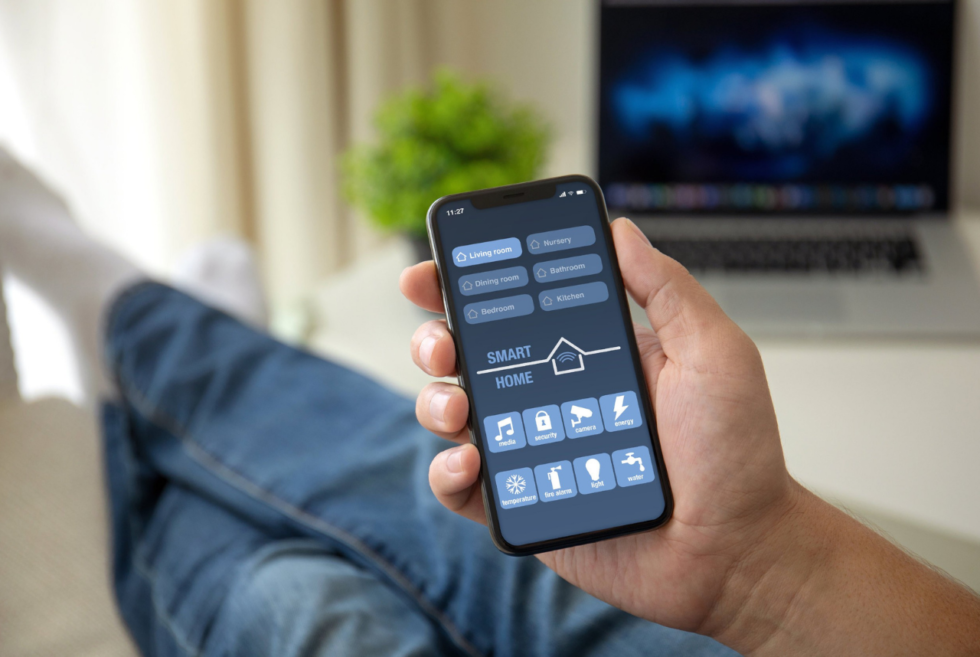
        How To Decide If A Smart Home Is Right For You

        Over the past five years or so, you’ve likely heard some rumblings about smart homes. You might have even done some research on the topic but still don’t know if it’s something you need for your home and life. Alternately, you might not know what it’s all about.

        So, what is it you ask? A smart home features devices that automate tasks you or another person in your home would normally manage manually. Some smart devices are built into the home upon construction or added later, and some devices are your own, such as your smartphone or tablet.

        When using your own devices, you can download and use special applications. Regardless of the device, once you’re up and running, you’ll operate your appliances and devices with voice commands, automation, or by using artificial intelligence.

        If that isn’t enough information to help you decide whether you want to make your home a smart one, here are three reasons you might choose smart home automation.

        1. Saves Energy and Money

        Many people are exploring smart home technology options such as smart lighting because it helps save energy and cut costs. It’s actually the driving force for many conservation-minded people today. Smart devices like smart thermostats can help automate your home’s heating and cooling.

        Moreover, it can even find natural set points and maintain that to keep you comfortable and stay energy-efficient at the same time. Even better, you’re likely to see a reduced electric bill.

        2. Makes Life Easier and More Convenient

        In our busy, on-the-go world, it’s nice to have some comforts that make life easier and more convenient. Most of today’s technological advances were designed to create more convenience in people’s daily lives. Even if they weren’t intended to do so, it has frequently turned out that way.

        With smart home designs, including things like a smart light switch, convenience is an essential motivator for designers and those who invest in them. The idea of not having to get up and out of bed to turn the bedroom light on or off is appealing to most people. This makes it an important reason to get upgrades for your residence.

        You can control smart lights through home automation or sensor detection based on a schedule. Additional conveniences include smart plugs, robotic vacuum cleaners, and smart laundry washers that start a dedicated time cycle. In some cases, you can even command your refrigerator to order milk and other essentials online.

        3. Improve Security and Protection

        Going for a home automation not only offers you convenience and savings. Your tech investment offers you a highly effective way to beef up your home’s security and protection with smart door locks and a full system aimed at making your home life safer.

        With reliable smart home security you trust, you can access your home from virtually anywhere in the world. Via the internet, you can remotely control your smart utilities, appliances, and features within your home, including your smart lights, locks, and plugs.

        You’ll always know whether or not you remembered to lock the door or set the security system in your home or apartment, feeling confident that your home and belongings are secure.

        Are You Ready to Smarten Up Your Home Life With Smart Technologies?

        Factors like convenience, energy and financial savings, and security and protection are vital concerns in the modern world. Finally, by investing in smart technology for your home or apartment, you can tackle these concerns efficiently and affordably.

        5 Things You Didn’t Know Google Maps Could Do

        Google Maps is by far the most popular navigation app with millions and millions of active users who love it for its simple-to-use interphase, robust features (such as real-time GPS navigation and integration with public transport schedules, like buses, trains, ferries and subways) and the fact that it works on basically any device you have, be it an iPhone or Android, Mac or PC. And Google added a bunch of new features.

        Here’s what you need to know.

        You can navigate indoors using a 3D Map.

        google maps live

        Courtesy

        Google recently introduced a new feature to Maps called Indoor Live View that essentially works the same way as Street View for outdoor locations (like streets, buildings or intersections), but for well-trafficked indoor locations. When inside the Maps app, you can switch to this Indoor Live View and your 2D map will turn into a 3D map and you’ll be given augmented reality directions to help you stir towards a specific shop in the mall, the baggage claim of an airport, or a specific bus or train terminal. The idea is that you can better find your way while in those crowded and tricky locations.

        Indoor Live View isn’t available in every airport, mall or transit station, but Google has rolled out the feature across select cities, such as Chicago, Long Island, Los Angeles, Newark, San Francisco, San Jose and Seattle.

        LEARN MORE

        Find out your destination’s weather before you get there.

        google maps

        Courtesy

        Google has added two “layers” to Maps that help people better prepare for the location that they are arriving in. First, there’s a new weather layer that, after you set a location, you’ll be able to quickly see the current and forecasted temperatures and weather conditions in that area; this way, you’ll know if it’s going to be raining or really hot before you get there and without having to open a separate app.

        The other layer does the same thing but for air quality. After you set a location, you’ll be able to quickly see how healthy (or unhealthy) the air in that area is. You can use this information to remind yourself to bring a mask or your inhaler, or prevent you from even going to a place if the air quality is so bad.

        Find eco-friendly routes.

        google maps eco friendly

        Courtesy

        Google Maps is introducing a feature that will guide you (when driving) along an eco-friendly route, or a route with the lowest amount of carbon emissions, so long as it doesn’t affect the ETA of your journey too much. This feature will be on by default (although Google isn’t expected to roll it out to all Androids and iPhones until later this year) as its part of Google’s big initiative to fight climate change.

        However, if you’re a speed demon who always wants to get to your location as fast as possible, you’ll have to opt out of it.

        Find eco-friendly restaurants.

        google maps eco restaurants

        Courtesy

        If you’re looking to order from or go out to a restaurant, but you also want to make sure the restaurant is composting, recycling and just proactively being environmentally friendly, Google Maps recently rolled out a feature just for that. When researching a restaurant or shop, you’ll now be able to see an attribute for recycling (just click on the business, go to the About section and scroll down to Recycling).

        If you’re a business, you can add an icon to your profile if you offer recycling (Here’s how). You can even specify which things you recycle, such as plastic bags, plastic household products, glass and even electronics. This way you can ensure that nothing you use at that business will end up in a landfill.

        Find a smoother bike ride.

        google maps bike route

        Courtesy

        You know how ski mountains have different trail markings (like green circle, blue square or black diamond) depending on difficulty? Well, Google is doing something kind of similar for its biking routes. Specifically, after you type in your route, Maps uses machine learning to find you the smoothest route (it basically just takes into account the flatness or steepness of your route). This way, if you’re not a skilled biker or maybe you’re transporting something fragile (like groceries), you can choose the path with the least amount of peril.

        This content is created and maintained by a third party, and imported onto this page to help users provide their email addresses. You may be able to find more information about this and similar content at piano.io

        The Best and Biggest Gadgets of April 2021

        Spring is here, and so are the gadgets! This April was host to Apple’s first major event of the year, which brought the announcement of its long-awaited “AirTags” but plenty of other gadgets came out this month as well. Here are the highlights you should know about.

        AirTags

        apple

        Apple

        Apple has finally announced the tiny item-tracking device that has been rumored for over a year and which works in its Find My network. It’s called AirTag and it’s a little circular gadget that you can place on your keys, in your wallet or stick them on your devices.

        A single AirTag costs $29. A four-pack costs $99. They will be available on April 30.

        SHOP NOW

        Apple TV 4K (with a new remote)

        apple

        Apple

        Apple announced a new updated version of its Apple TV 4K that comes with an all-new remote. The updated Apple TV 4K has a faster processor and supports high frame-rate HDR. It can also adjust the color balance of your TV so that whatever you’re watching looks best. The redesigned remote that ships with the new Apple TV 4K has a new five-way touch controller instead of the trackpad, a dedicated power button to turn on/off your TV, and the Siri button has been moved to the side of the controller.

        SHOP NOW

        Colorful M1 iMacs

        imac

        Apple

        Apple announced new iMacs that are decked out with its M1 processing chip, 24-inch display, a thinner design, a smaller base, a 1080p webcam, improved microphones and better speakers (that support Dolby Atmos). The new iMac will be available in seven new colors, too, including red, white, blue, green, purple, orange and yellow.

        SHOP NOW

        iPad Pro 2021 (M1)

        apple

        Apple

        Apple announced new 11-inch and 12.9-inch iPad Pro models with its M1 chip, as well as a new Thunderbolt USB-C port, support for 5G and a significantly improved camera system. The new 12.9-inch iPad Pro has a new Liquid Retina XDR display, similar to the Apple Pro XDR display. The 11-inch model of the M1 iPad Pro will not have this fancy new screen.

        SHOP NOW

        HyperJuice Magnetic Wireless Battery Pack

        tech

        Courtesy

        This is a 5,000mAh portable battery that magnetically clips to the back of the iPhone 12. It charges via USB-C, however it does not support the super fast 15-watt wireless charging that MagSafe promises; it tops out at 7.5-watts of wireless charging speeds.

        Price: $40

        SHOP NOW

        Naim Audio Mu-so 2 Wood Edition

        tech

        Courtesy

        Naim Audio released the Mu-so 2, the second generation model of its all-in-one wireless speaker, back in 2019. Compared to the original Mu-so, it has six new individually amplified drivers, a new processor with 10 times the power, the ability to stream tracks up to 32bit/384kHz. It has support for AirPlay 2, Chromecast, Tidal, Spotify Connect, Roon, and Bluetooth, all topped off with HDMI ARC and optical connections so you can use it as a soundbar. Now Naim has released a special edition version of the Mu-so 2 that has a wood exterior (instead of steel) and a golden hue. It costs $600 more than the standard Mu-so 2.

        (Check out our original review of the Mu-so 2, here.)

        Price: $2,290

        SHOP NOW

        Xiaomi Mi Mix Fold

        tech

        Courtesy

        Xiaomi announced its first ever foldable smartphone this week. The Mi Mix Fold shares a similar look and feel to Samsung’s Galaxy Z Fold. It can fold inward and vertically, which allows you can use it like a traditional smartphone, or you can unfold it and use it as bonafide tablet. Additionally, it has a number of the specs you’d expect in a premium smartphone, such as a snappy processor (Qualcomm Snapdragon 888), a fancy camera system, a beautiful OLED display and support for wireless charging. The catch? It’s only available in China right now.

        Price: TBA

        LEARN MORE

        Bang & Olufsen Beoplay Portal

        tech

        Courtesy

        The Beoplay Portal is a luxury gaming headset (B&O’s first) that’s designed to work perfectly with all Xbox consoles (Xbox Series X/S and Xbox One) thanks to the Xbox Wireless protocol. There’s no boom microphone, either, which means that the Beoplay Portal, with its built-in Bluetooth 5.1 connectivity, can be paired with your smartphone or computer when you’re not gaming and used as wireless noise-canceling headphones.

        Price: $499

        SHOP NOW

        Pioneer DJ VM Series of Active Monitors

        tech

        Courtesy

        Pioneer DJ announced a new line of active near-field speaker monitors that are designed to emulate the sound of a studio or club, but in your own space. There are three different-sized models: VM-50 ($169), VM-70 ($229) and VM-80 ($289). Each speaker will be decked out with a 4 mm-thick aluminum front baffle, Class D amplifier, Aramid fiber cones and Vortex Bass Accelerator, all of which, according to the company, are designed to “accurately reproduces sounds, including deep low-end frequencies while cutting out unwanted vibrations.” Each model will be available in early April.

        Price: $169+

        SHOP NOW

        Casio GSW-H1000 Smartwatch

        tech

        Courtesy

        The Casio GSW-H1000 is the company’s first G-Shock smartwatch that runs on Google’s Wear OS. (It’s also the first G-Shock smartwatch with a color display.) As with Casio’s previous G-Shock smartwatches, the GSW-H1000 is super rugged, with excellent shock- and water-resistance, and comes with all the necessary sensors (GPS, compass, heart-rate, accelerometer, gyrometer and altitude sensor) as well activity-specific tracking features you’d expect from a premium sport smartwatch. It will be available in the middle of May.

        Price: $699

        LEARN MORE

        Belkin Magnetic Phone Mount with Face Tracking

        tech

        Courtesy

        This isn’t a wireless charging stand. Belkin’s new phone mount is designed to work with the latest iPhones, as it uses MagSafe to magnetically hold it in place. What makes it super unique is that uses face tracking (via Belkin’s companion app) and a 360-degree rotating base so that your iPhone’s camera can follow you as you walk around your room; it’s feels similar to what the Amazon’s new Echo Show 10 can do with its own rotating base. It seems like the ideal little gadget for people making videos on TikTok or YouTube, however, it won’t work with certain video calling apps, such as FaceTime or Zoom.

        Price: $65

        SHOP NOW

        Cambridge Audio Evo

        tech roundup

        Courtesy

        Cambridge Audio’s Evo is a high-end streaming amplifier that can basically do it all — you just need to add speakers. It supports pretty much every sort of streaming you’d want (including AirPlay 2, Chromecast,Qobuz, Roon Ready, Spotify Connect, Tidal Connect and Bluetooth). And its HDMI ARC connection means you can you use it as your home theater’s hub. Also, it’s beautiful. The Evo has a 6.8-inch display to show album artwork, a wonderfully large volume knob, and its wooden trim is the cherry on top.

        The Evo comes in two models. The Evo 75 ($2,250) is rated at 75 watts per channel and the Evo 150 ($3,000) at 150 watts per channel.

        Price: $2,250

        SHOP NOW

        Nomad MagSafe Mount for iPhone 12

        tech roundup

        Courtesy

        This is Nomad’s latest accessory for people who have an iPhone 12 and Apple’s MagSafe Charger. The MagSafe Mount is a weighted desktop accessory that holds Apple’s MagSafe Charger in place so that when you pick up your iPhone 12, the charger doesn’t come with it. Its stainless steel body weighs in at right around one pound.

        Price: $50

        SHOP NOW

        Fujifilm Instax Mini 40

        tech roundup

        Courtesy

        The Instax Mini 40 is the Fujifilm’s latest entry-level instant film camera. Like the Instax Mini 11 before it, the Instax Mini 40 is fairly straightforward and simple shooter. It has two main frills: a flash and a pop-out zoom lens (for selfie photos). The big selling point compared to the Instax Mini 11 is that the Instax Mini 40 definitely looks more like a vintage film camera. but that retro vibe comes at $30 price hike.

        Fujifilm’s Instax Mini 40 will be available for purchase at the April.

        Price: $100

        SHOP NOW

        Samsung Galaxy A Series

        tech roundup

        Courtesy

        Samsung just announced its 2021 series of Galaxy A smartphones, which are essentially way more affordable alternatives to the company’s flagship Galaxy S21. They have less premium builds and generally not-as-great camera systems, but they actually don’t skimp out on that many flagship-level features. The three new Galaxy A smartphones that you should know about are: the Galaxy A32 5G ($280), the Galaxy A42 5G ($400) and the Galaxy A52 5G ($400). All three have basically the same design; a rear triple camera system (at least); and, as you can likely tell by their names, they all support 5G. They’re some of the most affordable 5G smartphones that you can buy.

        Price: $280+

        SHOP NOW

        THX Onyx

        tech roundup

        Courtesy

        THX, the brand best known for movie theater sound, has released its first-ever hardware product. The Onyx is a portable headphone amplifier and DAC combo that’s meant to plug into your smartphone or laptop and bring the best sound out of your wired headphones. It has a USB-C connection so you’ll be able to use with most new age smartphones or laptops; you’ll need a Lightning dongle if you have an iPhone.

        Price: $200

        SHOP NOW

        Ring Floodlight Cam Wired Pro

        tech roundup

        Courtesy

        This is Ring’s most advanced outdoor floodlight camera ever. It’s basically a more advanced version of the company’s first Floodlight Cam. It adds a new radar sensor that enables new 3D motion detection and “Bird’s Eye View”, just like the recently released Ring Video Doorbell Pro 2, which this allows it to better detect and even create a top-down map of the movement (within the app). When motion is detected, the high-powered LED lights will kick on and light up your backyard.

        It’s available for preorder right now and will be available everywhere in early May.

        Price: $250

        SHOP NOW

        JBL 4309 Bookshelf Speakers

        tech roundup

        Courtesy

        The JBL 4309 studio monitors are essentially smaller and more affordable versions of the company’s high-end 4349 studio monitors, which run for $7,500. Each 4309 loudspeaker is decked out with the company’s 1-inch tweeter, 6.5-inch mid-bass driver and twin-firing reflex ports, so that it sounds as dynamic as its larger sibling. And each speaker looks stunning, with a blue baffle, wooden veneer (either walnut or black walnut) and cloth grille — they’ve already been given a 2021 Red Dot Design Award. The JBL 4309 studio monitors will be available for purchase this June.

        Price: $2,000/pair

        SHOP NOW

        Canon EOS R3

        tech roundup

        Courtesy

        Canon announced the development of the EOS R3, the company’s most high-end mirrorless camera to date that’s most definitely aimed to compete against the Nikon z9. It will be the first EOS series camera to be equipped with the company’s new 35mm full-frame, back illuminated, stacked CMOS sensor. It will also have a DIGIC X image processor “for high-speed image processing that realizes high-speed continuous shooting of up to 30 frames-per-second.” And, according to the released photo (above), it will have a pretty robust body with a built-in vertical hand grip. No price or release date have been announced.

        Price: TBA

        LEARN MORE

        Roku Voice Remote Pro

        tech roundup

        Courtesy

        Roku announced three different new(ish) products this week. There’s its new entry-level 4K player, the Express 4K Plus, which replaces the Roku Premiere. There’s the Streambar Pro, which is basically a renamed version of the Smart Soundbar (now defunct). And, most notably, there’s the Roku Voice Remote Pro. It’s the first Roku remote that comes with a rechargeable battery and offers hands-free “Hey Roku” voice commands. It also comes with a headphone jack and a dedicated button for Apple TV+. The Roku Voice Remote Pro costs $30 and will work with any Roku TV or streaming device.

        Price: $30

        SHOP NOW

        Beosound Emerge

        tech roundup

        Courtesy

        Bang & Olufsen’s newest high-end wireless speaker, the Beosound Emerge, is designed to blend in with the other books on your bookshelf (although it kind of looks a little like a shrunk down version of the Flatiron building). It’s a relatively small powered speaker supports a number of wireless connectivities, including AirPlay 2, Spotify Connect, Chromecast and Bluetooth. It can be set up to work as a smart speaker that responds to “Hey Google” voice commands, too. It will be available this fall in either black or gold (the latter will cost an extra $200).

        Price: $699+

        SHOP NOW

        Spotify Car Thing

        spotify

        Spotify

        Spotify has officially announced its first-ever gadget. It’s called Car Thing (yes, really) and it’s essentially a glorified Spotify remote for people who have cars with no built-in Bluetooth. The other feature that makes it better than just using your smartphone to control your Spotify music in your car is voice control — it responds to “Hey Spotify” voice commands to play sounds or playlists, as well as play/pause and skip tracks. In addition to voice commands, you can control Car Thing via its navigation buttons, large knob and touchscreen.

        Car Thing is a very limited device, but the cool thing is that Spotify is offering it to Spotify Premium subscribers for free — but you have to apply for one through Spotify and there’s no guarantee that you’ll get one.

        Price: Free (plus shipping)

        LEARN MORE

        Microsoft Modern Webcam

        tech roundup

        Courtesy

        Microsoft’s newest webcam is a pretty basic option. It supports an HD video (not 4K) and connects to your computer via USB-A (not USB-C). It comes with a privacy shutter and has a built-in LED light that will indicate when it’s on. If you’re looking for a fairly affordable option that will upgrade your laptop or desktop setup, this looks to be a solid option. It will be available this June.

        Price: $70

        SHOP NOW

        DJI Air 2S

        tech roundup

        Courtesy

        The DJI Air 2S is the next-generation version of the DJI Air 2 that was announced last year. The big upgrade is that the Air 2S has a 1-inch sensor, which is twice the size of Air 2’s size and similar to the sensor in the company’s flagship Mavic 2 Pro, allowing the Air 2S to take much higher-resolution photos. It can also shoot better video, 4K at up to 60fps instead of the Air 2’s 4K at up to 30fps. The big downside? The DJI Air 2S is $200 more expensive than the DJI Air 2.

        Price: $999+

        SHOP NOW

        Microsoft Surface Laptop 4

        tech roundup

        Courtesy

        The all-new Surface Lap 4 has the exact same design as the 2019-released Surface Laptop 3. The big difference is that Microsoft is allowing you to choose which processor you want: either an 11th-generation Intel processor or AMD’s Ryzen 4000 series. The advantage of the AMD processor is that it promises incredible battery life (up to 19 hours). The Intel models are a little more expensive and don’t get the same battery life, but improved performance and, thanks Intel’s Iris Xe graphics card, better graphics.

        Price: $999+

        SHOP NOW

        Plugable USB-C Voltage and Amperage Meter

        tech roundup

        Courtesy

        If you’re interested in finding out how much power your device is getting while it’s charging, this $30 accessory is exactly what you want. It connects between your device and your USB-C charging cable, and then measures the voltage, amperage and the directional flow of the electrical current — and it shows you what’s happening in real time. And don’t worry, it won’t affect data transfer of your USB-C cable.

        Price: $30

        SHOP NOW

        Anker PowerConf C300 Webcam

        tech roundup

        Courtesy

        Anker is getting into the webcam market. The PowerConf C300 is a 1080p webcam that connects to your computer via USB-A. The neat thing about it is that Anker has integrated an AI chip that enables what the company is calling “smart framing,” which allows the webcam to keep you in focus as you move around the screen. The PowerConf C300 is available right now.

        Price: $130

        SHOP NOW

        Amazon Echo Buds (2nd Generation)

        tech roundup

        Courtesy

        Amazon has announced the second-generation versions of its 2019-released Echo Buds. The company claims that the new wireless earbuds have a 20-percent smaller design and they have improved active noise-cancellation (but they’re not Bose branded like the first-generation Echo Buds). They also support USB-C charging instead of micro-USB. Also, similar to Apple’s AirPods, you’ll be able to purchase the new Echo Buds with or without a wireless charging case. They’ll cost $120 or $140 with the wireless charging case, but right now Amazon is running a promotion, dropping each for $20 — that’s right, you can get the new wireless earbuds for $100.

        Price: $100+

        SHOP NOW

        Urbanista Los Angeles ANC

        tech roundup

        Courtesy

        The coolest thing about Urbanista’s new wireless noise-canceling headphones, the Los Angeles ANC, is that there’s a chance you never have to plug them in to charge. Yep, they’re solar powered. The headphones are made of a Powerfoyle solar cell material that can charge with any kind of light — even ambient light — so you don’t have to be wearing them outside on a sunny day. The headphones will cost around $200, although there’s no word yet on when they’ll be available.

        Price: ~ $200

        SHOP NOW

        Bowers & Wilkins PI7

        tech roundup

        Courtesy

        Bowers & Wilkins announced its first two pairs of wireless earbuds this week. There’s the PI5 ($249) and the PI7 ($399). Both models deliver active noise-cancellation and have a wireless charging case. The main difference is that the flagship models, the PI7, support higher-resolution audio (it supports Bluetooth AptX Adaptive streaming) and packs a 9.2mm driver unit that’s modeled after the company’s high-end loudspeakers. Maybe the most interesting thing about the PI7 is that their charging case can double as a Bluetooth transmitter (it comes with a 3.5mm and USB jack) in case you want to listen to your wireless earbuds on an in-flight entertainment system or a device that doesn’t have Bluetooth, like a Nintendo Switch.

        Price: $399

        SHOP NOW

        Fitbit Luxe

        tech roundup

        Courtesy

        Fitbit Luxe is the company’s newest fitness tracker and it’s designed as “luxury” or fashion-forward gadget. It works and looks similar to the company’s other thin fitness tracker, the Inspire 2, but the Luxe adds an AMOLED display – it’s the company’s first fitness tracker with a color display, just like it’s more expensive smartwatches — and a stainless steel casing, which you can get in either gold, silver or black. It has some more advanced tracking abilities, such as skin temperature and stress levels, as well as the more entry-level abilities, like tracking steps, calories, heart rate and sleep.

        The Fitbit Luxe is available for preorder now, with shipping to start later in May.

        Price: $150

        SHOP NOW

        Polaroid Go

        tech roundup

        Courtesy

        The Polaroid Go is the company’s newest entry-level instant camera — and it’s tiny. Weighing just over half a pound, it’s about the size a small portable speaker or medium-sized. But despite it’s diminutive size, the Polaroid Go still packs all the same features as last year’s Polaroid Now, including flash, a built-in timer, and a button that shoots double exposures. It also has a new reflective selfie mirror for, well, shooting selfies. The Polaroid Go uses smaller instant film than most of the company’s other instant cameras, however.

        It’s available for preorder now for $100, or bundled with film for an extra $20.

        Price: $100

        SHOP NOW

        Sony ‘Silent White’ WH-1000XM4

        sony

        Sony

        To date, Sony has offered its flagship noise-canceling headphones, the WH-1000XM4, in black or silver colors. This week it added a third color: “silent white.” It’s a true white that, despite its pristine look, Sony promises is very stain resistant. Aside from the look, it boasts the same internals and sound quality as all other WH-1000XM4 headphones. The silent white color will cost you about $50 extra and be available (as a limited edition release) this summer.

        Price: $399

        SHOP NOW

        Epos H3 Gaming Headset

        tech roundup

        Courtesy

        The Epos H3 is a wired gaming headset that’s compatible with the latest PlayStation and Xbox consoles (as well as previous generation), as well as the Nintendo Switch and PC. At $119, it’s relatively affordable considering it adds plush ear pads, a large and satisfying volume dial, and a high-quality boom microphone. It’s available in either white or black models.

        Price: $119

        SHOP NOW

        Bang & Olufsen BeoLab 28

        bang and olufsen

        Bang & Olufsen

        Bang & Olufsen’s BeoLab 28 is a pair of luxury floorstanding speakers that promise excellent sound and copious connectivity options. Each speaker has three 3” full range drivers, a 1” tweeter on the front, and a down-firing subwoofer, and they’re packed with technologies that allow you to calibrate the sound to your specific room. The speakers support AirPlay 2, Chromecast, Spotify Connect and Bluetooth, as well as wired connections such as Ethernet and line-in/optical. The other cool thing is that the speakers come with a replaceable connectivity module, which the company claims make them essentially future-proof.

        Price: $14,750/pair

        SHOP NOW

        Galaxy Book Pro and Galaxy Book Pro 360

        tech roundup

        Samsung

        Samsung announced two new Galaxy Books this week. There’s the Galaxy Book Pro, which is a traditional laptop, and the Galaxy Book Pro 360, which is a convertible laptop with a touchscreen display. Both are Windows-powered machines that are optimized for people with one of Samsung’s Galaxy smartphones (thanks to having support for apps like Samsung SmartThings and Samsung Notes). The biggest upgrade with both is that they are the first Galaxy Books with OLED displays, so they should be brighter with more contrast (aka better for watching movies!).

        Both new Galaxy Books are available for preorder right now. They’re expected to ship on May 14.

        Price: $1,000 (Pro); 1,200 (Pro 360)

        SHOP NOW

        Simplehuman Cleanstation

        simplehuman

        Simplehuman

        Simplehuman is best known for its excellent and well designed (and yes, expensive) trash cans, and the company has taken that same ethos and integrated into its first-ever UV smartphone sanitizer. The Cleanstation works kind of like a toaster; you place your smartphone into the top, it automatically lowers, sanitizers and (30 seconds later) rises up a clean smartphone. Its UV light chamber sanitizes all around the smartphone, so you don’t have to sanitize each side separately. And it’s available in three aluminum finishes: brushed, slate or white.

        Price: $200

        SHOP NOW

        AudioQuest JitterBug FMJ

        tech roundup

        AudioQuest

        AudioQuest’s latest gadget, the JitterBug FMJ, is a noise filter that plugs into the USB port on your smartphone or computer and significantly reduces the noise that is inherent to all USB ports. It’s designed to act as a liaison between your device and external DAC, and help your music sound cleaner and clearer. It also has a metal exterior (FMJ stands for “full metal jacket”) so it should be a more durable and higher-quality version of the company’s existing JitterBug.

        Price: $60

        SHOP NOW

        Twelve South Forté

        tech roundup

        Twelve South

        Twelve South announced a new wireless charging stand, the Forté, that fully supports MagSafe. This means that when connected to an iPhone 12, the Forté will be able to fast charge it at 15 watts, which is twice as fast as any wireless charger that doesn’t support MagSafe. The other cool thing is that the magnetic puck can be rotated flat and thus turn into a wireless charger for your AirPods or AirPods Pro.

        Price: $40

        SHOP NOW

        Nomad Base Station Mini

        tech roundup

        Nomad

        Nomad announced a smaller and more affordable of its Base Station wireless charging pad. The Base Station Mini looks almost identical to the company’s existing wireless chargers — a combination of metal and leather — but it’s only large enough to charge one wireless device at a time. It’s powered by USB-C and as an integrated LED that lights up to let you know when it’s charging. It costs $60, but you’ll need a separate 20-watt USB-C wall adapter to get the most out of it because Nomad doesn’t include one. (Nomad can bundle its own USB-C adapter for an extra $14.)

        Price: $60

        SHOP NOW

        PopSockets PopGrip Slide Stretch

        tech roundup

        Courtesy

        If you’ve been frustrated by the fact that PopSockets’s grips haven’t worked with the newest iPhones (because of their flat sides), well, you’ve not been alone. Fortunately, the company has announced an updated version of its PopGrip Slide Stretch so that it fits the iPhone 12. They don’t have any kind of adhesive and the new PopGrip Slide Stretch can easily slide down your iPhone 12 so you can wireless charge it via MagSafe.

        There are several different designs that you can choose from and they all cost just $15.

        Price: $15

        SHOP NOW

        Amazon Fire HD 10 and Fire HD 10 Plus

        tech roundup

        Courtesy

        Amazon announced two new and upgraded versions of its Fire HD tablets this week. There’s the Fire HD 10 and the larger Fire HD Plus, both of which have been updated with brighter screens, slimmer bezels and more RAM, as well as a front-facing camera that’s better positioned for video calls. As per usual, these tablets are designed for people who want a significantly more affordable tablet that an entry-level iPad, which starts at $329.

        The Fire HD 10 and Fire HD 10 Plus will cost $150 and $180, respectively. Both are available for preorder right now, with shipping set to start at the end of May.

        Price: $150+ (HD 10); $180+ (HD 10 Plus)

        SHOP NOW

        This content is created and maintained by a third party, and imported onto this page to help users provide their email addresses. You may be able to find more information about this and similar content at piano.io

        Dyson makes cleaning hard-to-reach areas super easy with the Omni-Glide

        The way that Dyson keeps levels up the game each time they announce a new product, shows just how far it is ahead of its rivals. Although the premium household appliances manufacturer has already branched out to other segments, it remains beyond the reach of others when it comes to a specific type of cleaning equipment. Consumers should check out its latest – the Omni-Glide.

        While most modern households are likely to own one or more robot vacuums, these gadgets still have limitations. Depending on the height clearance of some models, it is impossible for these machines to cover every surface. This calls for a follow-up with the aid of a regular vacuum cleaner.

        If you prefer to keep your home dust-free the traditional way, then consider the Omni-Glide as your tool of choice. One long-running issue with your average vacuum cleaner is the range of motion for the head. Dyson equips it with two motorized soft rollers.

        These help direct even the smallest particles toward the powerful suction created by the Hyperdymium motor. Its slim profile and the exceptional articulation of its cleaning head allows you to reach tight spaces like under the furniture. Also, its cordless nature means no wires dragging behind or tangling during use.

        Dyson knows that cleaning your living space requires a lot of effort. Therefore, the Omni-Glide is virtually effortless to maintain. No need to manually reach in and empty the bag as the hygienic ejection system expels the contents into the trash can.

        Some of its parts such as the filter, bin, soft roller cleaner head, and other non-electronic components can be washed with water. This helps remove any dust buildup to ensure optimal operation. After cleanup, just attach the Omni-Glide to its charging dock.

        Buy – $399.99

        Images courtesy of Dyson

        How to See Which iPhone Apps Are Tracking You (and How to Stop Them)

        The latest software for your iPhone, iOS 14.5, is rolling out this week and it’s bringing some pretty neat new features. One of them is called App Tracking Transparency and it’s designed to give you a better idea of which apps are keeping tabs on your activity, as well as giving you an easy prevent them from doing so.

        Once you have your iPhone updated with iOS 14.5, every time you download a new app you’ll then see a pop-up notification asking if you want to enable or disable that app from tracking your activity. For the apps that are already downloaded on your iPhone, you can check permissions by going to a new Tracking page.

        Here’s how:

        1. Open the Settings app on your iPhone.
        2. Select Privacy.
        3. Select Tracking.
                  1. From this new page, you can to quickly turn on/off the tracking permissions for various apps that have asked for your permission to track your activity. You can also turn off the “Allow Apps to Request to Track” tab, which prevent any app from tracking your activity.

                    You might be wondering: is there a reason you’d want an app to track your activity? Maybe!

                    Apps can use tracking for legitimate purposes like using your location data to tell you where the nearest coffee shop is; or, if you’re using a dating app, it uses your location to match with people in the nearby vicinity.

                    Obviously, it’s a judgement call, which is why Apple is making it easier than ever to turn it on/off.

                    If you’re iPhone isn’t updated with iOS 14.5, you download it manually by opening the Settings app, selecting General, selecting Software Update and downloading it.

                    LEARN MORE

                    This content is created and maintained by a third party, and imported onto this page to help users provide their email addresses. You may be able to find more information about this and similar content at piano.io
              The Cabins on The Mountain concept by Veliz Arquitecto is the off-grid spot we want

              It’s clear that living in close proximity with other people spaces with barely any fresh air circulation is not good. Perhaps this is also why we are seeing an upsurge of folks heading outdoors and staying away from urban locations. Architectural designer Veliz Arquitecto envisions the concept of Cabins on The Mountain which would be ideal for our current predicament.

              This is even more apparent now that we have this devastating health crisis on our hands. With health experts encouraging social distancing all over again, the Cabins on The Mountain might be a wonderful idea. These form a striking visage with their cocoon-like silhouettes

              Veliz Arquitecto did not provide any specifics on the location. Still, it notes the structures should ideally be somewhere along the mountain ranges of Cuba. Given its natural surroundings, the designers are primarily using wood and concrete for its construction.

              Those with fear of high places should be mindful not to look down as the Cabins on The Mountain live up to the name. Meanwhile, people who love breathtaking views will love the backdrops of verdant trees and boulders.

              The concept suggests it will be a temporary residence for adventurous souls who might want to enjoy some creature comforts along the way. Although sleeping under the stars or in a tent or camper has its perks, nothing beats being inside a cabin after a long day of trekking or hiking.

              Despite the off-grid situation, the Cabins on The Mountain could rely on clean sources of power. In some of the images, we could see wooden turbines. Taking advantage of the wind that flows through the area, we can only speculate that it is enough to power lights or electric motors to pump water for plumbing.

              Learn more

              Images courtesy of Veliz Arquitecto

              The Best Cheap Wall Adapters to Fast-Charge Your iPhone 12

              nomad wall charger

              Nomad

              Apple made the bold decision that, as part of its environmental initiative, all iPhone 12 models will not ship with a companion wall adapter. All you’ll get in the box is a USB-C to Lightning cable. The good news is that the new iPhones can charge faster — up to 5o% after a 30-minute charge — but you’ll need at least a 20-watt wall adapter to take advantage of it. We’ve rounded up the best cheap USB-C wall adapters to pair with your new iPhone 12.

              Before getting into the picks, there are few terms (or rather technologies) to know, because you’ll inevitably see some wall adapters supporting them.

              Qualcomm Quick Charge 3.0: This is a fast-charge technology that is able to help a wall adapter charge a device up to 4x times faster than the conventional 5W charger. But iPhones don’t support this technology, so it’s a non-issue for iPhone owners.

              Power Delivery (PD): This is a charging technology that allows a charger to output higher currents and higher voltages. It can be integrated into many devices whose power outputs can range from 18-watts to 100-watts. It’s also the only charging standard that can charge a laptop. Power Delivery is only supported by iPhone 8 and later.

              Gallium Nitride (GaN): Gallium Nitride is a new material that is significantly more energy-efficient and space-efficient than silicon, which is the traditional material used in wall adapters. GaN allows the wall adapters to be smaller and lighter, but still really powerful.

              Advertisement – Continue Reading Below

              Aukey Omnia Mini 20W USB C Charger

              AUKEY amazon.com

              $19.99

              $14.99 (25% off)

              • Absolutely tiny
              • Supports Power Delivery (PD)
              • Prongs don’t fold

              Nomad 20W Power Adapter

              Nomad nomadgoods.com

              $18.95

              • Absolutely tiny
              • Matte black polycarbonate body
              • Prongs don’t fold

              Anker PowerPort III Nano Charger

              Anker amazon.com

              $16.99

              • Absolutely tiny
              • Prongs don’t fold

              RAVPower 20W Charger (2-Pack)

              RAVPower amazon.com

              $13.99

              $10.99 (21% off)

              • Super affordable
              • Matte black body
              • Absolutely tiny
              • Prongs don’t fold

              Amazon Basics 15W One-Port USB-C Wall Charger

              Amazon Basics amazon.com

              $14.49

              • Integrated light lets you know when its charging
              • Can’t fast charge the iPhone 12 at max speed

              Apple 20W USB-C Power Adapter

              Apple apple.com

              $19.00

              • The adapter that Apple recommends with its iPad Pro
              • Fairly expensive
              • No Power Delivery (PD)

              This content is created and maintained by a third party, and imported onto this page to help users provide their email addresses. You may be able to find more information about this and similar content at piano.io

              Advertisement – Continue Reading Below

              HAADS presents the Eco-Floating Hotel which rotates to generate its own power

              For some of the most awe-inspiring man-made structures out there, the Middle East is where you can find them. The region is home to many of the world’s architectural wonders thanks to the almost-bottomless coffers of its affluent residents. Another marvelous hotel might soon rise – or float in this case – courtesy of Hayri Atak Architecture Design Studio (HAADS) aptly named the Eco-Floating Hotel.

              With the help of advanced engineering and technology, the Eco-Floating Hotel would live up to its name. You see, its structure is unique in the way that it can physically move to another location.

              HAADS also noted that it will generate its own electricity, which means it does not rely on the grid for power. However, it will need to resupply its consumable resources every now and then with guests and staff on board.

              Technically, this suggests that the Eco-Floating Hotel does not have a permanent address so to speak. Instead, clients who are checking in might be arriving by chopper or by many forms of watercraft. According to HAADS, the high-tech inn will be primarily accessible in Qatar.

              The ultimate goal of this cutting-edge construction is zero waste alongside outstanding energy conservation. By positioning itself in waters with dynamic currents, it can keep rotating and producing electricity.

              Although the building itself will be moving, people spending their time there will not be ending up with motion sickness. One full rotation takes 24 hours, so the motion of the Eco-Floating Hotel has minimal impact on anything or anyone aboard.

              Learn more

              Images courtesy of HAADS

              The Best USB-C Docking Stations for Remote Workers

              A docking station is the ideal solution for anybody building out their home workstation. It effectively turns your laptop into a desktop by adding extra ports, hardwire connections to the internet, passthrough-power (to charge your other gadgets) and support for one or more external displays.

              There are a lot of different docking stations out, ranging from affordable to really expensive, but the most important thing is that you buy one that fits your needs. (Not every docking station supports 4K external monitors or has an SD card reader, for example.)

              If you’re in the market for a docking station to pair with your MacBook Pro or USB-C laptop, we’ve rounded up the best options available in 2021 (so far).

              Plugable USB-C Triple 4K Display Docking Station

              gear

              Courtesy

              Best All-Around

              This is a powerhouse docking station for the modern workspace. It’s ideal for people who use multiple external displays; it can connect to up to three HD displays or two 4K displays (at up to 60Hz). Additionally, it powers your laptop at 60-watt (via USB-C PD) or disperse up to 100-watts of its various other ports. The only real downside is that it lacks an SD card reader, so it might not be the best option for photographers or creatives. It’s compatible with both Mac and PC.

              Ports: USB 3.0 (4x), USB-C (2x), DisplayPort (2x), HDMI, Ethernet, headphone jack, microphone jack

              Price: $280 $199

              SHOP NOW

              Plugable USB-C Dock

              gear

              Courtesy

              Best Budget

              This is an excellent docking station for anybody with a USB-C laptop and an external monitor (it supports up to 4K at 30Hz), who just wants to add a bunch of ports. It supports 60-watts of passthrough charging and adds three USB-A (3.0) ports, two USB-A (2.0) ports, an HDMI port and an Ethernet port. Additionally, it adds headphone and microphone jacks.

              Ports: USB 3.0 (3x), USB 2.0 (2x), HDMI, Ethernet, headphone jack, microphone jack

              Price: $99

              SHOP NOW

              Linedock

              gear

              Courtesy

              Best Upgrade

              The Linedock is a 3-in-1 gadget that works as a docking station, a portable power bank and an external hard drive. It’s designed to look like and fit directly under your 13-inch or 16-inch MacBook (it comes in different sizes so that it fits symmetrically under the laptop). As a docking station, the Linedock adds nine ports to your MacBook: three USB-C, three USB 3.0, an SD card reader, HDMI and MiniDisplay ports. It can also connect your laptop to a 4K monitor. As a portable battery, it has a capacity of 20,000mAh, which is enough to charge your laptop about once over or a variety of other gadgets. charge other gadgets. Finally, depending on how much you want to spend, you can purchase the Linedock with 0GB, 256GB or 1TB of external storage.

              Ports: USB-C (3x), USB 3.0 (3x), SD card reader, HDMI, MiniDisplay with 4K output.

              Price: $349

              SHOP NOW

              Dell D6000 Universal Dock

              Portable-Chargers-gear-patrol-dell

              Dell’s Universal Dock is a beast. It’s designed for somebody working out of a home office and wants to connect to a lot. It can connect your laptop to up to three 4K monitors or one 5K monitor. It supports up to 65-watts of passthrough charging, so it’ll charge your laptop faster than pretty much any other USB-C dock out there. It’s compatible with both Mac and Windows laptops.

              Ports: USB-A (4x), USB-C, HDMI, DisplayPort (2x), Ethernet, headphone jack

              Price: $199 $171

              SHOP NOW

              OWC 10-Port USB-C Dock

              gear

              Courtesy

              The OWC USB-C dock is a great option for anybody who has a workstation centered around a MacBook Pro or MacBook Air. The dock’s slim design and space gray design will match it perfectly. Additionally, it adds a number of vital ports, including an extra USB-C port and an SD card reader. It can connect to one 4K external display with the included Mini DisplayPort to HDMI adapter.

              Ports: USB-A (4x), USB-C (2x), DisplayPort, SD Card Slot, Ethernet, headphone jack, microphone jack

              Price: $119

              SHOP NOW

              This content is created and maintained by a third party, and imported onto this page to help users provide their email addresses. You may be able to find more information about this and similar content at piano.io