All posts in “tech”

iPhone 11 Pro Review: Hands Down, The Best iPhone Ever

The most compelling and conspicuous feature of the iPhone 11 Pro is its triple-camera system, and after using it for the better part of the week, it’s definitely the best and most versatile set of cameras that Apple has ever put in any iPhone. The ultra-wide lens will feel like a pretty significant upgrade for anybody who has an older iPhone, but as the iPhone 11 has it too, it really comes down to the telephoto lens and how if you’ll take full advantage of it. This extra lens enables the two Pro models to take two different kinds of Portrait Mode photos, one that is really zoomed-in (which is similar to what the iPhone XS could do) and one that is more zoomed-out (which is exactly the same Portrait mode as the iPhone 11) for those who want to grab for background in the photo. If you find yourself taking a lot of photos of people and pets, rather than landscapes, this extra telephoto lens feels like a real selling point.

The nice thing about all three lenses is that they all take the same quality photo. Each is a 12-megapixel camera that has its own high-quality sensor, so you can expect a pretty decent photo nobody which lens you’re using (this is not the case for most other smartphones with a multi-camera system). Each of the three lenses is capable of shooting 4K video at 60fps, which is a nice feature for vloggers and videographers to have. It’s worth noting that despite the extra lenses, like the iPhone 11, the Pro’s Night Mode only really works while using the wide lens (you can technically use Night Mode with the ultra-wide lens, but it’s really just a blown-up shot taken by the wide lens.

Night Mode on the new iPhone 11 Pro is pretty incredible.

Aside from the size and triple-camera system, the third big selling point of the iPhone 11 Pro is its hardware. Its OLED display is significantly better than the LCD display of the iPhone 11, but it’s also better than the Super Retina display of last year’s iPhone XS; the new “Super Retina XDR” display is brighter (1,200 nits versus the iPhone XS’s 600 nits) with double the contrast ratio. It’s easy to get lost in the tech jargon, but the bottom line is this: iPhone 11 Pro’s display is the best and brightest display ever in a smartphone. So if you’re somebody who plays a lot of mobile games or streams lots of shows on your iPhone, that’s a good reason to upgrade to the Pro.

Battery life is the last big reason to upgrade to the Pro if you have an older iPhone. To date, the iPhone XR has been the gold standard of long-lasting iPhones, getting almost two days of juice, and the iPhone 11 Pros are almost at that level. Apple claims that both iPhone 11 Pros get four and five hours better than their predecessors, the iPhone XS and the iPhone XS Max, and it’s actually pretty noticeable. The secret to the improved battery life is, yes, the A13 Bionic chip helps with energy efficiency, but Apple also put a slightly larger battery in its newer phones. This is a pretty significant thing, as it also means that the new iPhones are ever-so-slightly heavier and thicker – Apple is sacrificing design for usability, which is actually a breath of fresh air.

There are a quick few things to add to round out the “good” features. Apple says the Face ID is 30-percent faster on the new iPhones and even better at recognizing your face when resting flat on a table; however, in the week I’ve had the phones I’ve actually had a difficult time telling the difference – it’s still fast. Apple also improved AirDrop on the new iPhones, allowing you to point your iPhone at other new iPhones and AirDrop files to whomever you’re pointing at (although the iPhones must have Apple’s new U1 chip and iOS 13). And, finally, Apple is including an 18-watt USB-C wall adapter and a USB-C to Lightning cable in the box, which makes the iPhone 11 Pro feel a little bit more “Pro.”

The Diesel On Axial Is A Fashionable Chunky Smartwatch And We Love It

Wear OS is still far from being the best platform for smartwatches. Industry experts point out that the operating system needs to improve its battery optimization in order to stay in the game. Right now, Apple is clearly ahead of the game, followed by Samsung and other manufacturers. However, it does not mean the end of Google’s wearable ecosystem. Some fashion companies still rely on it for their products and the Diesel On Axial is one of the latest smartwatches that use it.

Labels such as Fossil, Michael Kors, Emporio Armani, Guess, and others still use it. Even upscale watchmakers like TAG Heuer and Montblanc use Wear OS as the backbone of their smartwatches. It’s safe to say that it’s not going away anytime soon.

As such, the Diesel On Axial is still worth your money if you are in the market for a stylish smart wearable. We love chunky watches and some of you do as well. Diesel’s previous offerings all came with thick bezels, but the On Axial is the thickest so far.

The On Axial It sports a 1.28 OLED screen within a 44 mm aluminum case. Additionally, gone are the round buttons save for the crown as Diesel replaces these with rectangular textured pushers. These details give the smartwatch an industrial look that owners will either love or hate. It’s packing a Qualcomm Snapdragon Wear 3100 chipset with 1 GB of RAM. We have no word about battery life, but we can speculate that it would be better than the previous models.

More from Diesel: here

Images courtesy of Diesel

Galaxy Note10+ Review: Big, Beautiful, Best in Class

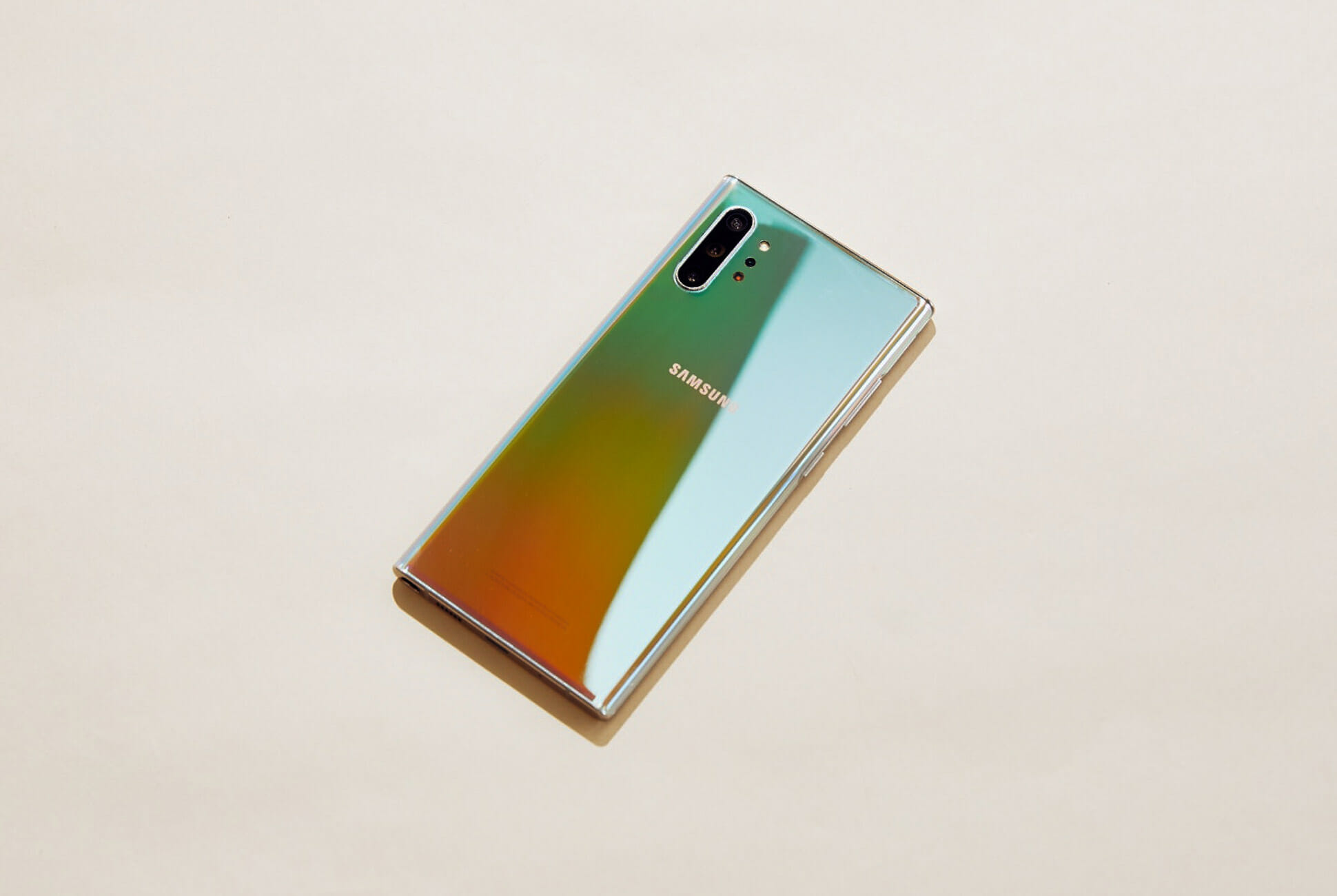
For years, the Samsung Galaxy Note has been catering to faithful fans of the stylus and, this year, there are two options on the table, a first for the line. While smaller (“smaller”) Galaxy Note 10 is the chief successor to the Galaxy Note line, with a 6.3-inch screen and form factor that’s similar to its forebear, the Note10+ is attempting to carve out a larger, more premium niche with its gargantuan 6.8-inch screen, beefier batter, surplus of RAM, and staring price of $1099. The result? A beautiful phone with hardly any serious flaws other than that it may just be far more phone than you need.

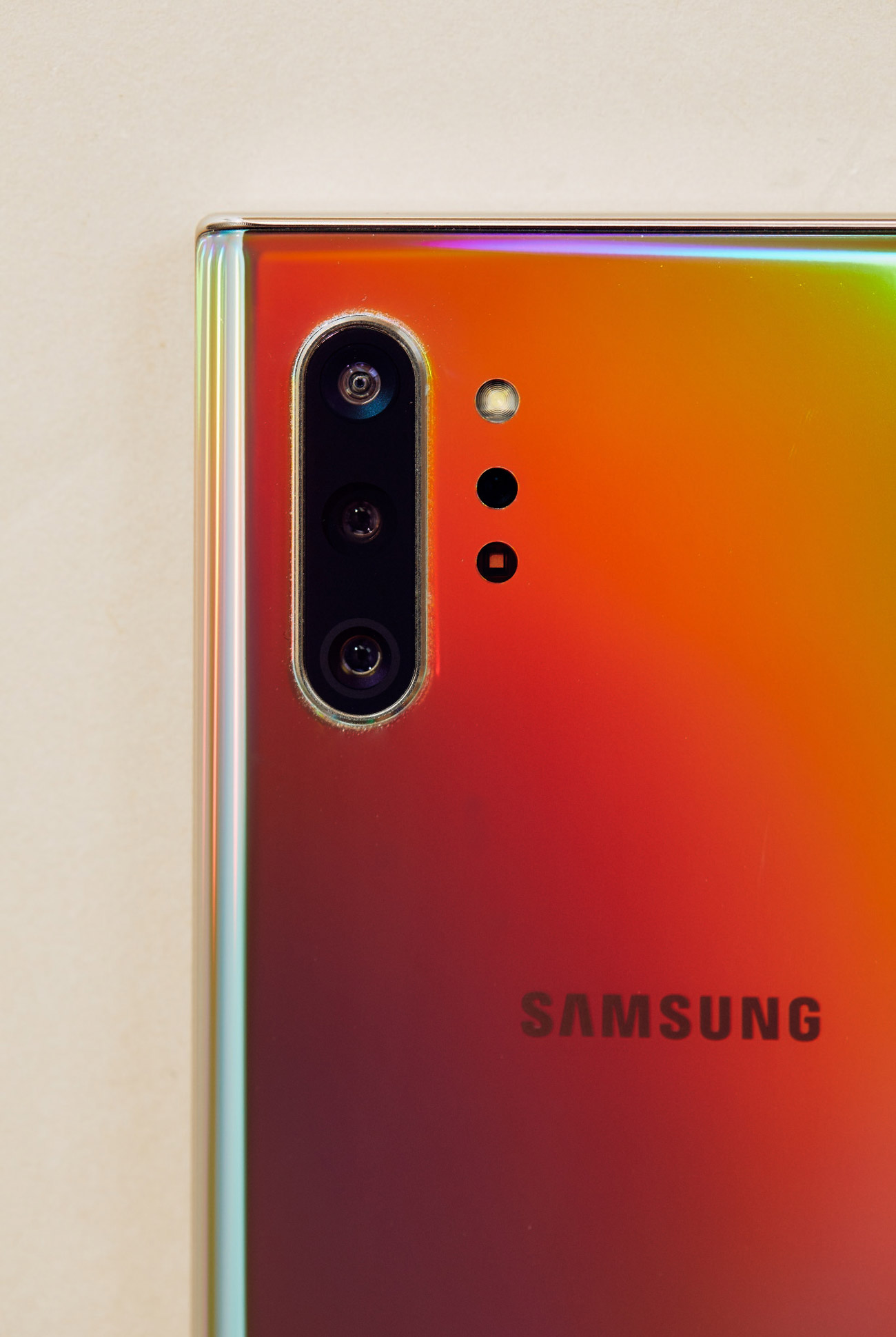
The Good: The Galaxy Note10+ is a beautifully made device. Samsung’s build quality has been top notch for ages and the Note10+ is no exception with its satisfying heft and screen that curves over the edges. It comes in a variety of colors but the “Aura Glow” version I tested is notably eye catching. Like the underside of a CD, it changes color as it catches the light and while it struck me as over the top at first, the effect really grew on me.

Like any good, big phone, the Note10+ has a big, 4,300mAh battery that lasts ridiculously long. Even a Saturday of strenuous use streaming Formula 1 and then reading far too much Twitter for hours on ends was not enough to take its battery much lower than 30 percent by the end of the day.

The Note10+ sports a terrific camera system, very similar to the one currently offered on Samsung’s line of S10 models, which means it takes fantastic photos, as any phone at this price point should, but doesn’t quite offer any surprises.

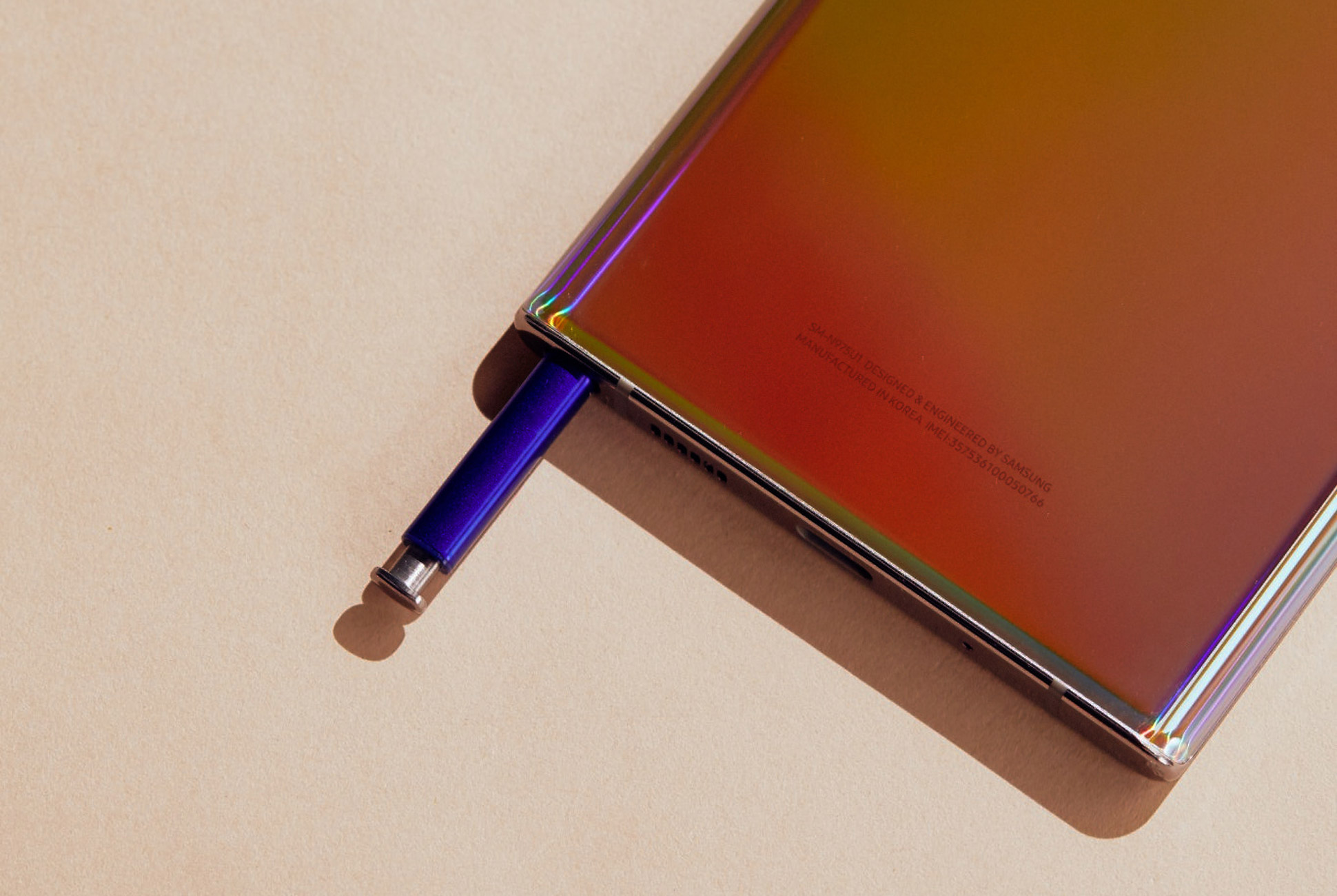
The S Pen, now updated with an accelerometer and gyroscope, now has increased utility outside of just writing on the screen. Waving the pen through the air like a wand will allow you to do some a few potentially useful tricks like change camera settings on a phone that you might not be holding.

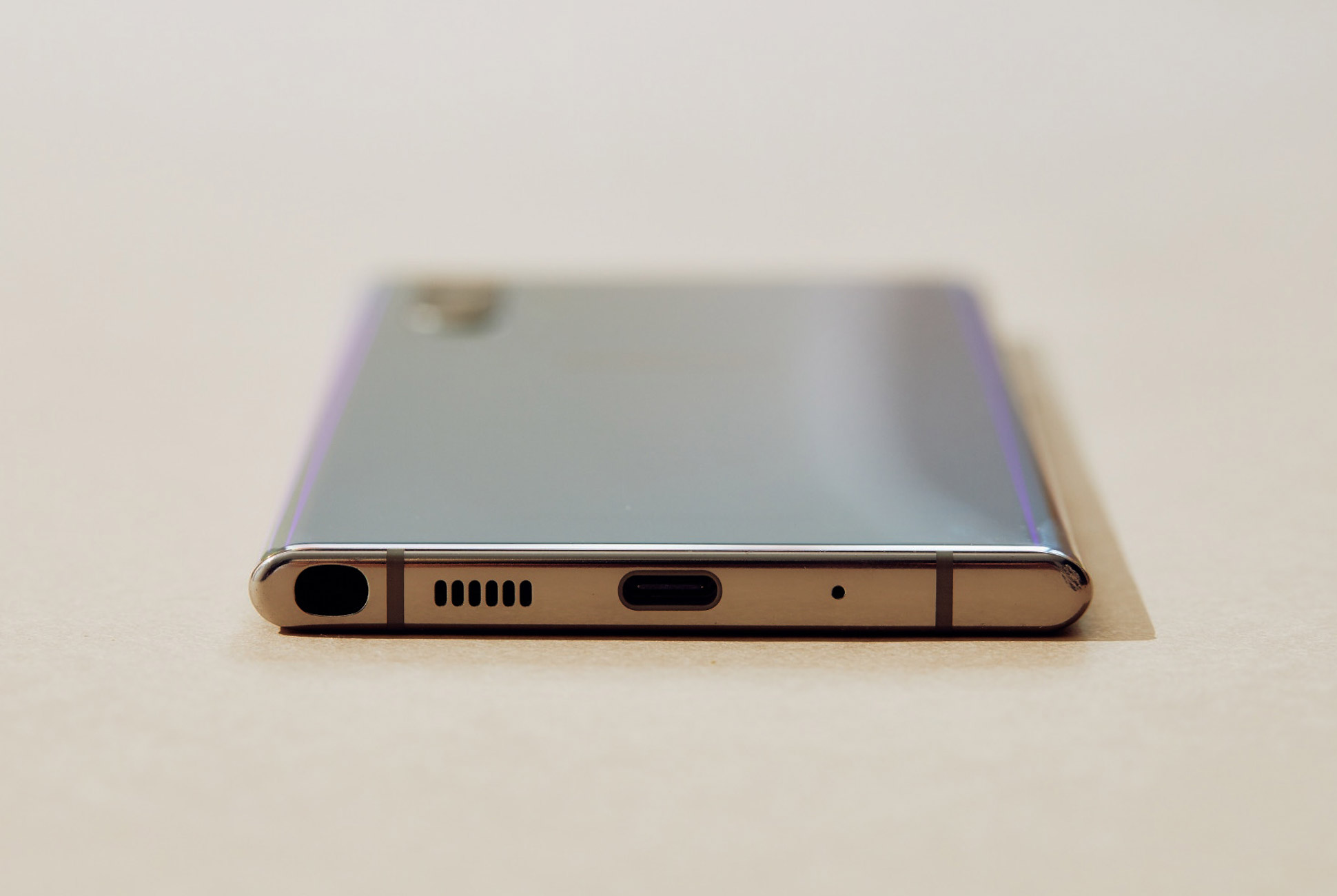
Who It’s For: The Samsung Galaxy Note 10+ is, at its core, for one type of person very specifically: the kind who absolutely loves a stylus. With its powerhouse performance, fantastic build quality, great camera, and stellar battery life, it’s a suitable and satisfying computing companion for anyone, but if you aren’t dying for the stylus, Samsung’s Galaxy S10 Plus slightly smaller but otherwise comparable in almost every way, with the added bonus of a bigger battery and a 3.5mm headphone jack.

Watch Out For: While the S Pen’s new wand-like air commands are novel and theoretically useful, I didn’t find a lot of value to them in practice. They also support a limited suite of apps, perhaps most noticeably the camera, where it could come in handy for long-range selfie set up. Maybe. And though Samsung has provided the software tools for other apps to make themselves compatible, it seems hard to imagine this becoming much more than a gimmick.

At 6.8-inches, the Note10+ is _a lot_ of phone. I’m a man with relatively large hands and still had trouble negotiating its heft one-handed on the train even with the aid of a PopSocket. Of course that is part of the 10+’s appeal, but it’s something to be aware of, especially considering the smaller, 6.3-inch Note10 also exists and will be, for most normal people, indisitinguishable in terms of performance despite its slightly less overkill supply of RAM.

Alternatives: If the stylus isn’t your main concern, there are many. Chiefly the Samsung Galaxy S10 Plus which is slightly smaller, slightly cheaper, but otherwise extremely similar. Google’s Pixel line, with its cleaner version of Android, also provides a possible substitute, with the Pixel 4 due for announcement in the next month or two.

But if the stylus is your bag, a Note is pretty much your only choice. The smaller Note 10 is a great way to get almost the same phone but with a smaller screen (and slightly less RAM, less battery power) for $100 cheaper if the Plus’ gargantuan size isn’t a must for you. If you’re not sold on the latest and greatest, the Note 9 is also an option. It only has a two-camera cluster, and sports a fingerprint reader on its back instead of under the screen, but is still a more than capable device you might be able to find at something of a discount.

Verdict: The Note10+ is a real powerhouse of a phone and if it has a primary flaw it is only that it may be more phone than you need or want to pay for. But if its price or size doesn’t make you wince at the prospect, it won’t let you down.

Key Specs
Size: 6.8-inch
Display: Quad HD+ Dynamic AMOLED
Processor: Qualcomm Snapdragon 855
Rear Camera: 16MP ultrawide (f/2.2), 12MP dual-pixel wide (f/1.5, f/2.4), 12MP telephoto (f/2.4)
Front Camera: 10-MP dual-pixel (f/2.2)
Durability: IP68
Capacity: 256GB, 512GB internal, up to 1TB with MicroSD

Samsung provided this product for review.

Read More Gear Patrol Reviews

Hot takes and in-depth reviews on noteworthy, relevant and interesting products. Read the Story
Note: Purchasing products through our links may earn us a portion of the sale, which supports our editorial team’s mission. Learn more here.

The Puma Smartwatch Is Worth Considering

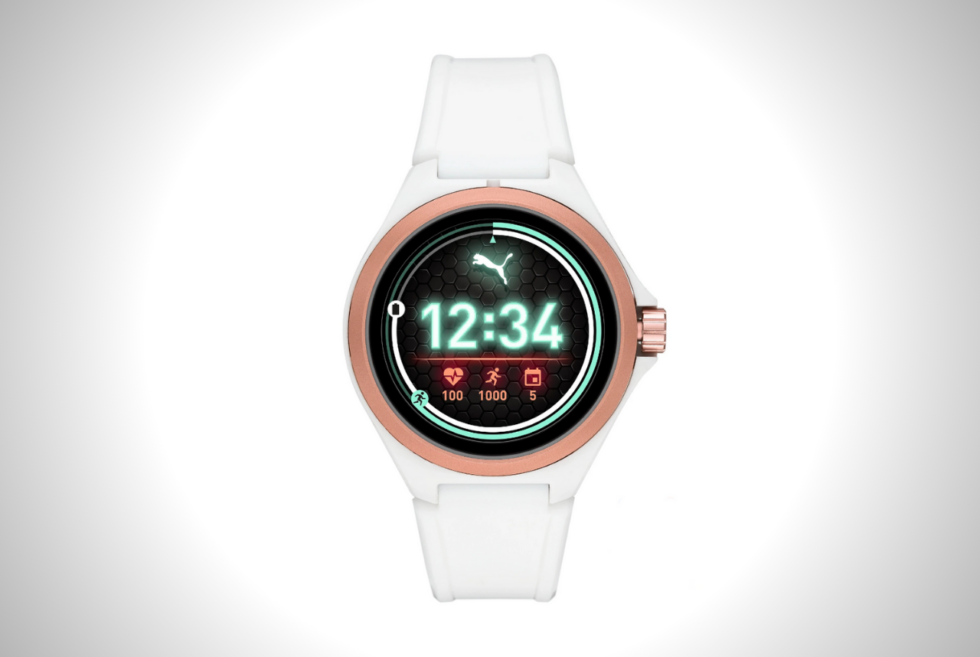
The Puma Smartwatch marks Puma’s first Wear OS option and first-ever smartwatch, launching at IFA 2019 this week. The sports brand teamed up with Fossil Group to make the wearable device, which comes equipped with a Qualcomm Snapdragon Wear 3100 chip.

There is plenty to love about this wee smartwatch, though many of its elements are standard and pretty much what you’d expect from a modern smartwatch. For the display, you get a 1.19-inch round AMOLED, housed inside a cut-out nylon and aluminum 44mm case.

Clearly, Puma aims to target the sports fans, as the watch comes with waterproofing. The device weighs very little — just 0.06 pounds — thanks to a few cutouts on the side, reducing the overall weight.

The watch comes with 4 GB of storage and 512 MB of RAM, the vanilla specs of modern smartwatch options these days. Thanks to the Snapdragon Wear 3100 chipset onboard, this thing should last 24 hours on a single charge. Or so Puma says. We have to test if that’s true, of course.

Since the watch sports Wear OS, you get the whole nine yards. NFC payments, heart rate monitoring, fitness tracking, Google Assistant, and more.

This isn’t Puma’s first tech product, by the way. The sports brand has been experimenting with technology in recent years. In 2016, it launched its first wirelessly connected self-lacing sneakers. Also, last year, it put out its classic 1986 RS-Computer running shoes, to the delight of many.

Puma plans to release its first smartwatch this november for $275. It will come in black, white, and a neon color.

LEARN MORE HERE

SNK Teases The NEOGEO Arcade Stick Pro With 20 Games On Board

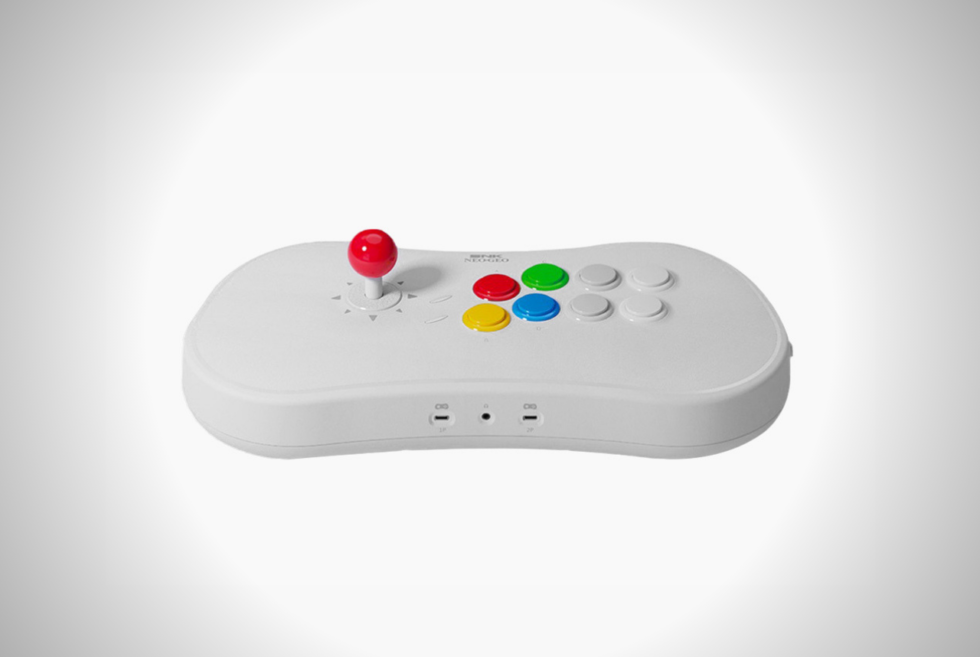
Although it might seem that the retro gaming craze is starting to slow down, the upcoming lineup of products says otherwise. Konami is giving us the TurboGrafx-16 Mini, while SEGA is pushing the Genesis Mini out into the market. However, we did not expect SNK to have something in the works until now. The NEOGEO Mini was a versatile gadget with a built-in screen to let you play games anywhere. Now, the manufacturer is taking another crack at it with the NEOGEO Arcade Stick Pro.

While its predecessor resembles an arcade cabinet, this new device features a full-size joystick and buttons. Gamers know SNK as one of the leading publishers of fighting games. Therefore, the company is hoping to entice players to pick up the Arcade Stick Pro to play those type of games.

There were some brawlers included with NEOGEO Mini, it was difficult to play because of the cramped controller layout. Popular titles such as The King of Fighters, Samurai Showdown, Fatal Fury, and others require precise controller execution. So far, the company is hinting at 20 games that will be available to play the moment you plug it in.

Just like most retro game systems, the NEOGEO Arcade Stick Pro will feature an HDMI out port. Moreover, it will reportedly support PAD controllers and even the NEOGEO Mini. We’re still waiting for information regarding the release date and price right now. Meanwhile, Nintendo still gets the credit for jumpstarting this nostalgic trend. Nevertheless, we still think that FC-PVM from Love Hultén looks way more stylish than anything right now.

Check it out: here

Pale Blue Rechargeable Smart Batteries Can Save You Thousands of Dollars

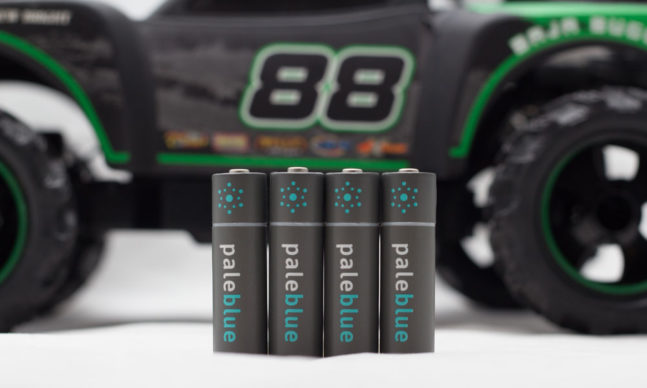
Disposable batteries are toxic, expensive and take up too much space in landfills. But they’re also necessary because we still need to power our remotes, cameras, game controllers, gadgets and drones. That’s where Pale Blue…

Apple’s New Streaming Service Will Be Half the Price of Netflix and Hulu

Apple announced the full details of its streaming service Apple TV+ today during the company’s big release event. The announcement follows Apple’s initial reveal of Apple TV+ last spring that was devoid of crucial details.

Apple TV+ will launch its ad-free streaming service across 100 countries on November 1 for $4.99 a month. Additionally, those who purchase an iPhone, iPad, or Apple TV will receive a free year of Apple TV+, which will be accessible through an app across all Apple products. Following its release on November 1, Apple will release a new original series every month.

The launch of Apple TV+ can be seen as an effort by the company to increase its services revenue amid declining iPhone sales, while simultaneously enticing its customers to buy more Apple products compatible with the company’s services.

Apple will have to compete with existing powerhouse streaming services like Netflix and Hulu, as well as upcoming streaming services from Disney and NBCUniversal. But at $4.99 a month, Apple will undercut them all. Netflix is $12.99, Hulu is $11.99 (without ads) and Disney+ will be $6.99. Apple TV+ will not offer a library of existing content like Netflix and Hulu, but its safe to assume its presence (and price tag) will have ramifications on other streaming services.

The Best Noise-Canceling Headphones of 2019

This definitive guide to the best active noise-canceling (ANC) headphones explores everything you need to know before buying your next pair of over-ear headphones, including how the technology works, debunking common misnomers and the ranking our favorite ANC of 2018 for every type of person.

Prefer to skip directly to the picks? Click here.

The Short List

Best Overall: Bose Noise Cancelling Headphones 700
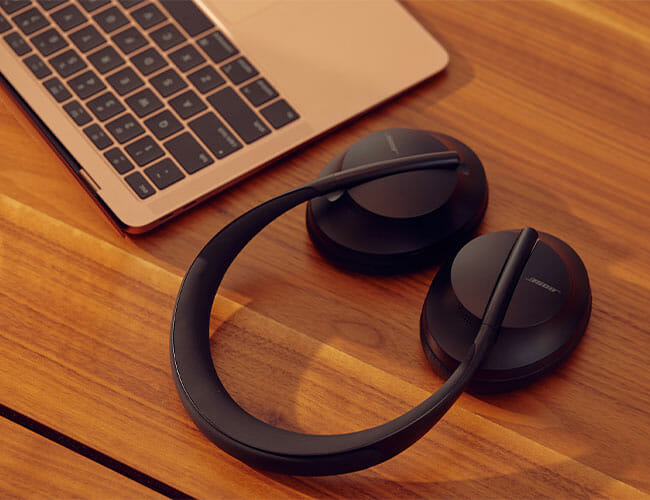
The Headphones 700 are the company’s new flagship noise-canceling headphones and they have a host of modern features that the QuietComfort 35 Series II lack, including a new transparency mode, customizable noise canceling, swipe gestures for playback and USB-C charging. Aside from the completely new design, the biggest upgrade is a six-microphone array that enables the Headphones 700 to be, by far and away, the best noise-canceling headphones for phone calls.

Read our full review of the Bose Noise Cancelling Headphones 700, here.

| |

Best Overall: Sony WH-1000XM3
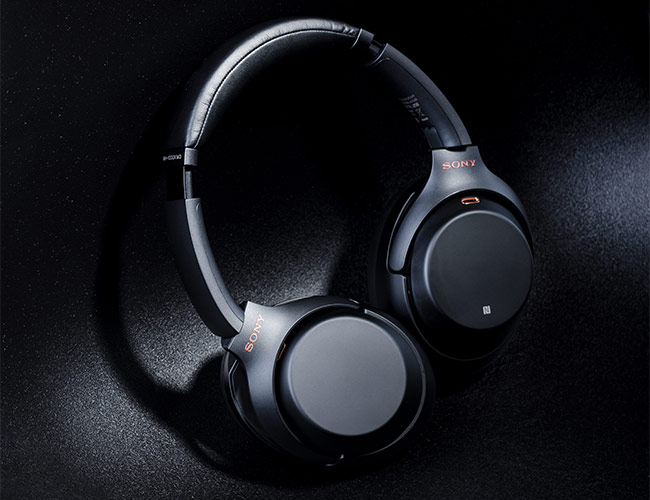
The WH-1000XM3 headphones are Sony’s newest noise-canceling headphones, which were released mid-2018, and even though they look similar to their predecessors, the Sony WH-1000XM2, they’re better in pretty much every way. They sound better. They have better noise-cancellation – four times better than the 1000XM2. And they can fast charge thanks to USB-C.

| |

Most Comfortable: Bose QuietComfort 35 Series II
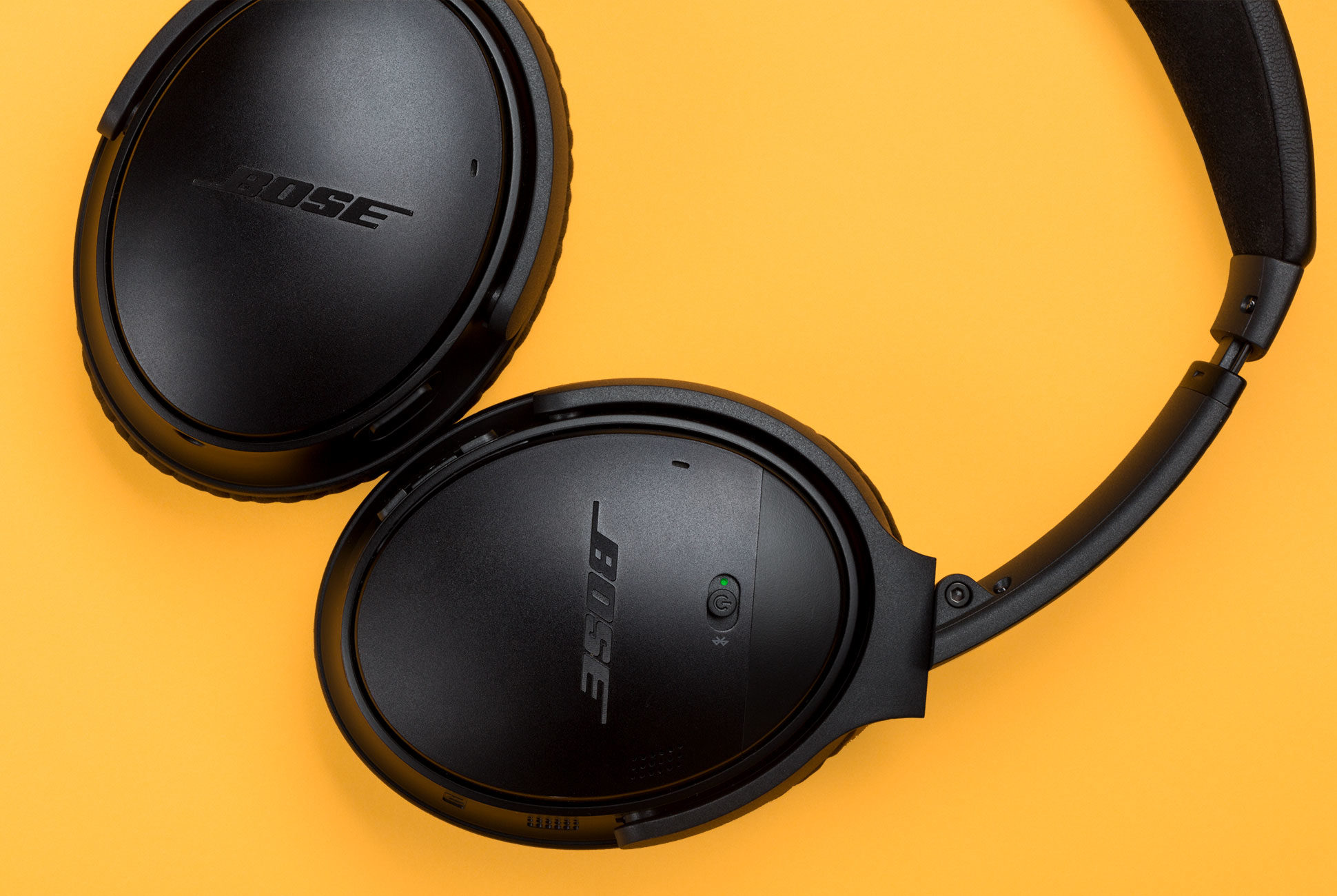
The QuietComfort 35 Series II are very similar to the slightly older Bose QC35 headphones. They sound nearly identical. They offer the same, great noise-canceling ability. And, like their precedessor, they’re the lightest adn most comfortable ANC over-ear headphones you’ll find. The big difference is that the Series II models have a dedicated button so you can access Google Assistant without taking out your phone.

|

Introduction

Outside noise interferes with the enjoyment of music and movies, whether you’re flying across the Pacific or mowing the lawn. Eliminating these distractions is the reason Bose released the first commercially available active noise-canceling (ANC) headset in 2000. Because this tech makes it so much easier to hear hushed dialogue in movies or the pianissimo finale of a favorite symphony, ANC headphones have become standard items to pack for any serious traveler (especially anyone with a window seat next to the plane’s engine). They’ve also become favored with office workers who want to eliminate the chatter of colleagues and other workplace noise. And what otherwise-boring lawn-mowing session isn’t improved by adding a clear, blasting soundtrack?

At Gear Patrol, we review a lot of active noise-cancellation (ANC) headphones and for good reason. They’re among the most popular types of headphones and they come in over-ear or in-ear models. They block out ambient noise: turn on a pair and you hear almost nothing. It’s serenity at the touch of a button — pretty darn cool, especially if you’re a frequent traveler or work in a noisy office.

For this buying guide, we focused exclusively on wireless and over-ear ANC headphones. All the best and newest models hover somewhere near the $300 price range or above, but if you don’t want to spend as much you can find older, wired models of the Bose QC25 or Sony 1000XM that are both excellent and significantly more affordable. Also don’t be scared of manufacturer-refurbished models on eBay, Amazon or the company’s own website; you can get a really good deal and all of those reliable websites have fairly lenient return policies in case the headphones don’t meet your expectations.

How Do Active Noise-Canceling Headphones Work?

Active noise-canceling headphones are different from traditional headphones because they search and destroy ambient noise frequencies that would disrupt your listening session. They have miniature microphones built into each ear cup that listen to ambient noises, and then electronically generate new sound waves that are the exact opposite to those ambient sound waves — called an antiphase — which in effect “cancels” out both sets of sound. It’s like sending an antivirus for sound. The term “active” simply means that the headphones have a built-in battery that’s dedicated to power these noise-canceling microphones. Passive noise-canceling headphones, on the other hand, don’t have powered microphones that actively seek out ambient frequencies.

When switched on, active noise-canceling creates a pressure against your ears that’s similar to driving through a tunnel or reaching a certain in-flight elevation. If the headphones aren’t playing music and you’re in a noisy environment, the active noise-canceling tech makes it sound like you’re in an empty room: quiet. Additionally, ANC makes it easier to listen to music. When wearing passive headphones amidst ambient noise, your brain has to work hard to prevent it from interfering and distracting you from the music. Because ANC actually reduces the amount of sound that you hear, it is, overall, easier on the brain and, in theory, makes listening to headphones a more pleasant experience.

How Does Noise Cancellation Affect Audio Quality?
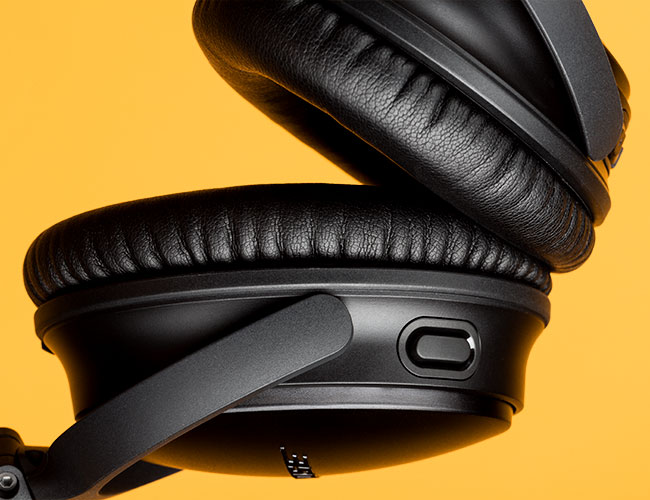
Find out the answer, along with other frequently asked questions about active noise-canceling headphones. Read the Story

Buying Guide

Sony WH-1000XM3

What are they? The WH-1000XM3 headphones are Sony’s newest noise-canceling headphones. They look similar to their predecessors, the Sony WH-1000XM2, but they’re better in pretty much every way. They sound better. They have better noise-cancellation – four times better than the 1000XM2. And they can fast charge thanks to USB-C.

When were they released? July 2018.

Who should buy? The Sony WH-1000XM3 headphones are neck and neck with Bose’s Headphones 700 in terms of noise cancellation. They obviously lack the voice pickup ability of the Bose’s, but they arguably sound better (less flat) and they’re cheaper. Anybody who wants the best but doesn’t to drop $400 should buy the Sony WH-1000XM3.

Read our full review of the Sony WH-1000XM3, here.

Form factor: Over-ear
Weight: 9 ounces
Battery: 30 hrs (Bluetooth and ANC)
Connectivity: Bluetooth 4.2
Charger: USB-C

|

Bose Noise Cancelling Headphones 700

What are they? For the first time in seemingly forever, Bose’s QuietComfort line isn’t its flagship for noise-canceling headphones. The Bose Noise Cancelling Headphones 700 deliver similar sound quality and more customizable noise-cancellation settings as the QuietComfort 35 Series II, and significantly better voice pickup for calls. They also a radically different hardware redesign and modern features, such as swipe gestures and USB-C charging.

When were they released? June 2019

Who should buy? The Headphones 700 are the best noise-canceling headphones for phone calls – and it’s no contest. If you’re somebody who talks on the phone while wearing headphones and you’re willing to pay the $400 premium, these headphones are wonderful.

Read our full review of the Bose Noise Cancelling Headphones 700, here.

Form factor: Over-ear
Weight: 9 ounces
Battery: Up to 20 hours
Connectivity: Bluetooth 5.0
Charger: USB-C

| |

Bose QuietComfort 35 Series II

What are they? The Bose QuietComfort 35 Series II headphones are identically in almost every way to the QuietComfort 35 Series I, in terms of noise-canceling ability, audio quality and design. That difference is the addition of Google Assistant and a dedicated button for it.

When were they released? June 2018

Who should buy? The Bose QuietComfort 35 Series II are the best noise-canceling headphones for travelers, thanks to their foldable and lightweight design. They’re also the most comfortable noise-canceling headphones we’ve tested, even when compared to the newer Bose Headphones 700.

Read our full review of the Bose QuietComfort 35 Series II, here.

Form: Over-ear
Weight: 10.9 ounces
Battery: 20 hours (Bluetooth and ANC)
Connectivity: Bluetooth 4.1
Charger: micro-USB

|

Bowers & Wilkins PX
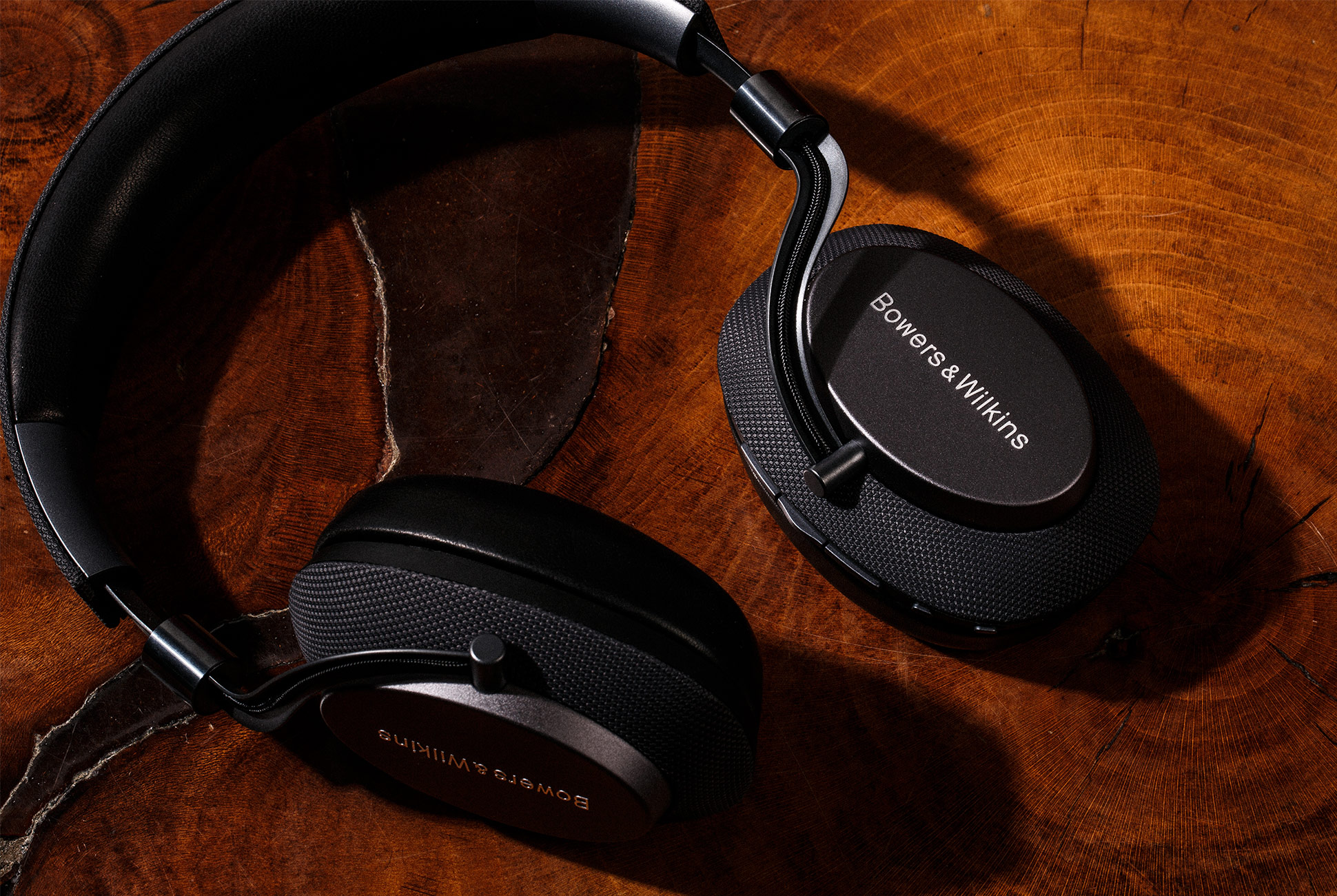
What are they? The PX are Bowers & Wilkins’s first noise-canceling headphones. They have the same angled drivers in B&W’s high-end P9 Signature headphones and are compatible with aptX HD (hi-res audio up to 24bit/48kHz), so the sound is incredible as long as you like that big soundstage. The active noise-canceling ability can be fine-tuned through a companion app. The design of the headphones is unique, too, with lots of leather, polished-silver color and curved, almost slithering, arms — these headphones are gorgeous.

When were they released? September 2017

Who should buy? The headphones are mostly about premium design and audio quality. They have the most distinct sound signature of any ANC headphones on this list; it’s huge, as if you were listening in a big concert venue. On the downside, they’re not the most travel-friendly because you can’t fold them up. They’re also older headphones, so you can get them for significantly cheaper than their previous $400 MSRP.

Read our full review of the Bowers & Wilkins PX, here.

Form: Over-ear
Weight: 11.8 ounces
Battery: up to 22 hours (Bluetooth and ANC)
Connectivity: Bluetooth 4.1
Charger: USB-C

|

Anker Soundcore Space NC
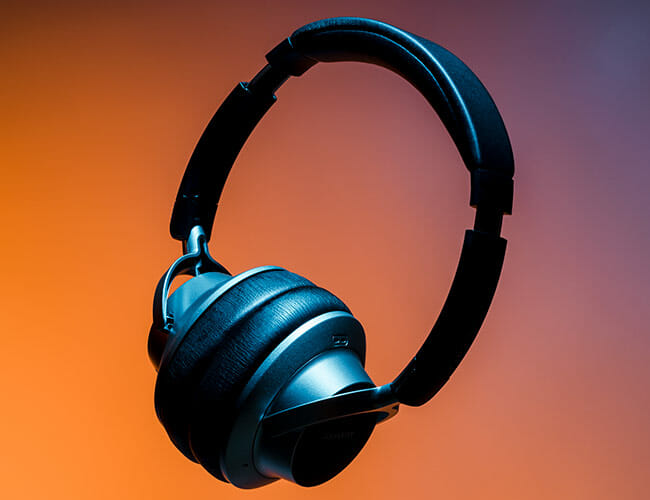
What are they? The Soundcore Space NC are Anker’s first-ever noise-canceling headphones and their biggest selling point, no doubt, is price. At $100, these are the best budget noise-canceling headphones you can buy – and you’d be surprised, their noise-canceling ability is pretty darn good. The Soundcore Space NC are pretty light on features, but you’d kind of expect that for less than $100.

When were they released? Fall 2018

Who should buy? If you’re on a budget, these are a best noise-canceling headphones under $100 you can buy. It’s worth pointing out that Anker has released newer and cheaper headphones, the Anker Soundcore Life Q20 ($60), but the noise-canceling isn’t as effective.

Read our full review of the Anker Soundcore Space NC, here.

Form factor: Over-ear
Weight: 9.28 ounces
Battery: up to 20 hours with ANC
Connectivity: Bluetooth 4.1
Charger: micro-USB

|

Master & Dynamic MW65
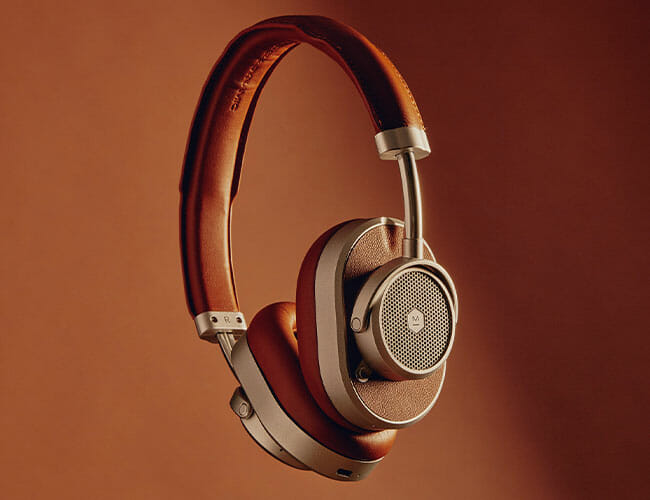
What are they? Master & Dynamic’s first noise-canceling headphones marry the company’s signature industrial design (anodized aluminum and genuine leather) with active noise-cancellation. They’re beautiful and comfortable headphones, with above average noise-cancellation. They charge via USB-C but also lack several premium features, such as a companion app to adjust EQ settings, and swipe gestures to control audio playback.

When were they released? April 2019

Who should buy? At nearly $500, the MW65 are considerably more expensive than other flagship noise-canceling headphones. Bottom line: it’s all about whether you like the Master & Dynamic’s signature sound and look; if so, you won’t be disappointed.

Read our full review of the Master & Dynamic MW65, here.

Form factor: Over-ear
Weight: 8.6 ounces
Battery: up to 24 hours
Connectivity: Bluetooth 4.2
Charger: USB-C

| |

Plantronics Voyager 8200 UC
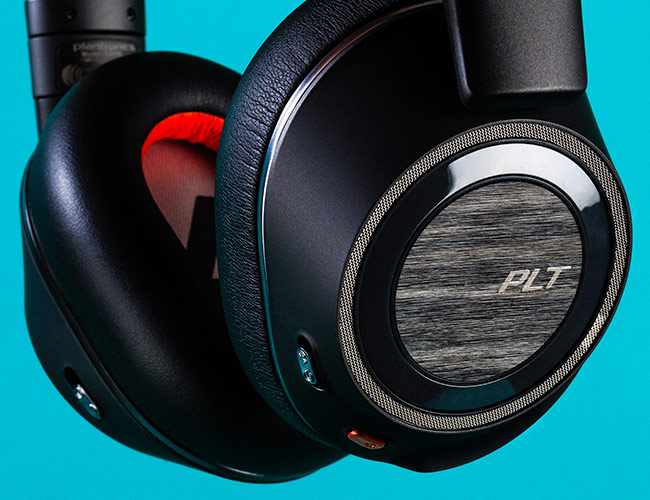
What are they? The Plantronics Voyager 8200 UC are older noise-canceling headphones with a four-mic array, and they’re designed to make taking calls crisp and easy; if you’re listening to music and a call comes in, a voice will say “Incoming call” and to answer it you just touch the right ear pad once. The headphones have great Bluetooth connectivity so it can sync to multiple devices — say your iPhone and MacBook — simultaneously. And the headphones are also Skype for Business certified.

When were they released? July 2017

Who should buy? The Voyager 8200 UC are wireless ANC headphones designed for business professionals who take calls on the phone. If that’s what you’re looking for and you don’t mind older headphones, these are a great, affordable option.

Read our full review of the Plantronics Voyager 8200 UC, here.

Form factor: Over-ear
Weight: 10.2 ounces
Battery: up to 24 hours (Bluetooth and ANC); one month in standby mode
Connectivity: Bluetooth 4.1
Charger: micro-USB

|

Sennheiser HD1 Wireless
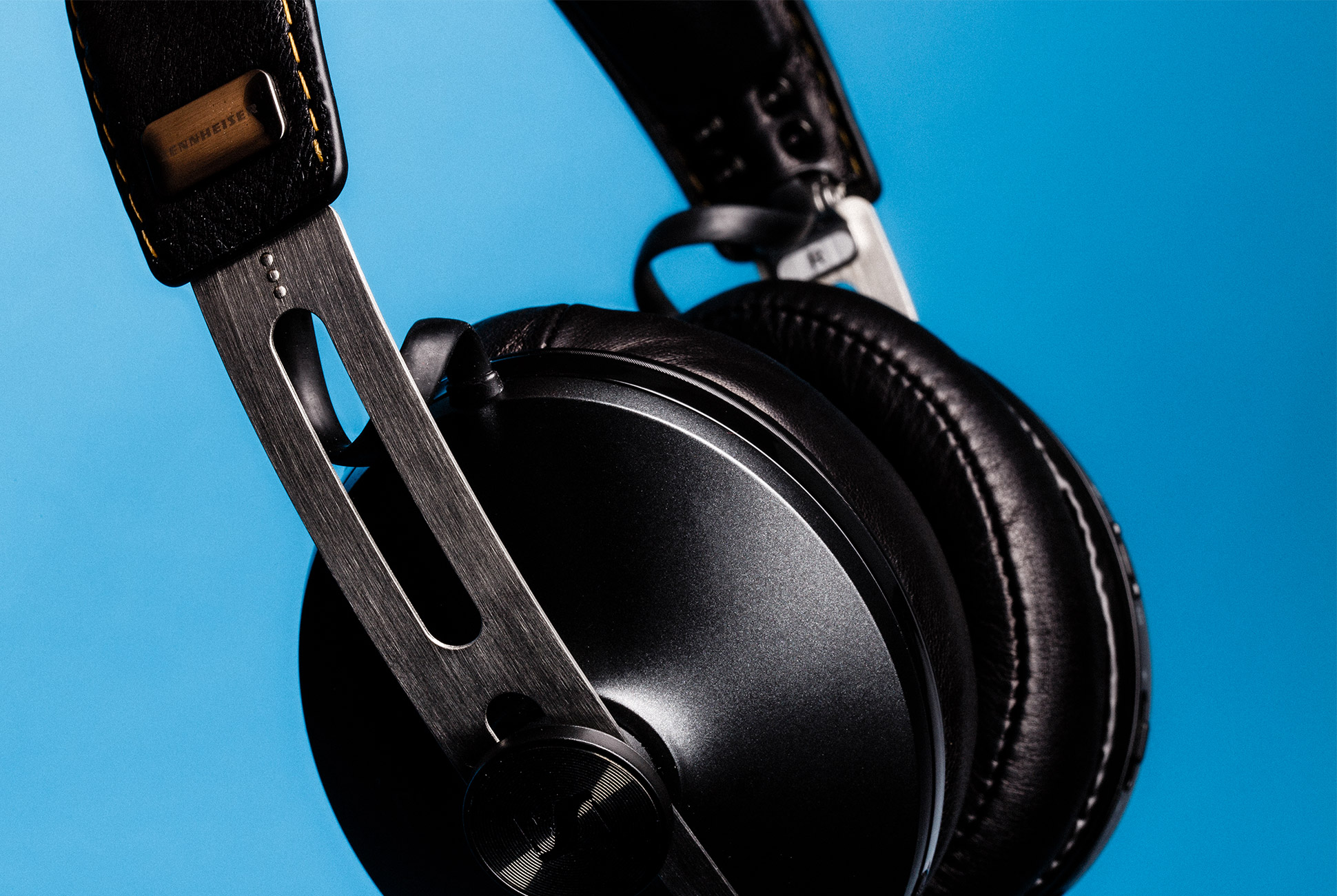
What are they? The Sennheiser HD1 Wireless are the same headphones as the Sennheiser Momentum 2.0 Wireless that were released in 2015, just rebranded for the US markets. They support Bluetooth aptX for high-res streaming and there’s no companion app to adjust EQ or other ANC settings. One potential downside is that the ANC is always on — you can’t turn it off even if you wanted to preserve battery life.

When were they released? January 2017

Who should buy? The Sennheiser HD1 Wireless are lightweight and comfortable, and have a collapsible design making them good for travel. They’re great for anybody who wants no-frills noise-canceling headphones with a unique design. Also, there’s a good chance you can find a pretty good deal on them because Sennheiser just discontinued the HD1 Wireless in favor of the Septermber 2019-released Momentum Wireless headphones ($400).

Read our full review of the Sennheiser HD1 Wireless, here.

Form : Over-ear
Weight: 9.4 ounces
Battery: up to 22 hours (Bluetooth and ANC)
Connectivity: Bluetooth 4.0
Charger: micro-USB

|

Notable Absentees

Jabra Elite 85h
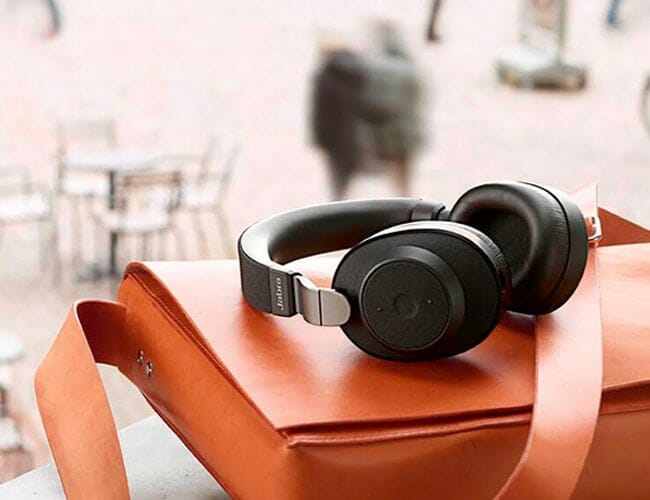
Jabra’s first noise-canceling headphones were released in April 2019 and deliver similar features as Bose QuietComfort 35 Series II and Sony WH-1000XM3, but at a lower price. Maybe their most defining feature is special eight-mic array, meaning they’re optimized for business professionals who anticipate taking lots of calls. On the potential downside, the soft mesh-y material doesn’t feel or look as premium as other headphones.

Microsoft Surface Headphones

The Surface Headphones have a distinctly “Surface” look and are probably ideal for people who use one of Microsoft’s Surface laptops or tablets. The most standout feature are the two rotating dials on either ear cup; the dial on the right earcup adjusts the volume, while the dial on the left earcup can be used to strengthen or attenuate the noise-canceling (the Surface Headphones have 13 different levels of noise-canceling that you can choose from).

Sennheiser Momentum 3 Wireless

Released in September 2019, these are the next-generation versions of the Sennheiser HD1 Wireless an they a bunch of new features, including USB-C charging, integrated voice assistants, and a companion app to adjust sound settings. One feature that Sennheiser kept that you may like if the three-button array for playback controls.

7 Best Wireless Running Headphones (At All Budgets)

Stop suffering your standard earbuds. Read the Story


There’s a Good Reason for iPhone Owners to Get This Non-Apple Smartwatch

Fossil just announced the Gen 5 Smartwatch, the company’s fifth-generation smartwatch, and there’s actually a neat reason for iPhone users to buy it: its the first Wear OS smartwatch that can take calls from a tethered iPhone. This means that instead of just alerting you that you’re getting a call, which many Wear OS smartwatches can do, you’ll be able to answer the call on the Gen 5 Smartwatch. No need to pull out your iPhone to answer a call if you don’t want to.

There’s a catch, however: the iPhone tethering feature isn’t available on the Gen 5 Smartwatch at launch. As The Verge‘s Cameron Faulkner writes, the functionality “will arrive OTA in the form of a proprietary app sometime this fall.”

[embedded content]

Obviously, the Apple Watch is able to answer calls from your iPhone and much more. Fossil’s Gen 5 Smartwatch still won’t support iMessage, for example, so you won’t be able to answer messages directly from the smartwatch. And it won’t be able to work other iOS apps, like Apple’s Health app. But the call tethering capability might entice some iPhone owners who want a smartwatch with a more traditional watch design. Or those who just don’t want to spend as big on the latest Apple Watch ($349+). The Fossil Gen 5 Smartwatch starts at $295.

The new smartwatch is packed with a bunch of new-age specs, including a Qualcomm Snapdragon 3100 processor, up to 8GB of storage and up to 1GB of RAM (both twice as much as Fossil’s Gen 4 smartwatch). And it has a swimproof speaker, meaning it doesn’t need an additional mesh barrier like its previous generation smartwatches to keep out water. Lastly, the new processor enables an “extended battery mode”; the Gen 5 can last several days on a signal charge, while still keeping track of your heart rate.

The Fossil Gen 5 Smartwatch is available in six different color-and-strap combos.

Here Is The Production Version Of The Honda e

Now that the 2019 IAA Frankfurt Motor Show is just around the corner, major car brands are preparing their wares. Just like the automotive trade shows before it, we can expect to see major reveals and surprises. Moreover, with the upsurge of electrification, you can look forward to a lot of EVs making their debut. However, there are manufacturers that cannot wait to show off their wares. Therefore, we are seeing announcements like the Porsche Taycan Turbo S. Now its time for the Honda e to shine.

You might think this is another prototype update, but Honda is actually teasing the production model. Furthermore, the Japanese carmaker is fueling the fire even further by taking pre-orders right now. It won’t be long till eco-minded individuals will be driving around in this cool compact hatchback. Aesthetically, nothing much has changed from its concept stages. It retains the upbeat vintage vibe that will hum along quietly as your daily transport.

From the outside, there are a few things that remind us that the Honda e is a modern ride. The LED headlights on each side of the backlit emblem, the absence of conventional side mirrors, and the near-silent operation. Inside is another thing entirely thanks to the dual 12.3-inch displays on the dash.

Buyers of the Honda e can choose from a 134 horsepower or 151 horsepower variant – both of which comes with 232 lb-ft of torque. This all-electric drivetrain can accelerate from standstill to 62 mph in eight seconds. Lastly, the 33 kWh water-cooled lithium-ion battery system can take you up to 136 miles on a full charge.

Check out what it offers here

Images courtesy of Honda

In Case You Missed It: Here’s Everything Sonos Announced Yesterday

It’s exciting times for Sonos. The multi-room speaker giant just announced three new products at IFA, Europe’s biggest consumer tech trade show. There’s the Sonos Move, the company’s first-ever portable speaker; the Sonos Port, which is the next-generation version of the Sonos Connect; and there’s the Sonos One SL, a new entry-level Sonos speaker. We’ve given you a brief rundown on all three new products below.

The push for new products shouldn’t be a surprise if you’ve followed Sonos. Patrick Spence, the company’s CEO since 2017, is actively moving the company to be more open and forward-thinking, as well as pushing it to expand its product line. Since Spence took over, Sonos has released its first smart speaker, partnered with IKEA to make the most affordable Sonos speakers (Symfonisk), and now it has entered a completely new market: portable audio.

Sonos Move

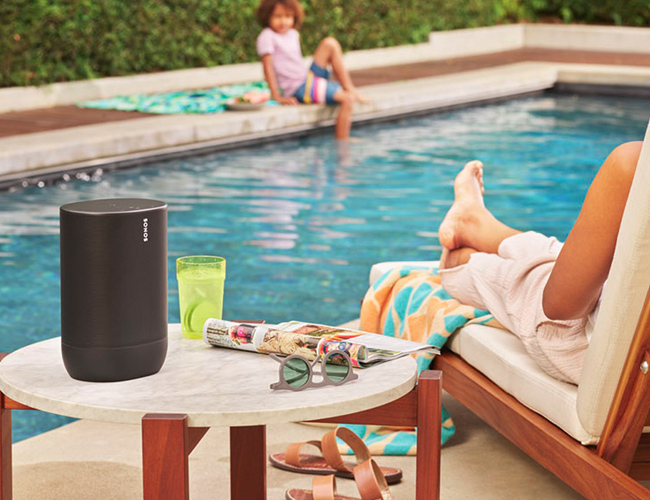
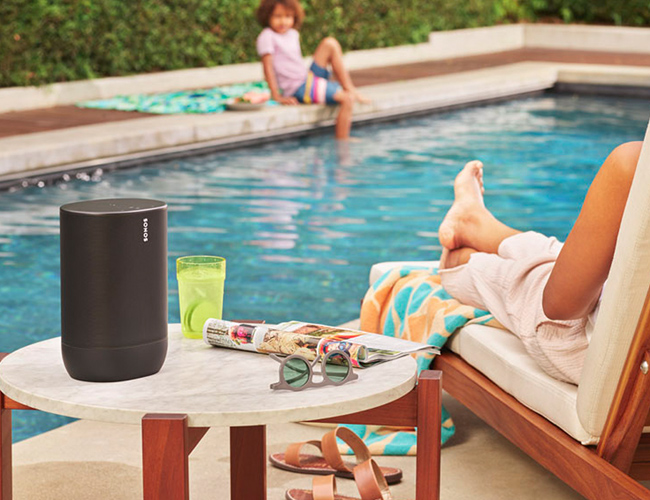
The Sonos Move is the company’s first-ever portable speaker. It has built-in Wi-Fi and Bluetooth, allowing it to be way more versatile than any other Sonos speaker to date; you can use it like a Sonos One smart speaker – yes, the Move can be integrated with either Alexa or Google Assistant – or you can use it as a portable rugged Bluetooth speaker. There’s a new three-button array on the back of the speaker that allows you to toggle between modes. The Sonos Move costs $399 and is available for preorder now; you’ll be able to pick it up in stores or buy online on September 24.

Sonos Port

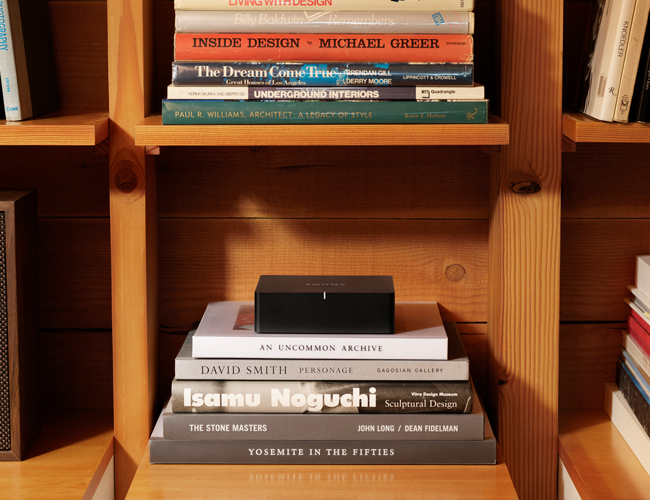
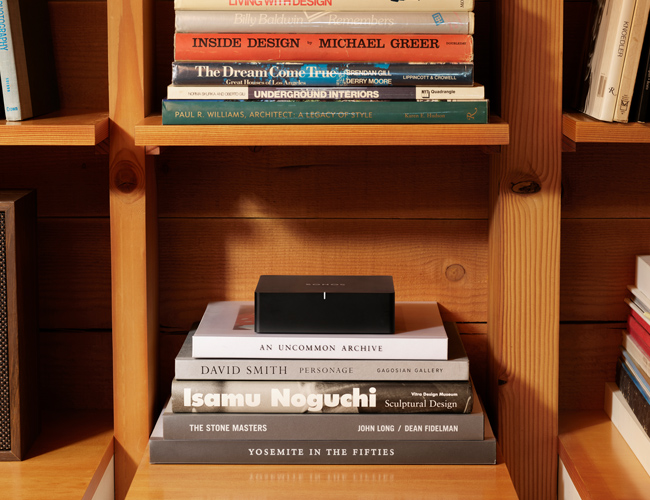
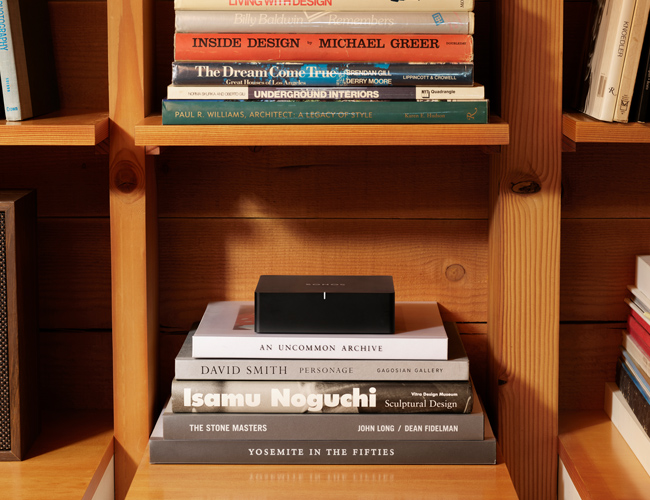
The Sonos Port is the next-gen Connect ($349) you’ve been waiting for. It works the same way, hooking up to your existing stereo or receiver and turning your non-Sonos sound system into one that works just like it, but the Port adds some big things. First, it supports AirPlay 2. Second, it has 12-volt trigger, which enables the Port to automatically turn on your connected receiver when signaled through the Sonos app. And third, it’s matte black and actually looks like it will blend in with your other stereo components. The Sonos Port costs $399 and is available for preorder. A select number of models will starting on September 12, but they’ll be available everywhere starting in January 2020.

Sonos One SL

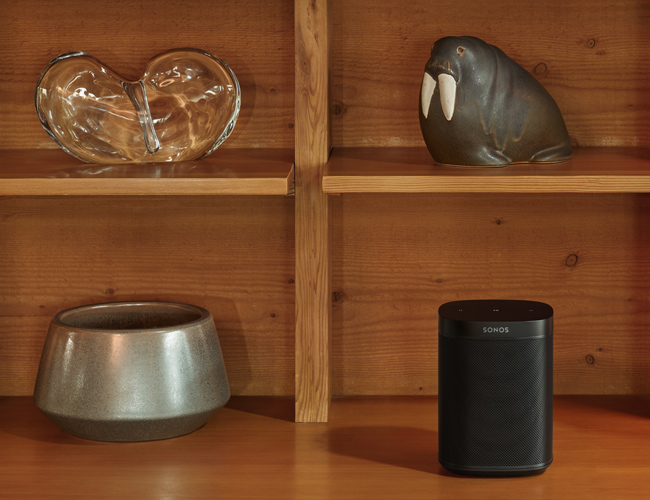
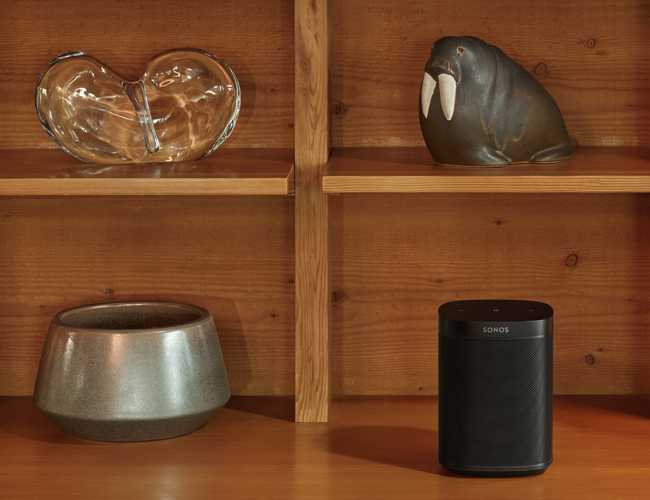
The Sonos One SL is essentially a Sonos One speaker without the built-in mics that allow you to talk to Alexa or Google Assistant. Or you can think of it as a Play:1 speaker but in the body of a Sonos One. Either way, the Sonos One SL is the company’s new most entry-level speaker – aside from the Ikea x Sonos Symfonisk speakers – and it costs $179. It’s available for pre-order right now in either white or black. Sadly, the introduction of the Sonos One SL means that Sonos will be phasing out its original Play:1 speaker.

Note: Purchasing products through our links may earn us a portion of the sale, which supports our editorial team’s mission. Learn more here.

Bang & Olufsen Releases The Beosound Stage As Its First Soundbar

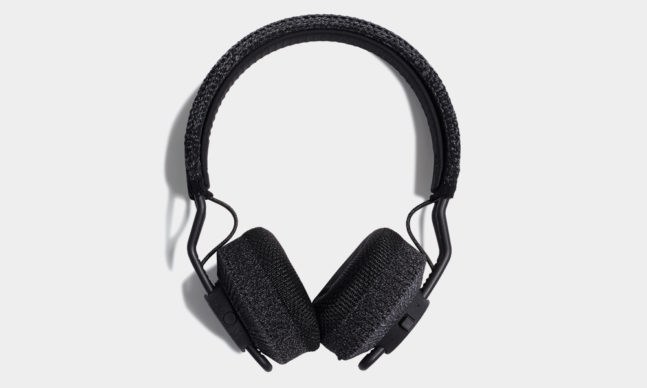
To grow as a person experts suggest that we step out of our comfort zone and try new things. About the same thing applies to companies that want to expand their reach beyond their current market segment. For instance, a recent announcement from Adidas revealed two Bluetooth headphones for active people. Another would be automotive manufacturers who are stepping away from internal combustion engines in favor of electric drivetrains. Premium audio company Bang & Olufsen is likewise taking a leap into new territory with Beosound Stage.
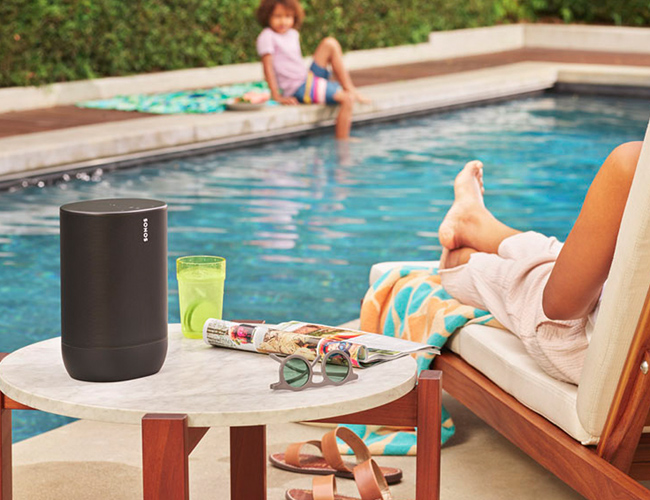
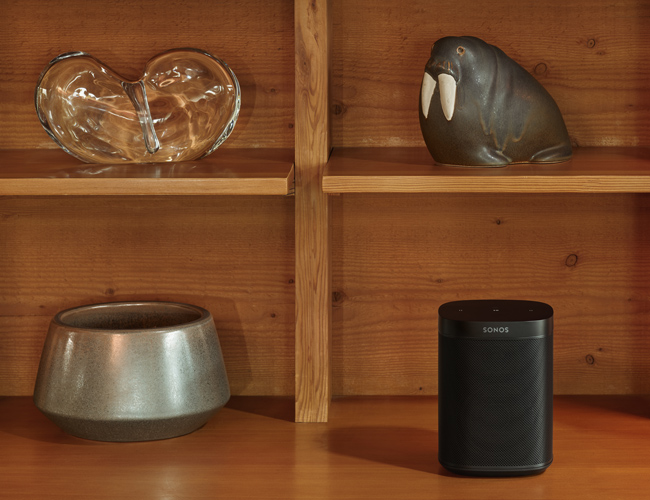
This new addition to the Beosound lineup will surely please consumers who want an upscale device for entertainment. Moreover, Band & Olufsen will be offering the Stage in two flavors. To match the dwelling’s décor, buyers can opt for either an aluminum or a wooden enclosure. It’s no longer surprising to find that the speaker grille sits behind a textile cover. Additionally, the control buttons are seamlessly crafted into the frame, which looks invisible from afar.

The Beosound Stage boasts an 11-driver configuration – four mid-range, four woofers, and three tweeters. The combination produces a wide range of sound without the need for a separate sub-woofer. Compatibility with AirPlay 2, QPlay 2.0, Dolby Atmos, Dolby TrueHD, and a built-in Chromecast function makes it even more attractive.

We’ve seen Bluetooth speakers from the Danish luxury consumer electronics brand but this their first foray into new territory. As televisions continue to slim down, engineers are having trouble fitting in powerful speakers. Hence, there’s a growing market for audio solutions such as soundbars to compensate for the lackluster speakers of modern TVs. The Bang & Olufsen Beosound Stage is a must-have for your classy entertainment setup.
/buy it here

Images courtesy of Bang & Olufsen

Here’s All the New Audio Gear That Sonos Just Announced

It’s exciting times for Sonos. The multi-room speaker giant just announced three new products at IFA, Europe’s biggest consumer tech trade show. There’s the Sonos Move, the company’s first-ever portable speaker; the Sonos Port, which is the next-generation version of the Sonos Connect; and there’s the Sonos One SL, a new entry-level Sonos speaker. We’ve given you a brief rundown on all three new products below.

The push for new products shouldn’t be a surprise if you’ve followed Sonos. Patrick Spence, the company’s CEO since 2017, is actively moving the company to be more open and forward-thinking, as well as pushing it to expand its product line. Since Spence took over, Sonos has released its first smart speaker, partnered with IKEA to make the most affordable Sonos speakers (Symfonisk), and now it has entered a completely new market: portable audio.

Sonos Move

The Sonos Move is the company’s first-ever portable speaker. It has built-in Wi-Fi and Bluetooth, allowing it to be way more versatile than any other Sonos speaker to date; you can use it like a Sonos One smart speaker – yes, the Move can be integrated with either Alexa or Google Assistant – or you can use it as a portable rugged Bluetooth speaker. There’s a new three-button array on the back of the speaker that allows you to toggle between modes. The Sonos Move costs $399 and is available for preorder now; you’ll be able to pick it up in stores or buy online on September 24.

Sonos Port

The Sonos Port is the next-gen Connect ($349) you’ve been waiting for. It works the same way, hooking up to your existing stereo or receiver and turning your non-Sonos sound system into one that works just like it, but the Port adds some big things. First, it supports AirPlay 2. Second, it has 12-volt trigger, which enables the Port to automatically turn on your connected receiver when signaled through the Sonos app. And third, it’s matte black and actually looks like it will blend in with your other stereo components. The Sonos Port costs $399 and is available for preorder. A select number of models will starting on September 12, but they’ll be available everywhere starting in January 2020.

Sonos One SL

The Sonos One SL is essentially a Sonos One speaker without the built-in mics that allow you to talk to Alexa or Google Assistant. Or you can think of it as a Play:1 speaker but in the body of a Sonos One. Either way, the Sonos One SL is the company’s new most entry-level speaker – aside from the Ikea x Sonos Symfonisk speakers – and it costs $179. It’s available for pre-order right now in either white or black. Sadly, the introduction of the Sonos One SL means that Sonos will be phasing out its original Play:1 speaker.

Note: Purchasing products through our links may earn us a portion of the sale, which supports our editorial team’s mission. Learn more here.

Here’s All the New Hardware That Sonos Just Announced

It’s exciting times for Sonos. The multi-room speaker giant just announced three new products at IFA, Europe’s biggest consumer tech trade show. There’s the Sonos Move, the company’s first-ever portable speaker; the Sonos Port, which is the next-generation version of the Sonos Connect; and there’s the Sonos One SL, a new entry-level Sonos speaker. We’ve given you a brief rundown on all three new products below.

The push for new products shouldn’t be a surprise if you’ve followed Sonos. Patrick Spence, the company’s CEO since 2017, is actively moving the company to be more open and forward-thinking, as well as pushing it to expand its product line. Since Spence took over, Sonos has released its first smart speaker, partnered with IKEA to make the most affordable Sonos speakers (Symfonisk), and now it has entered a completely new market: portable audio.

Sonos Move

The Sonos Move is the company’s first-ever portable speaker. It has built-in Wi-Fi and Bluetooth, allowing it to be way more versatile than any other Sonos speaker to date; you can use it like a Sonos One smart speaker – yes, the Move can be integrated with either Alexa or Google Assistant – or you can use it as a portable rugged Bluetooth speaker. There’s a new three-button array on the back of the speaker that allows you to toggle between modes. The Sonos Move costs $399 and is available for preorder now; you’ll be able to pick it up in stores or buy online on September 24.

Sonos Port

The Sonos Port is the next-gen Connect ($349) you’ve been waiting for. It works the same way, hooking up to your existing stereo or receiver and turning your non-Sonos sound system into one that works just like it, but the Port adds some big things. First, it supports AirPlay 2. Second, it has 12-volt trigger, which enables the Port to automatically turn on your connected receiver when signaled through the Sonos app. And third, it’s matte black and actually looks like it will blend in with your other stereo components. The Sonos Port costs $399 and is available for preorder. A select number of models will starting on September 12, but they’ll be available everywhere starting in January 2020.

Sonos One SL

The Sonos One SL is essentially a Sonos One speaker without the built-in mics that allow you to talk to Alexa or Google Assistant. Or you can think of it as a Play:1 speaker but in the body of a Sonos One. Either way, the Sonos One SL is the company’s new most entry-level speaker – aside from the Ikea x Sonos Symfonisk speakers – and it costs $179. It’s available for pre-order right now in either white or black. Sadly, the introduction of the Sonos One SL means that Sonos will be phasing out its original Play:1 speaker.

Note: Purchasing products through our links may earn us a portion of the sale, which supports our editorial team’s mission. Learn more here.

The One Tip Every Sonos Speaker Owner Should Know

If you own more than one Sonos speaker and you’ve grouped them together – whether that consists of Play:1s, Ones, Play:5s, Beams, the new Symfonisk speakers, or a combination of any of them – you might’ve noticed that, on occasion, one of the speakers will stop playing with the rest. As a Sonos owner myself, I’ve noticed this happening to my various Play:1s when grouped with a One; I’ll ask Alexa to play music and all of my speakers save for a Play:1 will play in unison.

Normally, the solution to regrouping your Sonos speakers is to go into the Sonos app, select the “Group” button and then select the specific speaker that’s not playing. It’s easy, if a little annoying.

[embedded content]

However, something that you might not have known – I didn’t until just a few weeks ago – is that there’s a quick fix for regrouping a rogue Sonos speaker. And it doesn’t involve touching your smartphone or computer. Instead, all you need to do is go over to the speaker that’s not playing, press and hold down the Play/Pause button for three seconds, it’ll automatically regroup with the other speakers and play the same music. As long as the speakers are all connected to the same Wi-Fi network, this will work.

Another good use of this “hack” is if you have a Beam, Playbar or Playbase (any soundbar connected to your TV), along with another Sonos speaker in a different room. For instance, I gifted my mom a Sonos Beam last Christmas and one of her favorite things to do is listening to the Mets game on TV while making dinner. The problem is that her Sonos Beam is in the TV room and the Play:1 is in the kitchen, and the two often get ungrouped because she’s always turning on and off the TV (and thus the soundbar). But by holding down the Play/Pause button on her Play:1, it automatically syncs with her Sonos Beam (as long as the TV is on) and she can hear the Mets game.

Magic.

This LG Fridge Is Perfect If You Love Whiskey

Do you love whiskey? Do you want a high-tech fridge? Would you like something that fulfills both these interests? Well, you can have it. The LG Fridge LRFVS3006S is a $4,399 refrigerator that makes craft ice for all you whiskey and cocktail lovers out there.

This fridge isn’t for the regular folks who think it’s just for keeping things cold. No, this is for people who know too much about the delicacy of craft ice and want something that’ll be up to the task of meeting their high standards when it comes to all things beverage. Here’s how LG describes the fridge:

“LG’s exclusive Craft Ice slow melting round ice maker automatically makes upscale craft ice at home without the work. No more time consuming molds that only produce one or two at a time. Give your beverages the perfect ice for next level entertaining, from craft cocktails & whiskey to soft drinks, lemonade, even iced coffee.”

The LG Fridge LRFVS3006S sits somewhere in the upper ranks of fancy appliances. Of course, its most iconic feature is the built-in Craft Ice maker that creates perfect spheres claimed to be the most effective way to chill a drink by maximizing surface area while melting slower than cubes or crushed ice. I know what you’re thinking. Phew! These rich folks and their fancy ice machines. Can’t you just dump regular ice cubes on your cold ones and call it a day?

Well, you can. But is it the best way to do it? Well, no, but it’s not that bad. But are you the kind of person who’ll settle for anything less? Well, you have your answer.

MORE INFO HERE

5 Settings to Change on Your Smartphone Right Now

Leaving your phone set up exactly the way it was when you got it out of the box is one option, sure — but you’re missing out on a host of little tweaks and reconfigurations that could make your mobile more productive (and enjoyable) to use. Here are a handful of the settings you should go about changing right away.

In the instructions below we’re describing the process on the latest version of iOS (iOS 12) running on iPhones, and the latest stock version of Android (Android 9) at the time of writing. If you’re using a different software version, or a different flavor of Android, the steps might vary slightly, but all the options should still be available.

1. Turn on Wi-Fi calling

If your phone is struggling to find a cellular connection but does have a strong link to Wi-Fi, it can use the latter option to send and receive calls—as long as your provider supports it (all the major US ones do).

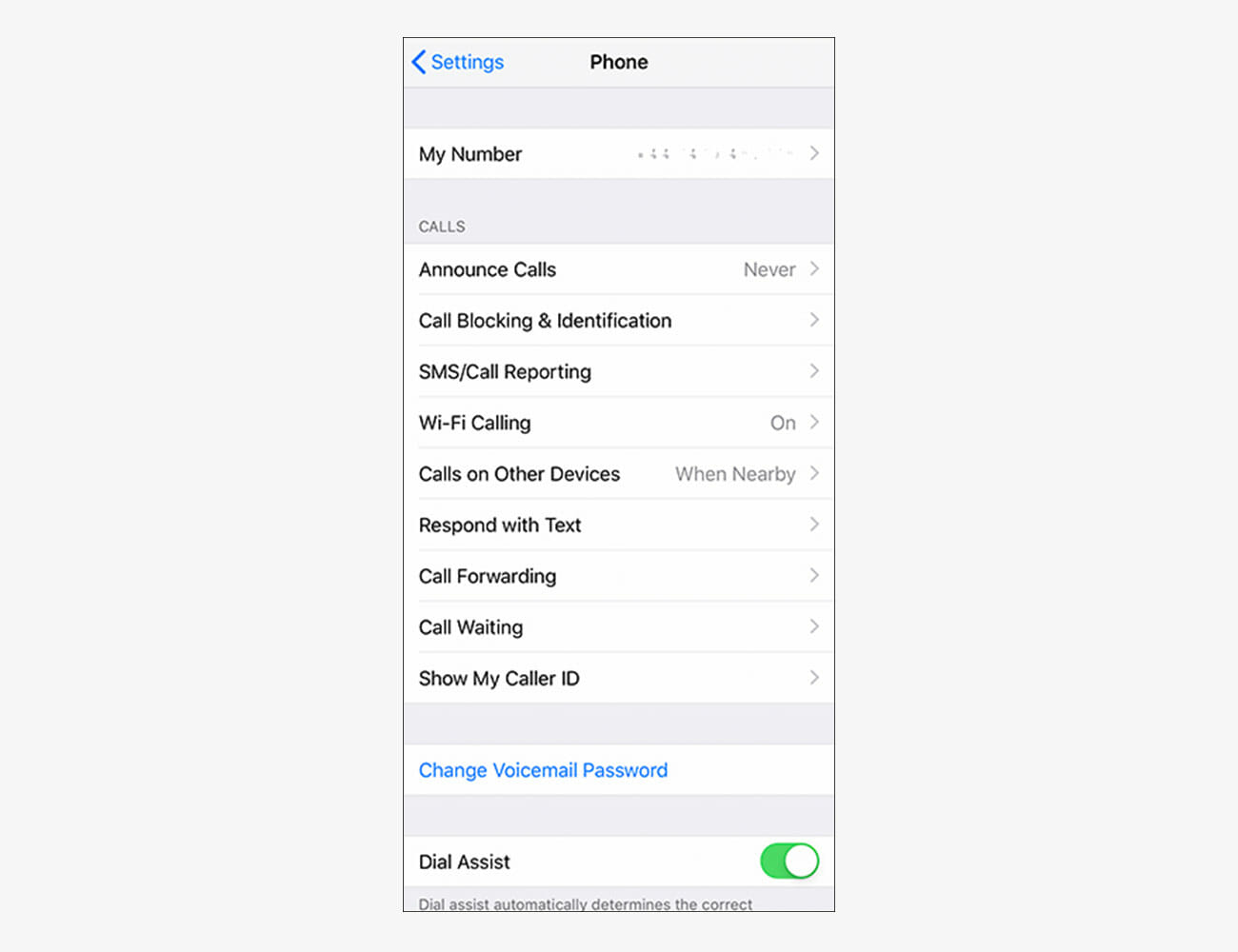
If you’re on Android, open up Settings then tap on Network & Internet, Wi-Fi, Wi-Fi preferences and then Wi-Fi calling. For those of you on iOS, open Settings then tap Phone and Wi-Fi Calling.

|

2. Tone down the notifications

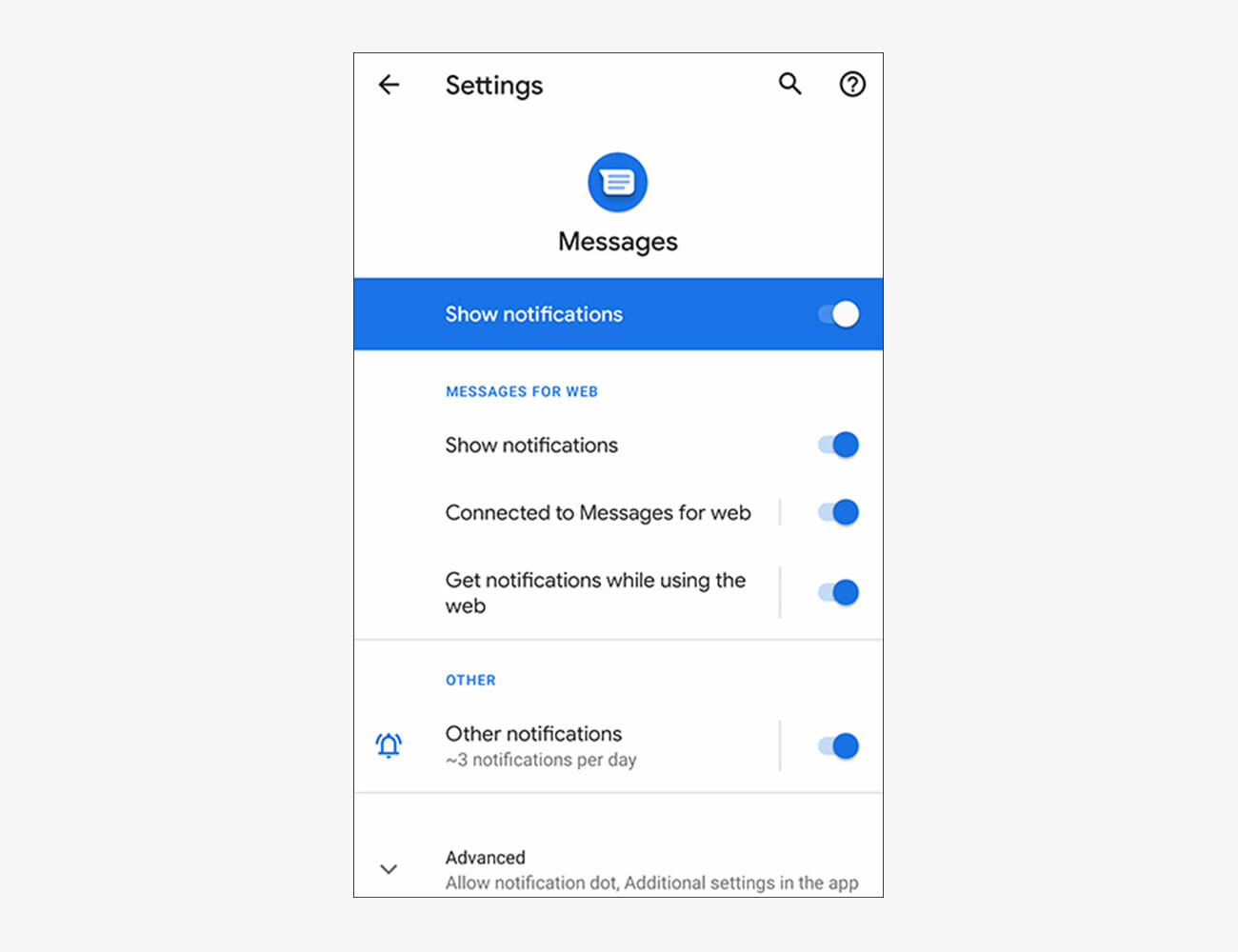
The more efficient your notification setup, the more you’ll be able to get done, with and without your phone. Both Android and iOS let you turn off notifications for certain apps, or simply silence notifications for certain apps (so they appear on screen but don’t cause a sound or vibration).

Those of you on Android need to open up Settings then tap Apps & notifications, then choose an app to adjust its notifications—some apps let you set notifications for some app events (like Facebook tags) and not others (like Facebook friend requests). On iOS, open Settings and choose Notifications, then an app—the next screen lets you set the type of notification and the associated sound, or turn alerts off completely for that app.

|

3. Identify who’s calling

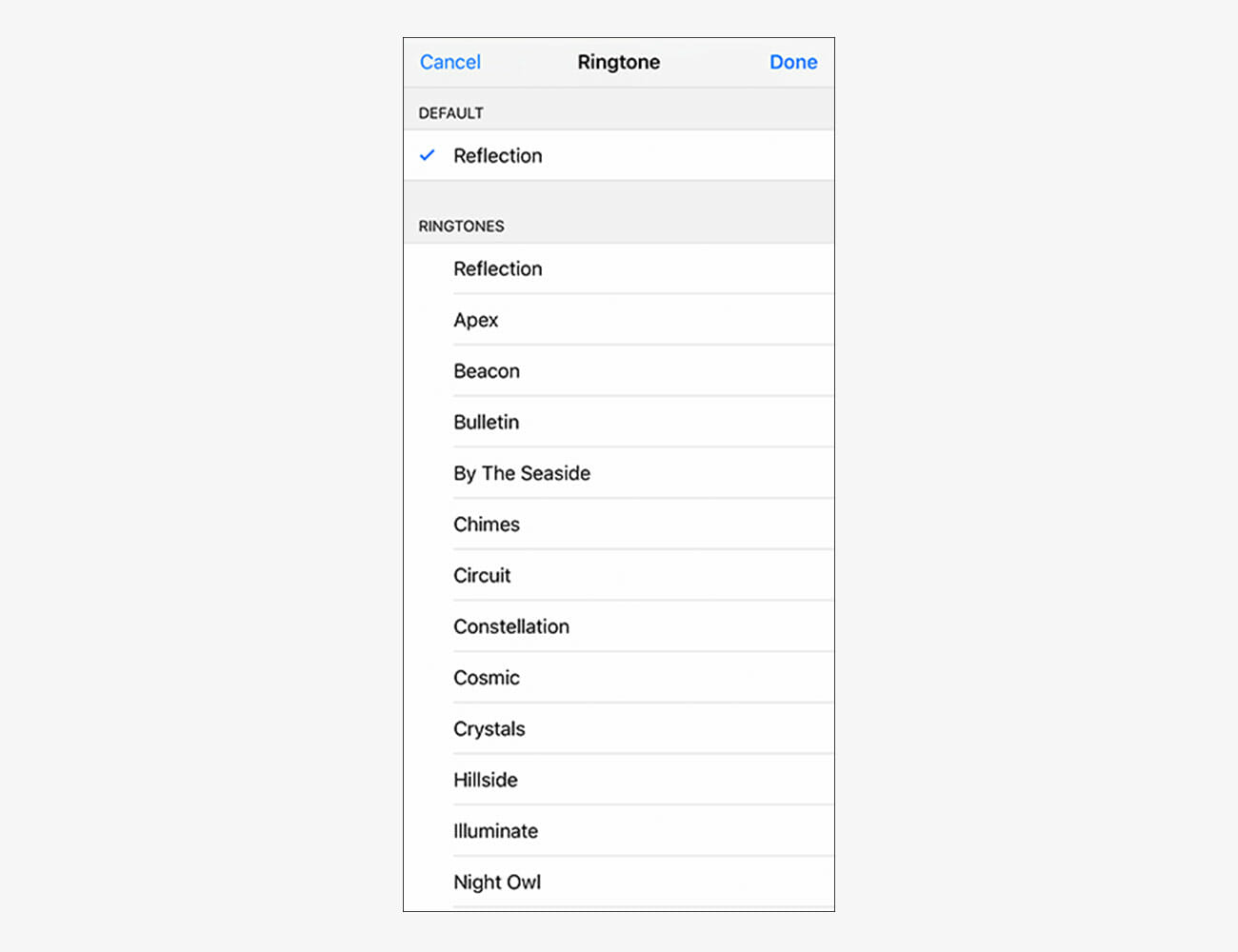
When your phone starts ringing from the other side of the room, it can be helpful to have an idea of who’s calling, as it’s probably a factor in whether you want to answer the call or not. To this end, both Android and iOS let you associate particular ringtones with particular contacts in your address book.

If you’re on Android, you need to tap a contact in the Contacts app, then the More button (three dots, top right), then Set ringtone. If you’re on iOS, tap on an entry in Contacts, then choose Edit and Ringtone.

|

4. Stretch out your phone’s battery life

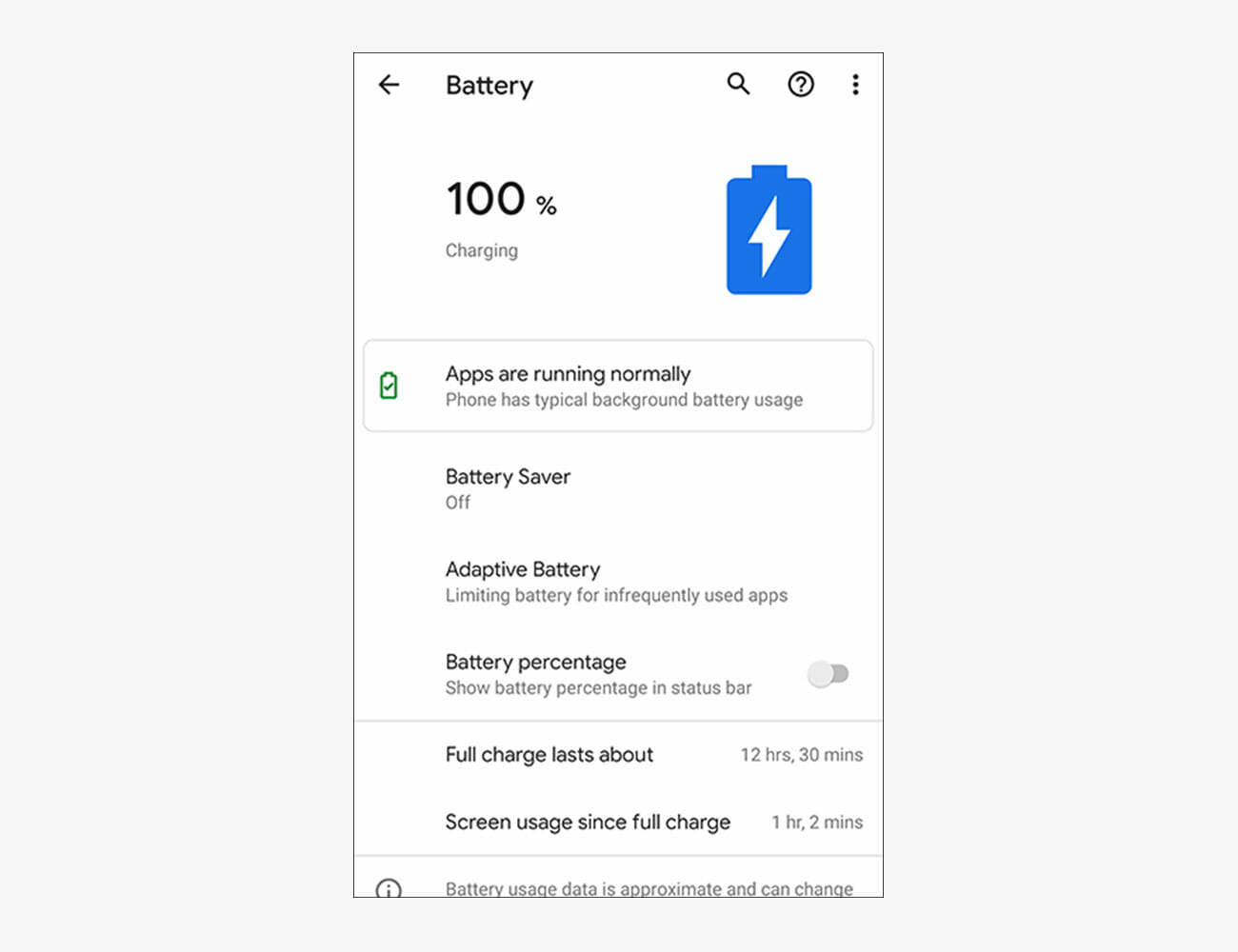
No matter what the make and model of your phone, it’ll come with some built-in tools for managing battery life more efficiently, which will mean a longer time between charges—it’s just a question of turning them on.

For Android users, the option you need is in Settings behind the Battery menu entry—make sure Adaptive Battery is turned on and that Battery Saver is set to intelligently operate based on your routine. For iOS users, head to Settings then Battery, and enable Low Power Mode when you’re low on juice (it also automatically asks to be enabled when you’re down to 20 percent).

|

5. Save on storage space

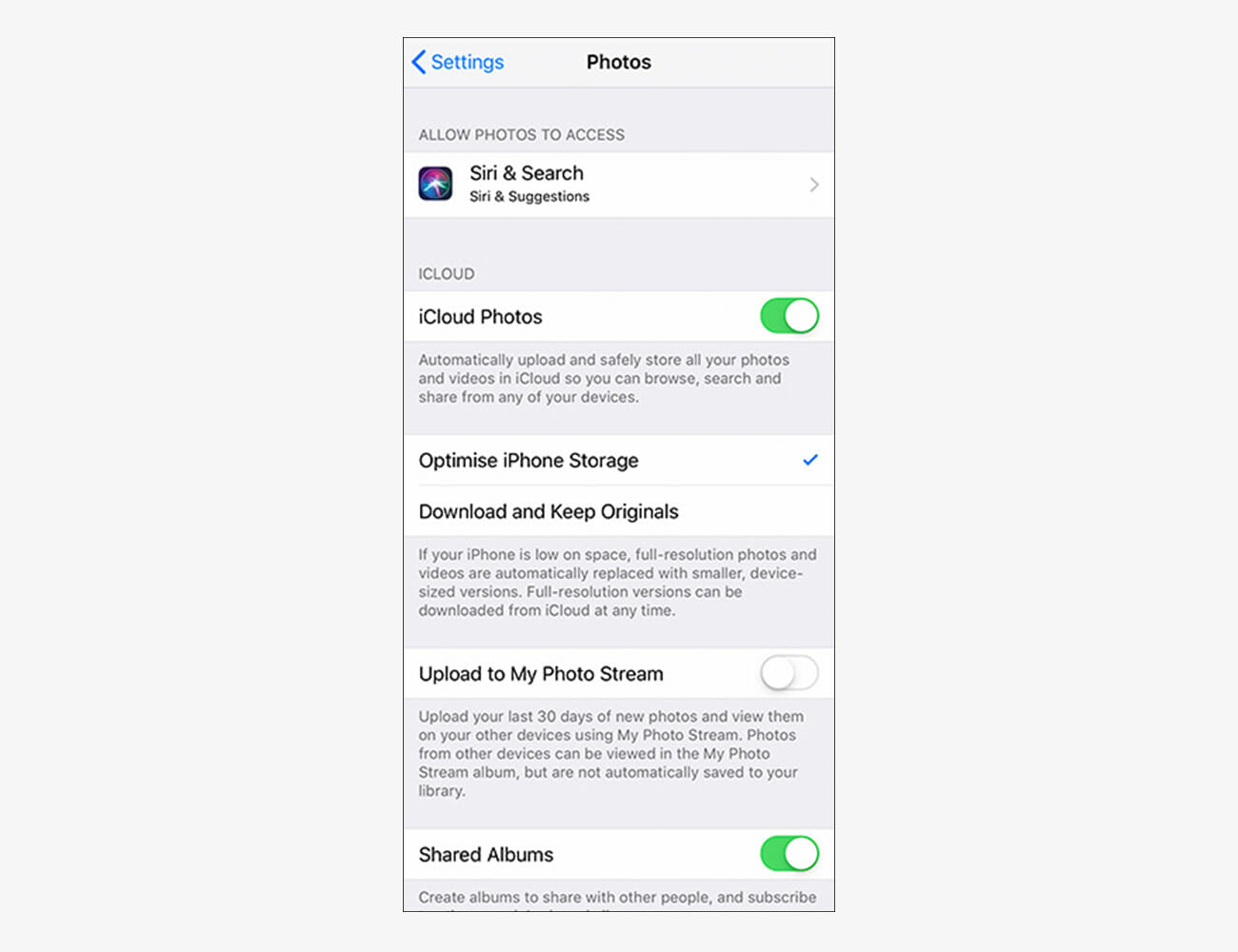
Both Android and iOS come with built-in tools for clearing out photos and videos from your phone once they’ve been safely backed up to the cloud. Enabling these features can mean you avoid running out of room on your handset at the most inopportune times—like when you’re trying to take a new photo.

If you’re on Android, Google Photos should be the default photo and video manager: From the app settings, choose Free up device storage and follow the instructions on screen. On iOS, your photos and videos are likely managed by the Photos app: From the iOS Settings screen, tap Photos and enable Optimize iPhone Storage (this keeps low-res copies of your original high-res files stored locally).

|

6. Give your eyes a rest

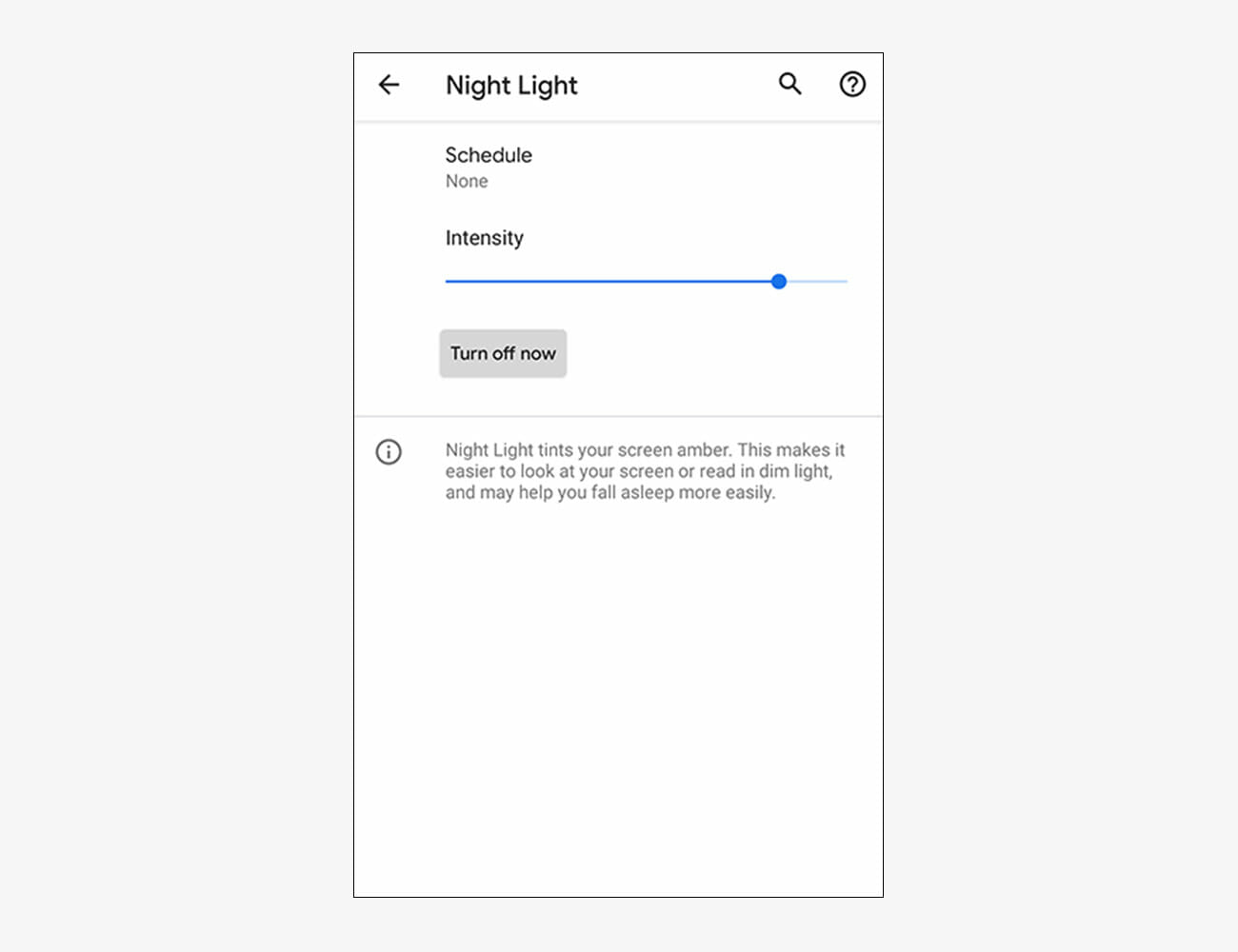
Blue light produced by the screens of our gadgets has been linked to reducing the quality of our sleep, so it’s probably not a good idea to watch hours of YouTube before bed. If you must check your phone late at night, you can at least change the display temperature so less blue light gets emitted.

To set this up, Android users should go to the system Settings then tap Display and Night Light (you can enable the effect manually or on a schedule). iOS users should open system Settings and choose Display & Brightness then Night Shift (again, the feature can be enabled manually or automatically).

|

7. Set your limits

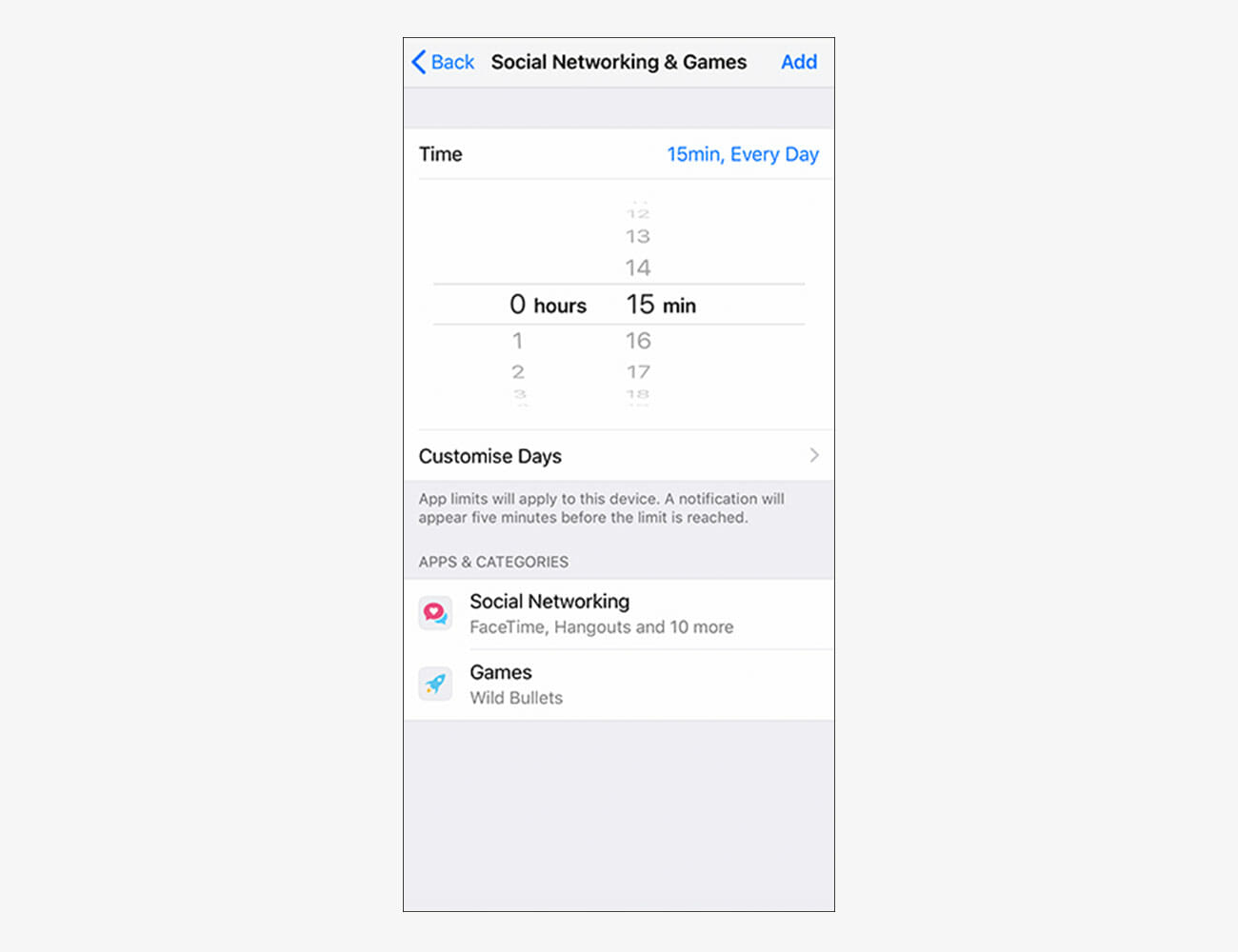
If you want to restrict the time you spend messing about on social media apps and the web—but don’t necessarily want to go as far as removing the offending apps from your phone—then you can set daily time limits on specific apps. Of course, it’s your phone, so you can simply unset them again… but it might aid your willpower.

If you’re using Android, open up Settings and pick Digital Wellbeing then Dashboard—you can then set timers for any of the apps on your device. If you’re using iOS, you can configure timers for your apps by heading into Settings, then choosing Screen Time and App Limits.

|

8. Improve device security

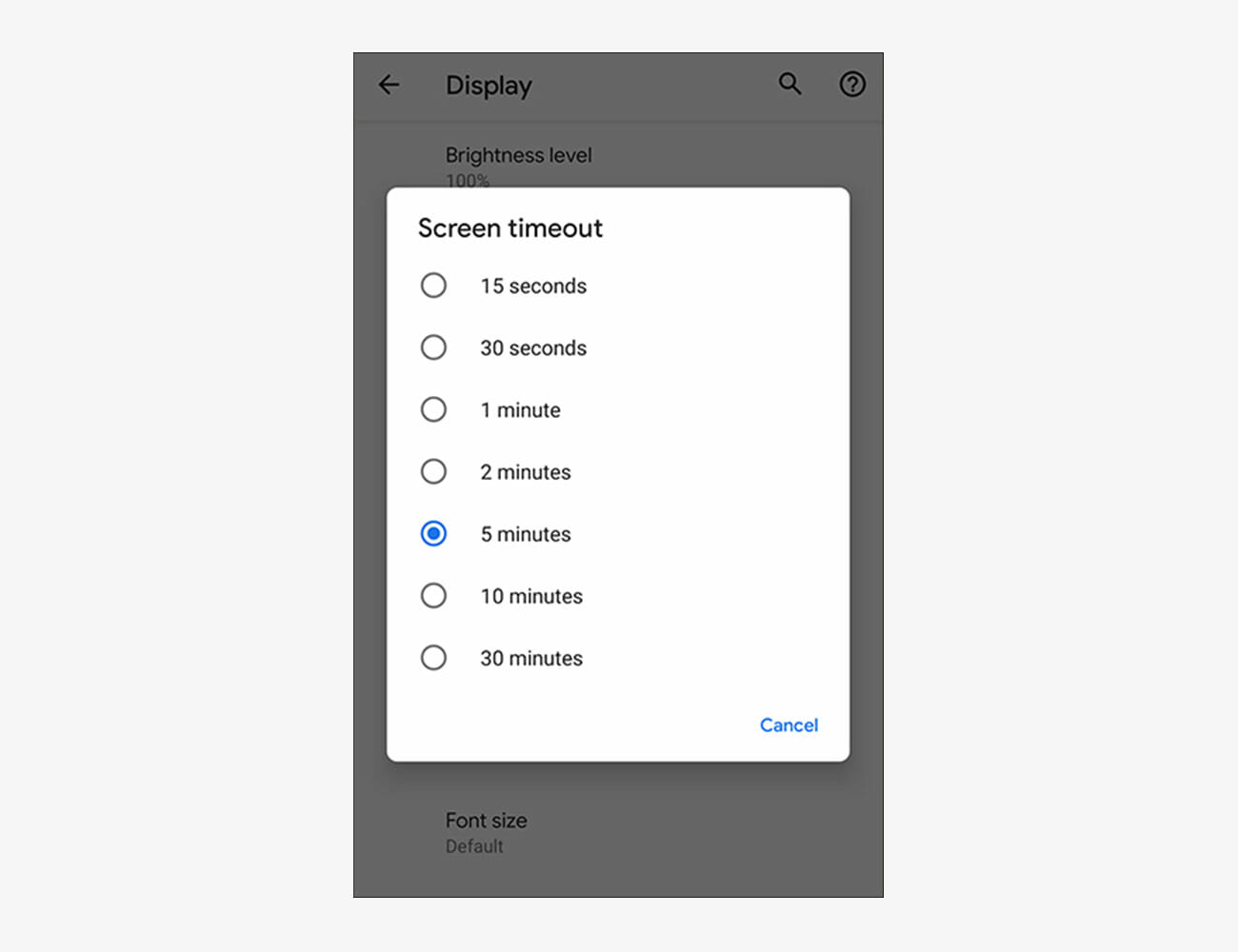
You probably set up some kind of fingerprint ID or PIN code when you first set up your device, but that screen lock protection isn’t much use if someone manages to grab or access your phone before the lock is enabled—and that’s why you should pay attention to what your screen timeout window is (the number of seconds your phone waits without any screen input before locking the device).

You can set this on Android by going to Settings then choosing Display, Advanced, and Screen timeout. To set this on iOS, go to Settings and select Display & Brightness, then tap on Auto-Lock.

|

Note: Purchasing products through our links may earn us a portion of the sale, which supports our editorial team’s mission. Learn more here.