All posts in “tech”

The 8BitDo Lite Bluetooth Gamepad Will Match Your Nintendo Switch Lite

Gamers holding off from buying the original Nintendo Switch are finally getting a slightly better one this year. The new version pretty much offers the same thing as the original but boasts a better battery life. Moreover, those who were hoping for a smaller and cheaper option purely for handheld use can grab the Switch Lite instead. The latter is the most recent one to hit retailers and comes in three stunning colorways. Now, 8BitDo is offering a new set of controllers that will match the latest hybrid game system. Hence, it’s time to check out what the 8BitDo Lite Bluetooth gamepad brings to the table.

For those of you that are unaware of what the Switch Lite is doing differently, should know that the Joy-Cons are now built-in. It means that playing local multiplayer games on the game system requires another unit or controller. We know it’s a bummer, but at least all of the first-party and third-party controllers are still compatible.  8bitDo is known for the retro aesthetics of its products and the Lite Bluetooth gamepad oozes with an old-school flavor.

8BitDo made sure to slather the new wireless controllers in the same shade as the console. This is a big plus for certain gamers who want their accessories to match their new handheld game system. Moreover, you’ll notice that the in place of the analog sticks are directional pads instead. This adds an old-school vibe and makes it easier to navigate some classic games available on the system. Its currently up for preorder and should drop before October 2019 ends. It is a solid wireless gamepad that is compatible not only with the Switch Lite but also works with PC, Android, and other Switch models.

Proorder it now: here

Images courtesy of 8BitDo

The Samsung AirDresser Is A Closet That Cleans Clothes

You know Samsung makes some of the best phones of this generation, but did you know it also has other cool stuff as well? Its latest smart product is the Samsung AirDresser. Is it a closet? A mirror? Is it a steam pressure? Well, how about all of the above?

The Samsung AirDresser is a standalone closet that not only stores your clothes, but also cleans and straightens them out. Just hang them up inside and walk away. Simple as that. Much like the LG Styler, the idea is you hang your shirts, pants, sweaters, and other articles of clothing, and leave them to be heated and steamed as you attend to other tasks.

The Samsung AirDresser debuted at the IFA 2019 consumer trade show. It should appeal to business yuppies pressed for time each day when it comes to neat clothing. The fact that it looks and feels like a closet is one of the greatest factors of the Samsung AirDresser. No need to hide it in the basement. It’ll blend perfectly inside any chic bedroom.

As for the specs, you get a JetAir system and Air Hangers to blast your clothes with rapid-moving air. You’ll also find a Jet Steam system that sanitizes your clothes, plus various filters and dryers for the complete experience.

Samsung has yet to announce a price point for this bad boy, though based on similar devices, expect somewhere between $1,00 to $2,000. The LG Styler cost $1,999 when it came out in 2015, and the Samsung AirDresser appears closest in terms of form and function. Expect a price tag hovering around that mark.

LEARN MORE

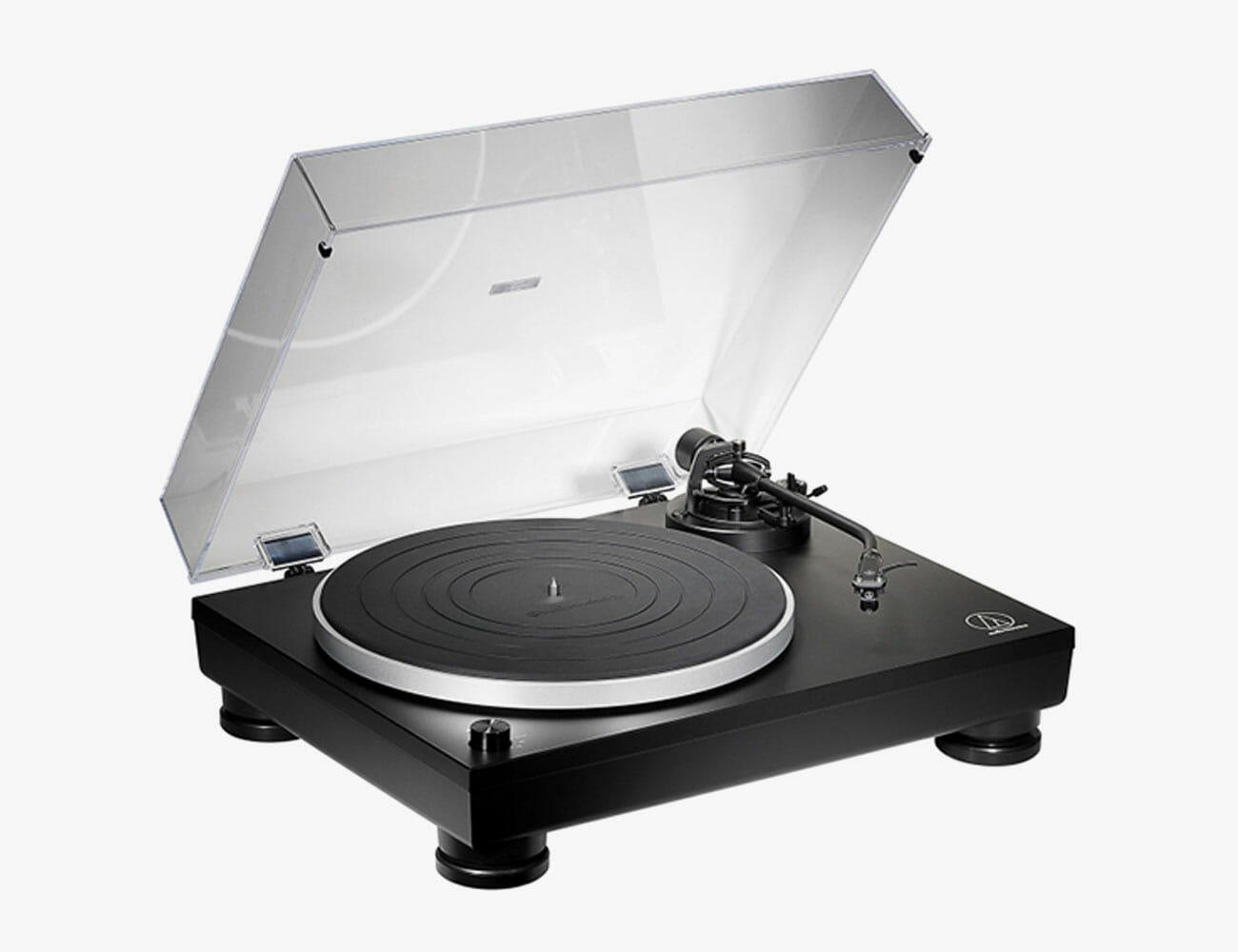
5 Affordable Turntables Than Even Audiophiles Would Want

When discussing turntables, audiophiles tend to bristle if you utter the expression “entry-level.” But the reality is that the brands offering turntable packages understand that the vast majority of first-time buyers see $500 as their ceiling. And that $500 turntable is expected to plug-n-play, be reasonably well made, and sound phenomenal as well.

Established high-end audio brands like Pro-Ject, Rega, and Audio-Technica have decades of experience building high-performance turntables and wisely chose to embrace this new generation of listeners with entry-level packages that can stand the test of time. Affordable audiophile-grade turntables have taken massive strides in both build and playback quality – making them worthy analog sources that will bring justice to your record collection at a price that won’t break the bank.

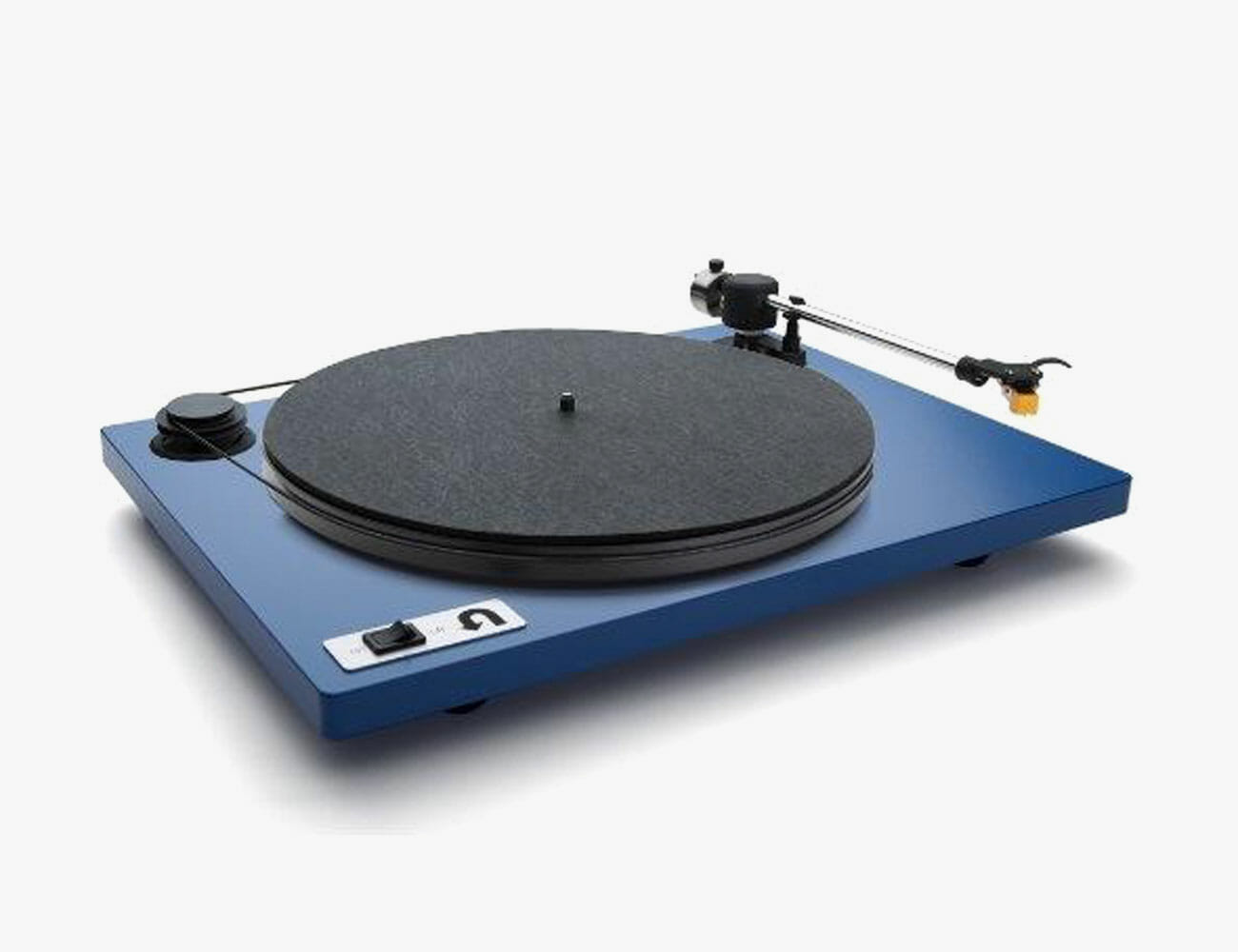
U-Turn Orbit Custom

This turntable is upgraded with a Grado Black cartridge and a Pluto Phono pre-amplifier, both of which can be added when purchasing from U-Turn Audio’s website.

U-Turn Audio was one of the first American turntable manufacturers to take advantage of the resurgence of vinyl with affordable tables hand-built in Massachusetts made from American-sourced parts. Fast forward seven years to 2019, and we find this upstart brand offering entry-level turntables priced below $500; that have real hardwood plinths, acrylic platters, and their internal Pluto phono stage which can be bypassed if your existing amplifier already offers a phono pre-amplifier. U-Turn offers a limited selection of moving magnet phono cartridges from Ortofon, Audio-Technica, and Grado Labs to finish off your table. The Grado Black1 keeps this remarkably confident-sounding entry-level turntable affordable and audiophile approved.

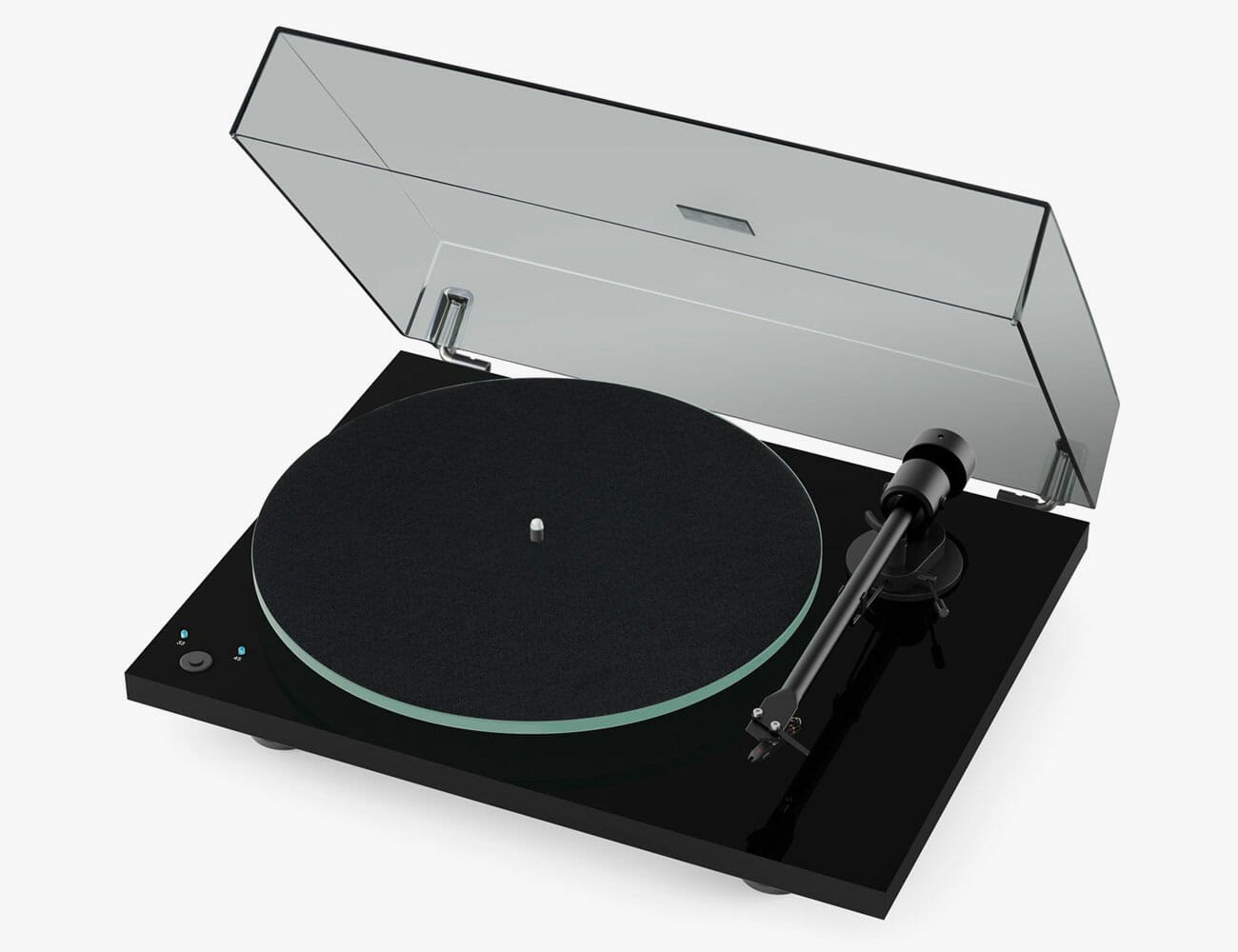
Pro-Ject T1 Phono SB

Pro-Ject Audio Systems are the leading manufacturer of audiophile turntables in the world; their brand-new manufacturing facilities in Slovakia and the Czech Republic produce 100,000 audiophile tables a year for both the Pro-Ject brand and many others. That level of volume allows them to offer turntables like the T1 Phono SB which includes electronic speed control, dustcover, built-in phono pre-amplifier, and Ortofon OM5e moving magnet phono cartridge for only $349. It’s rare to find a heavyweight glass platter on an entry-level turntable, but Pro-Ject has provided the T1 SB with that added level of performance that makes it stand out against the competition. The one-piece aluminum tonearm is not as fancy as the carbon fiber variety that Pro-Ject supplies on its more expensive tables, but it works well with the supplied cartridge.

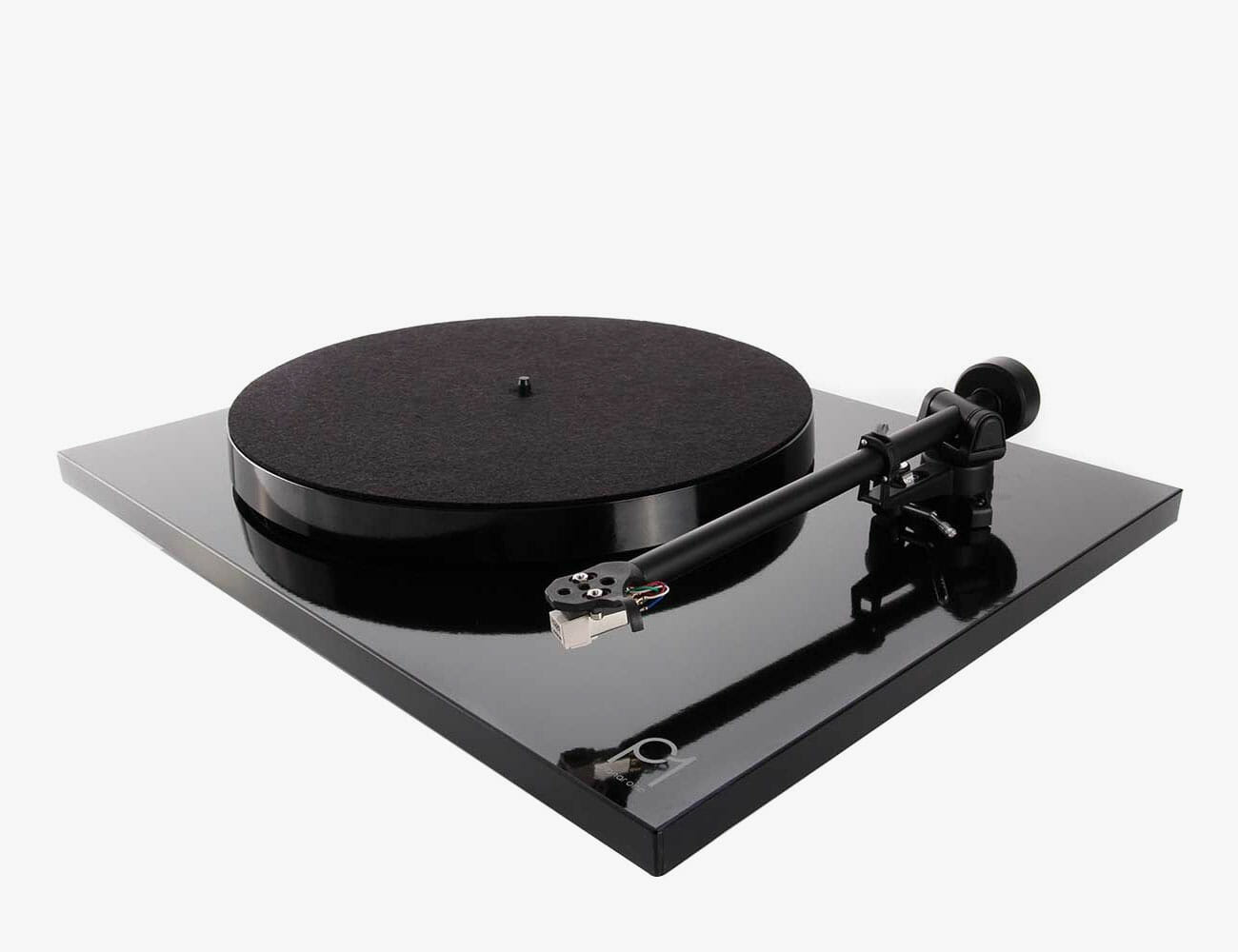
Rega Planar 1 Plus

Rega have been building audiophile-approved turntables in the United Kingdom for more than 40 years; the RB-300 series tonearms are one of the best-selling high-end audio components in history. The Planar series turntables are considered a benchmark in affordable high-end design – products that are known to play nicely in the sandbox with a wide range of cartridges, and big on what the Brits call “PRaT’ (Pace, Rhythm and Timing). Rega tables run a little fast creating that boogie factor, something that you’ll notice about the Planar 1 Plus that includes a Rega Carbon cartridge, internal phono pre-amplifier based on their excellent FONO stage and RB-110 tonearm. Some Rega fans view the entry-level package as a step-down in quality from a basic Planar 1, but it’s hard to dismiss the quality of the overall package that is true to the Rega creed.

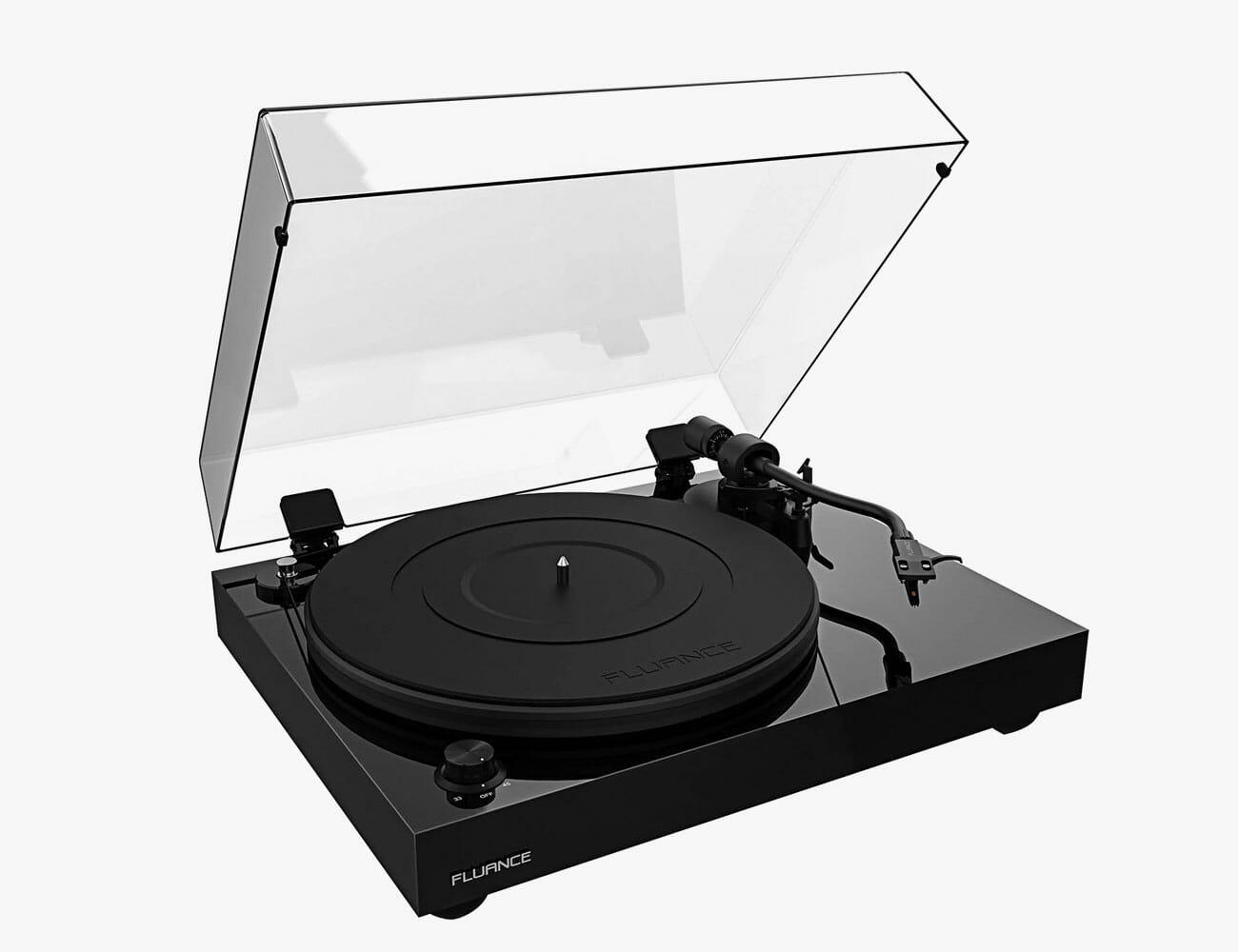
Fluance RT85

Audiophiles often dismiss entry-level tables for using MDF plinths, cheap tonearms, and bargain-basement cartridges, but none of those criticisms could be leveled at the Fluance RT85. With a solid wood plinth, acrylic platter, 9-inch aluminum tonearm, and pre-installed Ortofon 2M Blue cartridge, the RT85 is a genuine audiophile turntable that delivers speed stability, a dynamic sounding presentation, and a lot of performance for the money. The only item not included in the box with the Fluance RT85 is a phono pre-amplifier which will run users between $130 for a Schiit Audio Mani or Moon by SimAudio 110LP V2 which retails for $399. Both work exceptionally well with the Ortofon 2M Blue and would elevate the sound of the RT85 to end-game table performance for most people assembling an entry-level high-end audio system.

Audio-Technica AT-LP5x USB

Audio-Technica turntables are very popular for a simple reason; they offer great bang for the buck. They may not offer the construction quality of the better entry-level tables from Pro-Ject or Fluance, but they come standard with quality moving magnet cartridges that can be upgraded for a small increase in price. Audio-Technica makes uber-expensive phono cartridges like the AT-ART1000 which retails for $4,999.95 so the brand is not without high-end credibility. Just released at IFA 2019 in Berlin, the AT-LP5x USB turntable is a direct drive turntable equipped with a die-cast aluminum platter, external power supply, pre-mounted AT-VM95E cartridge, support for 78 RPM playback, internal phono pre-amp, and USB output for those who want to digitize their vinyl. The AT-LP5x USB is well-built, quiet in the groove, and sounds balanced and forceful at a very affordable price.

Note: Purchasing products through our links may earn us a portion of the sale, which supports our editorial team’s mission. Learn more here.

This MacBook Charger Is So Tiny It Can Fit In Your Pocket

The Magazine

Each issue of Gear Patrol Magazine is a deep dive into product culture. Inside, you’ll find seasonal buying guides, rich maker profiles and long-form dispatches from the front lines of product design. The stunningly designed Gear Patrol Magazine is ready for your coffee table. Quarterly. $39

The Newsletter

Get the best new products, deals, and stories from across the world, in your inbox daily.

The Chromecast and Fire TV Just Lost Their Biggest Downsides

For far too long, Google’s Chromecast and Amazon’s Fire TV devices have each had a significant flaw: neither could use the competitor’s streaming service. No Prime Video on the Chromecast, no YouTube on the Fire TV. Now, thanks to a hard-won truce between Google and Amazon, the battle is over and both gadgets will benefit.

The streaming slapfight dates back to 2015, when Amazon stopped selling Google’s streaming devices on its website, which lead to a back-and-forth escalation that ultimately lead to the stalemate of incompatibility. Now, after an announcement earlier this year, the thaw has finally arrived and both devices support the services they’ve been missing.

The result is that Google’s $35 third-generation Chromecast and Amazon’s $40 1080p Fire Stick are now effectively do-it-all devices, though the $30 Roku Express still has both beat on price. (For 4K compatibility, Google’s offering is $69, Amazon’s is $50 and Roku’s is $40.)

The fight isn’t totally over yet, because the dueling streaming services still aren’t available for a few of their competitors’ smart devices, namely the Google Home Hub and Amazon Echo Show. But this is progress.

Amazon’s New Echo Studio Smart Speaker Actually Sounds Good

As much as we’ve grown to rely on the convenience and the myriad of features available with Amazon Echo devices–you know what we’re talking about if you’ve ever attempted to yell at Alexa to set…

The Skullcandy Crusher ANC Is For Bassheads

Skullcandy is back in the game. Not that it really left, just that other names became bigger while it receded a bit in the background as we began transitioning to the wireless era. The Skullcandy Crusher ANC brings back the brand’s famous Crusher headphones, which has been offering thumping bass tones since 2013.

Then, in 2016, Skullcandy introduced a wireless version and followed that up with “an ultra-realistic sensory bass experience” on the Crusher 360 just last year. The latest model, called the Crusher ANC, comes with a radical new feature: active noise cancellation.

Like the predecessors before it, the Crusher ANC offers adjustable haptic low-end tone, the trademark feature of this headphone series. Dubbed as “adjustable sensory bass,” this new feature allows you to control the level of bass. With an actual slider built right into the headphones, that is.

According to Skullcandy, the Crusher ANC features the “broadest range of adjustable sensory bass” of any model in its collection so far. You can make the sound even more personal using the Skullcandy app, too. It allows you to toggle a few switches and apply itty-bitty tweaks. So you can adjust the sound profile exactly to your liking. You can also set sound profiles so you don’t have to go through all those settings again.

As for the active noise cancellation, here, according to Skullcandy, it works through “actively” monitoring your environment to block out any noise. The Crusher ANC also has a functionality typical of modern headphones: ambient sound mode. This disables the noise cancelation with a tap, useful for certain situations like quick conversations with people.

CHECK IT OUT

Continental Teases The Future Of Mobility With Its Conti C.A.R.E. Smart Tire System

Over the years, automobiles have seen a big jump in innovation. These upgrades make modern vehicles safer, drive faster, handle better, and reduce environmental impact. All the aforementioned elements can be found on most EVs and improvements are not stopping anytime soon. The humble tire is often a neglected piece of modern technology that plays an important role while we drive. It’s responsible for transferring all that power into traction as it pushes our machines forward. Continental is hoping to make some cutting-changes with the Conti C.A.R.E Smart Tire System.

Getting a flat tire is never a fun situation during your travels. Replacing the deflated one with a spare is not an easy task. Under the blazing sun or in a freezing snowstorm, nobody wants to be outside servicing their vehicles. In hindsight, there are innovative concepts out there that have great potential to replace the classic pneumatic rubbers. However, these have yet to undergo a lot of testing before any of them become the new standard.

The industry is likewise exploring the feasibility of self-driving vehicles. And a flat tire is one of the many problems that impede implementation. Requiring passengers to step down and manually replace the wheels ruins the futuristic experience. Thus, Continental wants to help by automating the process. The Conti C.A.R.E Smart Tire System will feature sensors that can detect tire pressure and use a pumping system to regulate everything to recommended specifications. Just remember that properly inflated tires are safer, lasts longer, and boosts fuel economy on the road.

More information here

Images courtesy of Continental

Amazon’s New Noise-Canceling Earbuds: Here Are My First Impressions

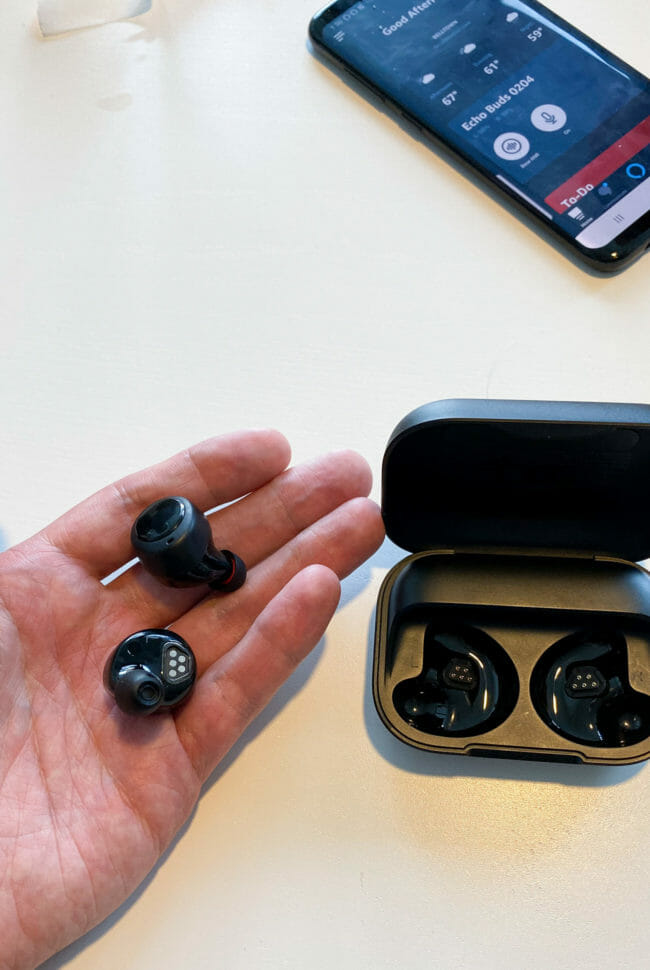
One of the star products to be announced at Amazon’s big hardware event today was the Echo Buds ($130), the company’s first true wireless earbuds. Not only do they undercut the cost of most true wireless earbuds, including AirPods, but Amazon revealed that they’ve partnered with Bose to integrate its noise-canceling technology into the Echo Buds. That’s right, these are noise-canceling wireless earbuds that cost just $130.

After the event, I was able to get a little hands-on time with Echo Buds and was even able to listen to two songs (“Trampoline by Shaed” and Bruce Springsteen’s “For You”) and here are my initial thoughts.

The sound quality of the Echo Buds immediately impressed me, especially considering that they are $130 earbuds. It was loud with good mids and strong bass. I’ve tested many affordable true wireless earbuds in the past two-plus years and these were right in the middle of the pack.

The noise-canceling ability was also good, but I think I’m still skeptical about it. I tested the Echo Buds in a crowded room with many journalists and product managers, and I could barely hear the noise around me – which is exactly what you want. That said, these earbuds fit really snug, meaning I’m not sure if it was Bose’s noise-canceling technology that was working its magic or it was just the natural noise isolation of the earbuds pressing right against in my ears. I’ll have to wait until I get to test the Echo Buds for a bit longer to confirm.

If sound quality and noise-canceling abilities of the Echo Buds were the two good things that jumped out at me, there were a few other things that gave me pause for concern.

First, the Echo Buds require you to download and use the Alexa app to get the most out of them, which I’m not sure many people actually want to do. You need the Echo Buds setup properly in your Alexa app to enable the noise-cancellation and the “Hey Alexa” features. That said, if you use them straight out of the box without using the Alexa app, they’ll still work just like traditional Bluetooth earbuds.

Second, why micro-USB? Almost every company making new true wireless earbuds now have gone with a USB-C port. It charges the case (and, thus, the earbuds) faster. It also allows you to charge your earbuds with the same charger you use with a new laptop, Nintendo Switch or even a new pair of headphones. Everybody is using USB-C and Amazon should have too.

Third, I’m not sure that many people want Alexa to be integrated in their wireless earbuds. Most headphones are already compatible with the virtual assistant on your smartphone, to do things like play/pause music or call people in your phone book, so there’s really little need to have another virtual assistant listening to you. (Although, you can of course stop Alexa from listening to you within the Alexa app.)

Lastly, the Echo Buds are priced affordably because they don’t exactly look premium. They’re nowhere near as good looking as Master & Dynamic MW07s or Sennheiser Momentum True Wireless. And they also feel pretty inexpensive, too (plastic).

I can’t help but be impressed by Amazon’s first true wireless earbuds. They have Bose’s noise-canceling technology, after all, even before Bose has been able to put noise-canceling into their own true wireless earbuds, which is just crazy to think about. Then again, there might be a reason for that. Bose is gearing up to release the Bose Noise Cancelling Earbuds 700 in early 2020, and they’re likely to be much better (and much more expensive) than Amazon’s Echo Buds.

The Echo Buds ($130) are available for pre-order right now. Amazon will release them by October 30.

Amazon’s Echo Buds Sound Great But There’s a Catch

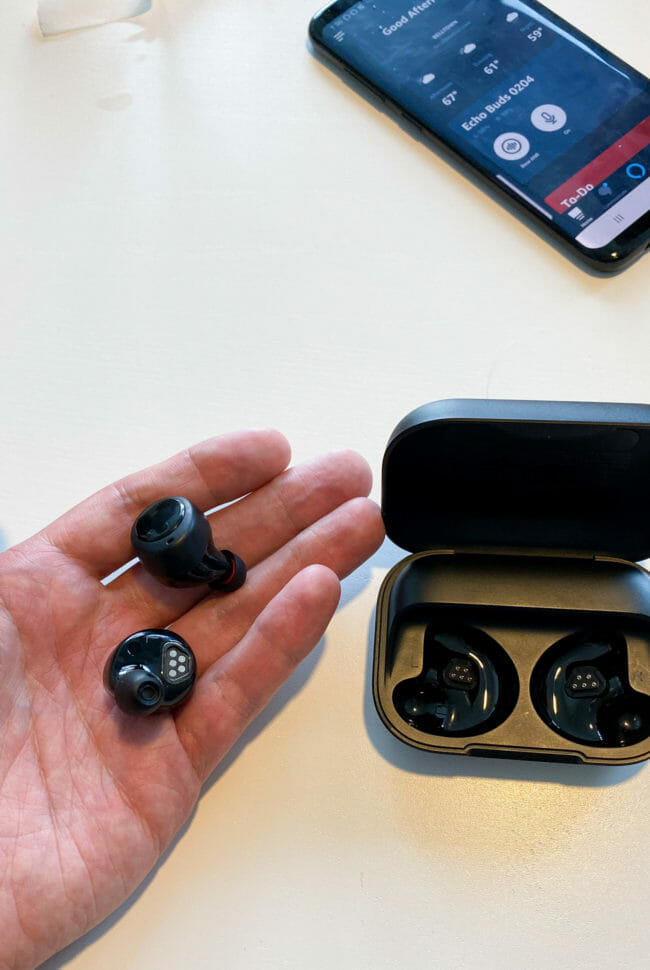
One of the star products to be announced at Amazon’s big hardware event today was the Echo Buds ($130), the company’s first true wireless earbuds. Not only do they undercut the cost of most true wireless earbuds, including AirPods, by a ton but Amazon revealed that they’ve partnered with Bose to integrate its noise-reduction technology (which is a little different than its noise-canceling technology) into the Echo Buds. And these earbuds cost just $130.

After the event, I was able to get a little hands-on time with Echo Buds and was even able to listen to two songs (“Trampoline by Shaed” and Bruce Springsteen’s “For You”) and here are my initial impressions.

First and foremost, they sound great, especially for $130 earbuds. It was loud with good mids and strong bass. I’ve tested a boatload of true wireless earbuds in the past two-plus years and these are right in the mix with the better ones.

The noise-reduction ability also seems good at first blush, but I’m not ready to say its perfect just yet. I tested the Echo Buds in a crowded room, and while I could barely hear the noise around me, these earbuds fit really snug, and it’s hard to tell which of these two things was primarily responsible for the effect. Still, there’s plenty to be hopeful for here so far. (It’s also worth noting that, to my understanding, noise-reduction technology isn’t as Bose’s full-fledged noise-cancellation technology.)

But there are a couple of catches. The biggest is that the Echo Buds require you to download and use the Alexa app to get the most out of them, which is at best a hassle. You need the Echo Buds setup properly in your Alexa app to enable the noise-reduction technology and the “Hey Alexa” features, and Amazon still has a ways to go in proving that these added Alexa features will actually be useful. If you don’t want to deal with the app, you can use them as standard Bluetooth buds, but you’ll be missing out on the noise-reduction technology.

They also charge with micro-USB, a style of charger that’s rapidly phased out and can’t deliver the kind of quick charge power that USB-C can. But mostly it’s frustrating you won’t be able to charge your earbuds with the same charger you use with a new laptop, Nintendo Switch or Android phone.

Lastly, the plastic Echo Buds do feel a little bit cheap compared to headphones like Master & Dynamic MW07s or Sennheiser Momentum True Wireless. But at the price point, you can’t really complain too much.

All in all, Amazon’s first buds are certainly impressive, and it’s a real surprise that they’ve got a type of Bose’s noise-canceling tech before Bose’s true wireless buds have even come out. But with Bose is gearing up to release the Bose Noise Cancelling Earbuds 700 in early 2020, it seems more that the headphone maker has plenty more in store for its own product, which will no doubt cost a lot more.

The Echo Buds ($130) are available for pre-order right now, for a ship date of October 30th.

Amazon’s First True Hi-Fi Speaker Is Giving Sonos a Run for Its Money

Amazon just announced two better-sounding Echo smart speakers for your home. The first is a third-generation Echo speaker – simply called the Amazon Echo – and it looks strikingly similar to last years Echo; it has improved drivers to help up its sound quality, and it still costs $100.

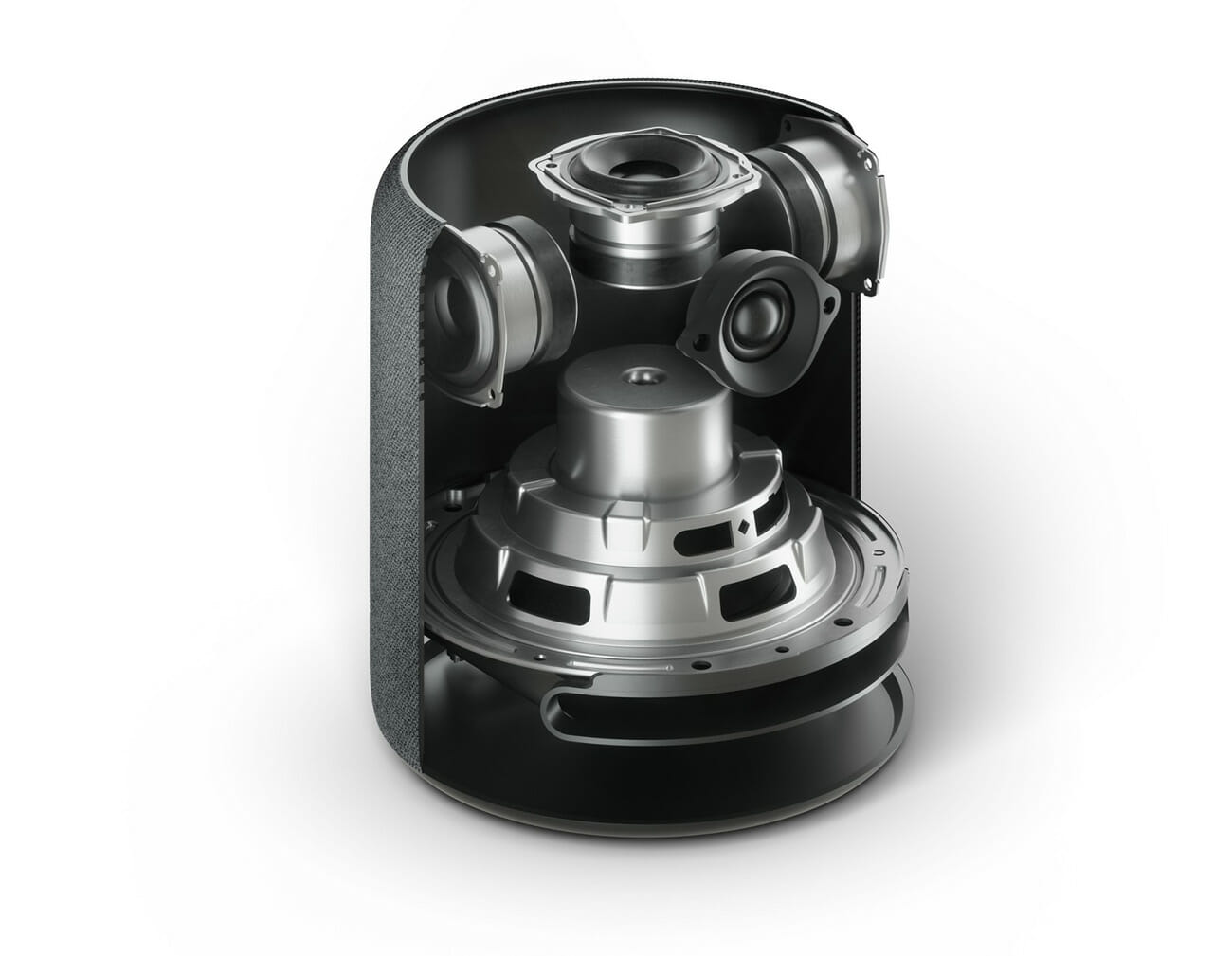
The more interesting new Echo smart speaker is undoubtedly the brand-new Echo Studio. That’s because it’s the company’s first true high-end speaker that also delivers 3D immersive sound and supports Dolby Atmos. The speaker has a total of five drivers: three midrange, a downward-firing woofer, and a front-firing tweeter. It’s designed for music lovers who want to get the most out of Amazon’s new lossless streaming service, Amazon Music HD.

This new high-end speaker is also priced to make it competitive – really competitive. At just $200 it’s significantly undercuts what its competition, Apple’s HomePod and the Google Home Max, are going for. And it’s the pretty much the same price as the Sonos One, another speaker that can be integrated with Alexa.

If there’s one issue with the Echo Studio, from what I can tell, it’s that it still looks like an Amazon Echo. Sure, it’s beefier, but if Amazon truly wants to take the step into the world of hi-fi it’s going to make a truly good-looking speaker. And the Echo Studio isn’t quite that.

Because audiophiles demand great sound, but they also want to know whatever they’re buying compliments their media console and whatever else is in their home.

The Amazon Echo Studio is available for pre-order right now.

The 3 Best Cameras to Buy Under $1,000

Which camera to buy? When my editor challenged me to come up with the three best cameras for under $1,000, I somehow thought it would be the easiest assignment in the world — just pick the most expensive model under $1,000 from the top three makers, Canon, Nikon and Sony. Right?

But as I mulled the prospect, a multitude of variables emerged. I wanted to ensure that every camera could be purchased at that price with a good lens; it’s a decision that essentially took most pro-level full-frame cameras out of consideration. I also wanted to be sure that several user types would be considered – serious amateur photographers who don’t mind larger rigs and might upgrade their lens options later on, or trigger-happy enthusiasts shooters who want a compact camera, equipped with easy Wi-Fi transfer capability to smartphones. (“Easy” being the keyword here.)

On this hunt, I couldn’t ignore my own experience. First, I tend to believe that if you’re investing more than $500 in a camera, you should really consider an interchangeable-lens model rather than a point-and-shoot, even if the latter comes with a big zoom. This allows you to expand your capabilities with a few extra lenses as your interest grows, but it still leaves you with a perfectly great camera if you use the same lens for the rest of your life. There are exceptions: If you know you want great image quality but need a compact form, any point-and-shoot from Sony, Leica, Panasonic, Fuji, Canon, Olympus, or Nikon that costs at least $400 will likely be great for you.

Word of warning here, however: Be extra careful of those big zooms. The greater the advertised optical zoom in a camera, the smaller the sensor that’s needed to accommodate it. For some folks, it may not matter – and it’s hard to argue that the Queen Mother of optical zooms in point-and-shoot cameras, the Nikon P1000 with its 3000mm zoom lens, isn’t an extraordinary achievement. But the bottom line is that that camera and others with big on-board zooms use tiny sensors – often the size of smartphone camera sensors – thereby diminishing image quality across the full range. Alternatively, you can make up a lot of ground here simply by cropping in images taken with a camera equipped with a larger sensor and smaller zoom, and have a better overall product.

This brings me to my second bias: Sensor size. Try, if at all possible, to buy a camera with a sensor that’s at least one-inch in size. Unfortunately, the photography industry uses the most illogical, random, and, frankly, utterly asinine labeling system for sensor sizes (1/2.3-inch, Full-Frame, APS-C, Medium, for example, along with the worst of them all, micro four-thirds), but generally you want to target micro four-thirds, 1-inch, APS-C, or full-frame sensors. These generate the best image quality and give you the most data to work with while editing.

Okay, so at long last, what are these three mythical beasts I deem so worthy in my unassailable wisdom?

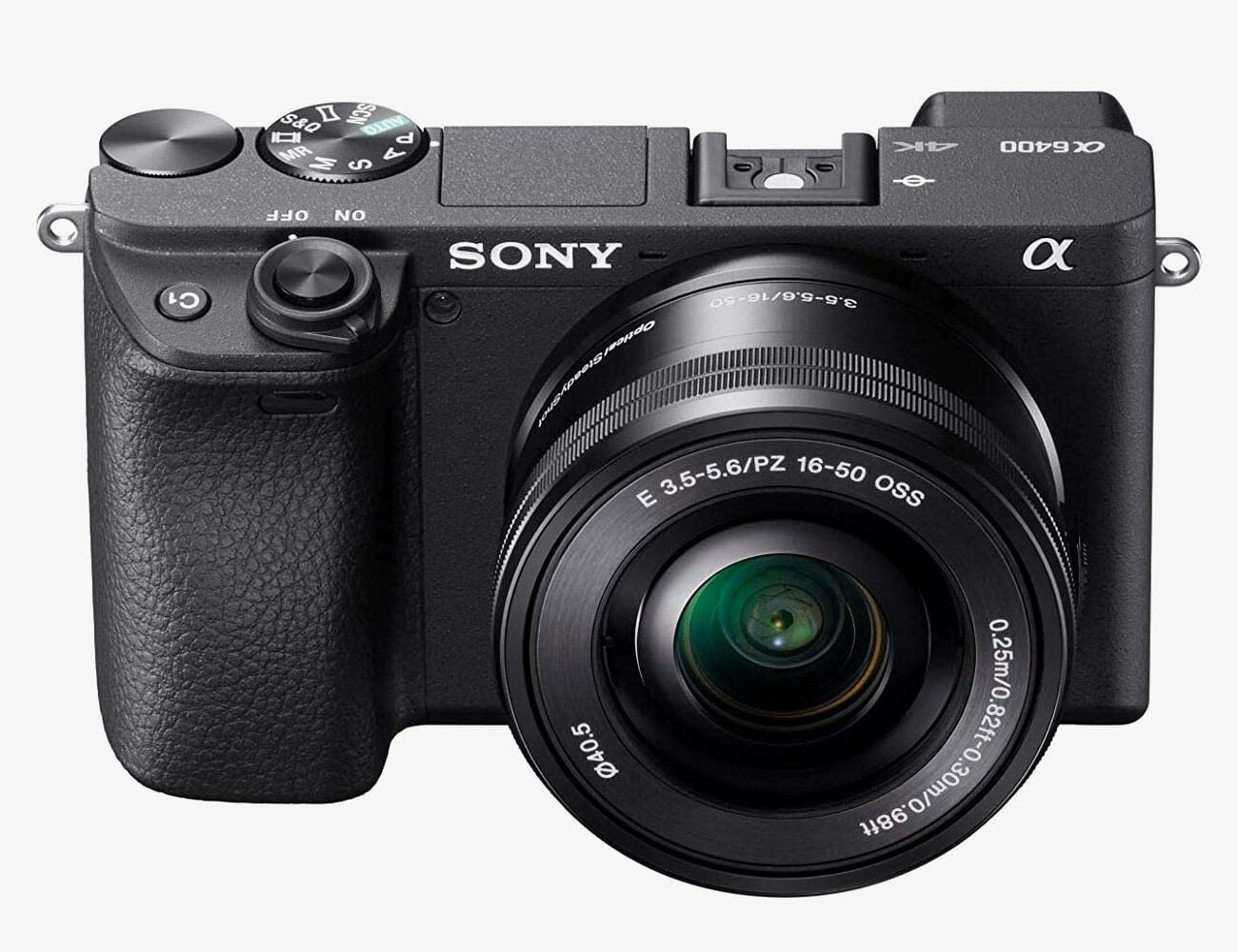
Sony a6400 (w/ 16-50mm Lens)

Why we picked: Sony’s sensors are unmatched in the industry, so that’s my first motivation for choosing this model. The A6400’s 24.2-megapixel sensor produces outstanding images, thanks to its robust image processor. (It also cranks out great 4K video.) The second reason I chose it is that it’s mirrorless, meaning it has no mechanical mirror that flips out of the way with every shot. As a result, it’s more compact and has a digital viewfinder that shows the scene as it would be captured in the shot. Finally, it uses E-Mount mirrorless-specific lenses, so if you eventually upgrade to a full-frame Sony, you’ll still be able to use those lenses, as well. But ultimately, this is an incredibly versatile and capable camera with automatic eye-tracking to ensure people are in focus, fast autofocus, and 11 frames-per-second shooting for action sequences. It’s a great camera, and the best camera you can buy short of a full-frame model.

|

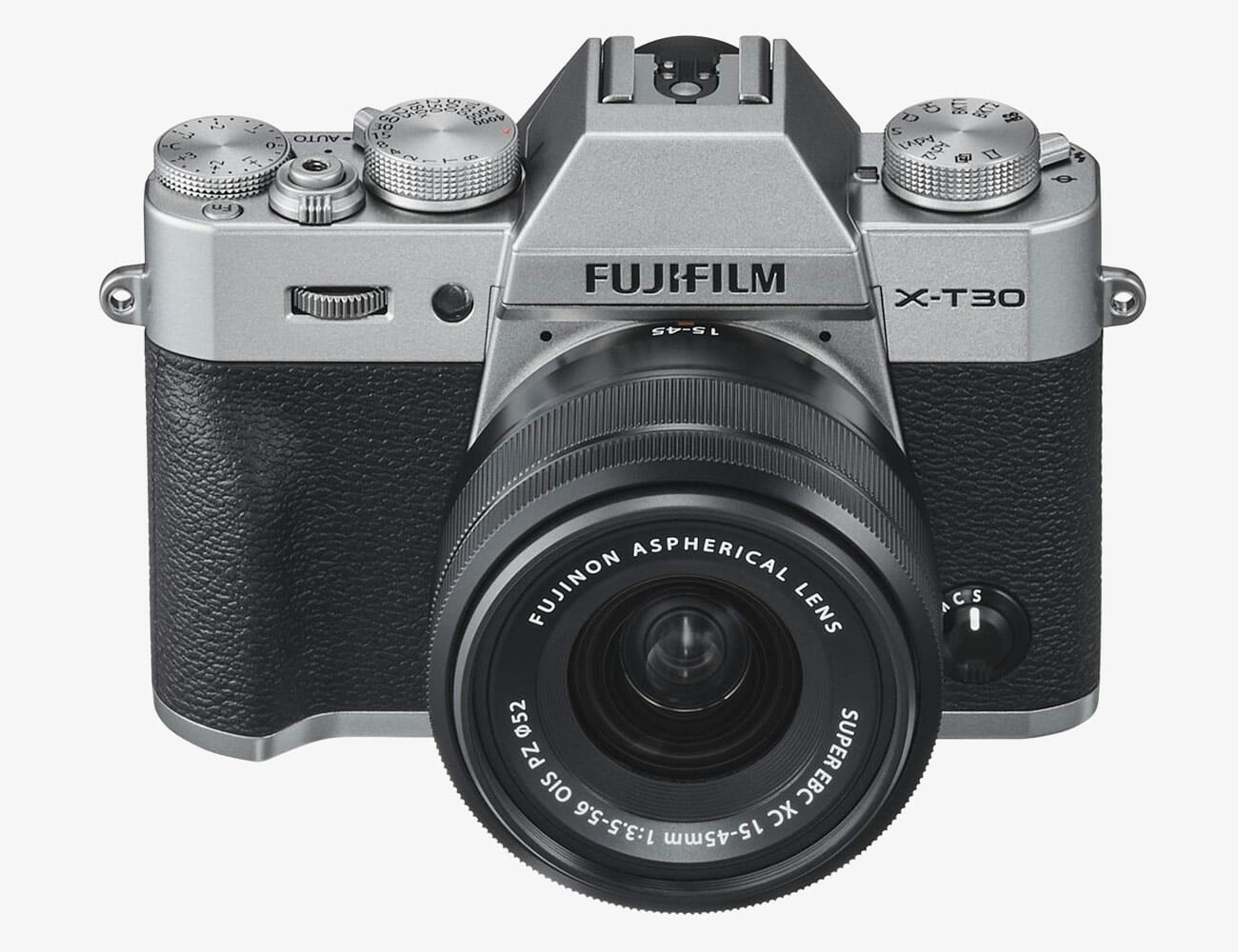
Fujifilm X-T30 (w/ 14-45mm Lens)

Why we picked: Camera aficionados revere the Fujifilm brand with good reason: The cameras continue a rare tradition of stellar mechanical build quality, even when the mirror action is replaced with a mirrorless configuration. The smartly organized and tactilely satisfying dials provide instant access to key setting controls that you can usually manipulate without looking. It’s a classic form-follows-function design, and the overall look and feel of the Fuji is fantastic. It will make you shoot more just so you can experience holding the thing in your hand. When you actually look at your images, you’ll be just as thrilled. The quality from its 26.1-megapixel APS-C sensor is top-notch, and it has such photographic grace-notes as a rear touchscreen that helps not just navigate menus quickly, but also set exposure and focus. It’s kind of a pity that the best-designed products are the ones geared for professional users, but this is a great example of a camera that delivers that quality for non-pros, too.

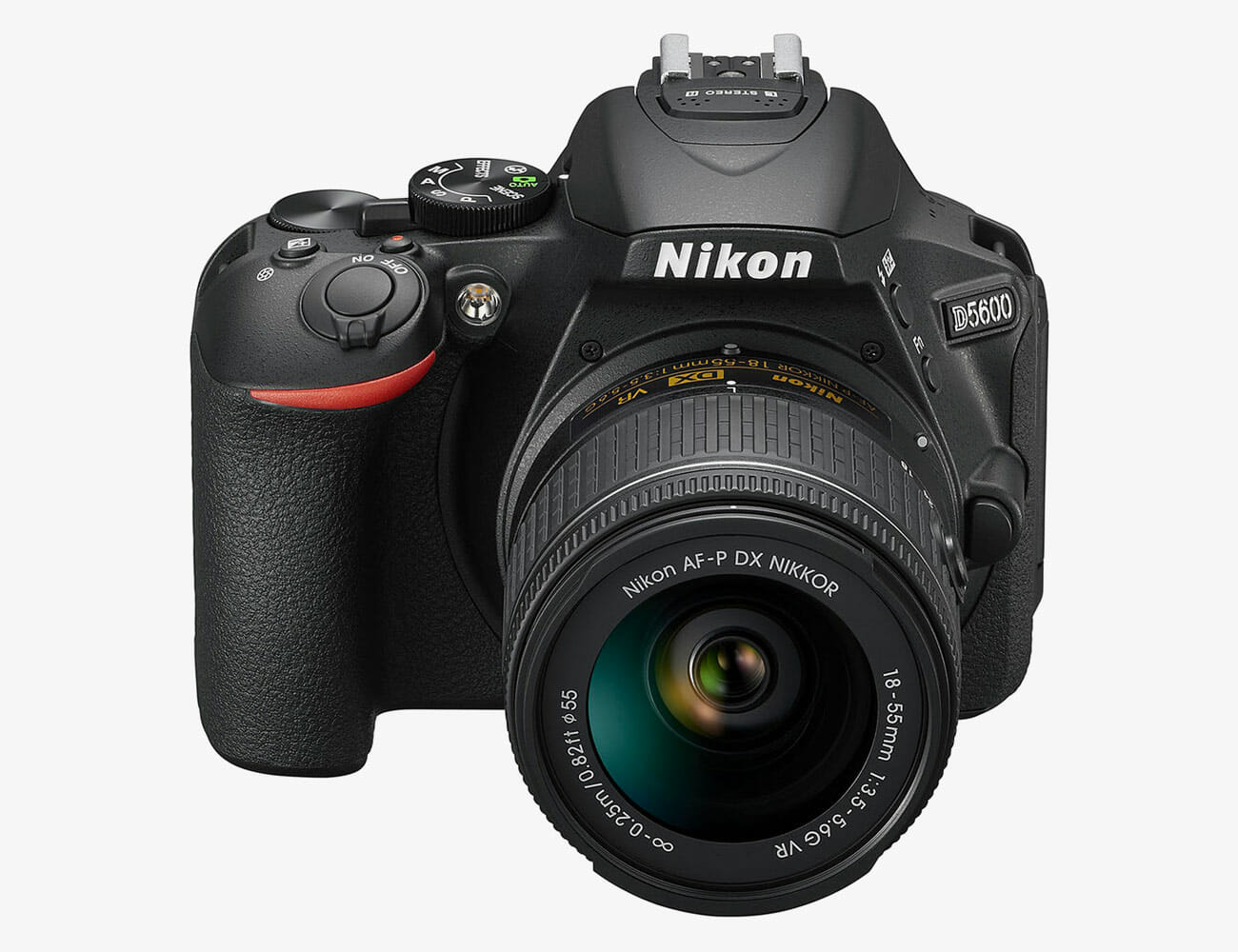
Nikon D5600 DSLR (w/ 18-55mm and 70-300mm Lenses)

Why we picked: Sometimes you just want to tell camera critics to stick it in their sensor holes. I get that. Snooty writeups can be off-putting when you’re really looking for a great value and a great range of capabilities—nuances of button placement and mirror use be damned. Having used this camera extensively, I can attest to its raw potency as great, versatile, and affordable camera. It has a solid 24-megapixel sensor, Wi-Fi connectivity for quick mobile transfers and even remote camera control, a swiveling touchscreen, and a huge range of lens options. In fact, you can buy this camera body and two key lenses (18-55mm and 70-300mm) for less than $800. That initial versatility in its own right makes it a huge win.

Note: Purchasing products through our links may earn us a portion of the sale, which supports our editorial team’s mission. Learn more here.

OCLU Wants To Be Your Next Action Camera

Even with all the new action cameras around, GoPro is still the top choice for adventurous souls. As of now, the only brand that comes close is DJI with its advanced imaging systems. However, that might soon change as we welcome a thrilling upstart. The OCLU boasts a sleeker profile than most of its competitors.

Likewise, the form factor it comes with looks absolutely aerodynamic, which is a good thing for most extreme activities. So let’s take a closer look at what this device brings to the table. Existing users who have already invested a lot on GoPro mounts and accessories need not despair. The OCLU action camera is apparently compatible with most of the stuff you have on hand.

Using a standard tripod screw is a brilliant move for the company to entice existing consumers to make the switch. The 12-megapixel camera can record 4K footage at 30 fps. Additionally, you can boost it up to 120 fps in exchange for HD-resolution videos instead.

On its own, the OCLU action camera is IPX7 water-resistant. For ultimate protection against moisture, you can grab the optional OcShell waterproof case. This seems to be the only downside on the spec sheet, given that GoPro and DJI can withstand more even without the housing.

Nevertheless, the OCLU sports a magnetic charging port and interchangeable 1,000 mAh batteries to keep up with all the action. Another cool function is the LiveCut editing function. This allows you to quickly cut unwanted footage on the go so you can flaunt your highlight reel anywhere and anytime.

Get it here

Images courtesy of OCLU

Your Internet Isn’t As Fast As It Could Be. Here Are the Most Common Reasons Why

Fast, reliable internet at home has never been more important now that we’re all streaming music and movies, gaming against strangers on the other side of the world and making regular video calls to family and friends. Sometimes all simultaneously.

Fast, reliable internet isn’t always what you get though, even if you’re paying for a nice speedy broadband connection. Here are a few of the most common reasons that can be, and what you can do about it.

Your router is in a bad spot

It may sound overly simple to put your Wi-Fi woes down to a badly positioned router, but where you place your router can make all the difference in the world. Walls, windows, and floors between you and the router will all degrade the quality of a Wi-Fi signal, with denser materials making more of a dent. It’s not always possible, but ideally, you want your Wi-Fi router as close as possible to the devices you want the fastest speeds for, and with the smallest amount of physical barriers in between.

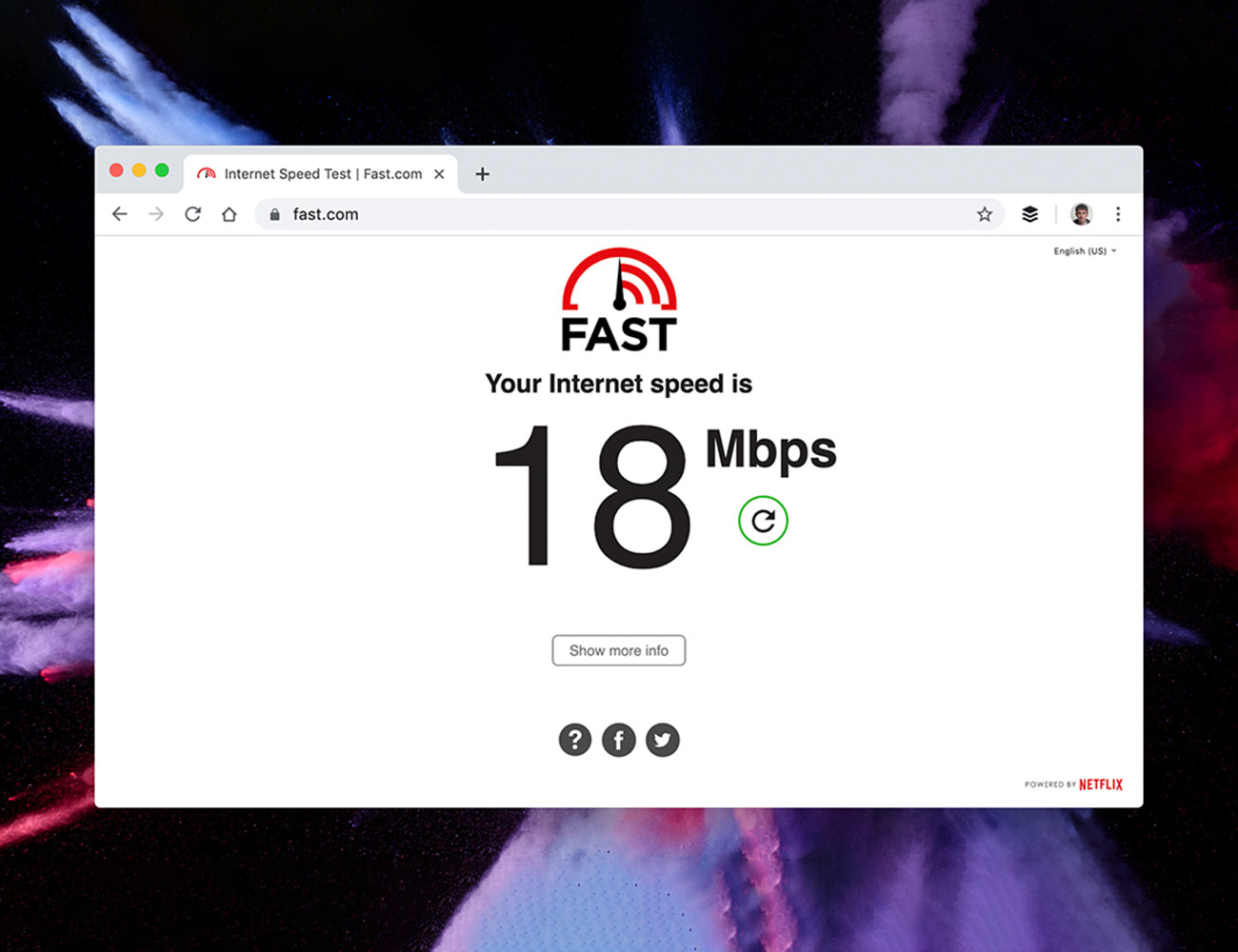
Household appliances that make use of electromagnetic waves, like microwaves, wireless doorbells, and baby monitors, can also interfere with the transmission of Wi-Fi around the home, so you may have to rejig the configuration of your rooms a little. Use a laptop and a speed test website like this one to test out various spots for your router, and see which one gives you the fastest speeds.

In short: don’t stick your router in the corner of a room just for the sake of neatness if your video game console and computer are over on the other side of the house or apartment. You’re going to be limited to some extent by where your internet gets piped into wherever you live, but placing your router optimally will ensure you’re getting the best out of what you’re working with.

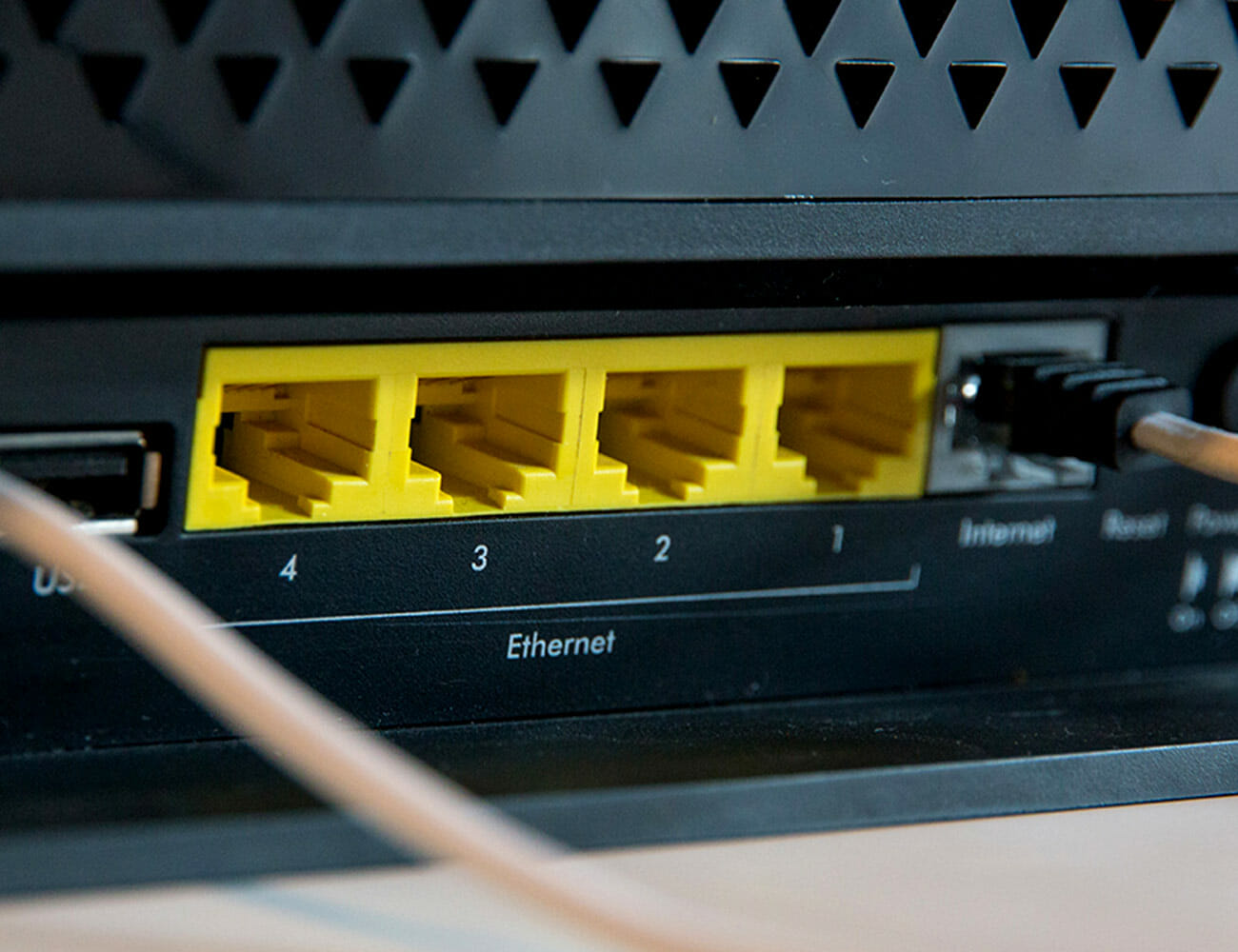
If you’re prepared to put in a little time and effort to the cause, there’s always the option of using some Ethernet cable to route the internet feed coming into your home to a more central location where your router will be placed. If you’re in a multi-floor dwelling, you could also think about mounting the router on a wall or placing it on a shelf, so it’s not that the lowest point.

You need to invest in some new network hardware

There are now a wealth of options for upgrading the Wi-Fi signal being beamed around your home and the first place to start is upgrading your router, especially if you’re just using one that your internet service provider is renting you. Routers like the Netgear XR500 Nighthawk Pro ($300) and the Linksys Tri-Band AC2200 ($157) are a significant investment but with support for the latest wireless protocols, a collection of antennas, and the computing horsepower to juggle a number of simultaneous connections, they are far more capable than cheaper kit.

Wi-Fi extenders or repeaters, meanwhile, take the signal from your router and pass it on further, like a relay runner. The advantage of these extenders is that they’re easy to set up and inexpensive; the disadvantage is that you won’t get the very top speeds as the Wi-Fi gets boosted from the original source. Devices like the TP-Link N300 ($20) and the Netgear EX3700 ($35) will do the job.

Powerline networking is another option — using the electrical wiring in your home to route internet to rooms some distance from your router; you’ll get faster speeds than with a Wi-Fi extender, but you’ll need to pay more. This should work on most modern homes and apartments, but we’d recommend buying from a retailer that offers a simple returns policy just in case. Take a look at devices like the Zyxel AV2000 Powerline Kit ($70) or the TP-Link AV2000 Powerline Adapter ($81).

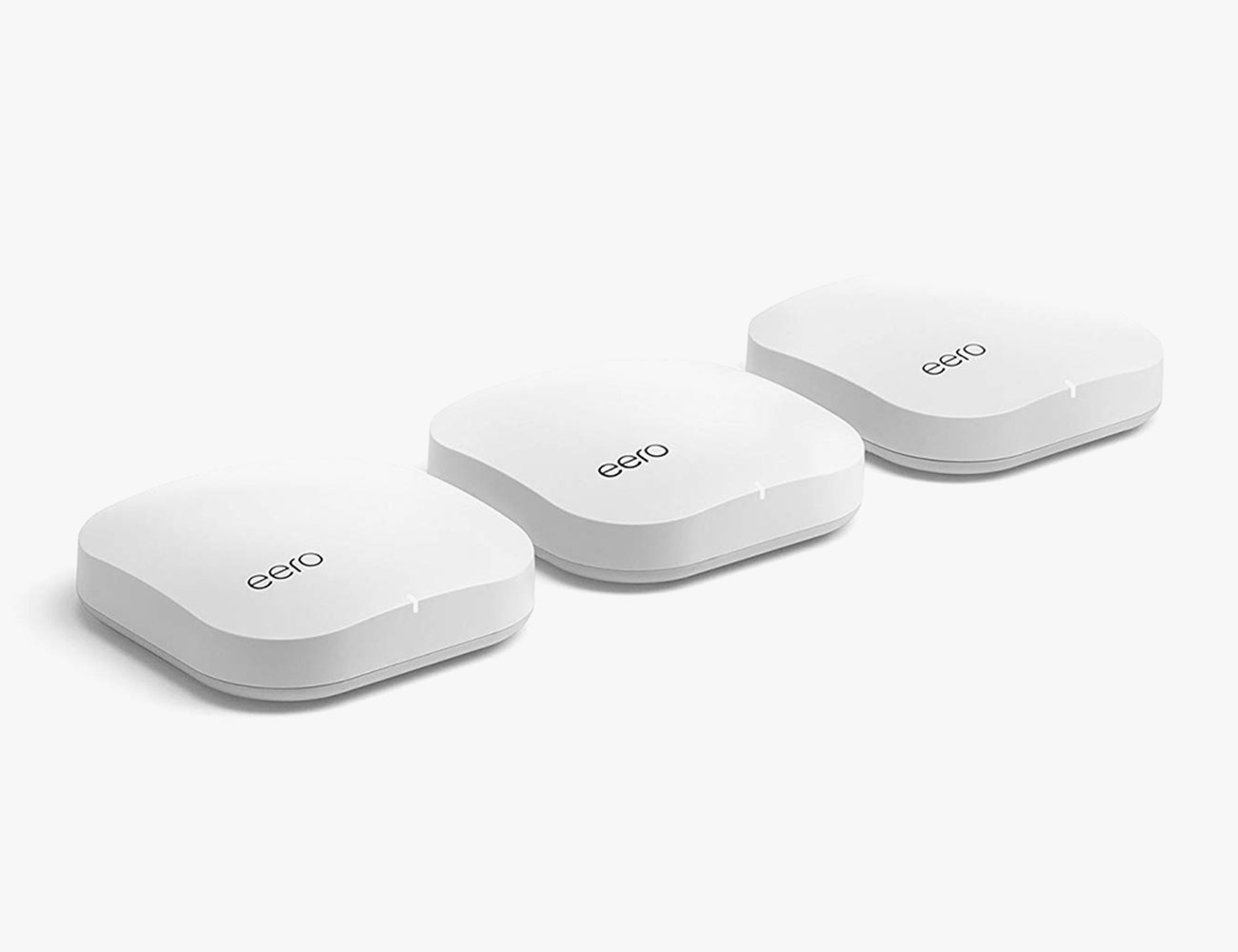
Finally, there is an increasing number of mesh networking kits around: sets of routers that communicate with each other to blanket your home in high-speed Wi-Fi, eliminating dead zones and slow spots. They’re very effective, but at the pricier end of the scale – kits like Google Wi-Fi ($240) and Eero Pro ($400) will replace your single router with several that cooperate to blanket your entire abode in connectivity.

You’re using too many devices at once

Everything that connects to the internet uses up bandwidth — and if you think about how many devices in your home you’ve got online, it’s likely to be a lot. If you want to know for sure, your router will be able to tell you how many devices are connected, if you delve into its settings. Besides simply cutting down the number of gadgets and computers you use simultaneously, there are a few other tricks to try.

Every router uses a particular channel or frequency range, and if you’re in an apartment block where everyone’s router is using the same channel, congestion can impact your performance. A potential solution is to adjust your router’s settings a few steps away from the default, where there might be less interference. Instructions on how to do this should come but in your router’s manual, which you can find online if you don’t still have it hanging around the house.

Most routers now offer what’s known as dual-band technology as well, essentially frequency channels that are more distinct: 2.4GHz (lower speed, greater range Wi-Fi) and 5GHz (higher speed, shorter-range Wi-Fi). Some routers let you switch devices between these two on a device by device basis, or put out two separate networks. Anything that needs higher speeds should be as close to the router as possible and using the 5GHz band. The 5GHz band is also better at dealing with multiple devices at once and doesn’t get as congested as easily, so it’s really the one to go for unless your gadgets are a long way away from the router. Some routers will handle all this configuring automatically, but it’s worth checking to see what your router is doing by default.

Your gadgets are getting too old to make good use of the network you have

If the internet sluggishness is only affecting one of the phones or computers that you’re using at home and not the others, then the problem is more likely to be with that device rather than your network as a whole. While browsing the web isn’t as demanding in terms of system resources as, say, video editing or gaming, older hardware and software can struggle to keep up with the demands of the modern web. Most sites nowadays run more like apps inside your browser rather than static pages, and that can put pressure on memory and processor speed. Older devices, particularly ones that came out during or before 2014, may not even have the hardware necessary to support the latest and greatest (and fastest) Wi-Fi standards.

There’s also the possibility of malware or general cruft. If you are finding the internet is slow on one particular phone or laptop, we’d recommend running a thorough security scan and maybe uninstalling some of the apps, programs, and browser extensions that you’re not regularly using. They could be slowing down your device’s onboard processing, but they could also be beaming information back out into the internet, invading your privacy and clogging your airwaves in the process.

As a last resort, a complete reset of your Windows, macOS, Android or iOS device might help — both in removing unnecessary clutter on the device and clearing out any unwanted malware that’s taken root. If you’re still not getting satisfactory speeds after that, maybe it’s time to think about investing in some new gear.

Note: Purchasing products through our links may earn us a portion of the sale, which supports our editorial team’s mission. Learn more here.

Sony Will Take On Samsung’s The Wall TV With Its Crystal LED Modular TV

If you’ve been paying attention to the tech industry, you’ll know that 4K resolution is the new norm. Regular HD TVs have been slowly making their exit as consumers demand more pixels per inch on their displays. However, brands like Samsung, LG, and Sony are making the next move to push for even more. Drop by your local store or official showrooms to check out what these latest models bring to the table. On the other hand, Sony is teasing an exciting type of technology that looks promising – Crystal LED.

Other brands are currently marketing 8K-resolution TV as the next big thing. Meanwhile, the Japanese company is already exploring beyond that threshold. Sony understands that in order to be ahead of the game, it needs to make bold decisions.

Therefore, while everyone else is fixated with 4K and 8K, it introduces a modular model that can output images up to 16K. Some will argue that this is purely for commercial purposes, but the manufacturer begs to differ.

Sony hopes to target consumers who want even bigger displays for their entertainment needs. Instead of using modern projectors for home theater setups, its Crystal LED technology will apparently outperform everything else. So far, the only dealbreaker to this type of screen is the installation.

Unlike conventional flat-screen TVs, it requires professional assistance to get everything working. Due to its modular nature, consumers can possibly go for an insane 790-inch configuration that will rival any cinema. Sony’s Crystal LED displays won’t come cheap either. The $5.8 million price tag will make anyone think twice about its purchase.

For more details: click here

This Absurd Backup Battery Can Charge Every Gadget You Own and Then Some

Portable power is a quickly evolving category, and Ecoflow’s Delta 1300 demonstrates just how far it’s come. Lithium-ion batteries are not just for your phone; this compact and powerful battery bank is a lightweight gas-free, emissions-free generator that’s powerful enough to run woodshop tools, office electronics, a portable refrigerator or medical device, and light enough to carry between locations. As an emergency back-up generator, it will keep you charged and comfortable in a power outage, but it has so much functionality it won’t gather dust while you’re waiting for the next blackout. In addition to charging phone, drone, and laptop, and to running circular saws, air compressors, and lights, Delta can charge an electric car enough to eke out another five to seven miles until you can get to a proper charger.

The Good: The Delta 1300 has 6 AC outlets, 2 USB-C PD ports, 4 USB outlets, and it’s rechargeable from a wall socket, carport, or solar panel. This unit plugs into the wall with the same cord you’d use to plug in a computer. There’s no specialized, device-specific power brick required, so you don’t have to worry about misplacing your charger. The Delta can juice 13 devices simultaneously, which means you’ll be popular at festivals and trade shows with one of these in your tent, van or booth. A large LCD screen tells you how much battery the lithium-ion bank has left, both by percentage and hours. The readout is based on the Delta’s activity at any specific time. For example, it’ll likely read 99 hours when you plug in your dead cell phone. If it’s charging a large Dometic fridge/freezer, the readout will more likely be 20-32 hours. It’s super portable at around 30 lbs and the size of a toaster oven with oversized handles that are easy to grab

Who It’s For: If you’ve ever considered a gas-powered generator as an emergency backup, you’re a candidate for Delta. If you want to run power tools away from a wall plug or without the hassle of ultra-long extension cords you need one of these. If you live off-grid, whether you’re stationary or mobile, Delta can power your lights, tools, electronics and appliances. In an emergency not only will it power a fan or heater, lights, and microwave, it can power a medical device like a CPAP. It can also give people who require electrical medical devices some freedom to roam.

Watch Out For: It’ll take you some time actually using the Delta before you’ll be able to get a good handle on how long it will actually last in various scenarios. Most electrical devices pull power at a variable rate, so the number of remaining hours of power displayed on Delta’s screen may change without notice if your gadgets suddenly get a bit hungrier. I plugged a Dometic fridge/freezer into the Delta, and the screen told me I had 38 hours of run time. Four hours later, the screen told me I had 20 hours of run time. The change makes sense. When the fridge needed cooling, its energy consumption was greater. The Delta records its own power output continuously and as it does, the unit adjusts its battery life readout. When the fridge reached temperature, then the remaining battery time on Delta’s screen went back up. That said, the battery life estimates shared by EcoFlow seem to be extremely accurate and not inflated.

Alternatives: There are other battery-powered generators out there, as well as gas-powered generators. Most gas generators are more expensive, as are other powerful battery generators. Gas generators are loud, smelly and you can’t run them safely inside because of their carbon monoxide emissions. They need annual maintenance. Delta requires no annual maintenance. The battery maintains its charge for a year untouched, and the only noise is a quiet hum. The only emission from Delta is a little bit of heat.

There are other battery power banks on the market, like the Goal Zero Yeti 1400. That unit takes 12 times longer to charge plugged into a wall, it weighs 50 percent more, and it’s slower to charge with a solar panel. EcofFow’s claimed power capabilities for the Delta 1300 are considerably greater than those claimed by Goal Zero for the Yeti 1400. The Yeti 1400 is twice the price and claims a lifecycle of 500 charges, versus EcoFlow Delta’s claimed life of 800 charges.

Review:

To use Delta, you press the power button and then press a second on/off switch for AC or DC power. The LCD screen, in addition to telling you hours and battery percentage remaining, indicates high and low temperature, whether the fan is working, input, output with an overload warning.

We ran every tool we had and charged every device: circular saws, table saws, shop vacs, computers, phones, fridges and more. We were only able to fully drain the battery during the course of normal use when we plugged in a full freezer trying to cool its contents from 14°F to 0°F. The battery lasted at least 20 hours; we woke up to it needing a recharge.

Delta goes from zero percent charge to 80 percent charge in an hour, and can fully charge with just two hours plugged into the wall. EcoFlow says Delta charges in four hours via a solar panel. In order achieve such short charge times, EcoFlow also developed a charging technology, bi-directional X-stream Charge, that allows alternating current AC from a wall outlet to be directly inputted into Delta’s inverter, increasing its charging power at the same time. “By passing through the inverter directly, we can increase charging speed to more than ten times of the traditional AC to DC adapter cable,” said EcoFlow found Eli Harris. The proprietary charging technology also integrates all direct current power supplies below DC 60V, from an adapter, solar or car DC output, into one input port. The result is that users don’t need to consider whether they recharge Delta with a wall plug or solar panel. The system automatically recognizes the power source.

In addition to a new charing technology, the company built an entire proprietary internal integrated architecture from the ground up to maximize Delta’s power storage efficiency. EcoFlow designed and developed every component inside Delta, which includes more than 100 battery cells. Harris said one of the company’s biggest challenge was effectively monitoring and managing the operation of the whole system in real-time. EcoFlow’s battery management system was key. Harris and his team built it so the main controller collects the temperature and power status of each battery cell in real-time and then adjusts the charging current and the voltage to ensure the safest, fastest charging rate. When the unit is in idle, the battery management system monitors and adjusts the unit’s power status to ensure lower power consumption and extended standby power storage, which is how the company achieved a shelf-life of a year plus.
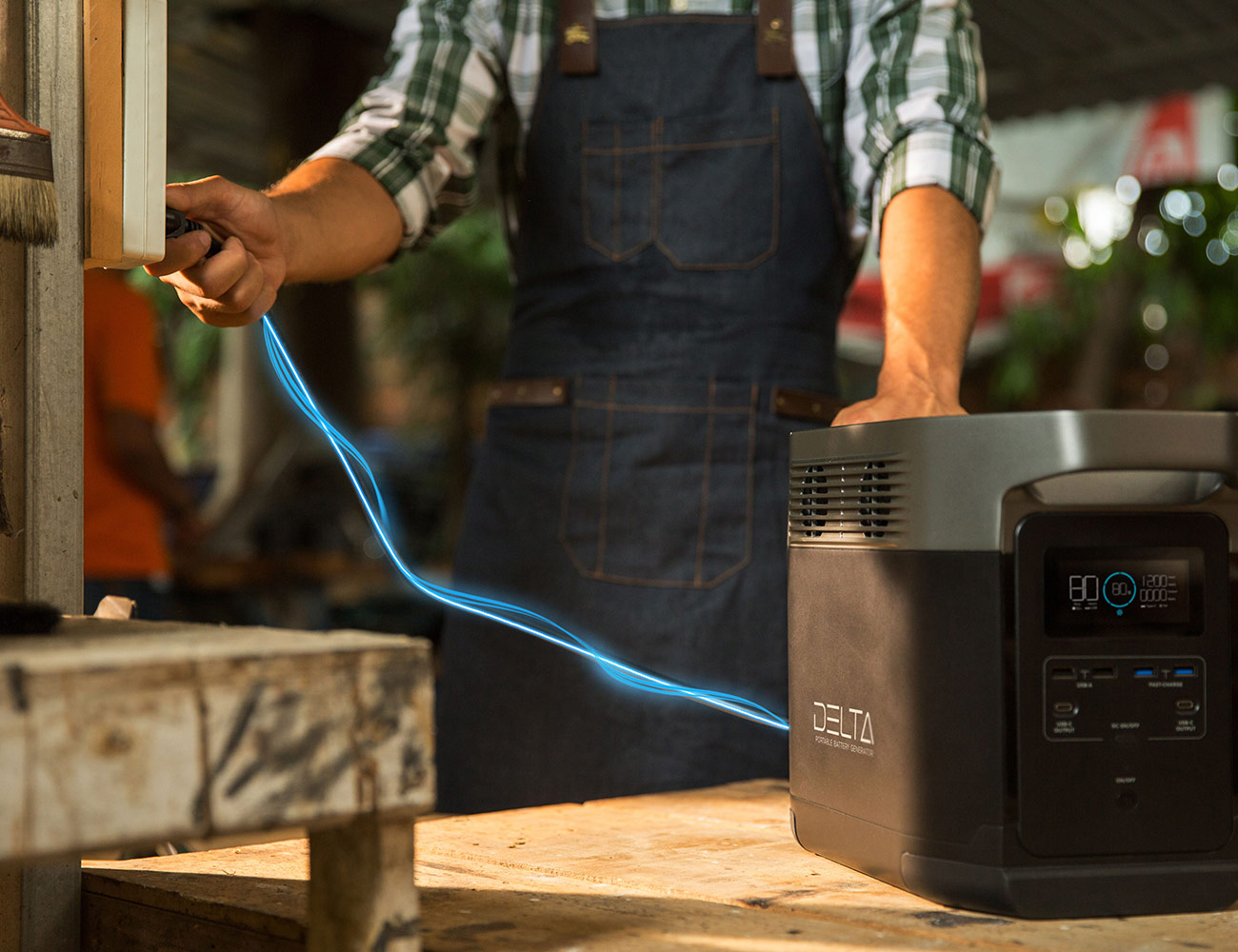
Delta is designed to take a beating. The unit we tested was pre-production, so did not have the correct casing. But we know from testing EcoFlow’s River battery bank that they know how to make their power banks durable without a heavy, bulky full-steel casing. Harris says that Delta’s housing was inspired by Tesla, and that final production will use a combination of aerospace-grade aluminum and high-strength steel to give Delta maximum strength and structural rigidity. It will be combined with impact-absorbing plastic, protective rigid metal plates, and four aluminum pillar reinforcements so that Delta is worthy of withstanding the hazards of a job site, garage project or bouncing around in the back of an off-road vehicle.

Verdict: Harris says he created EcoFlow to build this generator, and while we expect the company to blow this battery’s capacity out of the water with future versions, this one is undoubtedly worth owning for anyone who needs a reliable source of power or backup power. The Delta raised over $1M in the first 48 hours on Kickstarter, and it’s currently nearing $1.5M. Delta 1300 is an awesome solution for home or home office, van life and for powering tools away from a wired source of electricity. None of the claims made on EcoFlow’s Delta Kickstarter page are exaggerated. We were impressed with Delta’s power, versatility, quick charge time and compact size. Support Delta before the campaign closes on October 19—and as thanks for your trust in the company’s technology, you get peace of mind via a lifetime battery warranty.

Key Specs

Weight: 30 lbs
Ports: 6 AC outlets, 2 USB-C PD, 4 USB
Shelf Life: 12 months
AC Output: 1600w (surge 3100w)
Charge Time: 1.7 hours
Type: Lithium-Ion
Price: $699

EcoFlow provided this product for review.

Read More Gear Patrol Reviews

Hot takes and in-depth reviews on noteworthy, relevant and interesting products. Read the Story
Note: Purchasing products through our links may earn us a portion of the sale, which supports our editorial team’s mission. Learn more here.

This Is the Best Smartwatch for iPhone Owners

The Apple Watch has been the best smartwatch for anybody with an iPhone for years, but it feels like the fifth-generation model, the Apple Watch Series 5 ($399+), has the most to live up to. That’s because its predecessor, the Series 4, set the bar so darn high. It was the first Apple Watch to look different, with a larger edge-to-edge display and a thinner, lighter body; plus Apple gave it a bunch of innovative features (like fall detection and an electrical heart sensor) and basically upgraded it in every way.

Now that the Series 5 is here, you’ll notice that it looks strikingly similar to the Series 4. It’s the same size and thinness; it has the same rotating crown dial with a little red circle; and it has many of the same sensors and health tracking features. But the differences are there. The Series 5 is the first Apple Watch to have an always-on display. It’s the first Apple Watch to have a built-in compass. And it’s the first Apple Watch to come in four different finishes, including aluminum, stainless steel, ceramic and all-new titanium.

The Apple Watch Series 5 is available in GPS-only and cellular models, and starts at $399.

|

The photographed Apple Watch Series 5 has the all-new titanium case. It’s a 44mm model and goes for $849.

The Good: The always-on Retina display is the standout feature of the Series 5. Even for people who have worn an Apple Watch for years, like myself, it’s going to feel like a big deal because it actually changes the way you interact with the Apple Watch. With the always-on display, there’s no need to rotate your wrist to see check the time or see that your workout is still tracking – it’s just there. It also will probably prevent many social faux pas that were caused by previous Apple Watch models; seeing other person check the time or look at their watch can be distracting, after all.

It’s true that the always-on Retina display is always-on, but it’s not always bright. The watch face still lights up when you raise your wrist, just like it did with the Series 4, but it then transitions to an idle dark mode when you lower your wrist back down; what’s happening is that the display’s refresh rate gets lowered to one screen refresh per second (or 1Hz), which allows the Series 5 to use very little battery life and give the appearance of always being on. This allows the Series 5 to get the same full-day battery life as its predecessor. Apple updated all its old Apple Watch faces so they work with the Series 5’s always-on display – pretty cool – plus they added quite a few new ones, too.

The Series 5 is the first Apple Watch to have a built-in compass. There’s a dedicated compass app on the Series 4, but other Apple Watch apps, like Apple Maps, take advantage of it.

As mentioned before, Apple is offering the Series 5 in more options than ever. The aluminum version of the Series 5 is the most affordable and is the only one that can be purchased without cellular. The stainless steel version is heavier and more durable, so it feels more premium, but it starts at $699. The brand-new titanium version is significantly lighter than the stainless steel version, and it’s also more scratch-resistant, corrosion-resistant and hypoallergenic. And then there’s the ceramic version, which a high-end material that’s usually reserved for luxury watches. If you purchase any Series 5 through Apple Watch Studio (meaning online or in an Apple Store), you can pair it with almost any watch band you want (there are some restrictions).

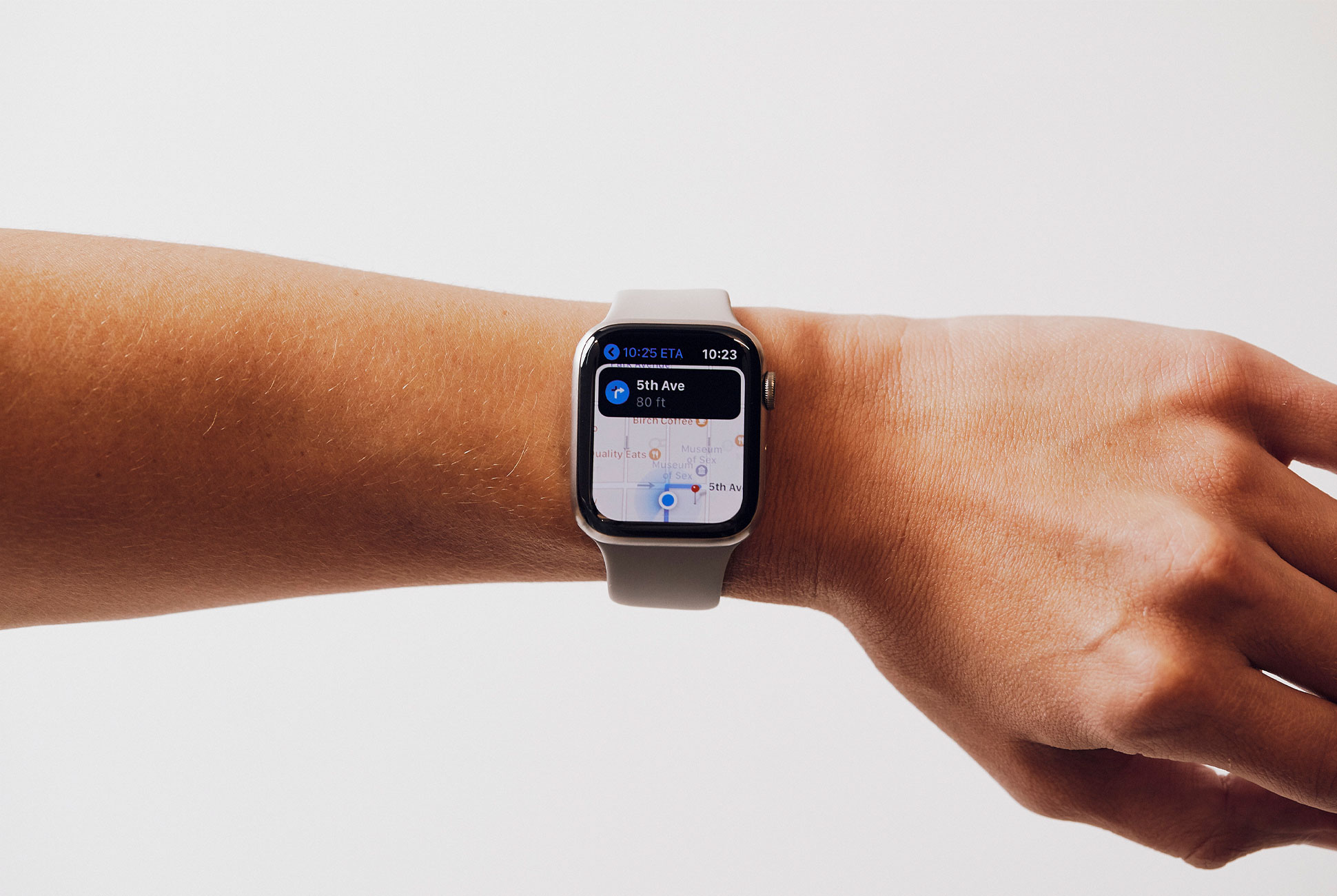
The Series 5 is the first Apple Watch to have a built-in compass. There’s a dedicated compass app that you can access, which I rarely used, but the real benefit of the compass is how it works with other Apple Watch apps, such as Apple Maps. For example, when you’re using Apple Maps you can now see which direction just by looking at your Series 5. You’ll see the “field-of-view cone” rotate with direction you’re looking, which makes Apple Maps on the Series 5 feel way trustworthy. (Previously, you’d have to take out your iPhone to get the same sense of direction.) For those who are easily disoriented when navigating from A to B, like me, or have difficulty grasping your bearings when getting off the subway – like me – this new Apple Watch feature will save you a headache and a five-minute walk in the wrong direction.

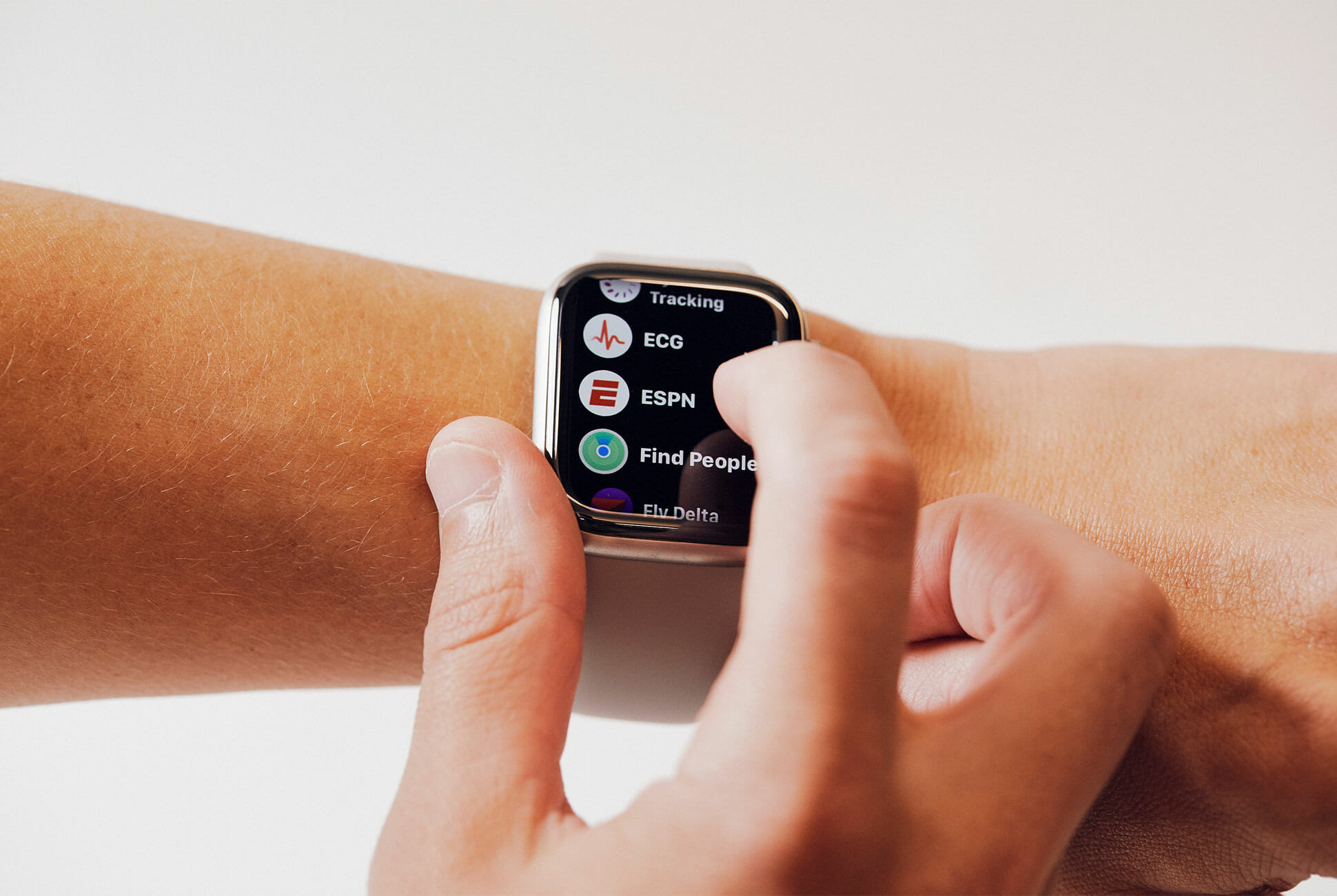
The best part of the Series 5, and maybe you’ll roll your eyes, is that it feels like an Apple Watch – familiar – and it has all the best features of the Series 4. You can still pair it with your AirPods and listen to music sans iPhone. It still has the heart rate sensors and built-in ECG. It still has fall detection and Emergency SOS. It still has a GPS and it can track your runs. It’s waterproof enough so you can wear it swimming. It still tracks your steps and other metrics so you can complete your activity rings. And, of course, it works super well with iMessage.

The last thing to note is that all Series 5 models have 32GB of internal memory, which is actually twice as much as the 16GB on the Series 4. This might not be a huge deal for people who don’t plan on downloading music or a bunch of extra apps on the Series 5, but if you do, or if your current Apple Watch is already nearing its max storage, it might make sense to upgrade to the Series 5.

Who It’s For: Any iPhone owner who wants Apple’s best-ever smartwatch. Or if they desperately want an Apple Watch with an always-on display. Or if they want one of the Series 5’s higher-end finishes (and they’re willing to pay for it). The last big reason to get the Series 5 is if they’re going to take advantage of the Series 5’s built-in compass.

Watch Out For: No matter which Apple Watch Series 5 you buy, aside from the obvious difference between cellular and GPS-only models, they’re all going to have the same functionality. That means that the $1,300 ceramic model and the $399 aluminum model are built with the same internals and will keep track of the same metrics. There’s little downside to getting the cheaper models, other than how their aluminum finish looks and feels. (Although the stainless steel and titanium models are slightly more durable.)

One thing that I’ve been hoping for awhile is that the Apple Watch will start playing better with Spotify. Yes, there’s a Spotify app for the Apple Watch. And yes, if you have an LTE model you can stream music, but I wish the Spotify app would allow you to download albums and playlists for offline listening, similar to what several Garmin and Samsung smartwatches can do. As with previous Apple Watch models, the Series 5 is really only designed to download and store playlists from Apple Music.

Alternatives: The Apple Watch Series 4 is the most obvious alternative, but Apple did something a little bit sneaky this year – they stopped selling it. You can still purchase the Series 4 for third-party sellers like Amazon or Best Buy, for a slightly discounted rate. The Series 4 looks and feels (especially the aluminum models) very similar to the Series 5, and it’s a great option for Apple Watch wearers who don’t need always-on display.

If you don’t want to pay that much for a Series 5 (or Series 4), Apple is still selling the Series 3 but it lowered the starting price to just $199 – it’s undoubtedly the best entry-level smartwatch for people with an iPhone. The trade-offs are pretty clear, however, as the Series 3 doesn’t have the large nice display, the slim design or the many fancy sensors that enable a lot of the Apple Watch’s newer features. The Series 3 does have a built-in GPS and it’ll still accurately track your runs.

Verdict: The Apple Watch Series 5 is undoubtedly the best smartwatch that Apple has ever made, and it comes with the feature – an always-on display – that most people having been asking for. That said, with a few spec bumps and a few new capabilities, the Series 5 is admittedly an iterative upgrade over last year’s Series 4. If you’re not swayed by the premium materials, like the new titanium case, it really comes down to Series 5’s always-on display and how much you want it.

Key Specs

Case sizes: 40mm or 44mm
Case options: Aluminum, stainless steel, titanium and ceramic
Display: Always-On Retina display
Processor: 64-bit dual-core S5 processor
Storage: 32GB
Sensors: electrical and optical heart rate sensors, gyroscope, accelerometer, compass
Water resistance: 50 meters
Connectivity: Bluetooth 5.0

|

Apple provided this product for review.

Note: Purchasing products through our links may earn us a portion of the sale, which supports our editorial team’s mission. Learn more here.

The Philips Hue Filament Collection Mixes Vintage Looks With Modern Tech

As technology evolves, so does the stuff we love. We get to enjoy the creature comforts these upgrades deliver and also benefit from new functions. These include mobile devices, automobiles, wearables, and household appliances. Nevertheless, the old-school flavor never really goes out of style, which is we still yearn for the things from the past. Hence, this is exactly why companies are tapping into feelings of nostalgia to give us cool products. Philips is jumping on the bandwagon to give us Hue Filament bulbs.

Most of the time, LED lighting is great for a lot of applications. Moreover, the smart-enabled kind delivers a level of versatility that the older models cannot offer. However, Philips understands the existing demand for niche products that exude a retro vibe. This newest addition to the Hue lineup comes with modern technology and distinctly vintage design.

Most LEDs bulbs feature a frosted cover to diffuse the light to give off a softer glow. The Hue Filament collection, on the other hand, goes for clear glass. There are three variants available with different bulb shapes to suit your tastes. Similar to the regular hue catalog, these can be controlled via Bluetooth and compatible with Android or iOS smartphones.

For smart home integration, the Hue Filament series works with Amazon Alexa or Google Assistant without a hitch. Meanwhile, those who plan to use it with Apple HomeKit or Microsoft Cortana need to have the Hue Bridge accessory. Philips is listing a maximum brightness of 530 lumens and a color temperature of 2,100K.

Check out the catalog: here

Images courtesy of Philips

Amazon’s New Lossless Streaming Service Is Way Cheaper Than Tidal

Ahead of next week’s hardware announcement, Amazon has rolled out a lossless streaming section within its Amazon Music service. It’s called Amazon Music HD . If you’re already an Amazon Music subscriber, you can subscribe to the new service for an extra $5 per month. If you’re a Prime member, you can subscribe to the service for $13 per month for Prime members. If you’re not a Prime member, it’ll cost you $15 per month. Oh yea, there’s also free 90-day trial for anybody who wants to try Amazon Music HD right now.

Clearly, Amazon is making a big move to cater to audiophiles. With Amazon Music HD, you’ll be able to stream millions of audio tracks in “High Definition,” which is roughly CD quality, or “Ultra HD,” which is up to 24-bit/192kHz and the highest-resolution audio that’s available for streamers. All this is interesting because, well, Amazon Music HD is going to be able to stream higher-resolution tracks than both Spotify and Apple Music, and it’s also going to cost a few extra bucks less than Tidal’s $20 per month subscription. Basically, this could shake up the streaming market for people who want to listen to higher-end audio.

Of course, this also means that Amazon needs to come out with some speakers that can actually handle these new high-res tracks. Right now, Amazon’s current line of Echo smart speakers are good for what they are – affordable smart speakers – but they aren’t designed to handle these new Ultra HD audio tracks. They could play them, for sure, but you wouldn’t be able to hear the tracks in all their lossless glory; they’d probably sound the same as the music you already stream to.

Amazon’s big hardware event is September 25, and there’s a really good chance that we’re going to see Amazon’s first jab into reference-quality speakers. We may even see new or upgraded models of Amazon’s higher-end components, like the Echo Link and Echo Link Amp.

iPhone 11 Pro Review: The Best iPhone Ever, But a Hard Sell For Most

The most compelling and conspicuous feature of the iPhone 11 Pro is its triple-camera system, and after using it for the better part of the week, it’s definitely the best and most versatile set of cameras that Apple has ever put in any iPhone. The ultra-wide lens will feel like a pretty significant upgrade for anybody who has an older iPhone, but as the iPhone 11 has it too, it really comes down to the telephoto lens and how if you’ll take full advantage of it. This extra lens enables the two Pro models to take two different kinds of Portrait Mode photos, one that is really zoomed-in (which is similar to what the iPhone XS could do) and one that is more zoomed-out (which is exactly the same Portrait mode as the iPhone 11) for those who want to grab for background in the photo. If you find yourself taking a lot of photos of people and pets, rather than landscapes, this extra telephoto lens feels like a real selling point.

The nice thing about all three lenses is that they all take the same quality photo. Each is a 12-megapixel camera that has its own high-quality sensor, so you can expect a pretty decent photo nobody which lens you’re using (this is not the case for most other smartphones with a multi-camera system). Each of the three lenses is capable of shooting 4K video at 60fps, which is a nice feature for vloggers and videographers to have. It’s worth noting that despite the extra lenses, like the iPhone 11, the Pro’s Night Mode only really works while using the wide lens (you can technically use Night Mode with the ultra-wide lens, but it’s really just a blown-up shot taken by the wide lens.

Night Mode on the new iPhone 11 Pro is pretty incredible.

Aside from the size and triple-camera system, the third big selling point of the iPhone 11 Pro is its hardware. Its OLED display is significantly better than the LCD display of the iPhone 11, but it’s also better than the Super Retina display of last year’s iPhone XS; the new “Super Retina XDR” display is brighter (1,200 nits versus the iPhone XS’s 600 nits) with double the contrast ratio. It’s easy to get lost in the tech jargon, but the bottom line is this: iPhone 11 Pro’s display is the best and brightest display ever in a smartphone. So if you’re somebody who plays a lot of mobile games or streams lots of shows on your iPhone, that’s a good reason to upgrade to the Pro.


Battery life is the last big reason to upgrade to the Pro if you have an older iPhone. To date, the iPhone XR has been the gold standard of long-lasting iPhones, getting almost two days of juice, and the iPhone 11 Pros are almost at that level. Apple claims that both iPhone 11 Pros get four and five hours better than their predecessors, the iPhone XS and the iPhone XS Max, and it’s actually pretty noticeable. The secret to the improved battery life is, yes, the A13 Bionic chip helps with energy efficiency, but Apple also put a slightly larger battery in its newer phones. This is a pretty significant thing, as it also means that the new iPhones are ever-so-slightly heavier and thicker – Apple is sacrificing design for usability, which is actually a breath of fresh air.

There are a quick few things to add to round out the “good” features. Apple says the Face ID is 30-percent faster on the new iPhones and even better at recognizing your face when resting flat on a table; however, in the week I’ve had the phones I’ve actually had a difficult time telling the difference – it’s still fast. Apple also improved AirDrop on the new iPhones, allowing you to point your iPhone at other new iPhones and AirDrop files to whomever you’re pointing at (although the iPhones must have Apple’s new U1 chip and iOS 13). And, finally, Apple is including an 18-watt USB-C wall adapter and a USB-C to Lightning cable in the box, which makes the iPhone 11 Pro feel a little bit more “Pro.”