All posts in “tech”

One of the Biggest Tech Events of the Year Just Got Canceled

<!–One of the Biggest Tech Events of the Year Just Got Canceled • Gear Patrol<!– –>

Coronavirus is having a growing impact on consumer tech


Mobile World Congress, held annually in Barcelona, Spain, is one of the biggest international tech events of the year. The international show is typically home to (or at least concurrent with) announcements from some of the largest phone-making companies across the globe. Not this year, however, as it has been fully canceled on account of concerns about the coronavirus.

Yesterday, the governing body behind the event announced the cancelation citing “due regard to the safe and healthy environment in Barcelona and the host country today” and “the global concern regarding the coronavirus outbreak, travel concern and other circumstances.”

Mobile World Congress isn’t the only consumer tech event that coronavirus may have disrupted. Analysts have suggested that the supply chain disruptions the virus is causing in China could also impact the planned release of the new Xbox and Playstation consoles later this year, and potentially the new iPhone as well.

Further delays are only predictions at the moment, but the outbreak is making it increasingly clear to even casual consumers how the supply chains used to produce all your favorite gadgets is a global web with roots that almost always trace back to China in one way or another. It’s a good a reminder as any that these products don’t just grow on trees.

Note: Purchasing products through our links may earn us a portion of the sale, which supports our editorial team’s mission. Learn more here.
Eric Limer

Eric Limer is Gear Patrol’s tech editor. A resident of Weehawken, NJ, his current obsessions include mechanical keyboards, mechanical pencils and Formula 1.

More by Eric Limer | Follow on Instagram · Contact via Email

<!–

–>

<!– –><!–

–>

The 4 Best Bookshelf Speakers of 2020

The guide to the best bookshelf loudspeakers of 2020 covers everything you need to know before you buy your next pair of audio equipment. We tested a whole host of speakers to find which ones will make the best addition to your home stereo system.

The Best Bookshelf Loudspeakers of 2020

Bookshelf Speakers 101

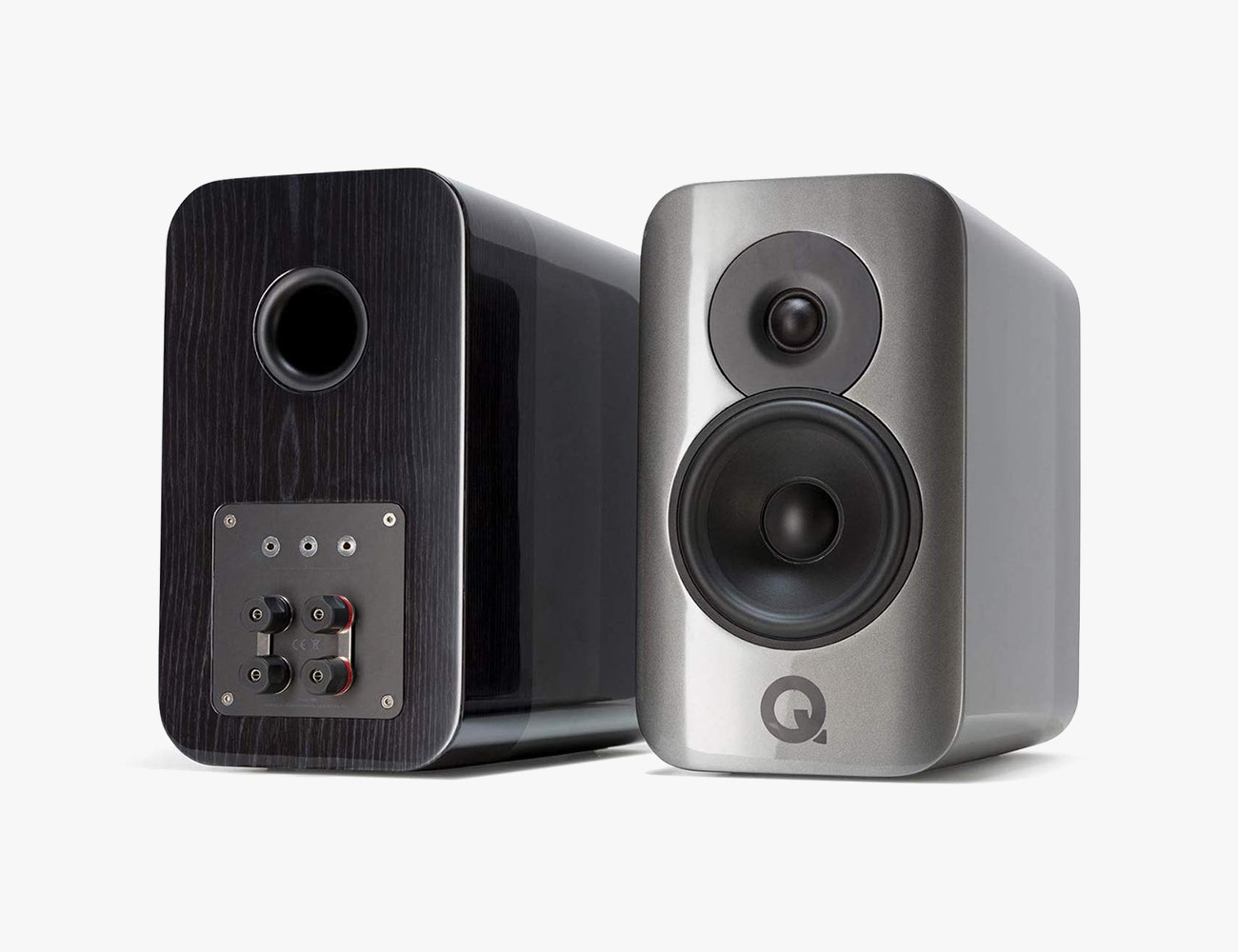
1. Q Acoustics Concept 300

Q Acoustics is a relatively new loudspeaker brand on this continent but it’s one that you should pay attention to. Having already made a significant dent in the U.K. and Europe against some rather stiff competition from rivals like KEF, B&W and Wharfedale with its affordable but over-achieving 3000-Series, Q Acoustics is now pushing hard into the high-end with the Concept 300 stand-mounted full-range bookshelf loudspeaker.

Best Overall Bookshelf Loudspeaker

Price: $4,499/pair
From: amazon.com

What We Like: The Concept 300 deliver unrivaled levels of coherency, clarity and presence in a stand-mounted design that can compete with significantly more expensive loudspeakers – not that $4,999 isn’t rather expensive for a two-way bookshelf design. Low-end performance is surprisingly deep and taut making them adept with all kinds of music and they will never be the weak link in your system. The slightly scary-looking Tensegrity tripod stand utilizes cutting edge acoustic isolation and plays a significant role in the sound of the Concept 300 – image solidity and soundstage depth are first-rate. Paired with the right amplifier, these are end-game loudspeakers that also look the part.
What We Don’t Like: The Concept 300 need a really good amplifier to really shine. Not the last word in dynamic punch. Stand design might make you nervous even though they work amazingly well.

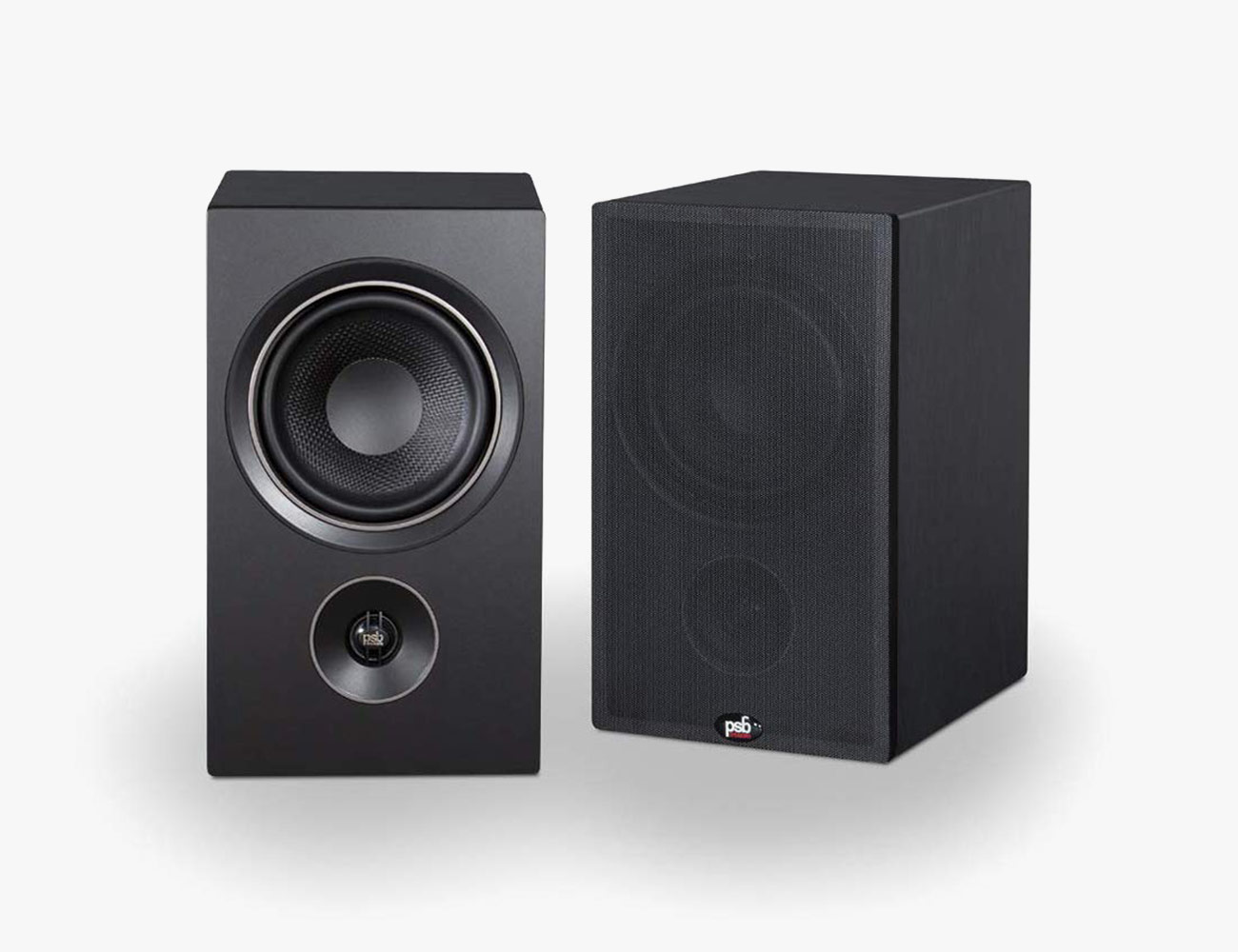
2. PSB Alpha P5

PSB have been manufacturing award-winning loudspeakers for over 40 years. Audio industry legend Paul Barton plays a significant role at Lenbrook (NAD, PSB, Bluesound) designing not only the PSB and Bluesound loudspeakers, but also the NAD headphones. Rather than pursue building cost-no-object loudspeakers which Barton could do with his access to significant R&D resources, he has focused on the entry-level and products like the Alpha P5 that are remarkable loudspeakers.

Best Budget Bookshelf Loudspeaker

Price: $400/pair
From: amazon.com

What We Like: The Alpha P5 have a lot of competition below $600 but they manage to win the day with an impressive level of transparency, detail and dynamic punch that works with almost every recording you try. The midrange is superb and the bass response from such a small two-way pair of loudspeakers is resoundingly taut and agile even with electronica and hip-hop and driven with entry-level integrated amplifiers. Also the build quality is very high for the price. You can drive these with 35-50 watts and wipe the floor with any wireless loudspeaker for many years to come.

What We Don’t Like: The Alpha P5 sound a lot better with superior amplifiers and that will force you to stretch your budget. The top end can sound slightly etched as compared to the midrange and low end which are far more balanced. The Alpha P5 start to lose their remarkably coherency when you push them too hard – not ideal for blasting Iron Maiden or Tool at really loud listening levels.

3. Wharfedale EVO4.2

Wharfedale is one of the oldest loudspeaker manufacturers in the world and one of the best at designing affordable high-end loudspeakers that can really reproduce a full-range sound that won’t crush your bank account. The EVO Series is a rather radical departure from the acclaimed Diamond range. They not only look more refined but also sound dramatically more polished and dynamic. They’re built overseas to keep the price down, and you’ll be grateful when you open your wallet.

Best Affordable Full-Range Bookshelf Loudspeaker

Price: $1,000 / pair
From: amazon.com

What We Like: The EVO4.2 sound positively like floor-standing loudspeakers when positioned on solid stands and they don’t require a subwoofer either. Midrange is clean sounding with a warm tonal balance that makes them ideal for a lot of solid-state and tube amplifiers. These are not very hard loudspeakers to drive and they can play very loudly without losing any sense of control or focus. Plus, they’re built like tanks and a remarkable value for the money. AMT ribbon tweeter has remarkable extension and a highly detailed presentation that will illuminate better sounding recordings.

What We Don’t Like: The EVO4.2 require heavy-duty stands – prepare to spend $300-500 for a pair that will do these loudspeakers justice. The slightly laid-back presentation might make some listeners think they are not ideal for rock, metal, electronica – and they would be 100 percent wrong if they don’t give them a chance. Beware: these are capable of taking you down the audiophile rabbit hole where you’ll spend years trying every amplifier you can to see what else they can do.

4. Dynaudio Focus 20 XD

This Danish loudspeaker giant has decades of experience designing and building some of the world’s best midrange/woofers and tweeters, and a real understanding of what 21st-century music listeners expect in an active/wireless system. The Focus 20 XD incorporate a very powerful 150-watt amplifier inside each speaker and support for high-resolution digital audio streaming. Like everything they do, the Dynaudio Focus 20 XD are built to the highest standards and benefit from some 40 years of driver research that give them a serious sonic advantage.

Best Active/Wireless Bookshelf Loudspeaker

Price: $6,000
From: crutchfield.com

What We Like: Some may not immediately like their laid-back presentation, but it works better than most for long-term listening at moderate-to-loud volume levels. Dynaudio builds world-class tweeters and the result is a very smooth, airy and detailed top end that makes even horrible recordings easy to digest. The Focus 20 XD can completely vanish in your listening space on good stands reproducing a deep and relatively wide soundstage. Bass response is articulate. The internal amplifier maintains a really strong grip on the woofer but this loudspeaker is not going to shake your room. If you prize midrange refinement and tonal accuracy over a front-row presentation, the Focus 20 XD will be for you. The ability to tweak the loudspeaker to match your room with the rear controls and app is a huge plus.

What We Don’t Like: Being tied to an ecosystem isn’t going to be for everyone. The laid-back presentation will not excite you right away but the Focus 20 XD will grow on you the more you listen and discover little nuances in each recording. These are not bass crunching loudspeakers for those who need that level of low end punch. Require expensive stands to really strut their stuff.

Why Bookshelf Speakers?

Smart speakers have taken a considerable slice of the loudspeaker market over the past twenty-four months, with Amazon and Google both announcing superior-sounding versions of their Echo and Google Home smart speakers, Apple releasing its first-ever smart speaker, and traditional speaker companies, like Bose and Sonos, also getting in on the action. With their ease of setup, their ability to control your smart home gadgets and answer questions, as well as wireless play with other smart speakers, it’s no wonder that smart speakers have traditional loudspeaker manufacturers running scared.

But there will always be a market for bookshelf speakers. Why? Because stereo sound is special. Music that was recorded in stereo, needs to be listened to in that format unless we are content with listening to single loudspeakers again that attempt to simulate stereo or even surround sound with multiple drivers packed into an enclosure the size of a coffee can. Stereo bookshelf loudspeakers do a rather convincing job recreating the soundstage; the physical space (studio, garage, music hall) where the recording was made and that illusion of being there with your favorite artist is a big part of the experience. They also reproduce the scale of the recording in a far more convincing way; crank Led Zeppelin’s “Kashmir” through an Apple HomePod and you will discover just how poorly smart speakers reproduce the dynamics of a challenging track.

Active Versus Passive

Wireless smart speakers are also limited by the amplification that the manufacturer has stuffed inside; space limitations almost dictate the use of Class D or switching amplifiers that are more efficient than traditional linear amplifiers, which require large heatsinks to dissipate heat. Class D amplifiers have improved greatly in recent years in regard to sound quality and require less space, are cheaper, and weigh less.

If you really care about sound quality, you have plenty of passive (which require amplification) and active loudspeaker (with built-in amplification) options to select from. Passive loudspeakers are more flexible as you can experiment with different types of amplifiers, DACs, and placement options. Active loudspeakers are a better option for listeners who don’t want the added expense of multiple components, and an equipment rack filled with cables. The trade-off with any active loudspeaker is that you are committed to how the final product sounds. There is no way to try another amplifier or DAC (Digital-to-Analog Converter) to alter the sound. Active loudspeakers also require at least one of the loudspeakers to be plugged into the wall; limiting how you set the speaker up in your space. One thing is for certain, there is no shortage of affordable passive or active bookshelf loudspeakers for all types of spaces.

Analog or Wireless

It’s also worth considering wireless bookshelf speakers if you want the option to stream audio straight from your laptop, tablet or computer. A lot of newer models have either built-in wi-fi, Bluetooth or both. In addition to being really easy to use, this added connectivity gives wireless bookshelf speakers a few distinct advantages over bookshelf loudspeakers. They don’t require a direct connection to both an amplifier and source, like traditional analog speakers. They have fewer restrictions as to set-up locations or built-in amplification. And they most likely support the streaming services that you already pay for.

In the past, the major Achilles’ heel for wireless loudspeakers was sound quality, but that has taken a major leap forward in recent years, with products like the KEF LS50 Wireless and Devialet Phantoms. Wireless loudspeakers now feature high-performance internal amplification, phono pre-amplifiers, DACs, and support for major streaming platforms such as Spotify Connect, Airplay 2, Tidal, Pandora, and others. The one thing to always remember with all wireless loudspeakers is that they still require a power source — they’ll take up a wall outlet — and some wireless models require a tether from the master loudspeaker to the slave as the amplification is only built into one speaker.

The Best Bookshelf Speakers of 2020

The guide to the best bookshelf loudspeakers of 2020 covers everything you need to know before you buy your next pair of audio equipment. We tested a whole host of speakers to find which ones will make the best addition to your home stereo system.

The Best Bookshelf Loudspeakers of 2020

Bookshelf Speakers 101

1. Q Acoustics Concept 300

Q Acoustics is a relatively new loudspeaker brand on this continent but it’s one that you should pay attention to. Having already made a significant dent in the U.K. and Europe against some rather stiff competition from rivals like KEF, B&W and Wharfedale with its affordable but over-achieving 3000-Series, Q Acoustics is now pushing hard into the high-end with the Concept 300 stand-mounted full-range bookshelf loudspeaker.

Best Overall Bookshelf Loudspeaker

Price: $4,499/pair
From: amazon.com

What We Like: The Concept 300 deliver unrivaled levels of coherency, clarity and presence in a stand-mounted design that can compete with significantly more expensive loudspeakers – not that $4,999 isn’t rather expensive for a two-way bookshelf design. Low-end performance is surprisingly deep and taut making them adept with all kinds of music and they will never be the weak link in your system. The slightly scary-looking Tensegrity tripod stand utilizes cutting edge acoustic isolation and plays a significant role in the sound of the Concept 300 – image solidity and soundstage depth are first-rate. Paired with the right amplifier, these are end-game loudspeakers that also look the part.
What We Don’t Like: The Concept 300 need a really good amplifier to really shine. Not the last word in dynamic punch. Stand design might make you nervous even though they work amazingly well.

2. PSB Alpha P5

PSB have been manufacturing award-winning loudspeakers for over 40 years. Audio industry legend Paul Barton plays a significant role at Lenbrook (NAD, PSB, Bluesound) designing not only the PSB and Bluesound loudspeakers, but also the NAD headphones. Rather than pursue building cost-no-object loudspeakers which Barton could do with his access to significant R&D resources, he has focused on the entry-level and products like the Alpha P5 that are remarkable loudspeakers.

Best Budget Bookshelf Loudspeaker

Price: $400/pair
From: amazon.com

What We Like: The Alpha P5 have a lot of competition below $600 but they manage to win the day with an impressive level of transparency, detail and dynamic punch that works with almost every recording you try. The midrange is superb and the bass response from such a small two-way pair of loudspeakers is resoundingly taut and agile even with electronica and hip-hop and driven with entry-level integrated amplifiers. Also the build quality is very high for the price. You can drive these with 35-50 watts and wipe the floor with any wireless loudspeaker for many years to come.

What We Don’t Like: The Alpha P5 sound a lot better with superior amplifiers and that will force you to stretch your budget. The top end can sound slightly etched as compared to the midrange and low end which are far more balanced. The Alpha P5 start to lose their remarkably coherency when you push them too hard – not ideal for blasting Iron Maiden or Tool at really loud listening levels.

3. Wharfedale EVO4.2

Wharfedale is one of the oldest loudspeaker manufacturers in the world and one of the best at designing affordable high-end loudspeakers that can really reproduce a full-range sound that won’t crush your bank account. The EVO Series is a rather radical departure from the acclaimed Diamond range. They not only look more refined but also sound dramatically more polished and dynamic. They’re built overseas to keep the price down, and you’ll be grateful when you open your wallet.

Best Affordable Full-Range Bookshelf Loudspeaker

Price: $1,000 / pair
From: amazon.com

What We Like: The EVO4.2 sound positively like floor-standing loudspeakers when positioned on solid stands and they don’t require a subwoofer either. Midrange is clean sounding with a warm tonal balance that makes them ideal for a lot of solid-state and tube amplifiers. These are not very hard loudspeakers to drive and they can play very loudly without losing any sense of control or focus. Plus, they’re built like tanks and a remarkable value for the money. AMT ribbon tweeter has remarkable extension and a highly detailed presentation that will illuminate better sounding recordings.

What We Don’t Like: The EVO4.2 require heavy-duty stands – prepare to spend $300-500 for a pair that will do these loudspeakers justice. The slightly laid-back presentation might make some listeners think they are not ideal for rock, metal, electronica – and they would be 100 percent wrong if they don’t give them a chance. Beware: these are capable of taking you down the audiophile rabbit hole where you’ll spend years trying every amplifier you can to see what else they can do.

4. Dynaudio Focus 20 XD

This Danish loudspeaker giant has decades of experience designing and building some of the world’s best midrange/woofers and tweeters, and a real understanding of what 21st-century music listeners expect in an active/wireless system. The Focus 20 XD incorporate a very powerful 150-watt amplifier inside each speaker and support for high-resolution digital audio streaming. Like everything they do, the Dynaudio Focus 20 XD are built to the highest standards and benefit from some 40 years of driver research that give them a serious sonic advantage.

Best Active/Wireless Bookshelf Loudspeaker

Price: $6,000
From: crutchfield.com

What We Like: Some may not immediately like their laid-back presentation, but it works better than most for long-term listening at moderate-to-loud volume levels. Dynaudio builds world-class tweeters and the result is a very smooth, airy and detailed top end that makes even horrible recordings easy to digest. The Focus 20 XD can completely vanish in your listening space on good stands reproducing a deep and relatively wide soundstage. Bass response is articulate. The internal amplifier maintains a really strong grip on the woofer but this loudspeaker is not going to shake your room. If you prize midrange refinement and tonal accuracy over a front-row presentation, the Focus 20 XD will be for you. The ability to tweak the loudspeaker to match your room with the rear controls and app is a huge plus.

What We Don’t Like: Being tied to an ecosystem isn’t going to be for everyone. The laid-back presentation will not excite you right away but the Focus 20 XD will grow on you the more you listen and discover little nuances in each recording. These are not bass crunching loudspeakers for those who need that level of low end punch. Require expensive stands to really strut their stuff.

Why Bookshelf Speakers?

Smart speakers have taken a considerable slice of the loudspeaker market over the past twenty-four months, with Amazon and Google both announcing superior-sounding versions of their Echo and Google Home smart speakers, Apple releasing its first-ever smart speaker, and traditional speaker companies, like Bose and Sonos, also getting in on the action. With their ease of setup, their ability to control your smart home gadgets and answer questions, as well as wireless play with other smart speakers, it’s no wonder that smart speakers have traditional loudspeaker manufacturers running scared.

But there will always be a market for bookshelf speakers. Why? Because stereo sound is special. Music that was recorded in stereo, needs to be listened to in that format unless we are content with listening to single loudspeakers again that attempt to simulate stereo or even surround sound with multiple drivers packed into an enclosure the size of a coffee can. Stereo bookshelf loudspeakers do a rather convincing job recreating the soundstage; the physical space (studio, garage, music hall) where the recording was made and that illusion of being there with your favorite artist is a big part of the experience. They also reproduce the scale of the recording in a far more convincing way; crank Led Zeppelin’s “Kashmir” through an Apple HomePod and you will discover just how poorly smart speakers reproduce the dynamics of a challenging track.

Active Versus Passive

Wireless smart speakers are also limited by the amplification that the manufacturer has stuffed inside; space limitations almost dictate the use of Class D or switching amplifiers that are more efficient than traditional linear amplifiers, which require large heatsinks to dissipate heat. Class D amplifiers have improved greatly in recent years in regard to sound quality and require less space, are cheaper, and weigh less.

If you really care about sound quality, you have plenty of passive (which require amplification) and active loudspeaker (with built-in amplification) options to select from. Passive loudspeakers are more flexible as you can experiment with different types of amplifiers, DACs, and placement options. Active loudspeakers are a better option for listeners who don’t want the added expense of multiple components, and an equipment rack filled with cables. The trade-off with any active loudspeaker is that you are committed to how the final product sounds. There is no way to try another amplifier or DAC (Digital-to-Analog Converter) to alter the sound. Active loudspeakers also require at least one of the loudspeakers to be plugged into the wall; limiting how you set the speaker up in your space. One thing is for certain, there is no shortage of affordable passive or active bookshelf loudspeakers for all types of spaces.

Analog or Wireless

It’s also worth considering wireless bookshelf speakers if you want the option to stream audio straight from your laptop, tablet or computer. A lot of newer models have either built-in wi-fi, Bluetooth or both. In addition to being really easy to use, this added connectivity gives wireless bookshelf speakers a few distinct advantages over bookshelf loudspeakers. They don’t require a direct connection to both an amplifier and source, like traditional analog speakers. They have fewer restrictions as to set-up locations or built-in amplification. And they most likely support the streaming services that you already pay for.

In the past, the major Achilles’ heel for wireless loudspeakers was sound quality, but that has taken a major leap forward in recent years, with products like the KEF LS50 Wireless and Devialet Phantoms. Wireless loudspeakers now feature high-performance internal amplification, phono pre-amplifiers, DACs, and support for major streaming platforms such as Spotify Connect, Airplay 2, Tidal, Pandora, and others. The one thing to always remember with all wireless loudspeakers is that they still require a power source — they’ll take up a wall outlet — and some wireless models require a tether from the master loudspeaker to the slave as the amplification is only built into one speaker.

5 Key Features of Samsung’s Tiny New Foldable Smartphone

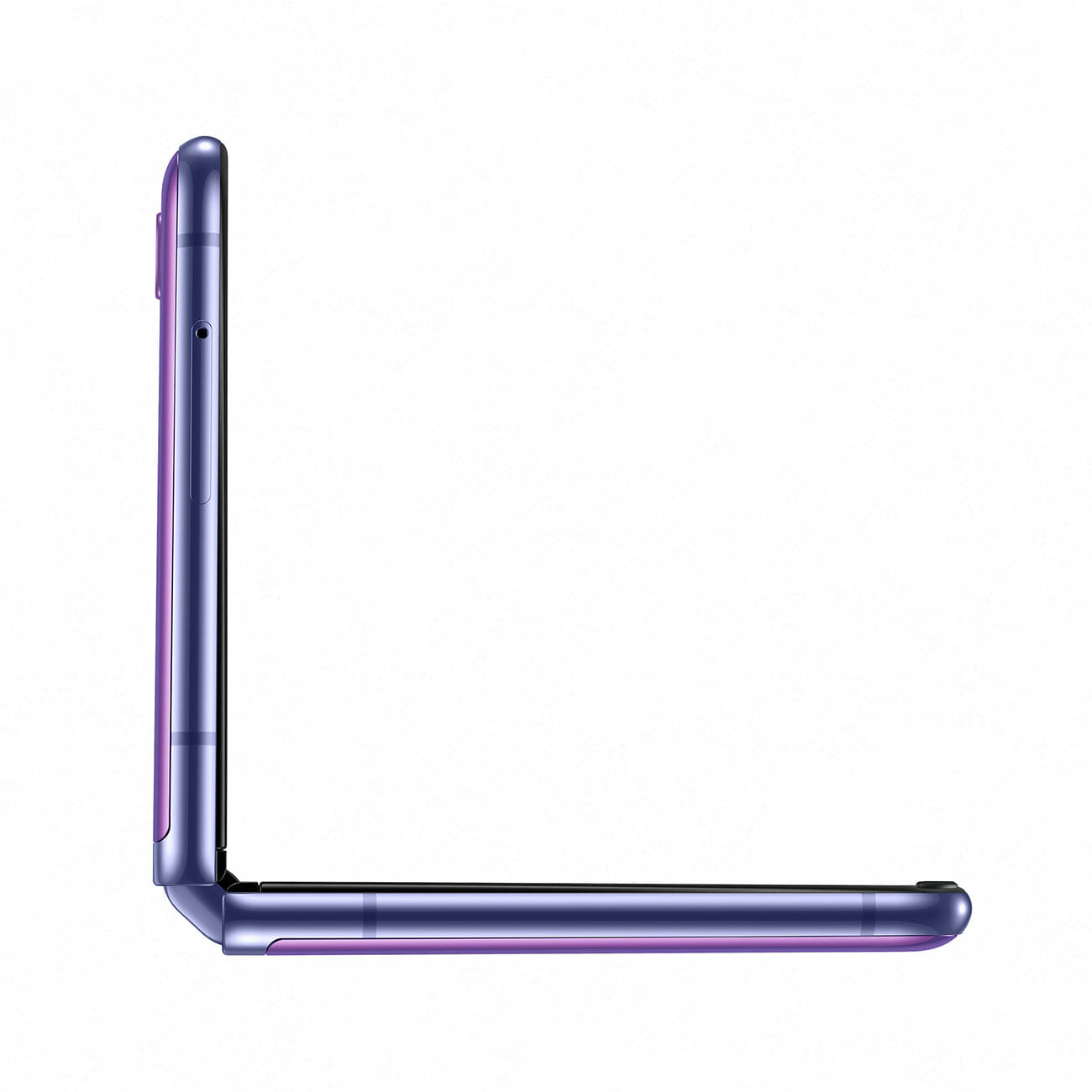
Samsung has officially announced its next-generation foldable smartphone, the Galaxy Z Flip, and unlike the Galaxy Fold, the company’s previous foldable smartphone, the new Galaxy Z Flip folds vertically just like the recently released Motorola Razr. The idea is that it’s way more pocketable. But the new smartphone is unique in a lot of other key ways. Here’s what you need to know.

It’s not that expensive.

The Galaxy Z Flip will be available to order on February 14 and it cost $1,380. It’s still expensive, yes, but not so much considering the Galaxy Fold still demands a $1,980 price tag. Also, the Galaxy S20 Ultra, Samsung’s newest big-screen and premium smartphone, starts at $1,400; meaning the Galaxy Z Flip is ever so slightly cheaper.

It’s foldable glass, not plasic.

The display of the Galaxy Z Flip promises to be even more durable than the display of the Galaxy Fold. That’s because it’s the first foldable smartphone to use foldable glass instead of plastic, thus supposedly making it a little more durable. Samsung claims that the Galaxy Z Flip can be folded over 200,000 times.

An all-new “Flex Mode.”

Samsung gave the Galaxy Z Flip a brand-new type of hinge for a smartphone. They’re calling it a “free-stop hinge” and the gist is that you can stop the hinge whenever you want, just like the hinge on a laptop, and the Galaxy Z Flip will rest in place on a surface. When using it in this “hands-free” way, Samsung is calling this the Z Flip’s “Flex Mode.”

More ways to use a split-screen.

When using the Galaxy Z Flip in this “Flex Mode,” it actually divides the top and bottom displays so you can use them as two separate screens. For instance, when flipping through your Photo Gallery, the bottom screen turns into a trackpad and allows you to easily swipe through photos. Another cool thing is that you can take night-time hyperlapses without a tripod; just prop the Galaxy Z Flip in place, hit the shutter button, wait a few seconds and then you’ve got yourself a hyperlapse.

Take selfies when folded.

When folded into its tiny form factor, the Galaxy Z Flip is a little more capable than you’d think. It has a neat 1-inch cover display, which is barely larger than the smartphone’s camera system, that can show you things like Caller ID and some push notifications. This tiny cover display can also work as a viewfinder for the selfie camera, so you see and get yourself in frame without having to open the smartphone.

Note: Purchasing products through our links may earn us a portion of the sale, which supports our editorial team’s mission. Learn more here.
Tucker Bowe

Tucker Bowe has been on Gear Patrol’s editorial team since 2014. As a Tech Staff Writer, he tracks everything in the consumer tech space, from headphones to smartphones, wearables to home theater systems. If it lights up or makes noise, he probably covers it.

More by Tucker Bowe | Follow on Instagram · Twitter · Contact via Email

The 6 Most Important Things About Samsung’s New Flagship Smartphones

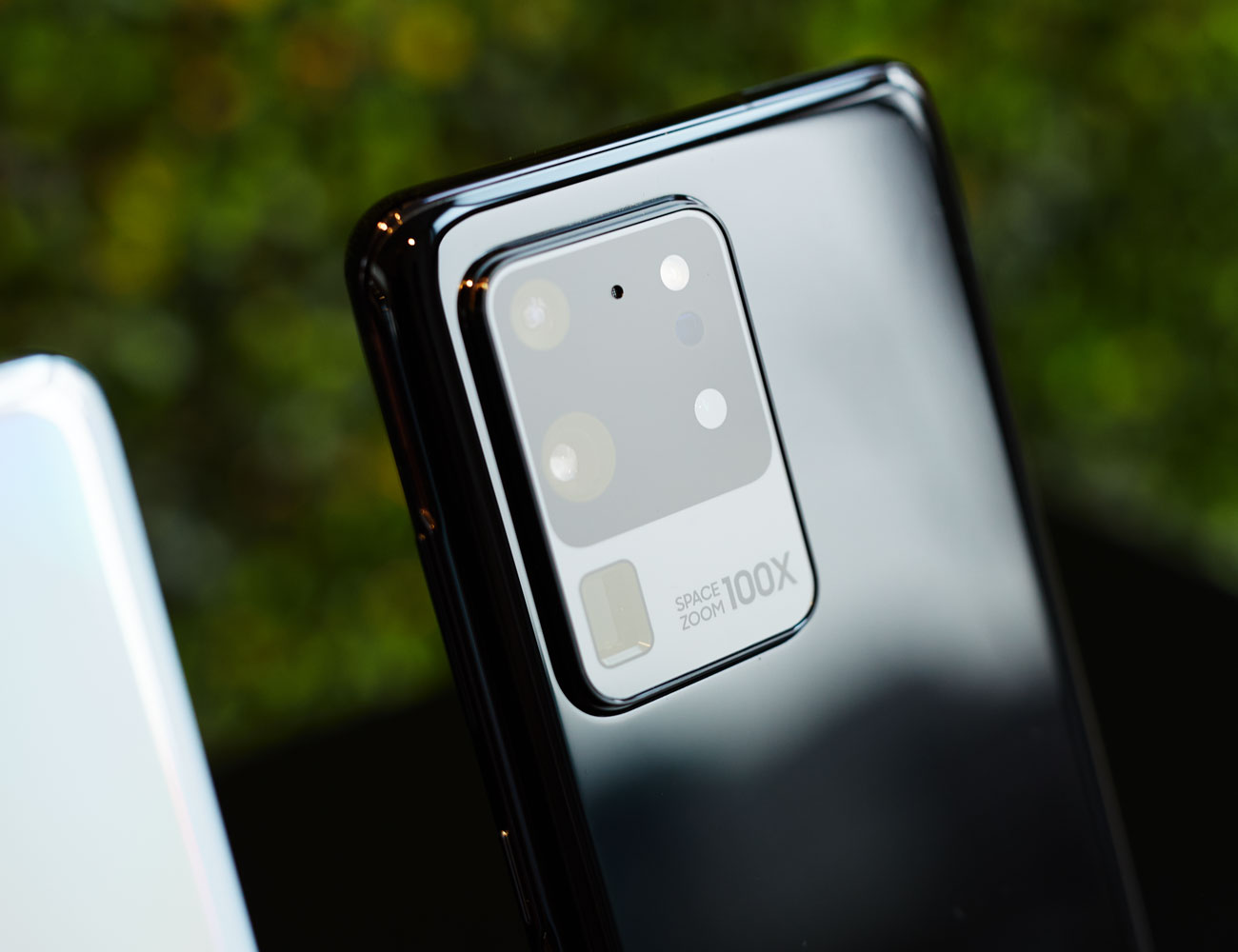
Samsung just announced its latest pack of flagship smartphones. In total, there are three. The Galaxy S20 (6.2″) and the Galaxy S20+ (6.7″) are the next generations of the Galaxy S10 and Galaxy S10+ smartphones, complete with a new naming scheme. And then there’s the Galaxy S20 Ultra (6.9″), which is an all-new supercharged phone with an unprecedentedly good camera.

Save for the huge rectangular camera systems on the back, the Galaxy S20s look very similar to their predecessors, but there are a number of huge differences hiding in plain sight. Here’s what you need to know:

A Better Camera with Big, Big Zoom

Cameras continue to be a primary reason people upgrade their smartphones and Samsung’s new Galaxy S20 family goes big on this front. According to Samsung, the Galaxy S20’s sensor is three times larger than the Galaxy S10’s, giving it better low-light shooting capabilities, better clarity and the ability to capture super high-res photos (up to 64-megapixels on the Galaxy S20 and S20+, and up to 108-megapixels on the Galaxy S20 Ultra). That extra resolution is crucial when you are trying to zoom in digitally or crop in the latter of which helps you shoot better landscape or group photos, or zoom-in or crop them in post.

And the zoom is where Samsung Galaxy S20 smartphones really stand out. The Galaxy S20 Ultra, the most impressive of the bunch in this regard, has a sideways optical zoom lens tucked into its camera bump, sporting its own 48-megapixel sensor. The result is that it can zoom up to 10x optically, that is to say, with no decrease in quality. And from there, it can zoom up to 100x digitally, though you’ll suffer some loss of quality at extremes like that. On the Galaxy S20 and S20+, the optical zoom is 3x, with a max of 30x digitally. This is still decently better than the 2x optical zoom and 10x digital zoom on the Galaxy S10.

8K Video and Night Hyperlapses

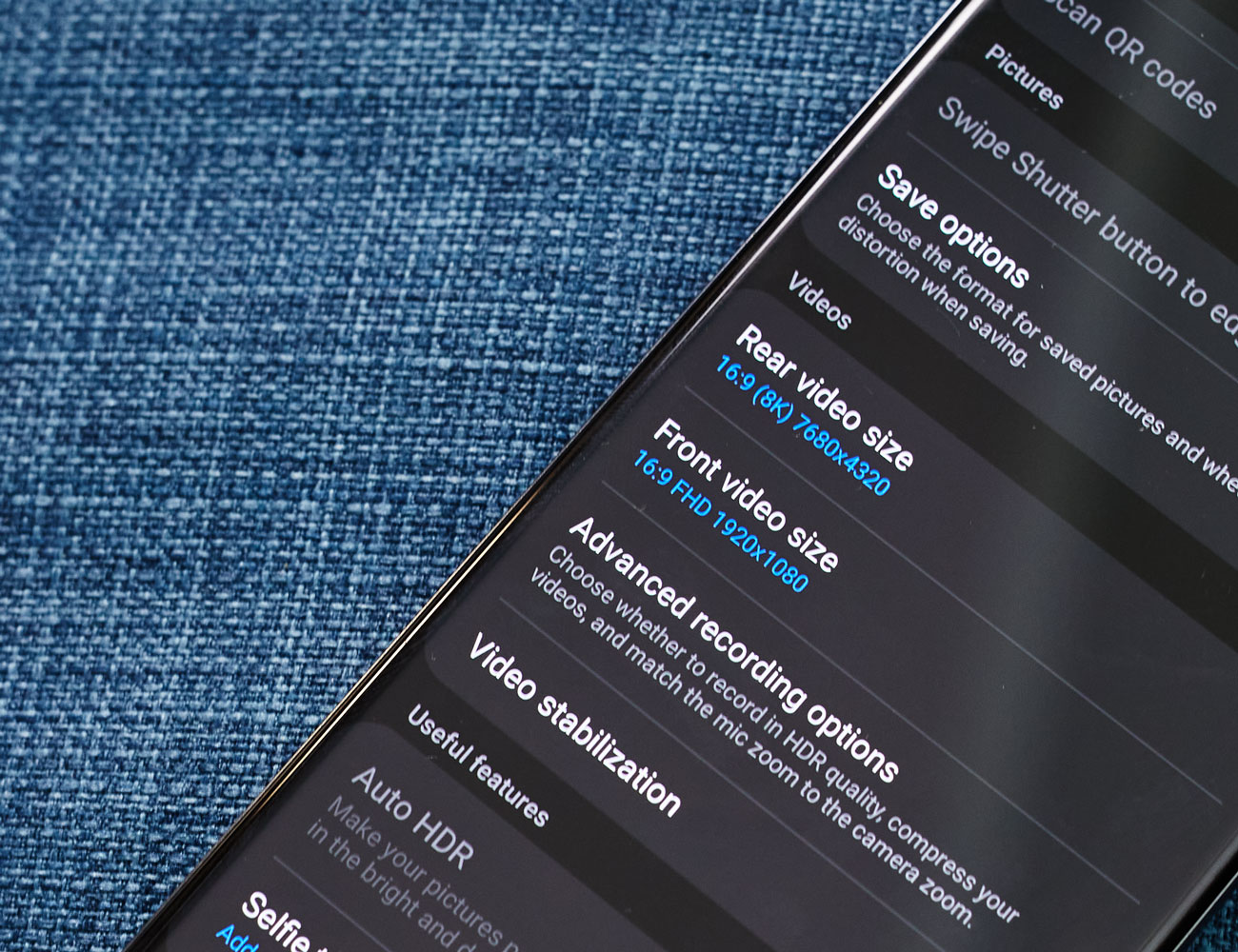
All three Galaxy S20 smartphones are, for the first time, capable of recording 8K video at 24fps. They have Samsung’s built-in tools that let you edit videos in 8K or downconvert them to 4K if you want to share with somebody who doesn’t have a device that can view 8K content. Samsung improved the image stabilization when recording videos, as well.

Additionally, all Galaxy S20 smartphones have a new “Night Hyperlapse” feature that allows you, with a simple tap, to shoot long exposures at night. There’s a new “Single Take” mode that allows the camera to take 10 seconds of video, but the smartphone will also take photos with all its different lenses, so you’ll get a lot of different photos and a 10-second video.

Bring on 5G, Baby.

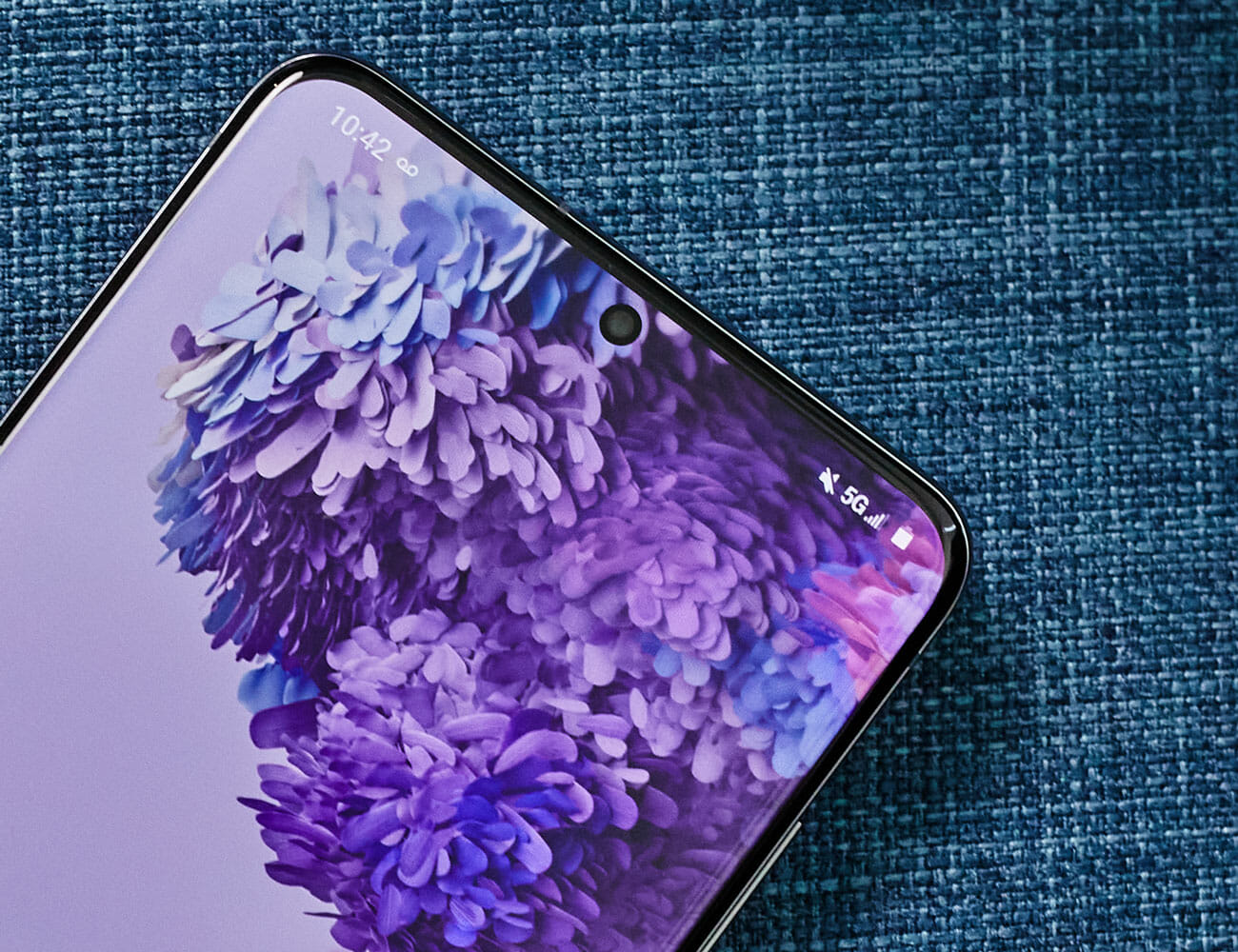
The Galaxy S20, S20+ and S20 Ultra is Samsung’s first family of smartphones that are all 5G-enabled. Last year, Samsung launched the Galaxy S10 5G, which was the company’s first 5G smartphone, but it was more expensive and very limited. This year they’re all getting that 5G treatment by default — but they don’t all sport the same 5G speed.

The Galaxy S20+ and S20 Ultra — the two bigger smartphones and more expensive smartphones — will have slightly better and faster 5G capabilities than on the regular Galaxy S20. This is because they support both flavors of 5G, sub-6 and hyper-fast-but-extremely-short-range millimeter wave, while the Galaxy S20 only supports the slower but more broadly available sub-6. Essentially, this allows the Galaxy S20+ and S20 Ultra to unlock 5G’s most extreme speeds, but only if you have a plan that supports it and you’re inside the coverage range.

A 120Hz Refresh Rate

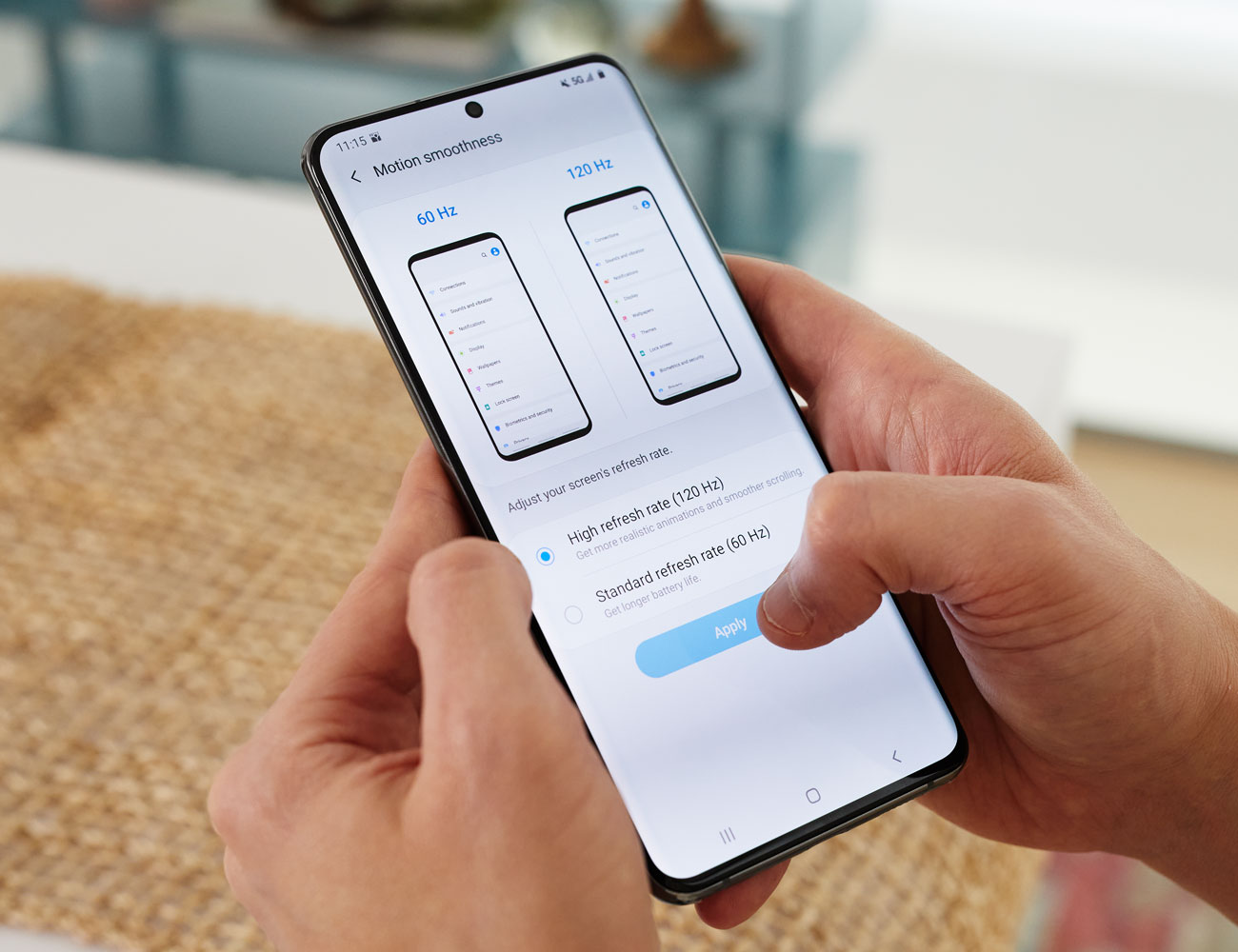
At first glance, it might seem like Samsung hasn’t done much to change the displays on its Galaxy S20 lineup. They’re still dynamic AMOLED and they look virtually identical. (The front camera still has that hole-punch design, which Samsung says the S20’s is slightly smaller than on the ones on the S10.) But these are Samsung’s first smartphones to have a 120Hz refresh rate, which is double the refresh rate on the S10, and gives on-screen animations an uncanny smoothness and makes them even better for mobile gaming (less lag, more accuracy).

Additionally and related to gaming, Microsoft’s Forza Street is going to be available on Galaxy devices, which is the first time you’ll be able to play the game on mobile.

Note: The default refresh rate on all Galaxy S20 smartphones is 60Hz, but you can change it to 120Hz in Settings. There’s no adaptive refresh rate like we’ve seen some other smartphones, where it automatically switches between 120Hz and 60Hz depending on what you’re doing.

A Cool New Way to Share Music

The Galaxy S20 has a feature called “Music Share” that allows you to share out your Bluetooth connection from your device to other devices. Essentially, if you are streaming music from your smartphone to a Bluetooth speaker or your car’s radio, “Music Share” allows your friend to connect to your smartphone (via Bluetooth) and then play their music. It eliminates the need to unpair and re-pair your smartphone. It’s an innovative way to distribute the DJ responsibilities at a party or on a long road trip.

Price, Availability and Everything Else

All of Samsung’s Galaxy S20 smartphones will come with a 25-watt charger in the box, and the S20 Ultra will support up to 45-watt charging. The base models for every smartphone will come with 12GB of RAM and 128GB of storage, with 512GB storage configurations available on the Galaxy S20+ and S20 Ultra.

Preorders for all Galaxy S20 devices will start on February 21 and run through March 5. They’ll be available to buy online and in stores on March 6. The Galaxy S20 starts at $1,000. The Galaxy S20+ starts at $1,200. And the Galaxy S20 Ultra starts at $1,400. If you pre-order any of these devices you’ll get a $100, $150 or $200 credit, respectively, to Samsung.com.

Save $100 on This Limited-Edition Commuter Bike

Priority Bicycles x Gear Patrol Commuter BikePriority Bicycles x Gear Patrol Commuter Bike

The Gear Patrol Commuter, made in tandem with Priority Bicycles, was inspired by — and tested on — the streets of New York City. Streamlined for your everyday grind, it a pairs a durable, easy-to-maintain feature set with an understated colorway you won’t find anywhere else. Buy Now: $899 $799

Note: Purchasing products through our links may earn us a portion of the sale, which supports our editorial team’s mission. Learn more here.

The Luxurious Caviar Cyberphone channels the Tesla Cybertruck

Elon Musk is full of fun and crazy ideas and Men’s Gear just loves it when he occasionally goes overboard. Last year, the debut of Tesla’s first all-electric pickup truck was a jaw-dropping experience. As the futuristic tank rolled on the stage what immediately caught our attention was the sharp angular design. The company claims the machine is not only a capable workhorse, but it can likewise withstand extreme abuse. Russian Jeweller Caviar pays homage to this awesome ride with the aptly named Cyberphone.

Don’t let the quirky name fool you because at its heart is Apple’s latest smartphone models. Caviar’s customisation services might over-the-top for regular folks, but for the brand’s affluent clientele, it is a small price for superior luxury.

Buyers can choose between an iPhone 11 Pro or iPhone 11 Pro Max. Furthermore, it is available in three storage options: 64 GB, 256 GB, or 512 GB. Both variants receive the same treatment with their size as the only contrast.

Pricing of the Caviar Cyberphone ranges from $5,960 all the way up to $7,140 for the range-topping combination. What makes these deluxe smartphones different from their standard versions is the complete rework of the housing.

Experts strip off the original enclosure of the iPhone 11 Pro and iPhone 11 Pro Max and replace it with a titanium body. Gone are the rounded aesthetics as a new angular frame with geometric surfaces adorn the handset.

Just as the Tesla Cybertruck promises outstanding protection, the Caviar Cyberphone flaunts one of its own. It comes with a titanium screen protection panel that uses a hinge mechanism to fold into an integrated stand. The company is only offering this lavish mobile phone in limited numbers.

Only from Caviar

Images courtesy of Caviar

16 Essential Apps the Gear Patrol Staff Can’t Live Without

There are over 2 million apps on the iOS App Store, over two million on the Google Play Store, and more than five million between them. Most of them, as I’m sure you’re well aware, are not worth the data it takes to download, but others are as crucial as your phone itself. Here are some of the apps that our staff just can’t live without.

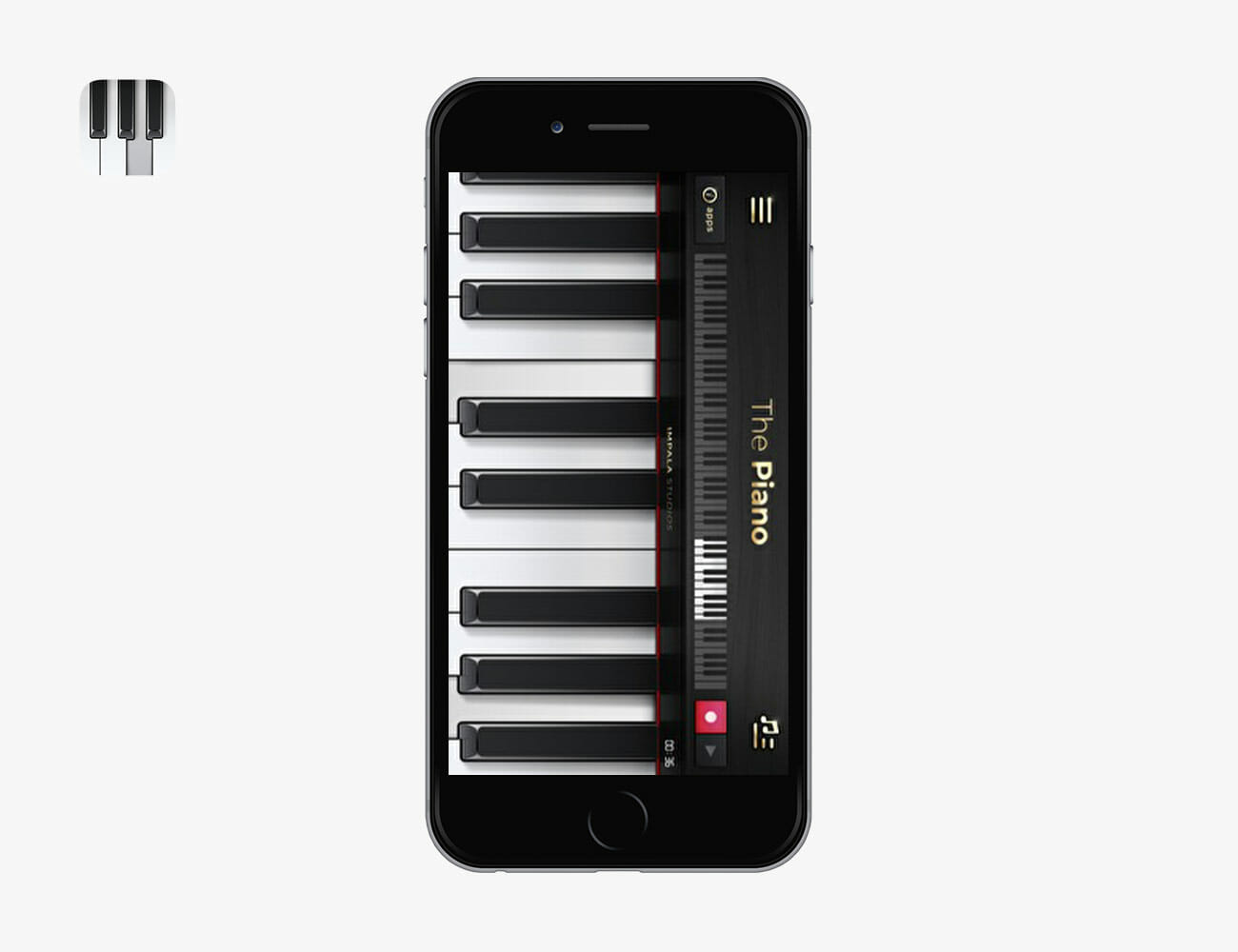
The Piano

“This app is straightforward and simple. No millennial upstart branding. It’s a piano. Sure, it has ‘features,’ but I just use it to keep my decent relative pitch in check. When I hear a song and I think I know what key it’s in, this app confirms or denies my inkling.” — Gerald Ortiz, Writer, Style

RiverApp
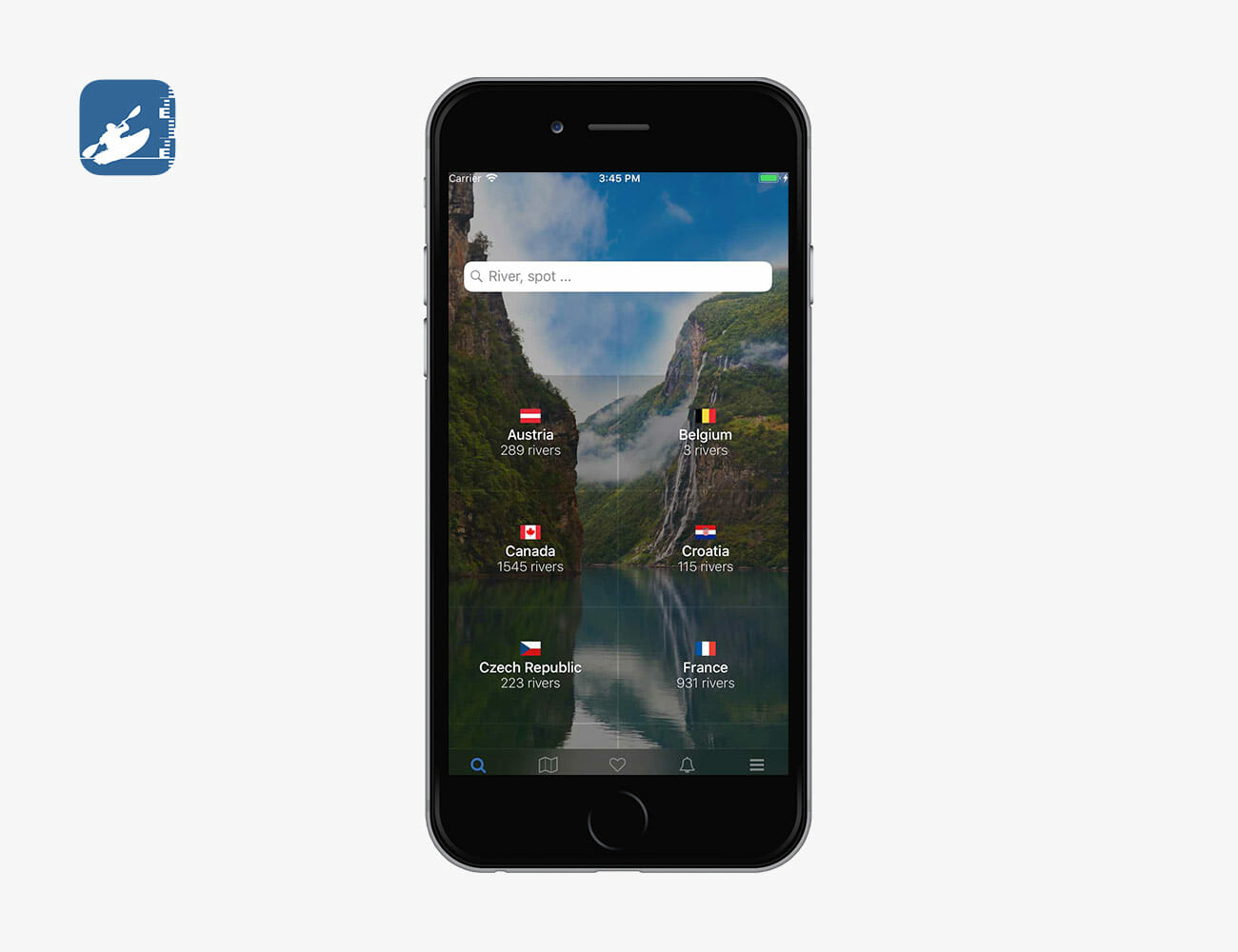
“RiverApp lets you check the flow of various rivers from around the world. Designed for kayakers, it aggregates info into an easy-to-use platform. Upgrade from the free version to set alerts, save favorite rivers and see historical flow information. Also makes a great app for anglers wanting to check water levels on your favorite trout streams.” — Jacob Sotak, Content Director, Gear Patrol Store

TD Ameritrade
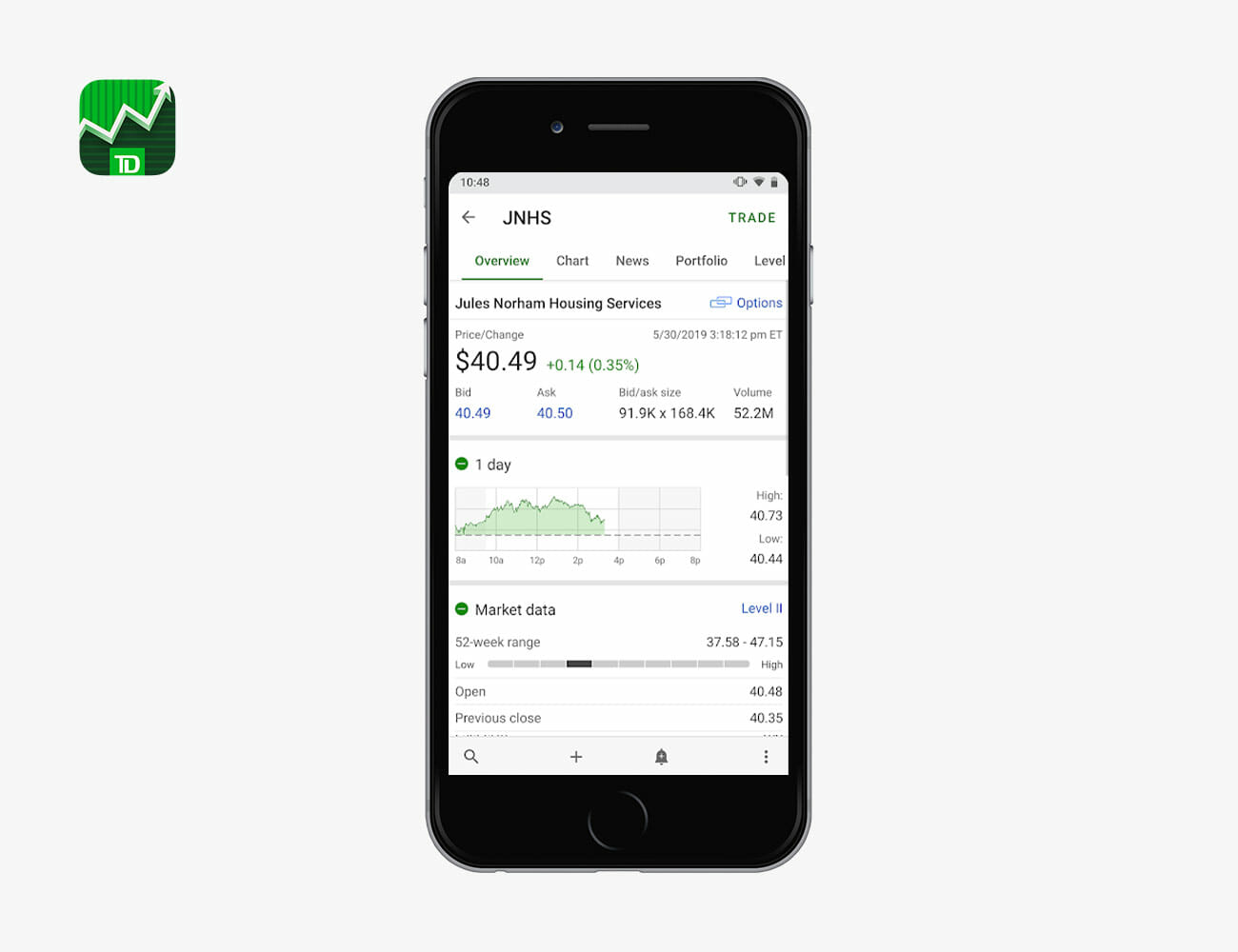
“I am under the illusion that I will be able to retire one day. When I want to shatter that illusion, I go look at my IRA, laid out for me in all its digital glory by TD Ameritrade in this intuitive app.” — Oren Hartov, Editor, Watches

park4night
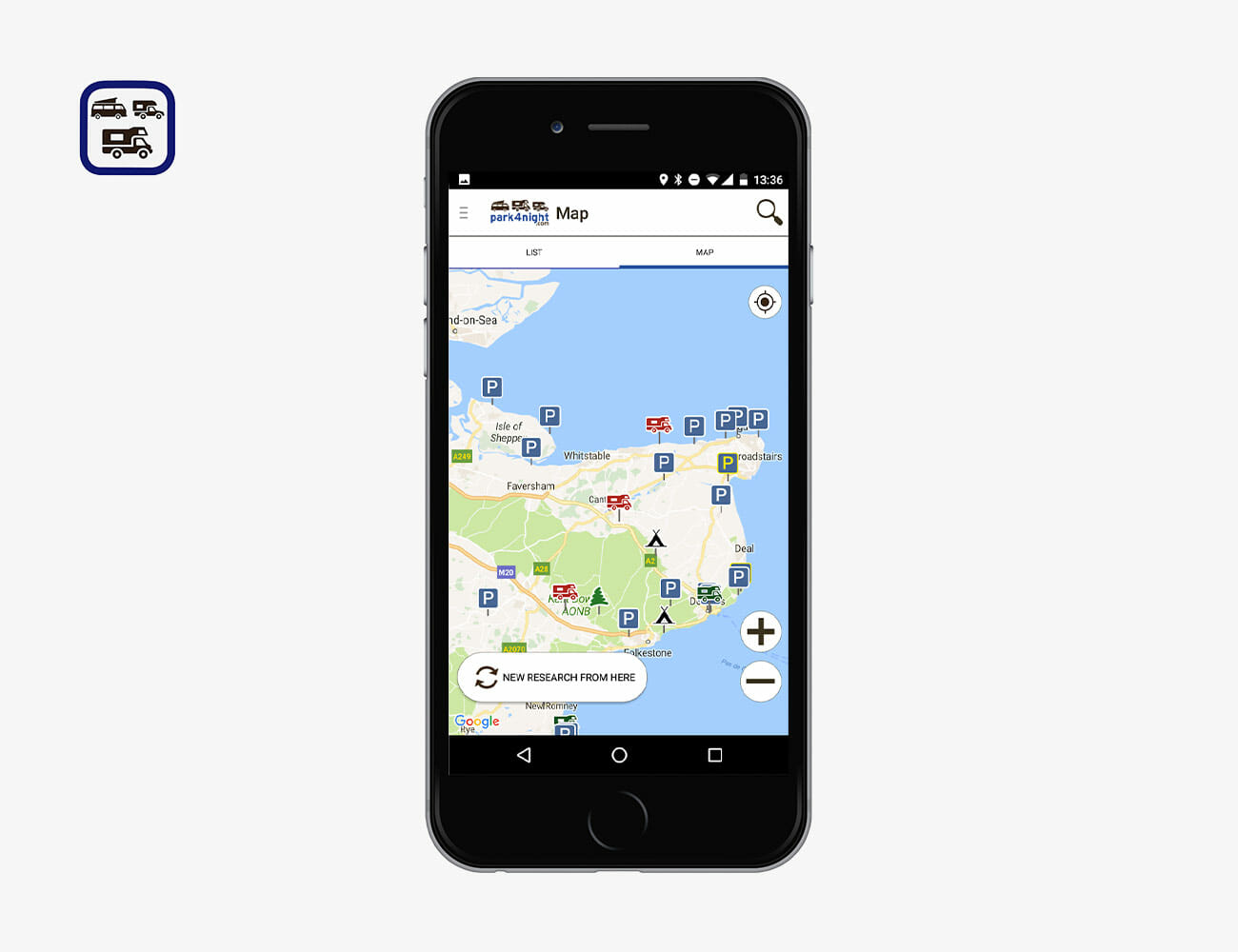
“This past fall, I lived out a long-held fantasy of mine: a #vanlife trip through part of Europe. The van was a 1981 Volkswagen and the destination was Portugal, where campervan camping in beach parking lots and up secret dirt roads is popular. This app, which categorizes camping spots by type and includes photos and reviews — a crucial piece in determining whether a place gets crowded or dirty or busted by the cops — is better than any guidebook you’ll find on the matter. Plus, it’s available in the US.” — Tanner Bowden, Writer, Outdoors & Fitness

Notes
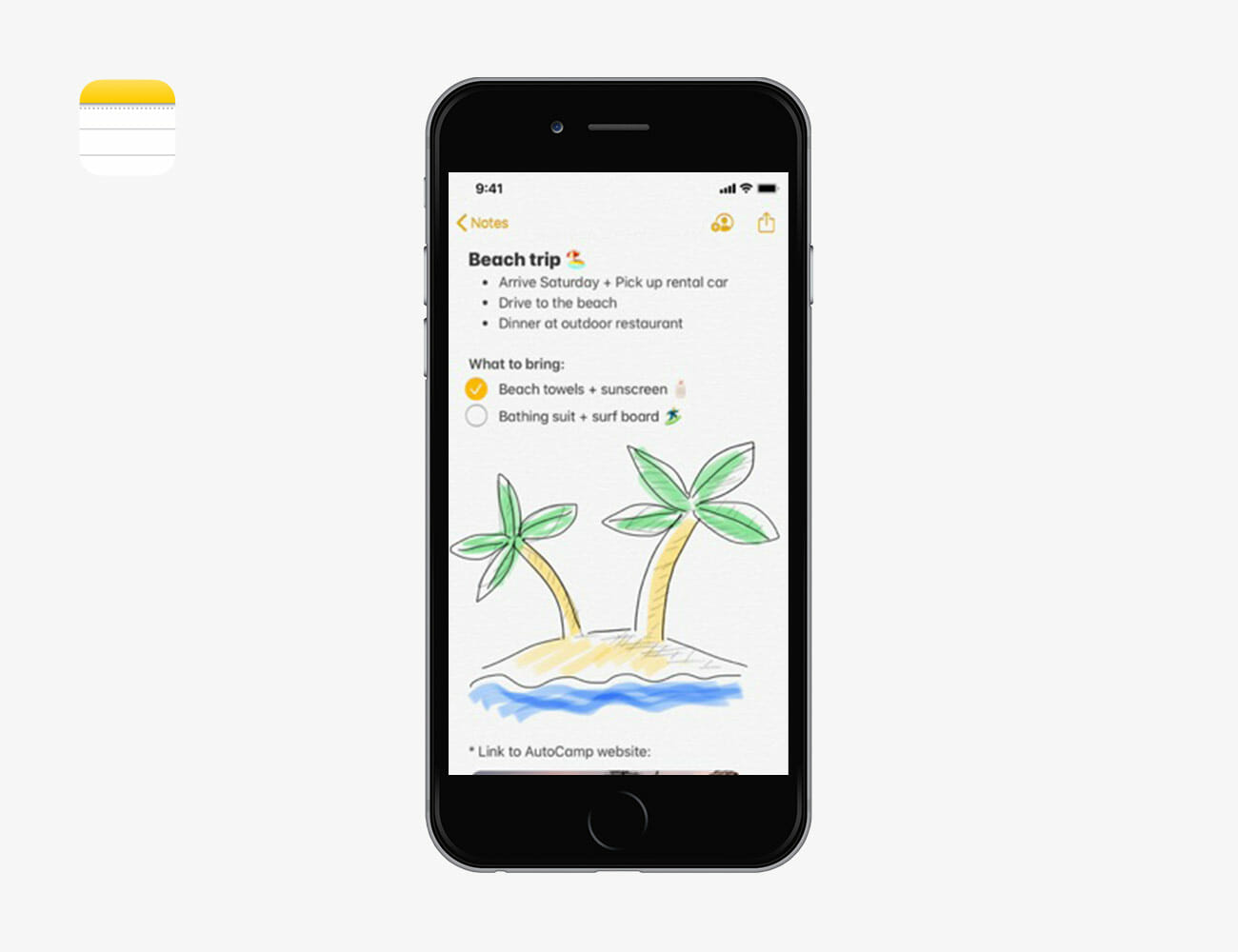
“This app languished for a while during the earlier iOS days, but in the past several iOS updates, Apple has made huge leaps forward. Today, Notes has become one of my key productivity apps and an app that I probably spend an inordinate amount of time in. Sure, I use it for note taking and places to jot inspiration, but where it’s become truly essential is with its addition of collaboration and stronger organizational tools. Now I have a collaborative ongoing, live to-do list that my wife populates with tasks she needs me to handle (I love that it moves finished items to the bottom), I can build tables in real time (I’m a table nerd) that I have synced live with my Apple laptops and the improvements in markup and scanning tools allow me to build longer, more robust memos long before I dive into Google Docs. I’m glad Apple has removed as much of that skeuomorphism UI mumbo jumbo from the app, improved search and added permission levels so you can share notes without letting people make changes – perfect when you have to make your friends accountable to bringing over the beer and chips for the Saturday BBQ. In short, Notes is essentially where I start nearly all my work and personal docs.” — Eric Yang, Founder and Editor-in-Chief

Audible
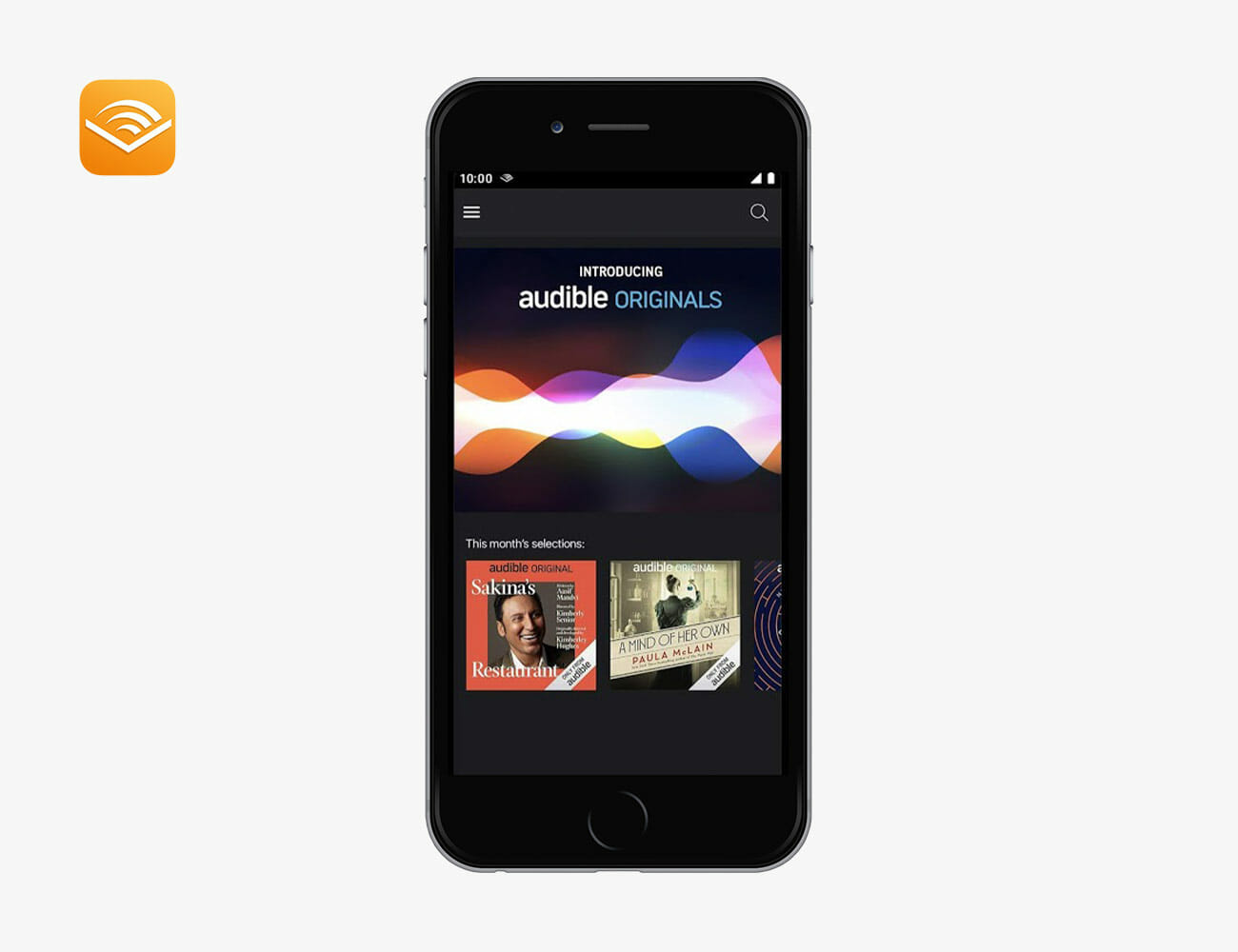
“Audiobooks have evolved greatly from the books on tape of yesteryear. With narrators like Nick Offerman, Meryl Streep, Samual L Jackson, and Tom Hanks (to name very few) your commute will be greatly improved with world class talent bringing new and old characters to life. Now that Audible’s allows for in-app iOS purchases, it’s the clear choice for audiobook enthusiasts.” — Andrew Siceloff, Director of Video

Snapseed
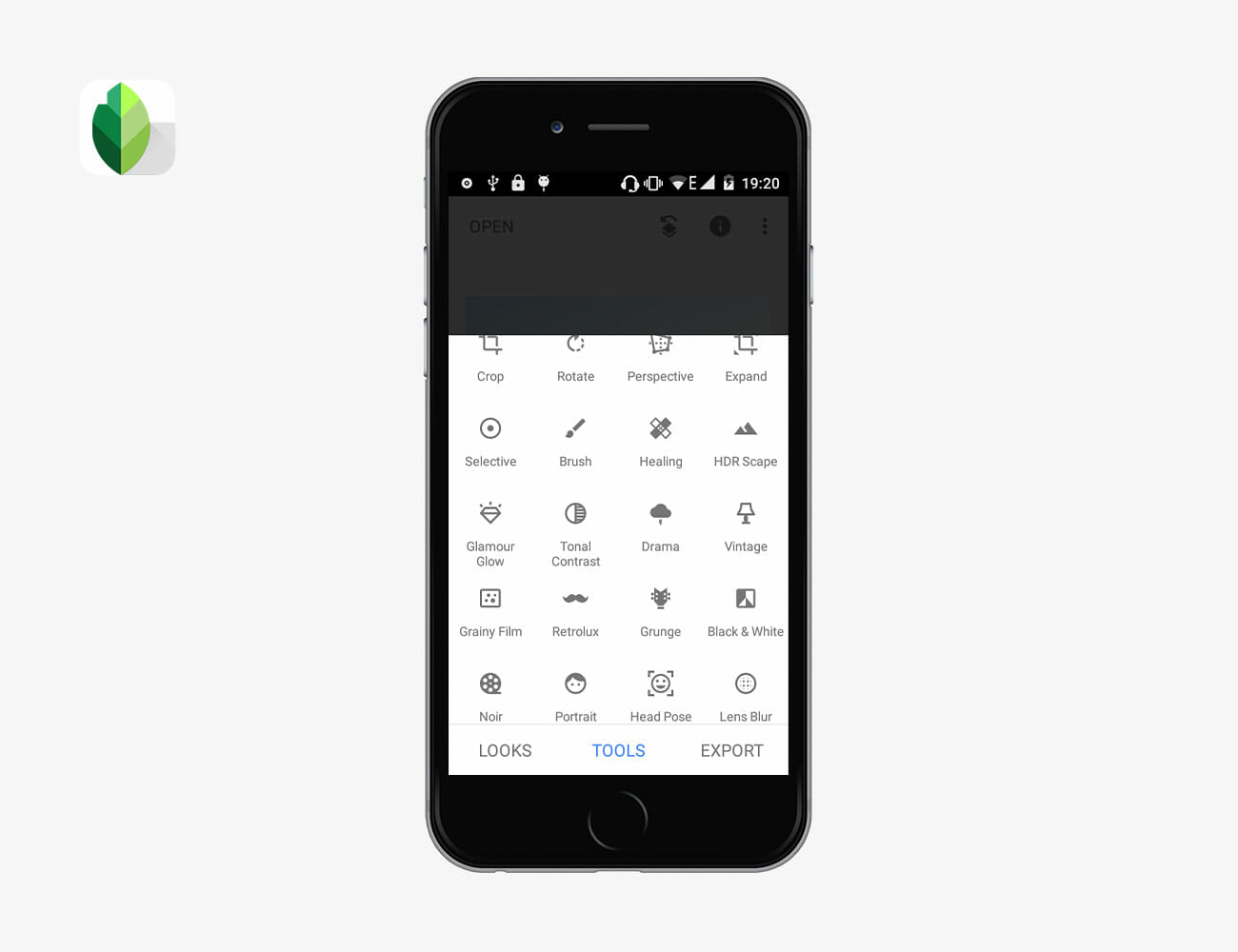
“Designed by Google, this is my go-to photo editing app on my iPhone, and I’ve tried a few. I don’t bother editing phone photos on the likes of the full desktop Lightroom and Photoshop, and Snapseed is simple to use but pretty powerful. Sure, you could use the filters, but you really get an app like this for the range of effects and control it offers. ” — Zen Love, Writer, Watches

Pigeon
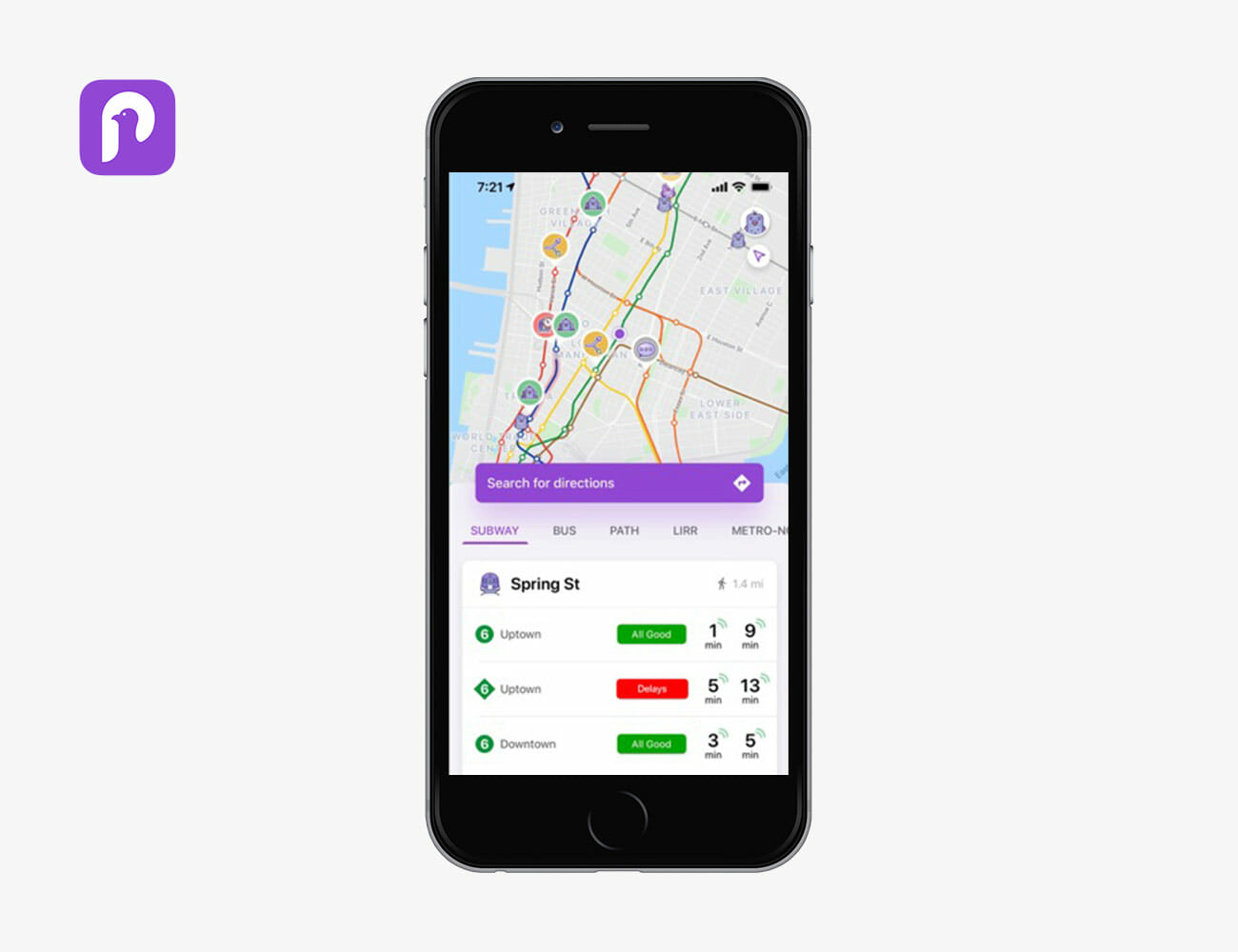
“Living in New York City means you’re constantly struggling with figuring out the best way to get anywhere. Google’s crowdsourced transit app uses data culled from users and the subways/buses in realtime to help you figure out the most efficient route.” — Will Sabel Courtney, Editor, Motoring

Dunkin’

“I drink way too much Dunkin’ Donuts coffee, and this app hooks me up with points for eating and drinking there. It’s not technically advanced or fancy, but damn it, do I need it.” — Will Sabel Courtney, Editor, Motoring

Soundprint

“Trying to find a quiet place to read or chat in NYC can be a nightmare. This app shows exactly how loud bars, restaurants and other public spaces are, based on crowd-sourced data. Also, the decibel meter is super-handy. (Our office averages 59dB, by the way.)” — Will Sabel Courtney, Editor, Motoring

Google Photos

“I offload all my photos to the Google Photos app, never worrying about my phone storage or iCloud backups filling up. The app is super simple to use and you can even set it up to automatically upload all your photos to Google’s cloud. It’ll then delete the duplicated images for you (only if you want). The search features are pretty tight as well — when I’m trying to find that recipe card my mom sent me to make a family favorite, the app pulls that right up. ” — Meg Lappe, Editorial Coordinator

Amazon Prime Now

“Amazon allows me to shop for anything from anywhere, but Prime now has also made me super lazy with free two-hour grocery delivery.” — Kasey Martin, Multimedia Editor

Pocket Casts

“There are about a bajillion podcast apps out there, and plenty of reasons you might choose one over the others. I picked Pocket Casts because I go between different phones a lot, and Pocket Cast lets me save all my podcasts and my progress through them in a single account I can log into on any device to get up and going extremely quickly.” — Eric Limer, Editor, Tech

Mullvad VPN

“Did you know it is 100 percent legal for your internet company to collect your browsing data and sell it to advertisers? It is! That is why I use Mullvad to protect all the data that goes in and out of my house. A VPN won’t magically make you invisible on the internet by a long shot, but it’s a good way to prevent your ISP, who can see literally everything you do otherwise, from selling you out to advertisers. For Android, there’s a dedicated app. For iOS users, you’ll have to set up something like OpenVPN.” — Eric Limer, Editor, Tech

Shazam

“Any music lover needs Shazam. It’s invaluable for those sporadic moments that perk your ears. It syncs with Spotify and saves songs into its own playlist for you to reference later. I also judge restaurants, bars and cafes by how much I open Shazam.” — Gerald Ortiz, Writer, Style

VSCO

“VSCO has really great presets that you can tweak. I love being able to adjust the tint of the highlights and shadows, as well as being able to adjust the skin tones. Of course, you are limited a bit with what you can tweak on your phone but VSCO gets the job done pretty well for on-the-go editing. It’s simple and is super user-friendly.” — Kasey Martin, Multimedia Editor

Note: Purchasing products through our links may earn us a portion of the sale, which supports our editorial team’s mission. Learn more here.
Eric Limer

Eric Limer is Gear Patrol’s tech editor. A resident of Weehawken, NJ, his current obsessions include mechanical keyboards, mechanical pencils and Formula 1.

More by Eric Limer | Follow on Instagram · Contact via Email

The Most Popular Vintage Receivers and Amplifiers, According to a Hi-Fi Shop Owner

For audiophiles, there’s no doubting the appeal of vintage audio equipment. Part of it has to do with rarity, the thrill of hunting down a Marantz stereo receiver from the 1970s, heritage speakers by Klipsch or JBL, or a vintage Thorens turntable. Part of it has to do with fidelity, that the old stuff sounds better. And part of it has to do with charm and character. Vintage units just have that special something that modern equipment lacks.
“I constantly use the analogy of vintage cars running parallels with vintage audio,” says Mike Garry, owner of Hudson Valley HiFi, which specializes in buying, restoring and selling vintage audio equipment. “The early 1970s muscle car may not be as reliable or perform as well as a modern one, but there is just something cool and fun about the 50-year-old model.” Like with vintage cars, vintage audio depends a heck-of-a-lot on restoration. Old gear naturally breaks down over time and needs new parts to perform at their best. A lot of these vital parts, also, aren’t being made anymore because they’re so old, so restoring them isn’t a quick fix for technicians at these vintage audio shop. For consumers, this means they are either finding non-working units and getting them restored, or likely paying a premium on restored units.

Garry’s shop, Hudson Valley HiFi, is located in Cornwall, New York, on the western shore of the Hudson River, and it specializes in both modern and vintage audio gear. “Unlike most audio equipment businesses out there, the most common equipment we sell is two-channel stereo,” he said. For vintage restoration, Garry says that they work primarily on the 1960s vacuum tube gear and 1970s solid-state. To get a little more insight, we asked Garry to share the most popular receivers and amplifiers that people come to his shop for. The answers, in all his own quotes, are below.

Some of the below quotes have been edited for brevity and clarity.

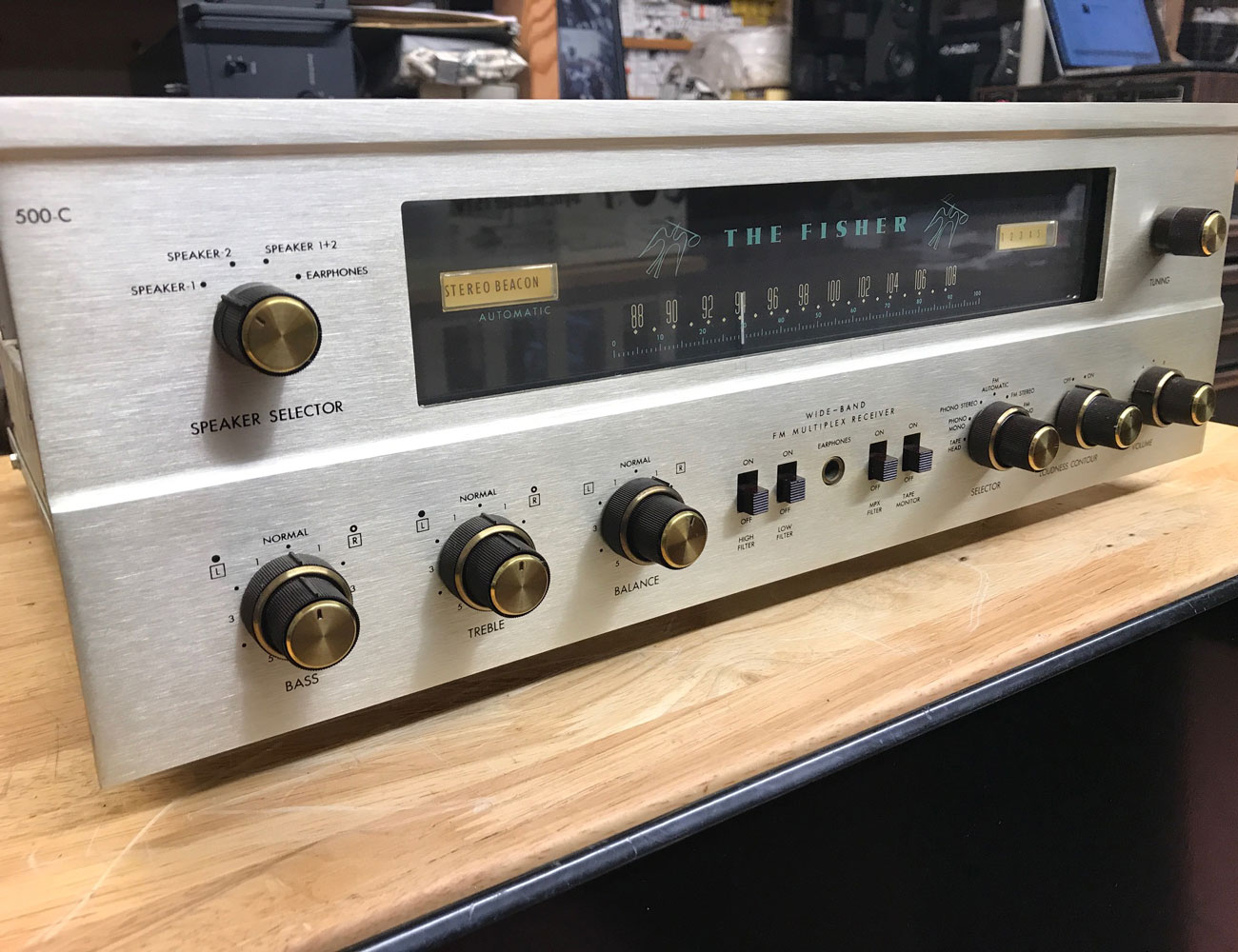
Fisher 500c Stereo Receiver

“The Fisher 500c was a wonderful receiver made in New York in the early 1960s. It was one of the first FM stereo tuners to use multiplex, which is the same system for FM stereo used today. It utilized a variant of the 6L6 power tube 7591 which provided 32wpc powering most efficient speakers at that time. The 500c was a little over $400 new, which at the time was a good chunk of change. The prices of Fisher tube gear have skyrocketed and it is difficult to find good clean examples — now but they are still out there. I highly advise against playing these units without proper restoration, since wall voltage is quite a bit higher than when these were new and this increases the voltages in the amp. There are many mods we do to Fisher gear to make them safer and run a little cooler on modern wall current.”

|

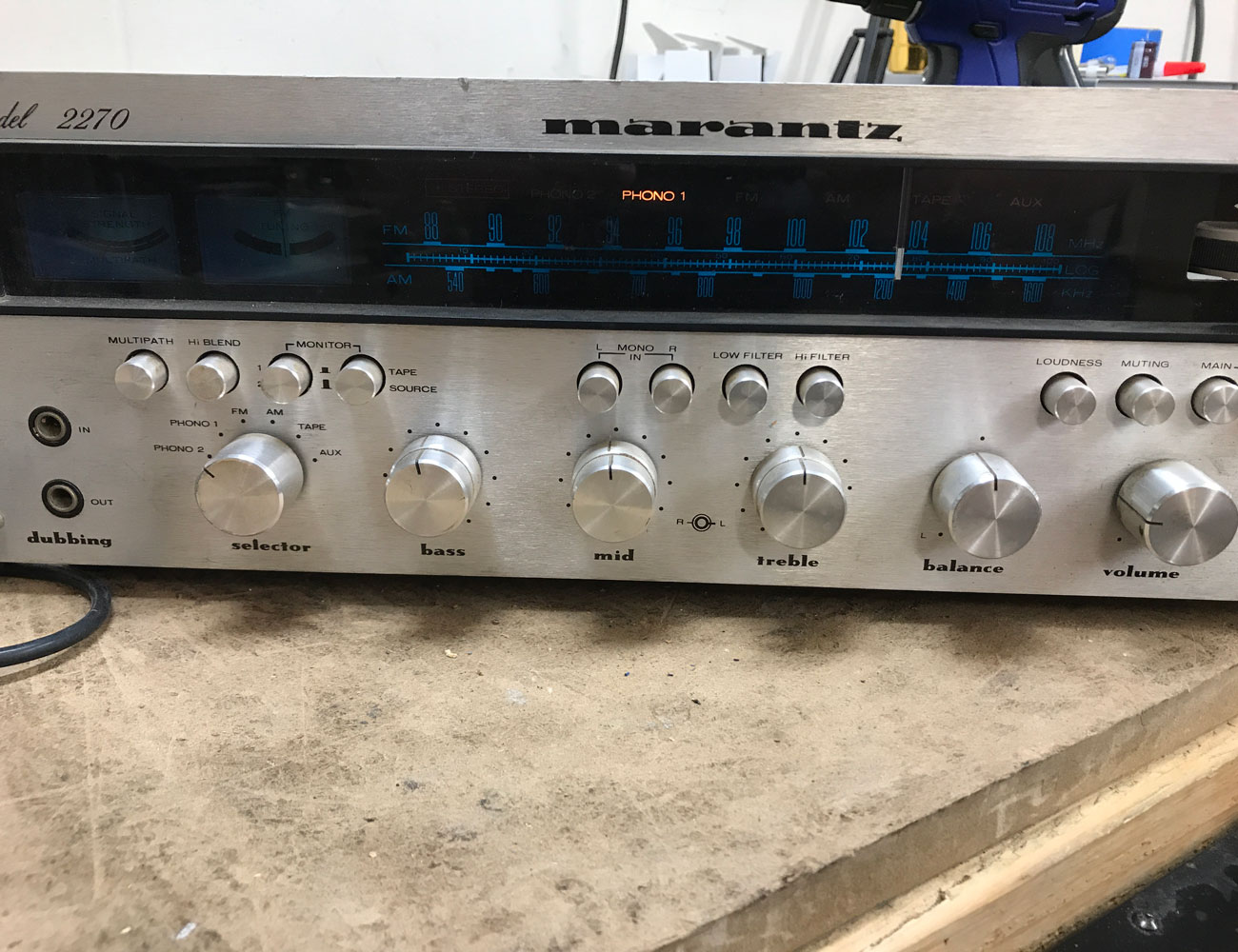
Marantz 2270 Stereo Receiver

“If any marketing team wants to see a successful campaign from the mid-1970s, they can check out the brilliant ads for the Marantz 2270. Ads included a story of a fire in an apartment building in which a beloved 2270 fell through the floor yet survived only requiring a new power cord since the original had melted. Thanks to their marketing, Marantz sold a ton of 2270 receivers and it became an icon. The aluminum faceplate with beautiful dashed knobs, three sets of four buttons below a blue backlit dial, has such appeal even 45 years after it hit the market. The sound of the receiver is so enjoyable even Marantz’s current two-channel amps are voiced similar to the 2270.”

|

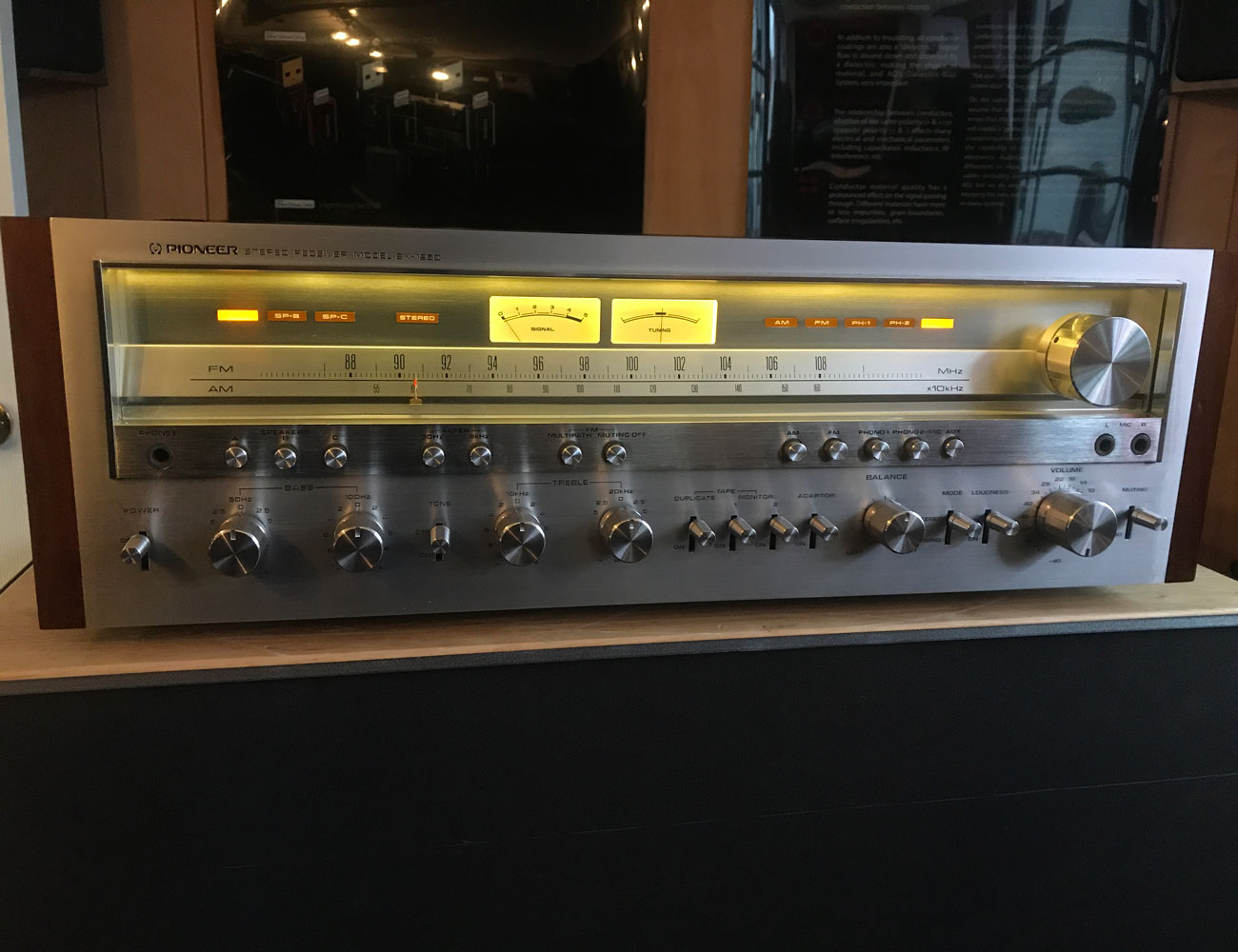
Pioneer SX-1250 Stereo Receiver

“In the later years of the 1970s, the big receiver builders were at each other’s throats building the biggest most powerful units they could. The Pioneer SX-1250 is not the biggest or the most powerful — but it is huge, heavy, and has plenty of power. My feeling is the big receivers of Pioneer’s SX-x50 series were the best-designed receivers from that era. Huge toroidal power transformer with massive filtering capacitors created a well-designed power supply to feed the beast. The silver faceplate and dial with very elegant lighting, wrapped in walnut make it one of my favorites in terms of looks. These, like many big receivers, do need a ton of work to restore, but once done they are just plain fun to play.”

|

McIntosh MC240 Vacuum Tube Amplifier

“There are many well-known hi-fi brands but McIntosh always seems to be a common ‘name drop’ when someone wants to emphasize quality. They’re built-in Binghamton, New York from essentially scratch, Mac tube amps have been increasing in value tremendously in the last decade. Using their proprietary auto-bias system for power tubes and beautiful potted transformers these amps are easy to roll tubes for different sound characteristics. The McIntosh MC240 is a 6L6 push-pull power amp making 40wpc, hand-wired point to point design, and has a very robust power supply. The iron is very heavy on this amp which any valve amp builder will tell you the quality of an amp can be measured by the weight of its transformers. We see many Mac tube amps but the MC240 is definitely the most common coming in for restoration.”

Dynaco ST70 Stereo Tube Amplifier

“Today, the big appeal of the Dynaco ST70 is that [it’s usually] fairly reasonably priced. The amp can be restored with its original design intact or, if one desires, it can be heavily modded just by removing the driver board and replacing it with one of the many modern boards available. By replacing the board you essentially change the entire circuit design and gives you the ability to use different driver tubes than the original difficult to find 7199 triode/pentode. The ST70 is easy to work on since it was designed as a kit and with push-pull EL34 power tubes, there are many options to tube roll to change its sonic characteristics.”

Note: Purchasing products through our links may earn us a portion of the sale, which supports our editorial team’s mission. Learn more here.

The H2OPal Smart Water Bottle Ensures You Stay Hydrated All Day

Sometimes we get too busy to think about consuming 8-10 glasses of water a day. It skips our mind to hydrate often and this is where the H2OPal Smart Water Bottle comes in handy. This glass bottle keeps you up to date on your water intake and reminds you when you should drink up.

This everyday carry comes in two parts: the bottle and the tracker. The borosilicate glass bottle is transparent so you can see how much water you’ve consumed. You can fill it up with 18.6 ounces of water and it comes with various silicone bands on the top and the middle to give it a sporty look and decent non-slip grip.

Meanwhile, the tracker is located at the bottom part and it contains the smart features of the H2OPal Smart Water Bottle. The smart tracker uses a single coin cell battery that lasts up to six months. To access its features, you need to download its accompanying mobile app where you can set notifications/reminders, personalizations, and more so you get daily updates or progress of your water intake vs. hydration goal straight to your smartphone.

The great thing about the smart tracker is it is removable. If you want to trade the glass bottle for a plastic one, you can easily reconnect the bottom to a gym bottle or another. The tracker is not specifically linked to its accompanying glass bottle so it will continue to work on others.

Moreover, the H2OPal Smart Water Bottle works with Fitbit, the Apple Health app, and with Alexa for hands-free phone access and voice update on your water intake.

Get It Here

H2OPal Smart Water Bottle

H2OPal Smart Water Bottle

Images courtesy of H2OPal

Sony’s Noise-Canceling Earbuds Are Cheaper Than Ever

The Sony WF-1000XM3 are the company’s newest wireless earbuds with active noise-cancellation. They normally cost $230, but right now you can get them for $198 on Amazon. It’s the most affordable that they’ve ever been.

The Sony WF-1000XM3 are essentially wireless earbud versions of Sony’s WH-1000XM3 over-ear noise-canceling headphones. They both have the same color palette and utilize the same app, which lets you adjust the EQ of the music as well as toggle with the noise-canceling settings. They also are some of the best-sounding wireless earbuds you can buy.

In my opinion, the Sony WF-1000XM3 sound better and have better noise-canceling abilities than the AirPods Pro. However, they fit differently which some people may or may not like. (For example, I like the fit of both AirPods and AirPods Pro better.)

That said, if you don’t have an iPhone or you don’t like the way the AirPods Pro or regular AirPods fit, are some of the best wireless earbuds out there — are right now they’re at their lowest price ever.

Note: Purchasing products through our links may earn us a portion of the sale, which supports our editorial team’s mission. Learn more here.

The Oral-B iO AI Toothbrush Coaches Your Next Brushing Experience

The Oral-B iO AI Toothbrush takes the mundane out of brushing and makes it fun and exciting. It allows for personalization to properly guide you on your next cleaning session.

This new toothbrush uses 3D and AI technology to coach you on how to brush your teeth properly or even better. It features a smart pressure sensor that helps keep you from brushing too hard or too soft as if you’re just going through the motions of brushing your teeth  The sensor also informs you when you are doing it right so your gums stay protected. Meanwhile, 3D tracking guides you to all areas of the mouth, across six brushing zones, for a thorough clean. Top, back, front surface, and more, it watches your progress.

Moreover, the Oral-B iO AI Toothbrush comes with an interactive display that makes your brushing experience fun and educational. It delivers personalized brushing encouragement in real-time. The display shows a smiley face for a job well done and even counts the dentist-recommended two minutes so you never miss a proper toothbrushing experience.

This innovative toothbrush comes with seven cleaning modes including daily clean, whiten, and sensitive, to name a few. It connects to the Oral-B app via Bluetooth and functions on a rechargeable battery. It comes with a click-in-place magnetic charger that delivers a full charge in less than three hours.

The Oral-B iO AI Toothbrush stays with you whether you’re at home or traveling. You can take it anywhere with you and pack it in its premium travel case and refill holder.

Reserve Yours Here

Oral-B iO AI Toothbrush

Oral-B iO AI Toothbrush

Oral-B iO AI Toothbrush

Oral-B iO AI Toothbrush

Photos courtesy of Oral-B

The Native Union SMART CHARGER PD 18W Makes Out-of-the-country Charging A Breeze

Charging your phone while on the go can be a hassle especially when you have to bring different adapters for your mobile gadgets. Good thing there’s the Native Union Smart Charger PD 18W. This multi-device charger ensures your devices get their needed power wherever and whenever.

This portable charger features both USB-A and USB-C ports. The PD-enabled USB-C port provides fast charging for iPhone 8 and later models and other USB-C devices. It supports simultaneous charging so you can charge one with the USB-A (up to 12W) and another on the USB-C port (up to 18W). You can even charge four devices simultaneously including Android and Apple devices, smartphones, tablets, and more

It has built-in Smart IC technology that detects your device’s input to ensure that they always charge at maximum speed (5.4A max or up to 3A per port). The Power Delivery (PD) makes it possible to charge your phone up to 50% of power in less than 30 minutes.

The bonus part is that the Native Union Smart Charger PD 18W is designed for travel. It has international adapters for the U.K., U.S., Canada, and E.U. It boasts a slim design for portability and comfort in travel. This charger also only weighs 8 ounces and comes in a unique pocket-sized design.

The construction of the Native Union Smart Charger PD 18W ensures durability. It has a stone-finish texture and dust-repellant silicone. The pins are also foldable at 90 degrees for easy storage. It prevents overcharging and short circuits with built-in over-current protection (OCP), short circuit protection (SCP), and over-voltage protection (OVP).

Get Yours Here

Native Union SMART CHARGER PD 18WNative Union SMART CHARGER PD 18WNative Union SMART CHARGER PD 18WNative Union SMART CHARGER PD 18W

Photos courtesy of Native Union

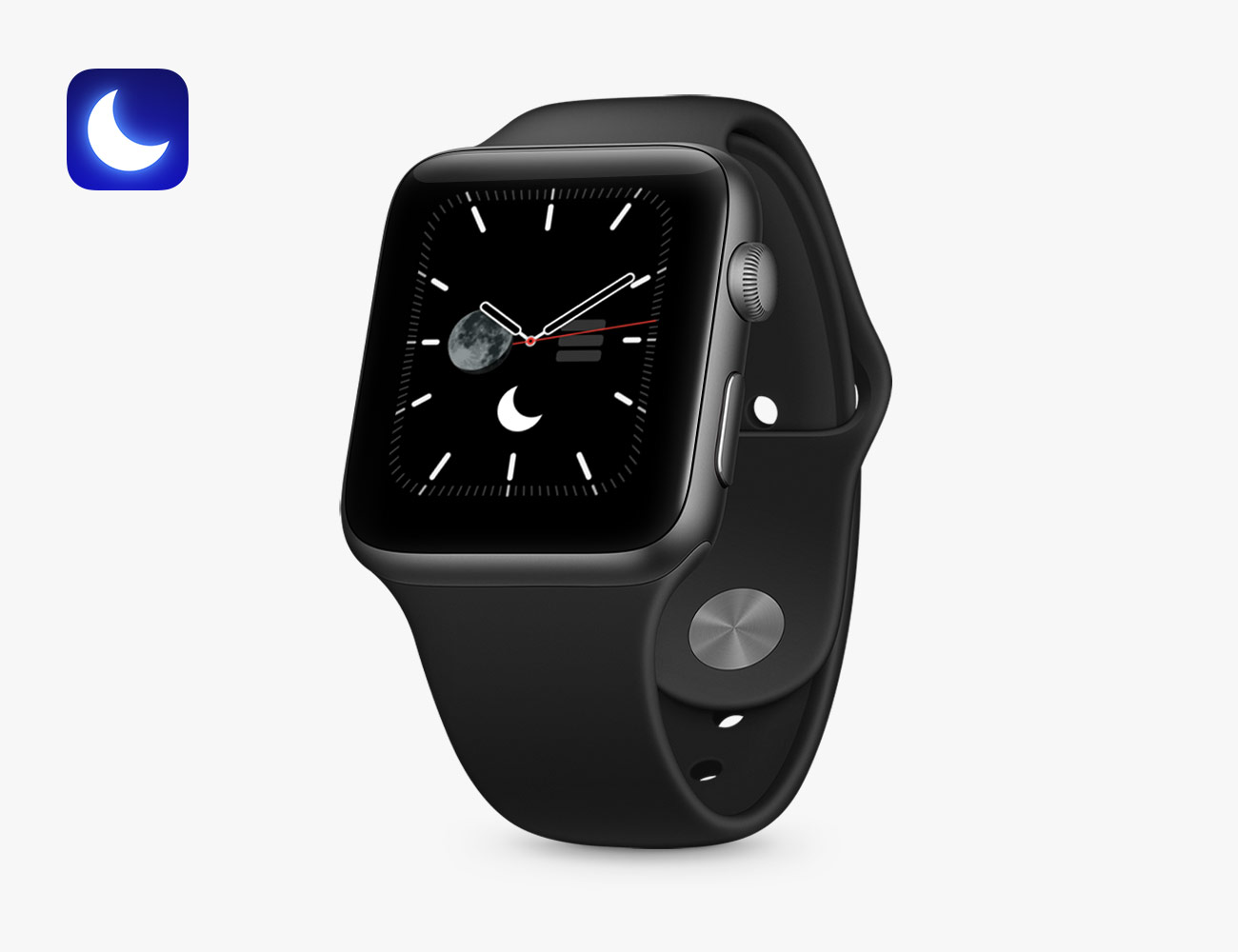
The Best Sleep Tracking Apps for the Apple Watch

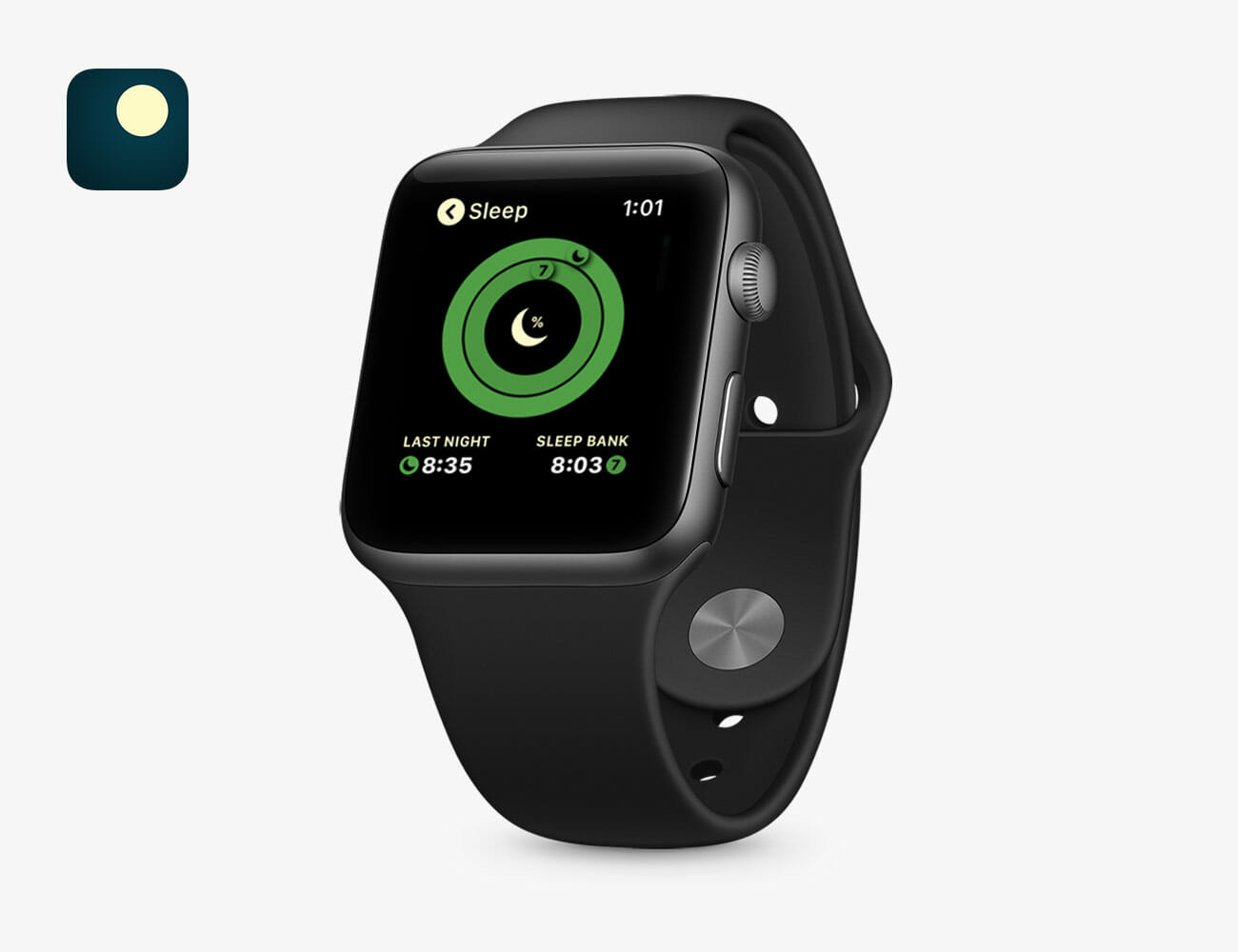
The Apple Watch doesn’t come with its own sleep tracking app, no matter which model you buy. Nor does Apple advertise “sleep tracking” as one of its features. The reason is battery life. Apple’s unspoken assumption is that you will be recharging your Apple Watch’s “all day” battery overnight.

Of course, if you want your Apple Watch to track your sleep — you can. There are plenty of third-party apps that track sleep that you can download. These apps are able to track how long and how well you sleep. They can also give you a detailed chart of your sleeping patterns over time. The catch is that you’re going to either want to charge your Apple Watch a little bit during the day or a little bit right before bed. According to Apple, an hour-and-a-half charge will take any of the Apple Watch from about zero to 80-percent battery; while an extra half-an-hour is needed to charge that extra 20 percent.

If you’re an Apple Watch wearer and sleep tracking matters to you, these are the apps you should try out.

AutoSleep

Best Overall: This is most popular app for sleep tracking because it looks and works very similarly to the Activity app that’s already on your Apple Watch — there are rings and everything. It tracks sleep duration, sleep quality and “readiness,” the latter basically attempting to rate how well your sleep prepared you or the forthcoming day. And it integrates nicely with Apple Health.

Sleep++

Best Free: The biggest upside that Sleep++ has over some of the other sleep tracking apps, particularly AutoSleep, is that it’s free. Other than that, it has many of the same features, such as automatic sleep tracking (it detects exactly when you fall asleep) and shows you a bunch of data about your night’s sleep.

Pillow

Honorable Mention: Pillow is a well-reviewed app that, again, has many of the popular features like automatic sleep tracking and in-depth sleep analysis charts. It has a “smart alarm clock,” where it wakes you up at the optimal point in your sleep cycle for maximum morning refreshment. The app can also record audio (like snores and random outbursts) during the night and play it back for you, but that requires you to pay a subscription fee so you’ll have to want it really bad.

Note: Purchasing products through our links may earn us a portion of the sale, which supports our editorial team’s mission. Learn more here.

Buying Smart Light Bulbs for the First Time? Here’s What You Need to Know

The first thing to know is that, compared to other smart home tech, smart light bulbs are simple. They’re almost exactly the same as conventional LED bulbs, but with a whole host of added benefits.

The Advantages of a Smart Bulb

You can do a host of other neat things with smart light bulbs that you simply can’t conventional LED bulbs, too. Most of them have to do with control.

Remote control: You can turn smart lights on or off even if you’re not home. All you need to do is have your smartphone connected to Wi-Fi or LTE, and a compatible smart home app at the ready.

Create schedules: You don’t need to turn your lights on or off manually. With schedules you can set them to turn off or on (or otherwise change their settings, at a certain time every day or night. If you have multiple smart lights you can have them all set to the same or different schedules, too.

Create scenes: A “scene” or “room” in the context of a smart home is a group of devices all working together. For example, you can group the three smart light bulbs that are located in your bedroom together, name them “Bedroom,” and then turn them all on or off with a single voice command: “Hey Google, turn off bedroom lights.”

Brightness control: Not every smart light bulb is dimmable, but many are. Dimmable smart light bulbs are neat because you can adjust the brightness without having to adjust a physical dimmer. You can adjust it via an app or using voice commands.

Energy efficient: The vast majority of modern light bulbs are LEDs, and that includes most smart light bulbs. They’re naturally more energy-efficient than traditional incandescent bulbs, but the fact that they’re smart means you can always check on them; if you’ve left a light on by accident, you can turn it off from anywhere you have a Wi-Fi or LTE connection.

What to Look Out For

There are many different smart light bulbs that you can choose from in 2020. Not all of them work the same way or have the same capabilities, however. Here are some common questions to ask when considering your choice.

Does it need a hub? Some smart lights connect directly to your home’s Wi-Fi network so  you can easily control them straight from your smartphone or with a voice assistant. Others, require an extra piece of hardware, like a hub or a bridge, to do the exact same thing. Knowing if the smart lights will need extra hardware, which also adds an extra expense, is one of the most important things before investing in smart lights.

Is it compatible with your other gear? The other big important thing to consider before buying a smart light bulb is knowing whether it will work with your home’s smart ecosystem. Not every smart light is compatible with Amazon’s Alexa, Apple’s HomeKit, the Google Assistant or IFTTT, so you need to check beforehand.

What do you want for light color and temperature: If you’re willing to spend a little more, you can buy smart lights that have various colors and temperature effects. For instance, Philips Hue’s White And Color Ambiance smart bulbs can shine in millions of different colors and various shades of white light. These smart lights can also adjust the temperature of the light throughout the day, which can help you better wake up or fall asleep.

Smart Lights or Smart Switches/Outlets: Which to Choose?

Smart lights are great smart home products but they aren’t great in every scenario. For example, an area in your home that has multiple lights controlled by a single light switch probably isn’t a great situation for smart lights. A better solution for such a scene, like a large family room with lots of overhead lighting, would be to buy a smart switch instead, such as the Wemo Light Switch, instead.

Smart switches are generally a little cheaper and can be used to control the “dumb” lights that you already have. This also means that you can use smart switches to control any light bulb. On the downside, smart switches usually require more installation — typically some light wire-work — and they can’t be used to create scenes. While most smart light switches are able to dim the lights, they definitely can’t adjust the color or temperature like you’re able to with a lot of smart light bulbs.

The Best Smart Bulbs You Can Buy Right Now

Philips Hue White

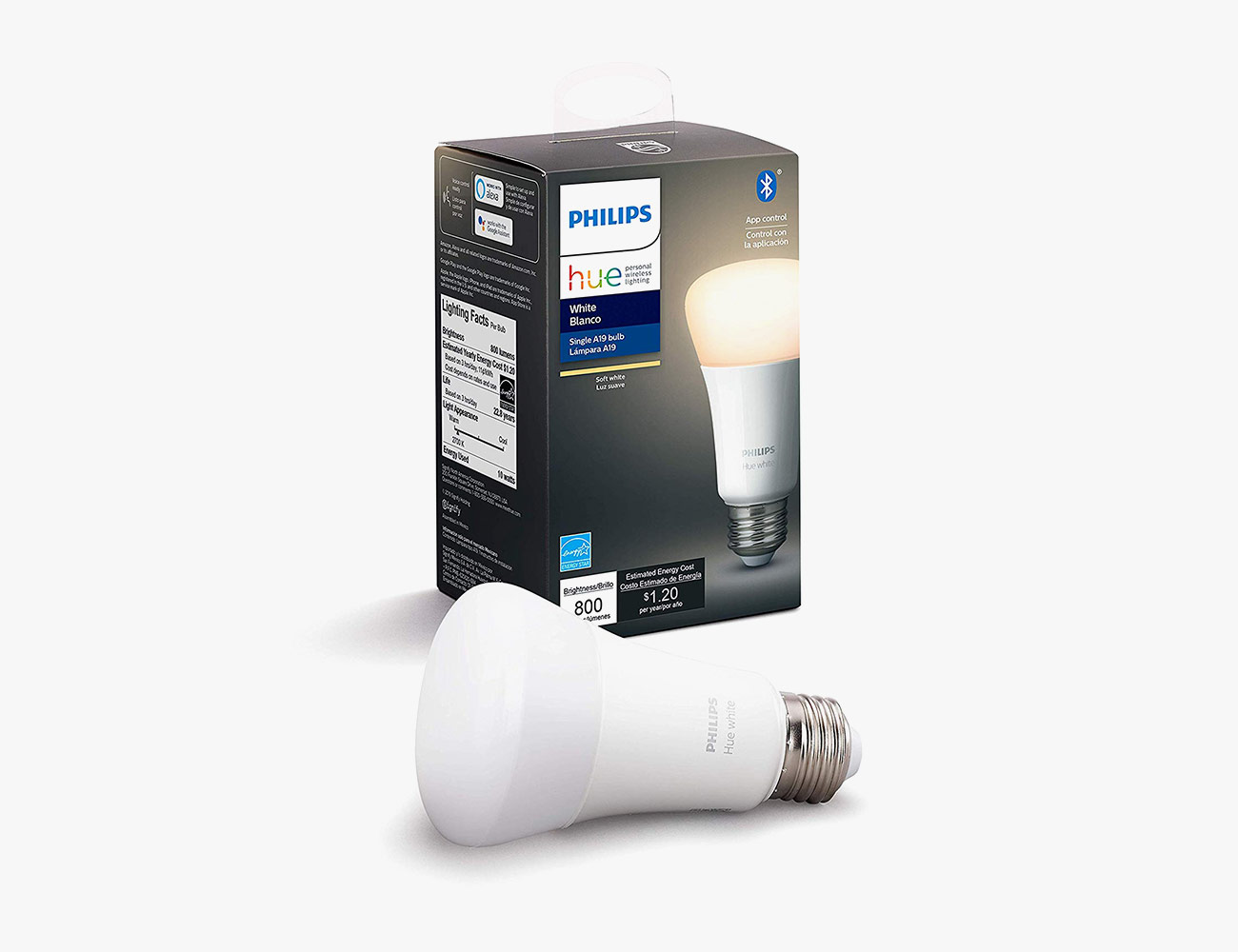
Best Starter Bulbs: Philips Hue makes the most popular smart bulbs. The company’s “White” smart bulbs can’t produce the many shades of color as the “White and Color Ambiance” smart bulbs, but they’re cheaper, still dimmable and work in much the same way.

Compatibility: Amazon Alexa, Google Assistant
Smart Hub? Optional

Philips Hue White and Color Ambiance

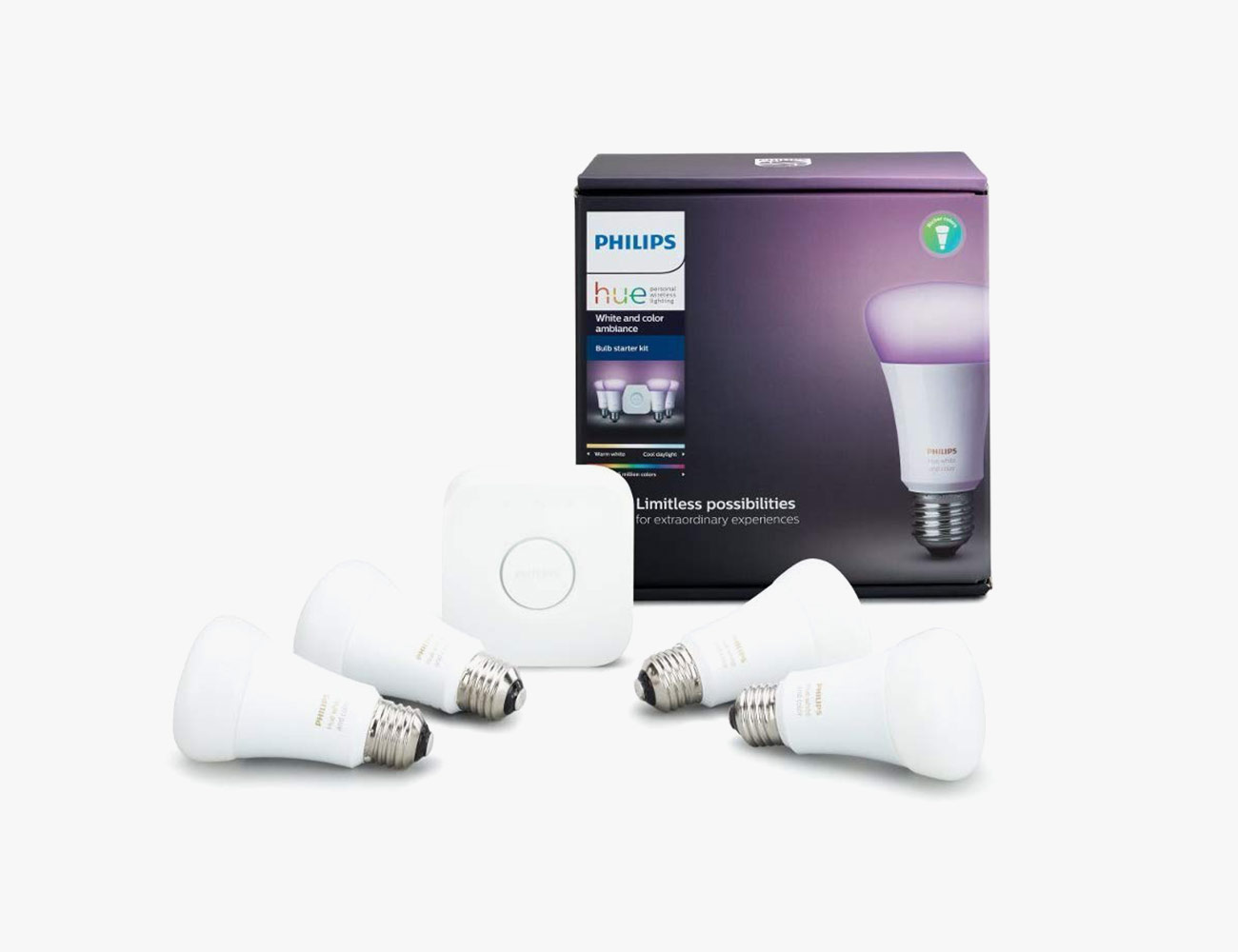
Best Multi-Color Bulbs: These are the best option for people who really want to play around with all the customization options smart bulbs have to offer. Like the company’s “White” bulbs, they work with pretty much smart home ecosystem and you can control them with your voice. The big upside with them is that, via the app, you can adjust the smart lights to change to one of 16 million colors and shades of white. The downside is that you need to use the Hue smart hub (included in the starter pack) to get the most out of them.

Compatibility: Apple HomeKit, Amazon Alexa, Google Assistant, Samsung SmartThings
Smart Hub? Yes

Wyze Bulb

Best Budget Bulbs: At just $8 a piece and even cheaper in packs, you’re not going to find a more affordable smart bulb than the Wyze Bulb. And it’s actually pretty versatile to boot. It’s compatible with both Amazon’s and Google’s smart speakers. You can adjust its brightness and color temperatures (from warm to cool). And if you use Wyze’s other smart home products, you can have the Wyze Bulbs perform tricks like lighting up when certain sensors are triggered, like when motion is detected by a Wyze Cam.

Compatibility: Amazon Alexa, Google Assistant, IFTTT
Smart Hub? No

|

Ikea Tradfri

Best Decorative Bulbs: Ikea’s first smart filament light bulb is beautiful, dimmable and relatively affordable. Its tinted glass helps create a warm, moody light. The only downside is that you’ll need to buy a smart hub, the Tradfri gateway ($35), to get the most out of it, such as the ability to control with voice controls or work with Ikea’s ecosystem of smart home products (consisting of motion sensors, LED light bulbs and some light panels).

Compatibility: Amazon Alexa, Google Assistant and Apple HomeKit)
Smart Hub? Yes
Note: Purchasing products through our links may earn us a portion of the sale, which supports our editorial team’s mission. Learn more here.

Animal Crossing: New Horizons gets a special edition Nintendo Switch

Aside from featuring cool stuff such as EDCs, the latest tech, automobiles, and others, Men’s Gear also loves to showcase the latest in gaming. As such, taking the spotlight this time around is new release courtesy of the guys at Nintendo. We are in for a treat as the Japanese gaming giant teases a new tie-in with its popular life simulation title. Here’s is the Animal Crossing: New Horizons Edition Switch that is heading our way on March 13, 2020.

A word of caution before you smash that pre-order button, please note that it does not ship with the game. Animal Crossing: New Horizons arrives a few days after on March 20, 2020. Nevertheless, the special edition console looks absolutely jaw-dropping. Past offerings from Nintendo were certainly impressive as well, but this new one takes the cake.

Let’s begin with the dock, which most gamers often neglect. This is probably the first time we have seen one that does not come in black. Animal Crossing fans will immediately recognize everyone’s favourite entrepreneur Tom Nook with his twin nephews Timmy and Tommy. These cool graphics look awesome against the ivory colourway of the dock.

Next up are the Joy-Cons which now come in dual-shade colour scheme: pastel mint/ivory for the left and pastel blue/ivory for the right. Additionally, the two Joy-Con Straps are both in ivory with the cords in the same shade as its respective controller. Finally, the main body of the Switch flaunts a unique housing with embossed Animal Crossing icons on the back.

If that’s not enough, fans can likewise grab the $59.99 Animal Crossing: New Horizons Aloha Edition Carrying Case & Screen Protector. The special edition Nintendo Switch goes for $299.99.

Pre-order here now

Images courtesy of Nintendo

The Best Smart Bulbs You Can Buy in 2020

The first thing to know is that, compared to other smart home tech, smart light bulbs are simple. They’re almost exactly the same as conventional LED bulbs, but with a whole host of added benefits.

The Advantages of a Smart Bulb

You can do a host of other neat things with smart light bulbs that you simply can’t conventional LED bulbs, too. Most of them have to do with control.

Remote control: You can turn smart lights on or off even if you’re not home. All you need to do is have your smartphone connected to Wi-Fi or LTE, and a compatible smart home app at the ready.

Create schedules: You don’t need to turn your lights on or off manually. With schedules you can set them to turn off or on (or otherwise change their settings, at a certain time every day or night. If you have multiple smart lights you can have them all set to the same or different schedules, too.

Create scenes: A “scene” or “room” in the context of a smart home is a group of devices all working together. For example, you can group the three smart light bulbs that are located in your bedroom together, name them “Bedroom,” and then turn them all on or off with a single voice command: “Hey Google, turn off bedroom lights.”

Brightness control: Not every smart light bulb is dimmable, but many are. Dimmable smart light bulbs are neat because you can adjust the brightness without having to adjust a physical dimmer. You can adjust it via an app or using voice commands.

Energy efficient: The vast majority of modern light bulbs are LEDs, and that includes most smart light bulbs. They’re naturally more energy-efficient than traditional incandescent bulbs, but the fact that they’re smart means you can always check on them; if you’ve left a light on by accident, you can turn it off from anywhere you have a Wi-Fi or LTE connection.

What to Look Out For

There are many different smart light bulbs that you can choose from in 2020. Not all of them work the same way or have the same capabilities, however. Here are some common questions to ask when considering your choice.

Does it need a hub? Some smart lights connect directly to your home’s Wi-Fi network so  you can easily control them straight from your smartphone or with a voice assistant. Others, require an extra piece of hardware, like a hub or a bridge, to do the exact same thing. Knowing if the smart lights will need extra hardware, which also adds an extra expense, is one of the most important things before investing in smart lights.

Is it compatible with your other gear? The other big important thing to consider before buying a smart light bulb is knowing whether it will work with your home’s smart ecosystem. Not every smart light is compatible with Amazon’s Alexa, Apple’s HomeKit, the Google Assistant or IFTTT, so you need to check beforehand.

What do you want for light color and temperature: If you’re willing to spend a little more, you can buy smart lights that have various colors and temperature effects. For instance, Philips Hue’s White And Color Ambiance smart bulbs can shine in millions of different colors and various shades of white light. These smart lights can also adjust the temperature of the light throughout the day, which can help you better wake up or fall asleep.

Smart Lights or Smart Switches/Outlets: Which to Choose?

Smart lights are great smart home products but they aren’t great in every scenario. For example, an area in your home that has multiple lights controlled by a single light switch probably isn’t a great situation for smart lights. A better solution for such a scene, like a large family room with lots of overhead lighting, would be to buy a smart switch instead, such as the Wemo Light Switch, instead.

Smart switches are generally a little cheaper and can be used to control the “dumb” lights that you already have. This also means that you can use smart switches to control any light bulb. On the downside, smart switches usually require more installation — typically some light wire-work — and they can’t be used to create scenes. While most smart light switches are able to dim the lights, they definitely can’t adjust the color or temperature like you’re able to with a lot of smart light bulbs.

The Best Smart Bulbs You Can Buy Right Now

Philips Hue White

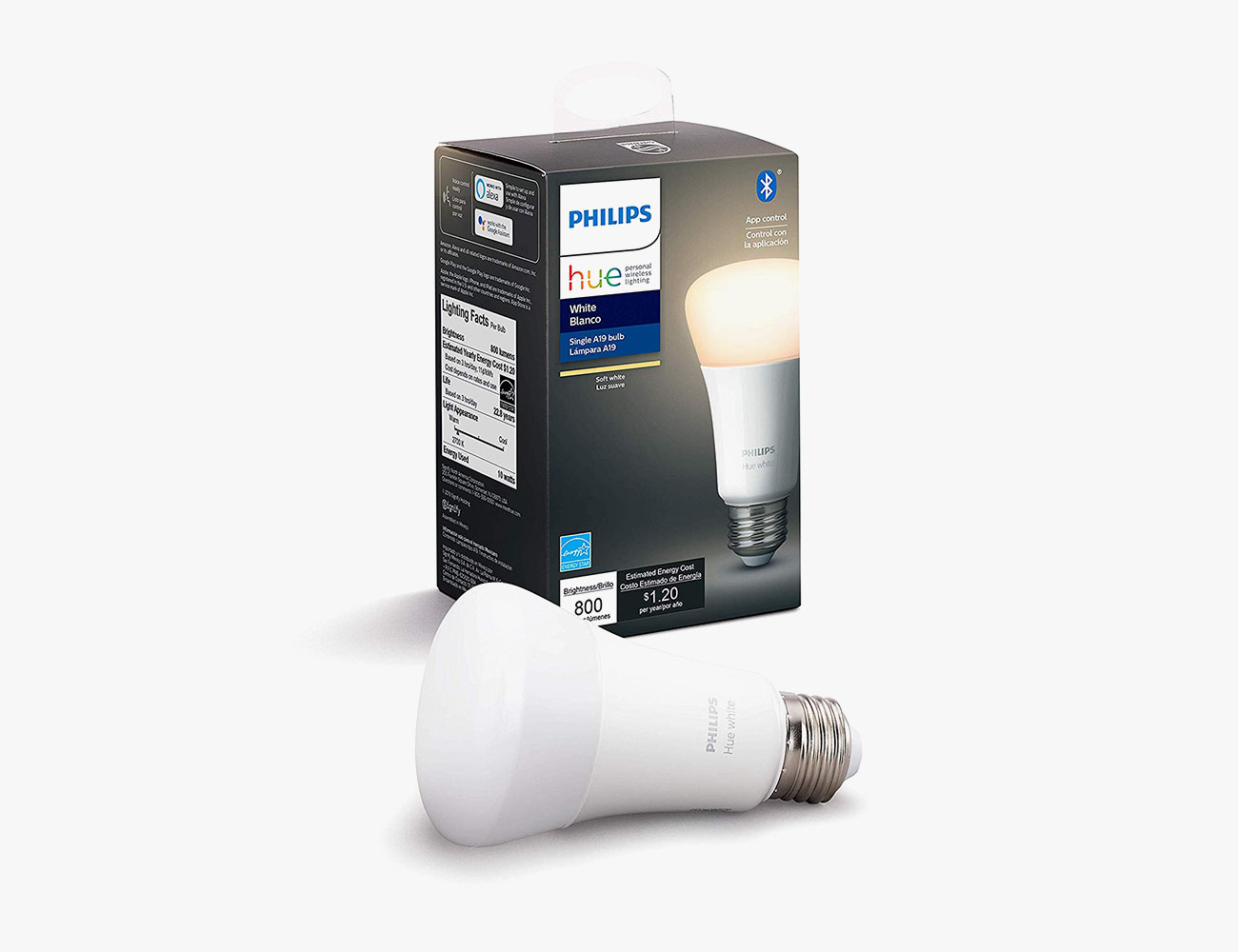
Best Starter Bulbs: Philips Hue makes the most popular smart bulbs. The company’s “White” smart bulbs can’t produce the many shades of color as the “White and Color Ambiance” smart bulbs, but they’re cheaper, still dimmable and work in much the same way.

Compatibility: Amazon Alexa, Google Assistant
Smart Hub? Optional

Philips Hue White and Color Ambiance

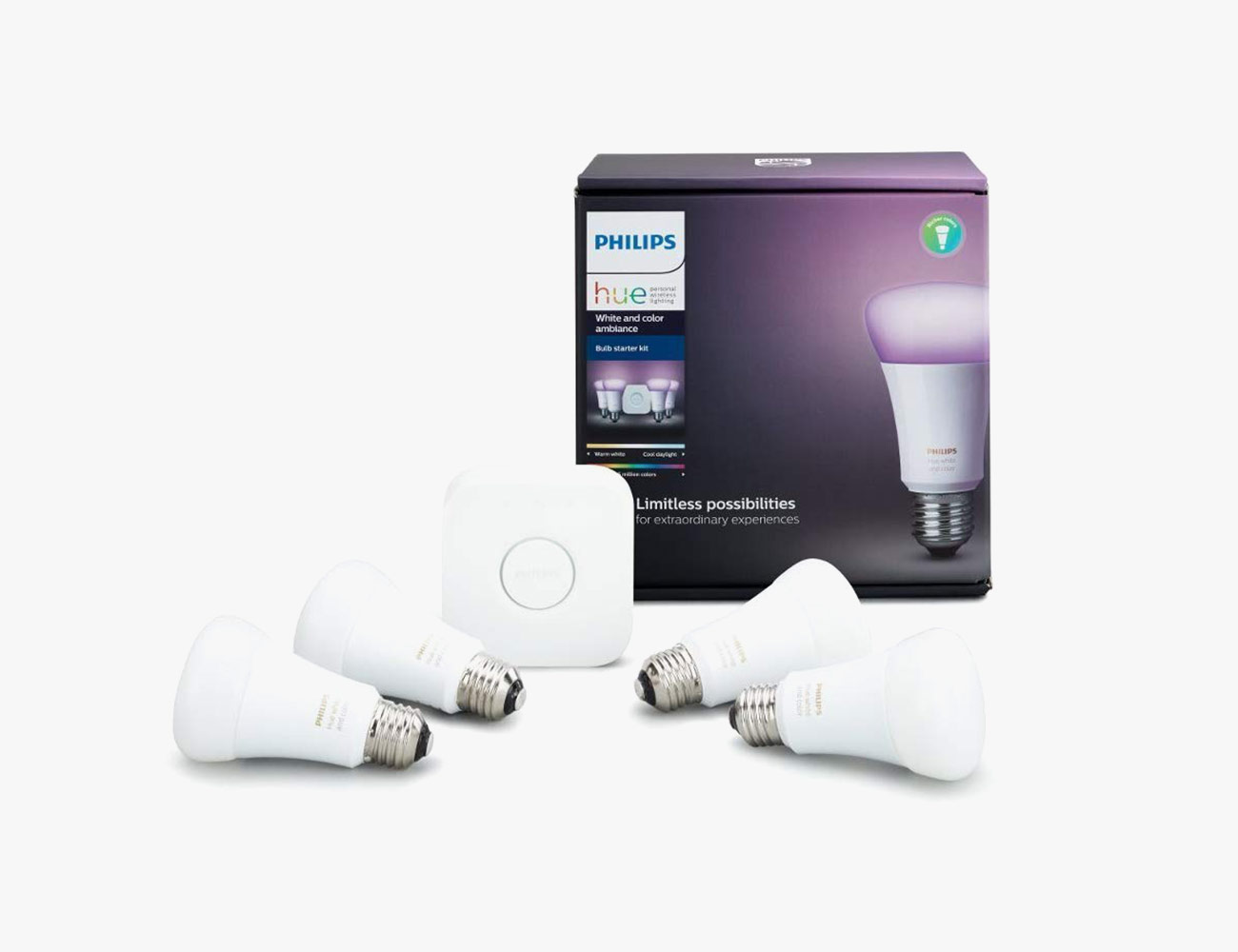
Best Multi-Color Bulbs: These are the best option for people who really want to play around with all the customization options smart bulbs have to offer. Like the company’s “White” bulbs, they work with pretty much smart home ecosystem and you can control them with your voice. The big upside with them is that, via the app, you can adjust the smart lights to change to one of 16 million colors and shades of white. The downside is that you need to use the Hue smart hub (included in the starter pack) to get the most out of them.

Compatibility: Apple HomeKit, Amazon Alexa, Google Assistant, Samsung SmartThings
Smart Hub? Yes

Wyze Bulb

Best Budget Bulbs: At just $8 a piece and even cheaper in packs, you’re not going to find a more affordable smart bulb than the Wyze Bulb. And it’s actually pretty versatile to boot. It’s compatible with both Amazon’s and Google’s smart speakers. You can adjust its brightness and color temperatures (from warm to cool). And if you use Wyze’s other smart home products, you can have the Wyze Bulbs perform tricks like lighting up when certain sensors are triggered, like when motion is detected by a Wyze Cam.

Compatibility: Amazon Alexa, Google Assistant, IFTTT
Smart Hub? No

|

Ikea Tradfri

Best Decorative Bulbs: Ikea’s first smart filament light bulb is beautiful, dimmable and relatively affordable. Its tinted glass helps create a warm, moody light. The only downside is that you’ll need to buy a smart hub, the Tradfri gateway ($35), to get the most out of it, such as the ability to control with voice controls or work with Ikea’s ecosystem of smart home products (consisting of motion sensors, LED light bulbs and some light panels).

Compatibility: Amazon Alexa, Google Assistant and Apple HomeKit)
Smart Hub? Yes
Note: Purchasing products through our links may earn us a portion of the sale, which supports our editorial team’s mission. Learn more here.

Here’s How to Stream the 2020 Super Bowl for Free

The Super Bowl is this Sunday — February 2, and it starts at 6:30 pm EST — and there are a number of ways you can to watch it. If you still have a cable box and pay for a subscription, then you can just turn on your TV to watch the game. But how old fashioned of you! For those of you who have cut the cord, there are basically three ways to stream the game, one of which is free.

Stream with cable: If you have cable, but want to stream, there’s the Fox Sports app. The catch is that you’ll need a subscription to actually watch, whether it is yours or….not. The Fox Sports app is available on any iOS or Android device, as well as Apple TV, Android TVs, Samsung TVs, TVs and streaming sticks that run Roku or Amazon Fire TV, as well as Xbox One.

Stream with a subscription service: if you have a subscription to live TV streaming service — such as YouTube TV, FuboTV, Sling TV or Hulu with Live TV — you’ll be able to watch the game. Just make sure to turn on Fox.

Stream for free: You can go to the Fox Sports website and watch the Super Bowl for free. The catch is that you’ll only be able to do this from a computer or smartphone, not your streaming device. Although you could easily AirPlay or cast the game from your computer or smartphone to your TV. And, if Fox Sports takes measures to try and block that functionality in their proprietary player, Chromecast users have an end around: just stream the whole dang Chrome tab.

Note: Purchasing products through our links may earn us a portion of the sale, which supports our editorial team’s mission. Learn more here.

The TV Settings You Need to Change Before the Super Bowl

Welcome to Superuser Skills, a column devoted to making sure you get the most out of the gear you already own.

The Super Bowl is rapidly approaching, and there’s more to getting ready for the game than just making sure you have the appropriate snacks and drinks. If you’ve gotten a new TV recently, or just never bothered to dive into its settings whenever you did get it, now is the perfect time to make sure your picture is up to snuff.

With so many makes and models on the market, it’s tough to provide exact directions for every single set out there, but we can point you towards the options to look for, even if they’re named or applied slightly differently in each case. If you’re stuck, seek out your manufacturer’s website for the appropriate manual.

Calibrate the colors and brightness

Your TV will make its best guess about how to show the colors and set the brightness on its display, and most of the time that guess is going to be a pretty good one. Sometimes, however, TVs come with default settings tuned to the showroom instead of your living room, which results in oversaturated, too-bright picture that will sear your retinas. So dive into your set’s color and brightness settings and you’ll find a lot of variation in terms of the options available, depending on the manufacturer, but all the basics should be covered.

For example, you just head to Picture in Settings on most Samsung TVs to start playing around with brightness, contrast, and tint. A search on the web for your specific make and model of TV should turn up some tips from other users about how to configure these settings, and you can also get some very detailed and very helpful advice from the videos produced by the experts at Rtings.com.

You should also turn off—or at least experiment with—any settings that attempt to enhance or digitally manipulate the colors on your set. How effective and useful these are will vary between devices, so make yourself aware of the options at your disposal and see if disabling any of them leads to any improvements.

Another option to look out for and potentially disable is ambient brightness, where your TV attempts to adjust the brightness on the fly in response to the available light in the room—something which can end up giving you a very weird-looking picture. On some recent Sony sets, for example, the setting is under Picture and Light sensor.

Disable motion smoothing

Out of the box, a lot of modern-day TVs like to apply what’s known as motion smoothing, which works exactly the way it sounds—it applies some behind-the-scenes trickery to make fast motion in action films or sports games appear smoother.

Essentially, TV sets will create extra frames to pack more frames into each second, which should mean less jank and blur. These frames aren’t created out of thin air—they’re calculated based on the frames either side, so if a ball is traveling from point A to point B, it should be possible to come up with a mid-point too.

The problem is, motion smoothing ends up making a lot of movies and TV shows look homemade or low-budget (it’s often called “the soap opera effect”). At the very least, it’s worth turning it off just to see if you prefer the way your TV picture looks.

Confusingly, TV manufacturers use a host of different names for motion smoothing—it’s Auto Motion on Samsung sets, TruMotion in LG world, and MotionFlow if you’re using Sony products, for example. The option to disable it should be somewhere prominent in the picture settings or advanced settings menu.

Fix the aspect ratio

Modern-day TVs have to display content from a whole host of sources, from the latest 4K Netflix shows to early episodes of the Simpsons in 4:3 aspect ratio. Most of the time, they’re clever enough to work out how to display each format, but that’s not automatically always the case.

You’re going to have to do a bit of digging here because all sets handle this differently and serve up a different set of options: Look for mentions of aspect ratio or cropping in the picture settings, or any kind of automatic resizing. Some televisions apply names like Zoom or Wide to the picture manipulations that are going on.

You might need to do this separately for the different inputs plugged into your TV, if you’ve got (for example) a games console plugged into one HDMI port and a streaming box plugged into another. If you can see an option to just display the picture as it’s being broadcast from the input, then select it.

On modern Samsung sets, for instance, from the main settings menu you can go to Picture then Picture Size to make changes: A variety of options then present themselves, including the newer 16:9 aspect ratio, the older 4:3 aspect ratio, and a Custom option that lets you control the aspect ratio manually.

Do a privacy audit

And once your done with the picture settings, it is the perfect time to settle some privacy matters as well. TV manufacturers love user data as much as any other company, which is why working through the setup process on a new TV today can involve accepting a whole host of terms and conditions about how your television usage is going to be monitored.

Some of these terms and conditions are non-negotiable if you want to actually use the TV set, but it’s worth a few minutes of your time to review what you’ve agreed to. On new LG sets, for example, go to All Settings, About This TV then User Agreements—here you can opt-out of features like targeted advertising and voice command control.

If you’ve got a set powered by the Roku TV software, meanwhile, you can go to Settings, Privacy, and Smart TV Experience: The next screen lets you stop the set from tracking some of the programs you watch, and put a limit on targeted advertising.

Remember that any streaming apps you’ve installed on your TV (or on a streaming device plugged into your TV) are going to have privacy policies and settings of their own to think about, covering the data that’s collected about you. Consumer Reports has a good guide to your options here.

This Free iPhone App Lets You Record From Two Cameras At Once

If you shoot a lot of iPhone videos, there’s a new way for you to do it. First mentioned onstage at the iPhone 11’s release event, DoubleTake and it allows you to capture video from two of your iPhone’s cameras at the same time. You can then stitch those two videos together to a single clip that shows both views side by side or cuts back and forth between the two angles.

In order to help to shoot the best possible videos, DoubleTake has a neat “camera picker view” where it shows you all the various cameras you can choose from –if you have an iPhone 11 Pro, for example, it lets you choose between two of the three cameras (telephoto, wide, ultra-wide and even selfie) — and how they’ll look together.

Then, while shooting, DoubleTake gives you the ability to set (and lock) the focus and exposure of each camera. While recording, you just tap on the viewfinder to set an area of interest, then tap again to lock or unlock. And using its camera switcher tool, you can quickly switch between the two cameras and then adjust the focus and exposure of each.

[embedded content]

After recording, you can then decide how you want to edit the two videos together. You can have seamlessly cut back-and-forth while playing — which is the most cinematic option, in my opinion. Or you can have them playing in either a picture-in-picture (PiP) or split-screen mode.

As mentioned previously, DoubleTake is also compatible with the iPhone’s selfie camera. This means you can place the iPhone directly in the middle of two people and record both people, interview style, at the same time — which is pretty neat.

DoubleTake is free and available now. It requires an iPhone running iOS 13 and is only compatible with the iPhone 11 Pro Max, iPhone 11 Pro, iPhone 11, iPhone Xs Max, iPhone Xs and iPhone XR.

Note: Purchasing products through our links may earn us a portion of the sale, which supports our editorial team’s mission. Learn more here.

The Satechi 75W Dual Type-C Travel Charger Is The Best EDC Power Bank

Make the Satechi 75W Dual Type-C Travel Charger a part of your everyday carry items. This portable power bank not only has two USB-C PD ports but also has dual USB-A ports. The USB-C ports can simultaneously charge two devices and support quick charging for compatible smartphones. It has a 60W USB-c PD port (which is basically double than the average 30W of standard power delivery charging) and an 18W USB-C PD port. It can adequately charge a 15-inch MacBook Pro or other newer Chromebooks.

Meanwhile, the USB-A ports add convenience for those days that you need to power up other media devices and smartphones. They have a charging speed of 5V/2.4A and are great for those devices that do not have a quick charge option.

The Satechi 75W Dual Type-C Travel Charger supports a maximum of 75W. But the power controller distributes the charges evenly depending on device requirements so the output normally does not reach 75W in total. What makes this power bank even more powerful is its voltage offers. It features an input range between 100 and 240V so it can support several devices.

Moreover, it is travel-friendly. It is compact at just 4 inches in length and 2.6 inches in width. Its thickness is just at an inch. It may weigh 13.1 ounces but this is understandable given its of aluminium construction and not plastic. It has a removable AC plug for portability.

The Satechi 75W Dual Type-C Travel Charger has a power cord of about six feet long so you can mount it on your worktable if you don’t plan to bring it with you on your travels. It also features smart light sensors that brighten up when there is a lot of light in the room so you can see the power bank clearly. Meanwhile, Blue LED power light indicates if the charger has been plugged in or not.

Buy Yours Here

Satechi 75W Dual Type-C Travel ChargerSatechi 75W Dual Type-C Travel ChargerSatechi 75W Dual Type-C Travel Charger

Images courtesy of Satechi