All posts in “tech”

This $50 Camera Changed My Photography Forever

I am, charitably, a moderately competent hobbyist photographer. I owe pretty much every ounce of that competence to the instant, guess-and-check shooting style that modern digital cameras make possible. When the shutter-bug first bit me in earnest, I spent hours taking literally thousands of absolute garbage pictures with a borrowed DSLR, fiddling with all the settings and inching my way to a handful of decent shots, gigabytes of trash in my wake. My technique has improved since then, but the path to my favorite shots remains a trigger-happy tumble. When you have a digital camera, why not?

Then, I came across the Olympus XA2.

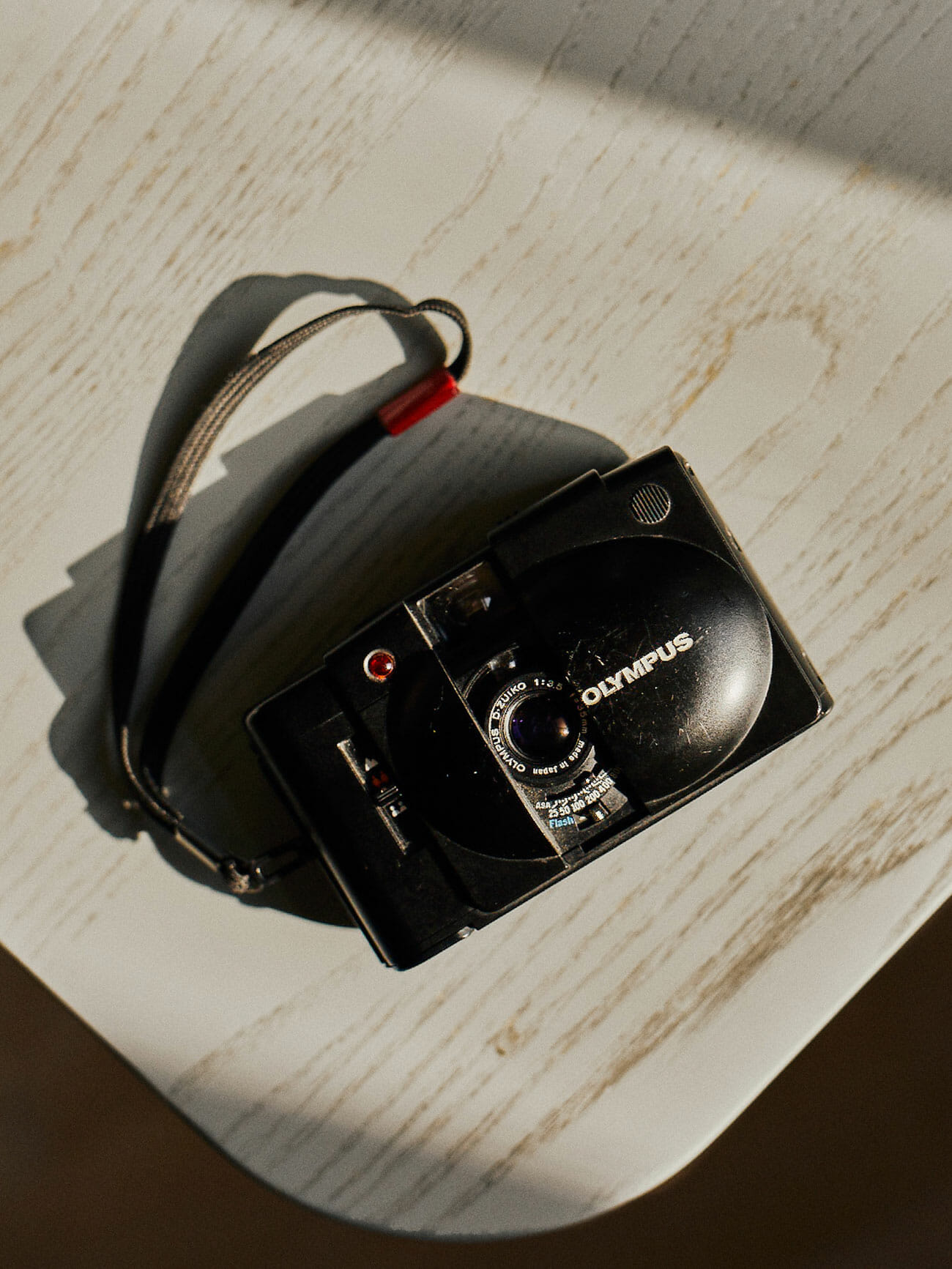
First sold in 1980, the XA2 is everything that my more serious digital camera, an Olympus OM-D EM10 MK II, is not. For starters, it’s a film camera, obviously. But it’s also a point-and-shoot, with mandatory automatic exposure and zone-based focusing you set manually based on your best guess as to the distance to your subject.

There are about a thousand things to love about the XA2’s design. It’s tiny, barely bigger than a deck of cards, making my already small Micro Four Thirds mainstay look like a goliath by comparison. And with the integrated dust-cover that snaps shut over the lens, it’s eminently pocketable and loads of fun to fidget with when you aren’t shooting. With its all-black design and legendarily quiet shutter, it’s extremely discreet. And with automatic exposure and focus distance you set before you fire, it’s lightning-fast to operate once you have it primed, far speedier than my phone. Last, but not least, it just looks extremely striking, which is how I found myself hunting one down on eBay after merely scrolling past a picture of the handsome little guy on Twitter.

But what I think I love most about this camera is that its combination of features puts it in a unique position between the digital camera I grab for premeditated sessions of Doing Artsy Photography, and my phone camera that I always have on hand and use for basic, documentation purposes. It’s got about the ease-of-use of an iPhone camera but also the convenience of… film. And that’s making me think about my photography in an entirely new way.

When loaded with black and white film, the XA2 prevents me from leaning on color to carry my shots. Its complete lack of zoom makes me get creative with my framing, while the lack of exposure settings or ability to just jack up the ISO makes me carefully consider my environment. Its handiness and speed make me keep my eyes out for even split-second shots while, simultaneously, limited exposures and the time (and cost) of development encourage me to carefully pick my battles. The result is that stellar results are, for now, much rarer to come by, but even the merely decent ones tend to be pretty well-composed (at least to my eye). And the ones that are actually great? They’re a hard-won victory showcasing genuine technical skill, not just brute-force burst fire.

I’m sure some of this experience is more about the medium than the camera itself, but with its dead-simple, zippy operation and everyday-carry size, the XA2 has won my heart through far more than just shooting film. And better yet, it can be had for fairly cheap. You’ll find plenty of buy-it-now eBay listings for ostensibly pristine units in the $100 range, but I was able to snag my beat up but functional baby in an auction for $50 all told. (Albeit without the optional flash module.) Who knows how long it will last, but I will be using it until I find out.

So if you’re looking for the perfect first film camera for you, well, don’t look at me! I don’t know you! This is the only film camera I’ve ever seriously used! But what I can say is that this puppy has been living in my pocket non-stop for weeks, and I expect it to continue holing up there for months to come, making me a better photographer no matter what camera I’m using.

Note: Purchasing products through our links may earn us a portion of the sale, which supports our editorial team’s mission. Learn more here.
Eric Limer

Eric Limer is Gear Patrol’s tech editor. A resident of Weehawken, NJ, his current obsessions include mechanical keyboards, mechanical pencils and Formula 1.

More by Eric Limer | Follow on Instagram · Contact via Email

How to Buy a Mechanical Keyboard

I get it. Your laptop already has its own keyboard attached. The computer at the office came with a flat little keyboard for you to use and it works just fine. Why would you want to spend potentially hundreds of dollars to replace something you already have and which works fine?

A mechanical keyboard isn’t strictly better than what you already have on your desk. It can’t instantly make you a better or faster typist. But the draw of mechanical keyboards isn’t about functionality or efficiency. These keyboards just feel better. They look cooler. You can trick them out in your own style. Because the device you surely use for so much of your working day should be more than just a tool. It should be a source of pleasure. Every cubicle keyboardist at least deserves the joy of finding the perfect weapon of choice and wielding it every day.

Great First Keyboards

Mechanical Keyboards 101

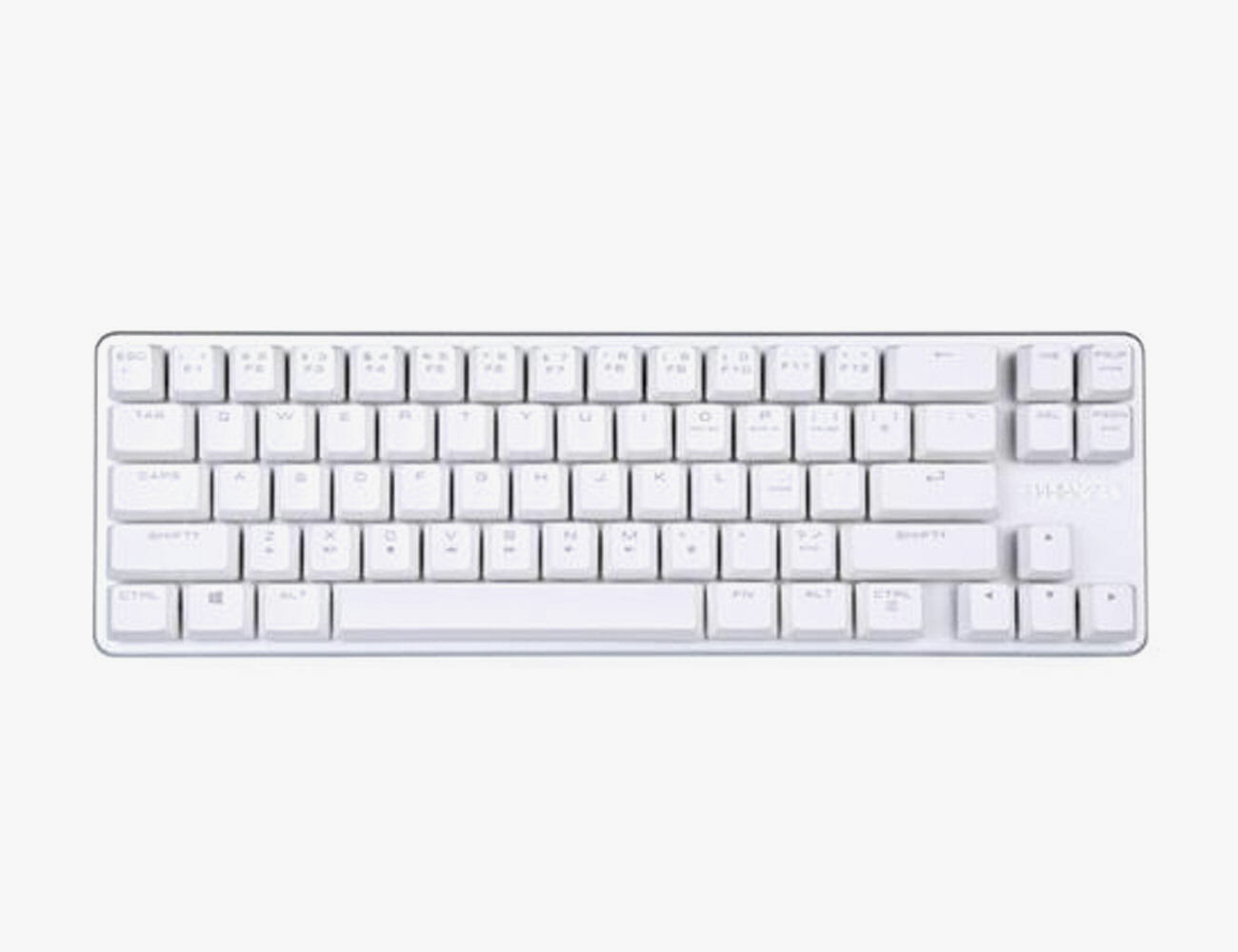
The Budget Starter: Qisan Magicforce 68

If you’re really on the fence, the Qisan Magicforce 68 is the keyboard for you. Chinese made, these boards are extremely cheap but punch well above their weight. Prices tend to fluctuate over time, as well as from model to model depending on what color and switches you’d like. But if you’re looking to get in on the cheap, there’s no better entry point. The best part about getting a cheap board for your first time out? It’s a great excuse to spring for something expensive the next time around once you have a handle on what it is you actually like.

The Upgrade Pick: Drop ALT
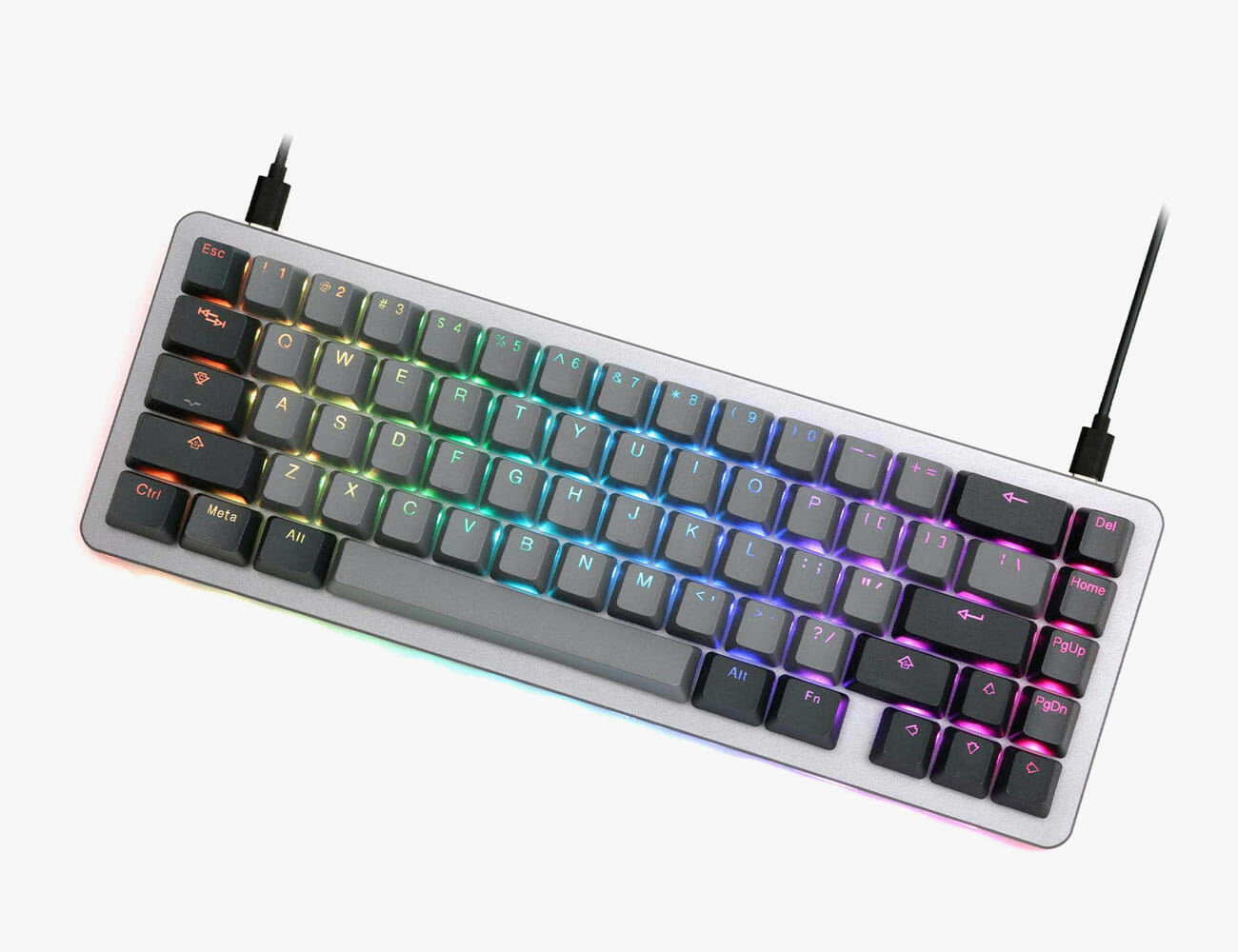
The Massdrop ALT is admittedly a bit expensive, but there is a good reason to shell out: it is, in a manner of speaking, an infinite number of keyboards at once. Most mechanical keyboards have switches that are permanently soldered in, so if you want to try a new kind of switch, you’ll have to buy a new keyboard that has them. The ALT, on the other hand, has “hot-swap switch sockets,” which means that you can replace both they keycaps and the switches with ease. That means that if you decide you want to try a new flavor of switches, all you have to do is buy a handful from a wholesaler and install them yourself, saving you a lot of money and space versus buying more keyboards. Its 65 percent design is also, to my mind, the perfect layout, though the larger and more expensive Massdrop CTRL can give you a tenkeyless option.

Made-to-Order: Custom WASD Keyboards
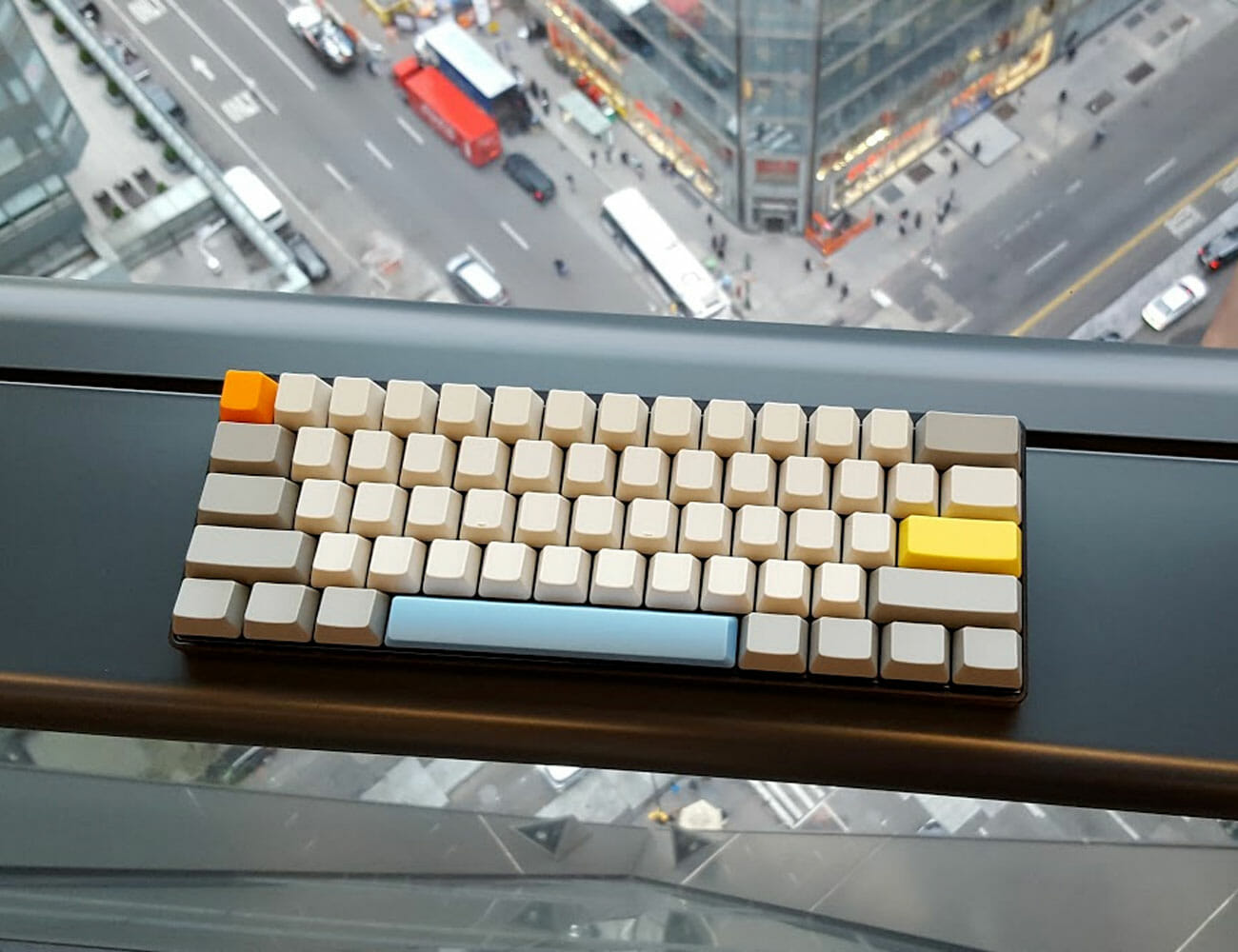
A slightly cheaper but still terrific option is a custom keyboard from WASD Keyboards. WASD offers full-size, ten keyless, and 60 percent sizes, along with the most popular flavors of switch, and case colors of black and white. But the best part is that these keyboards come with custom caps that you can design down to the individual key. While these caps are far from the highest quality and may show signs of wear pretty quickly if they feature printed legends, they are a terrific way to get your first taste of how addictively fun it is to trick out your own custom board. My very first mechanical keyboard (that’s it, right up there) was a 60 percent from WASD with brown switches, though if I could go back in time, I’d opt for a tenkeyless with clears instead.
Protip: Don’t pick an ISO layout with the big weird enter key. That makes finding custom keysets that fit your board much, much harder.

Great First Keyboards

Mechanical Keyboards 101


Selecting Switches

If you don’t know much about the keyboard that’s currently on your desk, it’s almost certainly what’s known as a “membrane” keyboard. These contain within them a layer of flexible rubber domes — almost like a layer of bubble wrap — between the keycaps you press with your fingers and the electronics underneath which send an electric signal to your computer. These domes are what give your keyboard that “snap” (at best) or “mush” (at worst), when you press the keys.

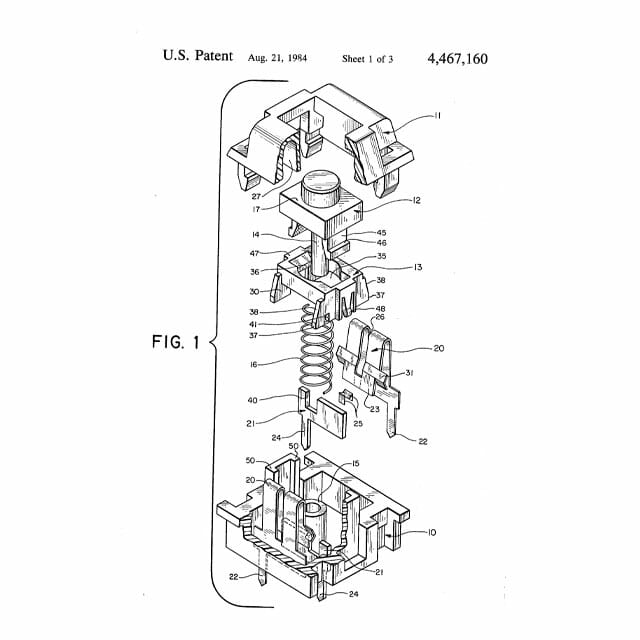
Mechanical keyboards, by contrast, have a discrete plastic mechanism under each key. These tiny devices, the switches, are what give a mechanical keyboard its feel, which can vary wildly depending on what kind of switches you choose to use. There are hundreds of varieties, many of which are hard for even aficionados to tell apart, but for a newb there are three main flavors to consider: “linear,” “tactile,” and “clicky.” Each of these three flavors tends to come in two varieties of stiffness, where a stiffer switch requires more force to press down.

Off-brand switches

Cherry is the brand-name keyboard switch manufacturer, but its patent on the iconic design has expired. “Clones” from Gateron or Razer are all functionally identical. Generally, colors also indicate the same sensation across brands, but double check for the universal keywords “tactile,” “linear,” and “clicky” when buying boards with non-Cherry switches.

Linear switches are switches that simply go up and down with no gimmicks. When you press a linear switch, you’ll feel it depress smoothly until it’s all the way down. This is the vanilla of mechanical switches: it is very good and very enjoyable but it is also very simple. If you see a switch called a “red” or a “black,” it is almost certainly a linear switch. Blacks are typically the stiffer of the two.

Clicky switches are the other end of the spectrum. Clicky switches have two parts inside of them that smack against each other as you press them down, which results in a satisfying sensation for your fingers as well as a clicky noise that you may enjoy but that other people in the room will almost certainly hate. If you see a switch called a “blue” or a “green,” it is almost certainly a clicky switch, and greens tend to be the stiffer of the two.

Tactile switches are something of a fusion of these two options. Tactile switches have “bump” on the way down, a small physical sensation that is reminiscent of a click, but much more subtle and, perhaps more importantly, entirely inaudible. Tactile switches are a little rarer than linear or clicky switches, but are very popular among enthusiasts for this best-of-both worlds-quality. They’re also, by far, my favorite. If you see a switch called a “brown” or a “clear,” it is almost certainly a tactile switch, and clears are generally the stiffer of the two.

Related Video: How to Build a Mechanical Keyboard

[embedded content]

There is also a flavor of switches called “Topre,” but that’s a whole other can of worms you can open on your own if you’d like.

Our recommendation: Your first consideration for your choice be sound. Don’t buy clicky switches if you work within earshot of family or coworkers!!! Their high-pitched clicks tend to be particularly irritating to bystanders. While linear and tactile switches lack an annoying “click,” they do still make considerably more noise than a membrane keyboard. If that prospect makes you self-conscious, my go-to solution is not to give up the dream but rather to convince a coworker to buy a mechanical keyboard as well so you are not alone. You can also opt for specialized keyboards that are designed to be quiet, but even these make noise.

The second consideration is feel. You can buy switch testers like this 9-Key Cherry Tester ($18) which will give you the opportunity to feel everything you’ve just read about, and for a reasonable price. But beware: pressing one switch with one finger is barely indicative of what it feels like to type on keyboard full of that switch. If you have a friend with a mechanical keyboard, certainly ask to try theirs. Otherwise, just take the plunge with whatever seems appealing. Personally, I prefer tactile, but enjoy linears as well!


Size and layout

Once you’ve settled on your switches, the hard part is over. But there are still a few more considerations. Keyboards come in a wide variety of shapes and designs. Some are truly wacky, but sticking with more traditional rectangular boards, you have three main options as to size and style.

But what about gaming keyboards?

So-called “gaming keyboards” from companies like Razer make up a huge part of the mechanical keyboard market, and are very competent boards even for non-gamers. Their general aesthetic is a little….polarizing, but that is about the only meaningful difference between them and non-“gaming” keyboards. Follow your bliss!

Full-size keyboards have all the keys you could ever want: a full suite of letters and numbers (obviously) but also arrow keys, a row of F1-F12 function keys above the numbers and a dedicated numpad. This is your safest bet, with a few minor downsides. Bigger mechanical keyboards are generally more expensive, and they have a larger footprint on your desk.

Tenkeyless boards are a full-size keyboard, but without the numpad. Simple! After all, you can just pick up a numpad separately if you really miss it.

60 percent keyboards dispense with the numpad, but also function keys and, most notably, arrow keys. In lieu of dedicated keys for these functions, 60 percent boards make use of a feature called layering. Just like you would hold shift to access the “layer” of keys where symbols like @ and * live on a normal keyboard, 60 percent keyboards use an additional “function layer” to give you temporary access to the keys it is missing. Some slightly larger keyboards known as 65 or 68 percent keyboards, find a way to cram in those arrow keys somewhere by getting creative with the size of certain keys.

There are also even smaller boards, but that’s a conversation for another day.

Our recommendation: Unless you use the numpad on a very regular basis, get a Tenkeyless. Smaller 60 percenters are very popular for their minimalism and portability, but I would advise against choosing any keyboard that does not have arrow keys. If you’re anything like me, you will miss them far, far more than you expected to.


What’s your next upgrade?!

Typing on a mechanical keyboard is a blast, but it is only half the fun. The other half, and the truly addictive (and expensive) part is tricking it out. Unlike membrane keyboards where the keycaps are typically permanently attached to the board, a mechanical keyboard’s keycaps are removable. This means that you can pull off that stock plastic and replace it with all manner of colorful alternatives. This is how you turn the mechanical keyboard you bought into your mechanical keyboard.

Budget sets of replacement caps can be found on Amazon in the $30-50 range. But while colorful and widely available, they’re generally made out of low quality plastic and a pretty limited variety of colors. More esoteric and high-quality keysets are generally produced in small runs, are only available for limited times through boutique websites and may cost as much if not more than what you paid for the keyboard itself.

For an idea of the range of options that are trendy with enthusiasts, scope out a mechanical keyboard haunt like r/mechanicalkeyboards on Reddit. For an idea of what is available for purchase at the moment, you can scope out reputable boutique retailers like Drop, Pimp My Keyboard, and Originative Co. Just be prepared to wait; orders for new keysets are often taken long before the keys themselves are actually in production.

For a smaller upgrade, you can also purchase custom keys one by one. Some novelty keys, like the ever-popular “Sadster” can be had for as little as a dollar. Other “artisan” keys are made by hand or produced using handmade casts. These highly collectible keys are truly stunning and unique works of art, but they’re also wildly expensive. Artisan keycaps from Jelly Key (some of the best in the biz) will run you $50 or more for a single key.

And then, of course, there is the matter of your next keyboard because, let’s face it, there will be another. While it is too much to go into right here right now, just know that there is a wide, wide world of tiny keyboards, strangely-shaped ergonomic keyboards and, of course, the prospect of building one yourself.

Our recommendation: Any, or all, of the above! Just do something, because otherwise you’re only having half the fun you could be.

Eric Limer

Eric Limer is Gear Patrol’s tech editor. A resident of Weehawken, NJ, his current obsessions include mechanical keyboards, mechanical pencils and Formula 1.

More by Eric Limer | Follow on Instagram · Contact via Email

Enhance your entertainment setup with the Slab Console audio system

Except for the brave folks working the front lines in the battle against the COVID-19 pandemic, most of us are staying indoors. Unless you’re working from home like us, finding ways to stave off boredom is essential to weather out the storm. We can recommend DIY projects to keep you busy or perhaps its time to remodel or spruce up your man cave. For those planning to do the latter, may we recommend the Slab Console. Don’t let the minimalistic looks fool you because this might be the missing piece to your entertainment setup.

Starting with the dimensions, it measures 24 inches high, 21 inches deep, and 80 inches wide. Unless you are mounting your flat screen on the wall, this could hold even the biggest displays available right now. With the PlayStation 5 and Xbox Series X on its way later this year, it might be a good idea to upgrade to a new one as well. Just note that the space under the upper shelf is 9 inches high, 74 inches wide and 21 inches deep.

The Slab Console does a great job of concealing what it’s really made to do. What we have here is a premium audio system with more than enough firepower for movies and gaming. It houses three Focal 2-way coaxial 6.5-inch Kevlar speakers and a Reference 12-inch subwoofer speaker. Furthermore, a 540W subwoofer amplifier is on board for a complete acoustic experience.

The craftsmanship that goes into this is outstanding. We’re talking about the CNC precision-milled multi-layer MDF and furniture-grade plywood core. Meanwhile, the aluminum frame provides support to keep the structure stable even with the output set on high. The Slab Console is a luxurious addition that would become the centerpiece of any home.

Orders yours now: here

Images courtesy of Slab

Do You Need to Upgrade to 5G? Here’s What It’s Actually Like to Use

This story is part of our Summer Preview, a collection of features, guides and reviews to help you navigate warmer months ahead.
On paper, 5G will make your jaw drop. Its highest speeds beat most home broadband connections by orders of magnitude. With it, YouTube videos load in a snap, entire seasons of TV download in seconds. More crucial than any anecdote or benchmark, however, is the answer to a simple question: How will this technology change the way I live my life?

After spending some time surfing 5G’s futuristic airwaves humming with hype, I can tell you with firsthand knowledge: it probably won’t. At least not yet.

Officially, in its broadest definition, 5G stands for fifth-generation cellular wireless. It’s the successor to 4G and a cousin to LTE. New phones will support it and older phones will not. As far as the marketers are concerned, 5G is synonymous with speed. But under the hood, 5G is a digital chimera — a marriage of two different technological means suited to a similar end.

One half, known colloquially as “sub-6,” is quickly blanketing the nation. In large part a software upgrade, this flavor of 5G operates on the same general airwaves your phone currently uses and shares the same general characteristics, spreading far and wide from tall, distant towers that combine to cover a large area.

The other half, often called “millimeter wave,” is the sexy bit. Utilizing extremely high-frequency airwaves never widely used by mobile devices before, it delivers blistering speeds of 1,000 megabits per second or higher. But it comes with significant downsides: these waves don’t travel far, and they are easily blocked by walls, buses and trees; and for now, they’re only pumped out of little black antennas on top of streetlights in a handful of cities across the country.

When 3G and 4G rolled out, they were a revelation because they offered access to something cable connections had created years before: an internet built for broadband. In 2020, 5G is pushing unprecedented speed, so the cart is leading the horse. When I booted up my 5G phone, I excitedly benchmarked its speed, downloaded a few large files … then went about my day as faster speeds hummed imperceptibly in the background. Millimeter wave, which packs almost all of 5G’s significant punch, is much more like Wi-Fi than the all-encompassing “mobile” networks we’re accustomed to. They act as a series of high-speed islands you need to seek out and find reason to stand in.

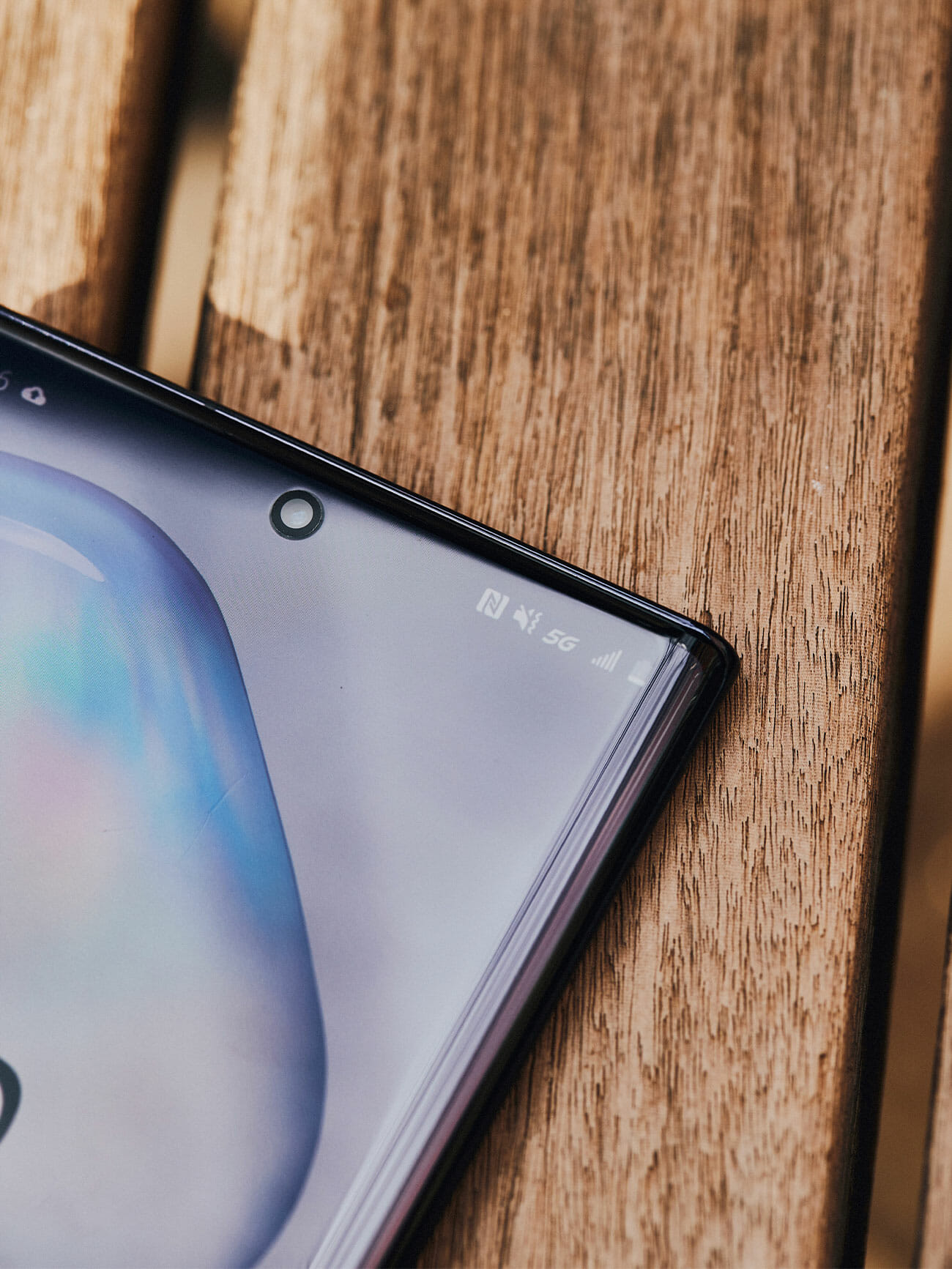
In my time testing 5G around New York — primarily with a Samsung Galaxy Note 10+ on AT&T’s network — my experience was almost entirely with sub-6, as your first dabbles with 5G will be, too. That initial test revealed that 5G is still impressive … if not life-altering or consistent.

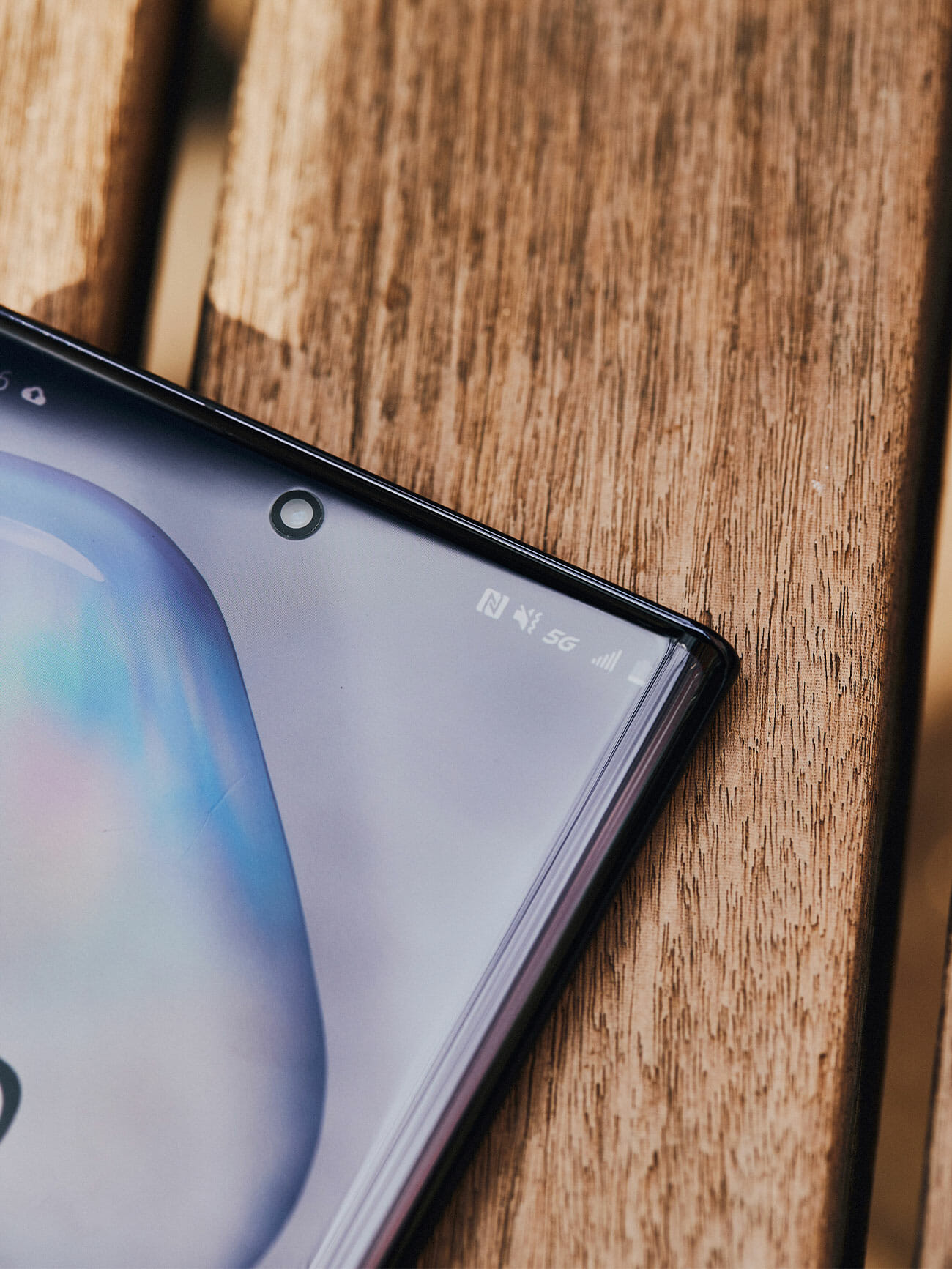
My daily trek home from midtown Manhattan to the west side of the Hudson River weaves through the heart of one 5G’s beachheads in New York City. With my eyes glued to the signal icon on my phone’s status bar (with admittedly little regard for my own safety), I’d catch the signal flicker between 5G and LTE a dozen or more times. On trips using my phone like a normal human being would — reading Twitter, checking Instagram, streaming music, watching the occasional YouTube video — I never once noticed any change in performance the way I do when, on the bus home along rural stretches to my parents’ house in upstate New York, I instantly detect the occasional downtick to 3G load times and the relief of return to LTE.

I noticed 5G most when I was explicitly running the numbers: standing on the corner of 5th Avenue and 28th Street in the bustle of Manhattan, holding two phones for comparison and watching a Netflix video load slightly faster on the futuristic network. Quantitative metrics were more definitive: running seven speed tests in a row while sitting in the Lincoln Tunnel or walking along the edge of the Hudson River, the advantage for 5G made itself plenty clear in the numbers. But aside from edge-use cases like downloading entire discographies, multiple seasons of a television series or high-definition mobile games (all of which will absolutely demolish your data cap if you have one), the difference between 20 megabits of download speed and 200 is like the difference between a Porsche 911 and a V12 Ferrari. One’s faster than the other, but most people would ever notice.

I can imagine a future where this is no longer true — and so can carriers and tech companies. It’s a world where airports and bus stops are blanketed with millimeter-wave radio waves as a matter of course, and you can seek out a hotspot to download four gigabytes of video before you take off, or stream 4K PC-grade video games to your phone through a service like Google Stadia or Microsoft Project xCloud. Or, looking even further down the road, loading a terabyte of augmented reality apps onto your iGlasses. But we aren’t there yet. And the arrival of robust 5G doesn’t bring us there; it just sets the stage.

While 5G’s potential is undeniable, the current coverage situation leaves a bit to be desired. Sometimes your connection is just going to be mediocre.

In the meantime, 5G charges on. Samsung’s new flagship S20 is among the first crop of phones to support both flavors of the technology by default (previous handsets focused on one or the other and cost a premium for the privilege). There’s a good chance Apple’s next iPhones will as well. Carriers are beginning to roll out 5G data plans using a variety of strategies, from offering 5G access for free on existing unlimited plans to offering it at a monthly premium. All, of course, are designed in part to lure you off any particularly affordable plan you may have found yourself grandfathered into.

My advice for the meantime? Resist the 5G temptation, insofar as you have no particular use in mind. Its most impressive advantages are, for now, few and far between. Once superfast millimeter wave blankets public spaces as a matter of course and data caps inflate to allow monstrously huge files, the calculus will assuredly change. For now, however, 5G is a fabulous foundation still waiting for the house to be built on top.
A version of this story originally appeared in a print issue of Gear Patrol Magazine. Subscribe today.

Eric Limer

Eric Limer is Gear Patrol’s tech editor. A resident of Weehawken, NJ, his current obsessions include mechanical keyboards, mechanical pencils and Formula 1.

More by Eric Limer | Follow on Instagram · Contact via Email
8K TVs Are the Future. Here’s What You Need to Know Right Now

This story is part of our Summer Preview, a collection of features, guides and reviews to help you navigate warmer months ahead.

Like 4K and HD before it, 8K resolution is poised to bring a new standard for pixel-packing to your television. But an 8K screen is only as good as what you can put on it. After years of hype and prototypes, 8K TVs are finally starting to come to market. Here’s what you need to know before you consider buying one.

So what is 8K, exactly?

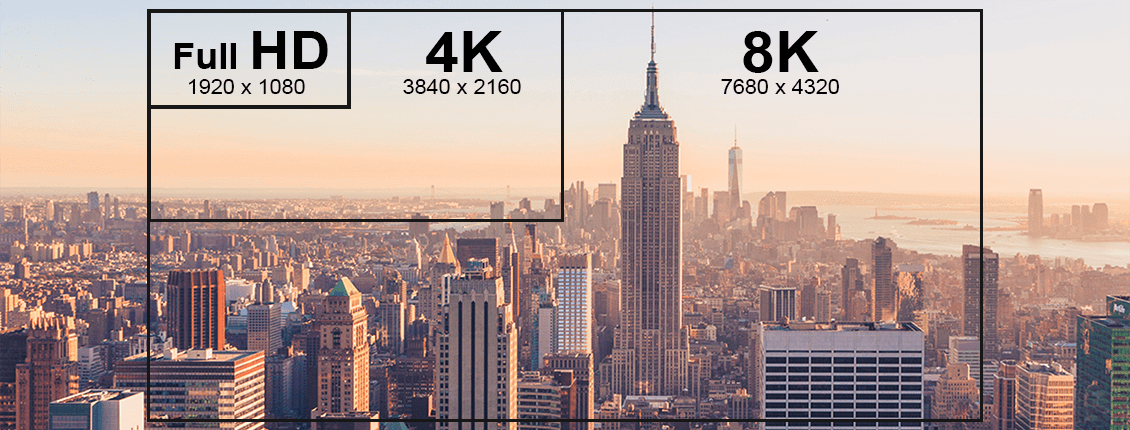
The term 8K has long been fuzzy, but thanks to the Consumer Technology Association, which sets the rules manufacturers abide by, we now have an official definition: an 8K Ultra HD Display has a resolution of at least 7680 x 4320 pixels for 33 million active pixels total. In other words, 8K has four times the resolution of 4K, and 16 times the resolution of the HDTV.

What can I buy?

A whole crop of 8K TVs showed up at the 2020 Consumer Electronics show, and unlike earlier proofs of concept, these models will hit the market … for a price. Samsung sells some of the most affordable 8K TVs sets as part of its Q900 line, but a 65-inch model still costs upward of $3,500. That’s just the beginning. LG’s jaw-dropping 8K OLED TVs come with an equally impressive price tag — they’ll set you back about 30 Gs.

Is there anything I can watch?

There’s not a lot! If you were to buy an 8K TV right now, you wouldn’t be able to buy an 8K cable box. Popular streaming apps — like Netflix, Amazon Prime Video and Hulu — are still plugging away at 4K, in part because 8K files are enormous. And the prospects for an 8K disc format are also fairly grim. However, some broadcasters, specifically those in Italy and Japan, are pushing to capture the 2020 Tokyo Olympics in 8K, and YouTube has had 8K content since 2015.

Is it good for gaming?

Gaming in 4K, much less 8K, is a tricky proposition at the moment, especially as consoles are concerned. Right now, the base versions of Sony’s PS4 and Microsoft’s Xbox One don’t have the horsepower for 4K. But by the end of 2020, if all goes as planned, we’ll see the new PS5 and Xbox Series X both of which will support 8K. Hopefully, they’ll spur on a generation of new console games that make use of that power.

Do I need it?

No, not yet. Right now, an 8K TV is an upgrade over what you already have; 8K TVs can upscale HD and 4K, giving them an extra boost. But this is bleeding-edge tech, and you’d be paying a huge premium for an experience that’s yet to arrive. The only real reason to hop on board now is if you are fixing for a flex.

A version of this story originally appeared in a print issue of Gear Patrol Magazine. Subscribe today.

Note: Purchasing products through our links may earn us a portion of the sale, which supports our editorial team’s mission. Learn more here.
Tucker Bowe

Tucker Bowe has been on Gear Patrol’s editorial team since 2014. As a Tech Staff Writer, he tracks everything in the consumer tech space, from headphones to smartphones, wearables to home theater systems. If it lights up or makes noise, he probably covers it.

More by Tucker Bowe | Follow on Instagram · Twitter · Contact via Email

This Award-Winning Surge Protector Will Actually Look Nice on Your Desk

<!–This Smart Surge Protector Won One of the Most Prestigious Design Awards There Is<!– –>

Eve Energy Strip


The Eve Energy Strip ($100) is a HomeKit-enabled power strip that comes with three smart plugs. Not only will it help you get your desk in order, but it’s also likely to be the prettiest bit of cabling you own. It has an aluminum frame and a black matte body, and it even won Red Dot Award for product design last year.

All three of the Energy Strip’s outlets can be controlled from the Home app on your iPhone, iPad or Mac — they can also be controlled through the Eve app or by using Siri voice commands. Like traditional power strips,it also provides surge, overcurrent and overvoltage protection. Better yet, it’ll even break down your total power consumption by day, week, month and year.

On top of all that, the three LED power indicator lights located near the base of the Eve Energy Strip show the power status of its corresponding outlet, and via an adjacent button near each LED light.

If you’re going to spend a ton of time staring at your desk, you might as well have it look nice.

Gear Patrol also recommends:
Elgato Eve Energy ($30)
iDevices Switch ($45)
Koogeek Smart Power Strip ($62)
Tucker Bowe

Tucker Bowe has been on Gear Patrol’s editorial team since 2014. As a Tech Staff Writer, he tracks everything in the consumer tech space, from headphones to smartphones, wearables to home theater systems. If it lights up or makes noise, he probably covers it.

More by Tucker Bowe | Follow on Instagram · Twitter · Contact via Email

<!–

–>

<!– –><!–

–>

Apple Just Announced a Small, Affordable New iPhone — And It’s a Game Changer

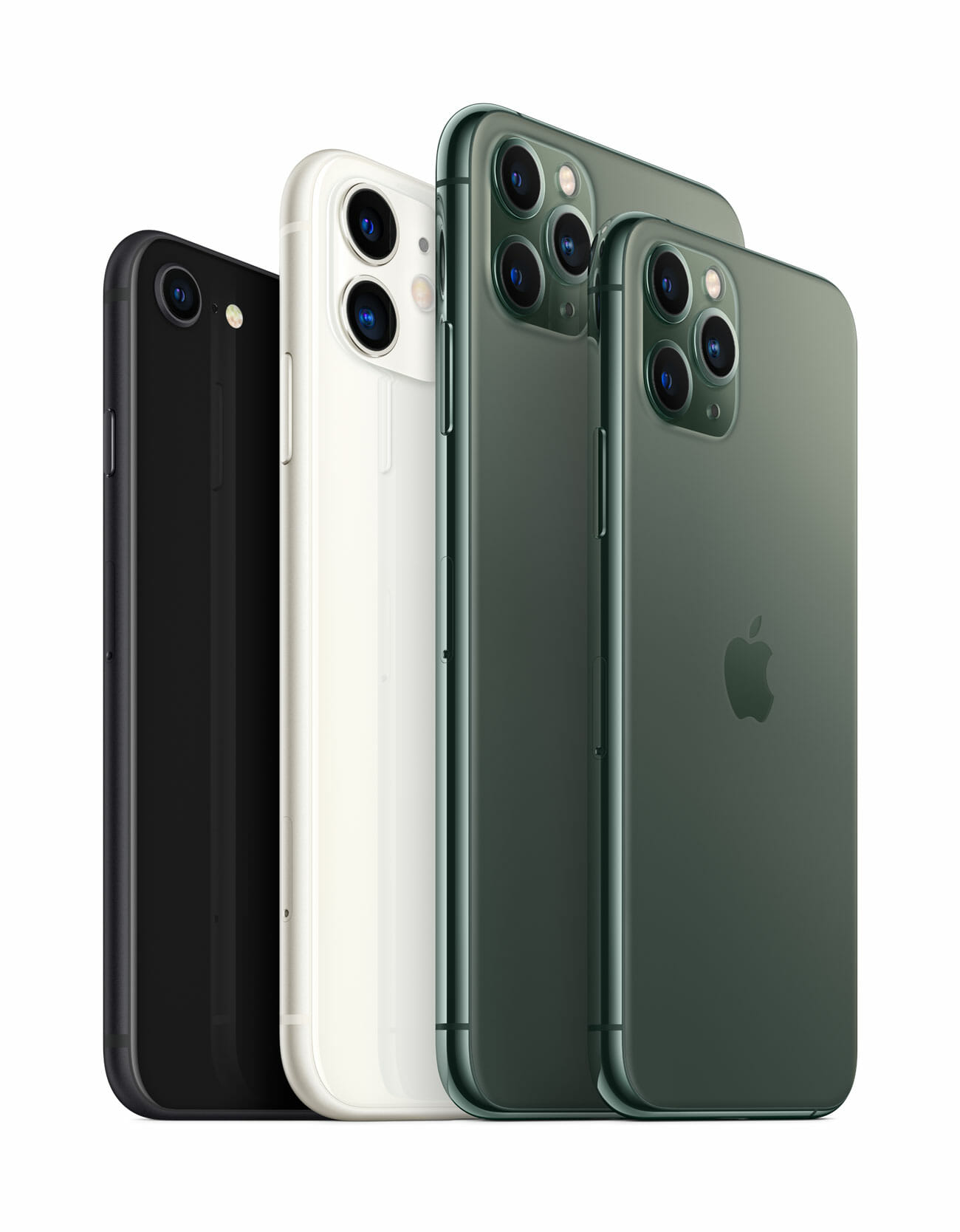
Apple just announced the small, affordable iPhone that tiny-phone fans have been waiting for. The all-new iPhone SE shares the same name as the iPhone SE that was released in 2016, but it looks more like 2017’s iPhone 8. It has a 4.7-inch display (instead of the original iPhone SE’s 4-inch display), which Apple claims is the most popular size for an iPhone, and adopts many high-end performance capabilities of the iPhone 11 and iPhone 11 Pro. The iPhone also comes in three finishes — white, black and red — and starts at $399. It will be available for pre-order this Friday (April 17), and everywhere by April 24. Here’s what else you need to know:

It’s a throwback design. The second-generation iPhone SE shares the same design as the iPhone 8, but with an upgraded feature list. It has a Retina display with True Tone, a Home button with Touch ID (with haptic touch instead of physical operation), and a glass-and-aluminum body that’s water-resistant (IP67). There’s no Face ID.

It has the same A13 Bionic chip that’s in Apple’s flagship iPhones. Apple claims that the new iPhone SE has four times the performance over the 2016 model. The A13 Bionic chip also means that the new iPhone SE will be able to easily handle games on Apple Arcade and movies or shows on Apple TV Plus.

It has Portrait Mode. The iPhone SE has a single rear-camera system with a similar 12-megapixel wide-angle lens that’s on the iPhone 11 and iPhone 11 Pro. But even though the iPhone SE doesn’t have a telephoto or ultra-wide lens, it’s still able to take Portrait Mode photos — on both front and back camera systems. Depth control (for background blur) and all of Portrait Mode’s different lighting effects are also available.

It shoots 4K video up to 60fps. The rear camera of the iPhone SE is able to record high-quality 4K videos up to 60fps. And 4K videos with extended dynamic range (to capture more detail) can be captured at up to 30fps. It also has QuickTake video capabilities on the front and rear cameras, which allows you to quickly shoot videos without switching out of Photo mode.

There’s no headphone jack. Unlike the original iPhone SE and the iPhone 8, the new iPhone SE omits the classic 3.5mm headphone jack. Instead, there’s a single Lightning port to connect your wired headphones. (As of writing, it’s unclear if Apple plans to include a 3.5mm to Lightning adapter with the new iPhone SE. Our guess is no.)

Yes, it supports wireless charging. The iPhone SE supports wireless charging like all of Apple’s current iPhones. It also supports fast charging if you use an 18-watt (or greater) wall adapter. The iPhone SE comes with Apple’s 5-watt wall adapter, so if you want the fast charge capabilities you’ll have to upgrade.

It costs the same as the original iPhone SE, but with way more storage. The new iPhone SE starts at $399, which is exactly what its predecessor went for in 2016. The big difference is that the new iPhone SE starts with four times the storage, 64GB instead of 16GB. Apple will sell the new iPhone SE in 128GB ($449) and 256GB ($549) models, too.

You can trade-in your old iPhone to get a better deal. As part of Apple’s trade-in program, credit for your older iPhone can go towards the purchase of your new iPhone SE. It likely won’t be much, however, but it’ll drop the SE’s $399 starting price a little bit.

It comes with a year subscription to Apple TV+ for free. With any new Apple purchase, customers will get a year subscription to Apple’s streaming service, Apple TV+, for free.

The new iPhone SE isn’t as small as a lot of people were hoping for, but that’s far from a deal-breaker. Apple claims that the 4.7-inch model is still the most popular size for an iPhone, even though it’s been three years since the iPhone 8 has been released — that means that a heck of a lot of people have been holding out on buying a new iPhone. Well, this new iPhone SE is the perfect upgrade for those people. Or for people who just want a smaller iPhone. Or for people who just want the Home button back. And at $399, it could just be Apple’s new most popular iPhone.

Note: Purchasing products through our links may earn us a portion of the sale, which supports our editorial team’s mission. Learn more here.
Tucker Bowe

Tucker Bowe has been on Gear Patrol’s editorial team since 2014. As a Tech Staff Writer, he tracks everything in the consumer tech space, from headphones to smartphones, wearables to home theater systems. If it lights up or makes noise, he probably covers it.

More by Tucker Bowe | Follow on Instagram · Twitter · Contact via Email

How to Break Free From Your Phone

This story is part of our Summer Preview, a collection of features, guides and reviews to help you navigate warmer months ahead.

How much time do you waste looking at your smartphone each day? One hour? Maybe two? Even more? Tech companies have become increasingly aware that they need to help curb screen addiction before all our brains liquefy. With the built-in measures to stem these gadgets’ addictive nature and some committed mindfulness on your part, it is possible to start breaking free. Here’s some help.

Identify your hot spots

Pretty much every modern smartphone comes with a tool to help you look at its screen less. On the iPhone, it’s called Screen Time. On Android, it’s Digital Wellbeing. These apps deliver stats about your smartphone usage so you can stare at your bad behavior in the face.

Attack your worst habits
What is the worst offender in your screen time stats? Facebook? YouTube? Both Screen Time and Digital Wellbeing can set daily time limits for specific apps. Tackle your worst offenders and turn down the max time allowed bit by bit every day until it hurts — then keep going.

Consider a blackout
With features like Downtime (iOS) and Focus Mode (Android), you can set blocks of time where certain apps won’t work at all. Schedule daily blackouts — maybe first thing in the morning and right before bed — and plan an alternative activity instead. Books are neat!

Crackdown on the computer
If a laptop is your primary problem screen, free browser extensions can help reign in the internet. RescueTime tracks your browsing habits and calls out the most distracting trouble spots. StayFocusd lets you limit your time on certain sites like you can limit apps on your phone.

Set up bigger speed bumps

Whether your biggest weakness is inhaling Instagram or feasting on Facebook, the easiest way to curb your typical timesuck is to make sure you never get started in the first place. By adding obstacles between you and your vices, you give yourself a crucial moment to stop, think and change your mind.

Lean into the lockscreen
Do you unlock your phone with a fingerprint scanner? Facial recognition? Turn it off. Set yourself a PIN — a long one, too. For hard mode, consider an arduous password. This will make you think twice about diving into cyberspace just because you have 15 spare seconds.

Log all the way out
Muscle memory may take you to your most troublesome app before you know what’s happened, but logging out will help you hit the brakes. If you don’t have two-factor enabled, turn it on for a double dose of security and login pain.

Prevent the pushing
Notifications don’t just keep you up to date; they also drag you kicking and screaming back into the app you just escaped from. Disabling notifications from ancillary apps lets you engage with them on your own terms.

Bring out the big guns

The most drastic solution to a serious tech dependency may just be a little more tech. In the last few years, a new breed of hardware has emerged to help you disconnect when you can’t do it on your own.

Get a router that will take you offline
Scalable mesh Wi-Fi systems were designed to spread the internet to every corner of your house. But they also help you shut it off. Nest Wifi ($149+) and Eero ($99+), two of the most popular systems, let you schedule times to turn Wi-Fi off entirely or block certain sites through a smartphone app.

Treat yourself to a downgrade
We live in a world of folding phones and edge-to-edge screens but dumbphones still exist! The Light Phone II ($350), with an e-ink screen, does messages and calls but will never support social media. Meanwhile, modern cheap flip phones like the Alcatel Go Flip only go so far.

Get a literal lockbox
It may feel silly to drop your phone in a timed, locking kitchen container like the kSafe Mini ($60), but it will tear you away from Twitter. Yes, you could probably tear it out if need be, but the only thing worse than feeling like a toddler in timeout is knowing you couldn’t resist temptation.

A version of this story originally appeared in a print issue of Gear Patrol Magazine. Subscribe today.

Note: Purchasing products through our links may earn us a portion of the sale, which supports our editorial team’s mission. Learn more here.
Tucker Bowe

Tucker Bowe has been on Gear Patrol’s editorial team since 2014. As a Tech Staff Writer, he tracks everything in the consumer tech space, from headphones to smartphones, wearables to home theater systems. If it lights up or makes noise, he probably covers it.

More by Tucker Bowe | Follow on Instagram · Twitter · Contact via Email

The Complete Guide to Fluance’s Affordable Turntables

Welcome to Brand Breakdown, a series of comprehensive yet easy-to-digest guides to your favorite companies, with insights and information you won’t find on the average About page.

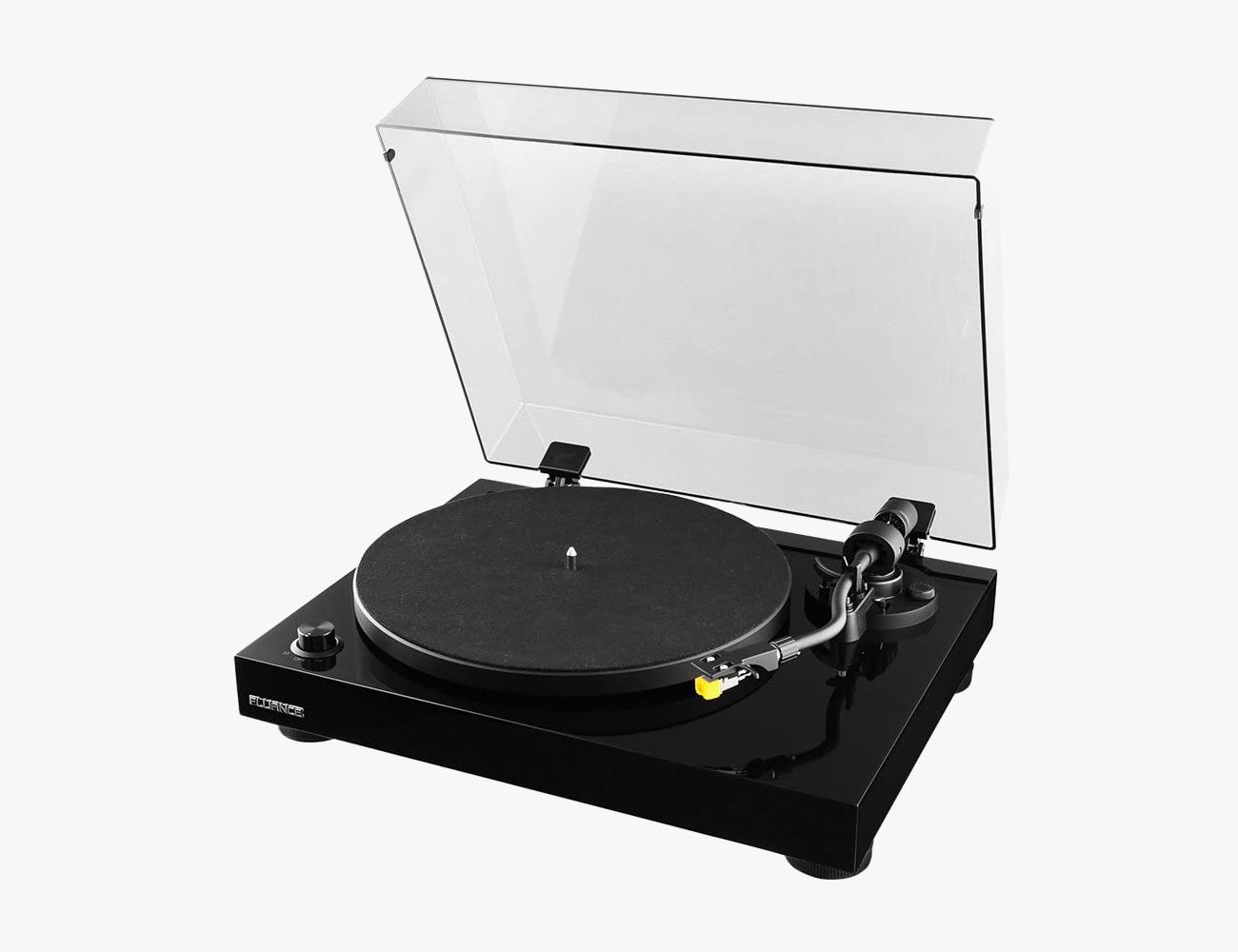
If you’re in the market for a good affordable turntable, you’ve undoubtedly come across Fluance. The Canadian-based audio company makes some of the best and most popular “bang-for-your-buck” turntables. It combines high-quality components (drive units, enclosure technologies, crossovers and wood cabinets) with a cool retro-inspired aesthetic, and it’s able to keep the price down by stripping away some of the more advanced, lesser-used features.

Fluance has only been in the turntable business for the last four years. The company dates back to 1999 and really built its reputation on hi-fi speakers and home theater speaker systems, but decided to go into turntables because the team had so many in-house vinyl enthusiasts. Today, you can get an entry-level turntable with a built-in phono preamp for as little as $200, or you upgrade to something a little higher-end. Either way, you’re not spending more than $500.

Getting Started

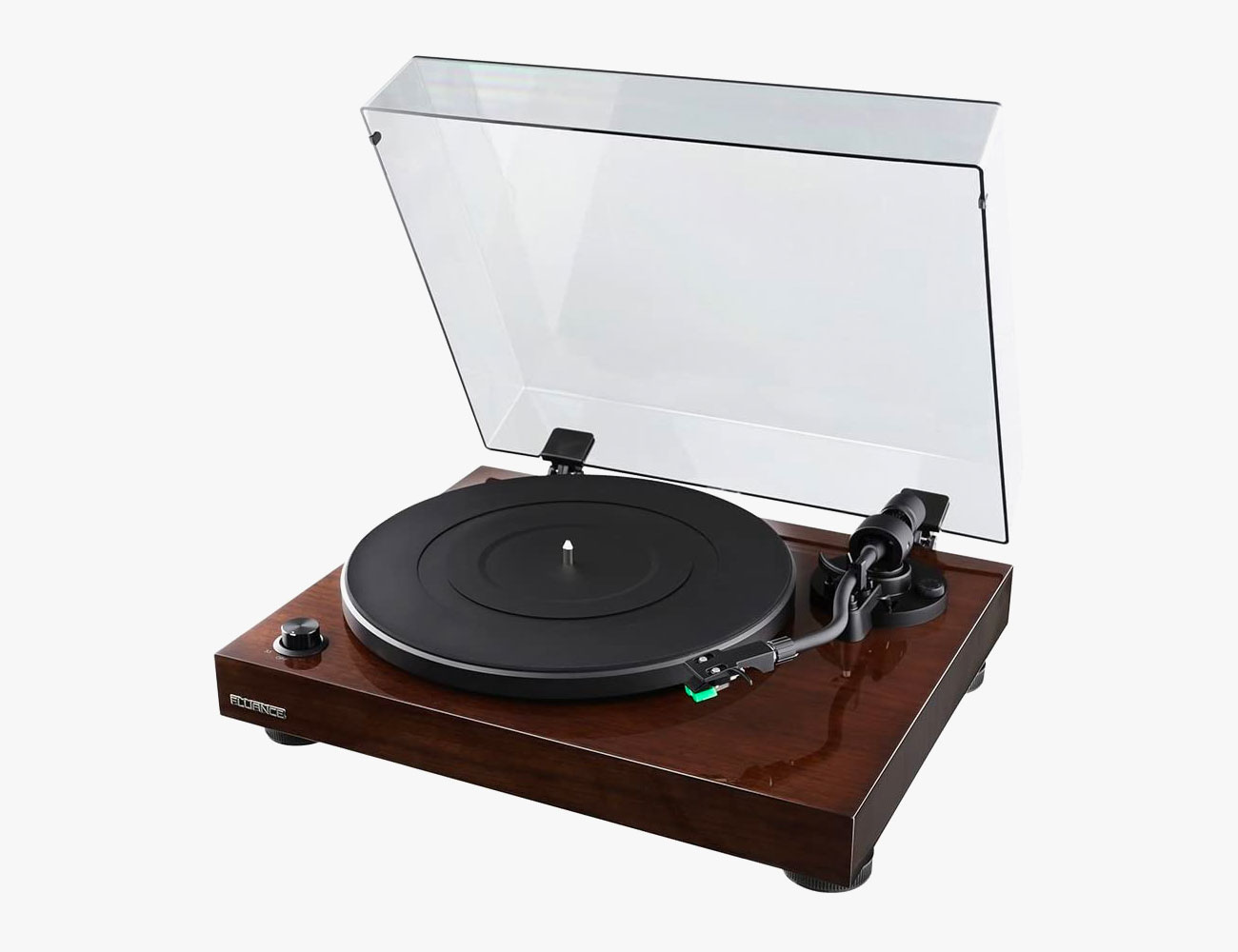
All of Fluances turntable models start with “RT” followed by a number (ranging from 80 to 85). The RT stands for “Retro Turntable,” and the numbers don’t indicate any specific value. They do indicate a general trend though: the higher the number, the nicer the turntable.

All of Fluance’s turntables look similar. They have engineered MDF wood plinths that are available in either a piano black or walnut (except RT80, which only has the black finish). With each model, from the RT80 through to the RT85, there are iterative fashion and performance improvements. Each turntable is fitted with a different cartridge from Audio Technica or Ortofon. Moving up the series each of those cartridges are able to provide better audio performance with increased channel separation, clarity and sound accuracy.

Entry-Level Versus Reference Lines

Fluance’s turntables can be separated into two categories: entry-level and the reference line.

The two turntables that makeup Fluance’s entry-level line are the RT80 and the RT81. Both turntables have built-in phono preamps and can be plugged directly into a pair of powered bookshelf speakers, or a powered amplifier and a pair of passive bookshelf speakers. The main difference between the RT80 and the RT81 has to do with the specific components that impact sound quality. The RT80 has a hollow body while the RT81 has a solid body, so the latter is heavier and better at canceling out vibrations. The RT80 has a conical cartridge so it’s more forgiving yet lacks some performance.

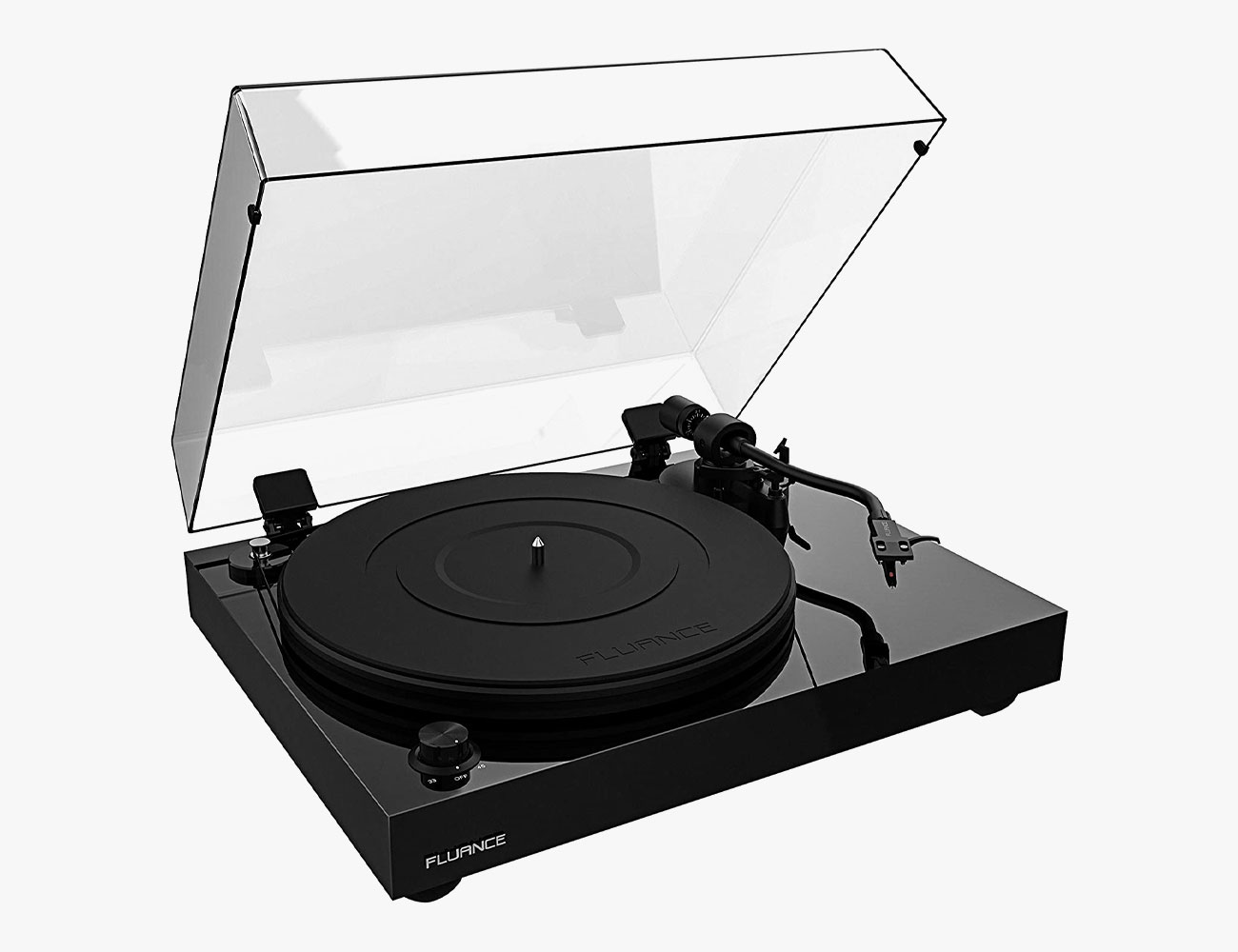
The four higher-end turntables — the RT82, RT83, RT84 and RT85 — are what Fluance refers to as its Reference line, and they have a couple more notable differences over the more affordable RT80 and RT81 turntables. First, they don’t have a built-in phono preamp. Second, they have a three-foot design, as opposed to the four feet on the RT80 and RT81, to reduce surface contact and minimize distortion. And third, their motor has been moved to the outside of the platter, further away from the cartridge, to help reduce noise from being picked up by the stylus.

When comparing each of the Fluance’s Reference turntables, they’re all pretty much the same except for the cartridge and platter: the higher the number, the higher quality the cartridge and platter. All four turntables were designed to be more customizable and offer a more pure analog signal. Fluance has developed its own stand-alone phono preamp, the Fluance PA10 ($80), to use with any turntable in its Reference line.

The Turntables

Fluance RT80

The RT80 is the of the company’s base model and most entry-level turntable. It has a built-in phono preamp so it is easy to incorporate into an existing audio system or hook up to powered bookshelf speakers. It has a hollow body plinth and an Audio Technica AT91 cartridge.

|

Fluance RT81

The RT81 was the company’s original flagship turntable before it introduced the Reference line. It’s essentially an upgraded version of the RT80. It has the same built-in preamp, but includes a rubber mat, a solid body plinth and an Audio Technica AT95 cartridge.

|

Fluance RT82

The RT82 is the most affordable turntable in Fluance’s Reference line. It has the key upgrades over the RT81, such as a three-foot design and a motor that’s been moved to the outside of the platter, and doesn’t have built-in phono preamp. It has an aluminum platter, a rubber mat and an Ortofon OM 10 cartridge.

|

Fluance RT83

The RT83 is essentially the same turntable as the RT82, but with an upgraded cartridge. It has the very popular Ortofon 2M Red cartridge which is known for providing a flat-frequency response without coloration of the sound.

|

Fluance RT84

The RT84 is the same the previous two Reference turntables, but with an upgraded cartridge. It has the Ortofon 2M Blue cartridge which has a nude diamond stylus resulting in even greater dynamics and resolution.

|

Fluance RT85

The RT85 is the best performing turntable in Fluance’s current line. It has the same Ortofon 2M Blue cartridge as the RT84, but also has a heavier acrylic platter. The platter helps provide better speed consistency, and it also eliminates the need for a platter mat.

|

Note: Purchasing products through our links may earn us a portion of the sale, which supports our editorial team’s mission. Learn more here.
Tucker Bowe

Tucker Bowe has been on Gear Patrol’s editorial team since 2014. As a Tech Staff Writer, he tracks everything in the consumer tech space, from headphones to smartphones, wearables to home theater systems. If it lights up or makes noise, he probably covers it.

More by Tucker Bowe | Follow on Instagram · Twitter · Contact via Email

Webcams Are Getting Hard to Find, But You Probably Already Have the One You Need

<!–How to Use Your Phone as a Webcam • Gear Patrol<!– –>

All you need is a phone and an app


Now that social distancing has made video chat a primary form of communication, webcams are suddenly hard to come by. But if your computer’s built-in cam is broken, low-quality, inconveniently affixed to the machine itself or totally nonexistent, there is an alternative to buying a separate cam: using a smartphone as a camera instead.

There are a handful of options with various pros and cons, but one of the most versatile is EpocCam, which is available on both Android and iOS and works with Macs and Windows machines for free. All you have to do is download the app on your phone, install the appropriate drivers on your Mac or PC and make sure both devices are on the same Wi-Fi network.

I had a little trouble at first (the user experience leaves a bit to be desired) but my Galaxy S20 as now shows up as camera for both my Mac and Windows device after rebooting all devices involved. You can find the official setup guide here, and test your results on this website https://webrtc.github.io/samples/src/content/devices/input-output/ before you jump into any high-stakes chats.

More advanced iPhone users might be interested to mess around with the slightly more professional NDI HX app, which ordinarily charges a subscription fee, but is currently available for free.

| |

Note: Purchasing products through our links may earn us a portion of the sale, which supports our editorial team’s mission. Learn more here.
Eric Limer

Eric Limer is Gear Patrol’s tech editor. A resident of Weehawken, NJ, his current obsessions include mechanical keyboards, mechanical pencils and Formula 1.

More by Eric Limer | Follow on Instagram · Contact via Email
<!–

–>

<!– –><!–

–>

These Work-From-Home Essentials Are All on Sale

<!–These Work-From-Home Essentials Are All on Sale • Gear Patrol<!– –>

Productivity Boost


If you’re looking to be more productive while working at home, a few companies behind some of our favorite work-from-home essentials are teaming up to offer a big discount. You can save between 15% and 30% on all products from several brands, including Nomad, Linedock and Moment (you can check out all the brands, here), just by shopping on their website. At checkout, just make sure to use the code OPTINSIDE.

These discounts will expire Friday (April 10) at midnight.

Linedock

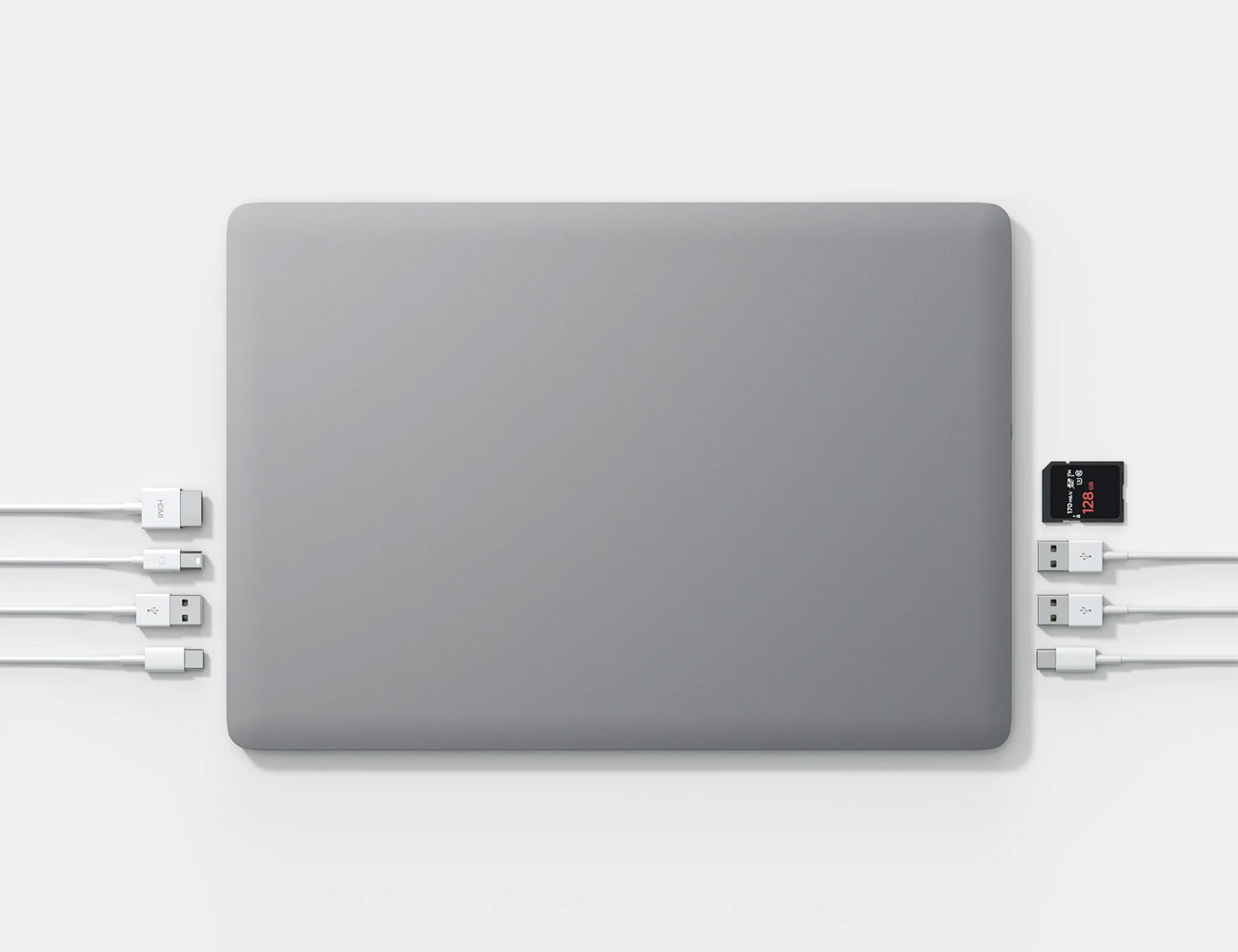
The Linedock is a 3-in-1 gadget that works as a docking station, a portable power bank and an external hard drive for your MacBook Pro or MacBook Air. They work great at home or if you’re on the road, and you can get a model so that it perfectly matches your space gray or silver laptop.

Nomad

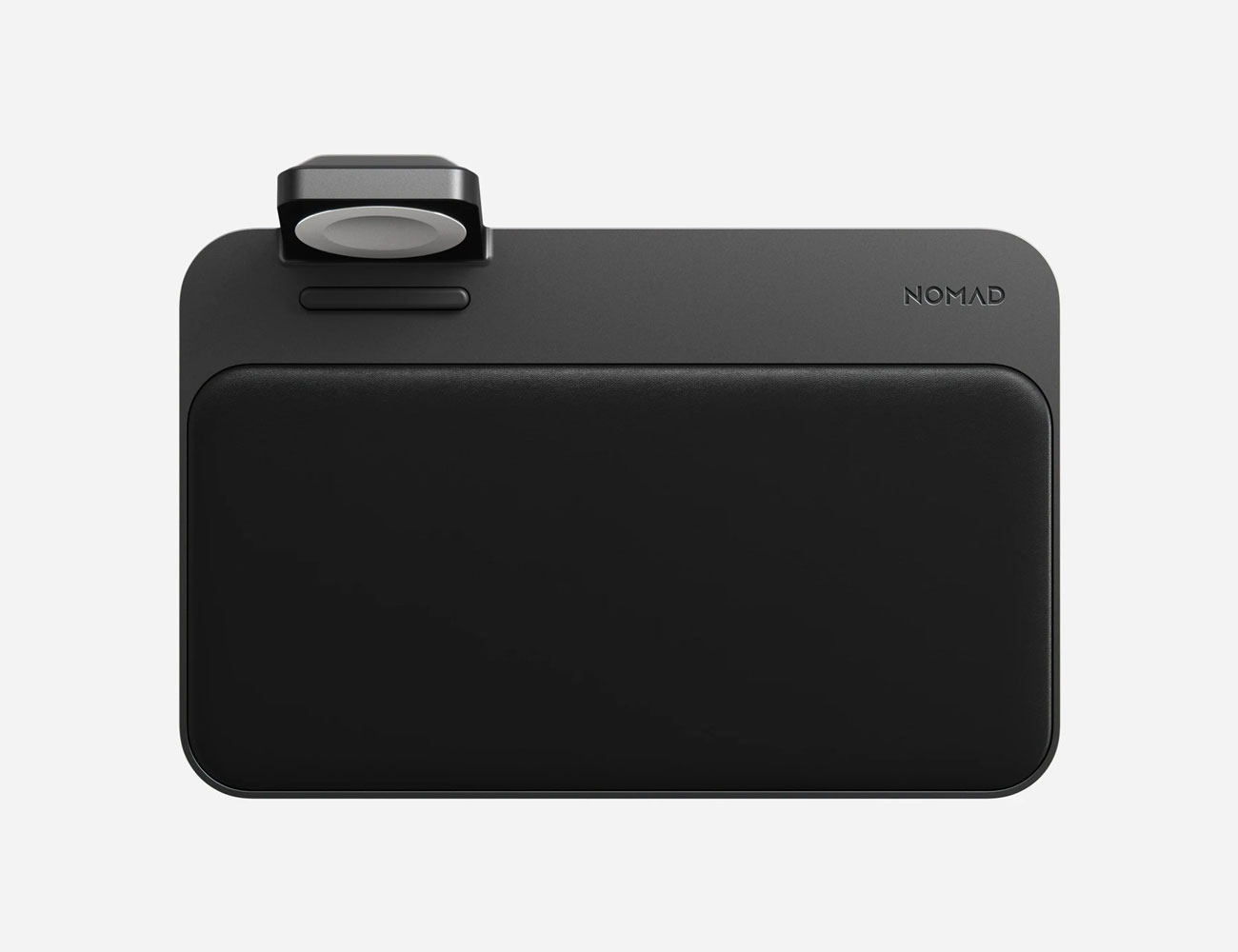
Nomad makes a range of accessories for all your Apple devices, from AirPod Pro cases to Apple Watch straps, but my personal favorite is its wireless charging station. This above model can simulatneously charge an iPhone, AirPods and Apple Watch. Normally $150, you can knock $45 off that price by applying the discount.

Moment

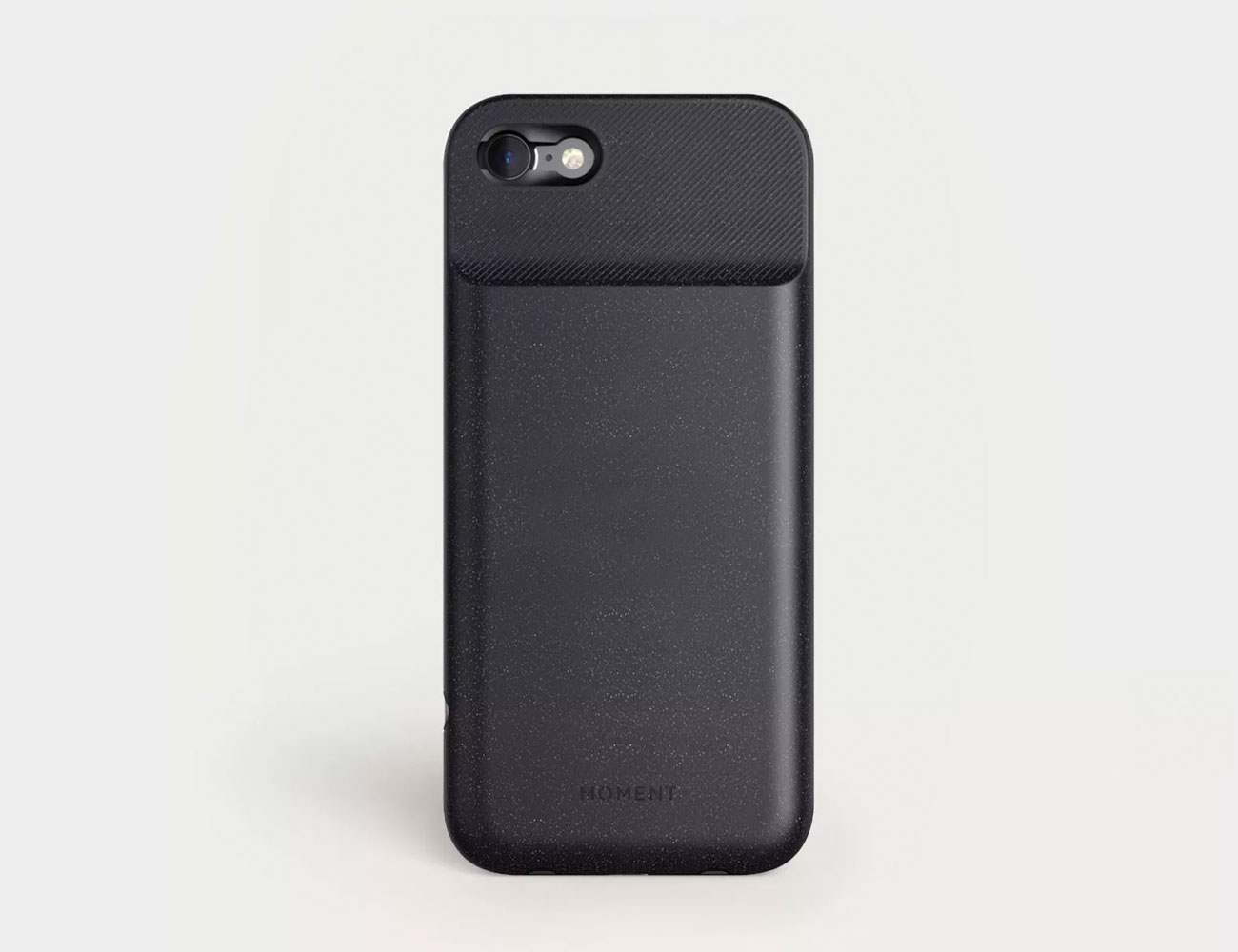
Moment is best known for its lens kits for smartphone photographers, and they’re great for people who want to upgrade the camera on their current smartphone. However, Moment has teamed up with other brands and sells everything from cameras to camera bags, microphones and drones.

Note: Purchasing products through our links may earn us a portion of the sale, which supports our editorial team’s mission. Learn more here.
Tucker Bowe

Tucker Bowe has been on Gear Patrol’s editorial team since 2014. As a Tech Staff Writer, he tracks everything in the consumer tech space, from headphones to smartphones, wearables to home theater systems. If it lights up or makes noise, he probably covers it.

More by Tucker Bowe | Follow on Instagram · Twitter · Contact via Email
<!–

–>

<!– –><!–

–>

What You Need Know About Sonos’s Big Hi-Fi Upgrade

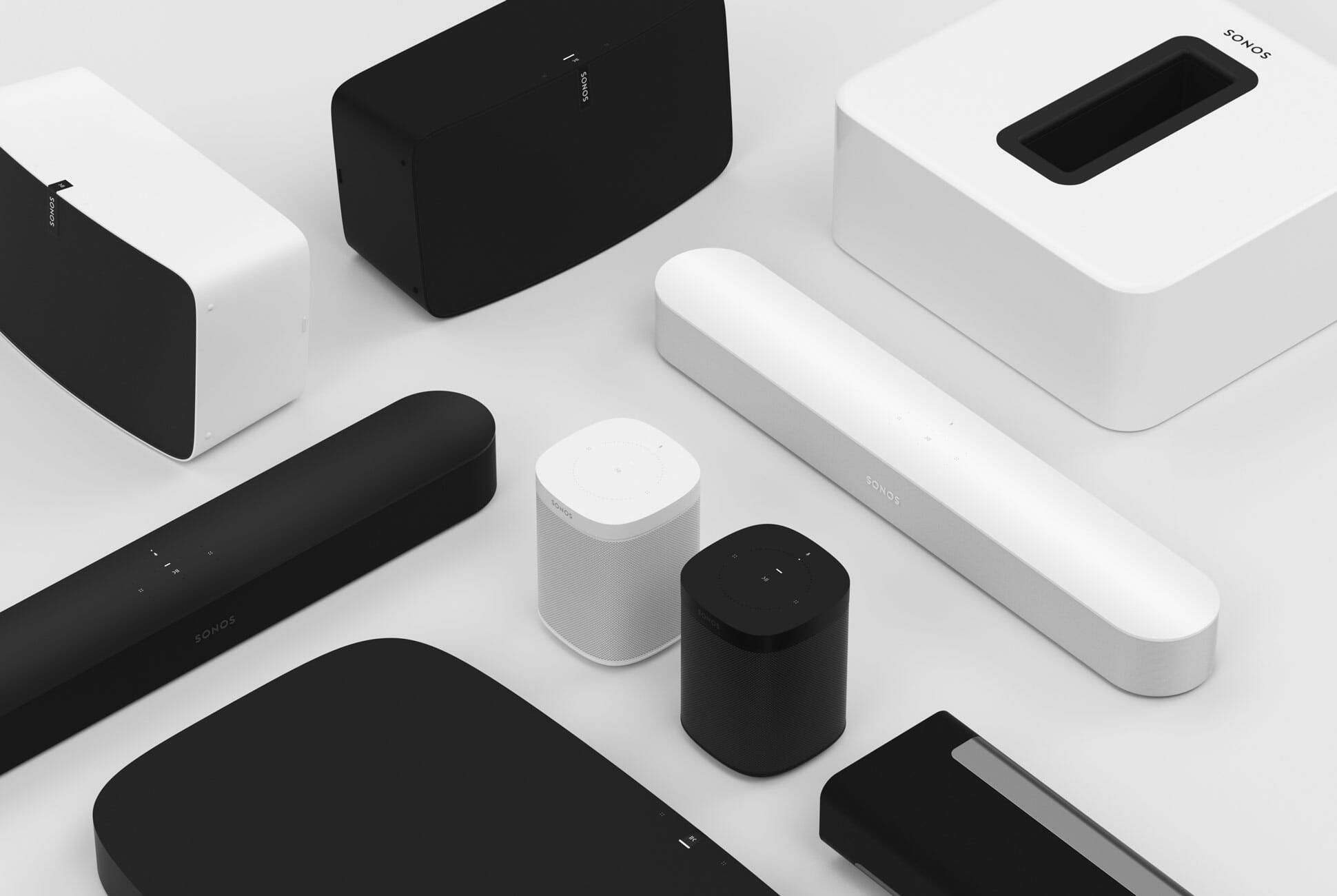
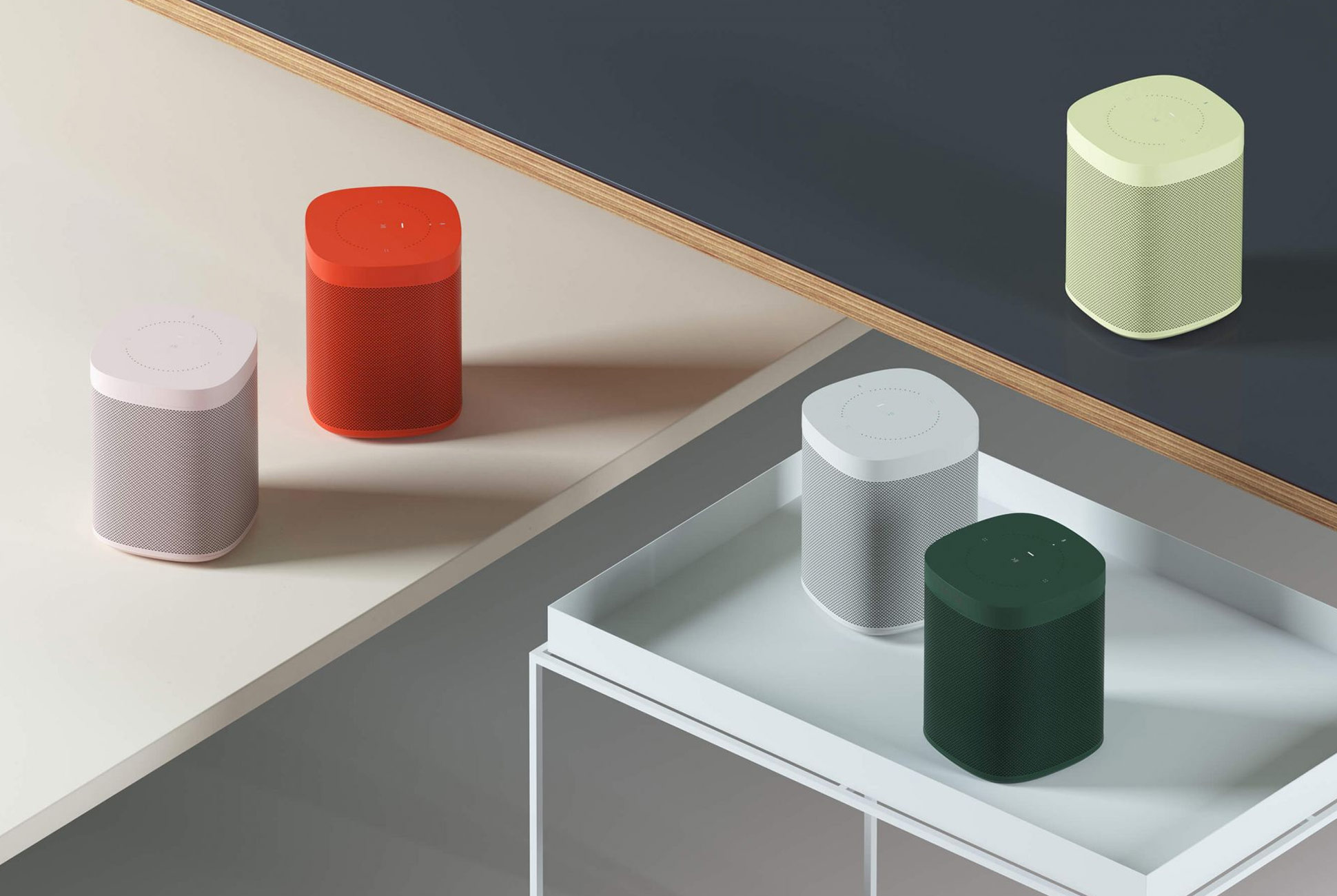
In the past three-odd years Sonos has undergone some pretty significant changes. A new CEO in Patrick Spence has come in. The company has announced its first smart speakers in the One ($199) and Beam ($399). It released its first portable speaker in the Move ($399). And, with Ikea, it released its first collaborative speakers in the Symfonisk ($99+) line. But Sonos is about to roll out what is arguably its most significant change this June. It’s calling it “Sonos S2.”

According to the press release that Sonos issued at the end of March, Sonos S2 will be an entirely new app and operating system (OS) that will power the next generation of products and experiences.” The ultimate goal of Sonos S2 is to enable Sonos’s products, some past and all future, to be able to play higher-quality audio and support more advanced technologies (such as Dolby Atmos). That said, Sonos S2 could have a big impact on people who use Sonos speakers and audio components every day.

Here’s what you need to know.

Folks with older Sonos speakers are the most affected

Not every Sonos product will support the new Sonos S2 app and operating system. If you’ve been a Sonos user for ten years or more and you still use some of those original speakers or components, there’s a good chance that they won’t support Sonos S2. These speakers will not support S2:

• Zone Players, Learn More
• CR200, Learn More
• Bridge, Learn More
• Connect (Gen 1), Learn More
• Connect:Amp (Gen 1), Learn More
• Play:5 (Gen 1), Learn More

To update your newer Sonos speakers and components, you’ll have to cut the old ones out of the group.

Most Sonos speakers and components will support the S2 update. When it becomes available this June, the Sonos app will tell you via push notification or within the app. This will be a fairly simple thing for most Sonos users, but it gets a bit complicated if you have an older Sonos product that doesn’t support S2 integrated into your system.

If you have a Sonos speaker or component that doesn’t support the S2 update, then the rest of the Sonos products its grouped with won’t be able to get the update either. You’ll have to degroup the component or speaker that doesn’t support the S2 update in order to upgrade the rest of the system. For instance, if you have two Play:5 (Gen 2) speakers and one Play:5 (Gen 1) speaker, you’ll have to de-group the older speaker to update your two newer Play:5 speakers.

You Don’t have to get the new app

Your current Sonos app will prompt you to download the new Sonos S2 app when it becomes available, but you won’t be required to download it. In case you don’t download it, you should know that your current Sonos app will be renamed “Sonos S1 Controller.” This name change could be a little confusing if you didn’t know the update if coming.

There are two main reasons why you should want to download the new app, however. First, the Sonos speakers and components will have to be updated with the new software and use the new app in order to support future, higher-resolution audio technologies. And two, all Sonos speakers that are released after May 2020 will come with the S2 update preinstalled and will not be able to be controlled with the Sonos S1 Controller app.

In a nutshell: if you want to add new speakers to your current Sonos system, you’ll have to have them updated.

Sonos will continue to support its older products, in a limited capacity

If you’re worried about your old Sonos speakers getting totally left in the dust — fear not. Sonos will continue to support its older speakers and components; you’ll be able to control them will the S1 Controller app; the S1 Controller app will still receive software updates of its own to fix bugs and security issues.

Sonos is, of course, heavily encouraging people with older products to upgrade them to new ones. It’s offering a trade-in program, called Trade Up, where you can save 30% on new products by trading your older non-compatible products in.

The update gets you HD streaming and Dolby Atmos

As Sonos explained in its press release, the main reason for the S2 update is so that its current and future speakers and components can play better audio. To date, Sonos has been able to support lossless audio that’s about CD quality. It’s good, but more and more streaming services are actually able to super even higher resolution audio — services like Tidal and Amazon Music HD — and Sonos wants their system to support those, too.

The other big thing is support for Dolby Atmos. Now Sonos has not gone out and officially stated that its home theater speaker systems will be able to support Dolby Atmos when they’re upgraded with S2, but it’s a pretty safe bet. Sonos has been making a big splash in the home theater realm for several years, with three soundbars and several bundle deals, and increasing the bandwidth so that it can support more immersive sound technologies makes sense. Plus, it gives movie buffs even more reason to buy Sonos.

And big improvements to speaker grouping

The S2 update is expected to be a big improvement for people who have several different groups of Sonos speakers placed around their homes. It’s expected to come with a new feature called ‘Room Groups,’ which will effectively allow users to create more longer-lasting groups of speakers, and then control them all more easily, within their home.

For instance, if you have two Sonos speakers in your kitchen and three Sonos speakers in your living room, and another two in your bedroom, the S2 app will allow you to control them without you having to constantly “regroup” them individually.

Note: Purchasing products through our links may earn us a portion of the sale, which supports our editorial team’s mission. Learn more here.
Tucker Bowe

Tucker Bowe has been on Gear Patrol’s editorial team since 2014. As a Tech Staff Writer, he tracks everything in the consumer tech space, from headphones to smartphones, wearables to home theater systems. If it lights up or makes noise, he probably covers it.

More by Tucker Bowe | Follow on Instagram · Twitter · Contact via Email
From Film to Digital: The Gear Patrol Staff’s Favorite Cameras

Here at Gear Patrol, we specialize in all sorts of topics from tech to style to cars, and cover our beats using words, pictures, and video. But one common thread that connects every desk and department is an abiding love of all things photography. We rounded up some of the cameras that our staff — some professional photographers, some jubilant amateurs and some in-between — use to capture the world around us and make art, on the clock and off.

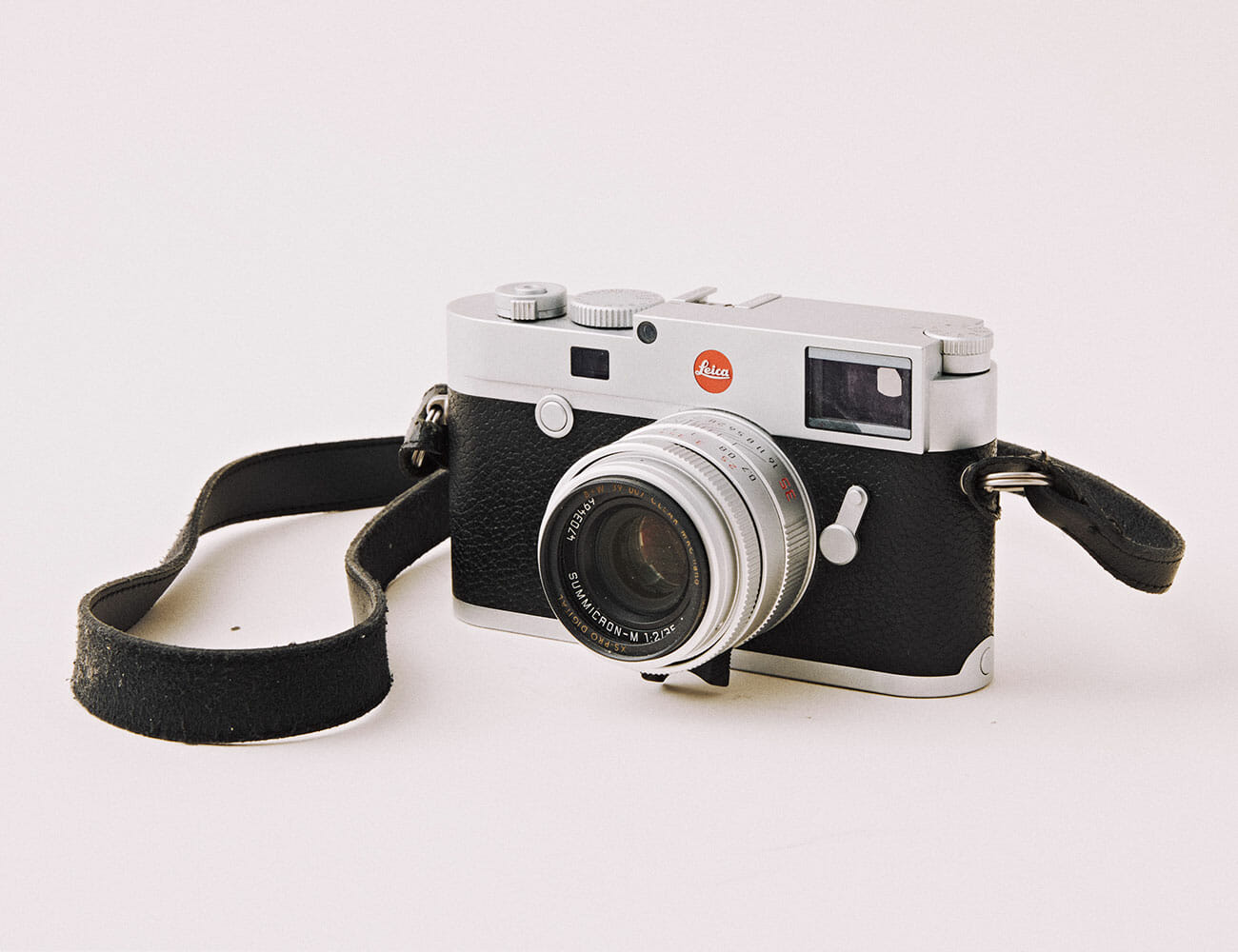
Leica M10

In an age of high megapixels, fast autofocus and faster burst rates, shooting with a Leica rangefinder is slow, deliberate and, frankly, a bit of a pain in the ass. That is to say, it’s a great vacation when your work is modern editorial photography. The M10 is reductionist photography at its finest — no autofocus, no video, just what you’d need to take a singularly great photo. — Henry Phillips, Deputy Photo Editor

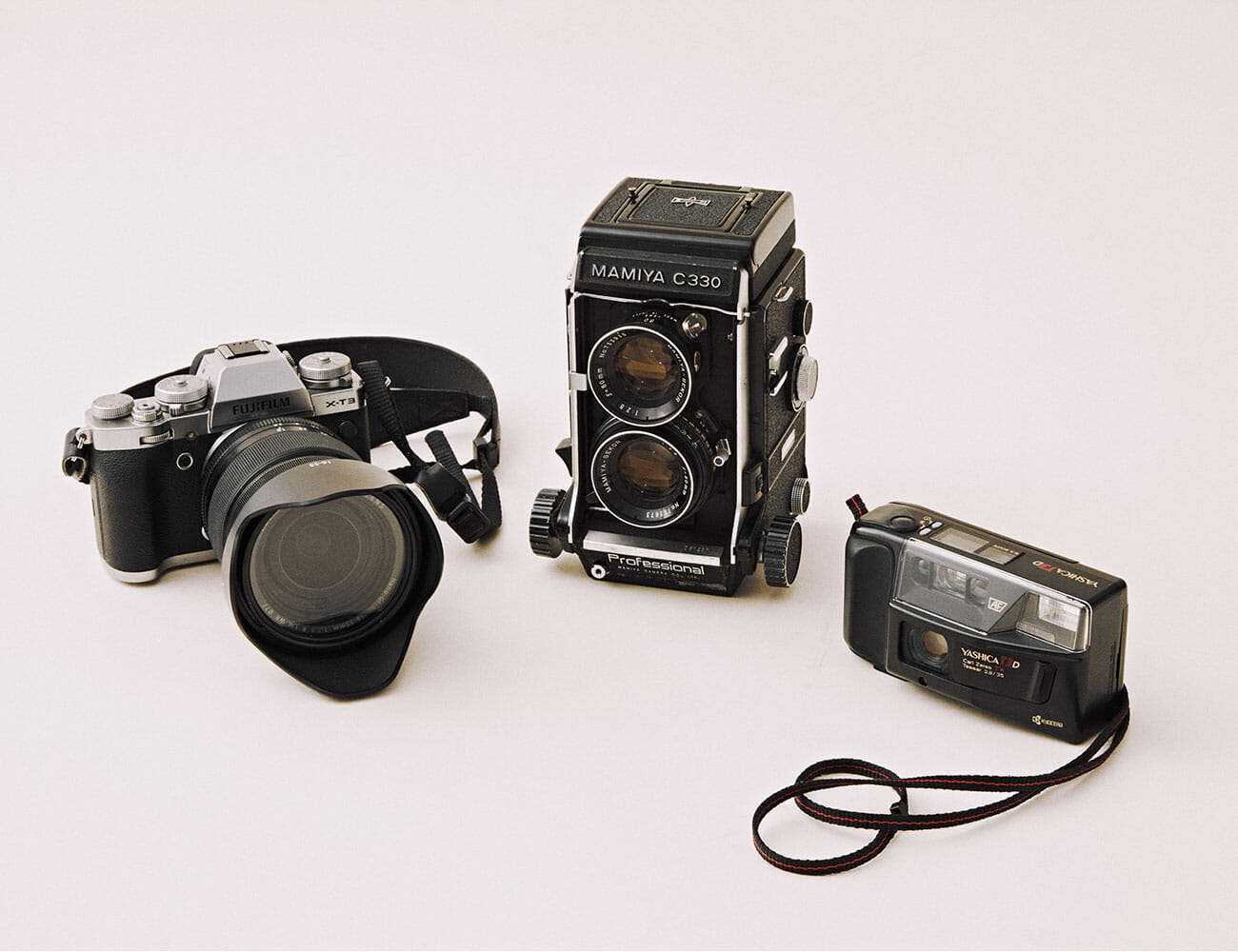
Fuji X-T3, Mamiya C330, Yashica T3D

The camera I use the absolutely most is probably the Fuji X-T3. I’ve easily taken more photos with it than any other camera and it also does great video too in 4K60, 1080, or slow-mo. The lens I use most of the time is a 16-55mm F2.8 that’s great for walking around with but pretty massive and bigger than the camera, so I also have a tiny 35mm F2 that’s really tiny if I’m trying to keep it low profile.

I got the Mamiya C330 always wanted a twin reflex camera. I love the way it looks, and I love medium format. It is beefy, way bigger than a Roliflex in part thanks to its actual interchangeable lens, which probably accounts for a lot of the bulk. I got it for really cheap and it definitely likes to act up. It’s an old camera, so while it’s great, it’s just like an old car in that you have to remember there’s going to be problems.

The Yashica T3D is an amazing point and shoot that doesn’t break the bank. It comes with a Zeiss 35mm f2.8 which is surprisingly sharp and coupled with Portra 400, the resulting photos are some of my favorite I have ever taken. I did a photo shoot where I used a disposable point and shoot and missed not having any settings to look at and just work on composition, so I did some research and landed on the Yashica — chiefly as a way to avoid breaking the bank on a Contax T2 or Leica Minilux. Given the form factor and price, I think it’s a no brainer. — Andrew Siceloff, Director of Video

| |

Yashica Mat 124G

I bought this camera back when I was in college as an entry into medium format film. It was affordable, and offered a really sharp 80mm lens. It isn’t without its quirks (shooting with the waist-level finder and looking through the framing lens instead of the taking lens can be cumbersome), but it produces some great results. — AJ Powell, Senior Content Manager, Gear Patrol Studios

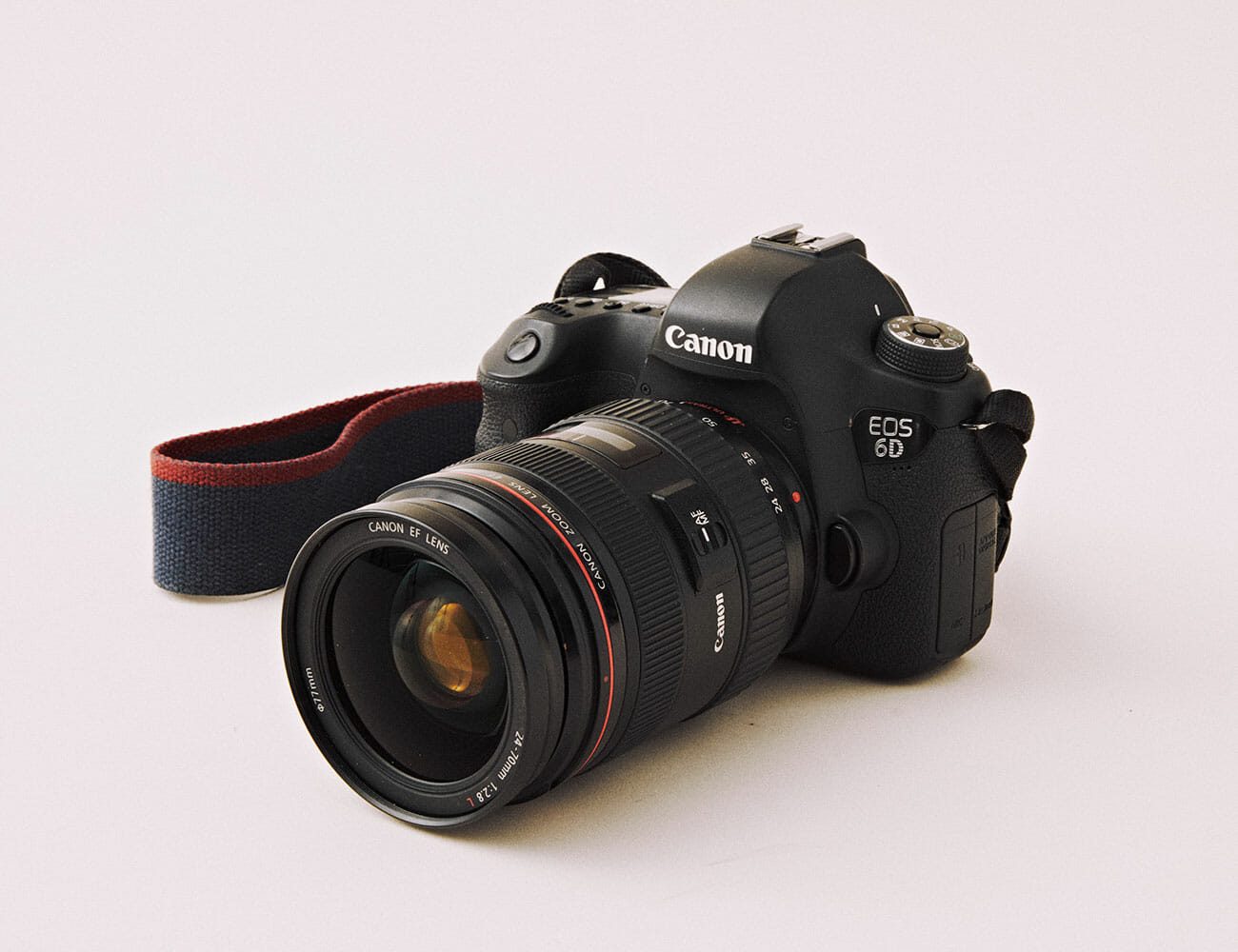
Canon 6D

The Canon 6D was my first DSLR, and so far I haven’t found a good enough reason to upgrade. I’m very much just a hobbyist, but I’m consistently impressed by the image quality of the photos I take with my 6D. A feature that I really love is that it can connect to your phone through Wi-Fi, so you can quickly edit photos on the fly if you’re in a pinch. — Scott Ulrich, Editorial Associate

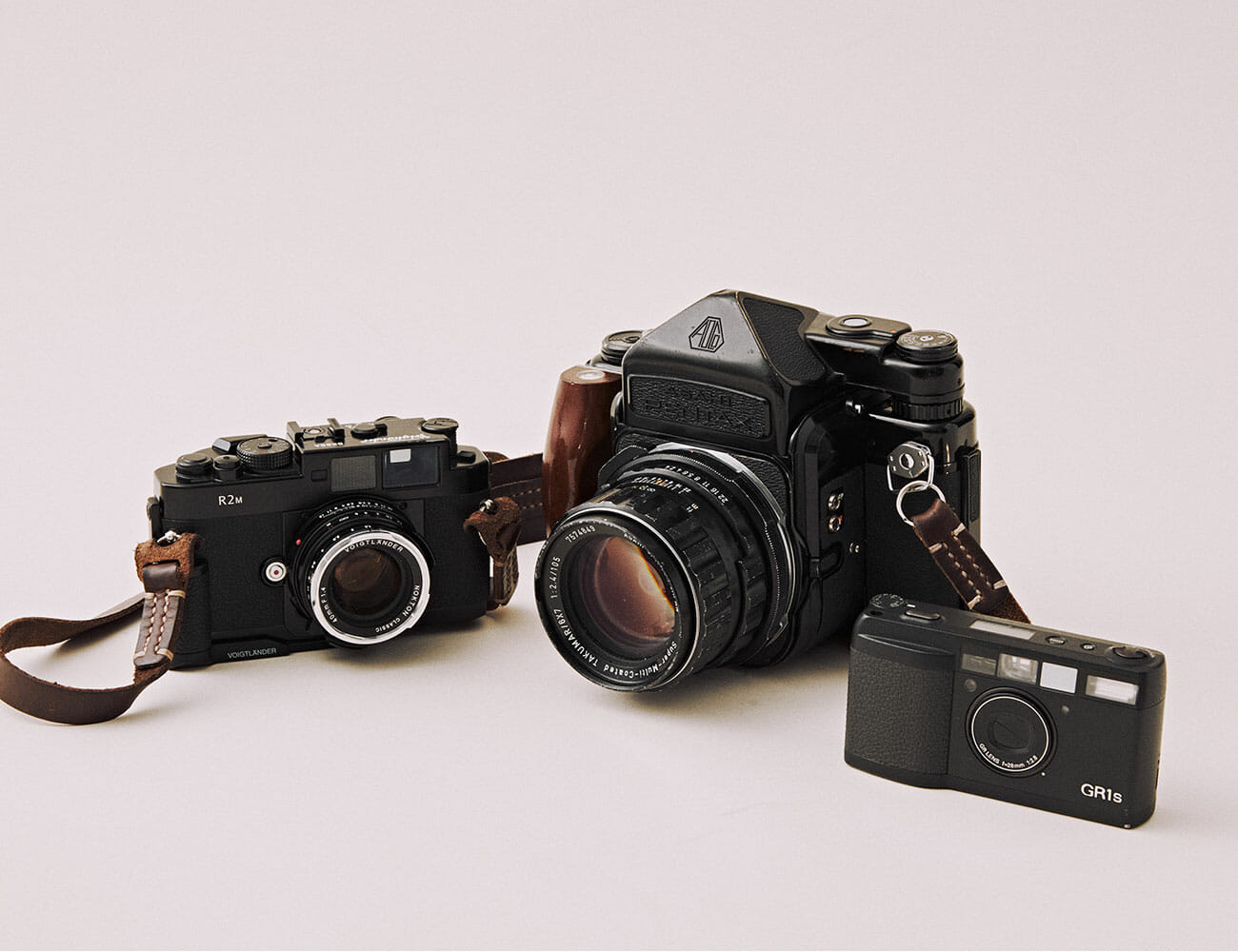
Voigtländer Bessa R2M, Pentax 67,Ricoh GR1S

The Voigtlander Bessa R2m is essentially a Japanese Leica. It’s a rangefinder that takes Leica M mount lenses. This, however, is much more affordable than a Leica and also has a little bit of hipster appeal since not too many people use them. I’ve always wanted to try shooting a film rangefinder and this Bessa R2m just happened to pop up used for a very good price. It’s got an excellent light meter and I’ve been happy with the results.

The Pentax 67 is, to my mind, the best way to create images on large negatives, bar none. It’s easy to load, easy to shoot and produces beautiful results. The negatives measure roughly 6 cm high by 7 cm wide, and capture great amounts of detail. And you also just can’t deny the vintage appeal.

Unlike almost all point and shoot film cameras from the 80s, 90s and early 2000s, the Ricoh GR1s isn’t ugly as sin. This camera has some of the best industrial design that I’ve seen, and has aged so well. The electornics inside, by contrast, have not aged well, and are notorious for failing. Folks will say that the Ricoh GR1s is one of the best lenses paired with the worst camera body, and as the pixels on its LCD screen just keep dying, I can’t help but agree. — Hunter Kelley, Associate Designer

| | 

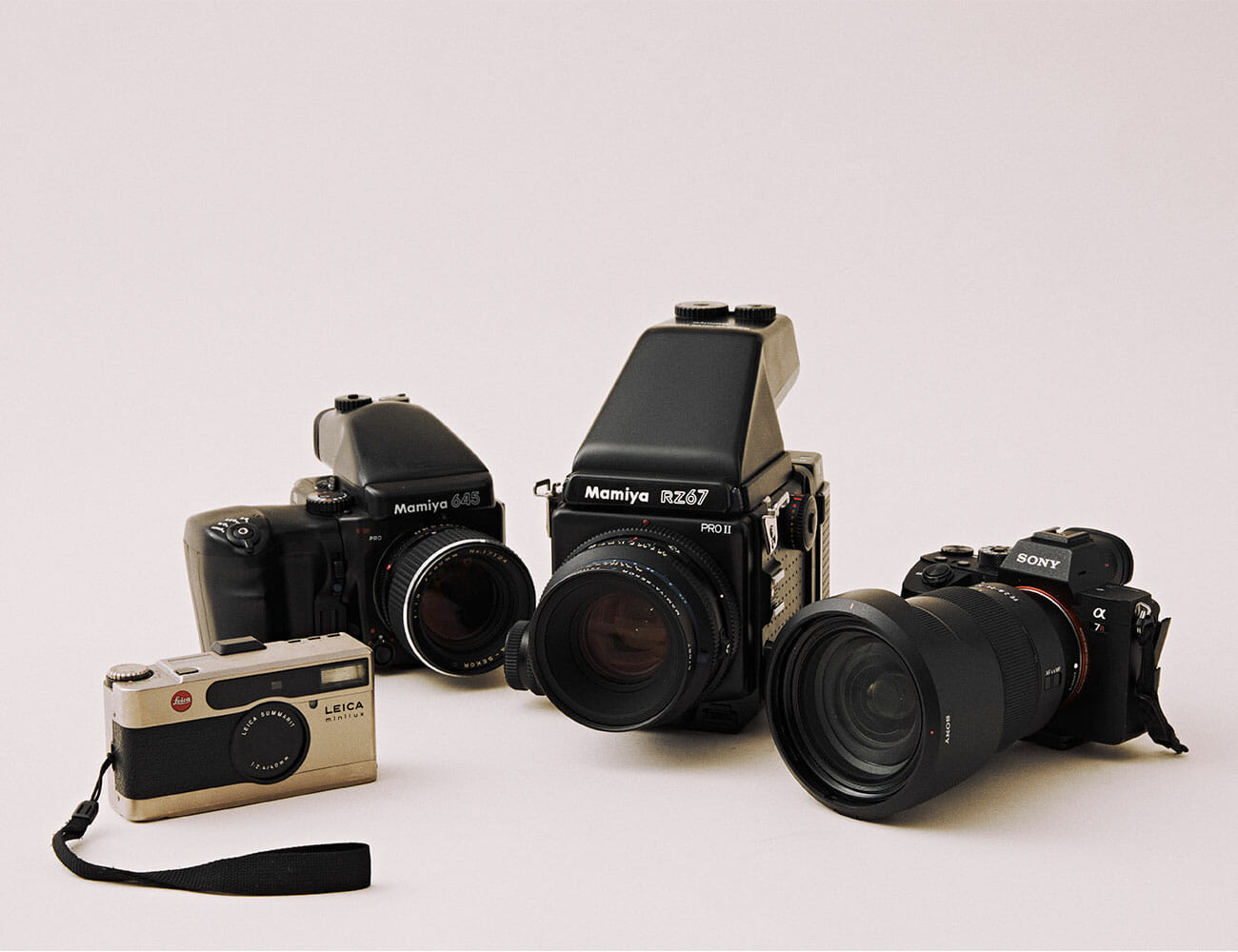
Leica Minilux, Mamiya 645 Pro, Mamiya RZ67 Pro 2, Sony A7R III

The Leica Minilux point and shoot is fantastic. I particularly enjoy the the 40mm 2.4 lens as it makes for some fantastic portraits. Their going price tends to be pretty steep and I’d probably say it’s not totally that typically large chunk of change, but if you score one for a little cheaper, its hard to go wrong.

Like a true millennial, I’ve only just started shooting on film within the past year or so. The medium format Mamiya 645 Pro was my first film camera and I truly enjoy it. The modular system is fantastic as I have a few attachments that allow me to improve my film workflow.

The Mamiya RZ67 Pro 2 is too old, too big, too slow and heavy as hell but damn it, I love it so much. I saved up and finally pulled the trigger on this brick of a photo device about a month ago and cannot wait to use it for years to come. The bellows focus system, precise focus knob and half stop adjustment options are just a few of the reasons I can’t put this beast down.

Most of my photography is shot on my Sony A7R II. It’s been absolutely amazing and I really love it. I’ve put to through hell and back and I think I’ll continue to use it for years to come. The 42 megapixels have been a true game changer for me as I’m able to scale in photographs as well as make larger prints. — Brenden Clarke, Multimedia Producer

| | |

Canon EOS Rebel T5i

Two things I love about this camera: it’s super easy to use and it looks just professional enough to open a few doors when needed. I’ve very much in the amateur photographer category, and like Russell Westbrook, I’m a volume shooter. So I can say with confidence that if you have this camera and you shoot enough, you’re almost certain to strike imagery gold, sooner or later. — Steve Mazzucchi, Outdoors & Fitness Editor

Fuji X100F

I could sit here all day and tell you about the weird film cameras I’ve owned, or the mountains of work I’ve shot on the 5DIV, but I would much rather talk about this little Fuji that’s actually not even mine (thanks Bex). It’s not new, it doesn’t have the biggest sensor or the craziest autofocus, and it’s definitely not weather sealed. That aside, I love it. It’s small, super portable, and it pushes out stellar RAW files with that Fuji color we all know and love. It’s my default walk-around camera, and I take it everywhere with me to use for snapshots and street shooting like I would an iPhone. The only flaw with the X100F is that I’m eventually going to lose it on a trip one day and I’ll be forced to buy another one. — Chandler Bondurant, Staff Photographer

Canon AE-1 Program

Before buying a used Canon AE-1 Program on eBay for something like $200, I learned to shoot film on a hunk of plastic that I found in a friend’s attic. It was a great camera to learn on, but came with its share of imperfections — but not the charming type that make film so fun — and was fully automatic.

The AE-1 Program, which Canon started manufacturing in 1981, does have automatic modes, but it also lets you adjust aperture, shutter speed and ISO to your liking. I bought mine before a ski trip to Kamchatka, Russia, and the developed negatives leave me with nothing to regret of the impromptu purchase. Now I bring it on nearly every trip I take. — Tanner Bowden, Staff Writer

Nikon EM

The Nikon EM was a pretty basic 35mm camera from the late 70s early 80s. That EM stands for “economy model.” It was my dad’s and he gave it to me when I took my first photography class in seventh grade. It’s been my go-to film camera ever since. Both sides of the body have these light leaks that I’ve learned to use to my advantage over the years, especially when shooting with something like Ilford HP5. When I want to trust that I’m going to get the shots I want wherever I go, this is my choice. — Ryan Brower, Commerce Editor

Olympus XA2

Three months ago, I didn’t know the first thing about film photography, but the delightful Olympus XA2 has been a terrific companion on the journey. A dead-simple point-and-shoot, the XA2’s only real setting is its zone-focusing slider, which takes a roll or two of trial and error to get used to, but makes this ridiculously compact (and affordable) camera an amazing EDC camera that is even faster to fire than your iPhone.

I’m sure you know the adage: “The best camera is the one you have with you.” And that is what I had in mind when I decided to go with the Olympus OM-D EM-10 MK2, a plucky Micro Four Thirds shooter, as my first halfway serious camera. I had reservations about the small sensor at the time, and still think about upgrading now and then, but just love the tiny size of this little guy. With a sizable suite of lenses and a truly compact footprint, the EM-10 has accompanied me on many a trip, and really let the photography bug bite by exposing me to all the variety a camera with interchangable lenses can offer.  — Eric Limer, Tech Editor

Note: Purchasing products through our links may earn us a portion of the sale, which supports our editorial team’s mission. Learn more here.

What’s the Difference Between a $69 and a $2,000 Phono Preamp?

Your phono preamp is a vital component of your turntable system, even if you don’t know it. Generally the smallest and most affordable, it may be built into your turntable itself. Owing to its relatively low cost, its likely the most easily upgradable components in your whole system, and can potentially have a big impact on its sound.

But before you upgrade, there are some questions you need to be able to answer. What does it actually do? How does it affect sound quality? And, maybe most importantly, what are you paying for when you are deciding on a price range?

To help answer these questions, we’ve asked Charlie Randall, the co-CEO of the McIntosh Group, which is also the parent company to other well-known hi-fi companies such as Pro-Ject, Sonus Faber and Audio Research.

Budget or luxe, every phono preamp does the same job: amplification.

Every phono preamp takes the tiny, weak signal from the phono cartridge and amplifies it so your speakers can play it as a reasonable volume. Of course, that is not quite as simple as it sounds. A phono preamp also has to also equalize the signal so that the record sounds as true as possible to the original recording.

“The actual signal on the record is not flat but follows an agreed-upon equalization curve that allows deep bass and extended high frequencies to be cut into the record groves,” says Randall. This curve is called the RIAA playback equalization curve. The phono preamp essentially needs to apply the opposite EQ, as well as drastically boosting the signal’s lowest frequencies and attenuating the higher ones.

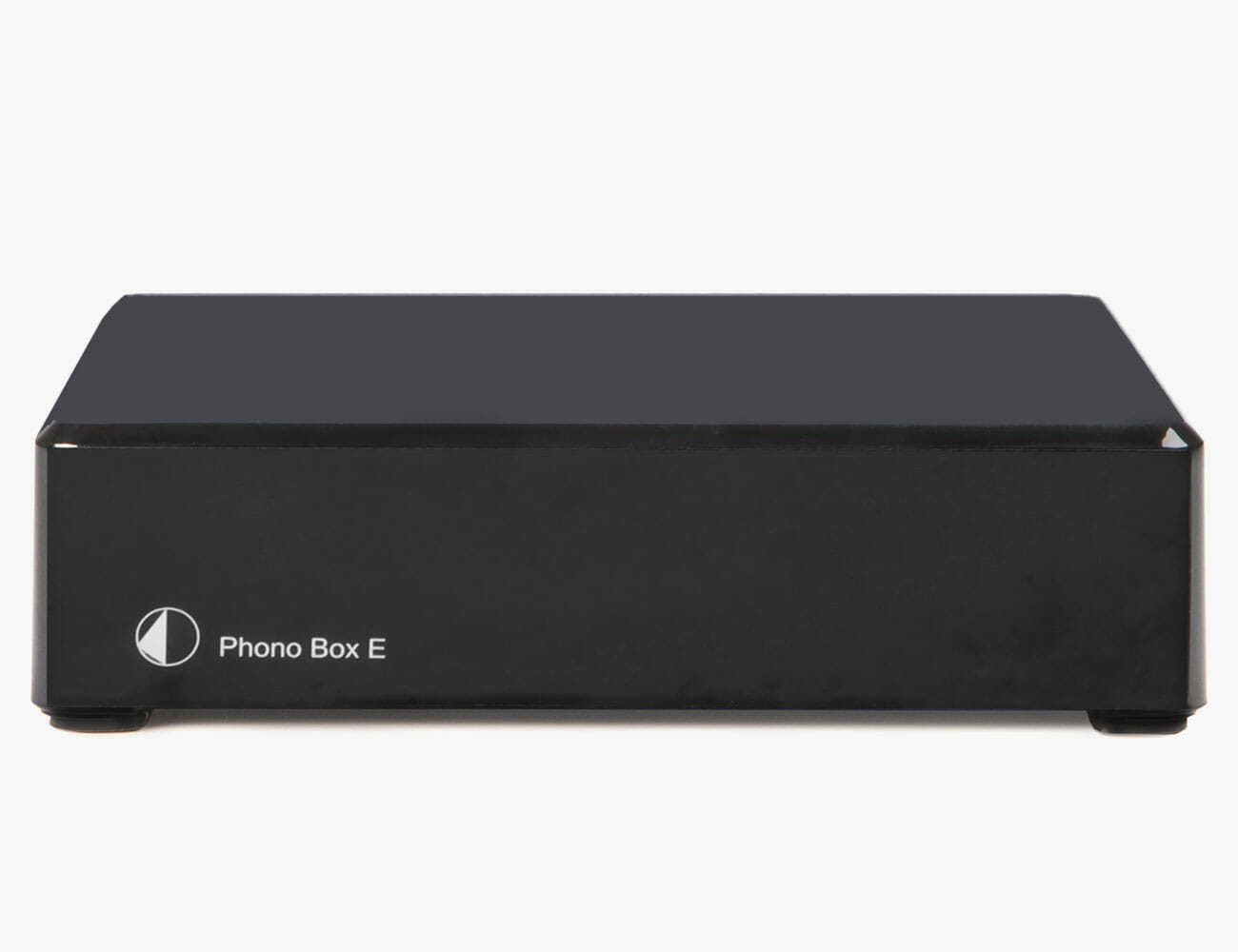
Entry-Level: The Pro-Ject Phono Box E ($69) is an example of a great entry-level upgrade. If you have want to upgrade from your turntable’s built-in phono preamp, this is an affordable option.

But cheaper preamps can lose details and introduce noise.

The cheaper the phono preamp, the less accurate it corrects for the RIAA curve and the worse the record will sound. “Cheap, poor-performing phono preamps don’t convey the magic of music on vinyl,” says Randall. “They sound flat, lifeless and don’t provide the wonderful warm experience that people covet with vinyl playback.” Owing to cheaper components and less engineering care, less expensive preamps may also introduce noise as they do their job of increasing the signal.

“The best phono preamplifiers, such as the McIntosh MP100 ($2,000), will precisely amplify and equalize the very small phono signal to duplicate the original recording without adding any noise or distortion,” Randall explains.

And more expensive preamps bring customization to the table.

With a more expensive preamp, you’re also paying for versatility. Higher-end phono preamps, according to Randall, are “also capable of accurately amplifying a wider range of cartridges.” In particular, they can more adeptly handle rarer Moving Coil (MC) cartridges, which require much more gain and have different electrical requirements than their more common Moving Magnet brethren.

Where the $69 Pro-Ject Phono Box E ($69) requires little more interaction than plugging your wires straight in and only supports Moving Magnet cartridges, the McIntosh MP100 has individual inputs for both cartridge types, with adjustable loading for each. But you can get the bulk of that versatility amps like Pro-ject’s Phono Box S2 Ultra ($299), that are a fraction of that sky-high price.

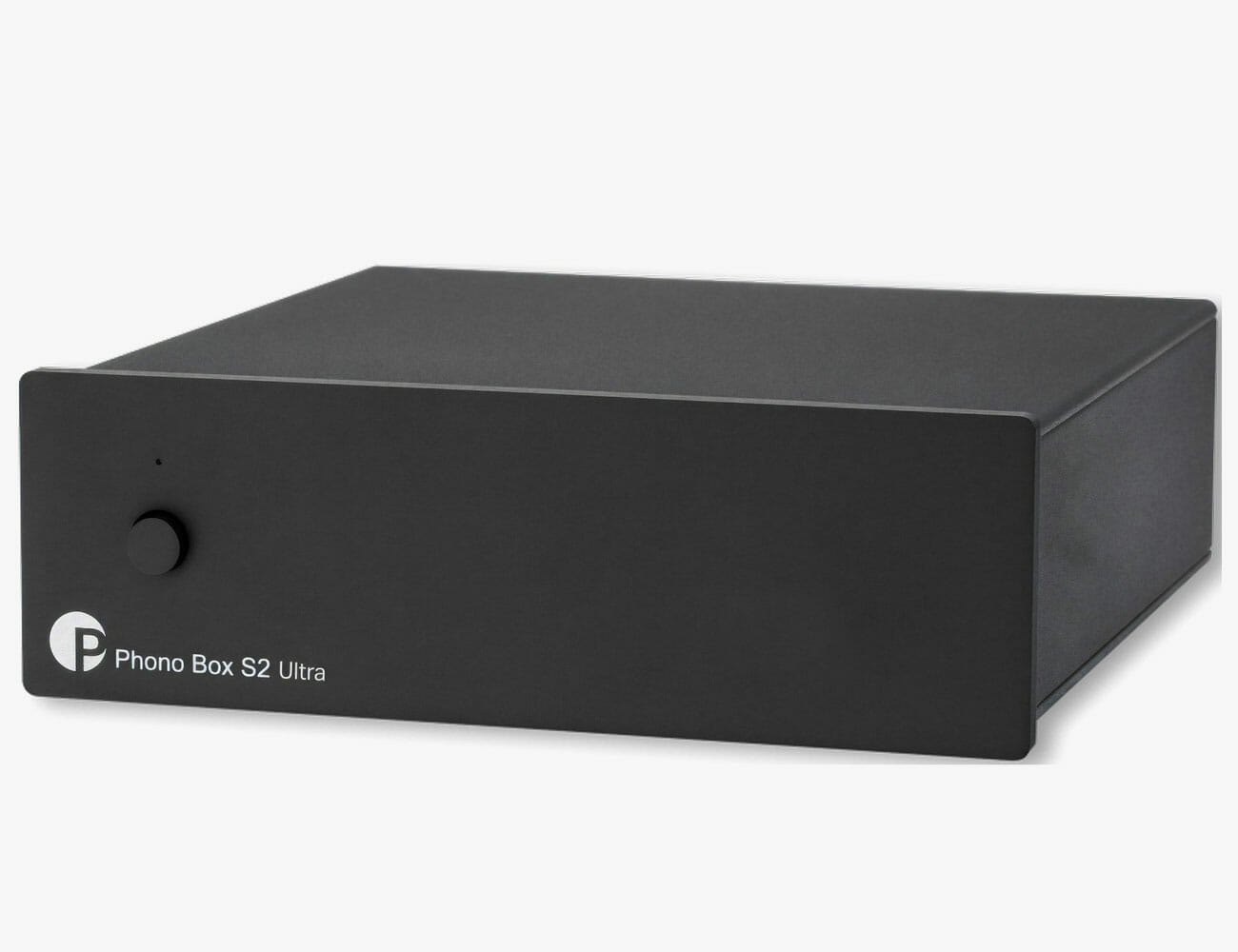
The Upgrade: The Phono Box S2 Ultra ($299) is one of Pro-ject’s higher-end phono preamps. It has more advanced tech and features, and is compatible with turntables using MM or MC cartridges.

An external phono preamp is an upgrade, even if it isn’t expensive.

Today, many entry-level turntables have a built-in phono preamp which makes for a convenient “plug-and-play” machine that, paired with powered speakers, is ready to go. But an integrated preamp can pick up noise from other nearby components. An external preamp, then, can often upgrade by virtue of adding some distance alone. There is also the flexibility to upgrade as you learn what you like.

Fortunately, many integrated turntables, like Pro-ject’s Essential III Phono ($389), have toggleable phono preamps, meaning you can turn on and off its built-in phono preamp. Basically, if you decide you want to add an external phono preamp to your setup, you still can. And should!

The Ultimate: The McIntosh MP100 ($2,000) is jam-packed with features, such as switchable inputs for MC and MM cartridges, balanced XLR outputs, and a built-in 24-bit/96kHz ADC so you can digitize your records.

The difference is there, but slight compared to the impact of your system’s other components.

The phono preamp is just one component in your hi-fi system and it is nowhere near the most important. Your speakers and turntable both should command a much larger chunk of your hi-fi budget. You could (and perhaps should) spend 50 to 60% of your budget on speakers alone. But even if you have an entry-level hi-fi system, a dedicated phono preamp has the potential to make a dramatic difference.

As a general rule, Randall recommends investing about 20% of your budget on the phono preamp, splurging for flexibility in terms of adjustments like gain, loading and compatibility with Moving Coil cartridges if you’re looking to mess around.

Note: Purchasing products through our links may earn us a portion of the sale, which supports our editorial team’s mission. Learn more here.
Tucker Bowe

Tucker Bowe has been on Gear Patrol’s editorial team since 2014. As a Tech Staff Writer, he tracks everything in the consumer tech space, from headphones to smartphones, wearables to home theater systems. If it lights up or makes noise, he probably covers it.

More by Tucker Bowe | Follow on Instagram · Twitter · Contact via Email

This Hack Makes This $20 Home Security Camera Even More Valuable

<!–How to Turn Your Wyze Camera Into a Webcam<!– –>

Do You Own a Wyze Camera?


Wyze, the maker of some of our favorite affordable security cameras, just rolled out a neat software update that effectively allows you to turn your Wyze Cam v2 ($20) or Wyze Cam Pan ($30) into a webcam. Not everybody is going to want to turn their little camera into a webcam, obviously, but given the current webcam shortage and the fact that we’re all spending so much time on video calls, this little hack could come in handy if your laptop camera isn’t working.

If you have a Wyze Cam v2 or Wyze Cam Pan and you want to turn it into a webcam, Wyze just released instructions on how to do just that. The process requires you to have a camera, a microSD card and a USB cable so you can physically connect the camera to your computer to download the firmware update. It feels a little old school, but then again these are strange times.

As a webcam, the Wyze Cam’s video, speaker and microphone should all work properly, so you should have no problem using it with Zoom, Google Hangouts or Skype calls. It’s important to note that when you turn it into a webcam, it will effectively stop working as the security camera that you’re used to. It won’t connect to the Wyze app. However, Wyze promises that you’ll be able to reverse the process once you’re done using it as a webcam.

If you’re interested in turning your Wyze camera into a webcam, you can read the how-to guide by clicking the button below.

Note: Purchasing products through our links may earn us a portion of the sale, which supports our editorial team’s mission. Learn more here.
Tucker Bowe

Tucker Bowe has been on Gear Patrol’s editorial team since 2014. As a Tech Staff Writer, he tracks everything in the consumer tech space, from headphones to smartphones, wearables to home theater systems. If it lights up or makes noise, he probably covers it.

More by Tucker Bowe | Follow on Instagram · Twitter · Contact via Email

<!–

–>

<!– –><!–

–>

What It’s Actually Like to Be on 5G

This story is part of our Summer Preview, a collection of features, guides and reviews to help you navigate warmer months ahead.
On paper, 5G will make your jaw drop. Its highest speeds beat most home broadband connections by orders of magnitude. With it, YouTube videos load in a snap, entire seasons of TV download in seconds. More crucial than any anecdote or benchmark, however, is the answer to a simple question: How will this technology change the way I live my life?

After spending some time surfing 5G’s futuristic airwaves humming with hype, I can tell you with firsthand knowledge: it probably won’t. At least not yet.

Officially, in its broadest definition, 5G stands for fifth-generation cellular wireless. It’s the successor to 4G and a cousin to LTE. New phones will support it and older phones will not. As far as the marketers are concerned, 5G is synonymous with speed. But under the hood, 5G is a digital chimera — a marriage of two different technological means suited to a similar end.

One half, known colloquially as “sub-6,” is quickly blanketing the nation. In large part a software upgrade, this flavor of 5G operates on the same general airwaves your phone currently uses and shares the same general characteristics, spreading far and wide from tall, distant towers that combine to cover a large area.

The other half, often called “millimeter wave,” is the sexy bit. Utilizing extremely high-frequency airwaves never widely used by mobile devices before, it delivers blistering speeds of 1,000 megabits per second or higher. But it comes with significant downsides: these waves don’t travel far, and they are easily blocked by walls, buses and trees; and for now, they’re only pumped out of little black antennas on top of streetlights in a handful of cities across the country.

When 3G and 4G rolled out, they were a revelation because they offered access to something cable connections had created years before: an internet built for broadband. In 2020, 5G is pushing unprecedented speed, so the cart is leading the horse. When I booted up my 5G phone, I excitedly benchmarked its speed, downloaded a few large files … then went about my day as faster speeds hummed imperceptibly in the background. Millimeter wave, which packs almost all of 5G’s significant punch, is much more like Wi-Fi than the all-encompassing “mobile” networks we’re accustomed to. They act as a series of high-speed islands you need to seek out and find reason to stand in.

In my time testing 5G around New York — primarily with a Samsung Galaxy Note 10+ on AT&T’s network — my experience was almost entirely with sub-6, as your first dabbles with 5G will be, too. That initial test revealed that 5G is still impressive … if not life-altering or consistent.

My daily trek home from midtown Manhattan to the west side of the Hudson River weaves through the heart of one 5G’s beachheads in New York City. With my eyes glued to the signal icon on my phone’s status bar (with admittedly little regard for my own safety), I’d catch the signal flicker between 5G and LTE a dozen or more times. On trips using my phone like a normal human being would — reading Twitter, checking Instagram, streaming music, watching the occasional YouTube video — I never once noticed any change in performance the way I do when, on the bus home along rural stretches to my parents’ house in upstate New York, I instantly detect the occasional downtick to 3G load times and the relief of return to LTE.

I noticed 5G most when I was explicitly running the numbers: standing on the corner of 5th Avenue and 28th Street in the bustle of Manhattan, holding two phones for comparison and watching a Netflix video load slightly faster on the futuristic network. Quantitative metrics were more definitive: running seven speed tests in a row while sitting in the Lincoln Tunnel or walking along the edge of the Hudson River, the advantage for 5G made itself plenty clear in the numbers. But aside from edge-use cases like downloading entire discographies, multiple seasons of a television series or high-definition mobile games (all of which will absolutely demolish your data cap if you have one), the difference between 20 megabits of download speed and 200 is like the difference between a Porsche 911 and a V12 Ferrari. One’s faster than the other, but most people would ever notice.

I can imagine a future where this is no longer true — and so can carriers and tech companies. It’s a world where airports and bus stops are blanketed with millimeter-wave radio waves as a matter of course, and you can seek out a hotspot to download four gigabytes of video before you take off, or stream 4K PC-grade video games to your phone through a service like Google Stadia or Microsoft Project xCloud. Or, looking even further down the road, loading a terabyte of augmented reality apps onto your iGlasses. But we aren’t there yet. And the arrival of robust 5G doesn’t bring us there; it just sets the stage.

While 5G’s potential is undeniable, the current coverage situation leaves a bit to be desired. Sometimes your connection is just going to be mediocre.

In the meantime, 5G charges on. Samsung’s new flagship S20 is among the first crop of phones to support both flavors of the technology by default (previous handsets focused on one or the other and cost a premium for the privilege). There’s a good chance Apple’s next iPhones will as well. Carriers are beginning to roll out 5G data plans using a variety of strategies, from offering 5G access for free on existing unlimited plans to offering it at a monthly premium. All, of course, are designed in part to lure you off any particularly affordable plan you may have found yourself grandfathered into.

My advice for the meantime? Resist the 5G temptation, insofar as you have no particular use in mind. Its most impressive advantages are, for now, few and far between. Once superfast millimeter wave blankets public spaces as a matter of course and data caps inflate to allow monstrously huge files, the calculus will assuredly change. For now, however, 5G is a fabulous foundation still waiting for the house to be built on top.
A version of this story originally appeared in a print issue of Gear Patrol Magazine. Subscribe today.

Fitbit’s Popular Fitness Trackers Just Got the One Upgrade They Needed

The Charge series is one of Fitbit’s most popular fitness trackers and today the company introduced the latest addition to the series. The all-new Charge 4 is a fitness tracker that looks almost identical to its predecessor, the Charge 3 (which Fitbit has just stopped selling on its site), but it has a couple of key features that promise to make a big difference.

First and most significantly, the Charge 4 is Fitbit’s first fitness tracker to have a built-in GPS. (The only other Fitbit device to have a built-in GPS is its robust smartwatch, the $250 Fitbit Ionic.) This means that runners, bikers, hikers and other athletes wearing Charge 4 will be able to get an accurate mapping of their workout without having to carry their smartphone.

[embedded content]

Second, the Charge 4 is Fitbit’s first wearable outside of the Fitbit Ionic to work well with Spotify. You’re now able to download the Spotify app on the Charge 4 and control music playback directly on the device. The catch is that the Charge 4 doesn’t have built-in LTE, so in order to control playback from your wrist, you’ll need to have your smartphone nearby to stream music to your wireless headphones. Still, if you’re a Spotify listener this is a convenient upgrade.

And third, the Charge 4 can automatically detect when the wearer is being active or not. It’s the first fitness tracker that’s able to record “Active Zone Minutes,” which is a proprietary name for Fitbit’s newest metric that tracks your activity based on your age and resting heart rate. The metric is designed to automatically detect the minutes that you are “active” throughout the day, as well as help you reach daily and weekly activity goals.

Like previous Fitbit devices, the Charge 4 is also able to track sleep as well as female health tracking. It has a 7-day battery life and is waterproof up to 50 meters.

The Fitbit Charge 4 costs $150 and is available for preorder right now, with units expected to be available everywhere in the US on April 13.

Note: Purchasing products through our links may earn us a portion of the sale, which supports our editorial team’s mission. Learn more here.
Tucker Bowe

Tucker Bowe has been on Gear Patrol’s editorial team since 2014. As a Tech Staff Writer, he tracks everything in the consumer tech space, from headphones to smartphones, wearables to home theater systems. If it lights up or makes noise, he probably covers it.

More by Tucker Bowe | Follow on Instagram · Twitter · Contact via Email

The Best External Monitors for Your Home Workstation

If you’re looking for an external monitor for your home workstation, you should probably look into getting a USB-C monitor. They connect easily with the newest Apple and Windows laptops, while also providing some key benefits such as passthrough charging (no need to connect your laptop into a separate power source) and delivering a higher-resolution picture.

USB-C monitors are a tad on the expensive side and you’ll be hard-pressed to find one under $400. If that’s out of your price range, don’t worry. You can still get a good monitor that’s more affordable, but you’ll likely just need to invest in an HDMI adapter or dock.

Best for Amateur Photographers

BenQ SW270C: This is the best option for work-from-home creative professionals who don’t want to spend over $1,000. The SW270 is the QHD alternative to BenQ’s more expensive SW271. Even though it’s not a true 4K monitor, it’s great for photographers and photo editors because of its superb color reproduction. It’s able to deliver 99-percent of the Adobe RGB color space, which is huge, and 100-percent of the sRGB color space.

Size: 27 inches
Charging: 60-watts passthrough charging
Resolution: 2560 x 1440
Ports: HDMI 2.0 (2x), DisplayPort, USB Type-C, USB-A (2x), USB-B, USB Mini-B and headphone jack

Best for Creative Professionals

BenQ SW271: You can think of the BenQ SW271 as the 4K upgrade to the previous BenQ SW270. It delivers exceptional color accuracy — 99-percent of the Adobe RGB color space — and it’s simply of of the best professional-grade monitors for photo and video editors. Gear Patrol‘s creative team uses these monitors in our NYC offices.

Size: 27 inches
Charging: 60-watts passthrough charging
Resolution: 4K (3840 x 2160)
Ports: HDMI 2.0 (2x), DisplayPort, USB Type-C, USB-A (2x), USB-B, USB Mini-B and headphone jack

The Spreadsheet King

Dell UltraSharp 38: If you’re looking for an ultrawide monitor, the Dell UltraSharp 38 is a great combination of looks, resolution and price. At 37.5-inches, it’s far from the widest ultra monitor on the market, but it’s still a great multitasking machine, easily allowing you to have five-to-six windows open at the same time. And its 178-degree curved screen make it easy to see everything.

Size: 37.5 inches
Charging: 100-watts passthrough charging
Resolution: 3,840 x 1,600
Ports: HDMI 2.0 (2x), DisplayPort, USB-A (4x output, 2x input), USB-C and headphone jack

Best for Budget 4K Monitor

HP Envy 27: If you’re for a good 4K monitor that’ll work with your MacBook Pro or USB-C Laptop, but you also don’t want to drop the $700 on a LG UltraFine display, the HP Envy 27 is a great option. It has a sleek minimalistic design with very thin bezels. Best of all, it’s a true 4K monitor that delivers a sharp, bright and colorful picture.

Size: 27 Inches
Charging: 60-watts passthrough charging
Resolution: 3840 x 2160
Ports: HDMI (2x), DisplayPort, USB-C

The Apple Option

LG UltraFine 4K: Apple has been selling the LG UltraFine 4K for years and for good reason. It works seamlessly with any MacBook Pro and MacBook Air models, and you can adjust the monitor’s settings within the Settings menu in macOS. The display has five USB-C ports in total, two are Thunderbolt 3 (USB-C) ports, which allow you to easily connect another LG UltraFine 4K monitor to your setup, and three charging USC-C ports.

Size: 23.7 inches
Charging: 85-watts passthrough charging
Resolution: 4K (3840 x 2160)
Ports: 5 USB-C (2x Thunderbolt 3)

Note: Purchasing products through our links may earn us a portion of the sale, which supports our editorial team’s mission. Learn more here.
Tucker Bowe

Tucker Bowe has been on Gear Patrol’s editorial team since 2014. As a Tech Staff Writer, he tracks everything in the consumer tech space, from headphones to smartphones, wearables to home theater systems. If it lights up or makes noise, he probably covers it.

More by Tucker Bowe | Follow on Instagram · Twitter · Contact via Email

A NYC Hi-Fi Shop Owner Shares His At-Home Setup

When the owners of record stores and hi-fi shop go home at the end of the day, what kinds of hi-fi systems are they going home to? And what kind of records are they playing? That’s exactly what we set out to find out. Peter Hahn is the co-owner of the Turntable Lab, a New York-based go-to music shop for professional DJs, musicians and audiophiles. Here, he talks home hi-fi systems, his first turntable and what his favorite records to listen to are. 

The Hi-Fi Setup

Audio System: Revo Supersystem, $600+
Turntable: Technics SL-1200MK2, $550+
Integrated Amplifier: NAD C316BEE V2, $449
Cables: Kimber Kable 4TC, $285
Speakers: Dali Zensor, $349

What kind of hi-fi setup do you have at home?
I have two setups because I prefer to keep my analog setup separate from my streaming setup. I have a Revo Supersystem for internet radio, FM radio and Spotify connect. For my analog setup, I have a Technics SL-1200MK2 fitted with an Ortofon 2M Blue cartridge. I run that through a NAD C316BEE V2 integrated amplifier with Kimber Kable 4TC cables and Dali Zensor speakers.

I’ve had the 1200 for over 20 years since I DJ’ed in college. Everything else has been added in the last year. My analog setup isn’t the most expensive, but I chose everything for the purity of the components – from the 2M Blue’s nude diamond stylus to the all-analog circuitry of the Nad amp to the gorgeous USA-made Kimber Kables.

As for the Revo, it allows you to access internet radio streams through a traditional button interface. I like being able to listen to KTUH (Honolulu) by pushing one button. I also hate Bluetooth or being forced to use a third party WIFI app, so the Spotify Connect is key. The Supersystem is a hefty piece of gear, very heavy and gets loud.

What was your first turntable?

My first turntable was a Pioneer PL that I co-opted from my parent’s rack system. I still have it at home. That thing was built like a tank.

What’s your “grail” turntable (or system) if the price were no object?

A customized Linn Sondek or Clearaudio Concept with moving coil cartridge.

The Vinyl

The Records:
Aphex Twin, Selected Ambient Works
The Cure, Disintegration
Voxtrot, Raised By Wolves
John Coltrane, Love Supreme
Bob Marley and The Wailers, Soul Revolution

What are your favorite 5 records to listen to and why?

• Aphex Twin’s Selected Ambient Works: I could listen to this all the time, reminds me of high school. an album that truly sounds better on vinyl.
• The Cure, Disintegration: For moody days, love the order of the songs.
• Voxtrot, Raised By Wolves: I don’t own the vinyl, but I’ve listened to “The Start Of Something” over 200 times this year.
• John Coltrane, Love Supreme: This is my favorite jazz rec of all-time. It ascends time and place.
• Bob Marley and The Wailers, Soul Revolution: Lee Perry era Wailers is magical.

Tucker Bowe

Tucker Bowe has been on Gear Patrol’s editorial team since 2014. As a Tech Staff Writer, he tracks everything in the consumer tech space, from headphones to smartphones, wearables to home theater systems. If it lights up or makes noise, he probably covers it.

More by Tucker Bowe | Follow on Instagram · Twitter · Contact via Email

How Do You Know if Your VPN Actually Works?

You may think you need to be a tech whiz to know if your VPN actually works, but that hasn’t been the case for quite a while. There are now plenty of free and readily available online tools to confirm the quality of your VPN provider.

Simply clicking here will take you to a leak tool that will expose the main flaws in your VPN client before your data is compromised. Which flaws exactly? Read on for the full details.
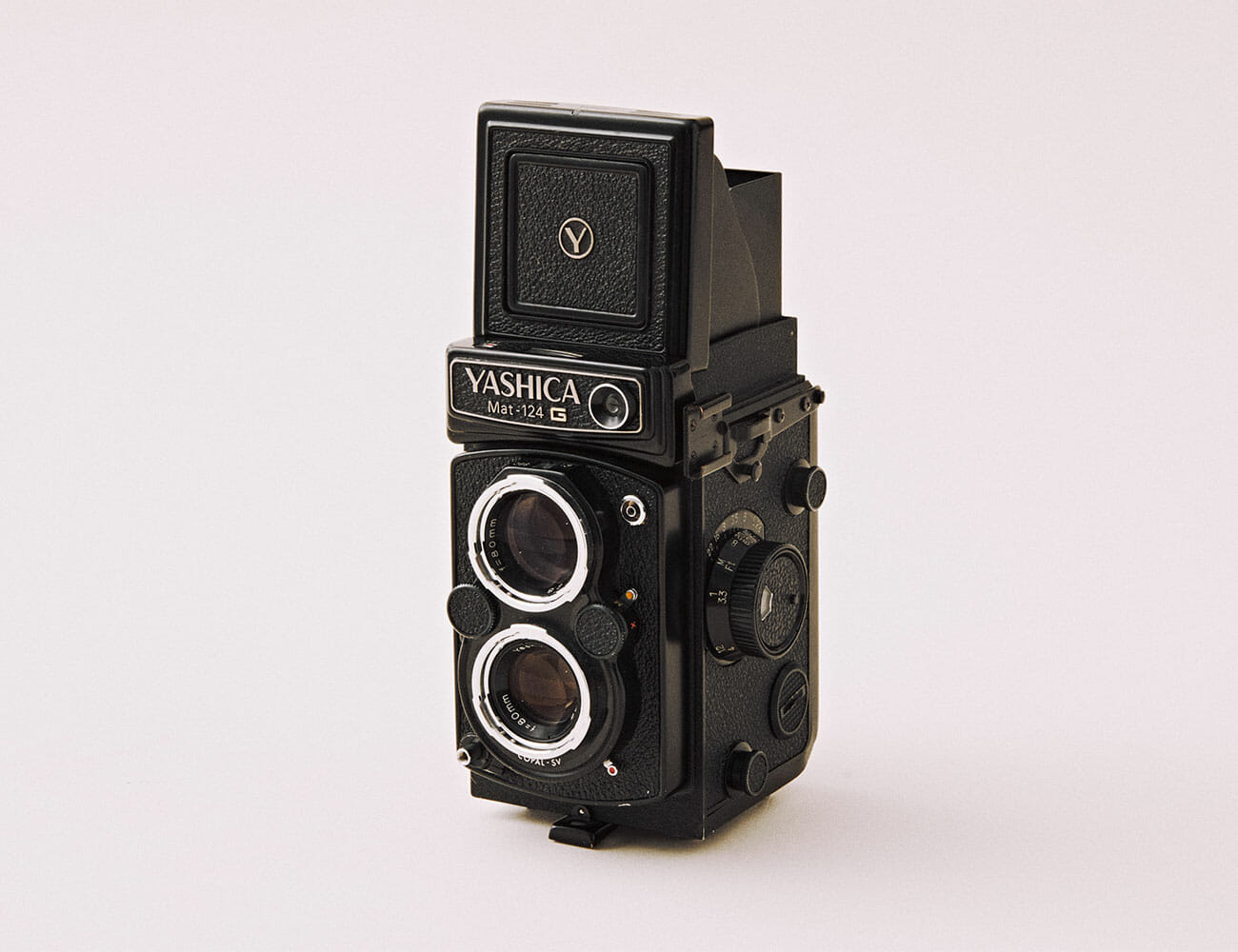
VPN Leaks Should Be Your Main Focus

As mentioned above, VPN leaks are your primary cause of concern (though we’ll get into a bit more advanced stuff later). Here’s what it means for your VPN to leak, and what you can do to patch things up – aside from switching providers, that is.

1. IPv6 Leaks

IP addresses, A.K.A. the main way devices are recognized on the Internet, come in two different flavors: IPv4 and IPv6. The pool of IPv4 addresses (which you may recognize by this example format: 172.16.254.1) has basically run out as of 2019 due to how many Internet-capable devices there are nowadays.

IPv6 is the newer standard and looks like this: 2001:db8:0:1234:0:567:8:1. The format allows for exponentially more variety in IPs, making it virtually impossible for them to run out any time soon. Unfortunately, slow adoption of IPv6 has caused a number of issues, including IPv6 leaks in VPN clients without leak protection.

Essentially, most VPN providers don’t feel the need to support IPv6 when most websites or ISPs don’t offer support for it either. As such, IPv6 leak protection usually means your VPN will block out that traffic entirely. Without this feature, your ISP and other online snoopers can see what you’re doing online, voiding the anonymity offered by your VPN.

If the leak tool detected an IPv6 leak, your only course is to disable IPv6 through your network adapter settings.

2. DNS Leaks

Another way your ISP could still spy on your browsing habits is through Domain Name System (DNS) requests sent to their servers. These DNS servers help translate human-readable website links like www.google.com into an IP address that can be read by a machine – and vice versa. Think of these DNS servers as phone books that help your device find out the “phone number” of the websites you access.

Now, VPN providers usually have their own DNS servers and automatically route traffic through them to prevent your ISP from reading your requests. Unfortunately, certain OS features (mainly Windows ones) can bypass that and still send DNS requests to your ISP.

Given that telecom giants aren’t exactly trustworthy, it’s worth patching up any DNS leaks detected by the tool above. Thankfully, the most common culprits can be easily disabled:

  • For Teredo, simply open up a command prompt (Windows + R, type in “cmd” and click OK), and type this in: netsh interface teredo set state disabled
  • Here’s a guide to disable Smart Multi-Homed Name Resolution on Windows 8 and 10.
3. WebRTC Leaks

What WebRTC actually does is allow audio/ video communication through your browser, exactly as if you were using a dedicated app (Skype, Slack, etc.) Of course, the browser feature could expose your IP address to any website through things called STUN requests. Yes, even if you use a VPN.

Again, the solution to this is as easy as entirely disabling WebRTC in your browser of choice. Alternatively, you can install a browser add-on that either:

  • Exclusively blocks WebRTC requests at the click of a button, such as WebRTC Control.
  • Gives you more fine-grain control over what scripts websites can run, such as uMatrix or NoScript. These script-blockers also prevent WebRTC requests and give you an upper hand in online privacy and security in general. Do be warned they have a bit of a learning curve.

As a final recommendation, don’t hesitate to re-use the leak test tool once a week just to be safe. And with that out of the way, let’s take a look at the slightly advanced tip we promised earlier.

Does Your VPN Obfuscation Work?

One of the primary functions of a VPN is to encrypt all network traffic to and from your device(s). Encryption basically means that people trying to snoop in on your online activity will just see a bunch of gibberish. This includes anyone from your ISP, to cyber criminals, to government surveillance agencies like the NSA.

For the average VPN user, this is nothing to worry about. Encryption is a VPN provider’s bread and butter, and they’d be out of business fast if it didn’t work for some reason. So how do you check that it works short of trusting some online reviewer? By using a packet sniffer such as Wireshark.

Packet sniffers capture the data packets sent over a network, analyze them and present the information in a human-readable form. They are used by network technicians to diagnose problems or cyber criminals trying to steal your data over an unencrypted Wi-Fi connection, for example.

If you want to see what your average hacker does at your local café, here’s a guide on how to use Wireshark to test your VPN.

Does Your VPN Contain Malware?

Sure enough, malware is serious business, with over 50% more mobile devices being affected in 2019 compared to 2018.  In the VPN sector, 20% of the top 150 free Android VPNs have been identified as potentially carrying malware, among other risk factors.

Your first thought was probably “Wait, what? Why isn’t this further up on the list, then?” Well, you’ll notice that it was mainly “free” VPNs that were untrustworthy, showing that there is always a price to pay for privacy.

Still, you can always verify the installation file of your VPN software (even paid ones) with some decent anti-malware. Alternatively, you can upload the installer to a service like VirusTotal which uses over 70 antivirus scanners for a more than thorough inspection.