All posts in “tech”

Wearing a Mask? Apple Just Make Unlocking Your iPhone Way Faster

<!–Wearing a Mask? Apple Just Make Unlocking Your iPhone Way Faster • Gear Patrol<!– –>

iOS 13.5 Is Out Now


If you have an iPhone that uses Face ID, it’s a good idea to download iOS 13.5 — which just went live — right now. The big news is that the new software update makes it significantly quicker to unlock your iPhone while wearing a mask. Without the update, your iPhone takes a few seconds trying (and failing) to unlock using Face ID. With iOS 13.5, you can bypass those precious seconds by swiping up from the bottom of the screen and going straight to the screen to enter your passcode. To be clear: Face ID still won’t work while you’re wearing a mask, but the update allows you to skip to the screen that’ll let you unlock your iPhone, faster.

The other key update is that iOS 13.5 supports the new contact tracing API for COVID-19 that’s been co-created by Apple and Google. The API uses your smartphone’s Bluetooth tracking data (not GPS) to figure out if you’ve been in contact with (or been near) someone who has COVID-19. Apple and Google aren’t making any apps, to be clear, but they’re opening this new API so that public health agencies can take advantage of it. So don’t expect to receive any warning notifications on your iPhone just yet — you’ll have to have apps that support this contact tracing API downloaded on your iPhone first. And the apps aren’t here just yet. Hopefully, that’ll change in the near future.

Note: Purchasing products through our links may earn us a portion of the sale, which supports our editorial team’s mission. Learn more here.

Tucker Bowe

Tucker Bowe has been on Gear Patrol’s editorial team since 2014. As a Tech Staff Writer, he tracks everything in the consumer tech space, from headphones to smartphones, wearables to home theater systems. If it lights up or makes noise, he probably covers it.

More by Tucker Bowe | Follow on Instagram · Twitter · Contact via Email

<!–

–>

<!– –><!–

–>

What’s the Difference Between a $500 and a $2,000 TV?

Let’s say you’re in the market for the new TV, and you’re finally looking to make the jump to 4K. When you’re shopping around, you come across a puzzling situation: two brand new TVs, identical in size, but with two very different prices. One costs $500 while the other $2,000. What’s the deal? What does that extra money actually buy you, and do you need it?

There’s more to picture quality than mere resolution.

If you have two 4Ks that are the same size and were made in the same year, but one costs significantly more than the other, it boils down to picture quality and specifically the technology being used to put the colors on the screen. All 4K TVs have the same number of pixels (3840 x 2160), but the difference in picture quality comes from how they are lit. The best 4K displays are the ones that have the most control over each individual pixel, to light them up in different colors or even turn them off completely without affecting adjacent pixels of a different color. That’s where display technologies come in, and when it comes to 4K TVs, you’re either talking about LCD or OLED.

Above you’ll see two 4K TVs that are the same size (55-inches) and from the same year (2019), but at very different prices. The Vizio M-Series Quantum, which is one of the best affordable 4K TVs, costs less than $500. The LG B Series, one of the nicer OLED TVs, is over $1,000 more expensive.

Pricier OLED displays mean better colors, sharper contrast, and blacker blacks.

The lesser of the two displays is the LCD (liquid crystal display). LCD TVs control the brightness of their picture with an LED backlight that covers a lot more space than a single pixel. Instead, they control groups or clusters of pixels that are known as dimming zones. The more dimming zones an LCD TV has, the more control it has over the pixels and the better picture it’s going to be able to produce.

The ultimate dimming zone, however, is a single pixel, and that is what an OLED TV delivers. Each pixel on an OLED screen is its own backlight. The result is that OLED TVs are able to get brighter and darker while in close proximity to each other, which generates much better contrast. Additionally, OLED TVs are generally able to be thinner and lighter than LCD TVs because they don’t require an extra panel of back-lighting. The problem is OLED is a newer technology and it will be responsible for the bulk of the price differential between two otherwise identical-looking TVs. One of LG’s 65-inch entry-level 4K OLED TVs costs $2,300, for example, while one of the company’s 65-inch 4K LCD TVs costs $650.

Brighter brightness, higher refresh rates, HDR and more dimming zones also add to image quality (and price).

It’s not just OLED or LCD though. More expensive LCD TVs will shore up their display technology weakness with other technologies, like a brighter backlight, or a larger number of smaller dimming zones. More expensive TVs will often also boast a higher refresh rate, the number of times per second that the screen updates what it is showing. Higher rates mean a higher price, but less motion blur. Higher-end TVs are also more likely to support high dynamic range (HDR) technologies, such as Dolby Vision and HDR10, which help create deeper blacks and more vivid colors on any display.

A TV is more than just its display. Materials and speakers are a cost factor too.

A lot of times the difference between a company’s entry-level 4K TVs and mid-range 4K TV, by the likes of TCL or Vizio, is the fact that the frame of the TVs is made of plastic instead of metal. Not only does a plastic frame not look as nice, but it’s also more susceptible to bumps and scratches whenever you happen to move it.

And while you’ll basically always be better off using a soundbar instead of your TV’s built-in speakers, some of the more expensive TVs might have slightly bigger speakers that get slightly louder, have better sound separation and might even support surround sound technologies, like Dolby Atmos or DTS:X. But many TV manufacturers (such as TCL, Sony, Vizio, Samsung and LG) actually want you to buy a separate soundbar or speaker system because they make those as well. And for our money, that’s a good choice.

Note: Purchasing products through our links may earn us a portion of the sale, which supports our editorial team’s mission. Learn more here.
Tucker Bowe

Tucker Bowe has been on Gear Patrol’s editorial team since 2014. As a Tech Staff Writer, he tracks everything in the consumer tech space, from headphones to smartphones, wearables to home theater systems. If it lights up or makes noise, he probably covers it.

More by Tucker Bowe | Follow on Instagram · Twitter · Contact via Email

The 10 Best Wireless Headphones for Running and Working Out

This definitive guide to wireless headphones for running and working out covers everything you need to know before buying your next pair of sweatproof Bluetooth headphones, with picks for different budgets and activities.

The Top 3

Looking for quick recommendations on the best wireless headphones for running and working out? Here are Gear Patrol‘s top three picks of 2020.

Best Overall: Jaybird Vista

Water Resistance: IPX7
Charging Port: USB-C
Battery Life: Up to 6 hours per earbud, 20 extra hours with charging case

The Jaybird Vistas are rugged wireless earbuds for serious athletes. They have an IPX7 rating, meaning they’re fully waterproof and sweatproof. Their lightweight design makes them feel like they’re not even in your ears, and the carrying case is slimmer than that of the competition. They are compatible with a companion app that allows you to change the EQ settings or borrow the EQ settings that have been used by some of Jaybird’s sponsored athletes.

Runner Up: Beats Powerbeats Pro

Water-Resistance: IPX4
Charging Port: Lightning
Battery Life: Up to 9 hours per earbud, 24 total hours with charging case

The Powerbeats Pro are similar to the AirPods Pro because they’re both made by Apple and have the same H1 chip that makes it easy to pair with an iPhone. Runners, in particular, will appreciate the large ear hooks that grip and hold the earbuds in place. The nine-hour battery life — with up to 20 extra hours from the carrying case — is unmatched, though said carrying case is huge, making these less than ideal for everyday wear. They’re also more expensive than the competition.

|

Best Budget: Anker Soundcore Spirit X

Water Resistance: IPX7
Charging Port: Micro-USB
Battery Life: Up to 12 hours

Anker’s Soundcore Spirit Xs are a great pair of no-frills neckbuds. They are extremely sweat- and water-resistant and have an ear hook design, similar to the Powerbeats3 Wireless, so they’ll fit most people’s ears. And for around $40, the sound quality is actually pretty good.

Why You Need Sports Headphones

Not all headphones work for running or exercising, even if they are wireless. If you have a pair that isn’t sweatproof, there’s a good chance they’ll die on you. And if they don’t fit your ears, well, they’re probably not going to stay in, either.

Sport headphones add a new dimension to your workout. They’re light, comfortable and designed to stay securely in your ears during high-intensity intervals. So if you often find yourself lifting weights, running on the roads or trails, or doing a total body workout, it’s time to swap out your basic buds for a pair that goes the extra mile.

The Rest of the Pack

Apple AirPods Pro

Water-Resistance: IPX4
Charging Port: Lightning, wireless charging case
Battery Life: Up to 5 hours per earbud, 24 total hours with charging case

These “pro-level” AirPods are the first wireless earbuds that Apple has ever made that are sweat-resistant, which is great news for runners, as well as noise-canceling, which is great everybody else. They have a silicone ear tip so they fit tighter than Apple’s regular AirPods. On the sort-of downside, they have the same battery life as regular AirPods (and even less life when noise-canceling is turned on).

Master & Dynamic MW07 Go

Water Resistance: IPX6
Charging Port: USB-C
Battery Life: Up to 10 hours per earbud; 12 extra hours with charging case

Master & Dynamic released the original MW07 in 2018 and we called them “the most beautiful wireless earbuds you can buy.” They’re made of acetate and stainless steel are just gorgeous. The 2019-released MW07 Go aren’t quite as “premium,” but they’re also a bit different. They’re made of an ultra-durable TR90 composite material, which makes them water- and sweat-resistant. They’re also 15-percent smaller and lighter than the original MW07, which will help them better stay in your ears while you’re working out.

Sony WF-SP800N

Water Resistance: IP55
Charging Port: USB-C
Battery Life: 9 hours listening time (9 extra hours with case)

The Sony WF-SP800N are unique on this list because they are wireless earbuds that are designed for working out, but they also have active noise-cancellation similar to the company’s flagship WF-1000XM3. The Sony WF-SP800N don’t quite have the sound quality or noise-cancelling abilities of the WF-1000XM3, however, because they lack the same QN1e processor. That said, they’re $30 cheaper.

|

Jabra Elite Active 75t

Water Resistance: IP57
Charging Port: USB-C
Battery Life: 7.5 hours listening time (up to 28 hours with case)

These are “active” versions of the Jabra Elite 75t that were released earlier in 2020. What that means is that they’re identical in every way, except they’re more water-resistant, they have a stickier coating so they stay in your ear better, and they’re slightly more expensive. Aside from that, these are some of the best all-around wireless earbuds you buy in 2020.

|

Google Pixel Buds

Water Resistance: IPX4
Charging Port: USB-C and wireless
Battery Life: 5 hours listening time (up to 24 hours with case)

Google’s second-generation Pixel Buds are exactly what Pixel owners have deserved for years: wireless earbuds that work well and easily pair with all Pixel and Android devices (no opening Bluetooth settings required). They have intuitive touch controls and premium features that only Google could deliver, like a conversation mode integrated with Google Translate. Additionally, they have an earwing design and IPX4 water-resistance rating, so they make a great workout partner.

|

Beats Powerbeats

Water Resistance: IPX4
Charging Port: Lightning
Battery Life: Up to 15 hours

The Powerbeats are the next generation of the company’s Powerbeats3 Wireless that were released in 2016. The new Powerbeats have been integrated with Apple’s H1 chip for fast pairing with your iPhone, just like AirPods and AirPods Pro, but it also enables them to charge faster and get significantly better battery life. As far as design, fit and sound, the Powerbeats are essentially more affordable, neckbud versions of the truly wireless Powerbeats Pro.

Jaybird Tarah Pro

Water Resistance: IPX7
Charging Port: Pogo pin connector
Battery Life: Up to 14 hours

Released in 2018, these are Jaybird’s highest-end neckbuds and, frankly, some of the best wireless earbuds you can buy. They are completely sweatproof and waterproof, and because they have tremendous battery life — up to 14 hours on a single charge — they’re really designed for ultra runners and endurance athletes. A neat and under-appreciated feature: the two earbuds magnetically stick together so you can wear the Tarah Pro around your neck, as a necklace, when you’re not listening to them.

Bose SoundSport Free

Water Resistance: IPX4
Charging Port: Micro-USB
Battery Life: Up to six hours

One of the great things about Bose is that all of its in-ear headphones, whether wired or wireless, fit the same, so if you know they’ll fit in your ears before you even order them (so long as you’ve worn Bose’s earbuds with StayHear+ tips before). The SoundSport Free are solid wireless earbuds with Bose signature sound. The catch is that these earbuds are several years old and Bose is expected to release two new versions, the Bose Earbuds 500 and Bose Noise Cancelling Earbuds 700, in 2020.

Note: Purchasing products through our links may earn us a portion of the sale, which supports our editorial team’s mission. Learn more here.
Tucker Bowe

Tucker Bowe has been on Gear Patrol’s editorial team since 2014. As a Tech Staff Writer, he tracks everything in the consumer tech space, from headphones to smartphones, wearables to home theater systems. If it lights up or makes noise, he probably covers it.

More by Tucker Bowe | Follow on Instagram · Twitter · Contact via Email

AirPods Pro Don’t Fit Your Ears? This Is the Upgrade You Need

<!–AirPods Pro Don’t Fit Your Ears? This Is the Upgrade You Need<!– –>

Comply Tips


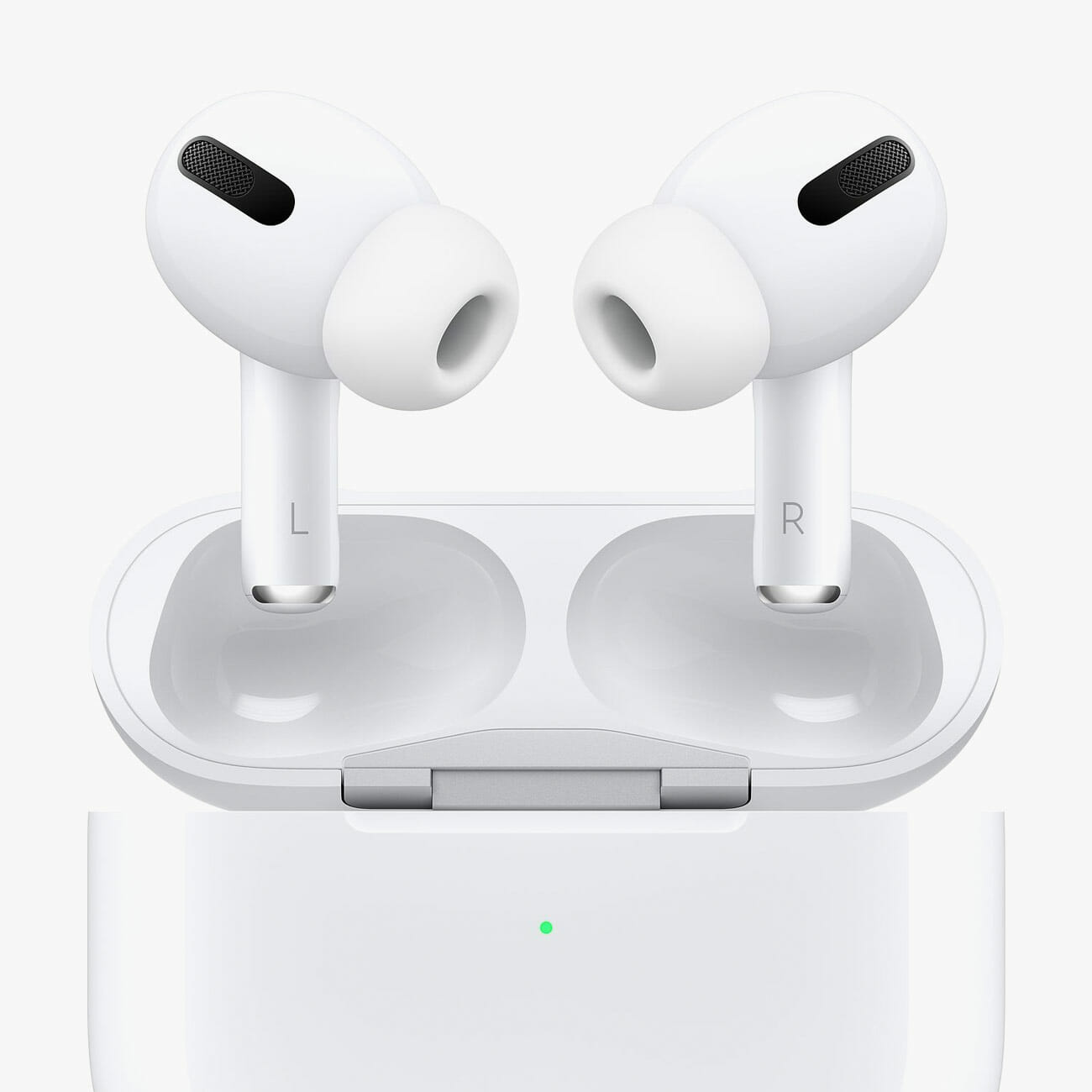
If Apple’s AirPods Pro don’t fit in your ears, or maybe they’re just not comfortable, all might not be in vain. That’s because Comply, the well-known maker of those cushy foam eartips, has finally released its own eartips for the AirPods Pro. The Comply eartips naturally fit more securely in your ear than the stock silicone eartips that come with most earbuds, including the AirPods Pro. They’re also better at passive noise-isolation, so the AirPods Pro are likely to sound a little better with Comply eartips. (There’s no word on if or how the Comply eartips will affect the AirPods Pro’s Ear Tip Fit Test.)

You can buy a pack of three pairs for $25 and they can be purchased in three different sizes (small, medium, large) or you can purchase a three-pack with one of each size. If you do buy these Comply tips, a good thing to know is that your AirPods Pro will still fit into their charging case and charge. The downside is that the Comply eartips only come in black, so they might look a little odd.

Note: Purchasing products through our links may earn us a portion of the sale, which supports our editorial team’s mission. Learn more here.

Tucker Bowe

Tucker Bowe has been on Gear Patrol’s editorial team since 2014. As a Tech Staff Writer, he tracks everything in the consumer tech space, from headphones to smartphones, wearables to home theater systems. If it lights up or makes noise, he probably covers it.

More by Tucker Bowe | Follow on Instagram · Twitter · Contact via Email

<!–

–>

<!– –><!–

–>

5 Great Ways to Hang Out Online That Aren’t Just Video Chat

During social distancing, we’ve been forced to coming up with new and innovative ways to hang out with each other. Obviously, video chat is a big part of that. We’re using apps like Zoom, Google Hangouts and FaceTime more than ever, both for work and just for hanging out with family friends. B if you’re looking to add a different level of intrigue to virtual hangs, you don’t just have to have face to face conversations. Here are 5 other ways to hang out on line, that will let you spice things up, or chill out in a way that’s more low-key.

Watch a Movie

Cost: Free

Netflix Party is a free Chrome extension that allows you, family and friends to watch the same movie or show on Netflix at the same exact time. There’s a chat box that appears so you can all type your “lol I’m dead”s, “I knew it”s, and “Hey, it’s that guy”s in one place. If you don’t have a Netflix account, no problem. Only one person in the “screening” has to have an account, as Netflix Party creates a shareable link that everyone can access.

Solve a Mystery

Cost: $20 $17

There are a zillion different online games that you can play online with friends, but one of the most creative and fun is TEG Unlocked: The Heist. It’s a virtual crime solving game where you and up to three friends work as a secret agent and try to stop a suspected art thief. You can think of it as a virtual Carmen Sandiego game where you have to solve a bunch of puzzles and discipher a bunch of clues. Believe us, it’s a blast and a great time killer.

Play Some Party Games

Cost: Free

Houseparty is a video chat app that lets the people in the chat play games with one another like Heads Up! and Trivia. The app and chrome extension is free, can be played with up to eight friends at a time. You could, of course, also just play card games on standard video chat, but Houseparty’s integrations make it easier.

Listen to Music

Number of players: N/A
Cost: Free

If you and your friends are all Spotify Premium subscribers, check out JQBX. It’s a web player and mobile app that lets you create a listening session where you can take turns selecting tracks while listening in unison. Anybody in the listening session can add music to the queue, plus you all can rate songs via a “dope” or “nope” meter. It’s a great bit of socialization to have on in the background if you’re not up to something more involved.

Start a Chat

Number of players: N/A
Cost: Free

One of the big downsides of video calls is trying to schedule an appointment with your friends and find an excuse to leave when you’re done. But with Discord, a chat app that’s popular with gamers but great for everyone, you can create a persistent digital space for friends to come and go as they please, and hang out with whoever happens to be around. Mixing the best qualities of Skype and Slack, it has a wide-array of video, audio, and text-chat options for whatever suits your needs and your mood. You can even start up a video stream, and just let your friends or relatives swing by and say hi whenever they feel like it.

Note: Purchasing products through our links may earn us a portion of the sale, which supports our editorial team’s mission. Learn more here.
Tucker Bowe

Tucker Bowe has been on Gear Patrol’s editorial team since 2014. As a Tech Staff Writer, he tracks everything in the consumer tech space, from headphones to smartphones, wearables to home theater systems. If it lights up or makes noise, he probably covers it.

More by Tucker Bowe | Follow on Instagram · Twitter · Contact via Email

How to Properly Use AirPods Pro on Your Mac

<!–How to Properly Use AirPods Pro on Your Mac • Gear Patrol<!– –>

A Quick and Easy Fix


The experience of using AirPods Pro on a Mac is a little different than on an iPhone. You can’t adjust volume or toggle between noise-canceling and transparency modes in the same way because there’s no Control Center on your Mac. That said, you can still do it and it’s still fairly easy.

The first and most important step is to make sure that both Bluetooth and volume controls are appearing on your Mac’s menu bar, which is the everpresent bar in the top-right corner of your desktop. If you can’t see them (typically it just displays the battery, Wi-Fi and the time), open the Settings app and make sure that the little box is checked in the “Bluetooth” and “Sound” sections.

After connecting your AirPods Pro to your Mac, toggling between noise-canceling and transparency modes can be done in two different ways. The easiest is to click the volume control button now located on your Mac’s menu bar, finding your AirPods Pro in the drop-down menu and choosing between the three modes: off, noise cancellation and transparency.

You can also program your AirPods Pro so that if you hold down the right or left stem, it’ll switch between noise cancellation and transparency modes. To do this, select the Bluetooth icon in the menu bar and select “Open Bluetooth Preferences” at the bottom of the dropdown menu. A separate window will appear. You’ll then want to select the “Options” button adjacent to your AirPods Pro. You can then customize the controls of your AirPods Pro. This is a good option for people who want to quickly switch between modes.

Note: Purchasing products through our links may earn us a portion of the sale, which supports our editorial team’s mission. Learn more here.
Tucker Bowe

Tucker Bowe has been on Gear Patrol’s editorial team since 2014. As a Tech Staff Writer, he tracks everything in the consumer tech space, from headphones to smartphones, wearables to home theater systems. If it lights up or makes noise, he probably covers it.

More by Tucker Bowe | Follow on Instagram · Twitter · Contact via Email
<!–

–>

<!– –><!–

–>

Your Phone Has a Tiny, Crucial Design Detail You’ve Probably Never Even Noticed

Welcome to Further Details, a series dedicated to ubiquitous but overlooked elements hidden on your favorite products. This week: the strips of plastic hiding on your smartphone.

For years and years, after death flip phone and slide-out physical keyboard, most smartphones have looked pretty much the same: smooth slabs of metal or glass, with a camera on the back, and ever fewer buttons. But there’s one crucial, subtle aspect of this simple, shared design that you may not have noticed.

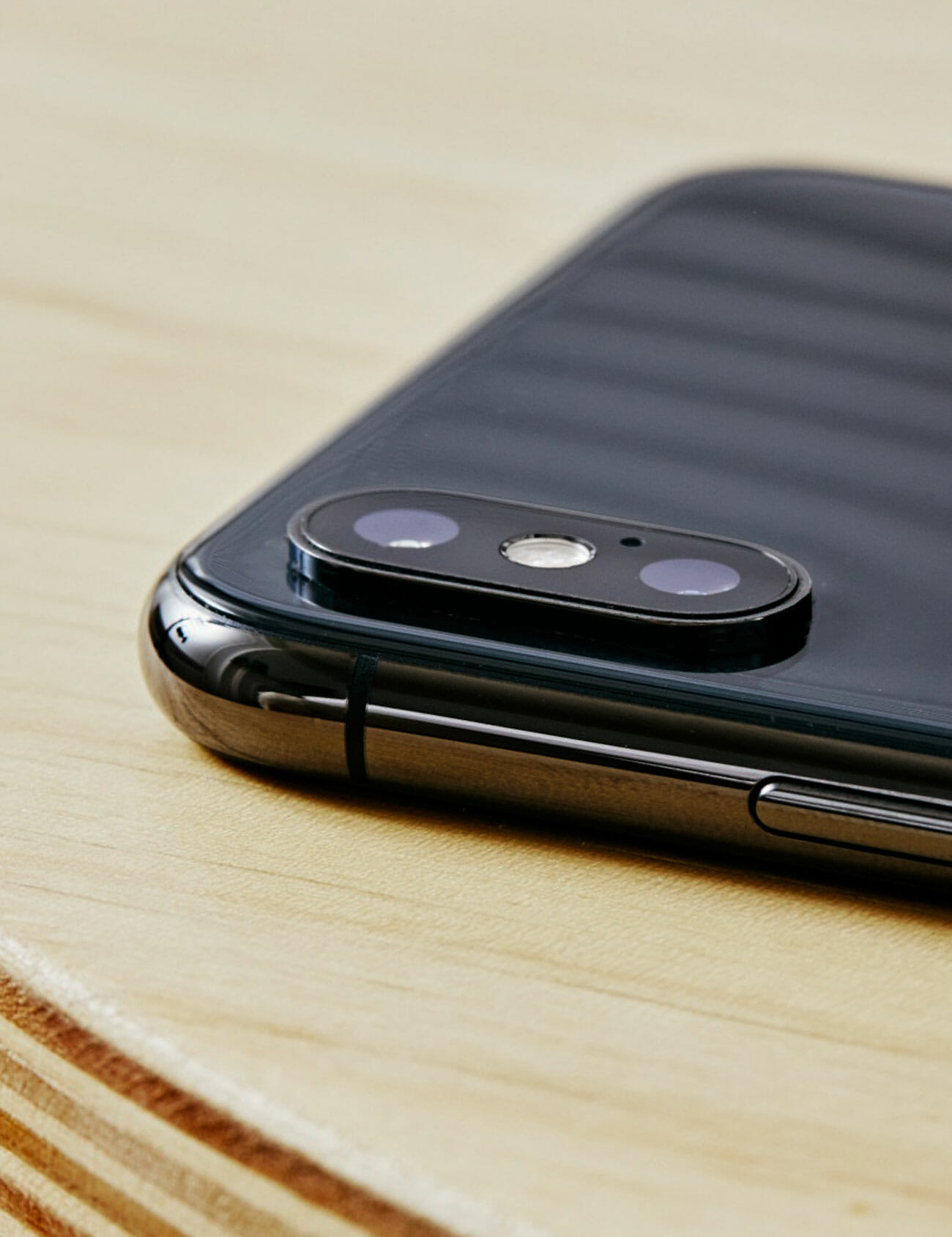
Take a second and turn your phone over in your hands a few times. Can you find a few small lines of colored plastic around the edge? These are one of the most crucial bits of engineering on your pocket supercomputer, without which it could not function.

These bits of plastic are “antenna lines,” and you may be familiar with them from their particularly obvious placement on phones like the iPhone 6 and, if you are an old-head Android nerd, the HTC One.

While they are opaque plastic, they actually function as tiny windows, not for light but rather for the radio waves that come from your phone’s internal Bluetooth, Wi-Fi, and LTE/5G antennas and connect you to the internet. These electromagnetic waves that let your phone function as an actual communication device are able to move relatively effortlessly through materials that do not conduct electricity (like plastic) but are blocked by materials that do (like metal). These subtle little bars are what the data into and out of your phone.

Not all phones need these lines, of course. Phone that are already made of plastic are very transparent to radio waves. Similarly, glass will allow radio waves through, though not as readily as plastic, and phones with glass backs frequently have a metal frame, which will still contain a few small antenna lines.

Antenna lines are not a magic bullet for phone design, and can be thwarted by your body, which blocks signals quite effectively! Perhaps the most well known example of this problem was with Apple’s glass-backed iPhone 4, and the ensuing “antennagate,” where the placement of the antenna lines along the phone’s metal frame were such that a user’s hand could easily bridge the gap and interfere with the signal.

So the next time you have trouble getting your fancy all-metal phone to establish a solid internet connect, keep an eye out for this little lines and make sure you aren’t covering them up. They might be tiny, and a little unsightly, but they’re the reason your phone isn’t just a calculator.

Note: Purchasing products through our links may earn us a portion of the sale, which supports our editorial team’s mission. Learn more here.
Eric Limer

Eric Limer is Gear Patrol’s tech editor. A resident of Weehawken, NJ, his current obsessions include mechanical keyboards, mechanical pencils and Formula 1.

More by Eric Limer | Follow on Instagram · Contact via Email

This New Chrome Feature Will Either Make Your Life Way Better or Way Worse

<!–This New Chrome Feature Will Either Make Your Life Way Better or Way Worse • Gear Patrol<!– –>

COLOR SUBTITLE


Do you ceaselessly collect dozens, maybe even hundreds of tabs in your Chrome browser window? Good news! Or maybe bad news depending on how you look at it: Chrome will now help to enable your excess with tab grouping, to help you better wrangle your unruly mass without having to actually close anything!

The feature, now available in Chrome Beta and eventually making its way to the stable release, allows you to group tabs into named categories by right clicking on them. That way, you can have your email, calendar, and whatever else you need under a group tab called “work,” for example. It’s a feature that has been available in other browsers for a while, and is now becoming increasingly standard.

The upside of this feature is obvious: it will let you exert an extra layer of organization on your cyberspace with a little more nuance than simply pinning tabs. The downside? It’s going to let you dive ever deeper into the pit of having a bajillion tabs open, never closing anything, and letting Chrome monopolize ever more of your CPU and battery life.

So yes, go nuts with the tab groupings if it helps you save your sanity. But maybe, you know, close a few.

Note: Purchasing products through our links may earn us a portion of the sale, which supports our editorial team’s mission. Learn more here.
Eric Limer

Eric Limer is Gear Patrol’s tech editor. A resident of Weehawken, NJ, his current obsessions include mechanical keyboards, mechanical pencils and Formula 1.

More by Eric Limer | Follow on Instagram · Contact via Email

<!–

–>

<!– –><!–

–>

Bang & Olufsen’s New Portable Speaker Comes at a Sky-High Price

<!–Bang & Olufsen’s New Portable Speaker Comes at a Sky-High Price • Gear Patrol<!– –>

The new Beosound A1


Bang & Olufsen just announced an updated model of the Beosound A1 portable Bluetooth speaker that it released back in 2016. The 2nd-generation model looks almost identical to its predecessor — same disc shape, same leather strap — but the Danish audio company made a few notable upgrades. They gave it a new grille, made it a little bit thinner and lighter, boosted its battery life to 18 hours (when played at a reasonable volume), and improved its overall sound. All that will cost you a jaw-dropping $250.

The two biggest changes, however, are that the new Beosound A1 is now fully waterproof (IP67 rated), so you can take it to the beach or submerge it in water, and it has Alexa built-in. It uses your smartphone’s Wi-Fi or LTE connection to access Alexa, because the Beosound A1 can’t connect to the internet on its own, which means you can ask Alexa to play songs or answer queries anywhere your smartphone has connectivity.

But perhaps most notable is its $250 price tag compared to the wide variety of portable speakers out there that are both bigger (and therefore able to be louder) and a lot cheaper. I haven’t listened to the Beosound A1 so I can’t speak to its acoustic capabilities, but it’s hard to imagine it sounds that much better than Bluetooth mainstays like the UE Boom 3 ($150), UE MegaBoom 3 ($200) or Bose’s SoundLink Revolve ($200).

Then again, maybe you just really like the way it looks. The new Beosound A1 is available now in two colors: black and grey.

Note: Purchasing products through our links may earn us a portion of the sale, which supports our editorial team’s mission. Learn more here.
Tucker Bowe

Tucker Bowe has been on Gear Patrol’s editorial team since 2014. As a Tech Staff Writer, he tracks everything in the consumer tech space, from headphones to smartphones, wearables to home theater systems. If it lights up or makes noise, he probably covers it.

More by Tucker Bowe | Follow on Instagram · Twitter · Contact via Email
<!–

–>

<!– –><!–

–>

What Do Those Rings on a Headphone Plug Actually Do? We Found Out

Welcome to Further Details, a series dedicated to ubiquitous but overlooked elements hidden on your favorite products. This week: the strips on your headphone jack.

The advent of wireless headphones is slowly laying the headphone jack to rest, but it’s not going out without a fight. The design, which traces its roots back to the late 1800s is sure to find a home on wired headphones, laptops, and various bits of audio equipment for years to come.

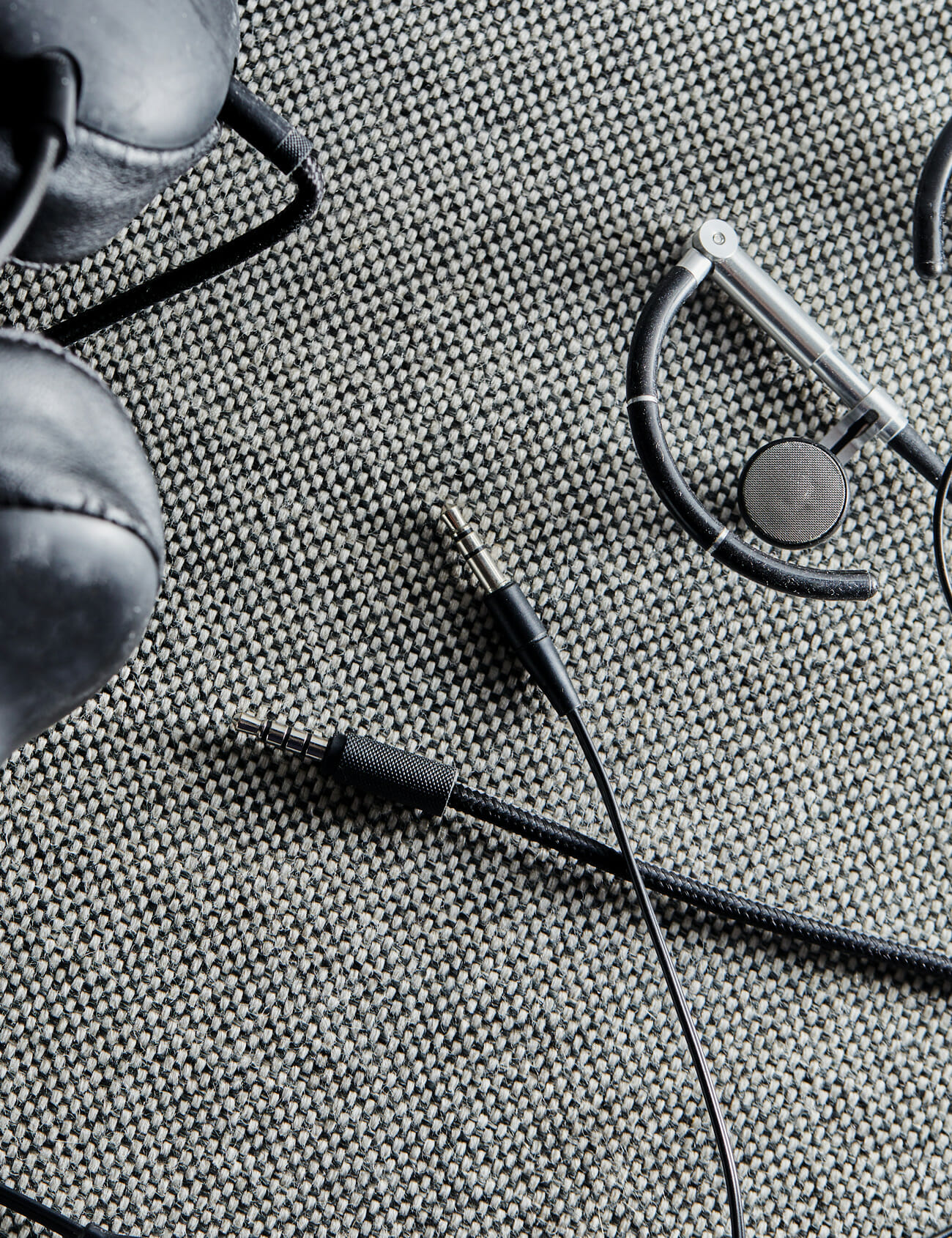
If you’ve ever contemplated the plug on your old set of wired EarPods or other headphones for even a second as you go to pop it into a jack, you’ve surely noticed the series of small, colored, plastic rings it has in varying numbers from plug to plug. What are those for?

The job of a headphone plug and jack actually is very simple: to communicate audio signals from the source and transmit them to your headphone’s where they’re played as audio. These rings play a crucial role, not because of what they do, but because of what they don’t.

Made of a non-conductive material (typically plastic) these rings serve to divide the plug into the various different conductive sections, known as pins, that actually do the work. Each plug has to have at least two pins (and therefore, at least one ring to separate them): one section to carry the signal, while the other to serve as a return path and ground, which helps to cancel out any distortion or interference the audio signal picks up along the way.

As a result, you can tell a lot about headphones by looking at their plug. One ring means mono playback. This basic plug only delivers one channel of sound to both the left and right earbud. Two rings mean stereo. These plugs have three pins, one for the left channel, one for the right, and one for ground. Three separating rings means you’ve got two stereo pins, and a microphone pin as well, and is the one you’re most likely to run into when you’re looking at smartphone earbuds.

Note: Purchasing products through our links may earn us a portion of the sale, which supports our editorial team’s mission. Learn more here.
Tucker Bowe

Tucker Bowe has been on Gear Patrol’s editorial team since 2014. As a Tech Staff Writer, he tracks everything in the consumer tech space, from headphones to smartphones, wearables to home theater systems. If it lights up or makes noise, he probably covers it.

More by Tucker Bowe | Follow on Instagram · Twitter · Contact via Email

Dell’s MacBook Pro Rival Has Up to 25 Hours of Battery Life

<!–Dell’s MacBook Pro Rival Has Up to 25 Hours of Battery Life<!– –>

Dell Announces New XPS Laptops


Dell dropped some pretty exciting news this morning if you’re a fan of its high-end XPS laptops. It announced a redesigned XPS 15 and an all-new XPS 17, both of which have a bigger display (with a 16:10 aspect ratio), USB-C ports and overall slimmer design. The XPS 17 is the first time in a decade that Dell has released a 17-inch laptop in the XPS family; Dell is also calling the XPS 17 its “most powerful XPS laptop ever.”

For those unfamiliar with Dell’s XPS line, you can think of them as the direct rival to Apple’s current MacBook Pro lineup. Dell’s new XPS laptops go toe-to-toe with Apple’s current crop MacBook Pros in a lot of ways, as the new models can be configured with 4K displays, Intel’s latest 10th-generation processors, upgraded Nvidia graphic cards, 64GB of RAM and up to 2TB of storage.

One of the things that set Dell’s XPS 15 apart is its battery life. It supposedly has an up to 25-hour battery life (only in its FHD model), which would be the longest battery life of any 15-inch laptop. (Dell has not disclosed the battery life of the XPS 17.) By comparison, Apple’s new 16-inch MacBook Pro promises about 11 hours of battery life, which isn’t even close.

The Dell XPS 15 starts at $1,300 and is available today, while the Dell XPS 17 starts at $1,500 and will be available this summer.

Note: Purchasing products through our links may earn us a portion of the sale, which supports our editorial team’s mission. Learn more here.
Tucker Bowe

Tucker Bowe has been on Gear Patrol’s editorial team since 2014. As a Tech Staff Writer, he tracks everything in the consumer tech space, from headphones to smartphones, wearables to home theater systems. If it lights up or makes noise, he probably covers it.

More by Tucker Bowe | Follow on Instagram · Twitter · Contact via Email

<!–

–>

<!– –><!–

–>

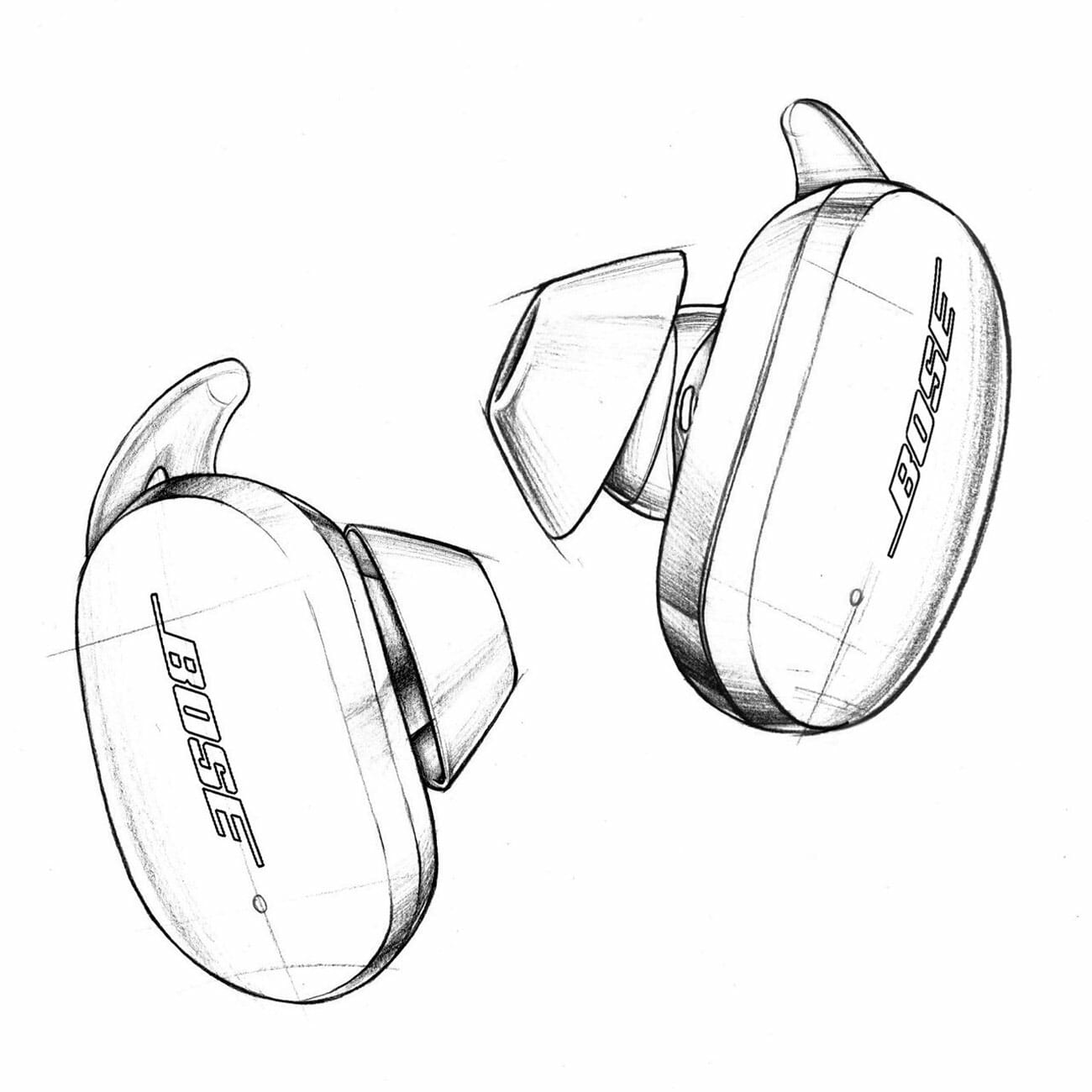
Where Are Bose’s Wireless Noise-Canceling Earbuds?

Almost a year ago, Bose announced the Bose Noise Cancelling Headphones 700 ($399), and released them a few short weeks later. But its Bose Earbuds 500, smaller and upgraded versions of the company’s current wireless SoundSport Free, and the Bose Noise Cancelling Earbuds 700, are still yet to be seen.

The flagship Earbuds 700 were always slated for a vague 2020 release window, and the year is far from over, but the Earbuds 500s were supposed to be out way back in 2019. Where are they?

According to the company’s website, the Bose Noise Cancelling Earbuds 700 (above) are expected to have “truly astonishing noise cancelling” capabilities.

One complication is almost certainly the COVID-19 pandemic, which has thrown a wrench in the gears of almost all tech companies’ manufacturing plans, potentially delaying the new iPhone, and canceling industry events. But 2019 had come and gone before the pandemic spun up in earnest, and so while it is almost certainly a complicating factor, it’s can’t be all that is at play.

In March, Bose told CNET‘s David Carnoy that the earbuds are still coming, but offered no revised time frame, while the official Bose website lists 2020 as the time frame for both pairs. We’ve reached out to Bose for any updates or additional details.

It’s is not at all rare for tech products to face delays, but this wrinkle has put Bose in a particularly notable pickle: the industry leader in noise-canceling headphones still doesn’t have a pair of true wireless earbuds with noise-cancellation, in a market that was already notably reaching maturity by the close of 2019. Sony, Apple, Sennheiser and Master & Dynamic are just a few of Bose’s rivals to have their own wireless earbuds with active noise-cancellation. Heck, Amazon released its own pair of wireless earbuds that have Bose’s own technology, albeit somewhat watered-down “active noise-reduction” technology as opposed to noise-cancelation.

There is, of course, more to success than being first. There is plenty of profit to be found in focusing on refinement and releasing a highly-polished product that improves on the competition’s early attempts. But the longer the wait, the better that product has to be. And with every month that goes by, the bar for Bose is getting higher.

Note: Purchasing products through our links may earn us a portion of the sale, which supports our editorial team’s mission. Learn more here.
Tucker Bowe

Tucker Bowe has been on Gear Patrol’s editorial team since 2014. As a Tech Staff Writer, he tracks everything in the consumer tech space, from headphones to smartphones, wearables to home theater systems. If it lights up or makes noise, he probably covers it.

More by Tucker Bowe | Follow on Instagram · Twitter · Contact via Email
This Beloved Email App Just Dodged a Bullet

The beloved email app Newton Mail was originally scheduled for termination at the end of April along with its parent company, Essential, before two super fans stepped in. Software vets Maitrik Kataria and Justin Mitchell purchased Newton Mail from Essential and plan not only to keep the app running, but thriving.

Kataria and Mitchell have promised to roll out new features (like Dark mode) within the next three-to-six months, as well as fix the bugs and occasional crashes that have been plaguing the service for some time. They’re also offering special deals for loyal and past subscribers, too. If you currently subscribe to Newton Mail, you’re going to get the next three months free. If you’ve previously subscribed, you can sign up again and get a 20-percent-off discount. There’s also a new referral program to incentivize subscribers to get their friends on Newton Mail as well. Like the past, the service costs $50 per year.

You can check out the announcement post from new owners Kataria and Mitchell below.

Newton Mail is a premium email mail that’s designed for power users and businesses. Back in 2016, it was one of the few email apps that had features like snoozing, read receipts and scheduling. It also works seamlessly across Mac and Windows 10 devices, which is still a novel feature. Even though many of its features have been adopted by numerous other email apps, like Gmail, Outlook and Spark, Newton Mail has obviously developed a strong relationship with its users — which is why the app seemingly isn’t going anywhere.

|

Note: Purchasing products through our links may earn us a portion of the sale, which supports our editorial team’s mission. Learn more here.
Tucker Bowe

Tucker Bowe has been on Gear Patrol’s editorial team since 2014. As a Tech Staff Writer, he tracks everything in the consumer tech space, from headphones to smartphones, wearables to home theater systems. If it lights up or makes noise, he probably covers it.

More by Tucker Bowe | Follow on Instagram · Twitter · Contact via Email

The Most Important Thing to Know Before You Get Your Next Workout Headphones

The are more wireless sport headphones than ever to choose from. And that’s great! There are the obvious things to look for in a pick, like a secure fit and good sound and more extreme features like Jabra’s earbuds that can coach you through runs or specific workouts or Jaybird’s athlete-sponsored buds with curated different workout playlists.

But one of the most features of any workout earbud, and one that is all too easy to overlook, is its IP (Ingress Protection) rating, which tells you how durable they are against things like water, salt and dust. Given that you’re going to be sweating in these earbuds, they need to have a good IP rating, otherwise, they’ll die real quick and you’ll be in the market for new wireless earbuds again.

All workout buds will bill themselves as sweat or water resistant, but the IP ratings will tell you exactly what kind of abuse your buds are rated to take. You shouldn’t be surprised to learn that buzzwords don’t always tell the whole story.

Here’s a quick rundown. Every IP rating starts with “IP,” and the first number after it represents the dust resistance (rated on a 0-6 scale) and the second number represents the level of water resistance (rated on a 0-7 scale). The higher the number the more resistant to dust or water the headphones are. If there’s an “X” after “IP” it simply means that the headphones are not resistant to dust.

With earbuds or headphones, the most important number in the IP rating is the last one — the water-resistance rating. Yes, dust can be harmful to electronics but we all know water is the real killer. And considering that these are wireless sport earbuds, almost every time you’re putting them on, you know you’re putting them in clear and present danger.

The most important water-resistance rating is “4” — think of that the cutoff point. IPX4 means that the electronic is splashproof in all directions, while anything less than that means the earbuds are only splashproof from one side. For reference, the AirPods Pro are IPX4 rated. Normal AirPods don’t have an IP rating — so work out with them at your own risk.

But if you sweat buckets, or run in inclement weather, that might not be enough resistance for comfort. IPX5 and IPX6 are the next steps up. An IPX5 rating means that the wireless earbuds are resistant enough to withstand a sustained low-pressure water spray, while IPX6-rated earbuds can withstand a sustained high-pressure spray. The new Sony WF-SP800N (IP55) and Master & Dynamic MW07 Go (IPX6) are two examples of such-rated wireless earbuds.

IPX7 is the highest water-resistance that wireless earbuds can have. It means that they’re essentially waterproof, as the earbuds can be submerged in up to three feet (or one meter) in water for 30 minutes. For reference, the Jaybird Vista and the Jabra Elite Active 75t are some of the few IPX7-rated wireless earbuds that you can buy.

If you’re looking to dive even deeper into IP ratings, check out Jabra’s website.

Note: Purchasing products through our links may earn us a portion of the sale, which supports our editorial team’s mission. Learn more here.
Tucker Bowe

Tucker Bowe has been on Gear Patrol’s editorial team since 2014. As a Tech Staff Writer, he tracks everything in the consumer tech space, from headphones to smartphones, wearables to home theater systems. If it lights up or makes noise, he probably covers it.

More by Tucker Bowe | Follow on Instagram · Twitter · Contact via Email

12 Chrome Extensions That Will Make You a Power User

Welcome to Superuser Skills, a column devoted to making sure you get the most out of the gear you already own.

Web browsers can do a lot right out of the box, but thanks to the huge third-party add-on libraries for both Chrome and Firefox, you can get them to do much more. These extensions help you get around the web faster, add extra security for your online travels, change the look of your browser and much more.

We’ve picked out 12 indispensable add-ons that no browser should be without. You’ll never go back to a plain browser setup again.

1. Pocket


There’s not always enough time in the day to get through everything of note you find on the web, which is where Pocket comes in. Use it to store articles and videos for reading and watching later, at your leisure. You can organize saved items using tags, strip away distracting ads and other page clutter, and even get at your article lists from your phone. |

2. Ghostery


Ghostery does a hugely effective job of restricting how advertisers can track your movements online—it blocks a lot of the commonly used scripts and plug-ins that marketers use to work out who you are, and the dashboard that it uses to show you what it’s doing is simple to read. As an added bonus, you’ll find your browsing is quicker too. |

3. The Great Suspender


If you use a browser, chances are you tend to have too many tabs open at once. The Great Suspender is one of the best and simplest extensions for doing something about it, and will suspend tabs that have been inactive for a while, freeing up system resources until you need the tab again. If you’re on Firefox, Auto Tab Discard is built along similar lines.

4. Foxy Gestures


Using mouse gestures for key browser commands—forwards, backwards, reload—can genuinely transform the way you get around the web, and for the better: you’ll spend more time reading articles and less time hunting for menu buttons and keyboard shortcuts, and everything is fully customizable. If you’re on Chrome, then give CrxMouse Gestures a try.

5. LastPass


Your browser probably already does a decent job of storing passwords and auto-filling forms, but a dedicated password manager like LastPass can offer more features and a more intuitive interface—LastPass is a breeze to use and navigate around, and able to securely store other sensitive information (like passport numbers) alongside passwords. |

6. HTTPS Everywhere


HTTPS is the more secure, private version of HTTP, and most sites now support it—though it isn’t always applied (if you follow a link that omits the “S” for example). HTTPS Everywhere works in the background of your browser to make sure that you’re always on the upgraded version of the sites you’re visiting, for extra piece of mind while browsing. |

7. Grammarly


If you do a lot of writing inside your browser then get Grammarly on your side: it’ll keep an eye on your grammar, as the name suggests, but also your spelling and the style and tone that you’re using. The extension works with most websites where text can be entered, and can help you make sure you’re getting your messages across as effectively as possible. |

8. Enhancer for YouTube


Don’t settle for the standard YouTube site any longer—use Enhancer For YouTube to upgrade your video streaming experience with extra playback controls, customizable ad removal, preferred playback quality settings, auto-pausing for background tabs, player pinning (so the current video stays on top of other windows), and more besides. |

9. LeechBlock


Spending more time on certain sites than you really should? LeechBlock keeps you honest and will restrict access to sites such as Facebook, Twitter, or any URLs that you want to stay away from until the day’s work is done. You can take full control over which sites are blocked and at what times, see statistics on your browsing activity, and much more. |

10. Google Translate


Never be stumped by a foreign language in your browser again—the official Google Translate extension will translate words, phrases or entire webpages on demand with just a click or two, and you can even get pronunciation guidance as well if you need it. The official add-on isn’t available for Firefox, but To Google Translate is a good unofficial one.

11. Nimbus Screen Capture


If you need to take screenshots of pages during the course of your browsing, then turn to Nimbus Screen Capture—it offers a whole host of functionality (full screen grabs, partial grabs, simple editing tools, a variety of export options) in an interface that’s accessible and easy to get to grips with. You can record browser activity as a video as well, if you need to. |

12. Buffer


If you find something that you want to share on the web, then Buffer is one of the quickest and easiest ways to do just that—click the Buffer icon in your browser toolbar to share the current page on Twitter, Facebook, LinkedIn and more, without having to visit all those sites individually. Paid-for upgrades are available, but the free version will be fine for most. |

How to Build a Smart Home

So you want to build an entry-level smart home and you don’t want it to cost a fortune. Good news: that’s totally possible. Here are the reasons to choose Apple, Amazon, or Google, and the best entry-level devices to get you off the ground. Read the Guide

Note: Purchasing products through our links may earn us a portion of the sale, which supports our editorial team’s mission. Learn more here.

An Expert Explains Why the Sonos Arc Soundbar Is So Much Better Than the Playbar

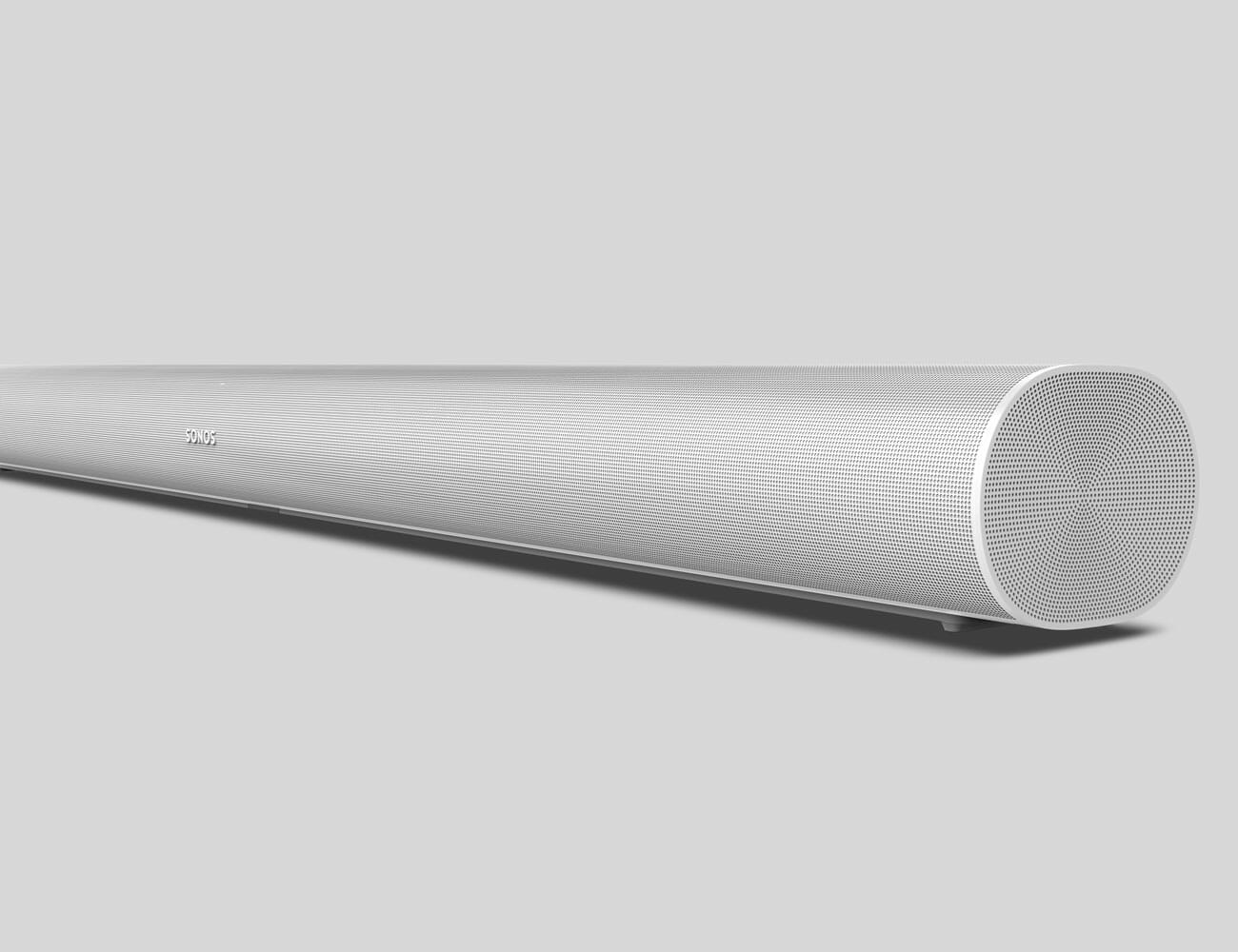
Sonos was due to update the Playbar, which was released 2012 and over eight years old, and the successor is finally here. Arc is Sonos’s new high-end soundbar that takes the place of both the Playbar and the Playbase and boasts a number of big upgrades including an all-new industrial design with a 270-degree grill, built-in microphones support for Alexa and Google Assistant (just like Beam). Most important, it has all the necessary processing power, memory and drivers to enable its standout feature: support for Dolby Atmos. This is the soundbar that’s going to take Sonos’s home theater system to the next level.

At $799, the Sonos Arc is $100 more expensive than what the Playbar was going for. It’s available for pre-order today and everywhere starting June 10.

The big question is: how much better of a soundbar and a speaker is Arc than Playbar? I haven’t listened to Arc yet, but I was able to hope on the phone with Chris Davies, the senior director of audio engineering at Sonos, who was able to help break down the big differences.

The Arc is the first Sonos soundbar to support Dolby Atmos. It also works as a smart speaker, just like the Sonos Beam.

Arc has more bass.

First, Arc is able to output much more bass. “It was something we recognized in Playbar that for customers pushing the thing really loudly that the bass starts to be a little bit compromised,” said Davies. Bass output requires a certain amount of volume displacement, which Davis explains is just the surface area of the transducer multiplied by how far it moves. Basically, the more surface area of the transducer and the more it’s able to move, the more bass you’re able to get. Sonos squeezed learned from Beam (released in 2018), how to squeeze as much bass as possible out of a small soundbar. They then used those learnings on Arc, only this time they had a longer soundbar (more surface area) and more woofers to play with.

Arc is louder, and sounds better at loud volumes.

Second, Arc is going to sound significantly better than Playbar when you play it high volumes. Arc has a total of 11 drivers, eight woofers and three tweeters, compared to the Playbar’s nine, six woofers and three tweeters. (The Beam has four full-range drivers.) As mentioned, Arc is a longer soundbar than Playbar. This helps with bass, but it also allows the soundbar to pack more drivers closer together, giving it more control over high frequencies as well. The result is better high and low frequencies, and it’s going to sound really great the louder you play it.

Arc has a total of 11 drivers (8 woofers and 3 tweeters) compared to the Playbar’s nine (6 woofers and 3 tweeters)

Arc is a full-on 5.0 Atmos system.

Arc has five different speaker arrays (for left, center, right, left surround and right surround content), according to Davis, while the Playbar only has three arrays and lacks the surrounds. These dedicated surrounds, plus the round perforated industrial design, allow Arc to have side-firing capabilities and thus create a much larger soundstage — this is true even when streaming music from your smartphone. The upward-firing drivers allow Arc to create those virtual height channels and really create an immersive sound experience. The Playbar doesn’t support Atmos and thus can’t create a 3D immersive sound.

Arc is as easy to control as Beam.

Arc is very similar to Beam in the way you can control it. It has a built-in four-microphone array and you can set it up so that it responds to Amazon Alexa or Google Assistant voice commands, this way you can adjust the TV volume without touching the remote or you treat it like a large Amazon Echo or Google Home speaker. It supports AirPlay 2, which is great news if you want to quickly stream music from your iPhone or iPad. And, like the Beam, it has a single connection port (eARC or ARC), so installation is a breeze.

|

Note: Purchasing products through our links may earn us a portion of the sale, which supports our editorial team’s mission. Learn more here.
Tucker Bowe

Tucker Bowe has been on Gear Patrol’s editorial team since 2014. As a Tech Staff Writer, he tracks everything in the consumer tech space, from headphones to smartphones, wearables to home theater systems. If it lights up or makes noise, he probably covers it.

More by Tucker Bowe | Follow on Instagram · Twitter · Contact via Email

The Quiet Powerhouse of Phono Cartridges

Turntable manufacturers tend to make every part of the turntable themselves — the plinth, the motor, the tonearm and the platter. There is, however, often a notable exception for what is arguably a turntable’s most crucial component: the phono cartridge. While some companies, like Audio Technical and Cambridge Audio, do get into the cartridge business, many more including Pro-Ject, Fluance and U-Turn, have chosen to partner with Ortofon. Pro-Ject’s more popular turntable, the Debut Carbon (DC), comes with an Ortofon cartridge. So too does every turntable in Fluance’s Reference line.

So, what’s the deal? Why don’t more turntable manufactures make their own phono cartridges? And what makes Ortofon cartridges so special?

One of Ortofon’s biggest strengths is that it is in no way new to the game. Founded over 100 years ago in 1918 by two Danish audio engineers, Axel Petersen and Arnold Poulsen, the company developed one of the first synchronized sound film systems and helping to usher in an era of music and dialog. According to Louis Dorio, a product specialist at Ortofon, it was after World Word 2 when the company became primarily concerned with producing record manufacturing and playback equipment, like record cutting heads and cutting amplifiers used in the mastering process.

“Ortofon developed the first cutting head that could actually offer wide frequency response, the way we listen to music today,” said Dorio. “Of course, at the time, listeners couldn’t make use of these new HiFi records without a new cartridge, so the natural thing to do was develop cartridges that could satisfy the demands of the new recordings.”

The first Ortofon cartridge was a moving coil cartridge, the MC Mono-A cartridge, and it was developed by Holger Christian Arenstein in 1948. Since then, Ortofon has been a fixture in the hi-fi world, manufacturing everything tonearms to cables, but they’re still best known for the over 50 cartridge models they make.

The business has changed a lot for Ortofon in the past 15 years, and that’s because the vinyl industry has changed a lot in that time as well. Before 2010, audiophiles and DJs were the primary groups listening to vinyl, and in fairly small numbers, leaving Ortofon content to produce a variety of high-end cartridges in relatively modest quantity. Since then, there’s been a vinyl boom. More vinyl means more turntables, which in turn means more phono cartridges.

Part of Ortofon’s continued relevance, and the lack of competition from turntable producers themselves, has to do with the difficulty of achieving the scale of production the boom has required. Ortofon’s factory in Nakskov, Denmark is pretty uniquely suited to mass-producing excellent phono cartridges. And producing cartridges at any scale is far from easy. “Each individual component of the cartridge has a big influence on the sound,” explained Dorio. “Whether it be the diamond shape, cantilever material, the choice of coil wire material, how many coils, the magnet chosen and its intensity, and the type of rubber suspension that will be used. And that just scratches the surface really, as most of it gets into physics and how it can be applied to produce a good sounding final product.”

In 2007, Ortofon created its 2M series of moving-magnet (MM) cartridges, which is the company’s best-selling and most visible (they’re all bright colors) series of cartridges today, and they’re compatible with most entry-level phono preamps and entry-level integrated turntables. Ortofon also makes numerous moving-coil (MC) cartridges, which are better at preserving accuracy and sound quality, but also more expensive. That said, the company’s entry-level 2M series cartridges are still very good, which is why some of the biggest turntable manufactures have chosen to use them. “Even if you buy our least-expensive cartridge, it’s still free from distortion and it gets far more right than it gets wrong,” said Dorio. “One concept that we try to live by is the importance of ‘entry-level quality.’ We’ve always been focused on providing solid options for listeners who just want the best possible value from their money.”

The Ortofon 2M Blue is the company’s most popular upgrade from the omnipresent 2M Red Cartridge.

Should you find that you somehow disagree, the great thing about all phono cartridges is that they’re one of the most upgradable components in any hi-fi system. And higher-quality phono cartridge can have a big impact on your system’s overall sound quality; plus, it could help preserve the life of your records. If you have an entry-level turntable with an Ortofon 2M Red cartridge ($100) and you’re looking for something to upgrade to, get the Ortofon 2M Blue ($236). And if you made that decision, you wouldn’t be alone. According to Dorio, it’s the most popular upgrade, and one that’s well-made.

Tucker Bowe

Tucker Bowe has been on Gear Patrol’s editorial team since 2014. As a Tech Staff Writer, he tracks everything in the consumer tech space, from headphones to smartphones, wearables to home theater systems. If it lights up or makes noise, he probably covers it.

More by Tucker Bowe | Follow on Instagram · Twitter · Contact via Email

Protect Your AirPods With a Durable Leather Case

<!–Protect Your AirPods With a Durable Leather Case • Gear Patrol<!– –>

Prevent Nicks and Scratches


The charging case for AirPods and AirPods isn’t the most durable. It picks up all kinds of little nicks and scratches because it’s always being handled (and occasionally dropped), so it’s a good idea to pick up a protective case. Since Apple only makes a white charging case for the AirPods and AirPods Pro, a protective case is a good idea to differentiate your charging case from the masses.

Nomad makes some of our favorite protective cases. They have a two-piece construction and are made out of genuine leather that’ll patina over time. Plus they’re slim and don’t add much bulk. Nomad makes leather rugged cases for both AirPods and AirPods Pro, and its latest line adds new color options, including various shades of black and brown, as well as gold.

Note: Purchasing products through our links may earn us a portion of the sale, which supports our editorial team’s mission. Learn more here.

Tucker Bowe

Tucker Bowe has been on Gear Patrol’s editorial team since 2014. As a Tech Staff Writer, he tracks everything in the consumer tech space, from headphones to smartphones, wearables to home theater systems. If it lights up or makes noise, he probably covers it.

More by Tucker Bowe | Follow on Instagram · Twitter · Contact via Email

<!–

–>

<!– –><!–

–>

All the Free Trials from the Most Popular Streaming Services

We’re streaming more content than ever. A recent Nielsen report said that since the quartine started in early March, streaming on televisions is up 85 percent, leading to an estimated grand total of 400 billion minutes of streamed TV minutes. (Oddly, people are streaming less music now that we’re home.) This means that you’ve likely exhausted most of the movies and shows that your current service, be it Netflix or Apple TV+, is offering, and you’re wondering what else is out there.

We’ve rounded up the most popular streaming services (including movies, shows and music) and what free trials they are currently offering. That way you can try something out without having to hand over your hard-earned dough.

Movies and Shows

Netflix


The free trial: Netflix currently offers a 1-month free trial.

Normal costs: Netflix offers three different plans. The Basic Plan costs $9/month, allows one person to be signed on at a time, and it delivers up to an SD quality stream. The Standard plan costs $13/month, allows two people to be streaming at once, and delivers up to an HD quality stream. And the Premium plan costs $16/month, allows four people to be streaming at once, and delivers up to an Ultra HD quality stream.

YouTube Premium

The free trial: YouTube Premium offers a 3-month free trial for first time subscribers.

Normal costs: YouTube Premium costs $12/month after the free trial is offer. Subscribers get ad-free access to all YouTube and YouTube Music content.

Hulu

The free trial: Hulu offers a 1-month free trial of its standard service or a 7-day free trail of its Hulu and Live TV package.

Normal costs: Hulu offers four different plans. Hulu Basic costs $6/month and gets you access to most of Hulu’s content, but there will be ads. Hulu Premium costs $12/month and gets subscribers ad-free content to most of Hulu’s content. Then you can bundle the Basic and Premium plans with Hulu’s Live TV package for $55/month and $61/month, respectively. You can bundle a subscription with ESPN+ and Disney+ for $13/month, here.

Amazon Prime Video

The free trial: If you’re an Amazon Prime subscriber, you get a free premium subscription of Amazon Prime Video.

Normal costs: If you’re not an Amazon Prime member, a subscription to Amazon Prime Video costs $9/month. (Amazon Prime costs $13/month or $6.50/month for students.)

Disney+


The free trial: Disney+ offers a 7-day free trial when you first sign up.

Normal costs: Disney+ costs $7/ month or $70/year. You can bundle a subscription with ESPN+ and Hulu for $13/month, here.

Apple TV+

The free trial: You get a 1-year free trial of Apple TV+ when you buy an new Apple device. If you haven’t bought a new Apple device, you can get a 7-day free trial.

Normal costs: Apple TV+ costs only $5/month or $50/year, and that includes Family Sharing.

ESPN+

The free trial: ESPN+ does not offer a free trial anymore.

Normal costs: ESPN+ costs $5/month or $50/year. You can bundle a subscription with Hulu and Disney+ for $13/month, here.

Music

Spotify

The free trial: Spotify offers a 60-day free trial of Spotify Premium, its ad-free service. If you’ve been a Spotify Premium subscriber in the past, you are ineligible for the free trial.

Normal costs: Spotify Premium currently costs $10/month and $5/month for students.

Apple Music


The free trial: Apple Music offers a 3-month (90-day) free trial to first time subscribers, but you can actually get an extra month free if you buy through Best Buy.

Normal costs: Apple Music currently costs $10/month for individuals, $15/month for a family plan, or $5/month for college students.

Tidal


The free trial: Tidal typical offers a 60-day free trial to new subscribers of its HiFi and Premium plans, but right now you can get an even better deal: you can get the first four months of either plan for $1/month, tallying up to a grand total of $4. It’s technically not a free trial, but it’s a heck of an offer.

Normal costs: Tidal Premium normally costs $10/month and allows you to listen to over 60,000 tracks in standard sound quality. Tidal HiFi is the more premium subscription that normally costs $20/month and allows subscribers to listen to those same tracks in true lossless hi-fi sound quality.

Pandora

The free trial: Pandora offers a 30-day free trial of Pandora Plus and a 60-day free trial of Pandora Premium.

Normal costs: Pandora Plus costs $5/month and users can skip unlimited songs and download some songs for offline listening. Pandora Premium costs $10/month and allows subscribers to have everything the Plus plan offers, but they can download unlimited songs and they can also create and share playlists.

Amazon Music Unlimited

The free trial: New subscribers to Amazon Music Unlimited get a 3-month free trial.

Normal costs: Amazon Music Unlimited costs $8/month for Prime members or $10/month for non-members.

Note: Purchasing products through our links may earn us a portion of the sale, which supports our editorial team’s mission. Learn more here.
Tucker Bowe

Tucker Bowe has been on Gear Patrol’s editorial team since 2014. As a Tech Staff Writer, he tracks everything in the consumer tech space, from headphones to smartphones, wearables to home theater systems. If it lights up or makes noise, he probably covers it.

More by Tucker Bowe | Follow on Instagram · Twitter · Contact via Email

This Handy Camera Trick Has Saved My Ass So Many Times

<!–This Handy Camera Trick Has Saved My Ass So Many Times • Gear Patrol<!– –>

all you need is an open door


Welcome to Product Support, a column devoted to helping you get the most out of the gadgets and software you already use.

Have you ever left your house to go do photography — perhaps on a socially-distanced stroll — only to raise your camera to your eye to a dreaded “no card” warning, or no power at all? If not, enjoy your superhuman brain I guess. If so, I have a handy trick that solved this awful problem for me and I hope will help you as well: Whenever you remove the memory card or battery from your camera, simply do not close the related door until it has been replaced. That’s it!

Now wait, you may say. Couldn’t you remember to flick on the camera and maybe fire off a shot before you leave the house? Well… actually no! The problem is precisely that I cannot! If you, like me, get wrapped up in the excitement of getting down to business, it can prove difficult to establish that muscle memory, and the failure to do so will cost you precious sanity and more than a few good photographs. The only time I reliably remember to return a battery or memory card, it turns out, is when I am actively removing it. With a battery door actively flapping around, it get the reminder I need when I need it, whether I’m about to leave the house camera in hand, or I’m packing my gear bag for a more involved excursion.

Of course there other measures you can take to minimize the odds of this problem. Export your photos with a cable and keep the memory card inside, keep an extra SD card or battery in your bag. The door trick, however, requires no extra equipment and it stacks nicely ontop of whatever habits you already have. I cannot recommend it highly enough.

Note: Purchasing products through our links may earn us a portion of the sale, which supports our editorial team’s mission. Learn more here.
Eric Limer

Eric Limer is Gear Patrol’s tech editor. A resident of Weehawken, NJ, his current obsessions include mechanical keyboards, mechanical pencils and Formula 1.

More by Eric Limer | Follow on Instagram · Contact via Email
<!–

–>

<!– –><!–

–>