All posts in “tech”

The Best and Biggest Gadgets of October 2021

October brought a whole ton of new products this year, including drops from Apple like the redesigned MacBook Pros and new AirPods, plus things like Google’s next flagship phone, the Pixel 6.

Here’s what you need to know about from this month.

14- and 16- MacBook Pros

tech roundup

Apple

Without a doubt, the biggest new product announcement was Apple’s new 14- and 16-inch MacBook Pros. They’re decked out with features that Pro users have been asking for years, such as more ports, a physical row of function keys, the return of MagSafe charging, an even more beautiful display and a better webcam. More importantly, they can be configured with Apple’s new higher-end silicone chipsets, the M1 Pro and M1 Max, which promise to put even last year’s much-lauded M1 chipset to shame in terms of power, graphics and efficiency.

The new MacBook Pros are available for preorder now and start shipping next week (October 26).

Price: $1,999+

LEARN MORE

AirPods (3rd-Generation)

tech roundup

Apple

After months of rumors, Apple finally announced its third-generation AirPods and they are the new middle child of Apple’s AirPods lineup. They are priced between the AirPods (now just $129) and the AirPods Pro, and they look and work like a mix of the two as well. They have the shorter stem of the AirPods Pro, but also lack the in-ear design and silicone eartips — so they fit in your ears more similarly to the original AirPods. And they lack the active-noise cancellation and transparency modes modes of the Pro, but still support spatial audio and adaptive EQ. That said, Apple did these new AirPods some unique features, such as a magnetic charging case that can stick to a MagSafe charger (although there’s no charging speed advantage) and the best battery life (up to 6 hours per earbud) of any AirPods to date.

The third-generation AirPods are available for preorder now and start shipping next week (October 26).

Price: $179

LEARN MORE

Google Pixel 6 and Pixel 6 Pro

tech roundup

Google

Google announced its much-anticipated flagship smartphones, the Pixel 6 and the Pixel Pro. Not only do they have the most “Pro” displays and camera systems that Google has ever put in its smartphones, but they also are the first Pixels to feature Google’s new custom processor called Tensor. This new custom processor was specifically designed for Pixels (similar to how Apple designs its own iPhone chipsets) and it will help them really excellent battery life and power some of the fancy AI features (such as real-time language translations and new computational photography skills) that Pixels have become known for. As far as differences between the Pixel 6 and Pixel 6 Pro, there aren’t many. The Pro has a bigger better display, an extra telephoto lens, and a better selfie camera.

The Pixel 6 starts at $599 and the Pixel 6 Pro starts at $899. Both be preordered right now and will hit shelves October 28.

Price: $599+

LEARN MORE

Nikon Z9

tech

Nikon

The Nikon Z9 is the company’s long-awaited new flagship full-frame mirrorless camera — and it’s fast, really fast. It has an all-new high-speed sensor (45.7-megapixel stacked CMOS) and a new processor (EXPEED 7) that powers a super-fast and super-intelligent auto-focus system that can capture photos at up to 120fps. It’s also capable of recording 8K (at 30fps) and 4K (up to 120fps) videos. It’s designed as a true weapon for professional photographers, especially those capturing action sports or fast-moving wildlife.

Price: $5,500

LEARN MORE

Master & Dynamic MG20

tech

Master & Dynamic

Master & Dynamic has brought its love of premium materials and hi-fi sound into the gaming world. The MG20 is the company’s first-ever gaming headset. It has magnesium earcups, anodized aluminum arms, lambskin leather earpads and an Alcantara headband. Inside, it packs 50mm Beryllium drivers that support aptX HD and 7.1 surround sound. The headset is really designed for PlayStation and PC gamers, as there’s a USB adapter to establish a low-latency connection, but it supports aptX Low-Latency for smartphone gamers as well. The other neat thing is that it’s technically a “hybrid” gaming headset because, thanks to a detachable boom mic, you can use it as regular wireless over-ear headphones when you’re not gaming.

The MG20 will be available in two colors (white or black) starting November 16.

Price: $450

LEARN MORE

Wyze Switch and Wyze Bulb White

tech

Wyze

Wyze announced a number of new smart home gadgets this week, including a new solar panel and new smart bulbs, but the Wyze Switch is probably the most interesting of the bunch. It’s the company’s first smart switch, which replaces an existing light switch in your home and then allows you to control those traditional lights with voice commands (compatible with Alexa, Google Assistant and Siri) or via the Wyze app. The only real downside is that the smart switch doesn’t allow you to dim your lights.

A 3-pack of these smart switches costs $33. They’re available for preorder now, with shipping set to start in December.

Price: $33 (3-pack)

LEARN MORE

Plugable UD-3900C

tech

Courtesy

Plugable’s newest docking station, the UD-3900C, is both powerful and movable. It’s designed for hybrid workers who are used to “hot-desking,” or sitting in a different area of the office each day. The UD-3900C can connect to your laptop via a USB-C or USB-A connection, and it adds a number of ports for your peripherals: HDMI (2x), USB-A 3.0 (2x), USB-A 2.0 (4x), two 3.5mm audio jacks (for a microphone and headphones) and a Gigabit Ethernet port for a wired connection.

The Plugable UD-3900C is available now.

Price: $119

LEARN MORE

Vive Flow

tech

HTC

The Vive Flow is the newest VR headset by HTC and it looks drastically different from pretty much every other VR headset out there. (In fact, it it looks kind of like an overgrown pair of sport sunglasses for Vuarnet.) It’s a completely wireless headset — you’re not tethered to anything — that’s designed to be compact, more portable and comfortable. It also doesn’t come with controllers (you’ll have to have an Android smartphone, instead), which is why the Vive Flow is designed for more general entertainment, like watching 360-degree videos and interactive experiences, rather than intense VR gaming.

The Vive Flow will be available in November.

Price: $499

LEARN MORE

TCL Roku TV Wireless Sound Bar

tech

TCL

TCL has been in the business of affordable 4k TVs for years and it has made various lines of soundbar-and-subwoofer systems to pair with those TVs, too. The company’s newest soundbar, the Roku TV Wireless Soundbar, is its first “wireless” soundbar, meaning unlike its previous soundbars, the Roku TV Wireless Soundbar doesn’t have any HDMI or other audio ports. You plug it, pair it to your Roku TV over Wi-Fi and it just works. It’s designed as a simple solution for people who want to get better sound out of their Roku TV without having to pay too much.

Price: $180

LEARN MORE

Wyze Video Doorbell Pro

tech roundup

Wyze

Wyze announced a “Pro” version of its $30 Video Doorbell (released in 2020). At $65, it’s more than twice as expensive — which is still really affordable compared to other video doorbells — but it also comes with more features. The most significant thing is that you can use it wired or wirelessly, thanks to its built-in battery, but it also has a slightly better camera (in terms of resolution and field-of-view) and a wireless chime that you can place inside your home (so you can hear when somebody rings the doorbell). Like before, you’ll need to pay a small subscription fee ($1.49/mon) to get some of its more advanced features, like people and package detection.

The Wyze Video Door Pro is available for preorder now, but you’ll have to wait until December for it to ship.

Price: $65

LEARN MORE

Samsung Galaxy Z Flip3 Bespoke Edition

phone

Samsung

Samsung didn’t exactly any new hardware at its Unpacked event this week, but it did announce a customizable version of its foldable smartphone. You can now order the Galaxy Z Flip3 with its front and back panels in a variety of different color, and you also have the choice of a black or silver frame. (There are apparently 49 different color combinations, according to Engadget.) This “Bespoke Edition” will cost you an extra $100 from the regular Galaxy Z Flip3.

Price: $1,099+

LEARN MORE

PhoneSoap SurfaceSoap UV Wand

tech roundup

Phone Soap

PhoneSoap specializes in making gadgets that use blue light clean your other gadgets, and the SurfaceSoap UV is its latest travel-friendly entry. It’s a UV wand that you turn on and wave over personal items, be it your car keys or your iPad, and it kills 99.9% of harmful bacteria and pathogens. There’s also a built-in hand guard to prevent your hand from rubbing up against something you haven’t cleaned yet.

The SurfaceSoap UV Wand is available for preorder now and is expected to ship in mid-November.

Price: $200

LEARN MORE

Apple 140-Watt USB-C Power Adapter

tech roundup

Apple

One thing that Apple didn’t really talk about at its Mac event is its new adapter ever, which is the most powerful one it’s ever made. The 140-watt USB-C wall adapter ships with the new 16-inch MacBook Pro and uses gallium nitride (GaN) technology, which it to fit more power in a smaller package; when paired with the new USB-C to MagSafe 3 cable, it can give the new MacBook Pro a 50-percent charge in just 30 minutes. For those interested, Apple is going to also sell this wall adapter separately for $99.

Price: $99

Bowers & Wilkins Zeppelin (2021 Model)

tech roundup

Bowers & Wilkins

Bowers & Wilkins released a new and improved version of its iconic Zeppelin speaker. The last iteration of the speaker, the Zeppelin Wireless, was released in 2015 and this new version keeps mostly the same look and feel, with the difference being that the new version is completely wireless — there are no analog connections — and it supports AirPlay 2 and comes integrated with Alexa (just like an Echo) for voice controls. It supports both Wi-Fi and Bluetooth (AptX) streaming, and it’s able to be integrated in a multi-room system with other new Zeppelin speakers, B&W’s existing line of Formation speakers, as well as other AirPlay 2 speakers.

The new B&W Zeppelin is available today in either light or dark grey.

Price: $799

LEARN MORE

Bose SoundLink Flex

tech roundup

Bose

Bose announced a new affordable, rugged and ultra-portable Bluetooth speaker called the SoundLink Flex. It’s really water-resistant and durable — IP67 rated — and it’ll even float, in the event you drop it in the pool or tub. Bose promises incredible sound compared to other similarly-sized speakers, thanks to a custom transducer and dual-opposing passive radiators, too. It lacks Wi-Fi connectivity, meaning there’s no voice assistant, but you can sync it with other Bose speakers and soundbars that you have in your house (via a companion app) to give you the multi-room effect.

Price: $149

LEARN MORE

Soundcore Frames

tech roundup

Anker

Soundcore, the audio division of Anker, announced its first pair of audio glasses: the Soundcore Frames. They’re more similar to the Bose Frames, as opposed to the Facebook x Ray-Ban Stories, because they don’t have any kind of built-in cameras or social component — they’re strictly sunglasses and eyeglasses with speakers built into each arm so they work like any pair of Bluetooth headphones. The difference with the Soundcore Frames (compared to the Bose Frames) is that the arms are detachable and you can swap them with different frames (there are 10 different styles) to get a different look.

Price: $200

LEARN MORE

Jabra Evolve2 75

tech roundup

Jabra

The Evolve2 75 is what Jabra is calling a “hybrid headset,” meaning it is designed as a work headset with excellent call clarity (thanks to it boom microphone) and compatibility with Zoom and Microsoft Teams (and others). The boom microphone folds up into the right earcup so that they can be disguised as a regular pair of noise-canceling wireless headphones, too. Basically, they’ll designed for both work and play.

The Jabra Evolve2 75 is available now.

Price: $349

LEARN MORE

Tile Mate, Pro, Slim, and Sticker (Updated Models)

tech roundup

Tile

Tile announced next-generation versions of several of its Bluetooth trackers — specifically the Mate (keychain fob), Slim (card), Pro (smaller keychain fob) and Sticker (attachable button) — all of which are getting improved range and water-resistance, as well as updated designs. All of them (save for the Sticker) are gaining a new Lost and Found feature, which allows strangers to scan a QR code on the back of the tracker, get your contact information and thus return your item (and tracker) back to you.

All these next-generation Bluetooth trackers are available now.

Price: $25 — $35

LEARN MORE

V-Moda Hexamove Lite and Pro

tech roundup

V-Moda

V-Moda, the audio company best known for its DJ-approved Crossfade headphones, announced its first two pairs of wireless earbuds. There’s the Hexamove Lite ($130) and the Hexamove Pro ($180). Both pairs of wireless earbuds are basically the identical — same hexagonal shape and same sound — and allow you to customize them with different “shields,” so you can make them look how you want. The difference is that the “Pro” version come with swappable silicone earhooks and an optional wire neck strap, to give you a better fit and prevent you from losing them. The Pro versions also work with a companion that lets you tweak the EQ. Neither earbuds support wireless charging or have ANC.

Price: $130 — $180

LEARN MORE

Q Acoustics Concept Series

tech roundup

Q Acoustics

The British audio company Q Acoustics is best known for its high performing yet affordable bookshelf speakers, and it has brought that same mantra over to its home theater range. The new set of Concept speakers — Concept 30 (standmount, $1,299/pair), Concept 50 (floorstander, $2,999/pair) and Concept 90 (center channel, $999/ea) — bring over technologies from its high-end Concept 300 and 500 speakers, and put them in a more affordable package.

The new Concept home theater speakers will be available at the end of October.

Price: $999 — $2,999

LEARN MORE

Soundcore Liberty 3 Pro

tech roundup

Anker

Soundcore’s latest flagship wireless earbuds, the Liberty 3 Pro, aim to deliver high-end sound and premium features at a reasonable price. They are the successor to the Liberty 2 Pro (released in 2019) and have a similar earwing design, but they are 30-percent smaller. They have active-noise cancellation and support high-resolution audio (including Sony’s LDAC, which enables them to stream higher-quality audio than most other wireless earbuds), which their predecessors lacked. And the charging case supports wireless charging.

The Liberty 3 Pro are available right now and come in four colors: black, white, purple or gray.

Price: $170

LEARN MORE

Beyerdynamic DT 700 Pro X and 900 Pro X

tech roundup

Beyerdynamic

Beyerdynamic announced the latest studio quality headphones in its hugely popular Pro X line. There’s the DT 700 Pro X (closed back, pictured) and the DT 900 Pro X (open-backed), both of which feature the company’s famed cushy velour earpads, along with a brand-new driver that promise to deliver a neutral, realistic sound. The headphones also have a low impedance (48 ohms), meaning they’re easy to drive and plug-and-play ready — no separate headphone amp required.

Both headphones cost $299 and are available now.

Price: $299

LEARN MORE

Sony SRS-NS7 Wireless Neckband Speaker

tech roundup

Sony

The category of “wearable speaker” is a little bit of a weird one. They are speakers designed for people who work in a solitary environment and don’t risk disturbing other people in the room, or people who don’t like wearing headphones for long periods of time. Sony’s newest wearable speaker, the SRS-NS7, is unique because it’s the first to support Dolby Atmos as well as Sony’s 360 Reality Audio, so it’s able to deliver a more immersive listening experience. And if you pair to one of Sony’s latest Bravia TVs, the SRS-NS7 turns into a wearable surround sound system for your home theater.

Price: $300

LEARN MORE

Acer Aspire Vero

tech roundup

Acer

Acer announced a handful of Windows 11-ready laptops this week, with the Aspire Vero arguably being the most interesting because it’s an “eco-friendly” laptop. It’s made from recycled plastic and other sustainable materials, but it’s also a powerful machine running the Intel’s latest 11th-generation processors. The 15-inch laptop will start as low as $700 and should be available for purchase in early November.

Price: $700+

LEARN MORE

YubiKey Bio Series

tech roundup

YubiKey

Yubico is one of the best-known makers of physical security keys that plug into your device via USB — you can think of them as a type of two-step verification, but instead of a getting a text message or email with a code you have to plug in the physical security key into your device. The company’s newest series of physical security keys, the YibuKey Bio, take that a step further by integrated another layer of security: an integrated fingerprint reader.

Price: $80 (USB-A model); $85 (USB-C model)

Sonos x Ikea Symfonisk Table Lamp Speaker (Gen 2)

tech roundup

Ikea

Sonos and Ikea announced the second-generation of their table lamp speaker. It’s different from the previous model in that Ikea is now giving you to the option to buy one of two lamp bases (in either white or black) and then you can pair it with one of two lampshades: one glass and one a see-through textile. The lamp base will cost $140, while the glass and textile lampshades will cost $39 and $29, respectively, putting the total cost right around the $179 of the original. Just like before, the base of the table lamp will work just like a Sonos One SL speaker (no built-in voice assistant).

You’ll be able to purchase the new table lamp speaker on October 12.

Price: $169 – $179

LEARN MORE

Sony WF-C500 Wireless Earbuds

tech roundup

Sony

Sony announced a new pair of wireless earbuds and the big selling point: they cost just $100. TheWF-C500 are smaller earbuds than the company’s flagship 1000XM4, and lack active noise-cancellation as well as the same sound quality. They do have support for the company’s 360 Reality Audio and are compatible with Headphones app so you can tweak the EQ settings, however. They also charge via USB-C and support quick-charging; a 10-min charge will get you roughly an hour of playtime.

The Sony WF-C500 are available for preorder today with general shipping set to start

Price: $100

LEARN MORE

Sony WH-XB910N ANC Headphones

sony wireless over ear noise canceling headphones

Sony

The Sony WH-XB910N are the company’s newest pair of budget noise-canceling over-ear headphones. They take the place of the WH-XB900N in the company’s lineup, but have a much sleeker design that’s more akin to its flagship WH-1000XM4 headphones. They are set to have improved sound, noise-cancellation and call quality compared to their predecessors — just don’t expect them to be quite at the level of its flagship cans.

Price: $249

LEARN MORE

Skullcandy Grind Fuel and Push Active

tech roundup

Skullcandy

Skullcandy announced two new pairs of wireless earbuds this week: the Grind Fuel (pictured) and the Push Active. The Grind Fuel are the slightly higher-end of the two. They have a traditional earbud design, an IP55 water-resistance rating and work with the company’s companion app so you can adjust your sound preferences. The Push Active are more fitness focused and have an earhook design. The big thing with both sets of wireless earbuds is that they work with “Hey Skullcandy” voice commands, which allow you to hands-free adjust volume, skip sounds and answer calls. These voice commands are neat for two other specific reasons; they are compatible with Spotify and they work offline, so you can request songs and playlists if they are downloaded on your phone.

Price: $80 — $100

LEARN MORE

Wyze Scale S

tech roundup

Wyze

Wyze announced new smart scale that costs $15. It’s “smart” because it sends all your metrics to a companion app, which then allows you track your fitness and set goals. It also is compatible with Fitbit, Google Fit and Apple Health, meaning it will sync with the fitness app you already use. The Scale S capable of tracking 10 different metrics in addition to weight, including body fat, body mass, bone mass and body water percentage.

The Wyze Scale S is available for preorder, with shipping set to start in November.

Price: $15

LEARN MORE

Amazon Astro

tech roundup

Amazon

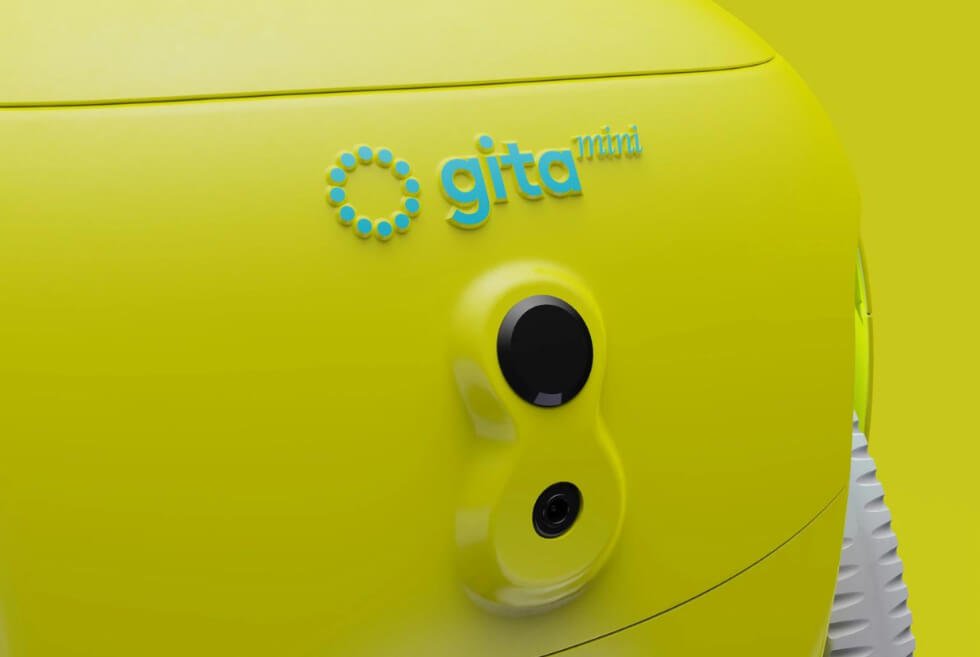
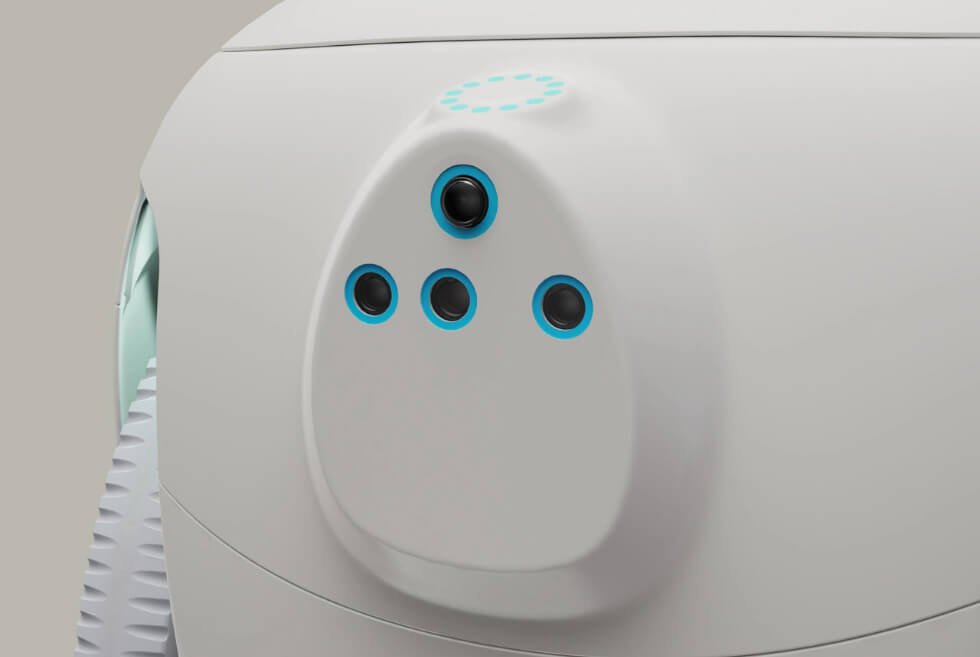
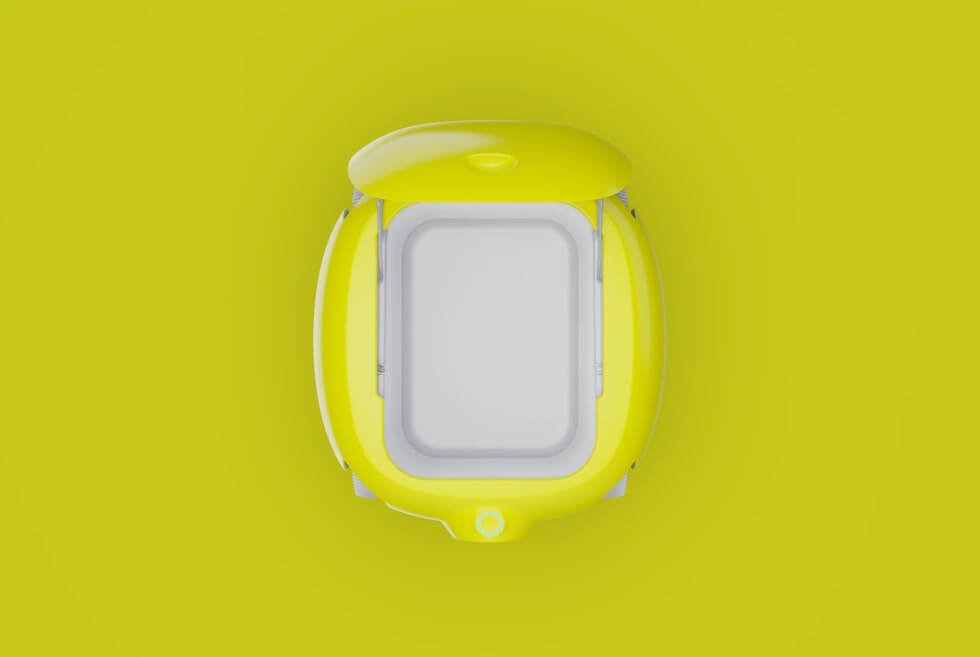
At this week’s big hardware event, the standout announcement was Astro, a tiny Alexa robot on wheels. It has built-in speakers and a built-in display, so it can follow you around and play music, movies/shows, and help with video calls. It also has a pop-up camera, meaning that Astro can work as a moveable smart home camera to monitor your home, pets or people who need extra care (like elderly) when you aren’t there.

Price: $999 (introductory price)

LEARN MORE

Blink Video Doorbell

tech roundup

Amazon

The Blink Video Doorbell is a simple smart video doorbell that’s designed to work with an Alexa smart home. It comes in wired or wire-free models and delivers a lot features you’d expect in a smart doorbell, like HD video, night vision, motion detection and two-way audio. Of course, the big thing is that it costs just $50, which is substantially cheaper than most other options currently out there.

Price: $50

LEARN MORE

This content is created and maintained by a third party, and imported onto this page to help users provide their email addresses. You may be able to find more information about this and similar content at piano.io

The Roborock S7 Elevates Its Versatility With The Auto-Empty Dock System

image

As long as their budget permits, consumers will usually go for the flagship model to access all the cool stuff it brings to the table. With so many brands available, shopping for items with the best value can be challenging. Nevertheless, when you are in the market for a robot vacuum, we’ve got you covered because Roborock just updated the S7 and it’s awesome.

As most homes eventually transition from traditional to smart-enabled setups, it’s essential to choose the right gadgets. Moreover, you might want to double-check if the device is compatible with your virtual assistant of choice. Finally, you must evaluate the convenience it can offer, which is a good thing to have for folks with a busy schedule

The S7 surprisingly checks all the boxes and delivers even beyond what its competitors can. Old-school vacuum cleaners and even cordless ones are not going away anytime soon. However, once you’ve tried the automated ones, there’s no going back. Roborock’s latest machine does more than just suck up dust and mop your floors.

Is the Roborock S7+ better than the S7?

image

We’re sure this must be the question on everyone’s mind. Most of us were wondering about the same thing. It turns out that both are exactly the same, but what sets the S7+ apart is the inclusion of the Auto-Empty Dock in the box. It is possible to purchase the accessory separately, which means S7 owners will not miss out on the benefits of the optional add-on.

Automate Your Cleaning Now

Automating Cleaning And Maintenance

image

Robot Vacuums are designed to make floor clean-up virtually effortless. Depending on the size of the dustbin, you will need to occasionally empty the container to ensure optimal performance. Roborock addresses this with the addition of another storage medium for all the accumulated particles.

The Auto-Empty Dock is the 2-in-1 solution that makes the S7+ such a worthwhile acquisition. It replaces the standard charging dock so your little helper can juice up once its task is over. You can toggle it to automatically collect whatever is in the dustbin upon docking.

Another setting lets the sensors and artificial intelligence determine when the dustbin needs to be emptied. This appears to be the most ideal mode to leave it on because Roborock says the canister on the dock will store up to eight weeks’ worth of dust.

Keeping The Dust In And More

image

As the automated dustbin collection sucks up the contents of your robot vacuum, a multi-stage filtration system goes to work. This prevents up to 99.99% pollutants as small as 0.3 microns from dispersing into your home so the air stays fresh and free from potential allergens.

No worries if you forgot to reattach the canister. Sensors will detect when it’s not properly connected and disable the automated dust collection process. Also, the 3-liter dust bag inside should make cleanup a breeze as it self-seals when you pull the tab.

Just remember to take out the front and rear filters and wash them from time to time. Not only does it empty the S7’s dustbin, but tiny brushes aligned with the electrodes give them a quick scrub down before it fully docks to charge.

We just love how Roborock pays attention to little details like the cable management system on the rear of the Auto-Empty Dock. The removable 6-foot power cable even connects to a port on the side. This allows it to sit flush against the wall and would surely please those who demand perfection.

Automate Your Cleaning Now

Roborock S7 Robot Vacuum

image

Now that we’ve given you a comprehensive overview of the Auto-Empty Dock bundled with the S7+, it’s time to dive into what makes this smart appliance a must-have for any modern dwelling. Let’s start with what it’s built to do. As the name already implies, this is a robot vacuum, armed with Roborock’s HyperForce suction technology. It generates up to 2,500 Pa to suck up dust, hairs, and other nasty particles.

Next comes the mop which uses sonic vibrations (up to 3,000 times per minute) to scrub stubborn stains off the floor. Carpets are always the bane of any robot vacuum, which is why this is equipped with ultrasonic carpet recognition. Once it detects one in its path, you can program it to either lift the mop module up 5 mm, avoid the area completely, or just go ahead and mop away.

Instead of bristles, the rotating brush is now crafted out of rubber with spiraling blades. Tangles are a thing of the past, as the fins efficiently agitate the fibers of the carpet to dislodge dirt, dust, and more. Powering the S7 is a 5,200-mAh lithium-ion battery with enough juice to last approximately three hours on a single charge. Meanwhile, the 300-ml water tank can handle up to 2,150 square feet before it requires a refill.

This versatile device will map out your residence and dynamically plan out cleaning routes with the help of its PreciSense LiDAR navigation system. It can even save room layouts across four levels. Use the companion app to see what sections have been cleaned and the path it will take next. The S7 will likewise mark spots where carpets are so you can make the necessary tweaks to its routine.

Owners also have full control over all the functions of the S7. They can set the cleaning intensity, designate restricted zones, assign which room it cleans first, and schedule when it starts. If you prefer to go hands-free, just issue voice commands to your smart speaker. According to Roborock, it is supported by Alexa, Google Assistant, and Siri.

Our Takeaway

image

The S7 is hands down one of the most feature-packed robot vacuums you can grab right now. In fact, we recommend the S7+ bundle to get the best bang for your buck. These are available in white or black with a matching Auto-Empty Dock color. After a hard day’s work, the last thing on our minds would be the upkeep of our floors. Go on! Kick back, relax, and let cutting-edge tech from Roborock take over our tasks.

Automate Your Cleaning Now

Images courtesy of Roborock

The Nocs Design NS1100 AIR TWS Earbuds Uses Advanced Audiometry For Personalized Audio

Thanks to Apple, true wireless (TWS) earbuds are now the most popular audio products around. Argue all you like, because even if Onkyo was the first to market it, but the AirPods pushed everyone else to follow. Meanwhile, Nocs Design engineered the NS1100 AIR to address the fact that we all hear sound differently. Here’s how it works.

Think of it like the adaptive EQ feature of Apple’s AirPods. However, instead of letting artificial intelligence and computational algorithms tune the earbuds, you have full control over its settings. Nocs Design uses Audiodo Personal Sound technology via a companion app on your smartphone.

Before your first use of the NS1100 AIR, complete the calibration steps to configure the earbuds properly. Using cutting-edge audiometry, it analyzes the nuances of your hearing. Since our ears are unique in shape and sensitivity to sound, a personalized audio profile should make a remarkable difference.

After approximately 3 minutes, Nocs Design believes the TWS earbuds are ready for action. Each bud packs a 9.2-mm graphene driver to produce optimal acoustics even audiophiles won’t complain about. To make your listening experience even more immersive the NS1100 AIR touts hybrid active noise cancellation.

Meanwhile, the Airoha chip enhances the Bluetooth 5.0 dual-mode connectivity to ensure low latency and crystal-clear audio. Personal safety is crucial when you’re out in public, so one-touch transparency mode lets you hear your surroundings. Just tap the earbuds again to enable ANC.

The NS110 AIR delivers up to 9 hours of playback plus additional charges from the case for a total of 30 hours. Nocs Design even adds a special nano-coating to give it IPX4 protection against dust and moisture. Don’t be afraid to take it with you outdoors or use it during workouts at the gym

Buy now

imageimageimage

Images courtesy of Nocs Design

This Is the Most Expensive MacBook Pro You Can Buy

Apple really aimed for the fences with its latest 14- and 16-inch MacBook Pros, as it gave its “Pro” users basically everything they’ve been asking for years: physical function keys, a wider variety of ports, MagSafe charging and, thanks to the new M1 Pro and M1 Max chipsets, enough CPU, GPU, unified memory and storage to make even last year’s M1 Pros look like child’s play.

Of course, Apple gave these MacBook Pros a new price to match their new power. While last year’s 13-inch M1 MacBook Pro (2020) started at a pretty reasonable $1,299, the new Pros are significantly pricier; in fact, the 14- and 16-inch MacBook Pros are the most expensive laptops that Apple has ever made.

The 14-inch MacBook Pro starts at $1,999 and tops out at $5,899 if you configure it with the more powerful M1 Max chipset (instead of the base M1 Pro), max memory (64GB up from the base 16GB) and max storage (8TB up from the base 512GB). On the other hand, if you do the same thing with 16-inch MacBook Pro, which starts at $2,499, it’s going to drive the price up to $6,099 — which is steep.

tech roundup

Courtesy

It’s clear that however great these new MacBook Pros seem on paper — and they seem incredible — they simply won’t be for everybody because they’re too expensive. But that’s OK because last year’s MacBook Pro and MacBook Air, which don’t have the hip-new design but are still excellent because they’re powered by Apple’s silicone, are much more reasonably priced.

You can buy the last year’s 13-inch MacBook Pro starting at $1,299 — and it’s configurable with more unified memory and storage for $2,299 — which is the same price as last year, but Amazon frequently discounts it. If you’re cool with using dongles for ports and have a love for the Touch Bar, then it’s still a great and powerful laptop.

The new 14-inch and 16-inch MacBook Pros are available for preorder now and will ship next week (October, 26).

Apple

16-inch MacBook Pro (2021)

apple.com

$6,099.00

This content is created and maintained by a third party, and imported onto this page to help users provide their email addresses. You may be able to find more information about this and similar content at piano.io
The Best Smartwatches of 2021— Which Is Right for You?

A smartwatch isn’t going to replace your smartphone. In fact, it’s more of a smartphone accessory these days. They have tiny screens and many of the apps you use every day — Instagram, Twitter, Facebook — don’t have smartwatch apps. Most smartwatches don’t have LTE (or you have to pay a lot extra for it), meaning they can’t receive calls or texts when your smartphone isn’t nearby.

But there are many advantages to having a smartwatch. They show you who’s calling, texting or emailing you without forcing you to look at your phone. They replace your need for a dedicated fitness tracker — because most smartwatches these days are souped up fitness trackers. And some smartwatches look pretty cool. Whatever your lifestyle and which smartphone you use, you’re bound to find something that suits you.

Not all smartwatches are the same, however. Most fall between a fitness tracker and something that relays smartphone notifications to your wrist. Some smartwatches can work untethered, completely autonomously from a smartphone — you can make calls, send texts and navigate directions, all while your smartphone is miles away. There are also hybrid smartwatches, made by mechanical watch manufacturers like Tag Heuer, Fossil and Withings, that have sensors to track fitness and traditional watch battery that lasts months.

Before pulling the trigger on the latest Apple Watch (the Series 7) or a smartwatch by Samsung or Fitbit— do some research. Make sure it’s a smartwatch that’ll work to its full potential with your current smartphone and matches your budget and how you want to use it. If you work out a lot, get a fitness-focused smartwatch. If you go off the grid, get an LTE-connected one. Whatever your case, make sure you know the basics.

Things to Consider Before You Buy

3G, 4G, 5G, LTE, Bluetooth and Wi-Fi. There are different ways a smartwatch can connect to a smartphone. A Bluetooth-enabled smartwatch pairs with a smartphone just like a Bluetooth speaker. It’s the most basic of connections and has the shortest range; if the smartphone and smartwatch are too far apart, the connection dies. Most smartwatches will connect to a known wi-fi network as well. When connected, the smartwatch can still receive notifications (calls, texts, emails) as long your smartphone has an active data connection.

3G, 4G and 5G describe generations of the cellular network technologies and their subsequent transmission speeds — basically, it’s how fast your smartwatch can load data. A smartwatch with built-in 5G is going to be faster than a smartwatch with built-in 4G (and 4G faster than 3G). However, the difference between smartwatches with 5G, 4G and 3G will admittedly be nominal since neither will be running heavily data-driven apps — and 5G is still in its early stages and most people/cities can’t take advantage of its fast speeds yet.

Most smartwatches are available in LTE or cellular models, too. The main advantage of an LTE connected smartwatch is that it can work completely untethered from a smartphone. Since it has a built-in cellular radio, the smartwatch can place and receive phone calls and stream music independent of your phone. There are a few caveats, though. The battery life will likely be worse. The smartwatch will probably be bulky. And you’ll have to pay a monthly fee to add the smartwatch to your cellular plan. (Consult your cell carrier for exact info.) Plus, they just tend to be more expensive than regular “GPS only” models.

Compatibility. Not all smartwatches are compatible with all smartphones. For example, the Apple Watch only works with an iPhone, and all smartwatches running Android 2.0 will work with any Android, via the Android Wear app, but not all iOS features will carry over and some of the apps work wonky together, such as iMessage and every Android messaging app. Basically, if you own an iPhone, I recommend getting an Apple Watch; and if you have an Android smartphone, get one of the numerous Android 2.0 offerings.

Heart rate sensor. Knowing your heart rate is the most important fitness metric — experts agree. The data, taken both during and after your workout, will help you achieve certain fitness goals. If you’re serious about working out or just improving your cardiovascular health, you want a smartwatch with a heart rate sensor.

Built-in GPS. This is still a rare feature in smartwatches and wearables in general. For fitness, the built-in GPS is able to track speed, distance and location, all of which can help calculate calories burned and determine the overall success of a workout. It can also help give you more accurate weather reports and navigation instructions if your smartphone isn’t nearby (and it won’t kill a lot of data). It’s mainly a tool to gauge fitness, however; like heart-rate sensors, it’s mainly for people into fitness.

Battery life. The main complaint with smartwatches is battery life. There are very few on the market that can last longer than 24 hours, so manage expectations. Most of today’s high-end smartwatches have a bright LCD screen or AMOLED displays, which are beautiful to look at but tend to kill the battery. Basically, expect to take it off at night to charge.

The overall look and lifestyle. At the end of the day, a smartwatch isn’t just another device — it’s part of your wardrobe. You’re not going to put it away when you want, like your smartphone, so you should like the way it looks. Also, smartwatches come in various sizes, colors and materials, and sometimes even in more refined or rugged options.

Apple Watch SE

The SE isn’t Apple’s best Apple Watch — that title belongs to the Series 7 — but it is probably the best option for most people with an iPhone. It has most of the sensors (including the gyroscope, compass, fall detection and an always-on altimeter) and capabilities as the Series 7, along with the same battery life, but comes at a significantly more affordable price. There are two main tradeoffs with the SE. It doesn’t have an always-on display and it lacks two wellness sensors (electrical heart-rate and blood oxygen sensors), which are ultimately things that the vast majority people are probably perfectly fine living without.

Apple Watch Series 7

The Series 7 is the perfect smartwatch for iPhone owners who want the best that Apple has to offer. It’s unique compared to other Apple Watch models because it has a blood oxygen sensor and an electrical heart sensor (so it’s capable of taking an ECG), but it also has a 20-percent bigger display, which allows for more watch faces makes the display easier to navigate. It’s also the most durable (IP6X) and fastest charging (33% faster) smartwatch that Apple has ever made.

Coros Pace 2

The Coros Pace 2 is an excellent, lightweight and relatively affordable smartwatch for runners and other endurance athletes. It has all the necessary sensors to track general fitness, but it also has running-specific features such as interval training (pace, power, cadence, heart rate) and programs to help you get in shape for various races. The other nice thing is that the Pace 2 is compatible with a wide variety of third-party accessories, such as chest straps and power meters, so it doesn’t limit what other devices you want to use to help you train. It also has a three-week battery life, which is pretty epic.

Samsung Galaxy Watch4

The Galaxy Watch4 is Samsung’s best-ever smartwatch and it’s definitely the best option for anyone with a Samsung Galaxy smartphone. It’s also probably the most beautiful smartwatch you can buy. It packs pretty much all the health and wellness sensors (including a heart-rate monitor and GPS) you’d want to a “premium” smartwatch. It should be noted that Samsung makes two versions of this smartwatch: the Galaxy Watch4 (pictured) and the Galaxy Watch4 Classic. Both have the same capabilities and run Wear OS, but different in the fact that the “Classic” is slightly larger, more expensive and has wonderful rotating bezel.

Garmin Forerunner 945

Garmin’s Forerunner 945 is a serious smartwatch for serious endurance athletes (and it offers most of the same fitness-focused features as the company’s even higher-end Fenix line of smartwatches). It lets you train for specific events, like a triathlon, where it can show your interval and transition times. It also works with most of the popular third-party products and apps, such as Final Surge and TrainingPeaks. Garmin partnered with Firstbeat, a company that specializes in physiology and heartbeat analytics, so the Forerunner 935 can give you deeper insights from your workout, such as your VO2 max and lactate threshold. Compared to its predecessor, the Forerunner 935, Garmin’s new running smartwatch has a significantly bigger battery, has enough built-in storage to hold 1,000 songs, and it supports full-color maps.

Fitbit Sense

The Sense is Fitbit’s flagship smartwatch (replacing the Ionic) and it actually has a lot in common with the company’s Versa 3 (below). The only major differences are that the Sense is much more capable health-and-wellness tracker. Unlike the Versa 3, the Sense has three brand-new sensors: an ECG (to potentially give you an early detection of atrial fibrillation), an EDA (to detect stress) and a skin temperature sensor (to give you early indications if you’re coming down with a fever or other illness). Overall, the Sense is a good third-party smartwatch for people want a lot of wellness data, but it’s also kind of expensive considering how similar it is to the Versa 3.

Fitbit Versa 3

Released in 2020, the Fitbit Versa 3 is a good entry-level smartwatch for iPhone or Android users alike. It’s a big upgrade over the Versa 2 mainly due to the fact that it has a built-in GPS and significantly better heart-rate tracking. It also has a built-in speaker and microphone, which the Versa 2 lacked, so you can actually hear your voice assistant (either Google Assistant or Amazon’s Alexa) when you ask it a question instead of having to read the voice assistant’s response on the smartwatch’s screen. This is a good alternative to the Apple Watch Series 3, but considering how expensive the Versa 3 still is compared to other more capable smartwatches, it’s actually pretty difficult to recommend.

Apple Watch Series 3

Released in 2017, the Series 3 is the oldest and most affordable smartwatch that Apple sells. It has the same original body as the Series 1 and Series 2 — meaning a smaller display and larger bezels — and it definitely looks old. It does have a built-in GPS and an optical heart sensor, so it’s still a good fitness tracker, but it also lacks some newer sensors, such as the always-on altimeter and the built-in compass, so it’s probably not a great for hikers and outdoors enthusiasts. You also can’t buy a cellular model the Series 3, either. If you’re somebody who just wants a cheap Apple Watch to track your workouts, the Series 3 is a decent option (although you should seriously consider spending the extra $80 on the Apple Watch SE).

This content is created and maintained by a third party, and imported onto this page to help users provide their email addresses. You may be able to find more information about this and similar content at piano.io

The Tiny iPad Should Be the Go-To iPad. Here’s Why

There’s a simple reason why the 10.2-inch iPad — known simply as “iPad” — is Apple’s most popular tablet: it’s less expensive than all the rest. Apple sells it for just $329 but schools and students can buy it for even less.

Despite its popularity, however, it’s not the entry-level iPad most people should buy. That honor falls on Apple’s new iPad Mini, a tablet I’ve been testing since its launch in mid-September.

Apple

iPad Mini (2021)

apple.com

$499.00

Credit where it’s due, of course. Apple’s starter iPad a perfectly good tablet for people who just want to stream movies and shows, check email and casually browse the web. But it looks, feels and works like an iPad from yesteryear.

Apple used the tried-and-true tactic of sticking updated guts (new processor, new front-facing camera and double the base storage) in an old design, meaning the iPad is bound by old technologies, like Lightning charging, a Home button and large bezels and compatibility with the first-generation Apple Pencil. None of that is very exciting.

The iPad Mini flips the script by adopting the new-age design of Apple’s more expensive tablets — squared-off sides, flat edges, slimmer bezels, a display that takes up most of its front, and support for USB-C charging. Despite its size, it has basically the same look, feel and feature-set as the 2020 iPad Air. Now, that is exciting.

apple
The new iPad Mini’s stereo speakers on either side of its display means that shows, movies and everything sounds better than the entry-level iPad — if you’re not wearing headphones.

Tucker Bowe

Every iPad model that Apple sells these days has support for an Apple Pencil. But if you desire to draw — and draw seriously — then the iPad mini is where you want to start. Not only does it support Apple’s second-generation stylus (which is better in pretty much every way), but it works in tandem with the iPad mini’s Liquid Retina display so that it feels like you’re actually drawing on the surface. On the 10.2-inch iPad’s regular (non-Liquid) Retina display, it shows a slight separation between the tip of your first-generation Apple Pencil and what you’re drawing. It’s subtle, but definitely noticeable.

The iPad Mini flips the script by adopting the new-age design of Apple’s more expensive tablets.

If you watch a lot of videos or listen to music, then the iPad Mini remains a better bet. It has a true stereo speaker system with left and right channel speakers on either side of its display (but only in landscape mode), whereas the cheaper 10.2-inch iPad only has one speaker. This makes a big difference in sound quality, whether you’re watching YouTube videos or playing a mobile game on Apple Arcade, if you’re not listening to headphones.

Then there’s the size of the iPad Mini, which isn’t just adorable but feels really nice in your hands. Compared to previous generations of the iPad Mini, the screen of the new model is bigger (8.3-inches versus 7.9-inches), so you get a lot more screen in a small space. Think of it as a bigger, cheaper iPhone.

apple
The 2021 iPad Mini is roughly the same size as the 2021 iPad mini, but it’s radically different design allows for a bigger screen that takes up more of the front of the tablet.

Tucker Bowe

The main downside to the new iPad Mini (as it relates to the 2020 iPad Air) is that you’re not going to use it like a computer. It’s too small to be compatible with Apple’s fancy Magic Keyboard ($329), which has the same great keyboard as the new MacBooks, and there just aren’t very many great keyboards that work with it.

It also costs $499. That’s not a significant leap from the iPad’s $329 sticker price, but it’s no small bump, either.

The new iPad Mini sits smack-dab in the middle of Apple’s lineup. It’s not as affordable or outdated as the 10.2-inch iPad. It’s not as fancy or expensive as the most recent iPad Air and iPad Pros. And it’s not as big any as any of them. But it packs a lot of punch in that small body, making it a great iPad for, well, just about everybody.

And because the Mini has a modern design and latest chipset, you know Apple will support it with software updates for years and years to come.

Price: $499+

SHOP NOW

This content is created and maintained by a third party, and imported onto this page to help users provide their email addresses. You may be able to find more information about this and similar content at piano.io
Apple’s New MagSafe Charger Packs Plenty of Power — And Nostalgia

Longtime MacBook users will recognize a familiar feature on Apple’s newly announced 14- and 16-inch MacBook Pros. The two high-end laptops are decked out with a wide variety of ports, a function row of physical keys and — drumroll — a new MagSafe power connector Apple calls MagSafe 3.

MagSafe was a mainstay on all MacBooks that Apple produced from 2006 to 2016. Users loved the snapping sound it made when it magnetized to their laptop, not to mention its ability to quick release when somebody tripped over the cable — that way the cable wouldn’t pull the laptop to the floor with it. Fortunately, MagSafe 3 looks and works basically identical to the old MagSafe.

The new MacBook Pros can still charge via their USB-C charging ports just like their predecessors, but there is a big advantage to charging over MagSafe 3: it’s faster.

tech roundup
Apple’s new MagSafe 3 charging cable is required to fast-charge the new MacBook Pros to their full potential. Apple sells it for $49.

Apple

Apple hasn’t detailed the exact differences in charging speeds when using USB-C (Thunderbolt 4) compared to MagSafe 3 just yet, but it has said that using the MagSafe connector is faster. It will be able to juice the new MacBook Pros from zero to 50 percent battery in just 30 minutes.

The catch with these fast charging speeds over MagSafe 3 is that you have to use the USB-C power adapter (or one that’s more powerful) that Apple includes in the box. The 14-inch MacBook Pro comes with either a 67-watt (for the M1 Pro with 8-core CPU model) or 96-watt power adapter (for the other M1 Pro or M1 Max models), while the 16-inch MacBook Pro requires you to use Apple’s brand new 140-watt USB-C power adapter, which happens to be the most powerful adapter that it has ever made.

The new 14- and 16-inch MacBook Pros start at $1,999 and $2,499 and will be available on Tuesday (October 26), but you can preorder them now from Apple’s website.

Click here to read about why Apple ultimately chose to make the new MacBooks bigger and heavier.

This content is created and maintained by a third party, and imported onto this page to help users provide their email addresses. You may be able to find more information about this and similar content at piano.io
Everything Google Announced At Today’s Big Pixel Event

At today’s big Pixel event, Google officially announced its long-awaited flagship smartphones and the successors to last year’s Pixel 5. This year, there are two new Pixel smartphones to choose from — the Pixel 6 and Pixel 6 Pro — and, as anticipated, both feature a radical redesign and promise to deliver an unparalleled Android experience, in large parts thanks to a new custom processor (called Tensor) that’s been specifically designed for Pixel smartphones. They also have some pretty spectacular camera capabilities.

Here’s what you need to know.

Google Tensor

google

Google

Google Tensor is the company’s new custom chipset that’s been designed specifically for the new Pixel smartphones. The new chipset allows the Pixel 6 and Pixel 6 Pro to have significantly better battery life than previous generation Pixels, improved artificial intelligence (such as better real-time language translations and more accurate voice transcriptions) and a host of really impressive computational photography skills.

As for these new computational photography skills, there are a couple standouts. The new Magic Eraser feature that allows you to remove certain objects from a photo after its taken; for example, if there’s a person spoiling a photo, you can cut them out. The new Motion Mode allows you to take long-exposures and action shots that have a wonderful blurred effect. And there’s a new Face Deblur feature that, as its name suggests, auto-corrects faces that are blurred out in photos.

Google Pixel 6

google

Google

The Pixel 6 is the more entry-level and the smaller of the two new smartphones. It has a 6.1-inch display with 90Hz refresh rate and an in-screen fingerprint reader, and a new-look dual rear-camera system (which Google is calling a camera bar) that consists of a 12-megapixel wide (main) and a 12-megapixel ultra-wide lenses. This camera system is powered by a significantly larger 50-megapixel sensor than previous Pixels, helping each camera gather much more light and take way more detailed photos (especially in Night Mode). The Pixel 6 can shoot 4K video at up to 60fps (same as the Pixel 6 Pro). The 8-megapixel front-camera on the Pixel 6 isn’t up quite to the same level of the Pro’s, however. Rounding out the specs, the Pixel 6 supports 5G, fast wireless charging and has a IP68 water- and dust-resistance rating.

The Pixel 6 starts at $599 and is available for preorder today. It’ll be on shelves October 28.

SHOP NOW

Google Pixel 6 Pro

google

Google

The Pixel 6 Pro is the more advanced and larger of the two. It has a 6.7-inch display with an even higher 120Hz refresh rate (same as the new iPhone 13 Pro) and an in-screen fingerprint reader. It has a triple rear-camera system that populate its camera bar, with a telephoto lens — with 4x optical zoom and 20x digital zoom — joining the same wide and ultra-wide lenses that are also on the Pixel 6. It has the same larger 50-megapixel sensor as the Pixel 6, and the same video shooting abilities (4K video at up to 60fps) as the Pixel 6. The Pro model does have a better front-camera (11.1-megapixel) with a wider field of view that allows you to take better, wider selfies. The Pixel 6 Pro has the same 5G support, fast wireless charging capabilities and IP68 water- and dust-resistance rating as the Pixel 6.

The Pixel 6 Pro starts at $899 and is available for preorder today. It’ll be on shelves October 28.

SHOP NOW

This story is developing…we’ll continue to update as new products are announced.

This content is created and maintained by a third party, and imported onto this page to help users provide their email addresses. You may be able to find more information about this and similar content at piano.io
Apple’s New MacBook Pros Are Bigger Than Their Predecessors. Here’s Why

Apple’s new 14- and 16-inch MacBook Pros are exciting new laptops, to say the least. They’re significantly more powerful (and power-efficient) than previous MacBook Pros; they have a bigger, nicer edge-to-edge display; and they mark the return of a number of “Pro” features, such as a row of physical function keys — sorry, Touch Bar — and a lot more ports than just USB-C, so you won’t need a zillion adapters to connect all your devices.

There’s one thing the new MacBook Pros do sacrifice for all this: size. Just as the latest iPhones and Apple Watch have sacrificed being the thinnest products possible (which Jony Ive, Apple’s former chief product designer who’s since gone on to help out at Ferrari, was well-known for) in favor of performance, the new MacBook Pros are — thanks to their new chassis designs and added ports, among other factors — both larger and heavier than the computers they replace.

But by how much?

tech roundup
The above is a size comparison between the 13-inch M1 MacBook Pro (2020, left), the new 14-inch MacBook Pro (2021, center) and the new 16-inch MacBook Pro (2021, right).

Apple

As you can see by the above graphic, the new 14-inch MacBook Pro (2021) is slightly thicker and deeper than last year’s 13-inch M1 MacBook Pro (2020), but it’s also half a pound heavier — which is the thing you’re likely to feel most. Of course, the main reason for the size bump is that the new 14-inch MacBook Pro is in fact a bigger computer. It not only has a more edge-to-edge (thinner bezels), but the screen is larger too: 14.2-inches versus 13.3-inches.

The increased display size is the primary thing causing the new MacBook Pro to be a bigger and heavier machine than its predecessor, but the addition of more ports and a new keyboard aren’t making it any lighter. The battery size likely isn’t factor in adding weight, as the 14-inch MacBook Pro (2021) and the 13-inch MacBook Pro (2020) is still rated at the same 17 hours.

The new 16-inch MacBook Pro (2021) is the first big-screen laptop with Apple silicon; the previous 16-inch MacBook Pro, released in 2019, packed an Intel processor. So you can expect the new model to get the big upgrades in performance and power efficiency that we’ve come to expect out of an Apple chipset — but it, also, is slightly beefier. The new 16-inch MacBook Pro is just under half a pound heavier — 0.4 pounds to be exact — than the 2019 model.

The new 14- and 16-inch MacBook Pros will be available on Tuesday (October 26), but you can preorder them now from Apple’s website. The 14- and 16-inch MacBook Pro start at $1,999 and $2,499, respectfully.

LEARN MORE

This content is created and maintained by a third party, and imported onto this page to help users provide their email addresses. You may be able to find more information about this and similar content at piano.io
Everything You Need to Know About Apple’s New MacBook Pros

Just over a month after Apple’s first big fall hardware event, where it announced the iPhone 13 lineup, the Apple Watch Series 7, and two new iPads, the Cupertino tech giant has just held another one. This second hardware event — titled “Unleashed” — was dedicated primarily to Apple’s new and improved line of MacBook Pros and the hardware that drives them, as well as new third-generation AirPods (and some new ways to interact with Apple Music).

Here’s what you need to know.

There are brand-new 14-inch and 16-inch MacBook Pros

ap

Apple

Apple’s biggest announcement: two new redesigned MacBook Pros that take advantage of the company’s new M1 Pro and M1 Max chipsets (see below) and have larger, more edge-to-edge displays, complemented by bezels that are 60 percent thinner than before. Each display is Liquid Retina XDR and supports ProMotion (120Hz refresh rate), both firsts for a Mac.

There are a few other big differences with the new Pros. They lose the controversial Touch Bar and replace it with a row of physical function keys. They have a lot more port options (meaning you likely won’t need any adaptor); there’s a new MagSafe charging port, two USB-C ports, a HDMI port, a SD card slot and a 3.5mm jack that supports high-impedance headphones. Apple also improved the speaker systems and microphones, and gave the new Pros a 1080p webcam (but there’s now also an iPhone-esque notch on the display).

The 14-inch Pro starts at $1,999 and the 16-inch Pro starts at $2,499. They come in either space gray or silver. Both are available for preorder now and will ship next week.

LEARN MORE

Meet the 3rd-Generation AirPods

apple

Apple

Apple also announced its third-generation AirPods at the event. They look pretty identical to the existing AirPods Pro and have some of the same features, including support for spatial audio with dynamic head tracking and adaptive EQ, but lack the active noise-cancellation. They do have the best battery life of any AirPods to date, at six hours per earbud. And they have a built-in magnet so they work better with a MagSafe charger (although this won’t impact the charging speed). These third-generation cost cost $179, are available for preorder now — and will ship next week.

In addition, Apple has reduced the price of the second-generation AirPods from $159 to $129.

LEARN MORE

New M1 Pro and M1 Max chips pack crazy power

apple

Apple

Apple also revealed the next-generation version of its M1 chipset that powers its new super-strong computers. There are actually two options: the M1 Pro and the M1 Max. Both new chipsets are significantly more powerful than the previous M1 chipset: the M1 Pro has a 70% percent faster CPU, 2x faster GPU and supports up to 32GB of RAM; the M1 Max adds to that by having twice memory, twice as fast GPU and supporting twice as much RAM (up to 64GB).

With these new powerful chipsets, the new Pros will be able to support up to four external monitors.

LEARN MORE

The HomePod Mini comes in new colors

app

Apple

Apple announced that its $99 smart speaker, the HomePod Mini, will be available in three new colors — orange, blue and yellow — on top of the existing white and space gray colorways. These new HomePod Minis in new colorways will be available to order starting in November.

LEARN MORE

There’s a new Apple Music subscription tier called the “Voice Plan”

apple

Apple

Finally, Apple used the event to reveals the most affordable subscription plan to its Apple Music streaming service yet. It’s called the “Voice Plan” and costs just $4.99/month, which is half the price of the previous version subscription. But there’s a catch: the Voice Plan only works with Siri voice commands — you can’t open the app to search for music — and it’s really optimized for homes with multiple HomePod or HomePod mini speakers.

LEARN MORE

This content is created and maintained by a third party, and imported onto this page to help users provide their email addresses. You may be able to find more information about this and similar content at piano.io
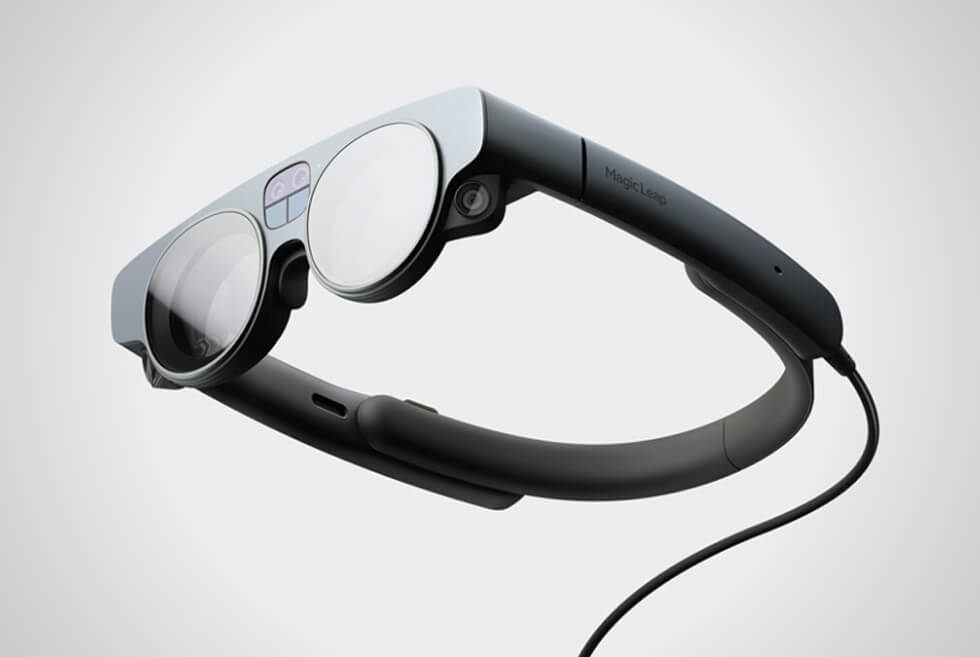
The Magic Leap 2 AR Headset Is Ready For The HoloLens 2 When It Launches In 2022

Modern technology is already at the point wherein immersive experiences are now accessible to regular consumers. Virtual reality already enjoys a massive following thanks to entertainment applications. Augmented reality, on the other hand, tells a different story. Nonetheless, the announcement of the Magic Leap 2 reminds us that there is a market for AR headsets.

You can find the tech on almost any modern smartphone these days. However, we normally use this capability for exclusively for fun. Even the face filters on popular messaging apps support it. So far, Microsoft’s HoloLens is the platform of choice for big businesses. As for the Magic Leap 2, the manufacturer intends to market it a bit differently.

One of the biggest caveats of the HoloLens is its size. Its bulky profile comes from all the hardware Microsoft packs inside. This is where the Magic Leap 2 plans to outshine the competition. As early as now, the company claims their AR headset will be the industry’s slimmest and lightest.

If we can recall correctly, the original model bears an uncanny resemblance to Oakley’s OVERTHETOP shades. Thankfully, the second-generation design shows a more contemporary silhouette, albeit chunkier than a regular pair of glasses. Buyers can also expect upgraded optics, a better field of view, and what is supposedly an innovative dimming function.

Unlike VR headsets that are closed, the lenses are transparent so users can interact with their surroundings. Sensors track movement in 3D space much like in VR but also recognizes items and people. The Magic Leap 2 currently does not have a price and release date. So be sure to check with their website for updates.

Discover more

Images courtesy of Magic Leap

There’s a New Breed of Dolby Atmos Soundbars

Sonos recently came out with a new-and-improved version of its entry-level soundbar, the Beam (Gen 2). It’s a big deal because it supports Dolby Atmos and costs less than $500. Most Dolby Atmos soundbars cost in the region of $900 — the flagship options from Sonos and Bose — but many cost well over that.

There are two big reasons why Dolby Atmos soundbars are typically expensive. First, it’s expensive for manufacturers to get the licensing for Atmos certification; which gets them the software package that decodes and the renders the Atmos stream. And two, the best Dolby Atmos soundbars typically require more speakers to best take advantage of the immersive sound technology — and more speakers are more expensive.

But over the last few years Dolby has been working to get Atmos supported in as many products as possible — it wants to make Atmos as popular as stereo sound. As that relates to soundbars, a lot of times that means supporting both soundbars that have and don’t have upward-firing drivers. And if a soundbar doesn’t have upward-firing drivers, it can be a lot less expensive.

white sonos beam 2 speaker

Sonos

white sonos beam 2 speaker

Sonos

Atmos allows speakers to create virtual height and side channels. This fools your ears into thinking that that sounds are coming from your left, right, center and above. The Atmos software package that Dolby provides soundbar manufacturers is smart enough to figure out what kind of system it is — be a 2.0-channel soundbar or 7.1.2 home theater system — and then it renders audio so that it’s as accurate and immersive as possible.

An Atmos soundbar doesn’t need to have upward-firing drivers, though if you listen to two Dolby Atmos soundbars side by side, you’ll be able to tell if one of them has them. Both soundbars are able to virtualize sound, but the one with actual speakers firing up at your ceiling is going to do a better job at making you feel like sound is actually coming from above you.

white sonos beam 2 speaker

Sonos

The Sonos Beam (Gen 2) has the same architecture and same exact speaker configuration (consisting of four full-range drivers, a center tweeter and three passive radiators) as the first Beam, which didn’t and doesn’t support Atmos. The new Beam’s compatibility is thanks to improved processing power and eARC connection allow the new Beam to create virtual height and side channels, even without new drivers.

The new Beam isn’t the only affordable Dolby Atmos soundbar. TCL’s makes two, in the Alto 9+ ($300) and the Alto 8i ($180). And Monoprice and Sony both make one, too, in the Monoprice SB300 ($180) and Sony HTX8500 ($298). But like the new Beam, none have upward-firing drivers.

All of these are part of this new breed of affordable Dolby Atmos soundbars — and you can expect more manufacturers to get in on the action. While they sound good and are perfectly fine, just know that they aren’t the best way to experience Atmos. For that, you still want one that has true upward-firing drivers. Like the Sonos Arc or Bose Smart Soundbar 900.

This content is created and maintained by a third party, and imported onto this page to help users provide their email addresses. You may be able to find more information about this and similar content at piano.io
Will an iPhone 12 Case Fit on the New iPhone 13?

Apple announced its entire iPhone 13 lineup this week — available for preorder this Friday (September 17) and they’ll be available everywhere on September 24 — and they look very similar to its iPhone 12 lineup. All four new smartphones have flat edges and the same dimensions as their predecessors. They also work exactly the same with MagSafe.

If you’re planning to upgrade your iPhone 12 to the new iPhone 13, you might think that you could use your old case with your new phone and save yourself some money — well, unfortunately it’s not that simple.

Will iPhone 12 case fit on the iPhone 13?

Not perfectly. The overall dimensions of the iPhone 13 and iPhone 13 mini are the same as the iPhone 12 and iPhone 12 mini, but the camera array of the new smartphones is just a little bit wider — by millimeters — but it’s enough to mean that the old cases won’t fit. Also the side buttons are slightly lower on the new phone. You might be able to force it and find some luck with softer cases, but don’t expect a perfect fit.

Will an iPhone 12 mini case fit on the iPhone 13 mini?

Also no. While the iPhone 12 mini and iPhone 13 mini have perhaps the most similar bodies of any two models across the annual divide, the primary problem here is that the position of the side buttons on the iPhone 13 mini have moved, which renders iPhone 12 cases awkward on the new phone, despite otherwise very, very similar designs.

This content is imported from Third party. You may be able to find the same content in another format, or you may be able to find more information, at their web site.

Do iPhone 12 Pro and iPhone 12 Pro Max cases fit on the iPhone 13 Pro and iPhone 13 Pro Max?

Apple has again changed the size of the camera module on the iPhone 13 Pro and iPhone 13 Pro Max. The camera bumps on the 13 are a few millimeters wider and taller than on the previous iPhone 12 Pro and iPhone 12 Pro Max. The result is that your old case won’t fit on these new smartphones. Again, you might be able to force it, especially with softer cases, but know that you’re going off the beaten path.

Does an iPhone 13 case fit on an iPhone 13 Pro?

You can probably guess the unfortunate answer. Unlike last year’s iPhone 12 and iPhone 12 Pro, which were the same exact size and could use cases interchangeably, the iPhone 13 and the iPhone 13 Pro don’t have the same size camera modules. The Pro’s is much bigger — so you’ll have to buy a specific case that’s designed for that specific smartphone. You should, however, be able to fit an iPhone 13 Pro case on an iPhone 13.

This content is created and maintained by a third party, and imported onto this page to help users provide their email addresses. You may be able to find more information about this and similar content at piano.io

Sonos Beam: The New King of Affordable Atmos Soundbars

The Sonos Beam (Gen 2) is a terrific little soundbar. I’ve been testing it for the last week and it works exactly like the original Beam (released in 2019) — in that it connects to your TV via a single cable and plays well with other Sonos speakers in your home — but with one major difference: it supports Dolby Atmos. And that’s a big deal.

Dolby Atmos is the immersive sound technology when it comes home theater systems, but not every soundbar or speaker system supports it as it tends to be pretty expensive. The fact that Sonos has been created a Dolby Atmos soundbar as small and affordable as the Beam (Gen 2) — it’s mighty impressive.

A quick refresher: Dolby Atmos is a technology that enables soundbars and speaker systems to create virtual height and side channels that trick your ears into thinking that there are more speakers in the room than actually are; it sounds like sound is coming from all around you — left, right and above — instead of just right in front of you.

Aside from the Dolby Atmos support, the new Beam has a few other “small” differences from the original. It has a 40-percent faster processor and can connect to your TV via HDMI eARC (as well as ARC) — both changes are needed to support Atmos. It also has a perforated polycarbonate grille (instead of fabric) so that it looks more in line with the company’s flagship soundbar, the Arc. But otherwise it has the same dimensions and same speaker configuration as the older Beam.

So if you have the original Beam and you’re thinking about upgrading, it really only comes down to Dolby Atmos. And how important that is to you.

(If you’re wondering, Sonos is phasing out the original Beam so you’re not going to have to choose between the two for long. Also, if you own a first-gen, fear not, as Sonos will continue to support it with software updates for “years to come.”)

sonos beam 2

Tucker Bowe

Dolby Atmos content does sound pretty awesome on the Beam (Gen 2). During my testing, I mainly watched the second season of See (a show where everybody is blind) as well as CODA (a movie about a girl whose entire family is deaf), both are great for Dolby Atmos testing because sound parts a pivotal part in each. And the Beam (Gen 2) really does elevate the experience, allowing you to hear sounds around you so it feel more like you’re “in the movie.”

However, the Beam (Gen 2) does come with a compromise: It lacks the true upward-firing drivers that many flagship Dolby Atmos soundbars have — including Sonos’s own Arc. Instead, the Beam 2 creates virtual height channels via its software and it sounds good — like really good — but it’s not as good as if their were actual speakers shooting upwards. It’s just not.

The other thing to note is Dolby Atmos on Sonos’s soundbars can be a fickle thing. Like the Arc, the Beam (Gen 2) requires you to have a TV that supports HDMI ARC or eARC, meaning your TV can’t be more than a few years old. Additionally, your streaming device must also support Dolby Atmos. There are quite a few other Dolby Atmos soundbars that have multiple HDMI ports on them, which allow you to connect a streaming device that supports Dolby Atmos directly to the soundbar and not have to worry about passthrough on the TV. But alas, Sonos’s soundbars aren’t like that.

Even though Sonos bumped the price of the Beam by $50 from the first- to second-generation model, it feels warranted: the new Beam is probably the best Dolby Atmos soundbar you’re going to find under $500. If you want the best possible expression of Dolby Atmos in a Sonos soundbar, you still want to get the Arc (which is twice as expensive). But if you have a small-to-medium-sized room and want a nice soundbar for your 65-inch TV (or smaller), the Beam (Gen 2) is a killer addition.

Sonos

Sonos Beam (Gen 2)

sonos.com

$449.00

This content is created and maintained by a third party, and imported onto this page to help users provide their email addresses. You may be able to find more information about this and similar content at piano.io

This App-Controlled We-Vibe Bond Is Primed for Spontaneous (but Subtle) Stimulation

Anticipation is an important part of intimacy. That’s exactly what We-Vibe is tapping into with its latest offering, the We-Vibe Bond. Billed as a “smartwatch for your penis,” the app-controlled male stimulation ring puts control into the hands of both partners. Designed to be discrete and worn under clothing, the We-Vibe Bond ring fits virtually every size and is ergonomically designed for all-day wear. Build anticipation between you and your partner through 10 different vibration settings, which can be tweaked and controlled through the brand’s We-Connect app. Completely waterproof and crafted from body-safe silicone, the We-Vibe Bond is ready for any scenario and perfect for undercover, all-day enjoyment. Whether used for foreplay or just for fun, the We Vibe Bond is sure to shift your stimulation experience.

Price: $129

SHOP NOW

This content is created and maintained by a third party, and imported onto this page to help users provide their email addresses. You may be able to find more information about this and similar content at piano.io
Everything Amazon Announced at Today’s Big Hardware Event

At last year’s big hardware event, Amazon announced a variety of new Echo smart speakers, the Echo Show 10 (which has a moving display), an indoor flying drone and bunch of other gadgets. At this year’s event, we got a bunch of new gadgets, but a few old ones as well.

No Echo smart speakers were announced at this year’s event, but Amazon did reveal a $59 smart thermostat, a $50 video doorbell, a new fitness tracker, a wall-mounted smart display and a bunch of new smart home cameras — to name just a few. We also got an adorable home robot named “Astro.”

Here’s what you need to know.

Astro

astro

Courtesy

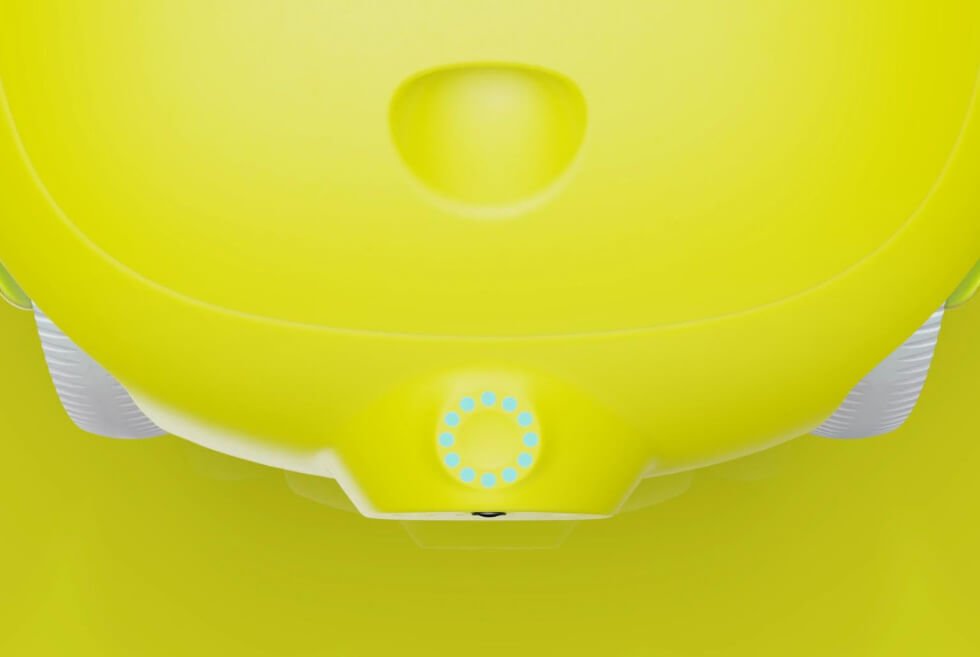
Amazon announced a tiny robot — named Astro — that’s essentially an Alexa on with wheels. It has built-in speakers so it can follow you around and play music or answer your questions. It has a built-in display and cameras so it can do video calls, show you the feed from your smart home cameras and play videos. It acts like a smart home camera on wheels, that can help you monitor your home, pets or people who need extra care (like elderly) when you aren’t there.

Price: $999 (introductory price)

LEARN MORE

Blink Video Doorbell

blink video doorbell

Amazon

The Blink Video Doorbell is a smart video doorbell that’s designed to work with an Alexa smart home. It comes in wired or wire-free models and delivers a lot features you’d expect in a smart doorbell, like HD video, night vision, motion detection and two-way audio. It costs $50.

Price: $50

LEARN MORE

Blink Floodlight Cam and Solar Power Mount + Cam

blink floodlight and solar mount

Amazon

Amazon announced two new outdoor smart home security gadgets. The Blink Floodlight Cam is a rugged and battery-powered smart home camera with a built-in LED floodlight. You can also buy the Blink Solar Panel Mount so you don’t have to worry about changing out or recharging batteries.

Price: $140 (Blink Floodlight Cam) and $130 (Blink Solar Panel Mount)

Ring Alarm Pro

ring alarm pro

Amazon

Ring Alarm Pro is the company’s latest DIY smart security system. It’s a system of alarms and motion sensors, but it’s unique because it also comes with an Wi-Fi 6 router built in — so it solves you home Wi-Fi and security (with professional monitoring and online threat protection) all in one fell swoop.

Price: $250

Amazon Halo View

halo view

Amazon

The Halo View is the company’s newest wearable fitness tracker. It’s essentially a newer version of the Halo Band (announced last year) that also finally has AMOLED display, so you can more easily track workouts and general fitness. It will work with Amazon’s new fitness and nutrition subscription services, named Halo Fitness and Halo Nutrition, respectively, both of which will included in the Halo membership at no additional cost. (You get a free one-year Halo membership with the purchase of the Halo View.)

Price: $80

LEARN MORE

Amazon Glow

glow

Amazon

Amazon Glow is a video call device with a projector that creates an touch-sensitive display on any surface, which allows people (specifically kids) to have interactive video calls where they can play games, read books and do other interactive activities with friends and family members.

Price: $249 (introductory price)

LEARN MORE

Amazon Smart Thermostat

thermostat

Amazon

Amazon announced a new smart thermostat — in partnership with Resideo and made with made with Honeywell Home Thermostat Technology — that promises to work with most existing HVAC systems and will cost just $59. As you’d expect, you’ll be able to control it with your voice via Alexa.

Price: $59

Echo Show 15

echo show

Courtesy

The Echo Show 15 is a new smart display that’s larger than the company’s previous smart displays — it has 15.6-inch display with a 1080p picture — and it’s also unique because it can be wall-mounted or placed on a stand, and it can be positioned in either portrait or landscape mode. It’s meant be a kitchen TV as well as a smart hub for your home, where family members can watch shows on Netflix or Amazon Prime Video, as well as leave notes, show calendars and share photos.

The Echo Show 15 will cost $249 and be available later this year.

Price: $249

LEARN MORE

Ring Always Home Cam

ring always home cam

Courtesy

Amazon announced the Ring Always Home Cam last year, but it never released it. At its most recent hardware event, that’s changing — you can now apply for an invitation to buy it. If you don’t remember, the Ring Always Home Cam is an indoor drone that can autonomously fly around your home and show you a live feed or record footage without being hamstrung by a fixed location (like pretty much all other smart home cameras).

Price: $250

This content is created and maintained by a third party, and imported onto this page to help users provide their email addresses. You may be able to find more information about this and similar content at piano.io
Four Renowned British Companies Are Developing The Roofless Aura EV Concept

Let’s face it, traditional combustion engines are gradually on their way out. Consistent advancements in battery technology and electric powertrains tell us what to expect from the future. Sustainable platforms have come a long way from being just a niche in the automotive market. Now, vehicles such as the Aura EV fconcept tell a different story.

Climate change and rising costs of fuel require action. It won’t be long before noise pollution from our daily commute goes down significantly. Instead of a roar or growl, we hear a gentle hum as electric motors spring to life. Electric mobility solutions also keep the air we breathe free of dangerous pollutants.

The Aura EV sees four prominent British companies pool their talents to turn this eco-friendly long-range roadster into reality. Funding this project is the Office for Zero Emissions Vehicles via the Niche Vehicle Network. They’re developing and building everything from the ground up.

You can see this on the sleek outline that flows seamlessly from front to back. Astheimer is handling the minimalistic profile of the interior and exterior with help of bio-composite parts from BAMD. The modern cockpit seats two and features a massive infotainment system.

You won’t find the instrument cluster on the dashboard because it’s integrated into the steering wheel. The human-machine interface 9HMI) of the status screen runs on Android Automotive OS and is developed by Conjure. Potenza is supplying the electric drivetrain and batteries.

Two 44 kWh units combine for a 88 kWh total capacity which gives it an impressive range of 400 miles on a full charge. One is located in the engine bay up front, while the other is below the chassis. The optimal weight distribution gives the Aura EV excellent driving dynamics.

Discover more

imageimageimageimageimageimageimageimage

Images courtesy of Aura

The Gita Mini Is A Cool Helpful Cargo Transport Robot From Piaggio Fast Forward

To this day, you cannot think of Piaggio and not associate it with the iconic Vespa. However, what most of us fail to acknowledge is its push for innovation in markets other than mobility. We know it’s hard to believe, but its Fast Forward design studio proves otherwise. It does so with the gita mini.

Come to think of it, this machine does somewhat qualify under mobility solutions. However, its features tell a different story, but a cool one at that. Key in “Star Wars” music, because this is as close as one can get to an actual astromech droid. The only caveat here is that instead of ship repair, it will carry your stuff.

Think of the gita mini as a cutting-edge cargo transport platform. Unfortunately, its 20-lb carrying capacity, which is roughly one standard grocery bag, might not be for everyone. It measures 18” x 16.5” x 19” and tips the scales at 28 lbs.

Piaggio Fast Forward currently offers it in two shades: Spark Citron and Boardwalk Beige. We hope other colorways from the full-size gita will become available in the future. The gita mini moves around and balances on two wheels. The design and low center of gravity probably help with balance.

This robotic helper uses cameras, radar, and advanced algorithms to follow you around. The gita mini can navigate obstacles easily and keep up with the user even among a crowd of people. A full charge of its lithium-ion battery is enough for 7 hours or 21 miles. Top speed, on the other hand, is 6 mph.

Purchase yours: here

imageimageimageimageimageimageimage

Images courtesy of Piaggio Fast Forward

8 Notes App Features You Should Be Using, But Aren’t

Welcome to Product Support, a column devoted to helping you get the most out of the gadgets and software you already use.

If you have an iPhone, iPad or Mac, you’re probably well-acquainted with the Notes app. Apple’s digital note-taking app is a great place for keeping lists, jotting down quick ideas, drawing sketches and writing long-form drafts, and it can be an incredibly powerful tool because, as long as it’s synced with iCloud, everything on your Notes app will quickly sync across all your devices. No need to share via AirDrop or email. If you write on Note on your iPhone, it’ll automatically appear on your iPad and Mac as well.

The neat thing about the Notes app is that Apple updates and adds new features to it all the time. For instance, you probably didn’t know that the Search feature in the Notes app can recognize typed or handwritten text, as well as images and scanned documents (like a recipe or receipt). It lets you organize folders within folders, too. (I know, mind blown.) And this fall, Apple rolled out iOS 15 and iPadOS 15 and with it, brought a bunch of new convenient features to the Notes app.

Looking for some useful tips and tricks? Go on, master the Notes app.

Group notes together with the new ‘Tag’ feature.

Apple gave the Notes app a new tagging feature with iOS 15 and iPadOS 15 and it’s great because it allows you to instantly group like-themed notes together just by adding a common hashtag to each Note. For instance, if you have several different Notes that are focused on the beach (#beach), vacation (#vacation) or work (#work), you can simply add that hashtag to that Note and then it will automatically be grouped/organized with the other Notes with that hashtag. And you add multiple hashtags to each Note so that it gets added to the various groups that it relates to.

To add a tag to a note, all you have to do is type # followed by the tag name. Once you write #, a dropdown menu of your existing tags come out which you can select from, too. To add a tag to multiple notes, select the folder with the list of notes > select the More button with the three dots (…) > tap “Select Notes” > select the notes you want to tag > select the Tags option at the bottom-center of your screen > and select the # you want to group them all into.

Once you’ve created one or more tags, you can find them in the Tag browser. You can select one tag or multiple tags at the same time. If you select two tags, all the notes will appear that have that two tags.

tech roundup

Courtesy

Create a smart folder.

Smart folders are another new feature that Apple added with iOS 15 and iPadOS 15, and it’s really useful for people who take advantage of the new tagging system. A “smart” folder is just like any other folder in the Notes app, but groups notes together that have the same tag — and it does this automatically (hence the “smart” folder).

To create a smart folder, all you have to do is select the New Folder button (in the bottom left corner) and select the option to create a “New Smart Folder.” Then you just have to select what tag (or multiple tags) you want the notes to populate this smart folder. From then, any note with that specific tag will automatically get populated into that smart folder.

tech roundup

Courtesy

Quickly undo a typo.

Did you accidentally highlight something and delete it (also by accident)? This can be incredibly frustrating especially if you’re using the Notes app on an iPhone or iPad and you don’t have access to an actual keyboard (you can’t press Command + Z to undo on an on-screen keyboard). Also, there’s no quick “Undo” menu to select on the iPhone. Fortunately, Apple baked in a “Shake to Undo” feature where you can actually shake your iPhone to prompt an “Undo Typing” menu. This feature is on by default, but you can change it by going to into Settings > General > Accessibility > Shake to Undo.

Quickly scan a document and sign it.

The Notes app actually has a built-in scanner function which makes it easy to scan a real-life document, sign it or mark it up (via the markup functionality in Notes), and then share it with whoever you need to it. All you have to do is start a new note, select the camera icon in the bottom-center of that note, and select “Scan Documents.” The app with then walks you through how to align the document so that it scans properly.

Share a folder with a friend.

The Notes app makes it incredibly easy to share your notes with others. You can set the permissions to “view only” if you don’t want other people to make edits, or you can open edits if it’s a more collaborative project. To share, just open the note in question and select the share button in the top-right; you can then select how you want to share: AirDrop, iMessage, Mail or another third-party app like Slack or Gmail.

If you use the shared notes feature between multiple people, Apple added a convenient feature with iOS 15 and iPadOS 15. It’s called “Activity View” and it shows you what edits each people who access to the note has made, as well as the date and time that the edit was made. For example, you can tell which person added a which specific item to a shared list. To access the Activity View of a shared notes, select the More button (three dots) in the top-right corner and select “Show Note Activity.”

PS-Notes-App-Gear-Patrol-Amb

Password protect specific notes.

If you’re worried about unwanted eyes seeing one of your notes, you can password protect it. To do this, simply go to the note in question, select the “share” icon in the upper right-hand corner of the screen, and then select “Lock Note.” From there you can set a password (along with a hint in case you need help remembering) or enable Face ID (or Touch ID) to gain access to the note. All password-protected notes have a lock icon over them.

Have Siri take a note for you.

Siri, Apple’s voice assistant that comes built into your iPhone, iPad and Mac, can actually be pretty helpful in terms of taking notes. You can say “Hey Sir, start a new note” and then dictate what you want the note to say, and Siri will jot it all down for you and save it as a note. This is a great option if you don’t feel like typing or you want to create a note hands-free.

Create a checklist, not just a list.

A checklist is essentially just an interactive list where you can mark tasks as completed while leaving others open. To create a checklist, simply create a new note and then, at the bottom of the note, select the icon that has a checkmark inside a circle. Then type something and hit Enter (Return) when you’re done. Each time you hit Enter (Return) a new task will be created. To mark off a task as completed, simply select the circle (or bullet) next to it. You can deselect it the same way.

LEARN MORE

This content is created and maintained by a third party, and imported onto this page to help users provide their email addresses. You may be able to find more information about this and similar content at piano.io
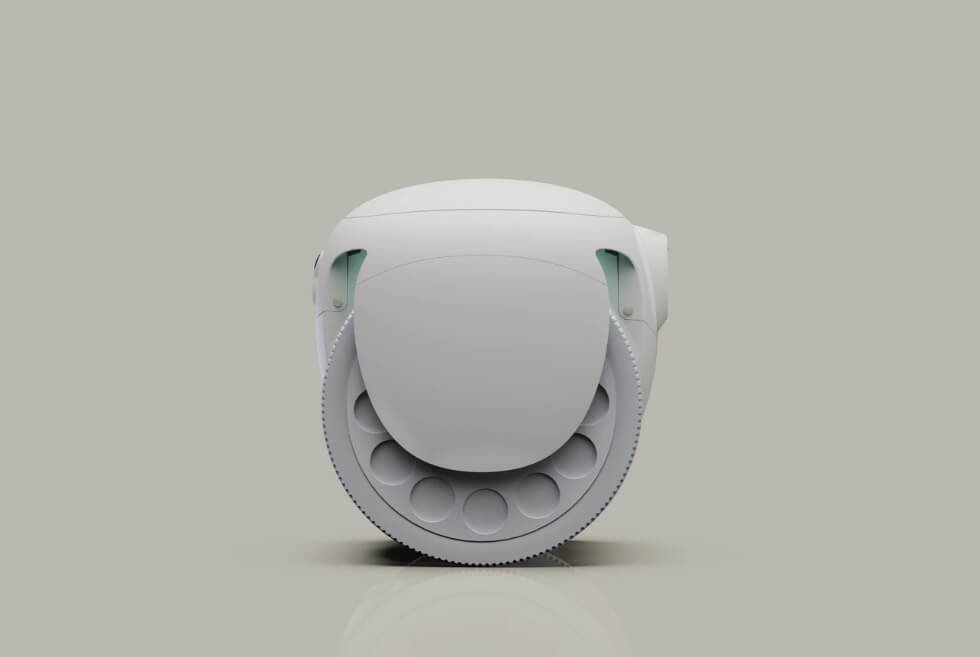
iPhone 12 Earpiece Not Working for Calls? There’s a Free Fix

If you have an iPhone 12 or iPhone 12 Pro and it’s having difficulty with calls — specifically, the earpiece isn’t working so you can’t hear the person you’re talking to — you’re not alone. In fact, Apple just launched a service program that will fix the problem. And it’ll do it for free.

According to Apple, the sound issue is caused by “a component that might fail on the receiver module” and it only is affecting iPhone 12 and iPhone 12 Pro models that were manufactured between October 2020 and April 2021. It apparently has not been affecting iPhone 12 mini and iPhone 12 Pro Max models, so if you’re having earpiece issues with those iPhones, the service program will not fix them.

If you have an iPhone 12 or iPhone 12 Pro that’s experiencing these issues, you have three options. You can take it to an Apple Authorized Service Provider. You can take it to an Apple Retail Store (but be sure to make an appointment first). Or you can connect Apple Support and use its mail-in service (Apple will mail you the shipping box) in case you don’t want to leave the house.

The service program will not fix other issues you have with your iPhone 12 or iPhone 12 Pro, such as a cracked screen. In fact, if your iPhone has issues that prevent Apple’s ability to fix the earpiece issue, you’ll need to get those fixed beforehand.

LEARN MORE

This content is created and maintained by a third party, and imported onto this page to help users provide their email addresses. You may be able to find more information about this and similar content at piano.io