All posts in “tech”

The Most Influential DSLR Is Dead. What’s Next?

Individual cameras can basically live forever. A well-kept dry plate camera from the 1860s or a 1960s SLR can still capture images here in 2020. But inevitably, any given camera tech slips off the cutting edge and slides into “vintage” as development stops. That moment may finally be on the horizon for the DSLR.

Rumors are bubbling up from the cameraverse that Canon’s EOS 5D Mark IV, the camera juggernaut’s affordable workhorse of a full-frame DSLR, will be the last of its breed. Released in 2016, the Mark IV is the most recent in Canon’s line of full-frame DSLRs that dates back to 2005. It was (and is) popular with DSLR die-hards for it more manageable size (and lower price point) compared to Canon’s full-frame flagship 1D line. Rumors of its death, while they don’t indicated an imminent death of the DSLR, do represent a sea change.

DSLRs, which share the Single Lens Reflex design of their film-based SLR predecessors, have a host of advantages over smaller “mirrorless” cameras. Their optics allow the operator to see through the viewfinder and directly out the lens for a lagless, high-resolution, no-batteries-required alternative to mirrorless cameras’ “electronic viewfinders” which replace an SLR’s bulky optical mechanism with a tiny screen.

sony a7 mark iii
Sony A7 Mark III

Sony

And camera bulk is under assault from every angle. On one side, smartphones are encroaching on dedicated cameras for everyday users, while the compactness and performance of highly capable full-frame cameras like the Sony Alpha a7 III are peeling away professionals who aren’t purists when it comes to mirrors.

While cameras devoted to smaller sensors, like the Olympus OM-D line, are not finding success purely by virtue of their size, Canon’s potential abandonment of the 5D line speaks to a waning demand for anything but the biggest sensor in the smallest package.

It’d would be premature to call the code on DSLRs right this second, as both Canon and Nikon have dropped professional-grade full-frame DSLRs this year. And whatever the future of the line, Canon will no doubt continue to pump out 5D Mark IVs so long as demand holds despite the camera’s increasing age. Still, if the 5D is in fact dead, it’s a harbinger of leaner times to come when it comes to up-to-date DSLRs. Though diehards will surely keep using them through then, and beyond.

This content is created and maintained by a third party, and imported onto this page to help users provide their email addresses. You may be able to find more information about this and similar content at piano.io

Samsung’s New Smartwatch Has Some Impressive Health Features, But There’s a Catch

Samsung announced a bunch of new products today, including the Galaxy Note 20 and Note 20 Ultra smartphones, the Tab S7+ (tablet) and the Galaxy Buds Live wireless earbuds. It’s new Galaxy Watch3 is of particular note because it actually looks like it could stand up as a real alternative to the Apple Watch for folks who might otherwise be tempted to swith to iPhone.

The Galaxy Watch3 is Samsung’s flagship smartwatch and direct successor to the two-year-old Galaxy Watch. It’s not the successor to the Galaxy Active2, that was released last year. The result is that the Galaxy Watch3 is a much nicer smartwatch, made of higher-quality materials with a bigger, always-on display. It also has the much-loved physical rotating bezel that was on Samsung’s earlier smartwatches, but not on the Watch Active2 which had a digital bezel. And compared to the old Galaxy Watch, the new Galaxy Watch3 is thinner by about 15%.

galaxy watch3

Samsung

The main thing with Galaxy Watch3 is Samsung went all-in on the fitness and health features. It builds on the activity tracking and coaching features found on the Watch Active2, adding more activities and on-demand blood oxygen monitoring. It can give ECG and blood pressure readings, as well.

There is a catch with some of these wellness and heath features — not all of them will be available at launch. The ECG and blood pressure readings, for example, haven’t been cleared by the FDA and won’t be available at launch in the US, though they have been approved by South Korea’s Ministry of Food and Drug Safety. The on-demand blood oxygen monitoring (SpO2 and VO2 Max readings) won’t be available at launch, either.

The Galaxy Watch3 is available starting tomorrow, August 6. It will come in two sizes, 41mm (starting at $400) and 45mm (starting at $430), both of which will be available in Bluetooth or LTE models.

Learn More: Here

This content is created and maintained by a third party, and imported onto this page to help users provide their email addresses. You may be able to find more information about this and similar content at piano.io

Samsung’s Weird New Headphones Are a Breath of Fresh Air in Earbud Design

Today, Samsung has announced a whole host of gadgets, headlined by the new 5G-capable Galaxy Note20 Ultra complete with a 3200 x 1440, 6.9-inch AMOLED display, 120HZ refresh rate, 8K video capabilities and a huge 4,500mAh battery. But maybe the most interesting of the suite of gadgets that accompany it is the new Galaxy Buds Live.

A complete redesign of Samsung’s original Galaxy Buds that were aimed at taking on AirPods, the Galaxy Buds Live are a brand new noise-canceling design that put the AirPods Pro in their sights — while staying $80 cheaper with their $170 price point. What makes the Buds Live fairly unique, however, is their pairing of active noise-canceling tech with a design that doesn’t create a physical seal in the ear using silicone tips. Instead, they wedge down into the ear and hold themselves in place with their unusual bean-like shape.

It’s an odd combination of functionality that Samsung promises will give the benefits of active noise-cancelation (like tuning out low, monotonous drones) but without the sense of total isolation those headphones typically bring. It’s something other ANC headphones like the AirPods Pro and Bose Headphones 700 have traditionally provided with a “transparency mode” that alters what sorts of noise the ANC blocks in order to make interaction with the outside world possible.

Samsung’s approach is less flexible since it has no physical seal to fall back on, but potentially comes with added benefits like never having to worry about what setting your buds are on, and being more comfortable for folks who have trouble dealing with canal-sealing silicone tips.

Can this design delivery noise-canceling power on the same level as its competitors? We’ll have to wait and see. But beyond just having a goofy look, the Galaxy Buds Live are a refreshing bit of experimentation in a product category that is increasingly consolidating around one particular design solution, and that is always nice to see.

The Galaxy Buds Live will be available starting August 6th, for $170.

Learn More

This content is created and maintained by a third party, and imported onto this page to help users provide their email addresses. You may be able to find more information about this and similar content at piano.io

Grab This Great-Looking, Award Winning Surge Protector at a Discount

The Eve Energy Strip is a HomeKit-enabled power strip that comes with three smart plugs. Not only will it help you get your desk in order, but it’s also likely to be the prettiest bit of cabling you own. It has an aluminum frame and a black matte body, and it even won Red Dot Award for product design last year. Normally $100, you can currently get it for $10 off.

Eve Energy

Eve Energy Strip

Eve

$89.99

All three of the Energy Strip’s outlets can be controlled from the Home app on your iPhone, iPad or Mac — they can also be controlled through the Eve app or by using Siri voice commands. Like traditional power strips,it also provides surge, overcurrent and overvoltage protection. Better yet, it’ll even break down your total power consumption by day, week, month and year.

On top of all that, the three LED power indicator lights located near the base of the Eve Energy Strip show the power status of its corresponding outlet, and via an adjacent button near each LED light.

If you’re going to spend a ton of time staring at your desk, you might as well have it look nice.

This content is created and maintained by a third party, and imported onto this page to help users provide their email addresses. You may be able to find more information about this and similar content at piano.io

Apple’s Just Updated the iMac — but It May Just Be a Tease of What’s to Come

Today, Apple announced a couple major updates to its 21.5-inch and 27-inch iMacs. These new 2020 iMacs are getting updated with Intel’s 10th-generation processors, SSDs standard across the line (and up to 8GB, which is double the previous high), a brand new T2 chip (which enables “Hey Siri” and a number of neat webcam capabilities), and “studio quality” microphones and speakers. All for the same price for a standard configuration.

Arguably the most exciting new features is an upgraded 1080p webcam, which, no doubt fueled by the current work-from-home situation, should be a drastic upgrade over the 720p webcam in previous iMacs. According to Apple, the new T2 chip add features — like tone mapping, exposure control and face detection — to deliver a “higher quality camera experience.”

While this represents a nice refresh on one of the best deals in desktop computing considering how much monitors cost, there’s good reason to suspect something bigger could be in the pipeline. Since Apple is prepping its switchover to its homemade ARM-based chips, any Intel-based device is necessarily on borrowed time.

Even though Apple intends to support Intel devices for a good long while, chances that a reworked iMac with a new chip and a refreshed design are in the works are nonzero, although such a device could take a while to surface.

If the thought intrigues you, it might be worth waiting around to find out.

Learn More: Here

This content is created and maintained by a third party, and imported onto this page to help users provide their email addresses. You may be able to find more information about this and similar content at piano.io

Cruise effortlessly underwater with the compact Geneinno S2 underwater scooter

Almost two years ago, we introduced a compact and exciting underwater scooter from Geneinno – the Trident. Also known as the S1, it was the brand’s first foray outside of usual lineup. Those who are curious about what lies below the surface but are afraid to take a dip can always go with their submersible drones. Meanwhile, the rest that seeks the embrace of water can grab the new S2.

Taking the elements that made the original so versatile, the latest model from Geneinno boast impressive portability. Weighing in at only 5.9 pounds and roughly a little over the size of a 16-inch MacBook Pro, the S2 can fit in most backpacks. For specifics, it measures 19” x 10” x 6” and boasts a sleeker and smaller footprint, but just as fun as its predecessor.

While most underwater scooters are normally for adults, the Parental Mode feature makes it suitable for all ages. The S2 is engineered for positive buoyancy.  Therefore, just in case the user loses grip, it will float up for easy recovery. It doesn’t matter if you’re in freshwater or saltwater, the durable construction of the motors promises reliable functionality.

Meanwhile, Geneinno allows you to explore depths of up to 98 feet with a max speed of 2.7 mph. The rechargeable 97.68 Wh lithium-polymer battery is enough for 45 minutes of fun in between charges. Finally, the mounting point up front lets you attach an LED light or your favorite action camera to record your adventure. If your destination involves swimming, you’re likely never leaving home without the S2.

Order yours now: here

Images courtesy of Geneinno

What’s the Difference Between Passive and Active Noise Canceling Headphones?

In 2020, seemingly ever headphone manufacturer under the sun now offers noise-canceling headphones. While they come at a variety of qualities and price points, the Bose Headphones 700 are some of the most well known, and sit at the head of the pack.

But active noise-canceling (ANC) isn’t a necessity for a good pair of cans. Some classic and well-loved headphones don’t have this feature. The Sennheiser HD25, for instance are beloved by DJs and very often put to work in very loud environments. But while they do block out outside noise, they do it entirely passively. So what’s the difference?

Active noise cancelling eliminates sound, passive just blocks it.

Active noise-canceling headphones like the flagship Bose Headphones 700 get their name because built-in technology allows them to “actively” seeks out and destroys ambient sounds before they reach your ears. These headphones have miniature microphones in each ear cup that listen to ambient noise frequencies coming from outside the earcups, and they then electronically generate the exact opposite sound frequencies — these are called antiphases — that effectively “cancels” out both sets of sound when the soundwaves physically collide. The result is that you only hear the music. Active means that the headphones have a built-in battery that’s dedicated to powering these noise-canceling microphones.

Passive noise-canceling is a slipperier term that is sometimes used in marketing, but is more accurately referred to as noise-isolating. These headphones use their natural shape and materials to block out ambient sound. Passive noise-canceling headphones don’t have any powered microphones or built-in technology that actively seeks out and destroys ambient frequencies. In fact, they don’t actually have to be powered or have a built-in battery at all. Anything that physically covers your ears, like ear muffs, is able to isolate noise and can be considered to be “passive noise-canceling.”

Active noise-canceling headphones tend to sound worse.

There’s a reason why most many high-end headphones often don’t have active noise-cancellation. — it takes away from the overall sound quality. In order to effectively cancel out ambient noise-frequencies, noise-canceling headphones need to add their counter frequencies (antiphases), which adds noise and ultimately leads to sound degradation. That is why professionals like DJs, even though they are working in a very noisy environment, might favor cans like the HD25 which won’t muck up what they’re hearing with active cancellation.

The good news is that most noise-canceling headphones like the Headphones 700 give you the option to turn ANC on or off. This is ideal for when you’re listening to your headphones in quiet environments. But because ANC headphones can generally rely on their microphone superpowers, they generally don’t offer as much passive isolation as non-ANC headphones do. If you have any pair of ANC headphones, try toggling the noise-canceling on/off and hear how it affects sound quality.

Active cancelation puts pressure on your ears.

Active noise-cancelation doesn’t just effect the way the music sounds, it also affects your ears as you listen to it. When switched on, the soundwaves that active noise-canceling creates a pressure against your ears that’s similar to what you’ll feel while driving through a tunnel or ascending to cruise altitude in an airplane. It’s not a painful sensation, but it is a noticeable one, and one that some people find unpleasant over extended periods of time.

So which one is better?

It depends, of course, but we generally recommend active noise-canceling for the average person. The upsides — being able to hear your music better at lower volumes — generally outweigh the downsides. The calculation can be different for edge cases and professionals, who either demand extremely high-quality and unadulterated sound, or who are going to be wearing their headphones for extremely long stretches of time day in and day out.

But overall, for the average listener, ANC helps you focus on what you’re listening to, and that’s great.

Sennheiser

Sennheiser HD 25

Sennheiser Pro Audio amazon.com

$149.95

Bose Noise Cancelling Headphones 700

Bose amazon.com

$399.00

$339.00 (15% off)

This content is created and maintained by a third party, and imported onto this page to help users provide their email addresses. You may be able to find more information about this and similar content at piano.io

I Can’t Believe I Used to Survive Without a Second Screen

Before working from home was the new normal, I had my two-screen setup at the office, but relied on my laptop elsewhere. Now, after a few months, I’ve slotted an LG UltraFine 4K into my workstation and it’s been such a huge relief.

As a video editor, two screens are basically a must. Being able to keep my editing timeline and source window on one monitor and my footage bins on the other is great for organization. Not to mention the UltraFine 4K’s image quality is awesome with a P3 wide color gamut, and 500 nits of brightness.

A second monitor is also hugely underrated for video chat, which I find myself doing now more than ever. It’s so great to look at notes or source material on one monitor while still being able see and interact with my colleagues on the other.

One more surprisingly great feature is the way it doubles as a USB hub. Its three USB-C and two Thunderbolt 3 ports have made working with external hard drives a breeze. Better yet, the UltraFine 4k is specifically compatible with Macs, so I can attach the monitor to my MacBook with the included Thunderbolt 3 cable and even control brightness and the monitor’s speaker volume from my laptop.

So if you’ve been putting off picking up a dedicated second monitor for your home office — or telling yourself you can live without it — I have to urge you to reconsider. Whatever screen you grab, from the UltraFine 4k to something much more basic, that extra screen real-estate will truly go a long way.

Apple

LG UltraFine 4K Display

apple.com

$699.95

This content is created and maintained by a third party, and imported onto this page to help users provide their email addresses. You may be able to find more information about this and similar content at piano.io

Google’s Upcoming iOS App Will Back up Your iPhone for Free

Google just launched Google One, a cloud-based storage plan that effectively replaced Google Drive storage plans, about two years ago. It was great because it gave everybody who had a Google account free 15GB of storage, but for an additional subscription fee ($2/month) it provided storage for things like photos, videos, messages and contacts. The downside was Google One didn’t have an iOS app, so iPhone users were kind of left out in the cold.

The good news is that’s changing. Google just announced that Google One is getting an iOS app for the first time in the very near future. The iOS app will let you store photos, videos, contacts, and calendar events. Its automatic phone backup feature — up to 15GB — will be free for iPhone users as well. (Apple only 5GB of iCloud storage for free.) And iPhone users will have a storage manager feature that’s already available on the web, which makes it significantly easier to delete old data that’s that’s taking up storage and eating into your free 15GB.

According to Google, the Google One iOS app will be “available soon.”

Learn More: Here

This content is created and maintained by a third party, and imported onto this page to help users provide their email addresses. You may be able to find more information about this and similar content at piano.io

Best Gaming Headsets for Men in 2020

Game lovers would like to have all the essential peripherals so that they can fully enjoy their playtime. Having the best gaming headset can truly make a video game distraction-free rather than noisy. You can have immense experience of playing any video game when you have a perfect gaming headset.

You may have a high-quality sound and even can customize the soundscape for several applications. With a combination of best speakers, your gaming headset can give you more chances to play anytime. We have made a list of all the best gaming headsets for men in 2020 to get full exposure to beating your competitors.

SteelSeries Arctis 7

Overall, this headset is the best one for everyone. You can use it with all PS4, Xbox One, Switch, mobile, or PC as it is compatible with any device. It has 40mm drivers with a 20 Hz – 20 kHz frequency response. This wireless headset provides excellent quality sound and is highly affordable.

With a comfortable fit, Arctis 7 gives fine-tuning music that may take some time. The SteelSeries makes this headset as the complete package to use as the best gaming peripheral. The reliable wireless performance and comfortable design look charming at just $149.

Moreover, it has 2.4 GHz wireless connectivity that never let you bore of your game. The S1 speaker drivers produce a crisp sound that allows you to beat competitors endlessly. You can have it in both black and white colors. Also, it is not so common, and you will surely love it.

The elastic headband is purely comfy, which lets you experience lightweight earcups. It allows you to enjoy your gaming mania for around 24 hours. So, don’t waste more time in search of the best headsets and pick it up.

HyperX Cloud Revolver S

This is the best premium wired headset for men in 2020. Revolver S gives you a chance to enjoy the excellent sound experience as it is the most adaptable and user-friendly headset till now. Everyone who does not get frustrated with wired peripherals can buy this headset to explore more in the gaming field.

It has three connection types, including 3.5mm, dual 3.5mm, and wired USB that mutually enable the headset to connect with anything. This headset lets you get rid of having additional software or driver downloads. This plug and play device is important to use with USB connection.

Moreover, it features a control dongle and a built-in sound card like Dolby 7.1 virtual surround sound and EQ settings. Another great feature is the outstanding sound performance and the fundamental stereo mix – which is a baseline. Your console and connection type don’t matter, and you can use this stereo mix with a reliable balance and crispy bass that boost up the music and gameplay experience.

With all-new surround sound and EQ features, the bass boost tries to improve the experience of gamers. Furthermore, you will notice the headset as highly comfy with durable design, auto-fitting, and smart padding headband.

HyperX Cloud Stinger

Budget is one of the main things that everyone considers while buying some quality device. HyperX gives its users to enjoy Cloud Stinger, which is compatible with Switch, PS4, Xbox One, mobile, and PC. With 50mm drivers, this headset has an 18 Hz – 23 kHz frequency response.

This wired device has a truly comfortable design and shapes with all handy controls. As I said, the budget is the main thing, so don’t worry about its price. It is highly affordable, and sound will blow out at higher volumes. At just $50 reasonable price, you can enjoy having a headset made of a durable frame and soft faux-leather ear cups.

Also, it is handy on-ear controls, and a powerful microphone will not hurt. Cloud Stinger has no companion in terms of features and price. You will be happy once you use it. Moreover, this headset provides truly reliable quality sound; however, you may notice a bit puff out at the maximum range.

When you want to have a headset under $50 with highly comfortable voice control, then there is no better choice then Stinger.

Astro Gaming A50

Astro A50 is a premium wireless headset that is best for those who want to have a device full of ultra features. Astro A50 is the updated version of Astro A40, which means it will be a better option to pick. This device has 5.8 GHz wireless tech in combination with a virtual 7.1 surround with a robust and reliable design.

It has a unidirectional mic that allows you to cut off your voice from noise. Besides, it has a built-in quick mute feature. With distinct EQ modes and support, you can increase the appeal. If you are one of those who want a high-quality headset, A50 has everything for you, in terms of long battery life and destruction free wireless connection.

Apart from that, it produces genuinely great performance and is one of the best gaming headsets to enhance gaming and entertainment blend.

Logitech G Pro X

Do you like playing tournaments?

Tournaments are all about focus, attention, and effort. Logitech provides you with G Pro X, which has Hybrid mesh Pro-G 50mm drivers with 20 Hz – 20K Hz frequency response. It is compatible with PC, Switch, Xbox One, and PS4.

You can enjoy an excellent quality of sound, and it is not easy to have a good fit. With its versatile and comfy design, it is not portable as quickly as you might be thinking.  For just $130, G Pro X offers a performance of tournament level. It has a charmingly black design that makes it unbeatable.

Besides, it has a flexible headband and extremely comfortable foam as well as leather ear cups. The headset is not only used for comfort, but the primary purpose has sound quality. It appears with a genuinely high-quality sound producer as compared to others. If you get tired of wearing a headset, then what is the use of its style?

With a built-in Blue mic, this device allows you to enjoy additional voice chat so that you can enjoy every single moment of wearing it.

Logitech G533

To experience the best wireless surround sound headset, you must try Logitech G533. It has shown with the best surround sound till now.

Latest G533 is enriched with a number of features, including impressive design, powerful sound system, and the DTS 7.1 surround built-in the speaker. It has user-friendly software to adjust the equalizer settings and allow the surround sound.

It does not matter what kind of game you are playing with this headset; each sound will come from the right direction, which makes navigation easier for you. 2D games are also compatible with this device. G533 delivers true sound as it has 40mm Pro-G drivers with a good quality mic.

The mic used in this device can hold the voice clearly. And you can even flip it up when idle or in search of the optimal distance. Moreover, the headset has multiple idiosyncrasies such as a pad on the USB receiver for additional grip and a beep that lets you know about volume modifications, low battery levels.

SteelSeries Arctis 1 Wireless

Under %100, would you like to enjoy games with a Stellar wireless headset?

SteelSeries has provided Arctis 1, which is compatible with PS4, Xbox One, mobile, Switch, and PC. It has 40mm drivers with a 20 – 20 K Hz frequency response. You can enjoy great wireless connectivity, which is almost compatible with everything.

For gaming and music, you can experience decent sound. However, there is no flexible headband, and iOS compatibility is also not found. Undoubtedly, you can enjoy more than you think, because getting better wireless performance was never that easy.

Its high speed and USB C dongle let you enjoy game audio from the Nintendo Switch, PS4, Android phone, and gaming PC. You will find similarities between this headset and standard Arctis 1 in terms of design. It has a removable mic that lets you experience some Switch games. Apart from that, it even has a similarity between drivers and ClearCast mic. Under $100, this Arctis 1 wireless headset can be a perfect choice.

Summing Up

It was a precise list of the best gaming headsets for men in 2020. Each one is unique in terms of design, shape, features, price, and availability. You can pick up one according to your needs ad budget. Best of Luck!

The Benefits Of Selling Your Phone Online

As smartphones become increasingly common their market value is constantly decreasing. At the same time, new models that are appearing in the market are becoming increasingly expensive. In such a scenario, upgrading your smartphone can turn out to be a stressful process.

In order to make the most of their money, smartphone users need to be very picky about what they do with their old devices.

While selling seems like a straightforward solution, selling a phone is not an easy task. From finding the right buyer to ensuring you get the maximum possible value of your phone, selling a smartphone involves many considerations.

These considerations, in some cases, may cause delays. With long delays in the sale of your smartphone, you can even expect the value of your device to further drop.

A simple solution to this problem is to sell your phone online. However, quickly getting rid of your old phone is not the only benefit of selling your phone online.

Here are a few more:

Assurance Of Data Protection

 While it is always advised to wipe the memory of your device before handing it over to the buyer, some sellers may forget doing that. If that happens, the new owner of the phone will have access to your old data that might be sensitive and personal.

However, when you sell your phone to an online website like Gizmodo.com, you can rest assured that nobody will ever be able to access your personal data.

Such professional services conduct a thorough check of every device that they receive. In fact, they find that there is still some data stored within a device, it is professionally wiped before the phone is given to a new user or recycled.

Contactless Procedure

Thanks to the current pandemic, most of us are confined within are homes and are actively practicing social distancing. In such a scenario, finding the right buyer for your phone can turn out to be a health hazard.

Even when there isn’t a pandemic, going out to find and deal with a buyer is a time-consuming process and in today’s busy world, most of us are short on time to spare.

When you sell your phone online, you don’t have to deal with anyone and the whole process is virtually contactless. You simply describe the condition of your phone to a website, get a quote, and courier it to the company if you are satisfied with the quote.

Some companies even bear the logistic costs of picking up the phone from your location and having it delivered to their office/warehouse. In such cases, your package is delivered through a professional courier service like USPS or UPS.

Easy Payments 

When you sell your phone online, you get an honest quote and never have to follow up for the payments. Most companies clearly state the estimated duration of the wholesale process. This includes the time it takes for the device to be delivered to their warehouse and the time it takes for them to assess the condition of the device.

Once this process is completed, the company releases your payment in the form of an e-cheque or a direct bank account transfer.

However, in case something unexpected happens, you can rest assured that these phone purchasing services have dedicated support teams that will help you with locating and securing your payment.

Selling Online Is Responsible!
Besides these benefits, selling your phone online provides special benefits to those that don’t have a functioning device. While selling a non-functioning device is next to impossible offline, online phone purchasing websites will still pay you for your device.

Such companies strip the defunct devices of the (trace amounts of) precious metals used in them and responsibly recycle the rest of the parts of the device.

This means, by selling your old defunct phone online, you can help the environment and make a pretty penny in the process.

Top 10 Apps & Tools To Boost Your Business In 2020

Building and running a profitable business isn’t easy. Managing marketing and sales campaigns, overseeing projects, keeping your accounts up to date, and leading your team are just a few of the responsibilities that come with being an entrepreneur. Fortunately, there are hundreds of great apps and tools that make running a business more straightforward. Here are ten tools that will help you run a profitable business in 2020, whatever your niche.

  1. Boxmode: There are dozens of website platforms for small businesses, and Boxmode is one of the easiest to use. With its drag and drop editor, Boxmode makes it simple to create a professional web presence for your business that will impress clients and grow your sales. Just choose one of Boxmode’s many templates, customize it with your content, and publish it to the web within minutes. All Boxmode templates are mobile-optimized, so your site will look fantastic on any sized device. You can also use Boxmode’s advanced SEO tools to improve your search engine visibility.
  1. G Suite: G Suite is a set of cloud-based communication and productivity tools from Google. You can use it for data storage, video conferencing, creating and editing documents, event-scheduling, and email. If you are leading a team, you can choose who can access each document and safeguard confidential information. There are several plans available that start at just a few dollars per month.
  1. Slack: If you want an easy-to-use, free instant messaging platform that lets you communicate with your team or business partners, Slack is one of the best options. You can set up multiple chatrooms (“channels”) and control who can access them. You can add attachments to your messages, meaning there’s no need to send anyone an email. If you’re collaborating with someone outside your company, you can use Slack Connect to set up a channel where people from multiple businesses can interact.
  1. MailChimp: MailChimp was originally designed as an email marketing service. It manages your subscriber list, lets you set up automated email campaigns, and put together newsletters. However, MailChimp now offers other marketing services, including tools for building landing pages, creating surveys, and registering domain names. There are four plans available for any sized business, including a basic free option.
  1. Hootsuite: Social media marketing is essential for all businesses, but handling multiple social media accounts can be time-consuming. Hootsuite provides you with a single dashboard that gives you an overview of all your search engine traffic and social media engagement, making it simple to plan marketing campaigns and track your success. You can schedule social media posts across more than 35 networks. If you want to advertise on Instagram or Facebook, Adespresso by Hootsuite and Hootsuite Ads will guide you through the process of creating, optimizing, and managing your campaigns.
  1. Freshbooks: As a business owner, you need to stay on top of your billing, expenses, and invoices. Freshbooks is a cloud-based application that helps keep your finances in order and collect payment from your customers. It includes a tracker you can use to monitor your billable time and check up on your team’s productivity.
  1. Asana: Asana is a project management tool designed for remote teams. You can use it to map out every stage of a project, set deadlines, manage your schedule, and assign tasks to each team member. The interface lets you create a visual timeline for your project, making it easy to track your progress. Using the Rules feature, you can automate important tasks or actions to ensure that your team members never skip any steps when working on a project.
  1. Canva: Do you need to produce graphics, social media posts, presentations, banners, or reports for your business, yet lack any kind of design skills? Canva is a cheap alternative to hiring a graphic designer. You can pick from hundreds of templates and customize them to create attractive, professional designs. It’s free to sign up, and Canva provides lots of free elements you can use anywhere without worrying about infringing copyright. If you want to access more images and even more design features, you can sign up for a premium account.
  1. Shopify: Shopify is one of the most popular all-in-one e-commerce solutions. You don’t need any coding experience to set up your online store, showcase your products, ship items around the world, and take payments. If you already have an online store, you can use Shopify’s migration service to move it to their platform. If you aren’t sure whether it’s the right fit for your business, you can sign up for a free trial without a credit card.
  1. Insightly: Insightly is a customer relationship platform that lets you track marketing campaigns, sales, and projects. It helps you organize customer data, target highly specific groups of people, and analyze marketing metrics such as bounce rate, open rates, and click-through rates. The interface provides a simple and intuitive way of understanding your customers’ journey and boosting your sales.

4 Great Portable Monitors for Your Home Office

If you need an extra screen for you laptop more than you need it for your desk, a portable monitor could be the solution. Cheaper than buying a tablet (many of which can double as portable monitors) and it provides the extra screen space that you’re used to with the external monitor at work. It’s also thin, lightweight and travel-friendly, just like a tablet, so you can take it anywhere.

When shopping for a portable monitor, there are a number of things to consider. There’s its size and picture quality. There’s its number of ports, which is important if you want to connect things other than your laptop (like a smartphone or gaming console). There’s whether or not you want it to have a touchscreen, which is important for graphic designers and artists. And then there’s its battery situation; some portable monitors have a built-in battery, while others need to draw power from your laptop.

The field is growing, and it’s more vital than ever as more people work from previously uncommon spaces. Here are some of the best options you can find right now.

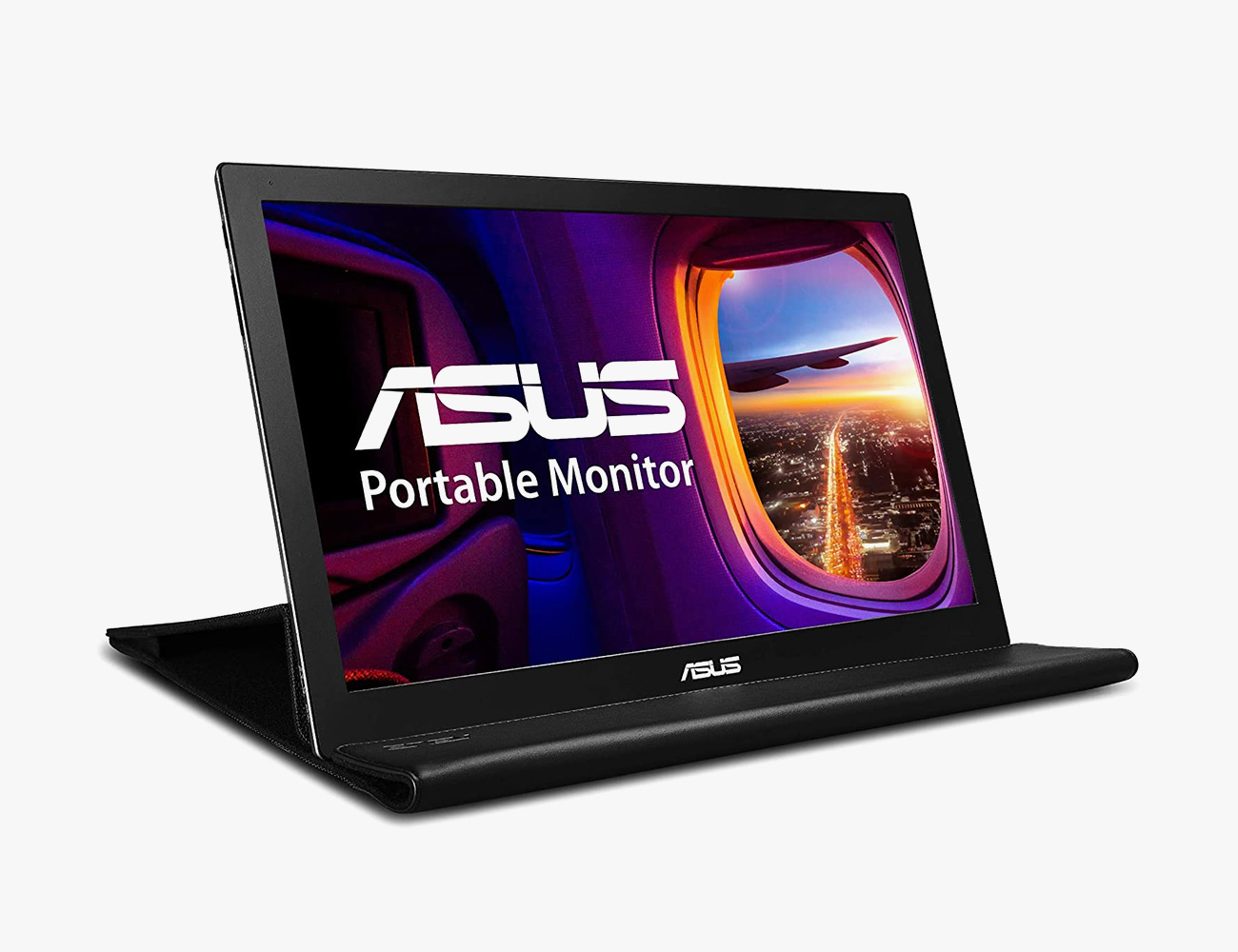
The Budget Model: Asus MB168B

This is a 15.6-inch portable monitor that’s a little older and lacks some modern conveniences, like a USB-C connection and a touchscreen display. However, it’s affordable and still provides an extra screen space you need to stay organized while working from home.

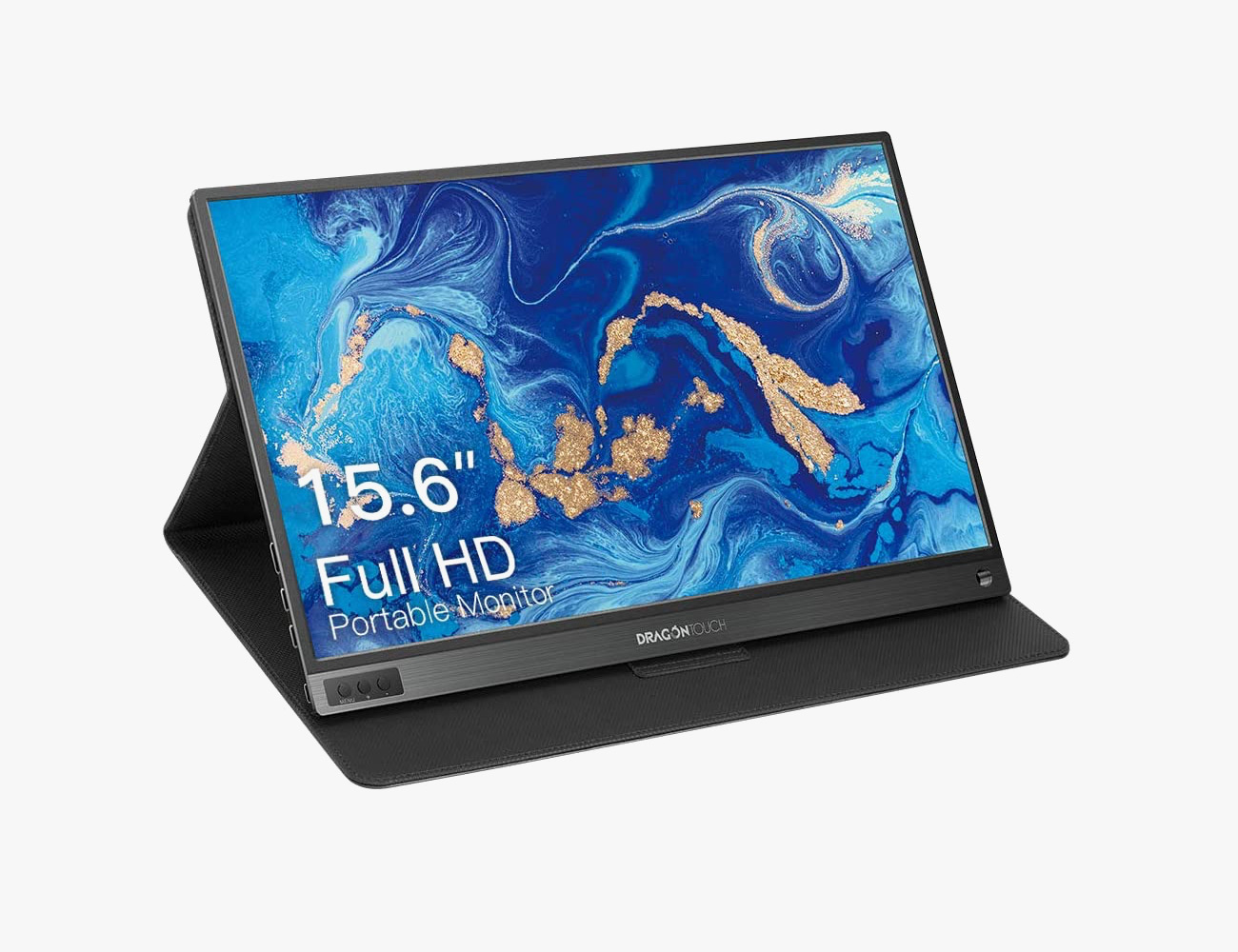
The Gaming Model: Dragon Touch S1

The Dragon Touch S1 is a relatively new 15.6inch portable monitor that produces a HD picture. It has a number of connections — including a mini HDMI port, two USB-C ports and micro-USB port — so you can connect a number of devices, such as your laptop (PC or Mac), smartphone or gaming console. And it has two built-in speakers so, in case you hook up to a gaming console, you’ll still be able to hear sound.

The No-Nonsense Model: Lenovo ThinkVision M14

The Lenovo ThinkVision M14 is a 14-inch portable monitor that stands out for a number of reasons. It has two USB-C ports, which allows you to use the display and simultaneously (via pass-through power) charge your laptop. It has an innovative base that both swivels and pops up, so you can better match its height to that of your laptop. And it’s one of the thinnest, most beautifully designed portable displays you can buy.

The Touchscreen: ASUS ZenScreen Touch MB16AMT


The ZenScreen Touch MB16AMT is a 15.6-inch portable monitor with a number of high-end features. It’s the only option on this list that has a touchscreen display, which makes it a great option of graphic artists and designers. It has built-in speakers and a wealth of connectivity ports, so you can hook up a gaming console, like an Xbox or Nintendo Switch, directly to it. And it has a built-in battery (7800mAh capacity) and can run for about four hours on its own.

Note: Purchasing products through our links may earn us a portion of the sale, which supports our editorial team’s mission. Learn more here.
Tucker Bowe

Tucker Bowe has been on Gear Patrol’s editorial team since 2014. As a Tech Staff Writer, he tracks everything in the consumer tech space, from headphones to smartphones, wearables to home theater systems. If it lights up or makes noise, he probably covers it.

More by Tucker Bowe | Follow on Instagram · Twitter · Contact via Email

Everything You Need to Build an DIY Outdoor Movie Theater (For Cheap)

It’s summer, and if you’re looking for a project, transforming your backyard into an outdoor movie theater isn’t actually all that difficult. All you need are a few key components, such as a projector, speaker(s), a streaming device and an (optional) projector screen, depending on if you have a natural wall that can act as a screen or not. You don’t have to spend more than a few hundred bucks if you don’t want to.

Here are the essential components you need to build a DIY outdoor movie theater.

A Projector

There are a number of factors you need to consider before buying a projector for a DIY outdoor movie theater. You’ll want to account for image quality, the image size it creates, and its connectivity options; you need to make sure it’s compatible with the media player or laptop you’re going to hook it up to. Since the outdoor home theater isn’t likely to be a permanent fixture in your backyard (because projectors aren’t weatherproof), you also want to make sure it’s small enough to move.

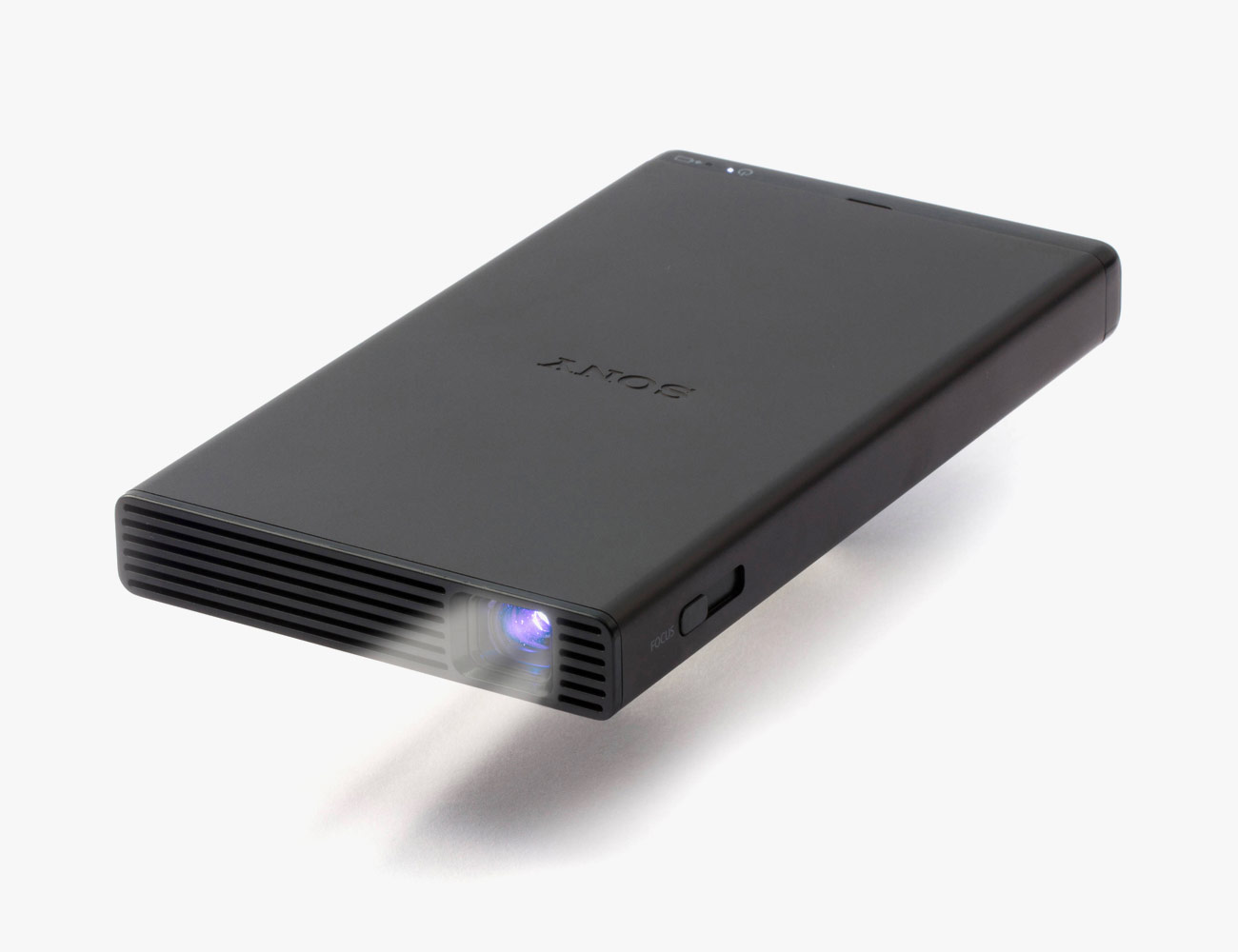
Sony MP-CD1

Released in 2018, the Sony MP-CD1 is a small, portable and easy-to-use projector. It has an HDMI connection and comes with an adapter, so you can easily use it with a laptop, smartphone or gaming console, and project a picture that’s up to 120 inches (which is huge). It has a built-in 5,000mAh battery that can last between two-and-three hours and has USB-A and USB-C ports for charging. It also has a 3.5mm jack to connect a separate speaker. On the downside, the Sony MP-CD1 doesn’t have built-in Wi-Fi, Bluetooth or an operating system, so you can’t play or watch anything without connecting it to a source. The picture is less than HD quality, which is about the same as other pico projectors.

Nebula Mars II Pro

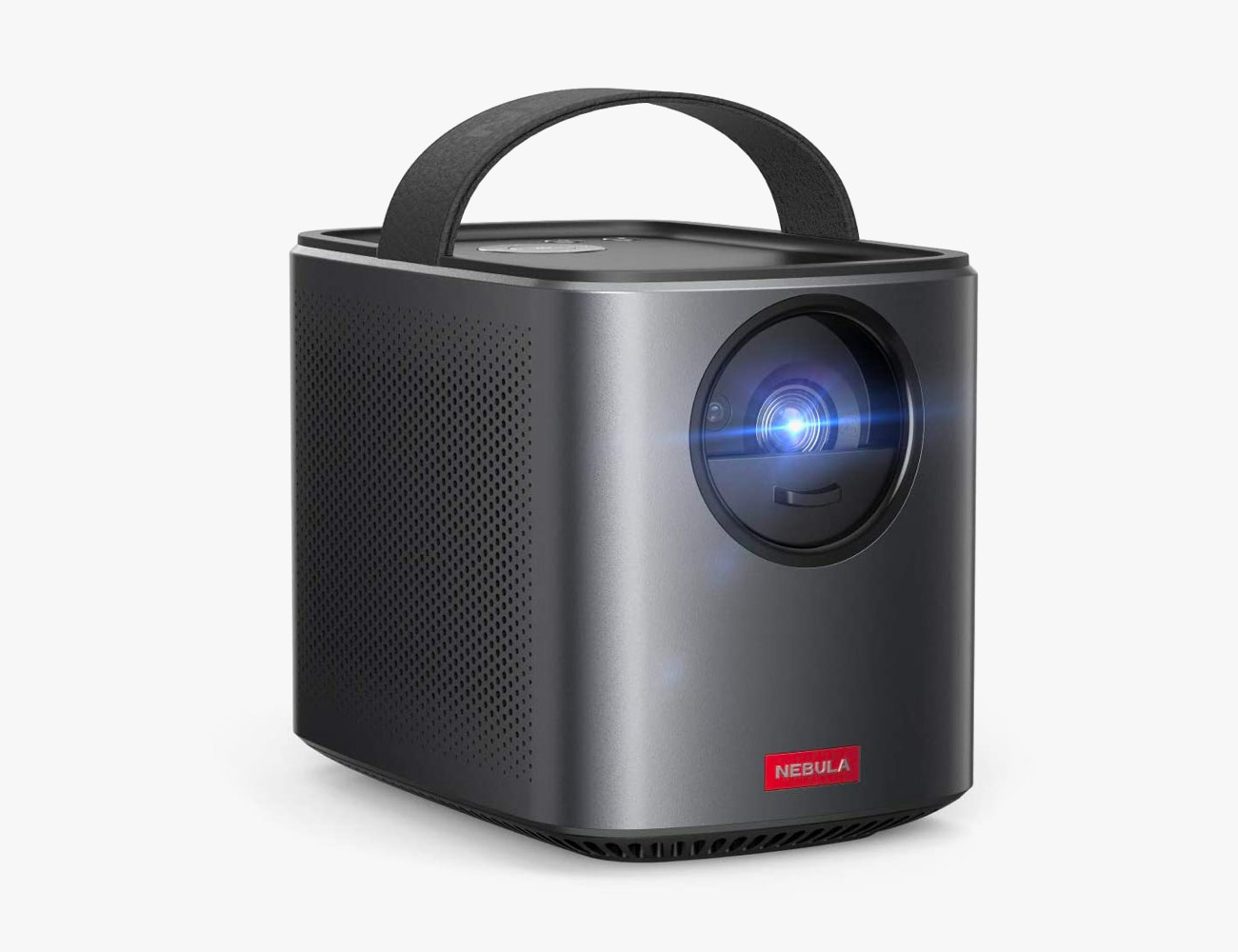
The Nebula Mars II Pro is a significant upgrade over other pico projectors. It’s still very much portable, but its larger size enables it to have a bigger battery (that can last up to four hours on a single charge) and much-improved speakers. It has a neat autofocus feature so it’s really easy to set up. Maybe most importantly, it has an Android operating system so all you have to do is connect to Wi-Fi and you can stream content from Netflix, Hulu or YouTube; and yes, you can also download content directly to the Mars II Pro and watch it later without a Wi-Fi connection. It also has a 3.5mm jack to connect a separate speaker.

|

BenQ HT2050A

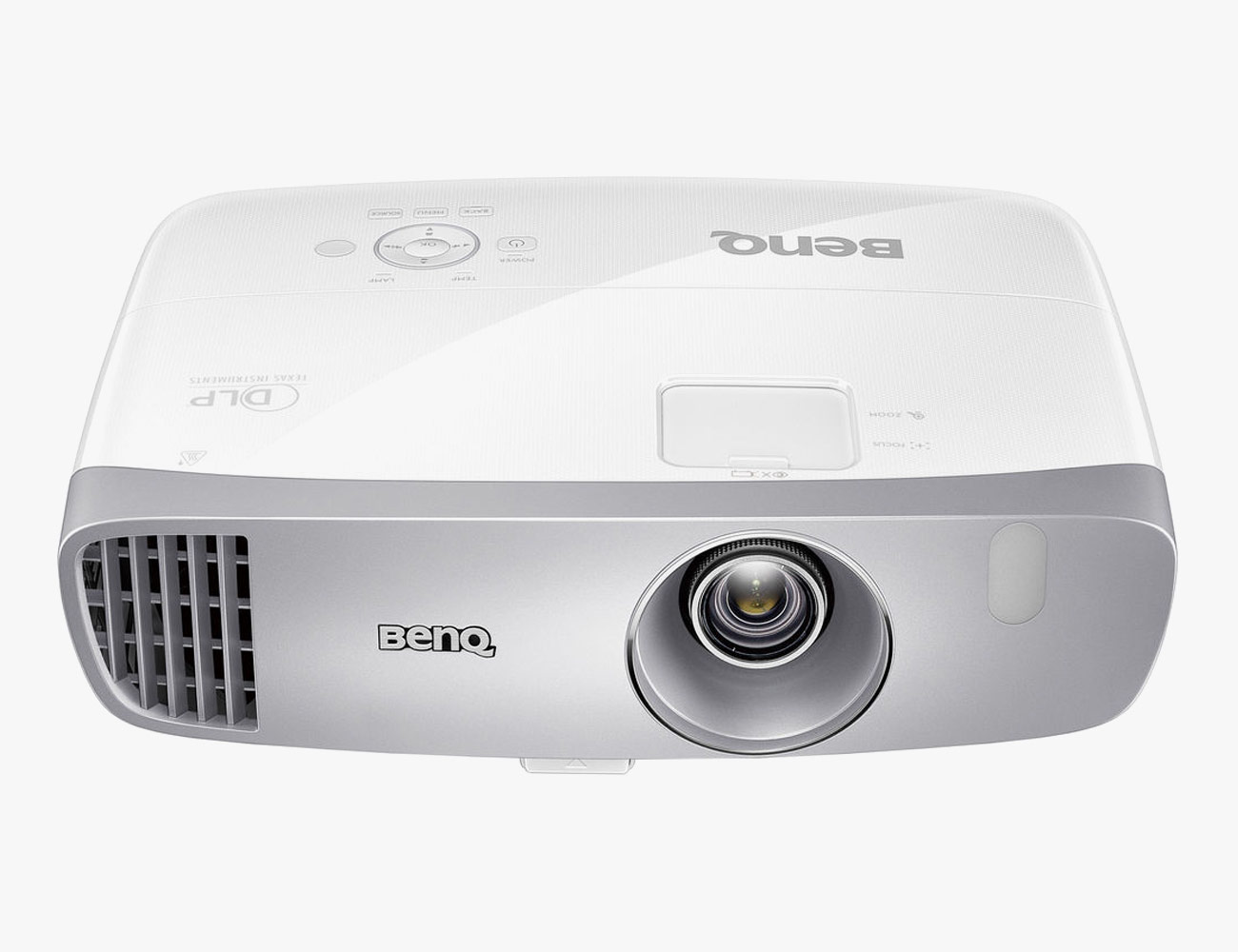
The BenQ HT2050A isn’t a portable projector like the two cheaper options on this list, meaning it requires a constant connection to power. But that’s basically it’s only downside. It’s able to produce a picture that’s significantly better (full 1080p) and brighter (up to 2,200 lumens), and it’s able to short throw a 100-inch picture from just a few feet away. Additionally, it has more connectivity options so you should have no issue connecting a separate streaming device, laptop or speaker system. (There’s built-in operating system so you need to connect to a separate media source.) Finding a place to mount it so that it will work for your outdoor setup may prove to be a challenge, though.

|

A Projection Screen

If you don’t have conveniently placed wall in your backyard — let’s be honest, most of us don’t — then you’re going to need to invest in a portable projection screen. They’re relatively affordable and can be set up pretty much anywhere. Plus, they reflect light without altering the projected image, meaning your movie theater is going to look great.

TaoTronics Projector Screen

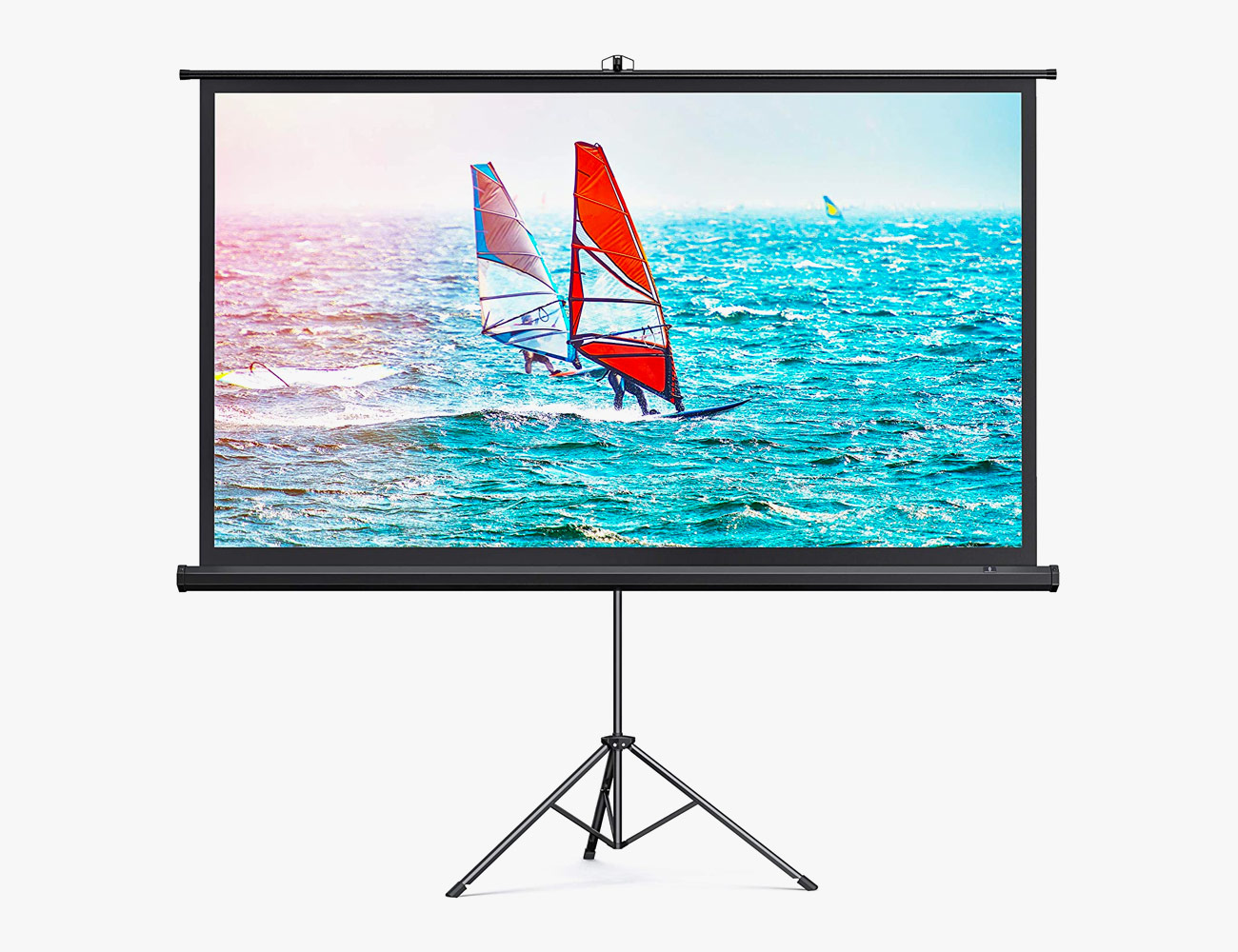
The TaoTronics Projector Screen is probably the best projection screen for most people. It’s rugged enough to leave outside, in case you don’t want break it down after every time you use it. It comes with a sturdy tripod and creates a big, 100-inch screen.

Gemmy Movie Screen

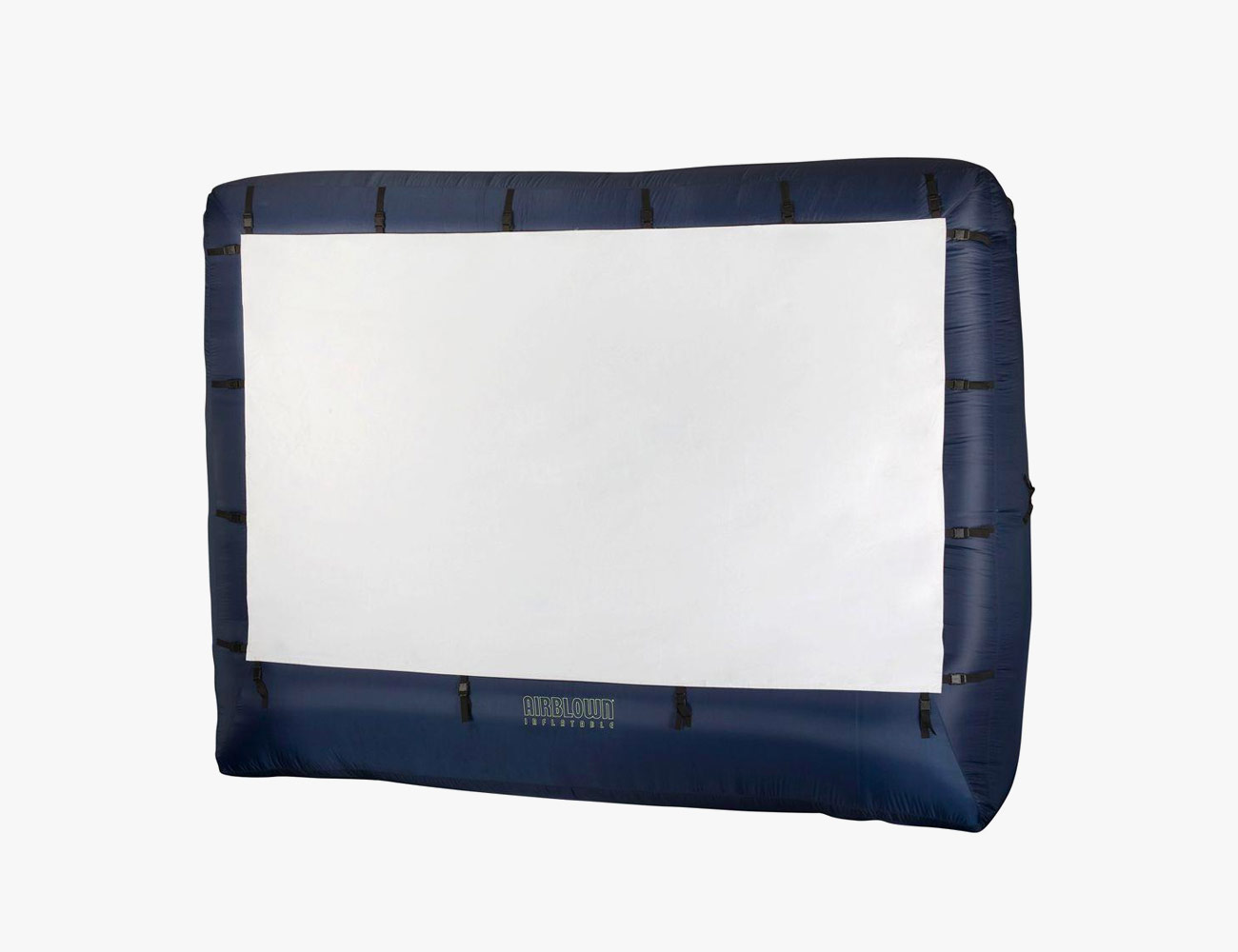
This is alternative take on the outdoor projector screen. Instead of relaying on a tripod or stand, the Gemmy Movie Screen is inflatable. It’s essentially like an air mattress, as you just plug it in and it self inflates (and stands!) within minutes. It creates a screen that’s more than 100-inches and will be a great partner for most portable projectors.

Speakers

If you’re serious about an outdoor home theater, you’re going to want to buy separate speakers. Just like TVs and their small built-in speakers, projectors don’t sound the best. Fortunately, most projectors — including portable projectors — have a number of different connectivity options and can work with a variety of types of speakers.

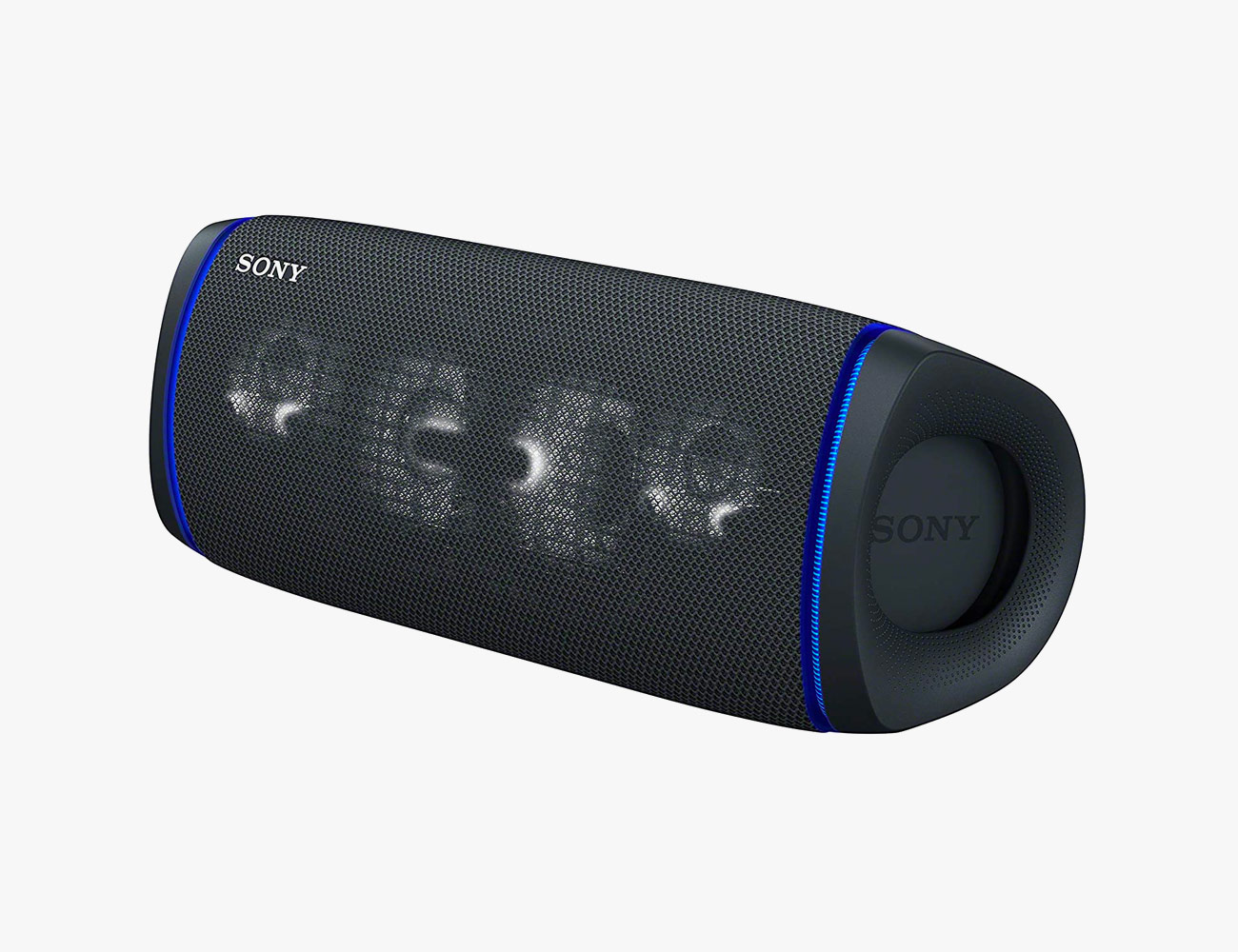
Sony SRS-XB43

The SRS-XB43 is one of Sony’s largest new portable speakers for 2020. It has a IP67 waterproof rating, USB-C charging and a battery life that can last up to 24 hours. Unlike Sony’s smaller new portable speakers, the SRS-XB43 has a line-in headphone jack, meaning you can simply connect it directly to a projector.

|

Audioengine A2+ Wireless

Audioengine’s A2+ Wireless is one of the best sets of small powered speakers you can buy. They make great desktop speakers, or you can hook them up to an entry-level turntable that has a built-in phono preamp. The A2+ Wireless have built-in Bluetooth as well as a line-in connection, so they’ll work with any of the above projectors.

Sonos Five

The Sonos Five is a newer and slightly upgraded version of the company’s now-antiquated Play:5. It’s a wireless speaker that needs a constant connection to power, and, because it has a line-in jack, it can connect to a projector and play audio without Wi-Fi. Additionally, it’s humidity-resistant, optimizing it for sultry summer nights (just don’t leave it outside over night).

A Media Player

It’s actually pretty easy to watch movies and shows on a projector — even small pico projectors — because you can connect directly to them via HDMI. A streaming portable streaming device, like a Roku or Amazon Fire stick, is nice because they don’t need a separate power source since they draw power directly from the projector; however, you want to make sure you either have a good Wi-Fi connection in your backyard, as most of those devices don’t allow downloads for offline viewing. Or you could just hook up your laptop or smartphone directly to the projector. The other option is to connect a device that can play physical media, like a DVD or Blu-ray player, but those options can be pretty arduous by comparison.

Roku Streaming Stick+

This little streaming stick brings Roku’s wildly popular smart operating system to your projector, plus all your favorite streaming services, such as Netflix, Hulu and Disney+. It supports HD and 4K streaming, although most projectors can’t stream in true 4K (and if they can, they’re usually expensive). It also comes with a remote, unlike some other affordable streaming sticks.

|

Apple TV

An Apple TV is an excellent streaming device for everybody locked into Apple’s ecosystem and it’s suprisingly portable (although it does need to be plugged into a separate power source besides the projector). If you have a higher-end projector that can handle 4K content, the Apple TV 4K is your best bet. Again, it doesn’t allow for downloads for offline viewing (only your smartphone, tablet or laptop can do that.

|

Note: Purchasing products through our links may earn us a portion of the sale, which supports our editorial team’s mission. Learn more here.
Tucker Bowe

Tucker Bowe has been on Gear Patrol’s editorial team since 2014. As a Tech Staff Writer, he tracks everything in the consumer tech space, from headphones to smartphones, wearables to home theater systems. If it lights up or makes noise, he probably covers it.

More by Tucker Bowe | Follow on Instagram · Twitter · Contact via Email

Will iOS 14 Work On My Current iPhone?

<!–Will iOS 14 Work On My Current iPhone? • Gear Patrol<!– –><!– –>

It’s Apple’s biggest iOS update ever


Apple’s biggest iOS update ever, iOS 14, will roll out this fall and it’s going to bring features to the iPhone including inline replies in iMessage, disappearing apps and widgets, compact call notifications and a totally redesigned Home screen. Basically, it’s going to drastically change (and improve, hopefully) the way you use your iPhone. And if you’re wondering if your current iPhone will support iOS 14, the answer is probably yes.

iOS 14 will be supported on the iPhone 6s and later, which is every iPhone that has been released in the last five years. We’ve listed the complete list of supported iPhones, below, along with when each was originally released.

• iPhone SE (2020)
• iPhone 11 (2019)
• iPhone 11 Pro/ 11 Pro Max (2019)
• iPhone XS/ XS Max (2018)
• iPhone XR (2018)
• iPhone X (2017)
• iPhone 8/ 8 Plus (2017)
• iPhone 7/ 7 Plus (2016)
• iPhone SE (2016)
• iPhone 6s/6s Plus (2015)

Also, if you own an iPod touch that’s already running iOS 13, it will also support iOS 14.

Note: Purchasing products through our links may earn us a portion of the sale, which supports our editorial team’s mission. Learn more here.
Tucker Bowe

Tucker Bowe has been on Gear Patrol’s editorial team since 2014. As a Tech Staff Writer, he tracks everything in the consumer tech space, from headphones to smartphones, wearables to home theater systems. If it lights up or makes noise, he probably covers it.

More by Tucker Bowe | Follow on Instagram · Twitter · Contact via Email

<!–

–>

<!– –><!–

–>

How a 100-Year-Old Company Is Still a Cornerstone of Modern Hi-Fi

Turntable manufacturers tend to make every part of the turntable themselves — the plinth, the motor, the tonearm and the platter. There is, however, often a notable exception for what is arguably a turntable’s most crucial component: the phono cartridge. While some companies, like Audio Technical and Cambridge Audio, do get into the cartridge business, many more including Pro-Ject, Fluance and U-Turn, have chosen to partner with Ortofon. Pro-Ject’s most popular turntable, the Debut Carbon (DC), comes with an Ortofon cartridge. So too does every turntable in Fluance’s Reference line.

So, what’s the deal? Why don’t more turntable manufactures make their own phono cartridges? And what makes Ortofon cartridges so special?

One of Ortofon’s biggest strengths is that it is in no way new to the game. Founded over 100 years ago in 1918 by two Danish audio engineers, Axel Petersen and Arnold Poulsen, the company developed one of the first synchronized sound film systems and helping to usher in an era of music and dialog. According to Louis Dorio, the product specialist at Ortofon, it was after World War 2 when the company became primarily concerned with producing record manufacturing and playback equipment, like record cutting heads and cutting amplifiers used in the mastering process.

“Ortofon developed the first cutting head that could actually offer wide frequency response, the way we listen to music today,” said Dorio. “Of course, at the time, listeners couldn’t make use of these new HiFi records without a new cartridge, so the natural thing to do was develop cartridges that could satisfy the demands of the new recordings.”

The first Ortofon cartridge was a moving coil cartridge, the MC Mono-A cartridge, and it was developed by Holger Christian Arenstein in 1948. Since then, Ortofon has been a fixture in the hi-fi world, manufacturing everything tonearms to cables, but they’re still best known for the over 50 cartridge models they make.

The business has changed a lot for Ortofon in the past 15 years, and that’s because the vinyl industry has changed a lot in that time as well. Before 2010, audiophiles and DJs were the primary groups listening to vinyl, and in fairly small numbers, leaving Ortofon content to produce a variety of high-end cartridges in relatively modest quantity. Since then, there’s been a vinyl boom. More vinyl means more turntables, which in turn means more phono cartridges.

Part of Ortofon’s continued relevance, and the lack of competition from turntable producers themselves, has to do with the difficulty of achieving the scale of production the boom has required. Ortofon’s factory in Nakskov, Denmark is pretty uniquely suited to mass-producing excellent phono cartridges. And producing cartridges at any scale is far from easy. “Each individual component of the cartridge has a big influence on the sound,” explained Dorio. “Whether it be the diamond shape, cantilever material, the choice of coil wire material, how many coils, the magnet chosen and its intensity, and the type of rubber suspension that will be used. And that just scratches the surface really, as most of it gets into physics and how it can be applied to produce a good sounding final product.”

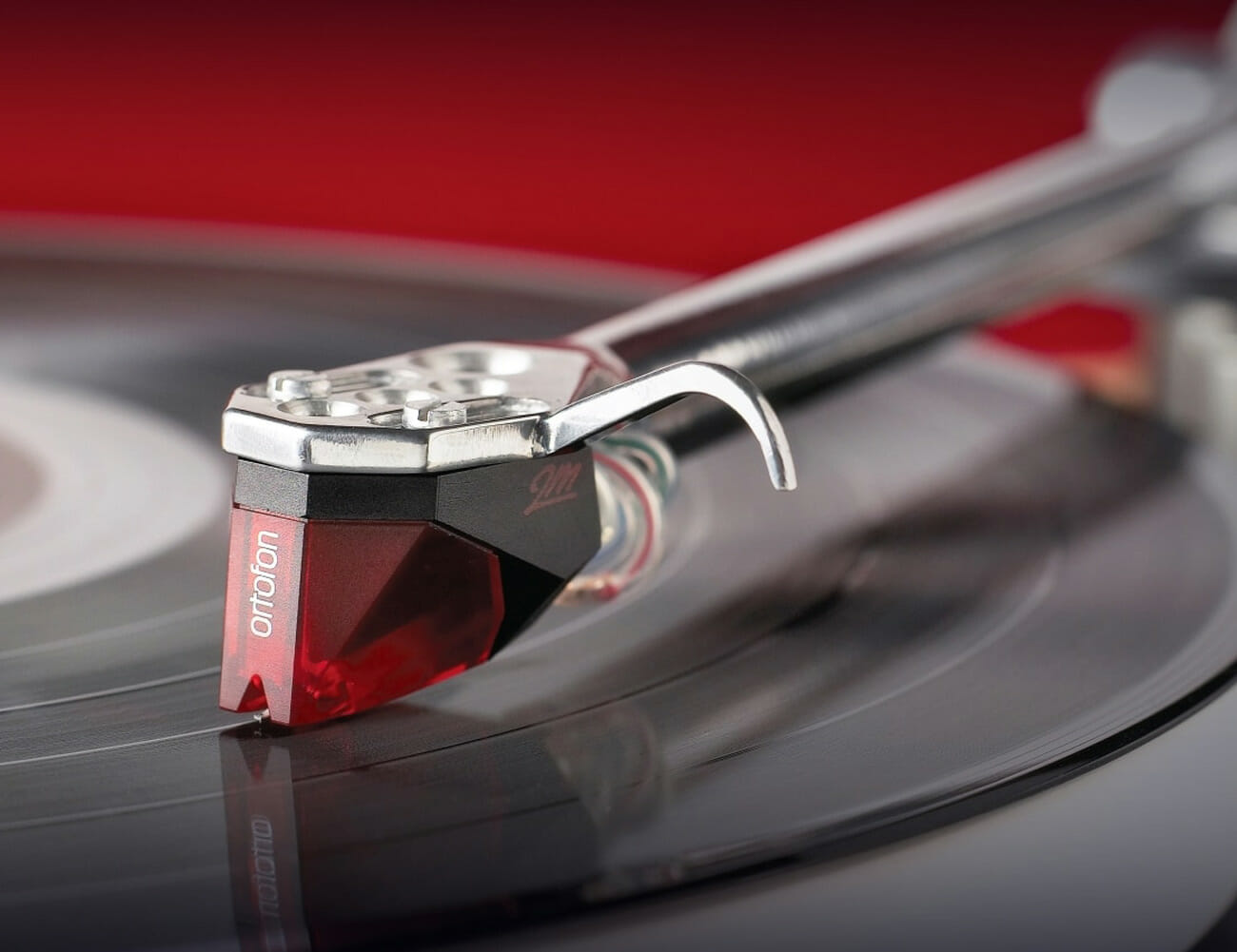
In 2007, Ortofon created its 2M series of moving-magnet (MM) cartridges, which is the company’s best-selling and most visible (they’re all bright colors) series of cartridges today, and they’re compatible with most entry-level phono preamps and entry-level integrated turntables. Ortofon also makes numerous moving-coil (MC) cartridges, which are better at preserving accuracy and sound quality, but also more expensive. That said, the company’s entry-level 2M series cartridges are still very good, which is why some of the biggest turntable manufactures have chosen to use them. “Even if you buy our least-expensive cartridge, it’s still free from distortion and it gets far more right than it gets wrong,” said Dorio. “One concept that we try to live by is the importance of ‘entry-level quality.’ We’ve always been focused on providing solid options for listeners who just want the best possible value from their money.”

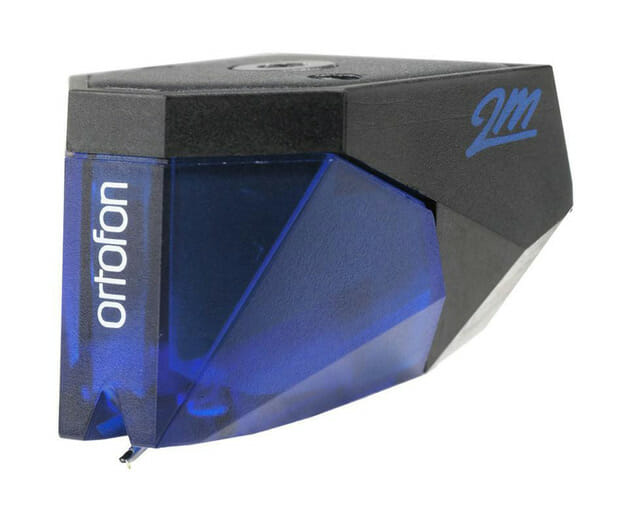
The Ortofon 2M Blue is the company’s most popular upgrade from the omnipresent 2M Red Cartridge.

Should you find that you somehow disagree, the great thing about all phono cartridges is that they’re one of the most upgradable components in any hi-fi system. And higher-quality phono cartridge can have a big impact on your system’s overall sound quality; plus, it could help preserve the life of your records. If you have an entry-level turntable with an Ortofon 2M Red cartridge ($100) and you’re looking for something to upgrade to, get the Ortofon 2M Blue ($236). And if you made that decision, you wouldn’t be alone. According to Dorio, it’s the most popular upgrade, and one that’s well-made.

Tucker Bowe

Tucker Bowe has been on Gear Patrol’s editorial team since 2014. As a Tech Staff Writer, he tracks everything in the consumer tech space, from headphones to smartphones, wearables to home theater systems. If it lights up or makes noise, he probably covers it.

More by Tucker Bowe | Follow on Instagram · Twitter · Contact via Email

Tarform returns with the retrofuturistic Luna electric motorcycle

When crafting something with a retrofuturistic theme in mind, there is a delicate balance that many should consider. Push the aesthetics toward one style too much and it could potentially ruin everything. Hence, with years of experience, comes the ability to envision exactly what you want and to execute everything flawlessly. This appears to be what Tarform brings to the table with its Luna platform. This new electric motorcycle model flaunts a striking design that will please its owner.

Over the years, manufacturers of automobiles and bikes have expanded their horizons. While most still produce traditional combustion engine rides, many have completely switched over to zero-emission alternatives. Fuel cells have been introduced in the past, but its safety profile in case of accidents is still subject to debate. Thus, rechargeable batteries are the ideal option for now.

With more consumers now understanding the devastating effects of pollution, clean energy is becoming the go-to solution. Tarform embraces the concept and carefully crafts its machines with this in mind. The Luna boasts a virtually reliable electric drive train that promises minimal maintenance and dependable performance.

The 55-horsepower rating of its 41 kW electric motor can take riders from 0-60 mph in 3.8 seconds. Meanwhile, Tarform lists the top speed at above 90 mph. A 10 kWh battery pack provides the Luna a little over 120 miles on a full charge. Recharging from 0-80% takes approximately less than an hour. Other notable features include a 3.4-inch HD display, Bluetooth connectivity, blind-spot detection with haptic feedback, and others more.

Reserve yours now: here

Images courtesy of Tarform

6 Notes App Features You Should Be Using, But Aren’t

Welcome to Product Support, a column devoted to helping you get the most out of the gadgets and software you already use.

If you have an iPhone, iPad or Mac, you’re probably well-acquainted with the Notes app. Apple’s digital note-taking app is a great place for keeping lists, jotting down quick ideas, drawing sketches and writing long-form drafts, and it can be an incredibly powerful tool because, as long as it’s synced with iCloud, everything on your Notes app will quickly sync across all your devices. No need to share via AirDrop or email. If you write on Note on your iPhone, it’ll automatically appear on your iPad and Mac as well.

Analog Options
Rhodia Goalbook Journal
Word Notebooks 3-Pack
Leuchtturm 1917 Soft Cover Small Pocket Journal

The neat thing about the Notes app is that Apple updates and adds new features to it all the time. For instance, you probably didn’t know that the Search feature in the Notes app can recognize typed or handwritten text, as well as images and scanned documents (like a recipe or receipt). And, more recently, the Notes app lets you organize folders within folders. (I know, mind blown.) You can find even more useful tricks and tips below. Go on, master the Notes app.

Quickly undo a typo.

Did you accidentally highlight something and delete it (also by accident)? This can be incredibly frustrating especially if you’re using the Notes app on an iPhone or iPad and you don’t have access to an actual keyboard (you can’t press Command + Z to undo on an on-screen keyboard). Also, there’s no quick “Undo” menu to select on the iPhone. Fortunately, Apple baked in a “Shake to Undo” feature where you can actually shake your iPhone to prompt an “Undo Typing” menu. This feature is on by default, but you can change it by going to into Settings > General > Accessibility > Shake to Undo.

Quickly scan a document and sign it.

The Notes app actually has a built-in scanner function which makes it easy to scan a real-life document, sign it or mark it up (via the markup functionality in Notes), and then share it with whoever you need to it. All you have to do is start a new note, select the camera icon in the bottom-center of that note, and select “Scan Documents.” The app with then walks you through how to align the document so that it scans properly.

Share a folder with a friend.

The Notes app makes it incredibly easy to share your notes with others. You can set the permissions to “view only” if you don’t want other people to make edits, or you can open edits if it’s a more collaborative project. To share, just open the note in question and select the share button in the top-right; you can then select how you want to share: AirDrop, iMessage, Mail or another third-party app like Slack or Gmail.

Password protect specific notes.

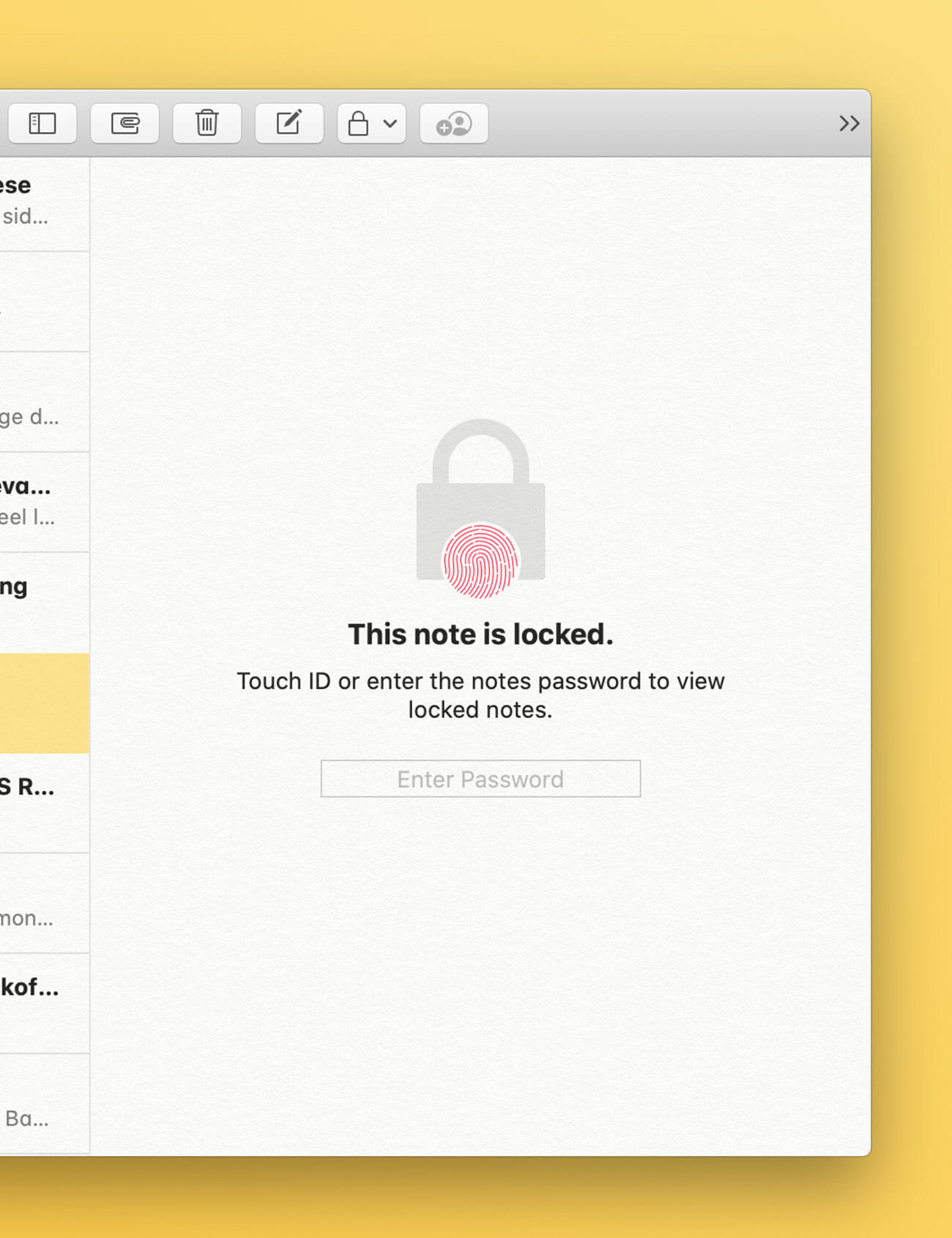
If you’re worried about unwanted eyes seeing one of your notes, you can password protect it. To do this, simply go to the note in question, select the “share” icon in the upper right-hand corner of the screen, and then select “Lock Note.” From there you can set a password (along with a hint in case you need help remembering) or enable Face ID (or Touch ID) to gain access to the note. All password-protected notes have a lock icon over them.

Have Siri take a note for you.

Siri, Apple’s voice assistant that comes built into your iPhone, iPad and Mac, can actually be pretty helpful in terms of taking notes. You can say “Hey Sir, start a new note” and then dictate what you want the note to say, and Siri will jot it all down for you and save it as a note. This is a great option if you don’t feel like typing or you want to create a note hands-free.

Create a checklist, not just a list.

A checklist is essentially just an interactive list where you can mark tasks as completed while leaving others open. To create a checklist, simply create a new note and then, at the bottom of the note, select the icon that has a checkmark inside a circle. Then type something and hit Enter (Return) when you’re done. Each time you hit Enter (Return) a new task will be created. To mark off a task as completed, simply select the circle (or bullet) next to it. You can deselect it the same way.

Note: Purchasing products through our links may earn us a portion of the sale, which supports our editorial team’s mission. Learn more here.
Tucker Bowe

Tucker Bowe has been on Gear Patrol’s editorial team since 2014. As a Tech Staff Writer, he tracks everything in the consumer tech space, from headphones to smartphones, wearables to home theater systems. If it lights up or makes noise, he probably covers it.

More by Tucker Bowe | Follow on Instagram · Twitter · Contact via Email

12 Essential Gadgets Under $20 That Everyone Should Own

Not every gadget you own has to be expensive. Sure, your smartphone, smartwatch and wireless headphones aren’t cheap, but there are a number of other inexpensive things that still provide real value. Below, are 12 affordable gadgets that you’ll use almost every day, and all of them come in at under $20.

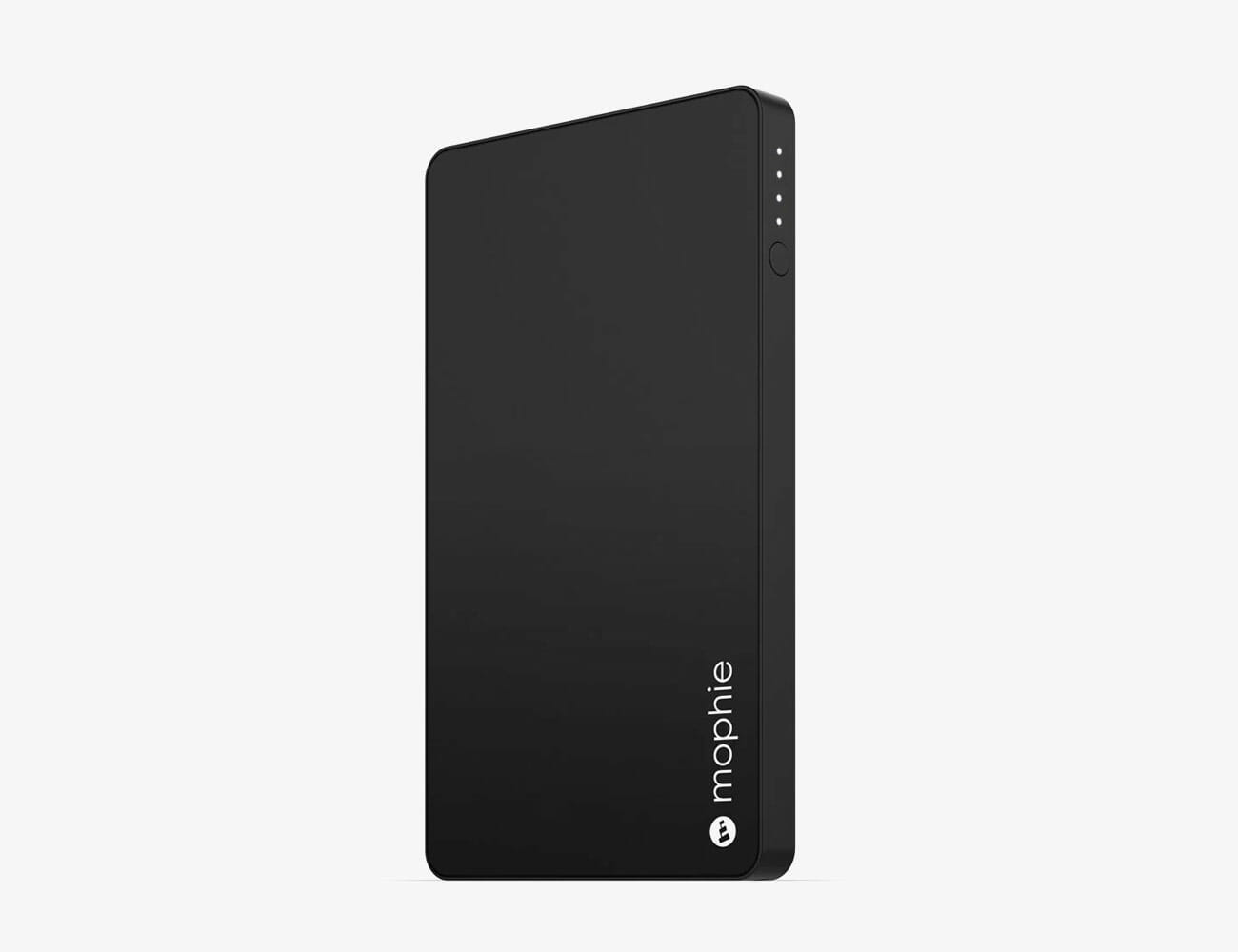
Portable Battery

Mophie Powerstation Mini: A portable battery has become pretty essential, especially if you have an older smartphone. You can buy one in an array of different capacities and shapes. This 3,000mAh capacity charger can almost double your smartphone’s battery; plus it’s thin enough to slide into your pocket.

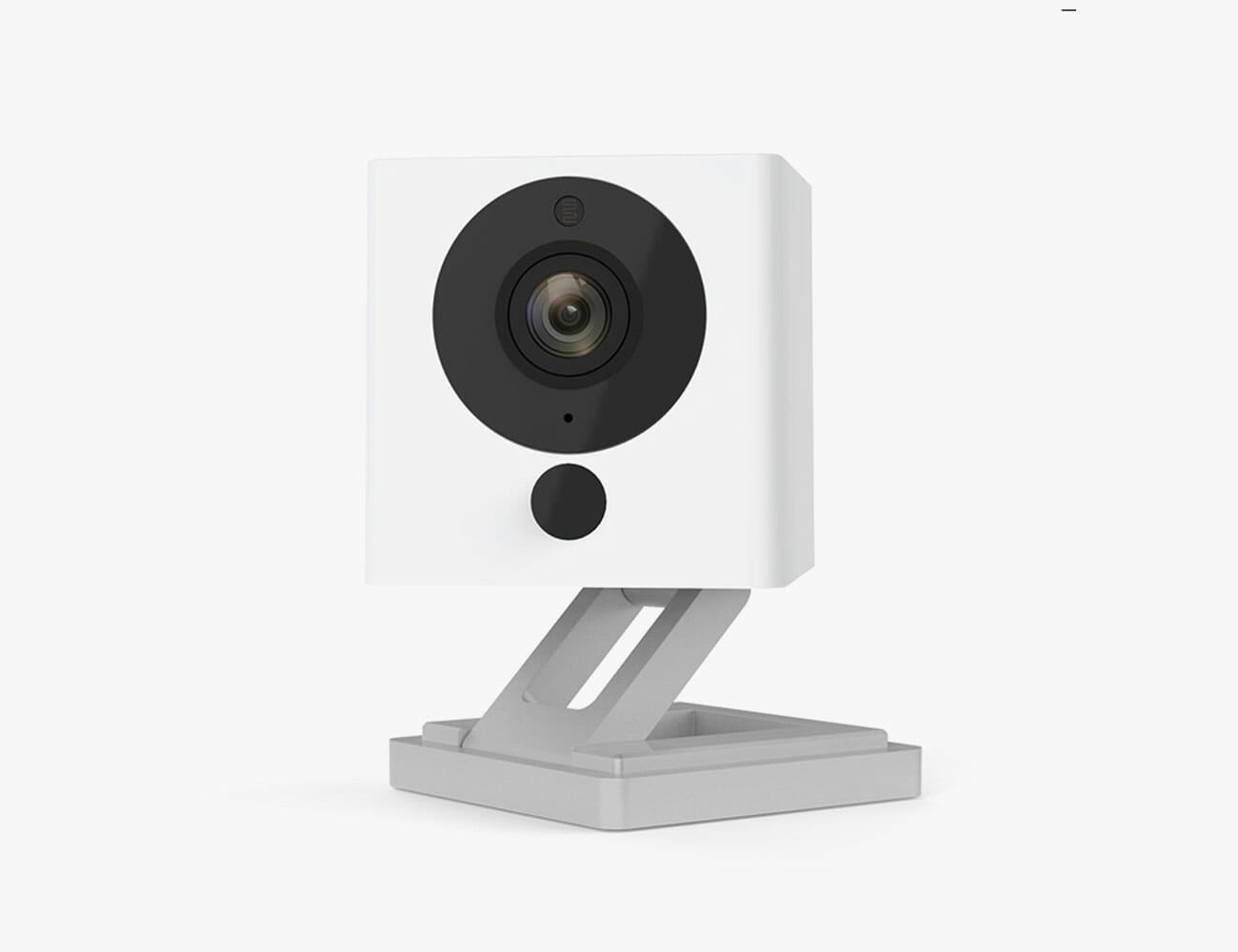
Security Camera

Wyze Cam V2: In past years, you couldn’t buy a smart home camera for less than $100 — but not anymore. The Wyze Cam V2 is a simple and easy to use gadget that works with most smart ecosystems (including Alexa and Google Assistant) and has a similar feature set and video capture capabilities as way more expensive options. It’s great for keeping a watchful on the dog or the front door when you’re away from home.

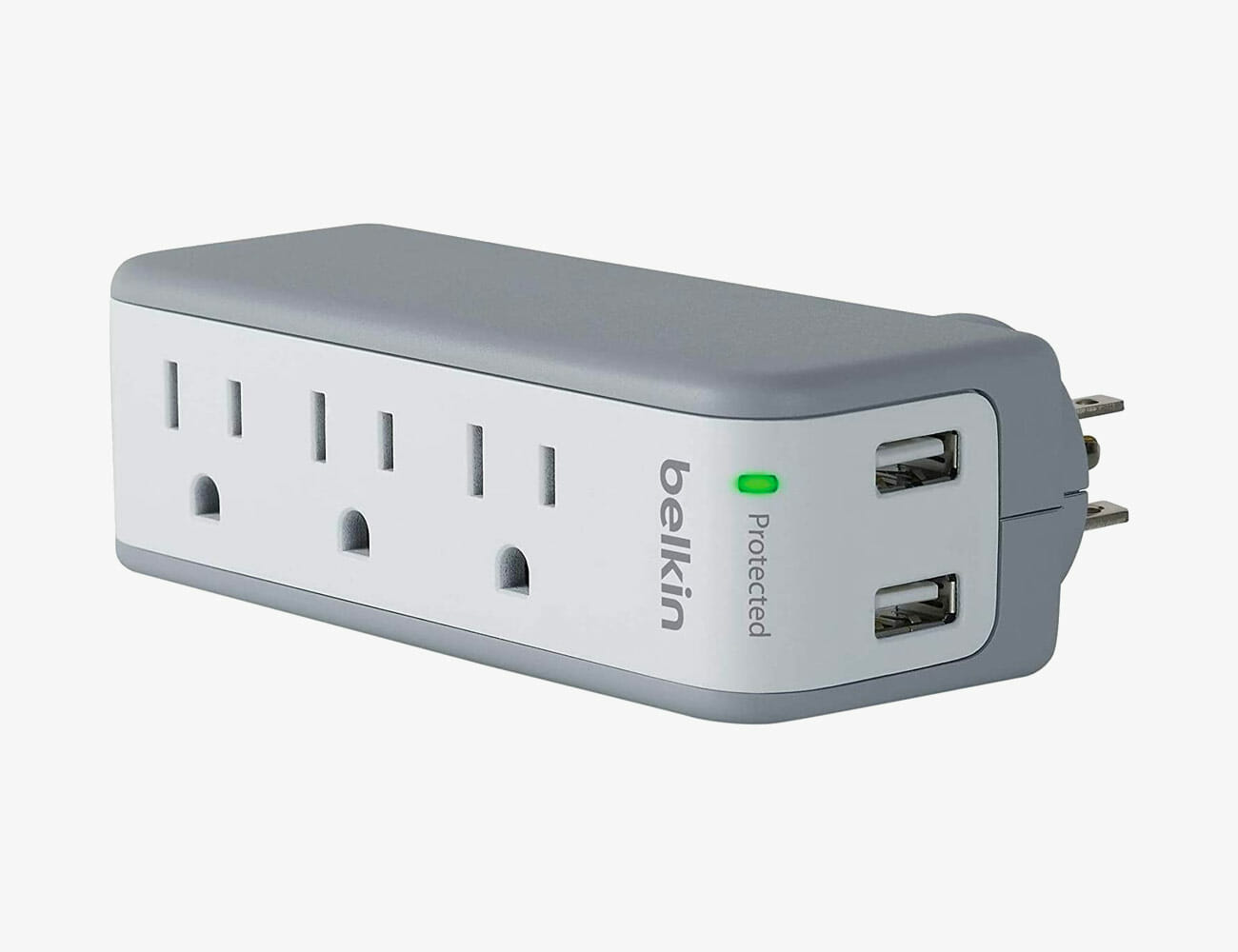
Portable Power Strip

Belkin 3-Outlet USB Surge Protector: A portable surge protector is a surprisingly useful travel companion because it lets you increase the space of any single outlet. This one by Belkin also has two USB ports, meaning you don’t even need a wall adapter (just the cable) to charge your smartphone, headphones or smartwatch. Make some friends at the airport!

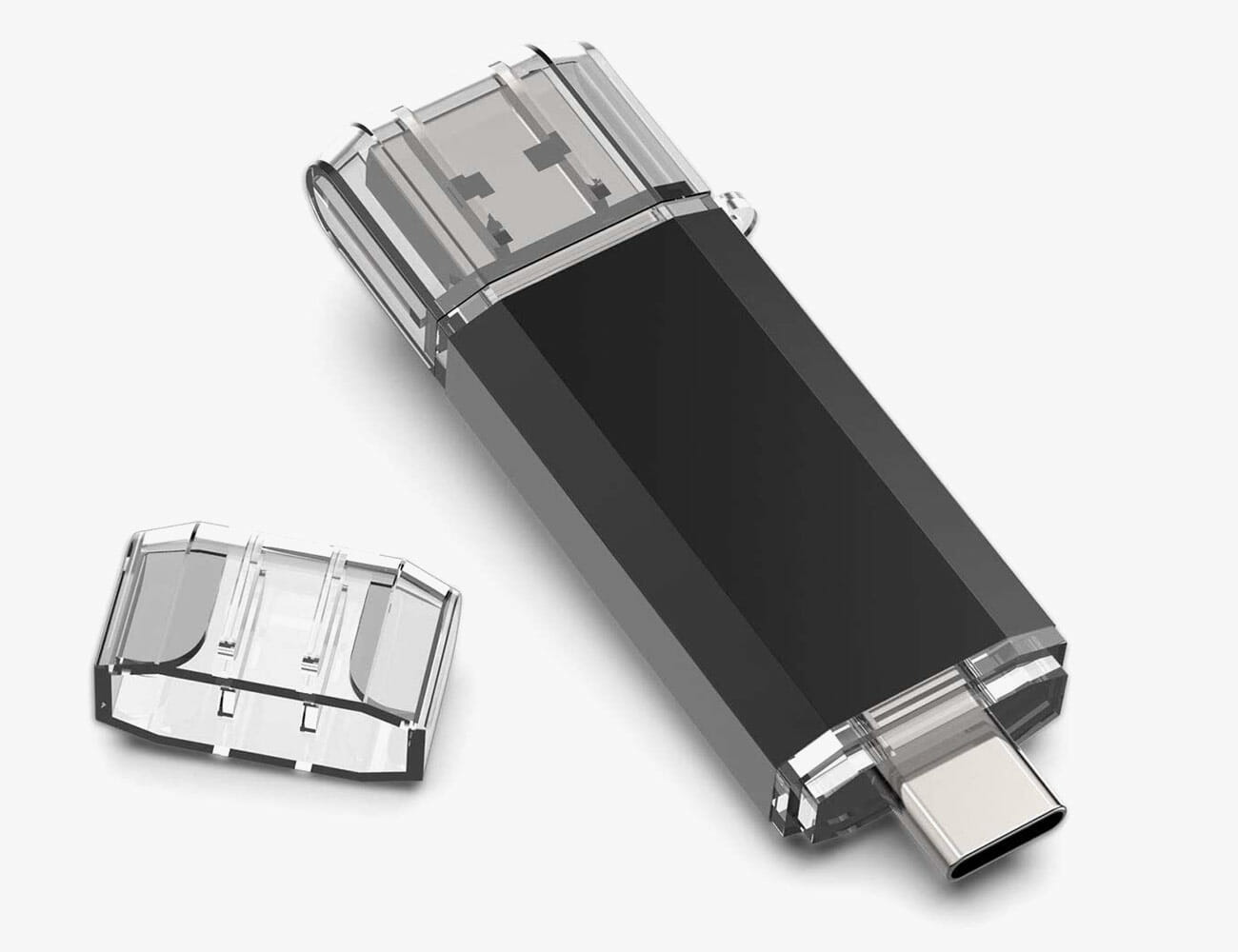
USB Flash Drive

Sanfeya USB-C Flash Drive: A flash drive has been an essential gadget for seemingly forever. It safely and securely stores your most essential files without having need to deal the cloud, and it’s obviously portable. Sanfeya’s flash drive is unique because it has dual ends for USB-A and USB-C which lets it plug into older computers, and newer devices that don’t have traditional USB ports.

Gaming Headset

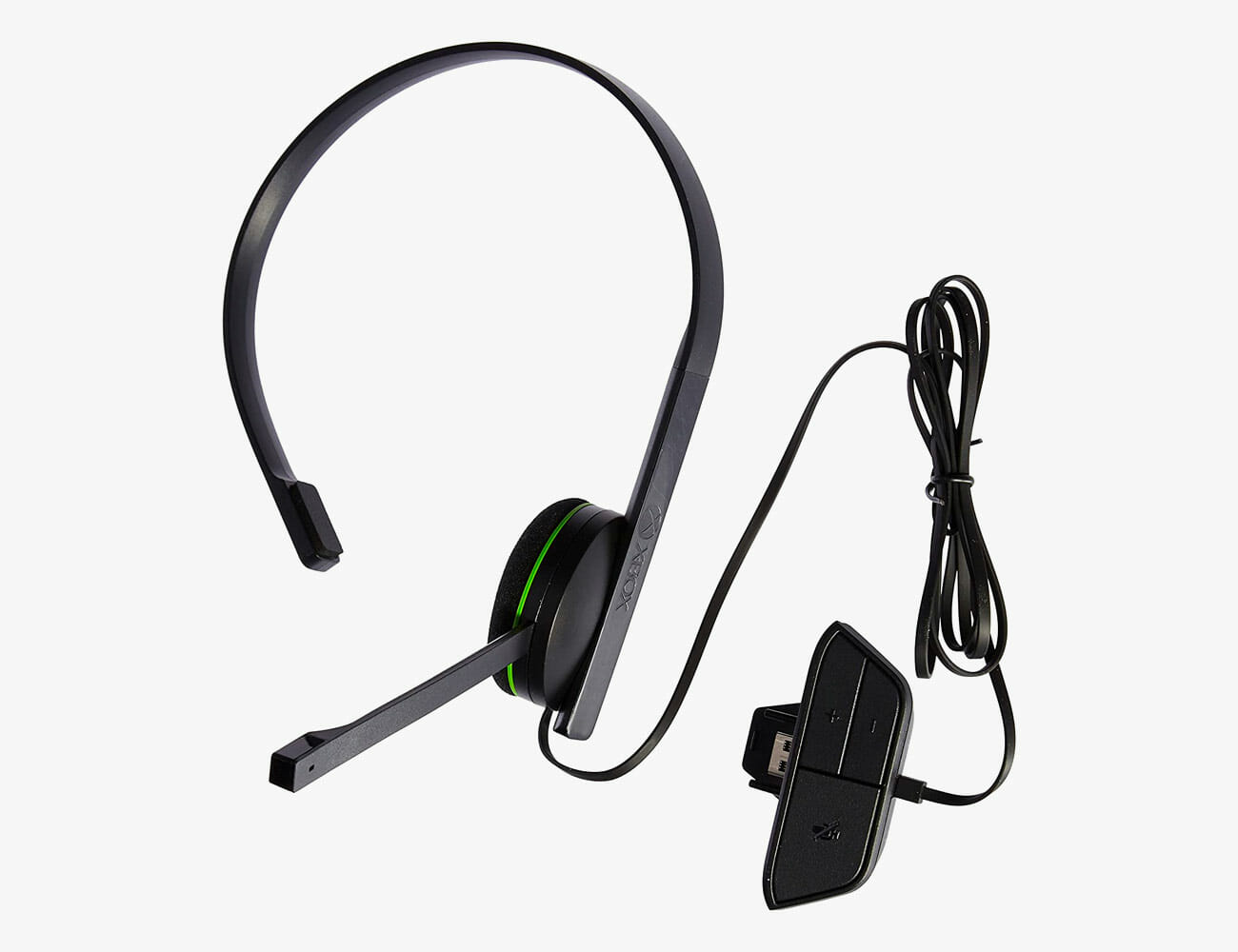
Xbox One Chat Headset: Sometimes a cheap gaming headset works just as well as the expensive ones. The sound might not be nearly as great, but they’re easier to operate and what you really need for playing with friends is the microphone. If you’re not a serious gamer or you just want a backup headset that doesn’t need to be charged, this simple chat headset for Xbox is great. Or the PS4 variety if that’s more your speed.

|

Wireless Charger

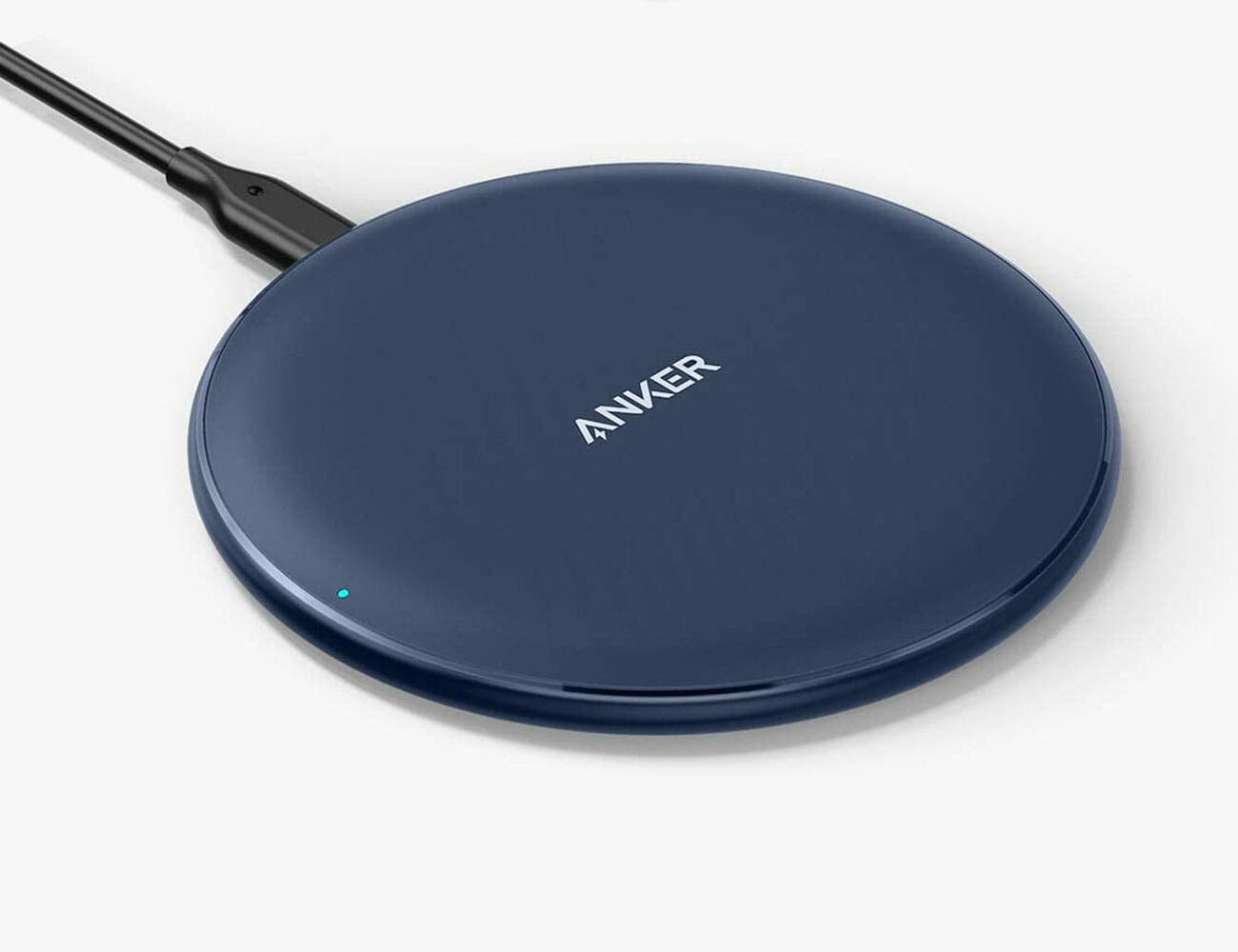
Anker Wireless Charging Pad: Most of today’s new smartphones support wireless chargers. Heck, so do a lot of wireless headphones and earbuds as well. And you can get a great one, like this Anker, for less than $20. The days of you worrying about whether you have the right charger (Lightning, USB-C or micro-UBS) for your device are almost over.

Wired Earbuds

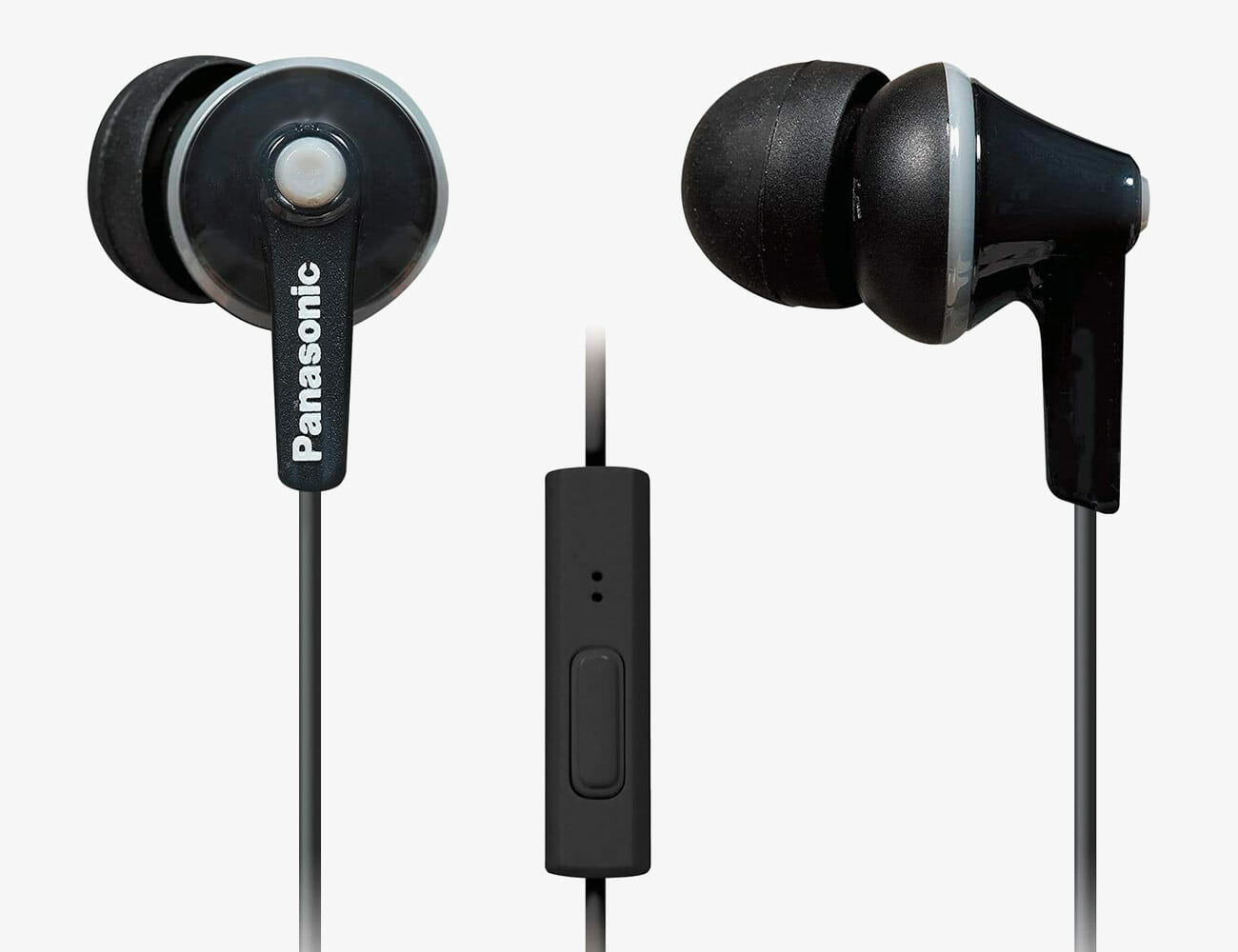
Panasonic ErgoFit: Everybody needs a good pair of cheap wired earbuds because you never know when your wireless headphones and earbuds are going to let you down. Either they run out of battery or they start having Bluetooth issues, it’s always idea to have a backup option. Plus, the in-flight entertainment systems on most airplanes still don’t have Bluetooth, so wired earbuds definitely still come in handy.

Tabletop Tripod

Linkcool Smartphone Tripod: A tripod might seem like photography equipment, but it can come in handy in a lot of ways. It allows you to record stable videos from far away or watch videos (like workout videos) without having to find a way to prop-up your smartphone. If you take a lot of video calls, it’s nice to have a hands-free option.

Headphone Adapter

Apple USB-C to 3.5 mm Headphone Jack Adapter: Frankly, not a lot of smartphones have a traditional headphone jack. And not many smartphones comes with a headphone adapter either. That’s why it’s always a good idea to have one on your person.

|

Bluetooth Receiver

TaoTronics Bluetooth Receiver: This little portable Bluetooth receiver can plug into your old car’s sound system so you can wirelessly stream audio or answer hands-free calls. Or it can allow you to listen to your wireless headphones with things that don’t have built-in Bluetooth, like a Nintendo Switch.

Smart Plug

TP-Link Kasa Smart WiFi Plug Mini: A smart plug is a great entry-level gadget for anybody looking to grow out their smart home. It plugs into a wall out and, after an initial setup via an app, it lets you control your normally “dumb” devices — lamp, fan or air conditioner — with your smartphone or voice. This smart plug by TP-Link is great because it can work with both Alexa or Google Assistant.

Wireless Mouse

Logitech M185: It’s always a good idea to have a wireless mouse, even if you like using your laptop’s trackpad, because it can give you a nice bit of reprieve, plus it can be a better ergonomic solution. The Logitech M185 isn’t a feature-packed wireless mouse, but it has smooth travel and great (near year-long) battery life.

Note: Purchasing products through our links may earn us a portion of the sale, which supports our editorial team’s mission. Learn more here.
Tucker Bowe

Tucker Bowe has been on Gear Patrol’s editorial team since 2014. As a Tech Staff Writer, he tracks everything in the consumer tech space, from headphones to smartphones, wearables to home theater systems. If it lights up or makes noise, he probably covers it.

More by Tucker Bowe | Follow on Instagram · Twitter · Contact via Email

What’s Actually the Difference Between a Cheap and Expensive Soundbar?

If you’re getting a new TV, you probably should get a soundbar. In the quest for thinness, most TVs have had to sacrifice sound quality. Not all soundbars are the same. You can find options like the Vizio SB2920 for as cheap as $78 or the Sonos Arc way up at $799.

But what are you actually paying for if you go for the upgrade?

|

Better ‘bars mean better drivers and more channels.

One of the most important factors that determines the sound quality of a soundbar is its number of channels. Entry level soundbars tend to have two channels, a dedicated left and right channel for stereo sound. You can go way further than that though. A three-channel soundbar has an additional dedicated center, which helps with produce mid-range (and dialog) A five-channel soundbar is way more advanced, as it can manage to support actual surround sound. More channels, more immersive sound.

On top of that, most entry-level soundbars don’t have dedicated tweeters (for highs), midrange drivers (for midrange) and woofers (for lows), but have full-range drivers that handle everything. This results in a less accurate sound.

The Vizio SB2920 is a two-channel soundbar with a grand total of two full-range drivers. The Sonos Arc is a five-channel soundbar with a total of 11 drivers (eight woofers and three tweeters). This is the meat of what you’re paying for if you go for an upgrade pick.

High-quality soundbars can put their drivers to better use

Immersive sound technologies like Dolby Atmos are all the rage right now, but not a lot of soundbars actually support them. The reason is that it’s difficult and expensive to get a soundbar certified for Atmos. The soundbar has to have the proper number of channels (at least five), the proper hardware, and pass certain tests by Dolby. But when it works properly, a full-on Dolby Atmos is the pinnacle of a home theater experience.

A soundbar that supports Dolby Atmos, like the Sonos Arc, has to have a specific type of surround-sound channels with upward-firing drivers. These drivers help the soundbar to create dedicated virtual height channels, enabling it to create really immersive audio experiences. Basically, it doesn’t just sound like the audio is coming out of the TV, but from above and way to the left and right of it as well.

The Vizio SB2920 does not support Dolby Atmos. No way, no how.

Expensive soundbars double as great speakers in general.

Pretty much all the newest soundbars, cheap or expensive, have built-in Bluetooth so you can stream music straight from your smartphone or laptop, just like a traditional Bluetooth speaker. The best soundbars also have built-in Wi-Fi and integrated technologies that enable it to do much more.

For example, the Sonos Arc has a four-microphone array and can function as a Google Assistant- or Alexa-enabled smart speaker. You can ask Alexa or Google (depending on which smart assistant you use) to set timers, questions about the weather, or to control your other smart home devices; additionally, you can use voice commands to adjust your TV’s volume or change channels. The Arc also supports other higher-resolution streaming methods that require Wi-Fi, such as AirPlay 2 and Spotify Connect.

The Vizio SB2920 only has built-in Bluetooth. No Wi-Fi. No smart speaker capabilities. But depending on what you actually need, maybe that’s just the ticket.

|

Note: Purchasing products through our links may earn us a portion of the sale, which supports our editorial team’s mission. Learn more here.
Tucker Bowe

Tucker Bowe has been on Gear Patrol’s editorial team since 2014. As a Tech Staff Writer, he tracks everything in the consumer tech space, from headphones to smartphones, wearables to home theater systems. If it lights up or makes noise, he probably covers it.

More by Tucker Bowe | Follow on Instagram · Twitter · Contact via Email